


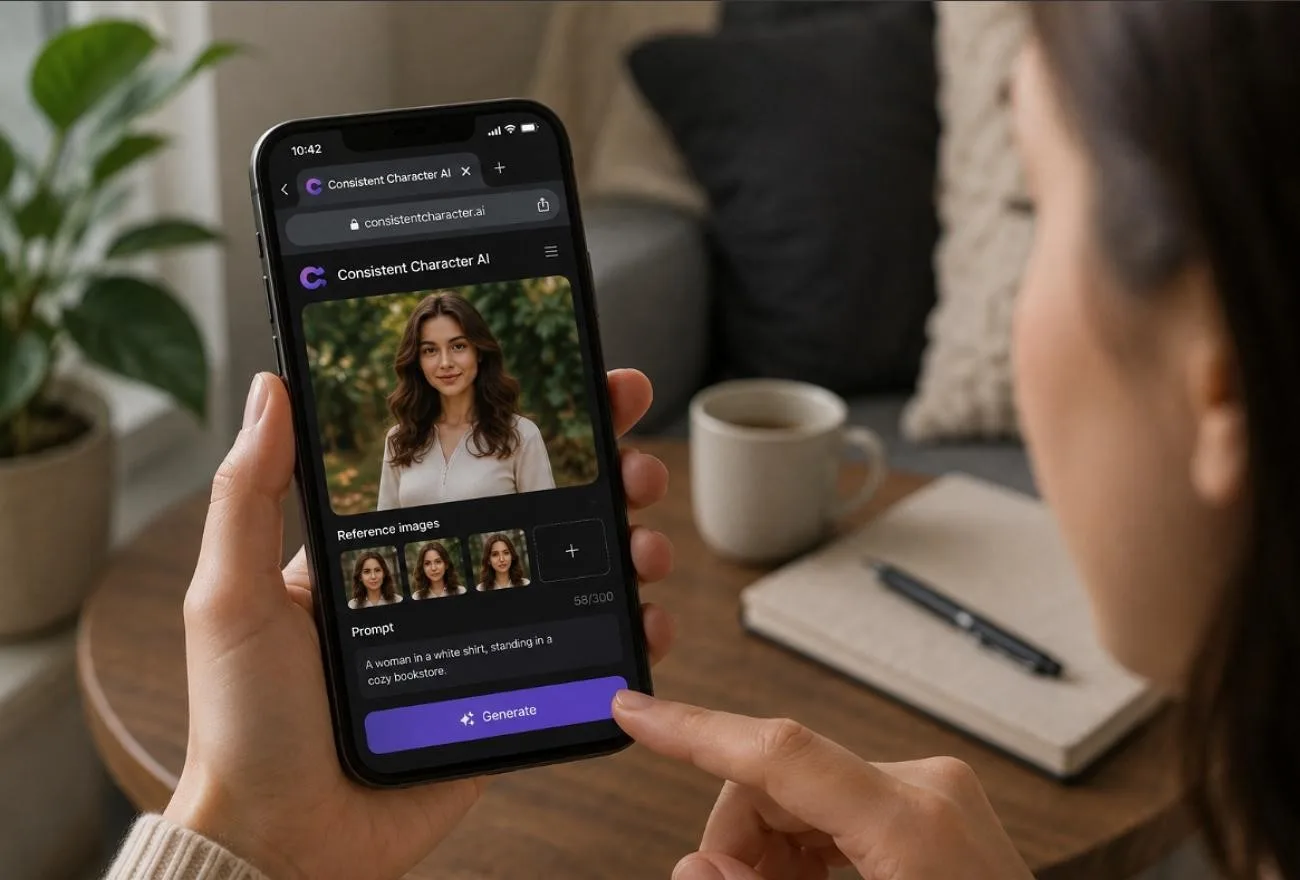
Anyone who has generated the same character twice knows the problem. The first image lands perfectly, while the next comes back with a different face. An afternoon can disappear into rerolls trying to recreate a character that the model simply won't preserve consistently.
This Consistent Character AI review examines a platform built specifically around that problem. It covers the tools on offer, how its pricing works, and one structural limitation worth understanding before committing an entire video project to it.
Part 1. What is Consistent Character AI?
Consistent Character AI is a browser-based platform for creators who want to create consistent characters with AI across different poses, styles, and scenes. You can start with a written description or reference images, then generate new variations while keeping the same character recognizable from one result to another.
Beyond still images, the platform includes video generation, motion control, and lip-sync tools. These features make it suitable for comics, storybooks, marketing content, game concepts, and character-led videos. With several AI tools offering similar character consistency features, this review looks at what Consistent Character AI provides, how its pricing works, and where its practical limitations become noticeable.
Core Key Features of Consistent Character AI
- Single-Photo Character Generation: Upload 1 reference photo, then place that character into fresh scenes without starting over.
- AI Agent: Describe your idea conversationally, then let the Agent plan and generate matching character scenes.
- Video, Motion Control & Lip Sync: Turn character images into moving clips, control motion, and match mouth movements to audio.
- Multiple Poses and Expressions: Change poses and expressions while keeping the character's recognizable appearance consistent between images.
- Style Transfer: Rework the same character in realistic, cartoon, anime, or other styles without rebuilding them.
- Batch Generation: Generate several character variations together, saving time when a project needs multiple related images.
The audience is fairly specific in practice. Comic artists, indie authors, concept designers, and small studios often need the same figure across multiple scenes. Creating consistent characters with AI can reduce the time and illustration costs involved in producing those variations.
Pros and Cons of Consistent Character AI
The platform handles consistent character AI well, but a few limitations become clearer with regular use. These strengths and drawbacks are worth considering before paying for a subscription:
Pros
- One reference photo can generate characters without training a custom model.
- Pro generation supports up to 14 reference images for stronger character fidelity.
- Paid users can generate images at resolutions up to 4K.
- Standard image generation costs 1 credit for each completed character image.
- Paid plans include commercial rights for games, comics, animations, and marketing.
Cons
- Free accounts are limited to 1K resolution and the shared generation queue.
- Free users cannot access Pro generation, video, or image upscaling tools.
- Purchased credit packs remain valid for 12 months before reaching expiration.
- Pro 2K and 4K generations consume more credits than standard images.
- Monthly credits expire at the end of each current billing cycle.
Part 2. How to Use Consistent Character AI?
To create consistent characters with AI, no model training or lengthy setup is required. The steps below cover the basic workflow from reference to final output:
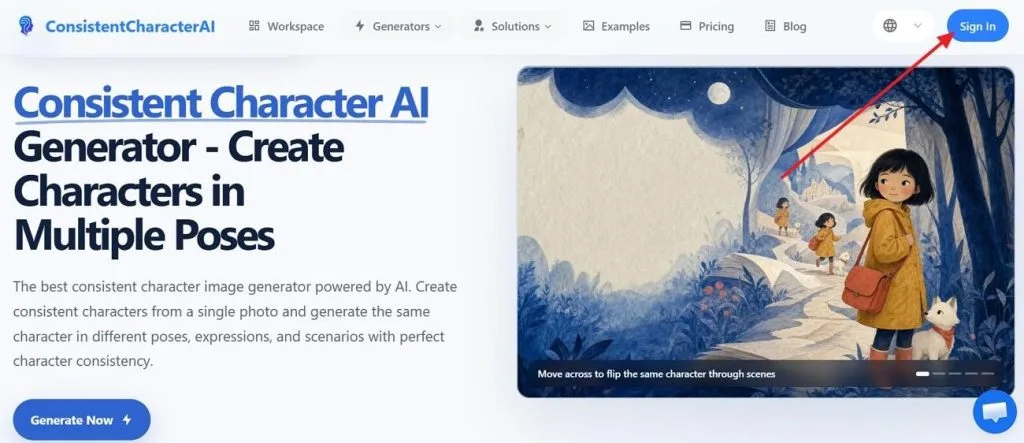
Step 1. Open Consistent Character AI and click Sign In in the upper-right corner to access the workspace.
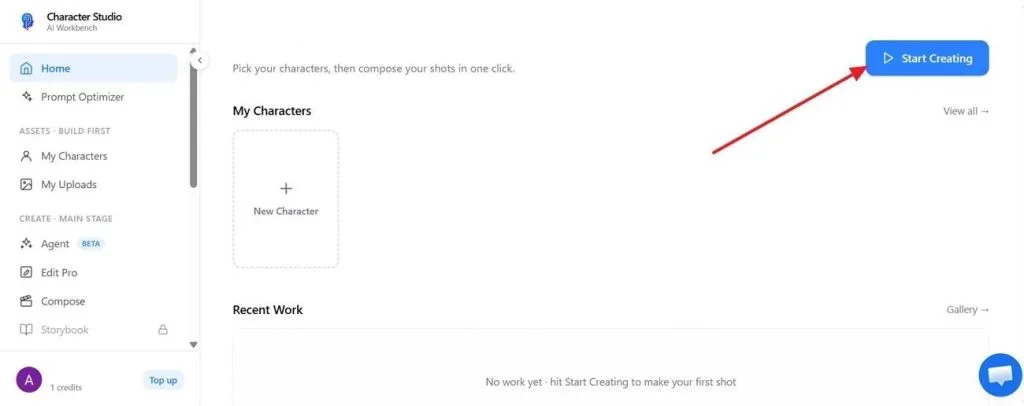
Step 2. From the Character Studio dashboard, choose Start Creating to begin building your first character.
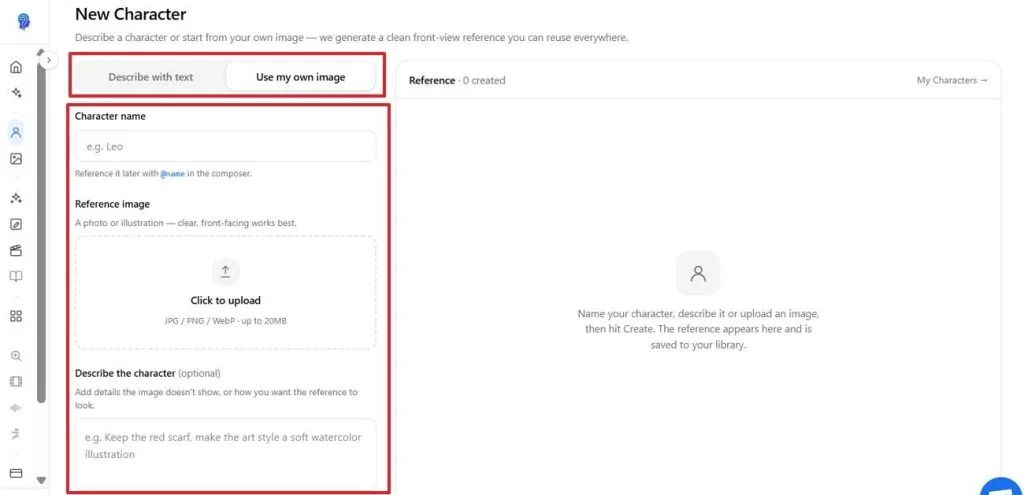
Step 3. Select Describe With Text to build from a prompt or Use My Own Image to work from a reference. Add a character name, upload your image, and describe any details you want preserved.
Step 4. Enter the desired Pose and Expression, describe the Background, and choose an Aspect Ratio. Once everything looks right, click Create Character –1 Credit to generate and save the character.
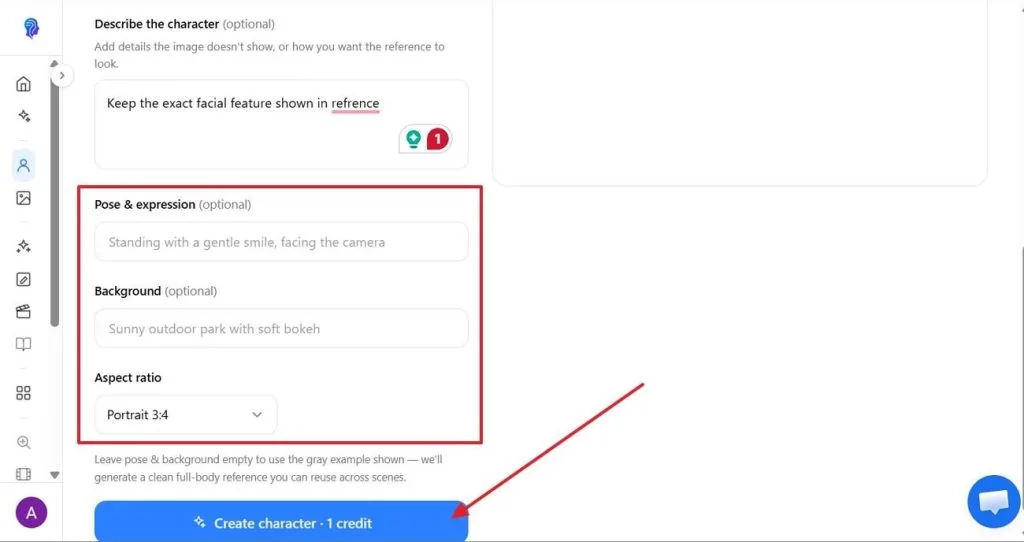
To avoid wasting credits, keep a copy of prompts and settings that produce strong results. Reusing a proven setup makes later character generations quicker and reduces unnecessary trial and error.
Part 3. Best Alternative to Consistent Character AI for Video Creation
Generating consistent characters with AI for videos becomes difficult when images need separate animation tools. This is where MagicLight AI helps by keeping character creation and video production connected. It offers 52 character styles across four classes, giving creators more visual design choices.
Users can save their chosen characters and reuse them across different scenes and stories. MagicLight also provides 19 AI video models for turning character images into moving videos. These include Gemini Flash 3.5, Seedance 2.5, and Seedance 2.0 for flexible video creation.
Core Advantages & Key Features of Magiclight AI
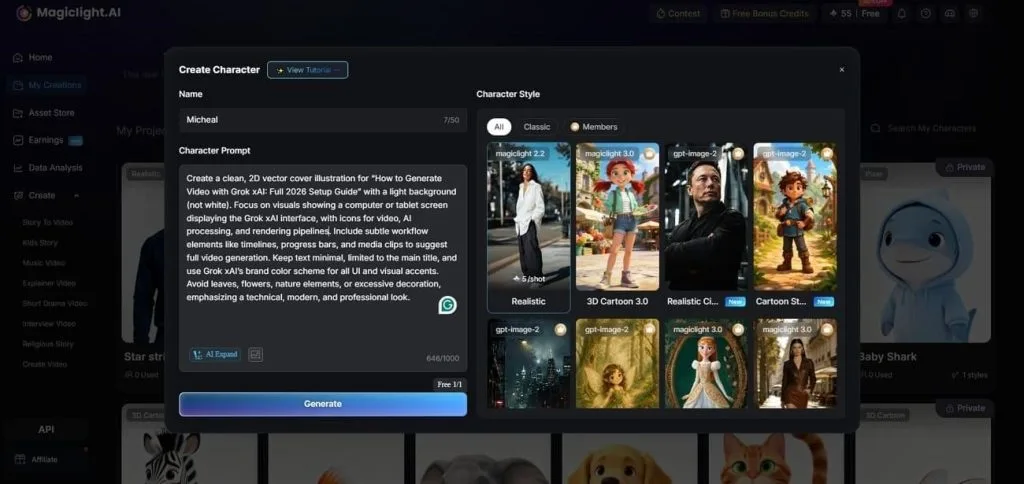
- AI Character Creation: You can create characters using prompts up to 1,000 characters or reference images. This helps establish recognizable characters that can remain visually consistent throughout video projects.
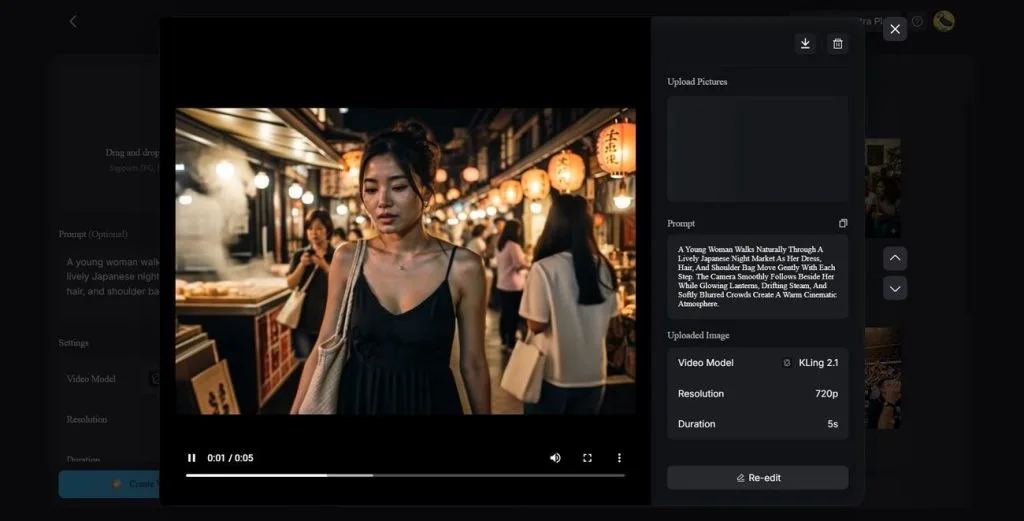
- Image to Video: Upload a single character image and animate it using prompts up to 1,500 characters. The tool creates 10–15-second clips at 720p or 1080p while bringing consistent characters into motion.
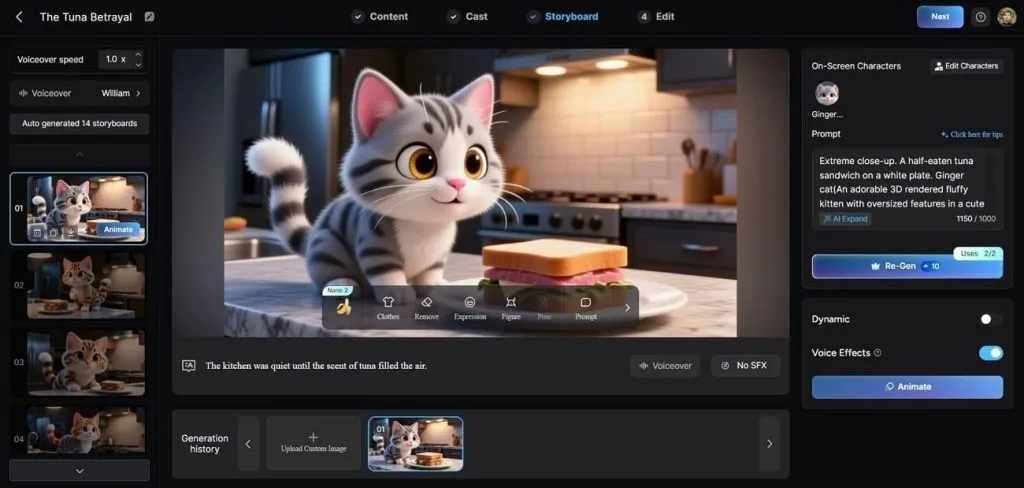
- Nano Storyboard: Set wardrobe, facial expressions, physique, poses, and camera angles for individual scenes. Its 50 available poses provide greater control over how characters appear throughout the video.
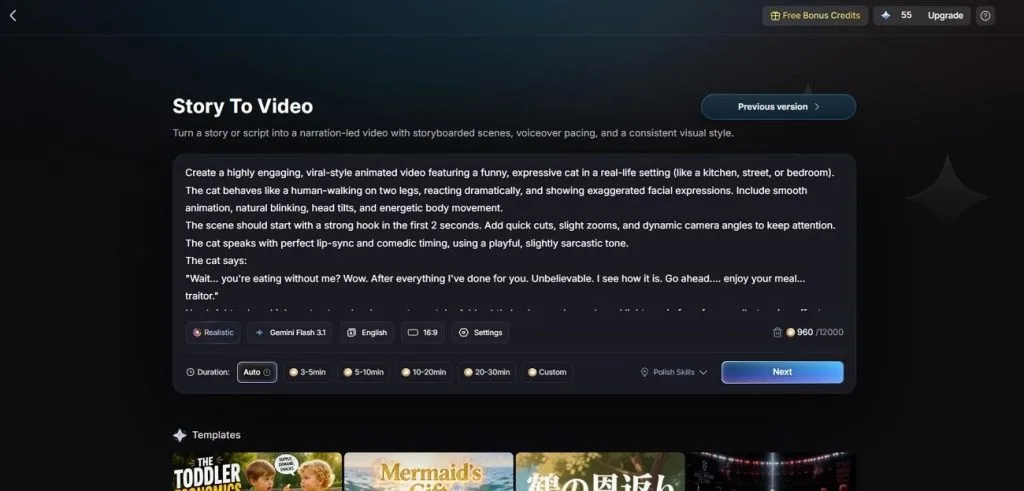
- Story to Video: Written stories containing up to 12,000 characters can become videos lasting 50 minutes. Creators can select from 9 story models to shape pacing while maintaining character consistency.
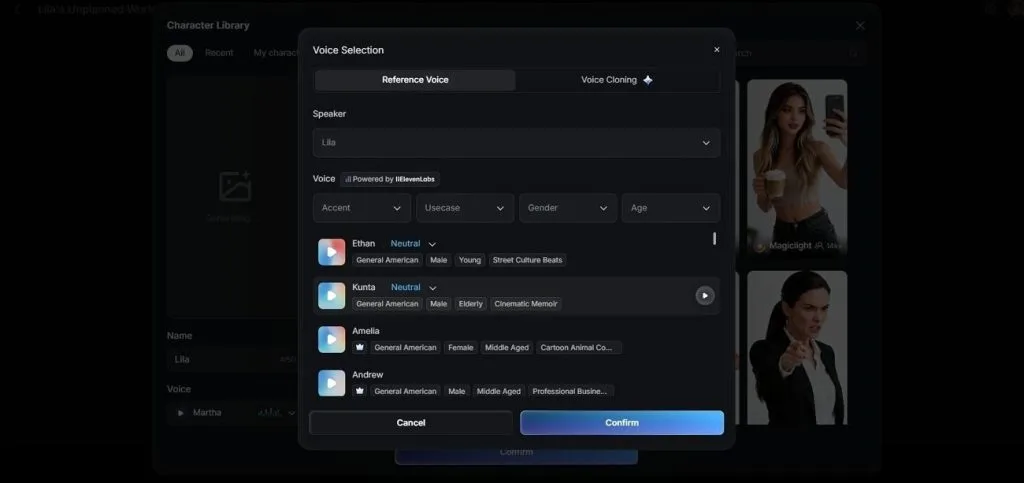
- Voiceover and Cloning: Choose from 37 voices filtered by age, gender, and accent for characters. Voice cloning also helps recurring characters maintain the same voice across different video scenes.
Part 4. Comparison Table Between Consistent Character AI and MagicLight AI
Creating consistent characters with AI becomes easier when one tool supports complete video production. Look at the table below to compare both platforms across their key capabilities:
| Feature | Consistent Character AI | MagicLight AI |
| Character Input | Reference photo or text prompt | Reference image or 1,000-character prompt |
| Character Reuse | Within the working session | Saved library, returns across projects |
| Expression Control | Granular editor for eyes, mouth, and tilt | Per-scene adjustment in the storyboard |
| Pose Options | Directed through prompts | 50 presets plus prompt direction |
| Scene Generation | One image per request | Full storyboard derived from a script |
| Maximum Length | N/A | Up to 50 minutes per project |
| Voice | N/A | 37 voices with cloning |
| Languages | English only | 11 languages |
| Style Range | Photorealistic through animated | 52 presets across 4 families |
| Free Access | Limited starter credits | Free plan, no card required |
Conclusion
To summarize, Consistent Character AI works well for creating reliable characters across different images. Its Expression Editor provides useful control over facial details, poses, and other visual changes. However, the platform focuses on still images and does not provide complete video creation. MagicLight AI suits creators needing characters that move, speak, and remain recognizable across scenes.
FAQs on Consistent Character AI
1. What does Consistent Character AI do?
This AI Consistent Character generator creates reusable characters from photographs or detailed written descriptions. Users can adjust poses, outfits, backgrounds, lighting, and facial expressions using four dedicated tools.
2. Is Consistent Character AI free?
Consistent Character AI offers limited free access, mainly allowing users to test basic capabilities. Paid plans start around $29/month, while generations and edits consume available account credits quickly.
3. Which AI has the best character consistency?
It performs well for maintaining recognizable characters across different still image variations. For videos, MagicLight AI maintains character faces, voices, and visual styling throughout multiple scenes.


![How to Write a Script for a Short Film in 2026 [Beginner’s Guide]](https://magiclight.ai/wp-2/wp-content/uploads/short-film-screenplay-writing-guide-300x169.webp)


