


A small business owner wants to make promotional videos that captivate customers but struggles with Higgsfield AI’s interface and export limitations. The good news is that 2026 brings a host of alternative video tools designed to simplify production without compromising quality. Some offer AI-assisted editing, while others focus on intuitive design and collaboration features.
This guide presents 10 of the best Higgsfield alternative, both free and paid, so you can get a platform that fits your budget and creative goals. From marketing content to social media clips, these tools make video creation faster, smarter, and more accessible.
1. MagicLight AI
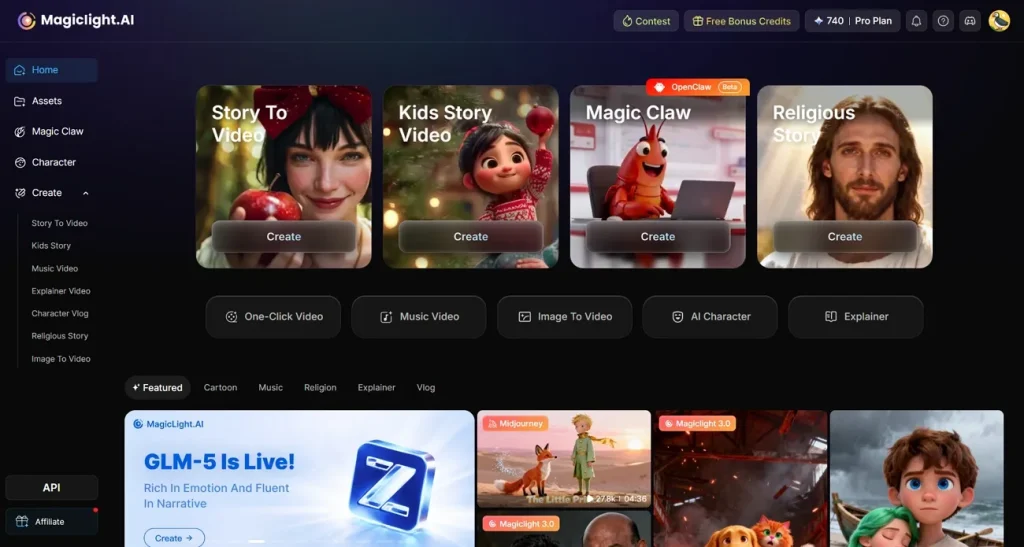
MagicLight AI is a cutting-edge AI-powered video creation platform designed to simplify content production for creators, marketers, and businesses. With an intuitive interface, users can generate high-quality videos in minutes without extensive technical skills. The Magic Claw feature allows users to automatically generate, review, edit, and prepare complete videos from a single idea. This makes it ideal for both beginners and professionals.
This AI platform supports a variety of video formats, including social media clips, promotional content, and educational tutorials, providing versatility for diverse use cases. Its cloud-based system ensures smooth performance, fast rendering, and easy collaboration across teams. Additionally, MagicLight AI offers customization options that allow users to tweak styles in the AI videos.
Key Features
- Story-to-Video: MagicLight AI can automatically transform written stories or scripts into complete videos, generating scenes, visuals, and narration with AI assistance.
- AI Character Generation: The platform allows users to create AI-generated characters that can act as presenters or performers within videos.
- AI Lip Sync: MagicLight AI synchronizes character lip movements with voiceovers to produce more natural and realistic speaking animations.
- Voice Cloning: This Higgsfield alternative tool can replicate a specific voice style, enabling creators to generate consistent narration or dialogue across their videos.
Pros
- It includes a library of customizable templates to help users start projects quickly.
- MagicLight AI features automatic text captioning for accessibility.
- Users can convert images and text prompts into high-quality videos using this tool.
Con
- MagicLight AI provides limited output resolution, with no 4K resolution option as well.
User Reviews
“I sometimes use it to quickly test visual ideas before full production.” - Spiderman batman Catwoman
“The visuals work well for educational or explainer style content.” - John Ian
2. Runway Gen-4 (RunwayML)
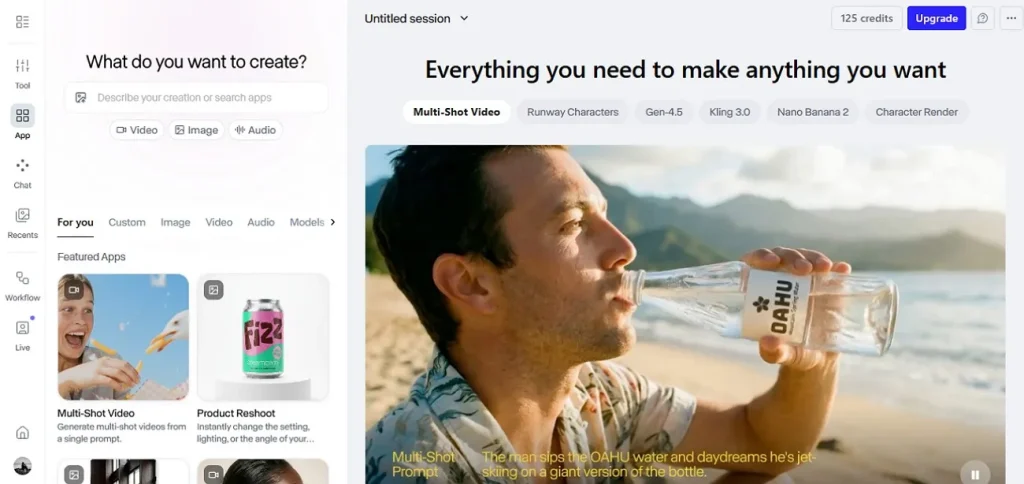
Runway Gen-3 Alpha is a powerful Higgsfield alternative free designed to deliver cinematic-quality AI video generation. The platform can transform text prompts or images into visually rich short videos while maintaining realistic motion, lighting, and scene continuity.
Key Features
- Advanced editing tools help creators refine and enhance AI-generated videos.
- The product reshoot feature automatically generates professional-looking product visuals.
- Built-in avatar generation allows users to create engaging presenters for promotional shoots.
Pros
- The tool also lets you generate audio from text prompts.
- You can select the aspect ratio and duration from the offered options based on your preferences.
Cons
- Premium plans can be costly, which may not be ideal for beginners or casual users.
- AI-generated clips are typically short, so creating longer videos often requires combining multiple clips.
User Reviews
“amazing technology for a variety of needs!” - Sofi
“I had received absolutely nothing usable for $200 I had spent.” - Daniel Whitney
3. Kling AI 2.0
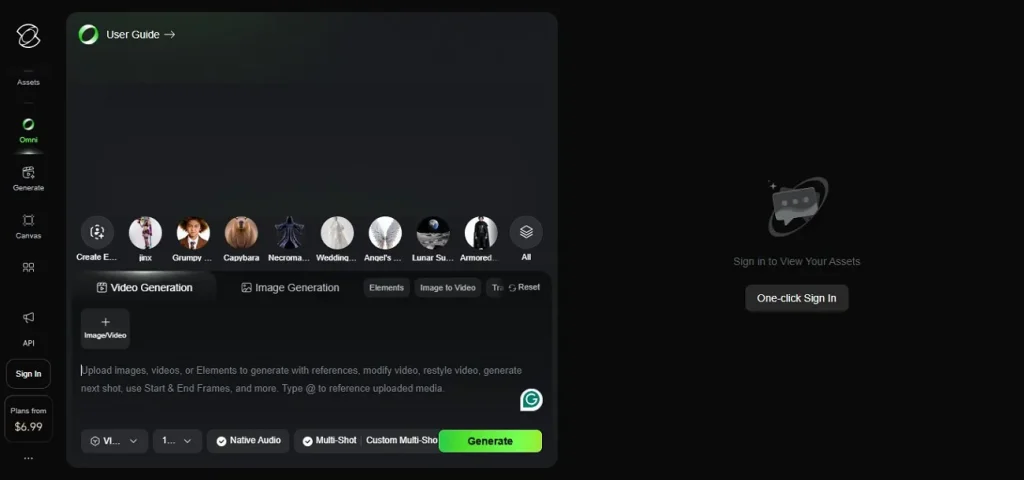
It is an emerging tool among Higgsfield AI alternatives, recognized for producing realistic physics-based visuals and generating longer AI video clips. In addition to its web-based capabilities, Kling AI also provides a smartphone app that allows creating AI-generated images and videos.
Key Features
- A simple, prompt-based workflow makes AI-generated video creation quick.
- Cloud-based processing enables video generation without requiring high-end hardware.
- Suitable for storytelling, marketing clips, and creative visual projects.
Pros
- The motion control feature lets users have control over the animation.
- It also enables the creation of AI Avatars using advanced technology.
Cons
- Built-in templates for marketing or structured content workflows are limited.
- The interface is still developing, so some features or controls may feel unfinished.
User Reviews
“I love KlingAI! I have had fantastic results and created excellent videos with it.” - Cruella Barbie
"Do not waste your money ($30). I subscribed to Kling AI and my entire balance of 10,000 credits was wiped out after generating only TWO 5-second videos." - YILDIZLIMO INC
4. Luma Dream Machine
Luma Dream Machine is a fast and accessible Higgsfield AI alternative, a free option that focuses on quick AI video generation with impressive visual quality. It supports text-to-video generation and provides an intuitive interface. The machine helps users quickly produce visually appealing clips.
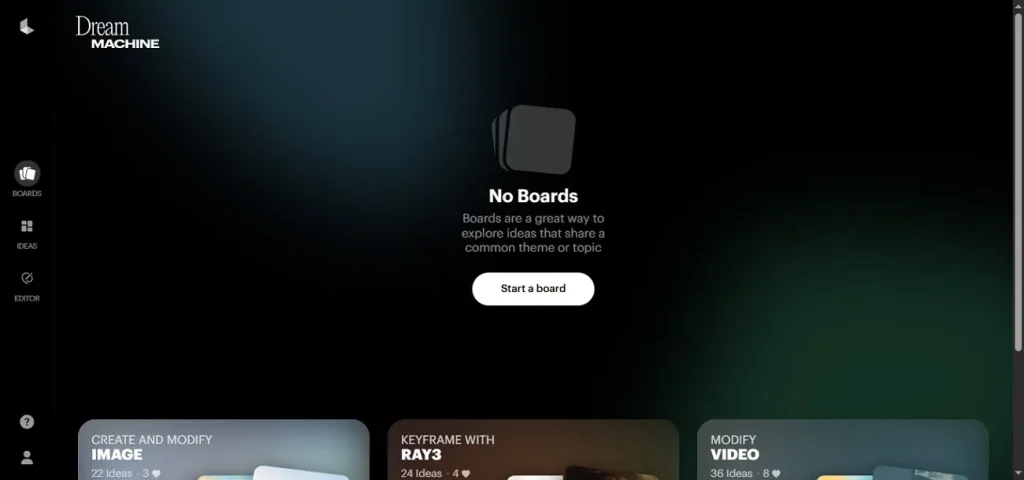
Key Features
- Provides multiple video resolution options, including 720p and 1080p, for flexible output quality.
- Allows users to automatically generate and refine prompts with AI for better video results.
- Supports uploading reference images, enabling users to convert images into videos.
Pros
- It supports voice inputs for prompts to convert into visual content.
- The tool also lets you create characters according to your preferences.
Cons
- Output quality can sometimes vary depending on the complexity of the prompt.
- Provides limited control over advanced video customization and detailed editing options.
User Reviews
“The paid version is much faster and better, especially RAY 3” - Đức Hạnh
“Unfortunately, the experience was extremely disappointing.” - Michael Beyer
5. Pika Labs 2.5
This is a creative tool among Higgsfield AI alternatives that produces stylized, imaginative AI videos with minimal effort. The platform is designed for quick idea-to-video generation, allowing users to experiment with artistic visuals.
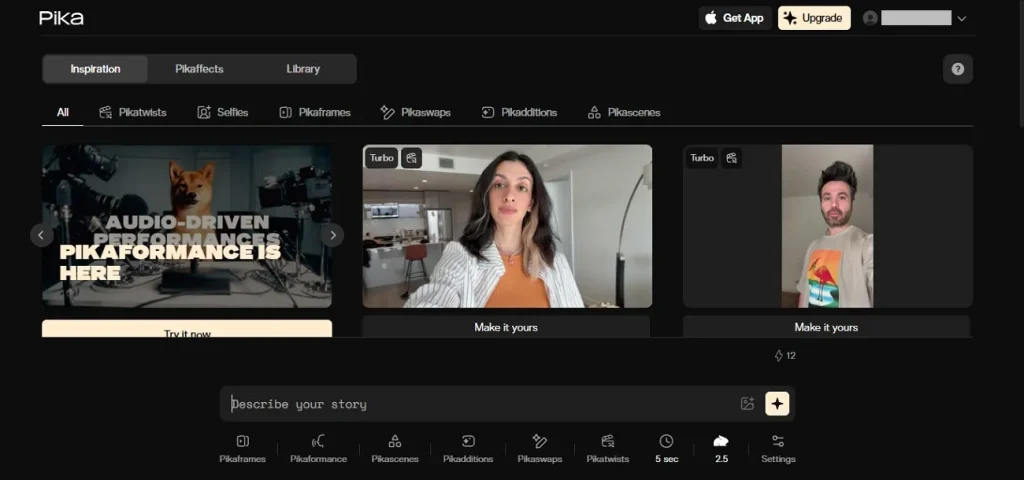
Key Features
- Offers collaborative features that let multiple users work on the same video project.
- Provides export options in different formats suitable for social media, presentations, or streaming.
- Regular updates introduce new AI effects and styles, keeping creative possibilities fresh.
Pros
- You can ask the AI to improve and refine your text prompt to achieve an exact result.
- The swapping feature lets you seamlessly swap faces in videos.
Cons
- The interface can feel cluttered, making navigation and feature discovery less intuitive.
- May not meet the needs of professional workflows that demand high realism.
User Reviews
“Good working application with high quality videos.” - Sven Verheem
“No matter how hard you try to provide clear detailed and concise prompts it doesn't follow them correctly.” - Floyd Bartlett
6. InVideo AI
As a leading Higgsfield free alternative, InVideo empowers creators to craft professional videos effortlessly. Its platform combines AI-powered editing, diverse templates, stock media, automatic voiceovers, and subtitle options. Designed for speed and simplicity, InVideo enables marketers, educators, and social media users to produce high-quality, engaging videos quickly.
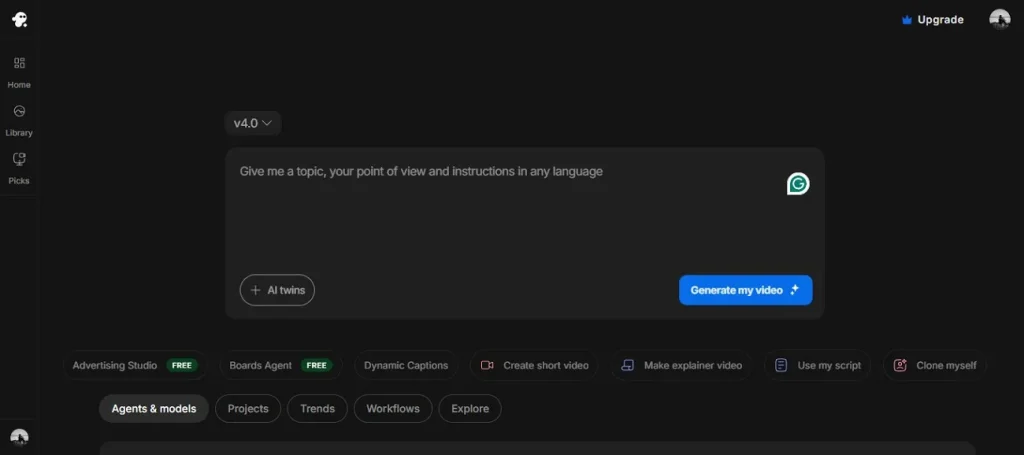
Key Features
- Automatically generates synchronized captions, making videos more engaging for viewers.
- Simplifies the creation of professional explainer videos, ideal for tutorials or educational content.
- Offers various AI engines to enhance video generation, style, and customization.
Pros
- Users can create short videos, like reels and Shorts, using this platform's short-video feature.
- An AI cloning tool lets you generate a cloned avatar of the uploaded portrait.
Cons
- Videos exported on the free version include a visible watermark, which limits professional use.
- The platform offers fewer detailed editing controls compared to professional tools.
User Reviews
“The software is easy to use and has a lot of options for editing.” - RV Nomads
“First of all, it is not very intuitive or easy to use. Secondly it is a money pit!” - Michael
7. PixelBunny.ai
Built for creators who want fast AI visuals, PixelBunny AI works as a practical Higgsfield free alternative for generating images and videos from simple prompts. The platform integrates multiple state-of-the-art AI models, enabling users to create visuals in a single workspace with flexible pay-as-you-go credits.
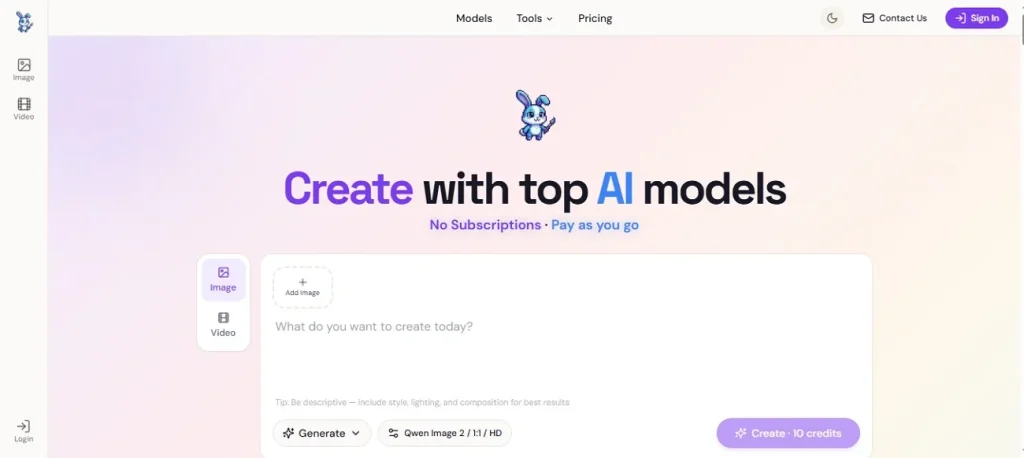
Key Features
- Instantly isolates subjects from images, making it easy to create clean visuals for social media.
- Enhances low-resolution images to high-quality versions without losing detail or clarity.
- Provides basic editing tools for quickly and efficiently trimming and merging.
Pros
- You can choose from multiple aspect ratios to generate platform-specific results.
- The tool offers different quality options for video generation for you to select from.
Cons
- Some advanced features require many credits, which can be costly for detailed projects.
- Complex multi‑shot generation may require experience to get consistent results.
User Reviews
“Straightforward interface, easy to navigate” - ChatAI
“Fewer image generation options and slower generation speed” - ChatAI
8. PixVerse V5.6
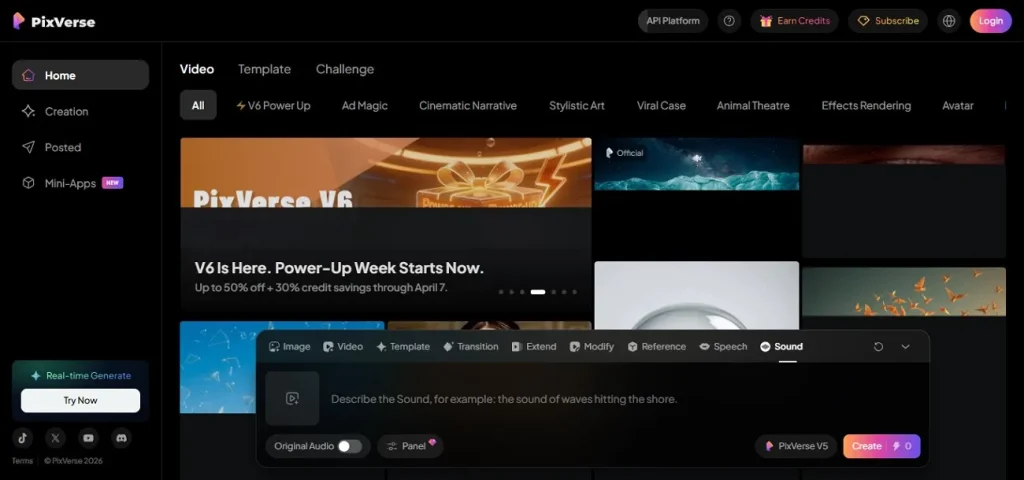
PixVerse V5.6 is a versatile Higgsfield AI alternative that lets users effortlessly transform images into engaging videos. The platform presents a wide range of ready-to-use templates to kick-start creative projects, making video production faster and easier.
Key Features
- You can select the video's aspect ratio and duration to suit your preferences.
- The AI extend feature automatically extends your video according to the context.
- It also lets you generate sound effects for your text prompts.
Pros
- Offers an intuitive interface that makes creation easy for beginners.
- Provides fast rendering speeds, allowing users to produce videos quickly.
Cons
- A subscription plan is required to access all the platform's features.
- The interface is quite cluttered compared to other tools, which can confuse beginners.
User Reviews
“kinda refreshing to use an AI tool that isnt constantly overpromising.” - Умелые крюки ChanneL
“From working fine it will now not work at all.” - David Brown
9. HeyGen
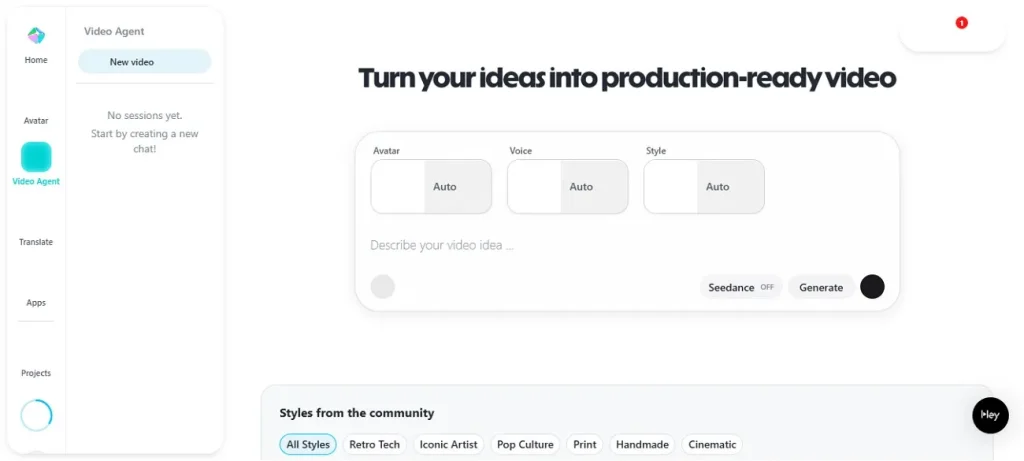
Fueled by advanced generative models, HeyGen serves as a versatile Higgsfield AI-free alternative for creating polished videos from text, images, or audio. It offers lifelike AI avatars, enabling users to produce explainers, demos, or social content without traditional filming.
Key Features
- Allows users to generate voiceovers in multiple languages, expanding the global reach.
- Provides pre-designed templates to speed up video creation and simplify the production process.
- Ensures AI avatars’ lip movements match spoken audio accurately.
Pros
- You can translate and dub your video in 175+ languages with this tool.
- It offers a text-based editor to modify your generated videos.
Cons
- The free tier is limited, often requiring paid plans for HD exports and premium features.
- Its corporate or template style may not suit cinematic storytelling or personality‑driven content.
User Reviews
“For what I need: a real person, with perfect lip synching, custom voices etc.. It's perfect” - S V SaresV
“I took so many pictures and not once did it generate an avatar that looked like me” - Hagr Said
10. Hailuo AI (Minimax)
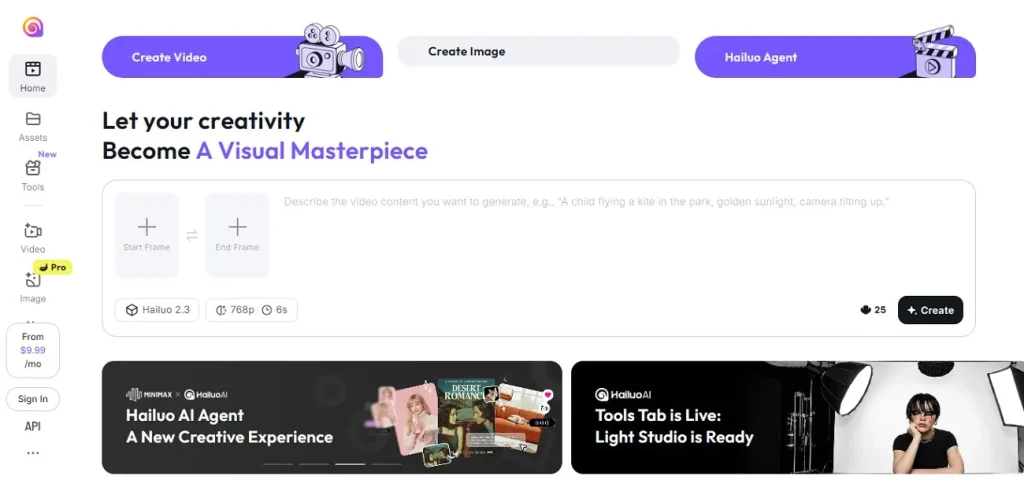
It is a versatile Higgsfield AI alternative that enables users to create videos effortlessly by uploading start and end frames, with the tool automatically generating scenes in between. It offers multiple duration and resolution options to suit different projects.
Key Features
- Multiple AI models are offered to generate videos according to different requirements.
- Besides video generation, it also provides image generation across text prompts.
- The music generator of the tool lets you generate background music for your videos.
Pros
- Features an easy-to-use interface, allowing beginners and casual users to get started quickly.
- Provides free usage, making it accessible for experimenting with AI video without upfront costs.
Cons
- Short video output limits storytelling depth, as clips are typically only a few seconds long.
- Limited customization tools make it less suitable for complex or highly detailed edits.
User Reviews
“This is one of the best models out there. The action with 2.0 is much better than any other model.” - Serge Donaldson.
"It was so expensive with false advertising. Most Video failed to generate with variety of execuses." - Raj Mohar Pillai.
Comparison Table Between Tools
Exploring the best Higgsfield free alternative tools for 2026 can help creators choose the right AI video platform for their needs. Below is a comparison of the top 10 AI video tools to help you make the right decision:
| Key Strengths | Output Quality | Ease of Use | Customization Options | |
| MagicLight AI | AI-powered scene creation, templates, music generation | Very High | Beginner-friendly | Advanced |
| Runway Gen-4 | Cinematic-quality AI, product reshoot, avatar generation | High | Moderate | Moderate |
| Kling AI 2.0 | Physics-based visuals, long clips, smartphone support | Moderate | Easy | Moderate |
| Luma Dream Machine | Quick video generation, reference image support | High | Moderate | Limited |
| Pika Labs 2.5 | Stylized visuals, fast processing, collaborative editing | Moderate | Easy | Moderate |
| InVideo AI | Templates, stock media, AI engines, captions | High | Easy | Moderate |
| PixelBunny.ai | Image isolation, upscaling, and basic editing | Moderate | Easy | Limited |
| PixVerse V5.6 | Image-to-video, voiceover uploads, templates | Moderate | Moderate | Moderate |
| HeyGen | Multilingual voiceovers, AI avatars, lip-sync | High | Easy | Moderate |
| Hailuo AI | Auto scene generation, duration/resolution options | Moderate | Moderate | Limited |
Conclusion
To sum it up, this article offered a detailed review of the top Higgsfield AI alternatives you can try. Among them, MagicLight AI stands out as the most versatile and user-friendly option, combining high-quality video output and seamless audio integration. Its cloud-based system and collaborative features make it ideal for creators, marketers, and teams seeking a fast, professional, and reliable AI video creation platform.
FAQs on Higgsfield AI Alternative
1. What is the best Higgsfield AI alternative?
The best Higgsfield AI alternative is MagicLight AI due to its intuitive interface, high-quality output, and powerful AI automation. It offers versatile templates, audio integration, and cloud-based collaboration, making it ideal for both beginners and professionals.
2. Are there free Higgsfield AI alternatives?
Yes, several free Higgsfield AI alternatives are available, including Luma Dream Machine, InVideo AI, and PixelBunny.ai. While they may have some limitations, they allow users to experiment with AI video creation without upfront costs.
3. Do Higgsfield AI alternatives need a sign-up?
Most Higgsfield AI alternatives require a sign-up to access their features, including MagicLight AI. Signing up ensures that projects are saved securely and allows access to templates, cloud rendering, and collaboration tools.
4. Which tool is best for image-to-video AI?
For image-to-video AI, MagicLight AI is the best choice as it lets users convert images and text prompts into high-quality videos effortlessly. Its advanced AI ensures smooth transitions, consistent scene continuity, and professional-looking results.
5. Is Runway better than Higgsfield AI?
Runway offers cinematic-quality video generation with advanced physics simulation and avatar creation, making it strong for professional use. However, MagicLight AI is generally preferred for its ease of use, versatile templates, and fast workflow suitable for most creators and social media content.





![How to Make a Marketing Video 2026 [Step-by-Step Guide]](https://magiclight.ai/wp-2/wp-content/uploads/marketing-goal-planning-guide-300x200.png)