


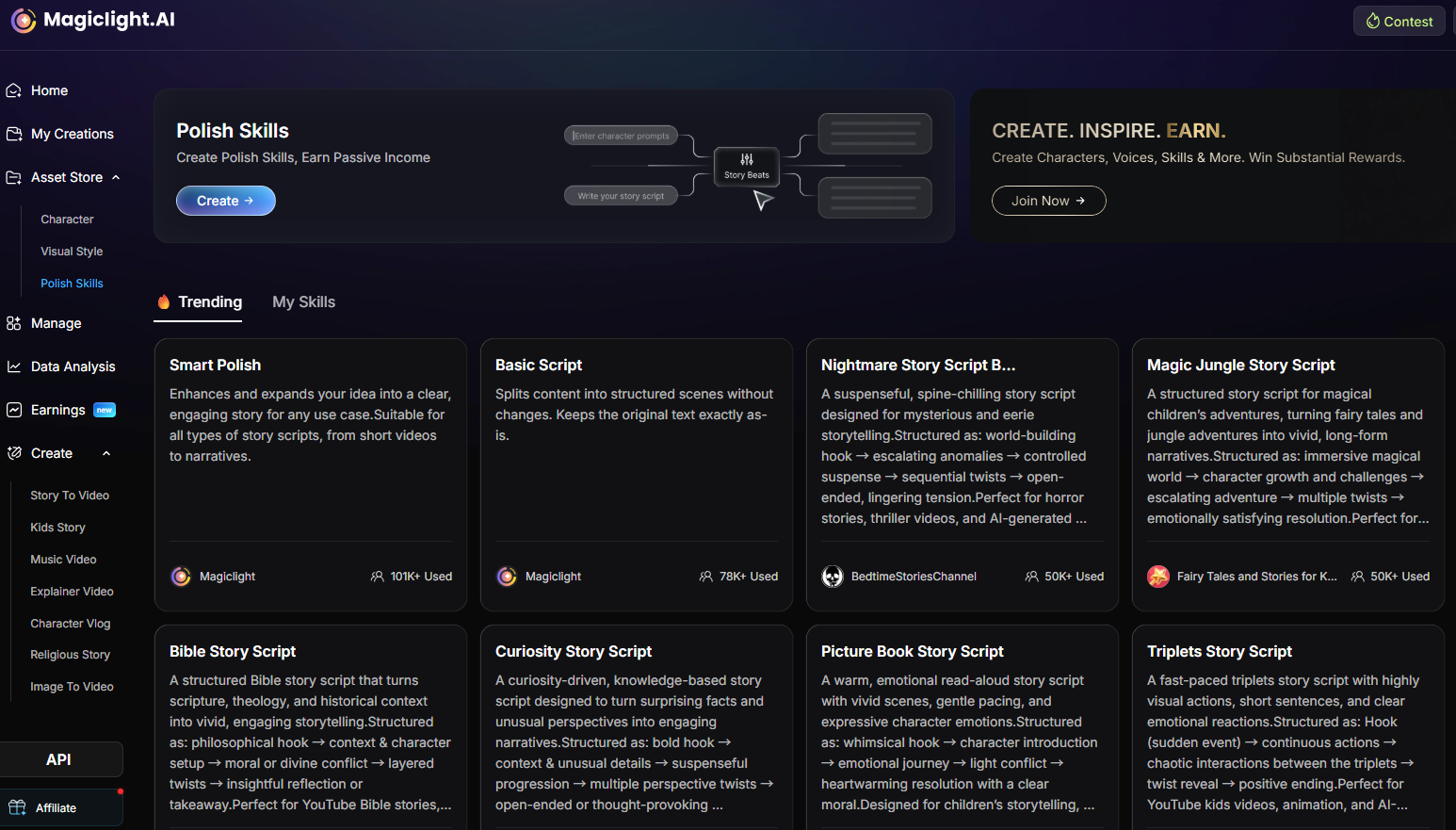
This workflow helps you turn one story idea into platform-ready scripts for YouTube Shorts, YouTube videos, TikTok, Instagram Reels, Facebook, or other channels.
If you want the same story concept to perform differently across platforms, you should not use one generic prompt for everything. A custom Video Creation Skill helps you lock in the right hook, pacing, structure, tone, and ending for each channel.
What This Skill Should Do
| Stage | What you define | Why it matters |
|---|---|---|
| Create the skill | Choose a skill focused on script polishing for video platforms | Turns one raw idea into usable platform-specific scripts |
| Name and configure | Pick the skill name, category, and target platforms | Keeps the output aligned with the real publishing format |
| Write the prompt | Define role, inputs, platform rules, output, and quality checks | Makes the skill reusable instead of one-off |
| Test and publish | Generate sample stories and refine before publishing | Helps you catch weak pacing or wrong platform fit early |
Step 1. Create a Polished Skill for Script Adaptation
If users want different versions of the same story for different platforms, they can create a custom Polished Skill. The purpose of this skill is to transform one basic idea into a platform-ready script with the right pacing, hook, structure, tone, and ending.
This is useful because short-form and long-form platforms reward different storytelling patterns. A good skill should make those differences explicit instead of forcing one format onto every channel.
Step 2. Name and Configure the Skill
Start by setting the skill name, the most relevant category, and the target platform. Use a clear name that describes the outcome, not just the topic.
Recommended setup
- Skill Name: World Cup Drama Script Generator
- Category: Video Creation
- Target Platforms: one or more of YouTube Shorts, YouTube Video, TikTok, Instagram Reels, Facebook, Others
Why platform selection matters
- TikTok and Reels need a fast hook and quick payoff
- YouTube Shorts need strong retention and a clear ending
- YouTube Videos need deeper structure and longer storytelling
- Facebook often works better with broad emotional clarity
Step 3. Use a Strong Example Skill
A good tutorial is easier to follow with one concrete example. Here, use World Cup Drama as the model skill.
This skill is designed to create emotional, cinematic football stories inspired by World Cup-style tournament pressure. The core idea is simple:
global tournament pressure + personal conflict + team stakes + unforgettable match moment
That formula is useful because it gives the AI a repeatable dramatic frame rather than a vague sports theme.
Step 4. Write the Prompt Structure
Your skill prompt should be structured enough to adapt across platforms without becoming too long. A practical prompt usually includes these parts:
- Role: what the AI should act as
- Goal: what the skill should generate
- Inputs: what the user may provide
- Platform rules: how the script changes by channel
- Output format: what the final result should contain
- Quality checklist: how to judge the result
Keep the wording concise. The prompt should be detailed enough to guide output quality, but not so long that it becomes hard to maintain.
Step 5. Use This Example Prompt
Example Skill Prompt
You are an expert short-video scriptwriter and sports drama storyteller.

Create platform-ready video scripts based on World Cup-style drama ideas.

The story should be emotional, cinematic, and easy to turn into AI-generated video.

User inputs:
- Story idea: {{story_idea}}
- Target platform: {{target_platform}}
- Video length: {{video_length}}
- Tone: {{tone}}
- Audience: {{audience}}
- Visual style: {{visual_style}}

If inputs are missing, assume:
- Target platform: YouTube Shorts
- Video length: 60 seconds
- Tone: emotional and inspiring
- Audience: global sports fans
- Visual style: cinematic sports drama

Platform rules:
- TikTok / Instagram Reels: start with a strong 1-2 second hook, fast pacing, emotional twist, short lines.
- YouTube Shorts: use a clear hook, rising tension, strong climax, satisfying ending.
- YouTube Video: use a deeper 3-act structure, richer character setup, and stronger narration.
- Facebook: make the story easy to understand, emotional, and broadly relatable.

Output:
1. Title
2. Platform
3. Hook
4. Short logline
5. Script with timestamps
6. Key visual scenes
7. Narration
8. Ending line
9. Hashtag or caption suggestion

Quality checklist:
- Does the first 3 seconds grab attention?
- Is the protagonist clear?
- Is there emotional conflict?
- Is there a dramatic football moment?
- Does the ending feel meaningful?
- Is the script suitable for the chosen platform?
Step 6. Generate Test Stories and Publish the Skill
After writing the prompt, test it with sample story ideas before publishing. This is the fastest way to check whether the hook, pacing, and platform adaptation actually work.
When reviewing test outputs, check whether:
- the opening hook fits the chosen platform
- the pacing matches the target video length
- the emotional conflict is clear
- the ending feels complete
- the format is easy to turn into video production
If the result feels too generic, tighten the platform rules or simplify the output format. Once the tests look stable, publish the skill so it can be reused across future story ideas.
FAQs on Creating a Video Creation Skill in Magiclight
What category should I choose?
Choose the most relevant category, such as Video Creation, so the skill is easy to find and understand later.
Should one prompt work for every platform?
No. The whole point of this skill is to adapt the script to the rhythm and expectations of each platform.
How long should the example prompt be?
Long enough to define role, inputs, platform rules, output, and quality checks. Short enough that users can still edit it easily.




![How to Make a Marketing Video 2026 [Step-by-Step Guide]](https://magiclight.ai/wp-2/wp-content/uploads/marketing-goal-planning-guide-300x200.png)