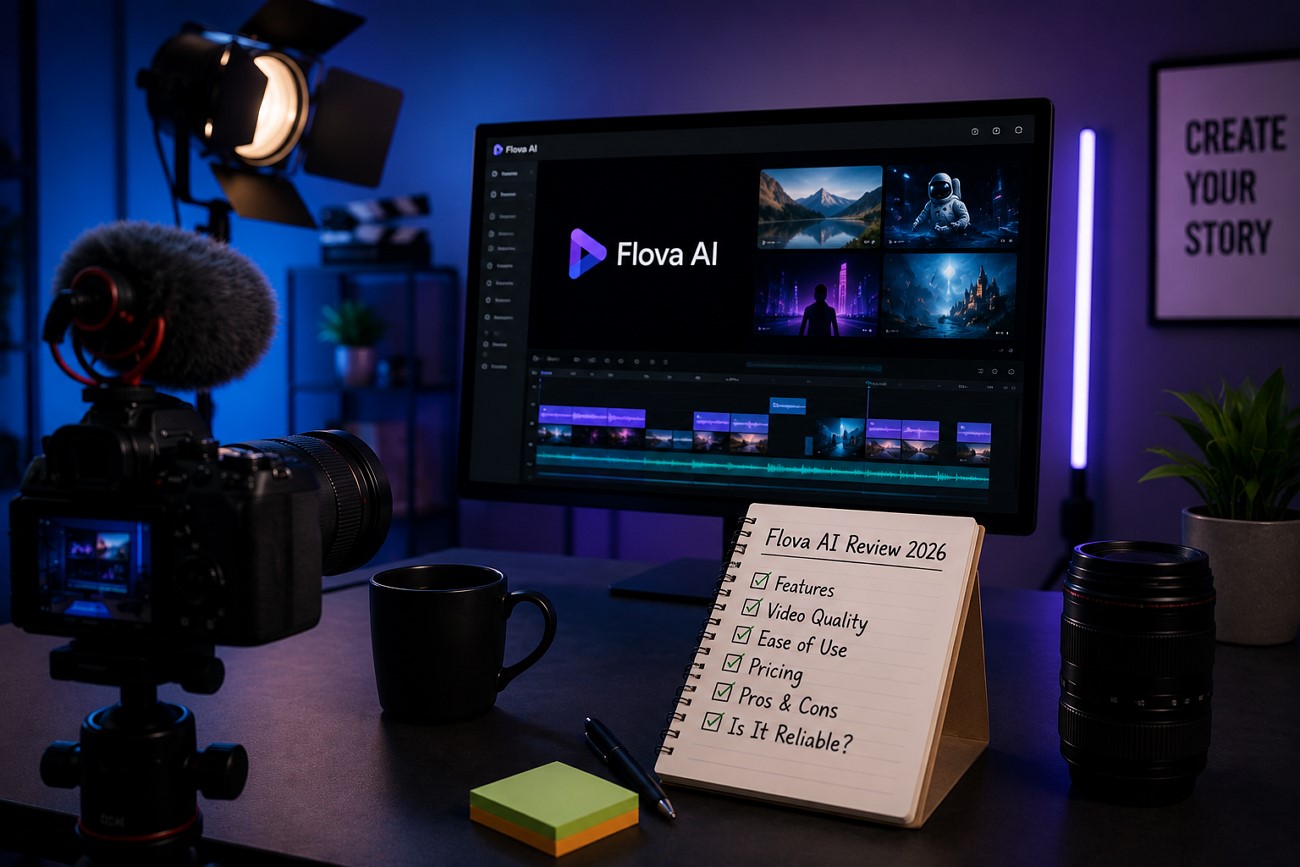
Typing a prompt and getting back a usable video is one thing. Having an AI actually plan the shots, keep a character consistent, and hand you a finished cut is another. Flova AI aims for the more ambitious goal and positions itself as an AI video agent rather than a simple generator.
This review examines how well Flova AI performs, its standout features, and where it falls short. It also points to MagicLight AI, a solid pick for creators whose projects run longer than a single scene.
Part 1. What Is Flova AI?
Flova AI is an AI video creation agent that streamlines the entire video production pipeline from a single interface. Instead of a single video box, it works more like a collaborator. Users have to describe a scene in plain language or drop in a reference image, and the Agent plans the script, storyboard, and shots.
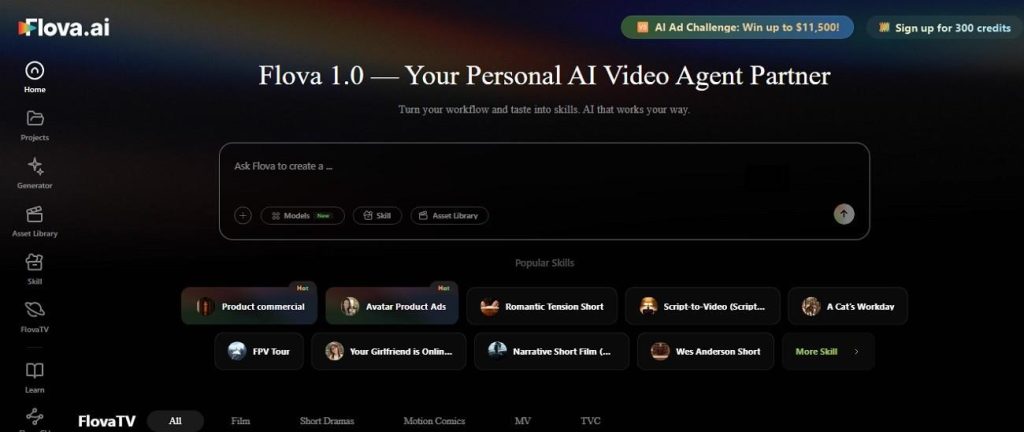
These steps are what set Flova AI apart from most competitors. The platform builds in project memory, so earlier decisions carry forward as a project develops. The Skill system lets creators save their own workflow preferences for the Agent to reuse. Flova AI draws on several outside models, including Seedance 2.0, Veo 3.1, and Kling 3.0, rather than generating video with technology of its own.
Core Key Features
To know about other aspects of Flova AI free, go through the mentioned details:
- 360-Degree Character Consistency: Builds a character from multiple reference angles, then keeps that identity intact as the camera moves or the scene changes.
- Project Memory: Keeps track of scripts, shots, and edits across a project, so earlier decisions can be revisited without starting over.
- Asset Library: Stores characters, backgrounds, and other elements so they can be reused across multiple projects.
- Conversational Agent Planning: Describe a project in plain language and Flova AI drafts the script, storyboard, and shot list before any generation starts.
- Skill System: Saves a creator's own workflow and preferences as a reusable Skill, so future projects follow the same approach automatically.
Pros
- Agent-driven planning creates more coherent scenes than basic prompts.
- 360-degree character consistency works across angles and scene changes.
- Start projects from prompts, images, characters, or audio tracks.
- Skill system reduces setup time for repeat projects.
- Free signup credits let users test Flova AI without payment.
Cons
- Guided planning takes longer than single-prompt generators.
- Outputs still need careful review before real project use.
- Short clip lengths require assembling multiple shots together.
- Credit costs increase with resolution and model selection.
- Planning-heavy workflows have a steeper learning curve.
Part 2. How to Use Flova AI?
Flova.AI's workflow leans on conversation and planning rather than manual, clip-by-clip generation. Here is what that looks like from a first idea to a finished cut:
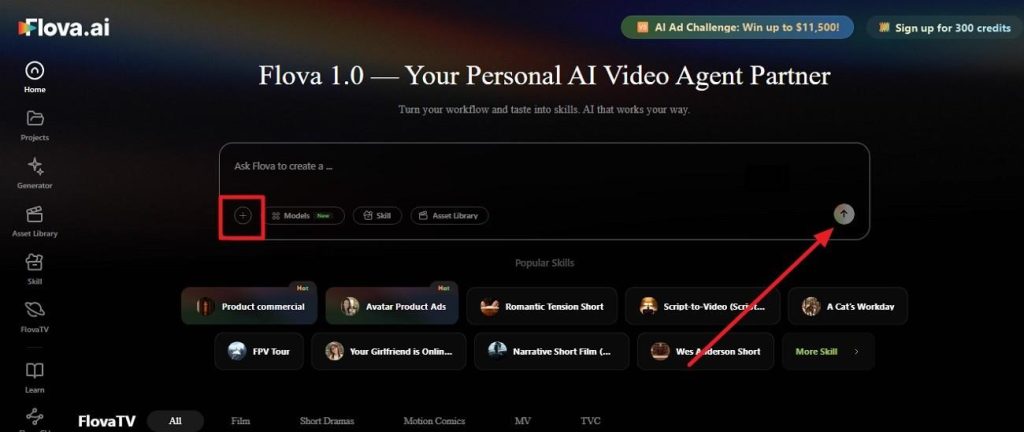
Step 1. Tap the + button to upload an image and enter the prompt in simple language to press Generate.
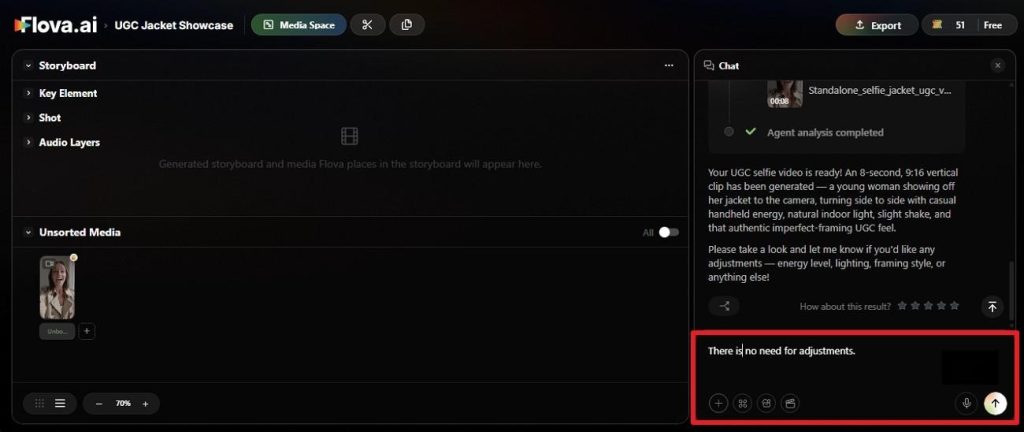
Step 2. When the prompt is analyzed, let Flova AI know if you need any adjustments in the chat box.
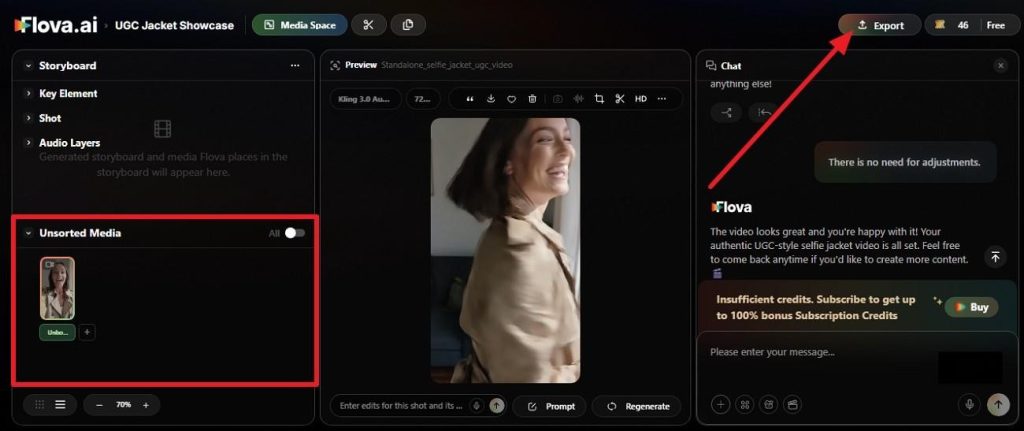
Step 3. Once the video is ready, tap on it in the Unsorted Media tab and choose the Export option to save.
Part 3. Best Alternative to Flova AI for Video Creation
Flova AI's planning-first approach produces coherent short scenes, but assembling a long, continuous story still means managing many individual shots. MagicLight AI approaches long-form differently: a single project can run up to 50 minutes without needing to plan and stitch dozens of separate generations together. It also builds character and voice consistency directly into that longer format, rather than relying on planning and memory to hold a project together across many shots.
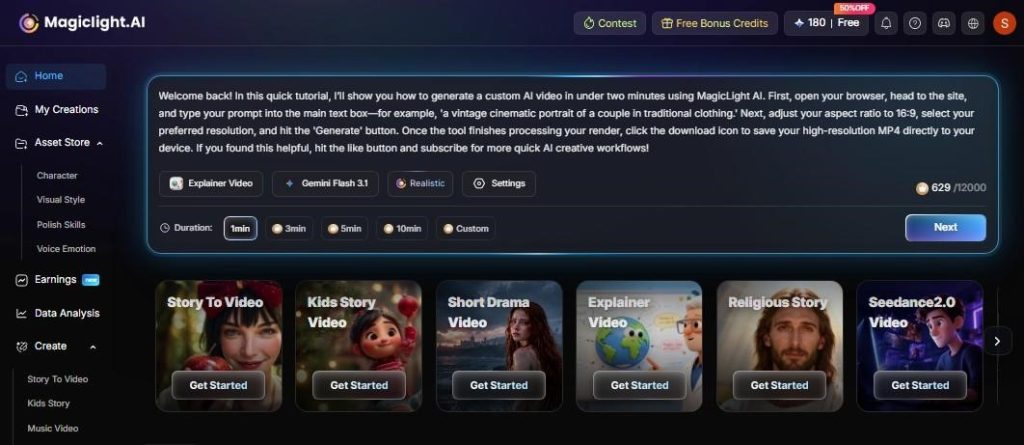
For creators whose main goal is a complete story or series, rather than a short, planned scene, MagicLight AI covers ground Flova AI was not built for. Moreover, it generates a complete storyboard using the basic prompts and video settings. After it is created, you can leverage the Nano Storyboard to make further adjustments seamlessly.
Core Advantages & Key Features of MagicLight AI
- Scriptwriting: It automatically turns your story ideas into full scripts and descriptions. Use the 9 story models available to create the perfect script for your video.
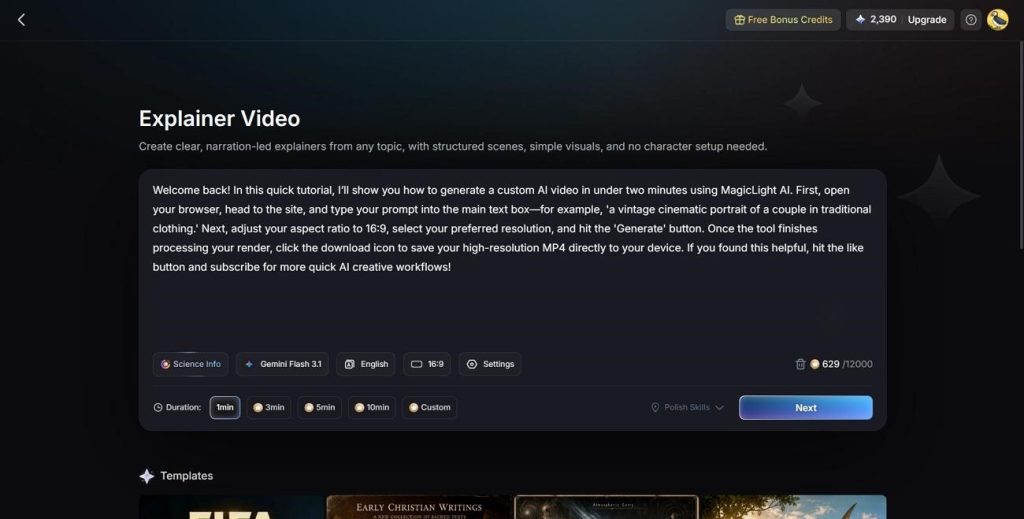
- Explainer Video: While offering 19 different AI models for video creation, you can select from the variety of styles to generate the perfect explainer video within MagicLight AI.
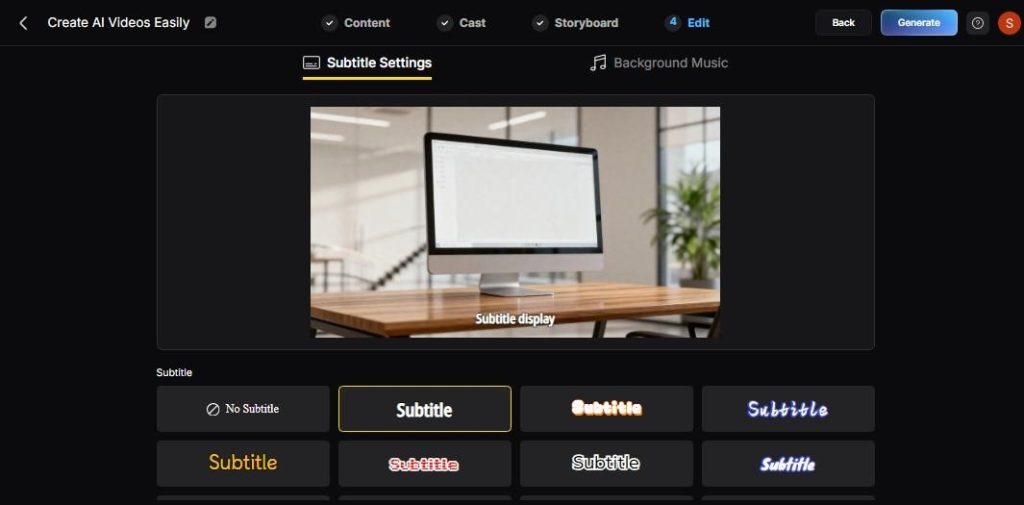
- Subtitle and Template Options: MagicLight AI gives you 16 subtitle settings and 21 cover template options. Easily generate the perfect video with the right elements that attract.
- Cloned or Library Voiceovers: Choose from 37 built-in voices, or clone one to keep a consistent host across projects, with no recording setup needed.
- Multilingual Support: Produces the same story in 11 other languages without rebuilding the project from scratch, giving you the option to attract larger audiences.
- No-cost Starting Point: A limited free allotment of credits is enough to build and publish a first AI story video before any payment is required.
Part 4. Comparison Table Between Flova AI and MagicLight AI
Here is how the Flova AI free and MagicLight AI stack up side by side, on the points that actually shape which one fits a given project:
| Aspect | Flova AI | MagicLight AI |
| Primary Purpose | AI video agent for planned, character-driven scenes. | A complete AI video production system built around long-form storytelling. |
| Ease of Use | Conversational planning, with checkpoints to review before generating. | Template-driven workflow that walks a project from idea through export. |
| AI Capabilities | Multi-model agent: Sora 2, Veo 3.1, Kling, plus image and music models. | Handles scripting, storyboarding, character design, and voice generation inside one project with 19 different AI models. |
| Output Quality | High-fidelity, up to 4K depending on the model chosen. | Clean 1080p HD output, watermark-free once on a paid plan. |
| Customization | 360-degree character builder, reusable Skills, and an Asset Library. | Scene-level Nano Storyboard edits, a range of style models, and voice cloning. |
| Performance | Thorough but slower, since planning happens before generation. | One continuous pipeline handles the whole project, from script to export. |
| Speed | Multi-step planning adds time next to a single-prompt generator. | A single-generation run covers the entire video, even at 50 minutes. |
| Platform Support | Web app, plus a CLI built for developers. | Web, Android, and iOS. |
| Pricing | Free credits to start; paid plans from about $16/month. | Free to start, with paid tiers beginning at $6 a month on annual billing. |
| Export Options | Watermark-free export on paid plans. | 1080p HD downloads, watermark-free, with a general commercial license included. |
| Best For | Character-driven shorts, films, and carefully planned scene work. | Best suited to long-form storytelling, from kids' content and explainers to faith-based stories and YouTube series. |
| Overall Value | A good match for creators who want guided planning behind every scene. | A strong fit for creators whose priority is one complete long-form story, not a set of short clips. |
Part 5. FAQs on Flova AI
1. What can Flova AI do?
Flova AI plans and generates cinematic video projects from a prompt, image, character sheet, or audio track. It handles scripting, storyboarding, character consistency, visuals, music, and narration, drawing on a mix of outside AI models instead of a single in-house system.
2. Is Flova AI any good?
Flova AI is genuinely strong for character-driven scenes and cinematic camera work, and independent testing backs up its consistency claims. It suits quality-focused projects better than fast, high-volume content, since the guided process takes longer than a single-prompt generator.
3. What is the best alternative to Flova AI?
MagicLight AI stands out as the stronger pick for creators who want a complete story rather than a set of planned short scenes. It carries a full project, up to 50 minutes, while keeping the same characters intact throughout, without the manual planning steps Flova AI relies on.
Conclusion
Flova AI earns its reputation as a thoughtful, planning-driven AI video agent, especially for character-consistent, cinematic scenes. The tradeoff is speed: the guided process asks for more patience than a quick-generated tool, and a full-length story still comes together from many individually planned shots.
MagicLight AI takes the opposite approach, handling an entire long-form project in one continuous run. The better choice depends on whether the priority is a carefully planned scene or a complete story told in a single pass.
![6 Best Free AI Video Generators [Compared]](https://magiclight.ai/wp-2/wp-content/uploads/ai-video-generation-workflow-300x196.png)