Is HeyGen AI the right choice for creating professional videos? Explore its features and limitations to help you decide the best option for your content needs.
Many people want professional videos but lack filming skills or enough budget. Traditional video production and voiceover can also take many long hours. HeyGen AI solves this problem by turning scripts into talking avatar videos. It also offers voice cloning and templates to simplify video production workflows. This review explores features, usability, and reliable alternatives prior to making your final decision.
Part 1. What is HeyGen AI?
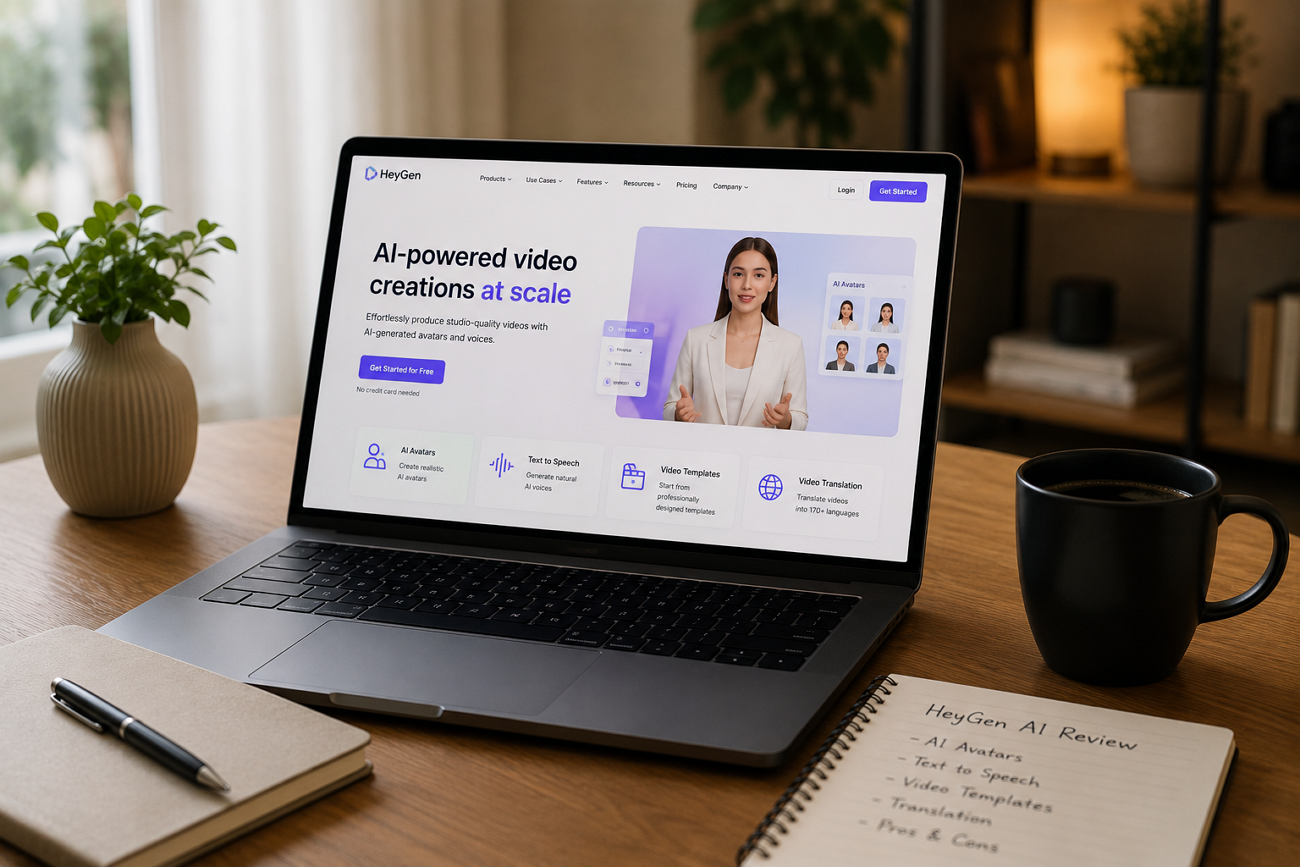
HeyGen AI is a platform that turns written scripts into talking videos. Users type a script, then select a realistic digital avatar to narrate. The platform then generates synced lip movement and natural-sounding voice narration automatically. In addition, Heygen.ai even supports voice cloning and translation across multiple languages.
It is suitable for different content types, such as commercial clips and general social media content. Marketers and creators use it to replace expensive traditional video production entirely. The credit system, however, can make advanced features costly for heavy users. Overall, HeyGen AI suits users who want fast, professional-looking video output.
Key Features
- Video Agent: Builds a complete video automatically from a single simple text prompt without manual editing steps.
- AI Translator: Enables you to dub existing videos into over 175 languages while closely maintaining the same lip movements.
- Voice Cloning: Replicates the exact voice of a speaker for uniform narration in all videos produced across the platform.
- Digital Twin: Creates a highly realistic digital clone of you using just a short, recorded video sample.
- Live Avatar: Powers real-time interactive avatars that hold live sales and customer support conversations.
Pros
- Produces finished professional videos in just a few minutes without cameras or film crews.
- Offers highly realistic avatars with natural facial expressions and very precise hand gestures.
- Ideal for ads and general casual video content on social media platforms.
Cons
- The credit system makes advanced features quite confusing and very hard to budget properly.
- Premium avatar features can consume credits much faster than most new users expect.
Part 2. How to Use HeyGen AI?
You can test the video generation features by signing up for a HeyGen AI free trial account. Thus, creators should review the given quick guide to generate their desired video in a few minutes:
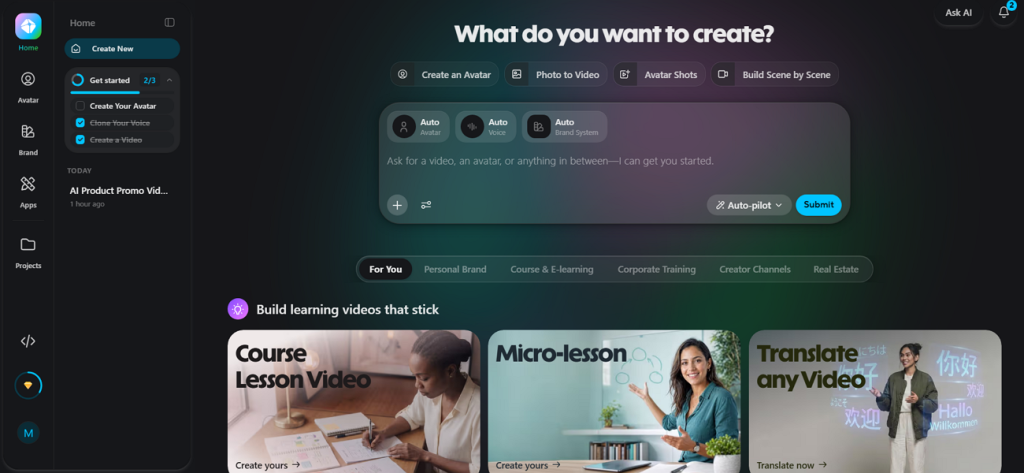
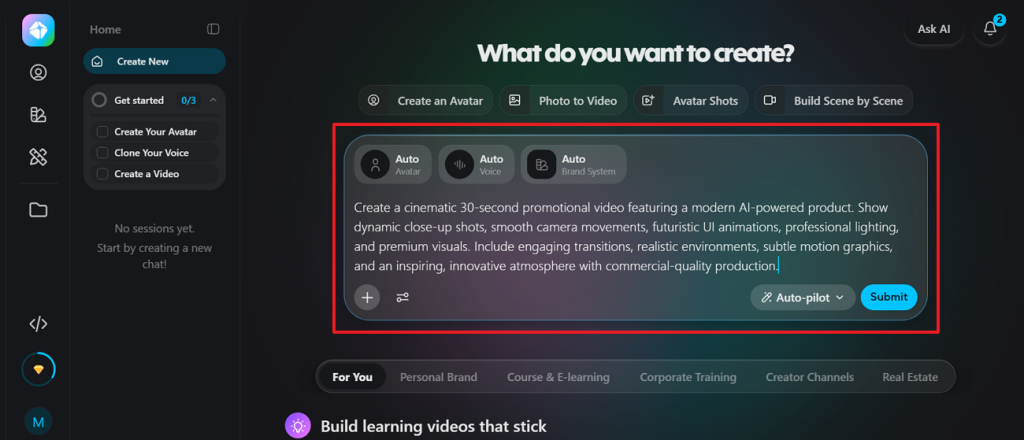
Step 1. Upon signing in to the platform, you need to enter the desired prompt to generate a video and press the Submit button.
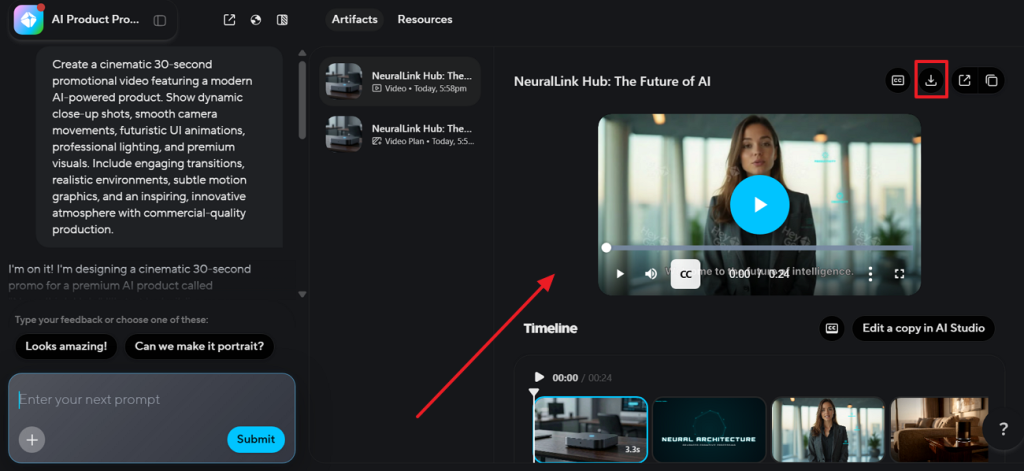
Step 2. After a while, preview the AI-generated video inside the tool and click the Download icon to export it.
Part 3. Best Alternative to HeyGen AI for Video Creation
HeyGen AI Studio works well for short avatar clips and quick scripts. Nonetheless, many creators need longer, more complete video projects overall. Short avatar videos alone cannot handle full storytelling or documentaries. This is where Magiclight AI becomes a stronger and more complete choice. This dedicated platform supports long-form videos running up to 50 minutes.
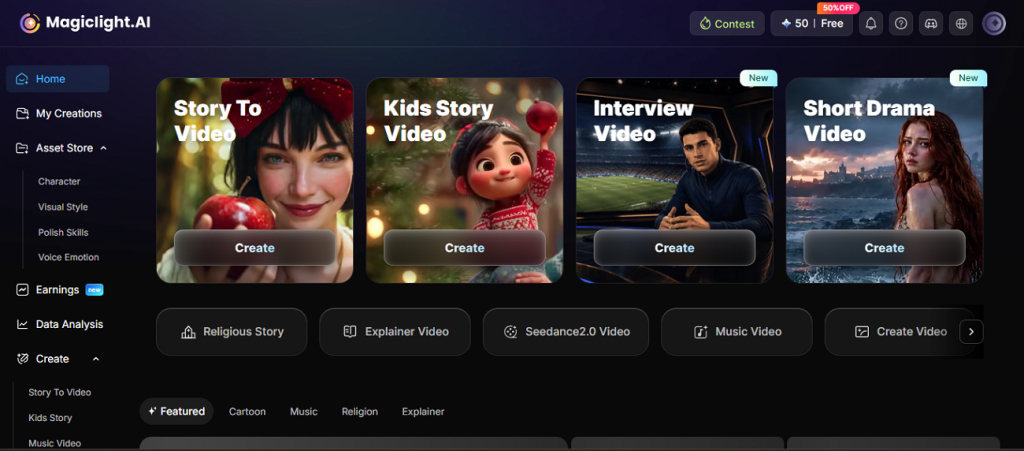
Moreover, Magiclight AI even automates storyboarding and scene structuring using built-in AI storytelling tools. Creators can build consistent characters with stable identities across multiple scenes without manual adjustments. Users can convert scripts up to 12,000 characters into structured videos with subtitles. In terms of workflow, Magiclight AI is ideal for creators who need advanced solutions that go beyond simple avatar video generation.
Key Features
- Multiple Story Models: Offers 9 different story models available across 11 fully supported languages for creators everywhere.
- Character Voice Options: Provides 37 different voice choices, including full voice cloning support for every single video character.
- Scene Refinement Tool: Uses the Nano tool to adjust clothing, facial expressions, poses, and full-body type details.
- Subtitle Options: Provide 16 different subtitle styles for much better viewer readability and full video accessibility overall.
- Background Music Library: Includes 40 background music tracks to match many different video moods and full styles.
- Export Resolution: Lets users easily export finished videos in either standard (720p) or full high-definition (1080p) video quality.
Comparison Table Between HeyGen AI and Magiclight AI
While both platforms streamline AI video creation, they serve distinct creative needs and workflows. You should now explore the given table to compare the core features and choose the better option:
| Feature | HeyGen AI | MagicLight AI |
| Primary Focus | AI avatar videos and presentations | Full AI video production system |
| Story Generation | Basic script-to-avatar videos | Advanced AI story generation and scene planning |
| Video Length | Short videos of up to 1 minute | Up to 50 minutes long videos |
| Script Input | Variable (Limited) | Up to 12,000 characters supported |
| Voice Cloning | Available | 37 voice options with AI voice cloning support |
| Storytelling | Basic script-based | Advanced AI storytelling automation |
| Templates | Prebuilt avatar templates | Multiple content templates and story models |
| Background Music | Limited built-in options | 40 built-in background music tracks |
| Export Quality | HD export options | 720p and 1080p export |
Conclusion
To conclude, HeyGen AI makes it easy to create fast avatar videos without cameras or crews. It suits ads, training clips, and daily social content well. Yet, short avatar clips cannot carry full stories or long projects. When you need real storytelling with consistent characters, Magiclight AI offers that. It turns simple scripts into complete videos with consistent characters throughout
FAQs on HeyGen AI
1. Is HeyGen AI free to use?
The HeyGen AI platform actually offers a free plan with limited features for new users. The free version works well for testing before choosing a subscription plan. You may need a paid plan later for longer videos and advanced creative tools.
2. Is there a free alternative to HeyGen AI?
Yes, several AI video tools offer free plans with useful video creation features. Magiclight AI is a great alternative for creating stories, videos, and consistent AI characters easily. It also supports long videos with simple tools that beginners can use comfortably.
3. What kind of videos can you make with HeyGen?
HeyGen helps create marketing videos, training videos, presentations, social media clips, and business content. You can also make product demos, educational videos, and customer support video guides. However, Magiclight AI also creates story videos, kids' videos, explainers, and long AI video projects.