


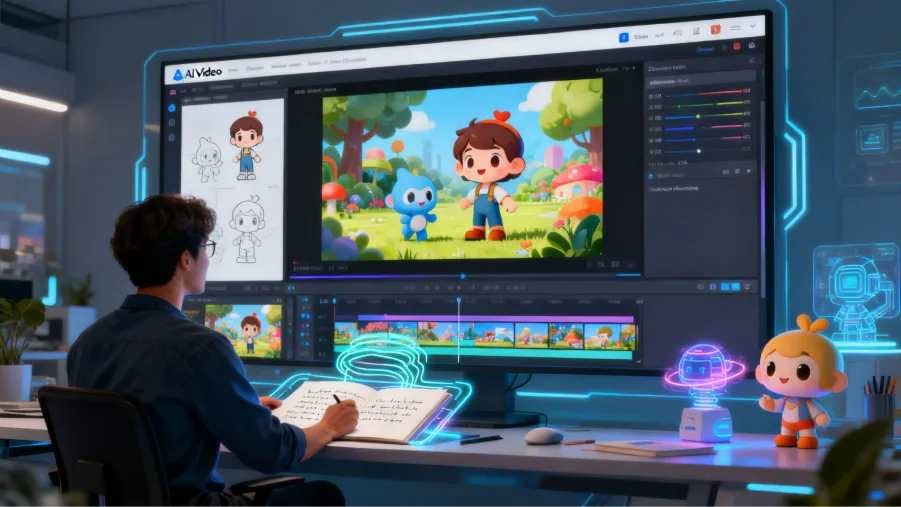
Creating cartoon videos traditionally requires skills in character design, animation, and video production, making it difficult for many creators to turn ideas into finished content. AI is changing this process by helping users generate characters, scenes, and animated stories more efficiently.
For creators searching for how to generate cartoon video with ai, modern AI tools provide a simpler workflow from concept development to final video creation. A cartoon video generator can help transform scripts and ideas into engaging cartoon videos without complex animation production.
Part 1. Step-by-Step Guide: How to Generate Cartoon Videos with MagicLight AI
Creating cartoon videos traditionally requires skills in animation design, character creation, and video production. With AI-powered workflows, creators can now turn ideas into visuals through solutions like text to video and script to video, making animation creation faster and more accessible. MagicLight AI simplifies this process by helping users transform stories and scripts into complete cartoon videos with AI-generated scenes, consistent characters, and automated workflows.
In the following steps, we will walk through how to generate a cartoon video with MagicLight AI, from preparing the initial idea to customizing scenes and improving the final result.
Step 1. Prepare Your Cartoon Idea and Add Your Prompt
Start by entering your cartoon video idea, script, or story description in MagicLight AI. Describe the main characters, storyline, target audience, and preferred visual style to help the AI understand your creative direction.
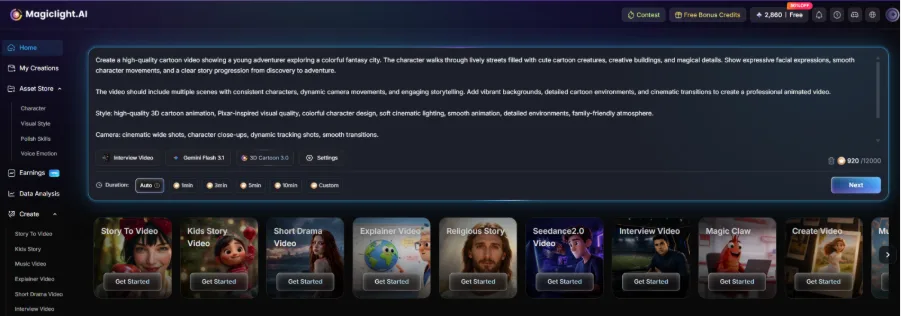
For better results, avoid simple prompts like “create a cartoon video.” Instead, include details such as character appearance, emotions, scene settings, and animation style. A more specific description helps MagicLight AI generate more accurate scenes and a stronger story structure.
Step 2. Generate the Story and Customize Video Settings
After adding your idea, MagicLight AI will analyze the content and create a structured cartoon video plan with generated scenes. Review the generated storyline and make adjustments if the scene flow does not match your original idea.
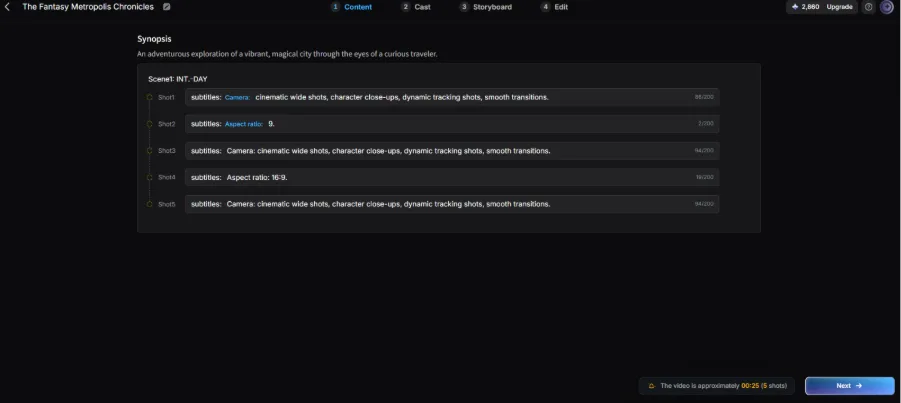
At this stage, you can customize important video elements, including visual style, character design, and overall atmosphere. Choosing a consistent style early helps maintain a unified look throughout the animation.
Step 3. Customize Characters and Visual Elements
MagicLight AI allows creators to adjust character-related elements to better match the animation style and story requirements.
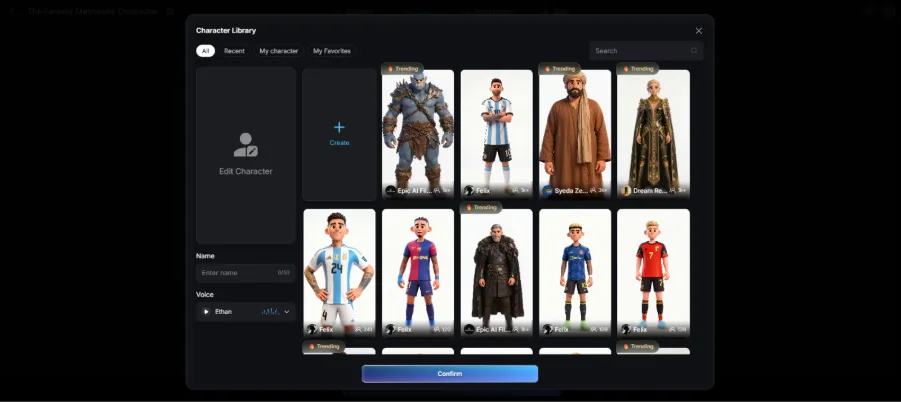
Choose suitable character designs, appearances, and visual details based on the video purpose. For longer cartoon stories, keeping character features consistent across scenes is important for creating a more professional result.
Step 4. Review Generated Scenes and Edit Details
Once the scenes are generated, check each part of the animation to make sure the visuals, characters, and story progression meet your expectations.
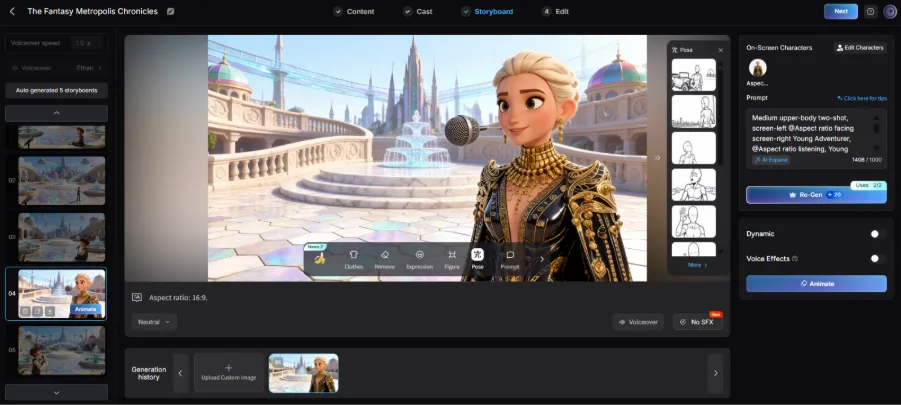
If certain scenes look inconsistent or do not match the script, refine the descriptions and regenerate specific parts. Pay special attention to character appearance, scene transitions, and the pacing of the story.
Part 2. Why Choose MagicLight AI to Create Cartoon Videos
Creating cartoon videos requires more than generating attractive visuals. MagicLight AI provides a complete AI video creation workflow that helps creators develop stories, design characters, and turn ideas into finished animations with less manual work. Here are the key advantages that make it a practical choice:
1. Turn Ideas into Complete Cartoon Stories
MagicLight AI helps creators transform simple concepts, scripts, and story ideas into structured cartoon videos. it supports the process from initial idea development to scene creation, making storytelling more efficient.
2. Create Unique Characters and Visual Styles
Character design plays an important role in cartoon videos. MagicLight AI helps creators build consistent characters and explore different artistic directions, while workflows like an AI anime character generator show how AI can assist in creating distinctive character concepts.
3. Generate Detailed Scenes with AI
Instead of creating every visual element manually, creators can use AI to generate scenes based on their descriptions. From backgrounds to animated environments, MagicLight AI helps bring creative ideas to life and supports more advanced styles such as text to 3D animation.
4. Maintain Consistency Across Multiple Scenes
For longer cartoon videos, keeping characters, visual styles, and story progression consistent can be challenging. MagicLight AI helps organize scenes and maintain a connected visual experience, making the final animation feel more complete.
5. Simplify the Entire Video Production Process
From story planning and scene generation to voice and final adjustments, MagicLight AI reduces the complexity of traditional animation creation. Creators can focus more on improving their ideas while AI handles many time-consuming production steps.
| Feature | Traditional Cartoon Creation | MagicLight AI |
| Story Development | Requires manual planning, scripting, and scene organization | Helps transform ideas and scripts into structured cartoon stories |
| Character Creation | Needs professional design skills to create and maintain characters | Generates and maintains consistent characters across scenes |
| Scene Production | Requires manual drawing, modeling, and animation work | Creates AI-generated scenes and visual elements automatically |
| Animation Workflow | Involves multiple complex production stages | Combines story creation, scene generation, and video production in one workflow |
| Production Efficiency | Time-consuming and resource-intensive | Helps creators produce cartoon videos faster with less manual effort |
| Creative Flexibility | Limited by available skills and production resources | Allows creators to explore different styles and storytelling directions |
FAQs on How to Generate Cartoon Videos with AI
1. Can AI cartoon videos be created without animation experience?
Creating cartoons no longer requires advanced drawing or animation skills. With platforms like MagicLight AI, beginners can use AI-powered tools to generate scenes, characters, and complete video content through a simpler creation workflow.
2. How can creators make AI cartoon characters more memorable?
Memorable cartoon characters need unique designs, clear personalities, and consistent appearances. When using MagicLight AI, creators can customize character concepts and visual styles to develop more recognizable animated figures.
3. Can AI cartoon videos be customized for different audiences?
Yes. Cartoon videos can be adapted for children, brands, education, or entertainment by changing the storytelling style and visual direction. MagicLight AI supports flexible scene creation and content adjustments, helping creators produce videos that match different audience needs.
4. How can AI help speed up the cartoon production process?
Traditional animation often requires significant time for planning and production. By combining AI scene generation, automated workflows, and storytelling assistance, MagicLight AI helps creators reduce repetitive tasks and complete cartoon projects more efficiently.
5. What should creators focus on to improve the quality of AI cartoon videos?
High-quality cartoon videos require more than AI generation. Creators should refine prompts, review scene consistency, and improve storytelling flow. MagicLight AI provides tools for organizing scenes and polishing final videos, making the overall production process smoother.


![How to Write a Script for a Short Film in 2026 [Beginner’s Guide]](https://magiclight.ai/wp-2/wp-content/uploads/short-film-screenplay-writing-guide-300x169.webp)


