Krea AI built its reputation on a real-time canvas that renders AI images almost as fast as a prompt gets typed. It has since grown into a genuine multi-model creative suite. This review breaks down Krea AI's features, performance, drawbacks, and practical video creation capabilities. Magiclight AI enters the picture toward the end, built for anyone whose project needs a finished story instead of a quick clip.
Part 1. What Is Krea AI?
Krea AI is a browser-based creative suite covering image generation, video, 3D objects, upscaling, and AI-assisted editing in one workspace. Rather than training a single proprietary model for everything, it aggregates more than 64 models, including Flux, Veo 3.1, Kling, and Runway, as well as its own Krea models.
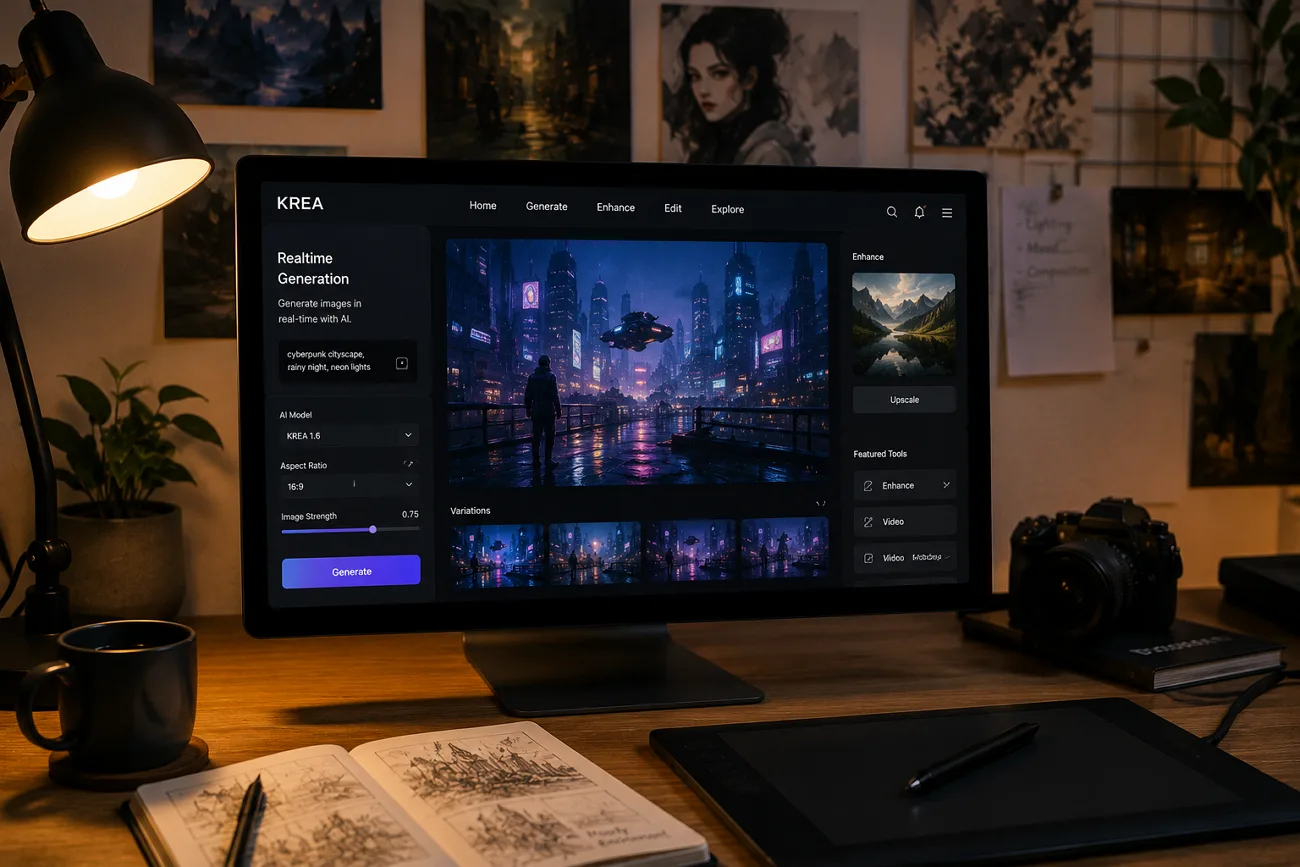
Moreover, Krea AI stands out for its Realtime Canvas. As someone sketches or adds a prompt, the image changes on screen almost immediately, with response times reported at under 50 milliseconds. With its minimalist user interface, it provides some of the best features that are not commonly found in major editing platforms.
Key Features
- Realtime Canvas: Sketches or prompts render into a finished image almost instantly, replacing the usual submit-and-wait cycle with live visual feedback.
- Multi-Model Access: Draws on more than 64 image, video, and 3D models, including Veo 3.1, Kling, and Flux, inside a single subscription.
- Video Restyling and Motion Control: Turns existing footage into a new style or adds controlled motion, along with lip-sync animation for talking characters.
- LoRA Fine-Tuning: Trains a custom model on 10 to 50 uploaded photos, useful for keeping a specific face, product, or style consistent.
- High-Resolution Upscaling: Upscales images to 22K and videos to 8K resolution while adding new details to improve visual quality.
- Nodes Workflows: Chains multiple generation steps into an automated, no-code sequence for repeatable creative tasks.
Pros
- Realtime Canvas significantly speeds visual iteration beyond standard prompt-and-wait workflows.
- Access to 64+ models reduces the need for separate subscriptions.
- LoRA fine-tuning is available on mid-tier plans, not only premium tiers.
- Enterprise clients and a large user base support production credibility.
- The free plan offers enough access for a meaningful trial.
Cons
- Video clips last only a few seconds, with no story builder.
- Unused compute units do not roll over between monthly billing cycles.
- Premium partner models consume units faster without model-specific published rates.
- The large model library can easily overwhelm first-time users initially.
- API access requires Business or Enterprise plans, excluding smaller projects.
Part 2. How to Use Krea AI?
The guide below walks through how to use Krea AI using its built-in video generation workflow:
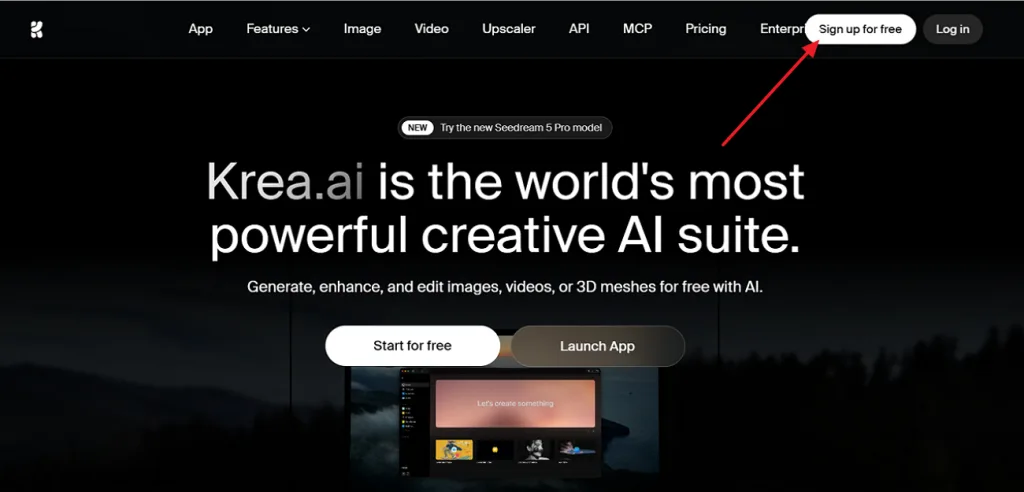
Step 1. Open the Krea AI website and click Sign up for Free in the top-right corner. Log in to access the Krea dashboard.
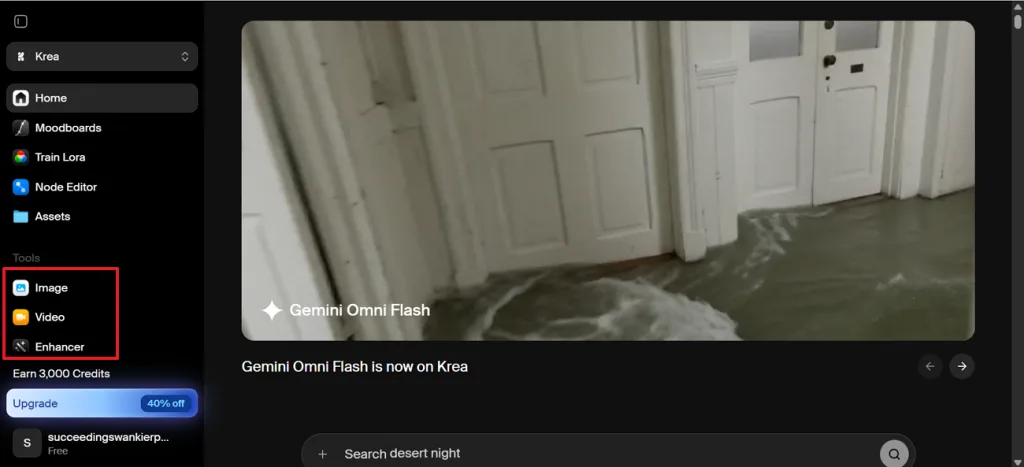
Step 2. From the left sidebar, select Video under the Tools section to open the AI video generator.
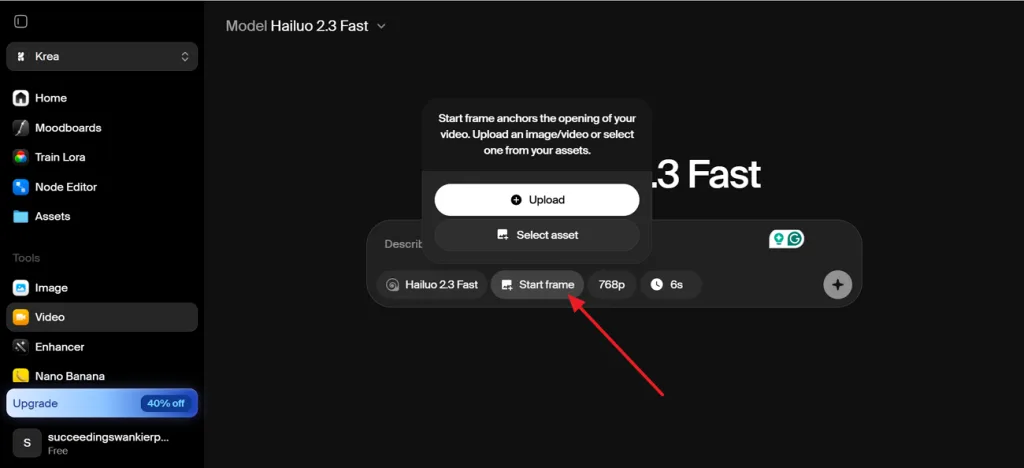
Step 3. Click Start frame, then choose Upload to add an image from your device or Select Asset to use a saved file.
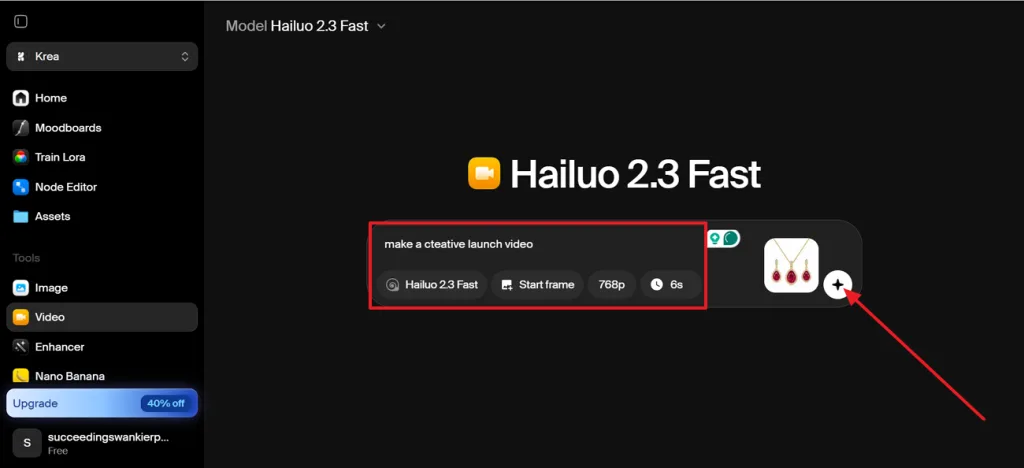
Step 4. Enter your video prompt, select an AI model such as Hailuo 2.3 Fast, set the resolution and duration, then click the Plus button to generate the video.
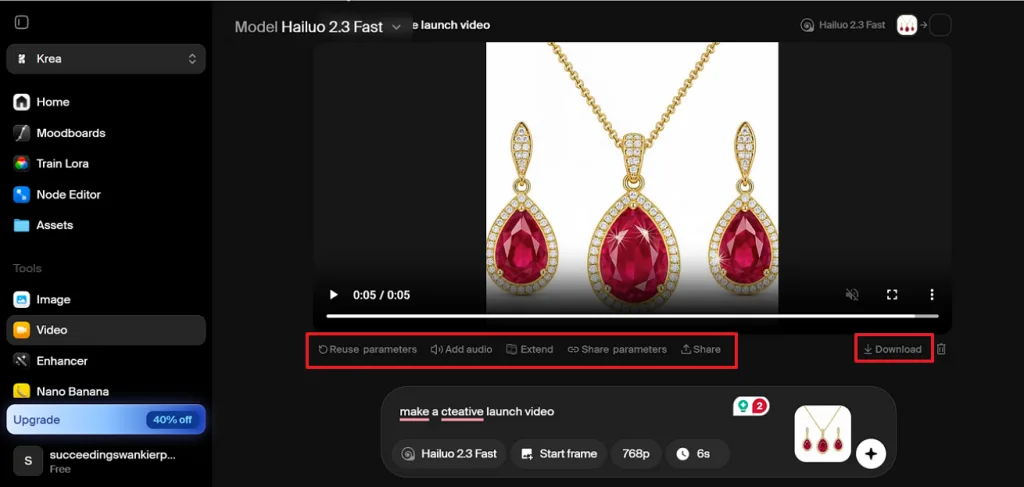
Step 5. Preview the completed video, then use Reuse parameters, Add audio, or Extend if needed. Click Download to save the final clip.
Part 3. Best Alternative to Krea AI for Video Creation
Krea AI performs well for short clips, visual restyling, motion experiments, and rapid concept testing. However, creating a complete story usually requires separate generations, manual scene planning, continuity checks, and outside editing. That makes it useful for visual experimentation, but less convenient for creators who want one connected narrative built from beginning to end in a single workflow.
Magiclight AI focuses on creating complete stories through a single guided process. Its story models, including GPT-5.6, Gemini, and Claude Opus 4.6, help shape scripts, scenes, dialogue, and narrative structure. It also combines characters, visuals, voiceovers, and scene progression while supporting videos up to 50 minutes long without manually stitching together multiple short clips.
Key Features of Magiclight AI
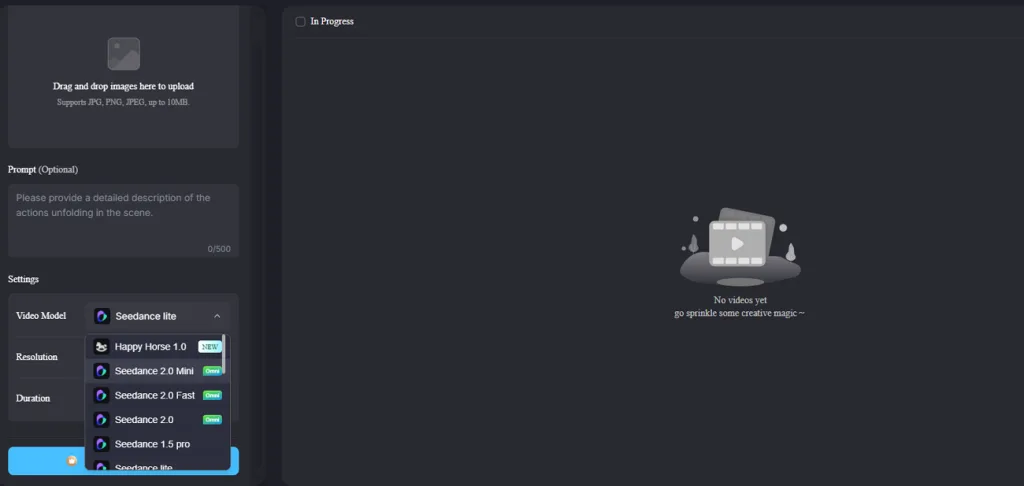
- 19 Advanced AI Models: Create videos with Veo 3, Seedance 2.0, Kling, and Hailuo AI models, choosing the best balance of cinematic quality and creative style for each project.
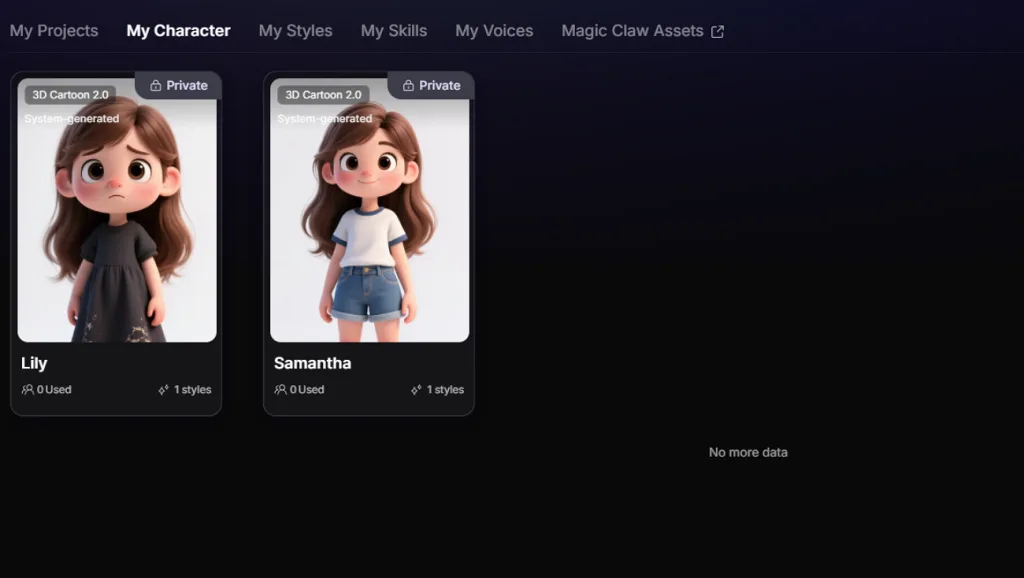
2. My Characters Library: Save finished character designs in My Characters, then reuse the same character across future scenes, stories, and video projects.
3. MagicLight Agent: Describes an idea in plain language and gets back a recommended format, script, and storyboard, without touching a template.
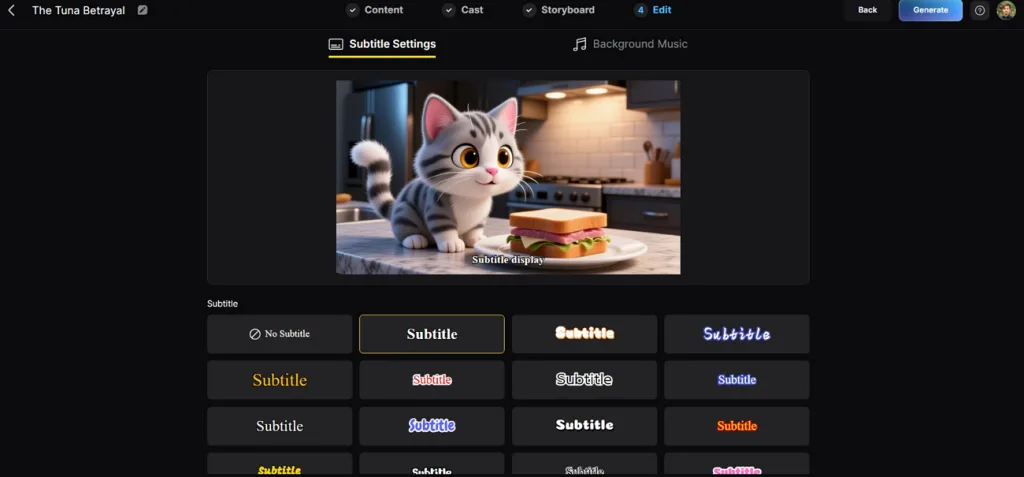
4. Customize Subtitle Option: Magiclight AI provides 16 subtitle styles for matching different video formats, tones, and visual themes.
5. A Complete Voice Library: Draws on a set of built-in 37 AI voices, or clones a specific one so narration stays recognizable project after project.
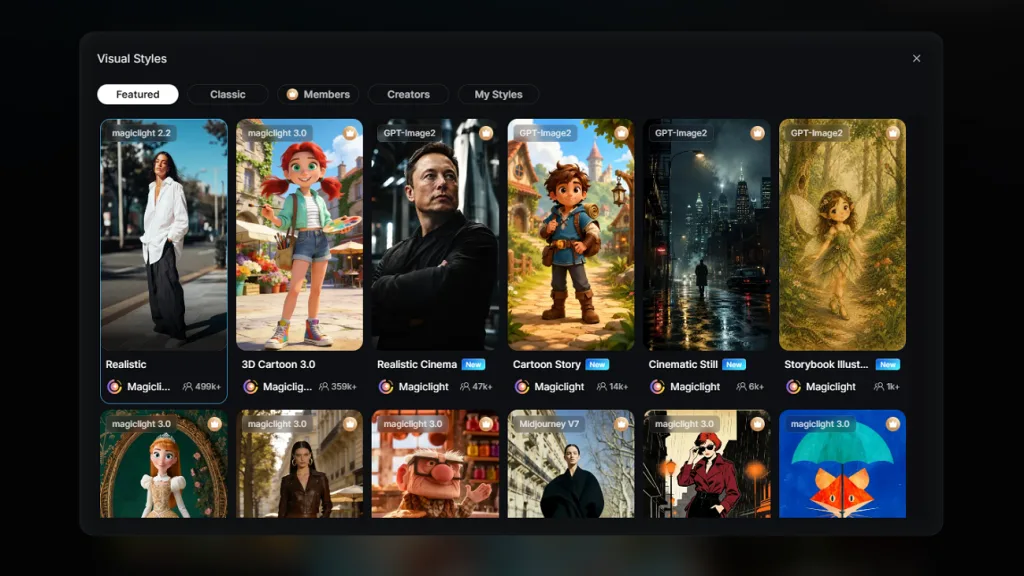
6. Multiple Visual Styles: Switch between 4 visual style libraries, including 3D Cartoon 3.0, Cartoon Story, and other presets to keep every video aligned with your preferred aesthetic.
7. Purpose-Built Templates: Offers 190 ready-made templates, including Kids Stories, Explainer Videos, and Religious Stories, for a structured starting point.
Part 4. Comparison Table Between Krea AI and Magiclight.AI
Not every AI video platform is built for the same type of creator. Some prioritize fast visual generation, while others focus on complete, story-driven production. Review the comparison table below to see which tool better matches your workflow, creative goals, and the type of videos you want to create:
| Aspects | Krea AI | MagicLight AI |
| Core Focus | Real-time image and short video generation across many models | Original, long-form video generation from an idea |
| Video Length | A few seconds per clip, short-form by design | One project spans as much as 50 minutes |
| Character Consistency | Requires training a custom LoRA model | Built in automatically across a whole project |
| Model Access | 64+ aggregated models for image, video, and 3D | Includes 19 AI models like Veo 3.1, Seedance 2.0, Kling 3.0. |
| Ease of Use | Many tools and models can overwhelm new users | Guided, conversational Agent suited to beginners |
| Pricing | Free tier; paid basic plans from $9/month, credits don't roll over | Free access, then paid tiers beginning around $6 monthly |
| Best For | Rapid image iteration and short, styled video clips | Complete, original stories with consistent characters |
| Core Focus | Real-time image and short video generation across many models | Original, long-form video generation from an idea |
FAQs on Krea AI
1. Is Krea AI good for beginners?
Getting started is easy, since the Realtime Canvas needs nothing more than a prompt or a rough sketch to begin. Making sense of 64+ models and the full toolset takes longer, and a first-time user can feel overwhelmed early on. Magiclight AI offers a similarly approachable starting point, with a guided workflow built around plain-language instructions.
2. Can Krea AI generate videos?
Yes. Krea AI supports video generation through multiple partner models, including Veo 3.1, Kling, and Hailuo, along with restyling, motion control, and lip-sync animation. Output stays short-form, generally a few seconds per generation, without a built-in path to a longer story. You can use Magiclight AI to create AI-generated videos up to 50 minutes long from a single idea.
3. Which is the best Krea AI alternative?
Magiclight AI stands out for creators who need a finished production instead of one short clip. It turns text, a story idea, a character concept, or a reference image into a full AI-generated video. Moreover, consistent characters and voice carry through the entire project.
Conclusion
Krea AI excels at rapid visual creation with its real-time workflow, broad model selection, and creative flexibility for short-form content. However, Krea AI is less suited to producing complete, story-driven videos with consistent scenes and characters. If your goal extends beyond quick clips to a perfect narrative,

![How to Make a Reaction Video with AI Tool [Guide 2026]](https://magiclight.ai/wp-2/wp-content/uploads/ai-faceless-reaction-video-guide-300x169.webp)