



Revid AI turns ideas, URLs, and uploaded content into short vertical videos with generated scripts, visuals, voiceovers, and captions. It also supports publishing to platforms such as TikTok, Instagram Reels, and YouTube Shorts.
The platform simplifies short-form video creation, though credit usage and output quality can vary by model, video length, and generation settings. This guide reviews how Revid AI works, its key features and pricing, and the alternatives worth considering in 2026.
Part 1. What Is Revid AI?
Revid AI is a video creation platform that turns ideas, links, scripts, and uploaded content into videos. It can create scripts, arrange scenes, add visuals, generate voiceovers, create captions, and prepare videos for platforms such as TikTok, Instagram, and YouTube.
Beyond video generation, Revid includes tools for trend research, editing, publishing, and automation. It also offers APIs, MCP, and CLI options for users who want to connect video creation to automated workflows.
Key Features of Revid AI
Revid AI’s features cover 4 main areas. Find content ideas, create videos, edit output, and distribute finished clips.
- Viral Video Search: Finds trending video formats and provides examples from a library of more than three million remixable videos.
- Channel Monitoring: Tracks selected channels for content trends, with Growth supporting five channels and Ultra supporting fifty.
- AI Video Models: Supports models such as Seedance and other available video-generation models, with selected workflows supporting output up to 4K.
- AI Video Templates: Provides more than 100 video creation tools for different formats, including social clips, ads, avatars, and podcasts.
- Avatar and Face Swap Videos: Creates presenter-style videos and supports face transformation workflows.
- Auto-Mode Workers: Automates video creation workflows, with 3 workers on Growth and 10 on Ultra plans.
- AI Video Editor: Includes a timeline editor for adjusting generated scenes, captions, media, and other video elements before export.
Pros
- Revid AI adds subtitles and caption styles for short-form platforms.
- Includes voice generation in more than 70 languages with paid plans.
- Uses monthly credits for video generation, voices, images, avatars, etc.
- Content ownership remains with the user on every plan, including the cheapest.
Cons
- Primarily designed around short-form social video workflows.
- AI-generated visual quality can vary depending on the selected model and source material.
- Its editing workflow remains centered on AI-assisted video creation rather than the broader production tools.
- Advanced features require higher-tier paid plans.
Part 2. How to Use Revid AI?
Four stages separate a raw input from a published video, and the user makes a decision at each one. The following steps explain how you can use the Revid AI video generator:
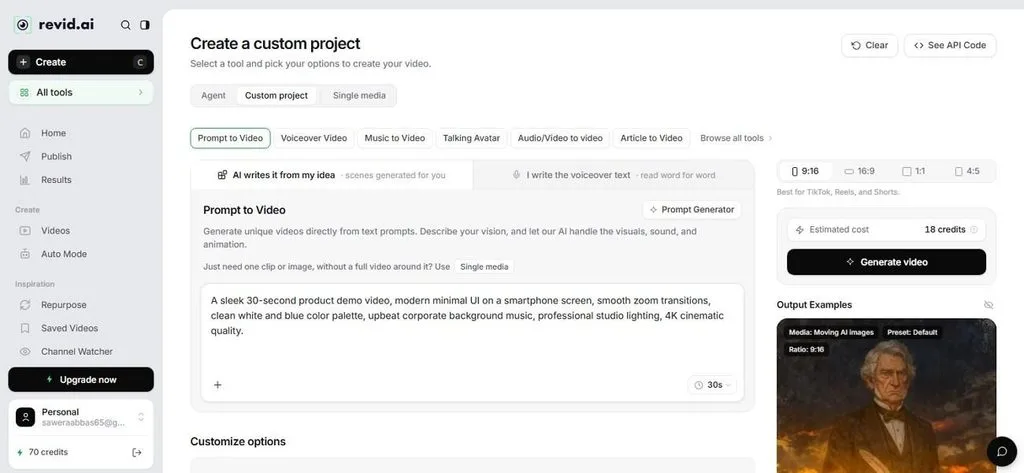
Step 1. Sign in, go to the Video tab, and select the Create Video option.
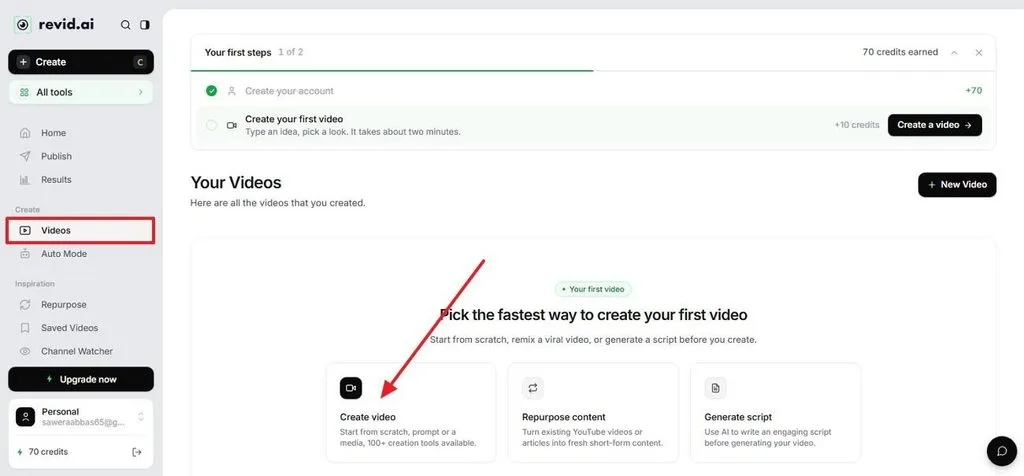
Step 2. Go to the Prompt to Video tab and add the detailed text prompt.
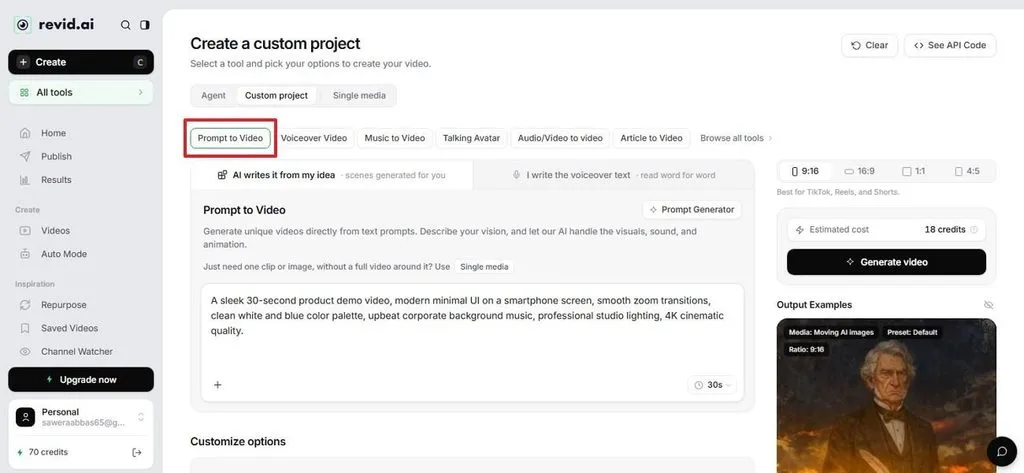
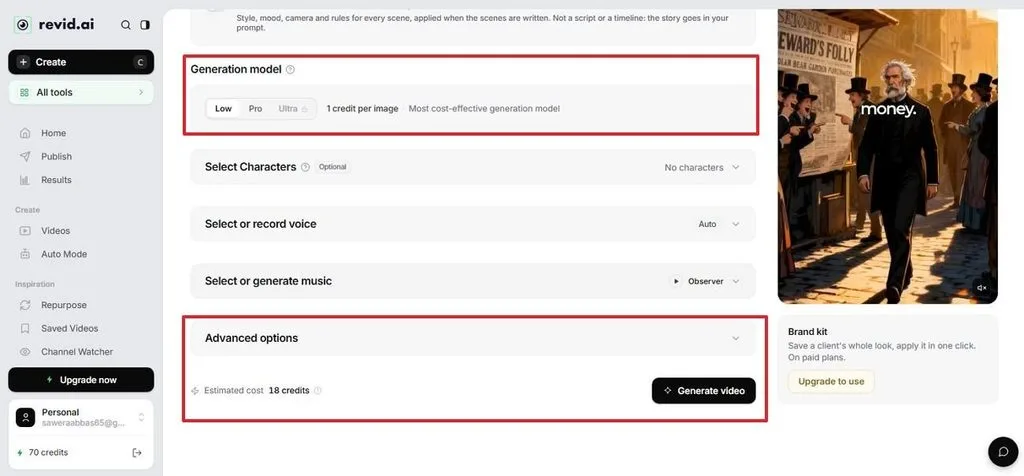
Step 3. Select the duration or scroll down to choose the Generation Model or Advanced Option. Once you have set the settings, tap the Create Video button.
Step 4. Click the Download icon or choose to Edit the video if you want to make further edits.
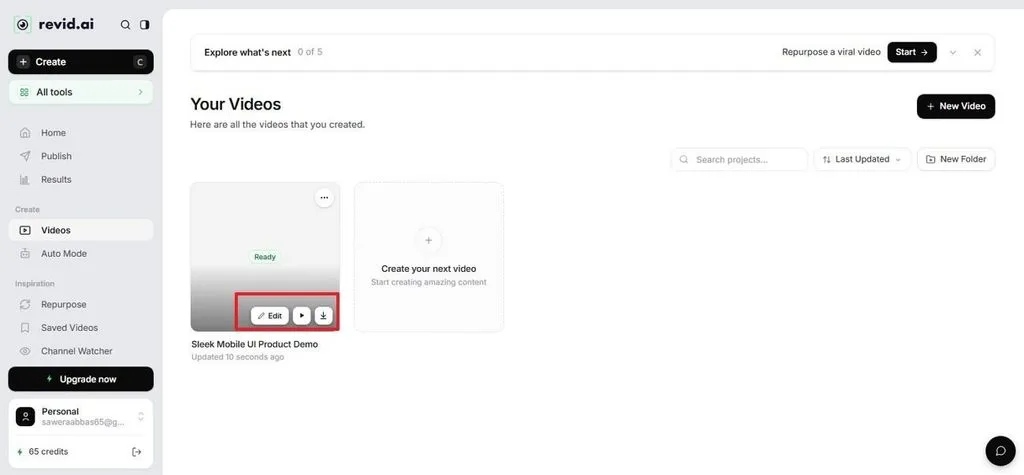
Part 3. Is Revid AI Free?
Searches for Revid AI free access can be confusing because Revid allows users to create an account and explore the platform. However, video generation depends on available credits. The free access mainly covers testing the interface and checking generation requirements before starting a project.
What Requires Credits
- AI video and image generation consume credits.
- Voice generation and some advanced AI actions also use credits.
- Paid plans increase monthly credit allowances and access to automation capacity.
Revid AI Pricing Plans
This tool uses a credit-based system where different actions consume credits depending on the selected feature and generation settings. Paid plans provide higher limits and access to additional tools.
| Plan | Price | Best For | Main Access |
| Hobby | $39/month | Individual creators testing workflows | Basic video creation features and monthly credits |
| Growth | $39/month | Regular short-form content production | More credits, publishing tools, and expanded features |
| Ultra | $199/month | High-volume content workflows | Higher credit limits and more automation capacity |
Part 4. Best Alternative to Revid AI for Video Creation
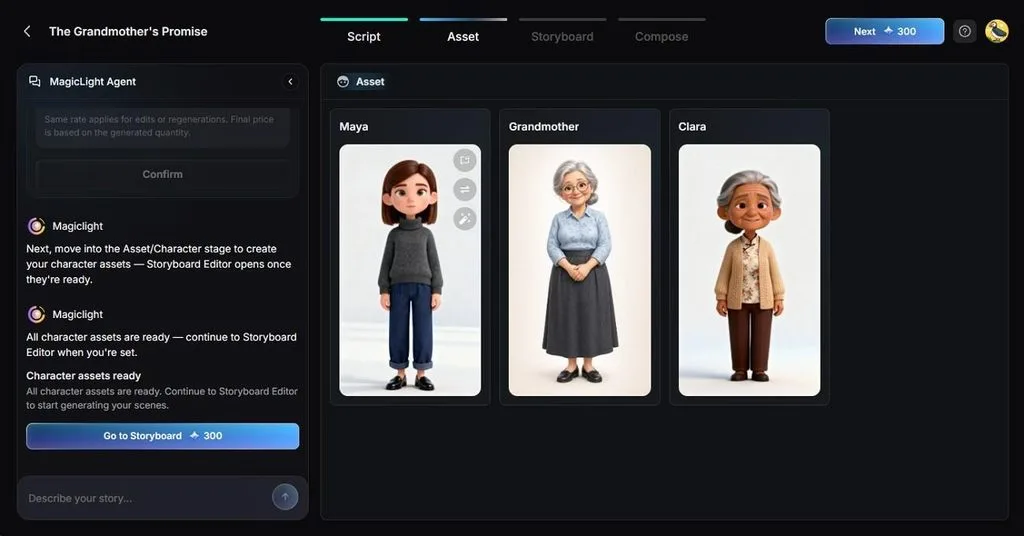
Revid AI focuses on fast content production, but longer projects often need stronger control over story structure and scene consistency. For creators working on narrative videos, a platform built around planning, characters, and scenes offers a different workflow. MagicLight AI provides this approach by turning written ideas or scripts into structured videos.
Its workflow uses models such as Seedance 2.5, Kling 3.0, and Gemini Omni for video generation. It also offers models like GPT-6 Astra and Claude Opus 4.6 for script development and story planning. MagicLight AI also uses Nano Storyboard to organize scenes before rendering. It helps maintain appearance, poses, and visual direction across longer videos.
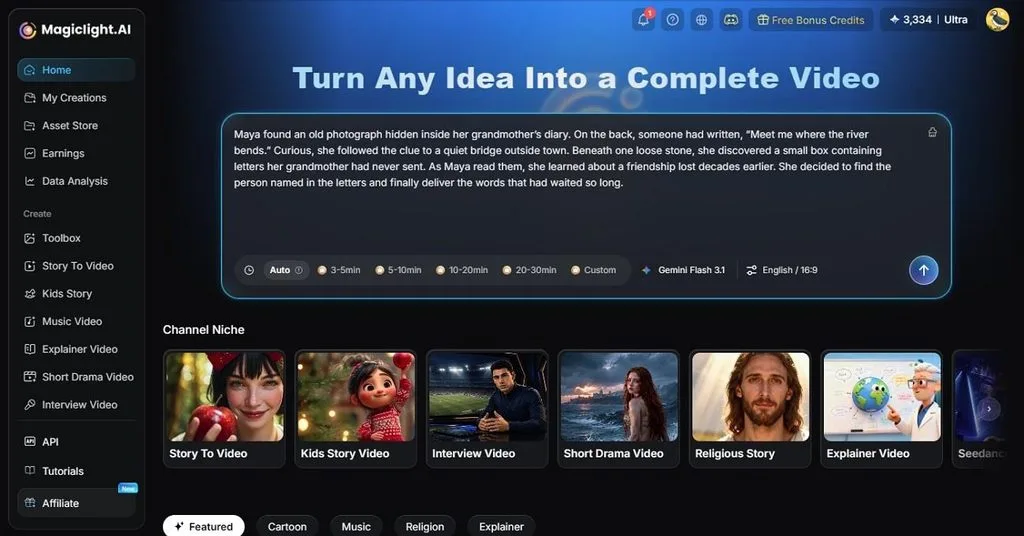
Key Features of MagicLight AI
1. 5 Image Models: Offers multiple AI image models, including Seedream 5.0 Pro, Nano Banana 2, and GPT Image models. These options help users create scene visuals in different styles while matching the look and direction of their video.
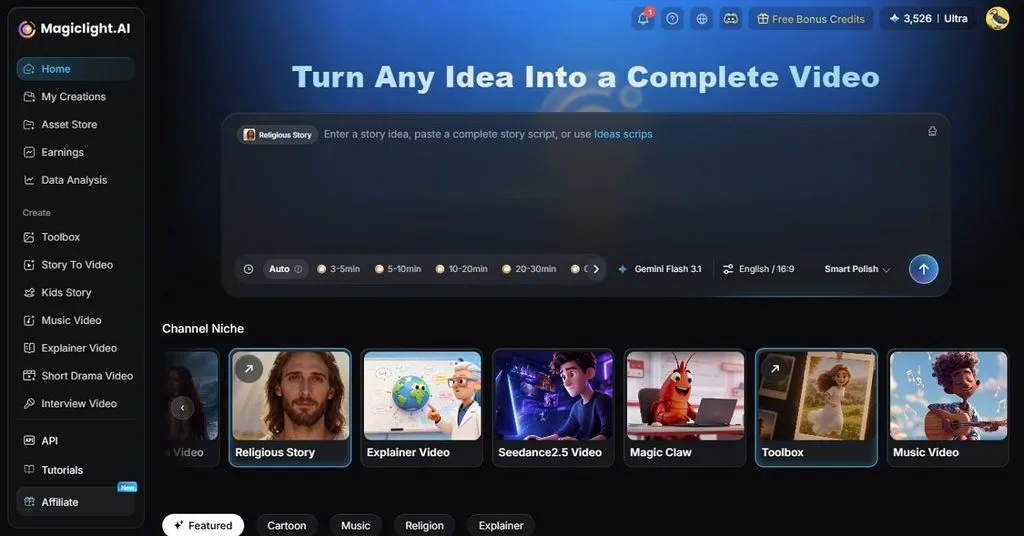
2. 37 Voices & 16 Caption Styles: Provides 37 AI voices for narration and 16 caption styles for presenting dialogue or voiceovers. These options help creators match the audio and subtitle presentation to different video formats and audiences.
3. 4 Aspect Ratios: Supports 16:9, 9:16, 4:3, and 1:1 aspect ratio for creating videos suited to different platforms. Users can choose the appropriate format for widescreen videos, vertical content, square posts, or traditional layouts.
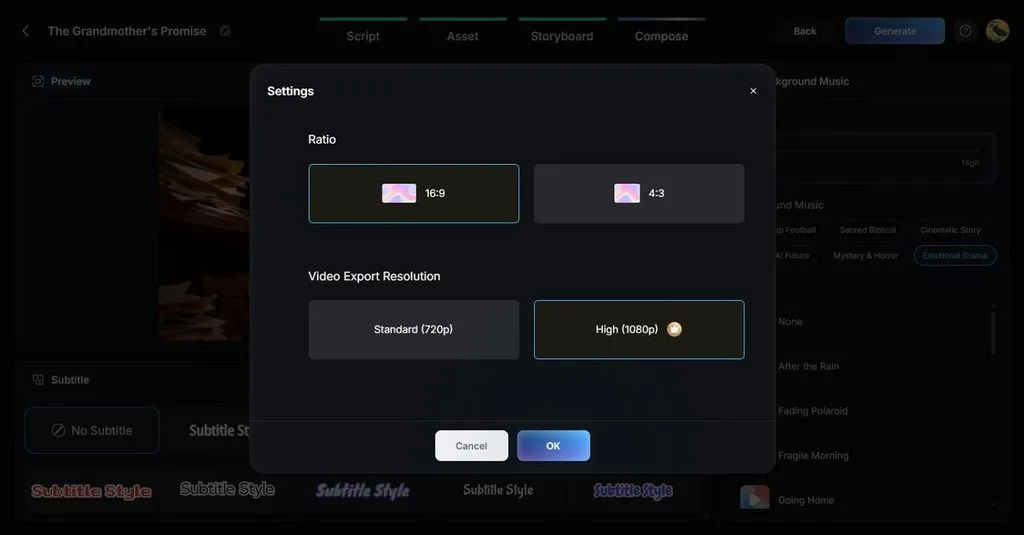
4. Character Consistency: Uses reference assets to maintain a character’s appearance across different scenes. This helps keep facial features, clothing, and overall visual identity more consistent throughout story-based and multi-scene videos.
Comparison Table Between Revid AI and MagicLight AI
This Revid AI review shows that the platform focuses on fast short-form content creation. Whereas MagicLight AI takes a more structured approach for longer, story-based videos. The main differences appear in video length, workflow control, character consistency, and content planning.
| Feature | Revid AI | MagicLight AI |
| Starting Input | Prompt, URL, PDF, audio, or Spotify link | An idea, an outline, or a finished script |
| Entry Price | $39/month | $7.50/month, billed annually |
| Monthly Credits | 2,000 on Growth | 8,000 on Standard |
| Video Length | No published cap, built for short-form | Up to 50 minutes |
| Character Consistency | Supports trainable consistent characters | Supports character consistency across planned scenes |
| Free Access | Sign-up only, no free generation | Free credits, no card required |
| Publishing | Direct to TikTok, Instagram, and YouTube | Export videos, with direct YouTube publishing supported |
| Best For | Trend-led short-form at volume | Story-led videos and series |
The choice depends on the type of video being created. Revid AI fits creators who need quick short-form production with trend research and publishing tools. MagicLight AI suits projects that require planned scenes, consistent characters, and longer storytelling formats.
Conclusion
Revid AI works well for creators who need quick short-form videos with built-in research, editing, and publishing tools. Its credit-based workflow suits frequent content production. For longer story videos that need planned scenes and consistent characters, MagicLight AI offers a different approach with structured scripts, scene control, and long-form video support.
FAQs on Revid AI
1. How does Revid AI turn ideas into videos?
Revid AI converts prompts, links, scripts, and uploaded files into videos. It creates scenes, adds visuals, and generates voiceovers. The tool also prepares captions, while users can adjust the final output before publishing.
2. What types of content can you create with Revid AI?
The tool supports short-form videos for TikTok, Instagram Reels, and YouTube Shorts. It also includes formats for podcasts, avatars, product videos, music content, face swaps, and promotional clips.
3. What are some good alternatives to Revid AI?
The right alternative depends on the workflow. MagicLight AI suits longer story-based videos with planned scenes and character consistency, while Revid AI remains focused on quick short-form content creation.





