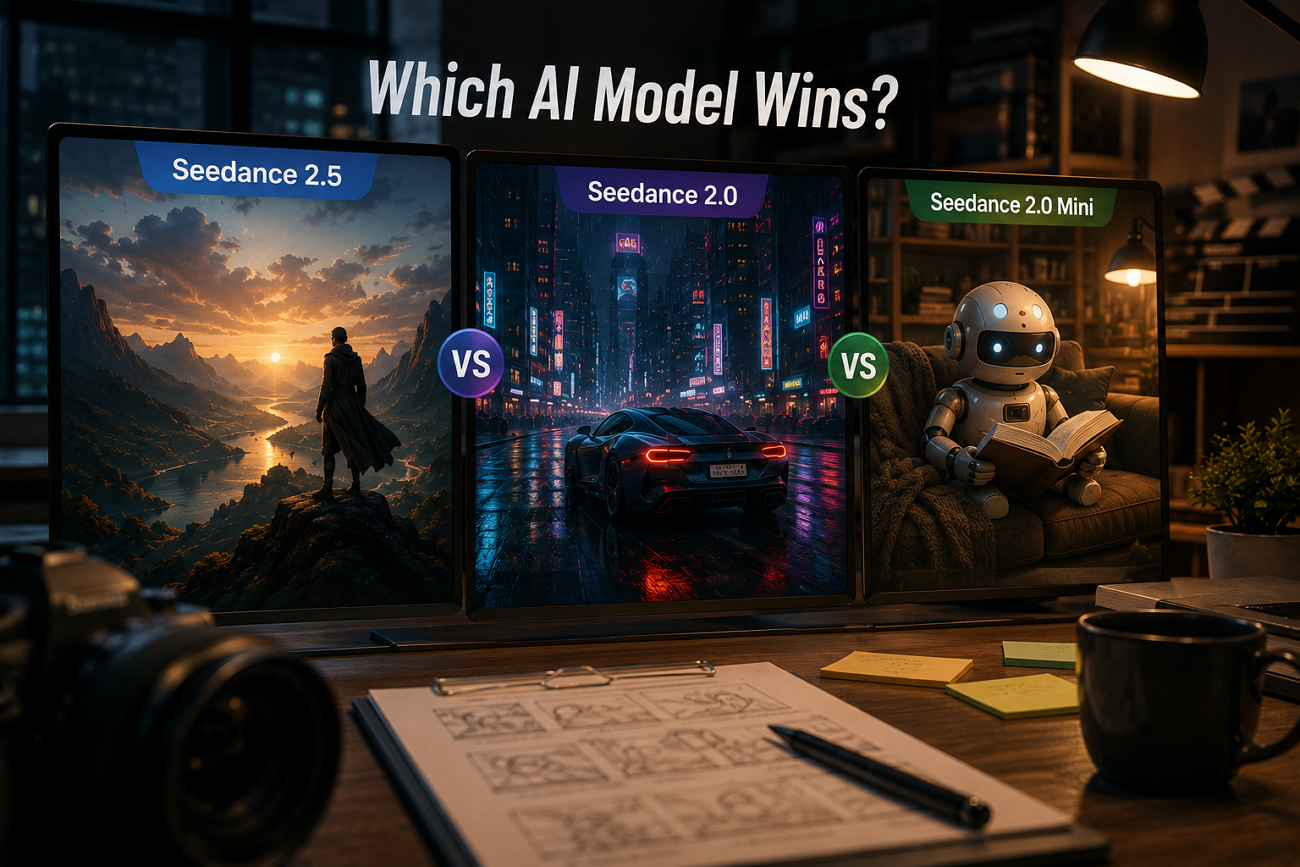
ByteDance now ships 3 Seedance tiers at once, and the newest is not automatically the right pick. Seedance 2.5 launched on July 31, 2026, with a 30-second single take and native 4K. Seedance 2.0 still holds the top independent ranking, and Mini undercuts both on cost.
The Seedance 2.5 vs Seedance 2.0 vs Seedance 2.0 Mini question comes down to what you are delivering, not which version number is highest. The following comparison highlights the strengths, trade-offs, and ideal use cases for each model.
Part 1. Seedance 2.5 vs 2.0 vs 2.0 Mini: Comparison Table
Each Seedance model is built for a different workflow rather than a simple upgrade path. The table below compares their key specifications to help you identify the best fit:
| Feature | Seedance 2.5 | Seedance 2.0 | Seedance 2.0 Mini |
| Max Clip Length | 30 seconds in one pass | 4 to 15 seconds | 4 to 15 seconds |
| Resolution | Native 4K with 10-bit color | Native 480p/720p; higher-resolution options vary by platform | 480p and 720p only |
| Reference Inputs | Up to 50 across images, video, and audio | Up to 9 images, 3 videos, and 3 audio clips | Multi-modal references, no published cap |
| Audio | Native, generated in the same pass | Synced audio and lip-synced dialogue | Supports synchronized audio |
| Price Per Second | About $0.09 to $0.23 (reported) | Roughly $0.06 to $0.35 by tier | From about $0.04 |
| Best For | Final deliverables and long takes | Balanced production work | Fast drafts and high volume |
Comparing prices in the Seedance 2.5 vs Seedance 2.0 vs Seedance 2.0 Mini lineup requires some context. ByteDance has not published a universal pricing schedule, so current estimates come from BytePlus sample jobs and early Volcano Engine console rates. These figures vary by resolution, duration, provider, and supported features such as Mini's audio capabilities.
Part 2. Seedance 2.5 vs. Seedance 2.0: What Actually Changed
ByteDance skipped versions 2.1 through 2.4 entirely, which signals how it views the gap. These 4 changes account for most of it.
Clip Length Jumps From 15s to Native 30s
The jump from 15 to 30 seconds changes more than the specification sheet. Many scenes that previously required two separate generations now fit inside one continuous clip, reducing the amount of cleanup afterward. Some practical benefits include:
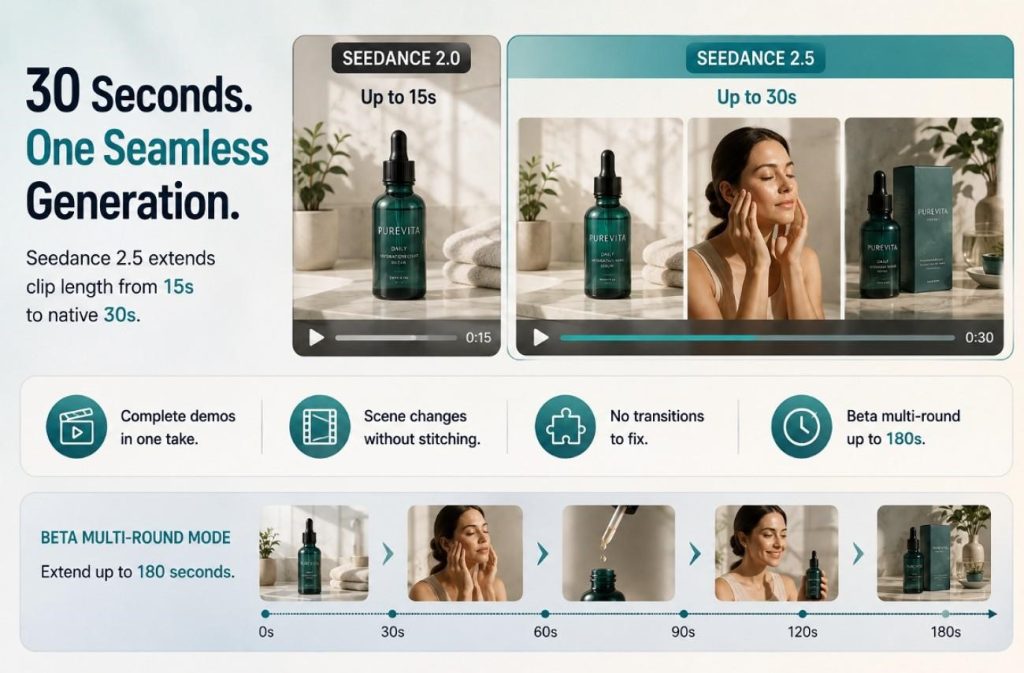
- Create a complete product demo or explainer in one continuous clip.
- Include scene changes and pacing shifts without stitching multiple generations.
- Avoid transition matching and continuity fixes between separate clips.
- Extend projects further with the beta multi-round mode, which platforms report can reach up to 180 seconds.
Reference Budget Grows From 12 to 50 Inputs
The older model accepts around a dozen references. Seedance 2.5 raises that to 50 in a single request, split across three input types:
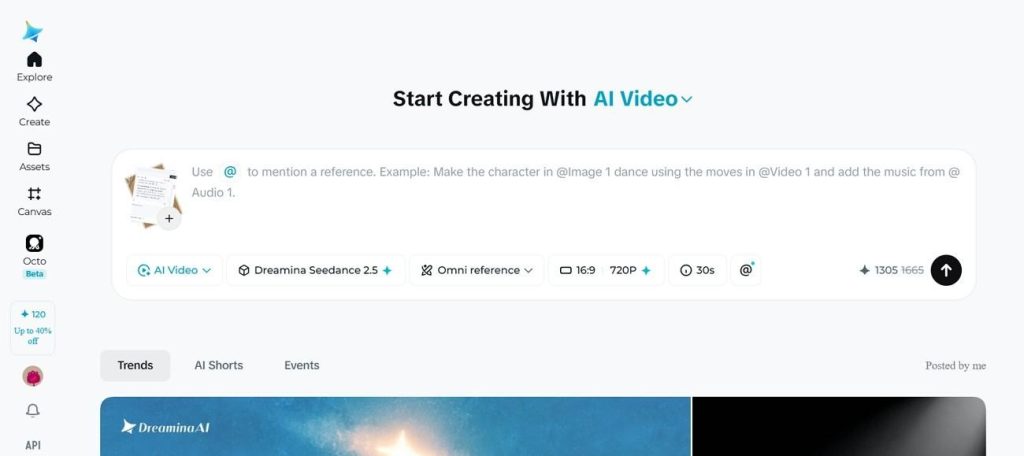
- 30 images for character angles, product shots, and style frames.
- 10 video clips for motion and camera movement reference.
- 10 audio files for voice and tonal anchoring.
That capacity is what makes recurring characters practical, since one face can be supplied from several angles and lighting conditions at once.
Region-Level Editing Explained
This is the change most people underestimate, and the contrast is easiest to see side by side:
- Without Region Editing: Fixing one element means regenerating the whole clip and hoping the rest survives intact.
- With Region Editing: Only the defined region changes, while character, camera move, and environment stay approved. On a reviewed shot, that saves time and credits.
Resolution and 10-Bit 4K Support
Native 4K is not exclusive to Seedance 2.5. Seedance 2.0 already supports it, and both models pair 4K output with 10-bit encoding for cleaner color transitions. The newer release simply produces 4K as part of its updated generation pipeline, so the improvement extends beyond resolution by itself.
Part 3. Seedance 2.0 vs Seedance 2.0 Mini: Fidelity vs Speed
These two share an architecture and split on output quality. The Seedance 2.0 vs Seedance 2.0 Mini choice comes down to who sees the clip.
Resolution Caps: 1080p/2K vs 720p Only
Seedance 2.0 covers 480p, 720p, 1080p, and 4K across 6 aspect ratios, while Mini stops at 720p. Whether that ceiling matters depends on where the clip ends up:
| Delivery Context | Is 720p Enough? |
| Internal Review and Pacing Checks | Yes, detail is not what you are judging |
| Vertical Social Feed | Usually, once platform compression is applied |
| Client Deliverable | No, the ceiling shows |
| Large Screen or Broadcast | No, 1080p or 4K is the minimum |
| Delivery Context | Is 720p Enough? |
Cost Per Second Side by Side
Mini starts near $0.04 per second, while standard Seedance 2.0 runs from roughly $0.06 up to $0.35 at 4K. On one clip, the gap looks small, but it compounds:
- A 10-second clip costs about $0.40 on Mini versus roughly $0.60–$3.50 on Seedance 2.0.
- 50 10-second drafts total around $20 on Mini compared with approximately $30–$175 on Seedance 2.0.
- Mini is usually the better choice for rapid iteration and large batches of drafts, while Seedance 2.0 justifies its higher cost with improved quality and capabilities.
When Mini Is the Smarter Draft Choice
Mini is not designed to replace the larger models. The following use cases show when Mini is the most practical choice in the Seedance 2.5 vs Seedance 2.0 vs Seedance 2.0 Mini comparison:
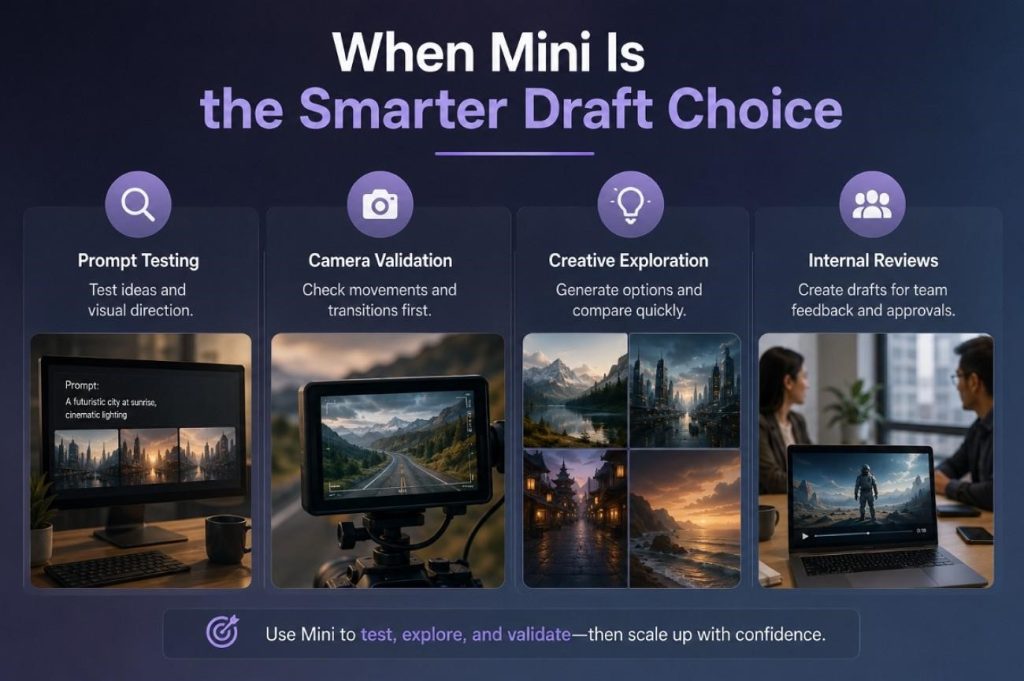
- Prompt Testing: Check whether a prompt produces the pacing, composition, and overall direction you intended.
- Camera Validation: Verify that camera movements and transitions work before committing to higher-cost generations.
- Creative Exploration: Generate multiple variations to compare ideas and select the strongest creative direction.
- Internal Reviews: Produce draft clips intended only for team feedback, approvals, or concept validation.
Move to Seedance 2.0 or Seedance 2.5 only after the concept, pacing, and visual direction are finalized.
Part 4. Seedance 2.5 vs. Seedance 2.0 Mini: The Two Extremes
The Seedance 2.5 vs Seedance 2.0 Mini comparison highlights the biggest differences in capability and cost. The following comparison explains where each model fits within a production pipeline:
Final Deliverable vs Rapid Iteration
Seedance 2.5 produces a 30-second 4K single take with 10-bit color, which is a finished asset. Mini produces a 15-second 720p clip fast enough to throw away. Teams using both draft in Mini and commit the approved concept to 2.5.
Picking Based on Budget and Deadline
Cost scales with output seconds on nearly every provider, so length is the real budget lever. If a deadline allows one paid generation, spend it on 2.5 and accept fewer attempts. If the schedule allows exploration, run Mini until the expensive render becomes a single confident job.
Part 5. How to Choose the Right Seedance Tier
Match the model to the job rather than defaulting to the newest release. The table below covers the most common production situations:
| Use Case | Recommended Model | Why |
| Concept Tests and Storyboard Drafts | Seedance 2.0 Mini | Lowest cost per second; 720p is enough to judge motion |
| Social Ads and Vertical Feed Content | Seedance 2.0 | Platform compression makes 4K largely redundant |
| Broadcast, Signage or Large-Screen Delivery | Seedance 2.5 | Native 4K with 10-bit color holds up when projected |
| Recurring Characters Across a Series | Seedance 2.5 | Up to 50 references keep appearance consistent |
| Fixing one Element in an Approved Shot | Seedance 2.5 | Region editing avoids regenerating the whole clip |
| High-Volume Variant Production | Seedance 2.0 Mini | Cost scales with how many outputs you need |
| Anything Running Past 30 Seconds | A script-driven platform | Single-clip ceilings stop applying entirely |
Pro Tip: Skip the Clip-Stitching and Generate Full Stories in Magiclight AI
The Seedance 2.5 vs Seedance 2.0 vs Seedance 2.0 Mini comparison reveals one shared limitation: every model generates individual clips rather than complete long-form videos. Even with Seedance 2.5, a single generation ends at 30 seconds, while the other tiers stop at 15 seconds, leaving longer productions to be stitched together.
Magiclight AI removes that step by treating the script as the unit of work rather than the clip. It handles scene breakdown, casting and generation in one pass. Seedance 2.0 and 2.0 Mini sit in their own model library, so nothing compared above is given up.
Key Features of Magiclight AI
- Story to Video: Scripts of up to 12,000 characters generate videos reaching 50 minutes, with 9 story models and 11 languages available at setup.
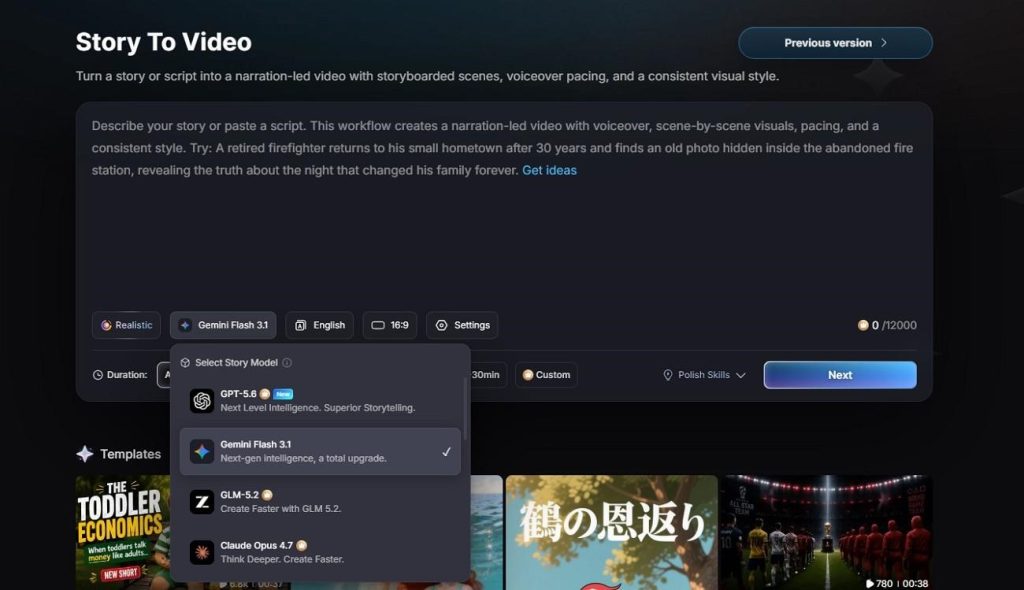
- 20 AI Video Models: 20 engines sit behind the platform, Seedance 2.0 and 2.0 Mini among them, plus the Kling, Veo, Hailuo, and Wan families.
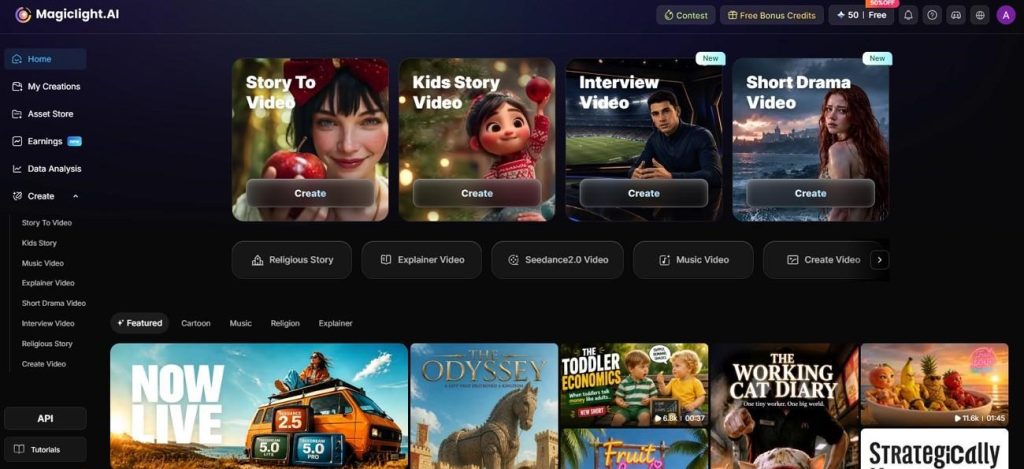
- Creation Modes: 7 starting points shape the workflow around different projects including Short Drama, Kids Story, Explainer Video, Character Vlog, Product Marketing, Education, and Story Creation.
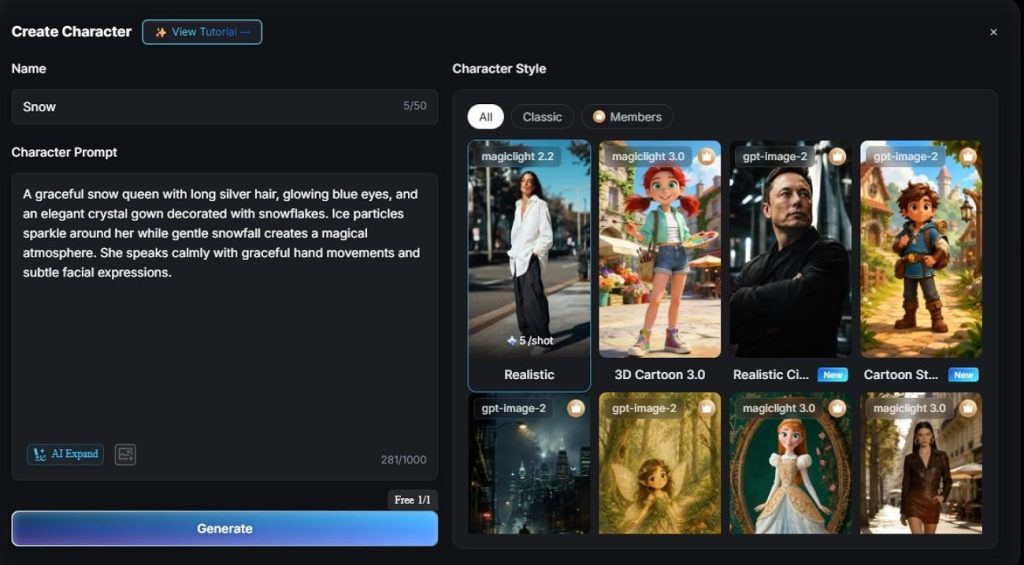
- AI Character Generator: Enter a character description of up to 1000 characters to generate a reusable cast member that can appear consistently across multiple scenes.
- 21 Video Templates: Start faster with 21 ready-made templates designed for marketing, social media, education, business, and creative video projects.
Script-to-Video Workflow in One Platform
The sequence below runs from a written script to a finished export without opening an editor:
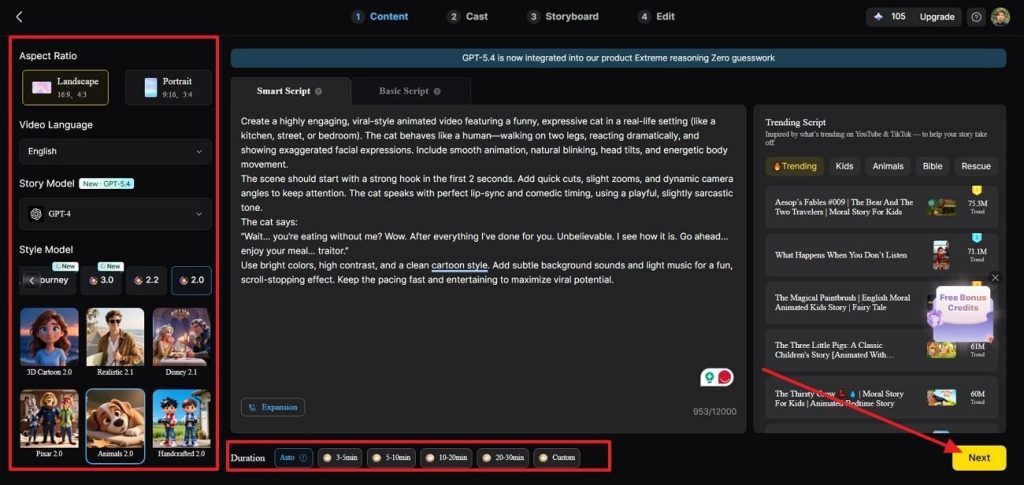
Step 1. Start a New Project
Paste your script into Story to Video, which supports up to 12,000 characters. Select the preferred language, aspect ratio, and project settings before moving to the next stage.
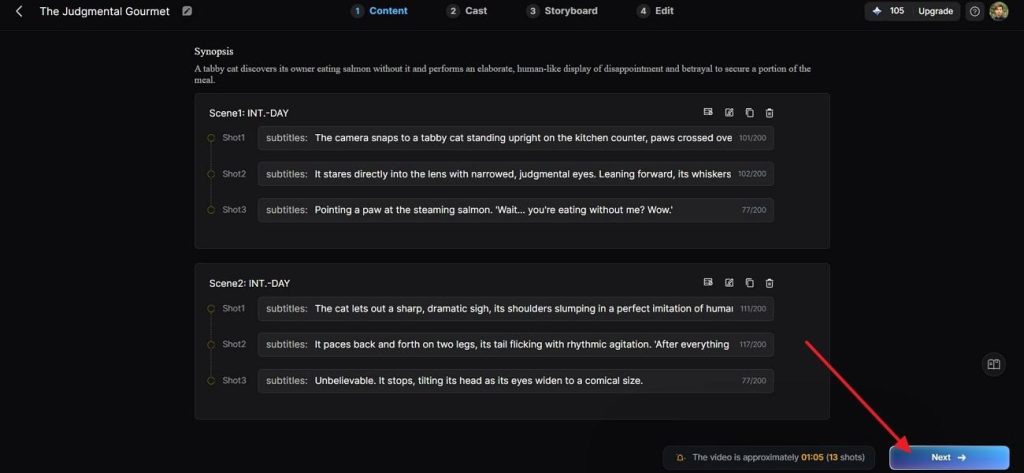
Step 2. Check the Scene Breakdown
The platform automatically divides your script into scenes and shots. Review the generated storyboard, refine any shot descriptions if necessary, and press Next.
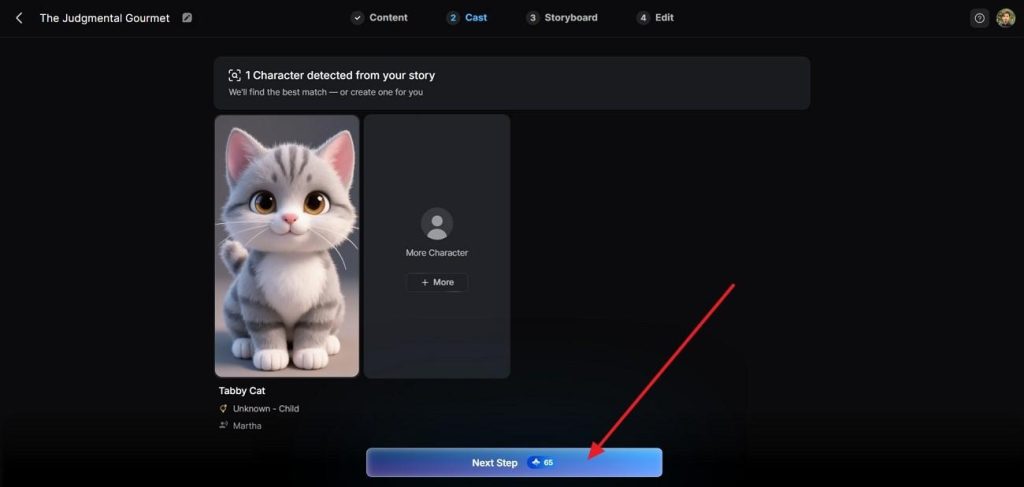
Step 3. Prepare the Cast
Open the Cast section to verify the detected characters or create new ones. Assign the final cast that will remain consistent throughout the video and choose Next Step.
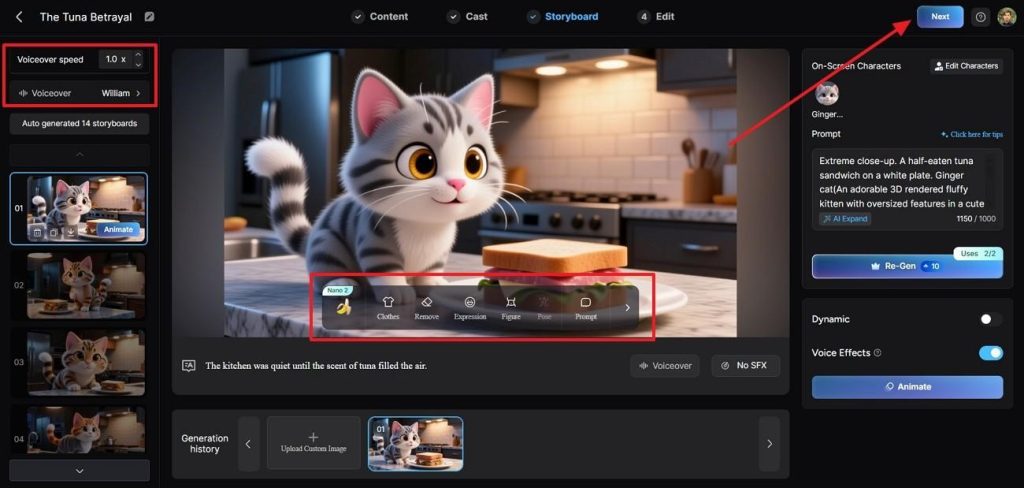
Step 4. Refine Individual Scenes
Use the Storyboard editor to customize each shot. Modify voiceovers, expressions, poses, clothing, prompts, and other scene details before proceeding.
Step 5. Render the Project
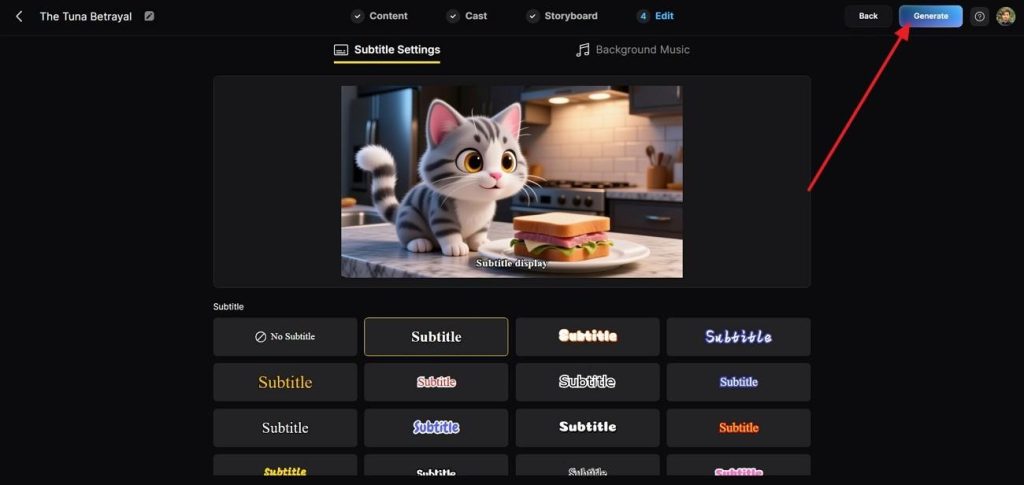
Open the Edit page, choose a subtitle style and background music, then select Generate.
Step 6. Export the Finished Video
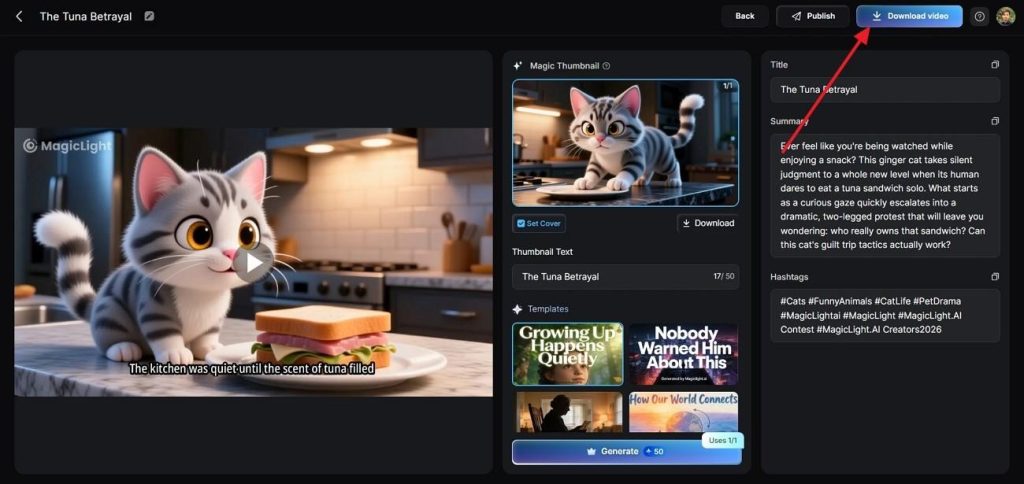
Preview the completed project, update the title, description, hashtags, or thumbnail if needed, then press Download.
Conclusion
The Seedance 2.5 vs Seedance 2.0 vs Seedance 2.0 Mini comparison shows that no single model fits every workflow. Seedance 2.5 leads in runtime and editing, Seedance 2.0 balances quality with cost, and Mini excels at rapid drafting. For longer productions, Magiclight AI extends these models into complete story-driven videos.
FAQs on Seedance 2.5 vs 2.0 vs 2.0 Mini
Which Seedance model is best for final production output?
Seedance 2.5, for its native 4K with 10-bit color and 30-second single takes. Seedance 2.0 remains legitimate at 4K if your clips fit inside 15 seconds.
Is Seedance 2.0 Mini good enough for social media ads?
For drafts, yes. For a published ad, the 720p ceiling is a real limitation once platform compression is applied. Draft in Mini and deliver from Seedance 2.0.
Does Seedance 2.5 support longer videos than Seedance 2.0?
Yes. A single Seedance 2.5 generation runs to 30 seconds against 15 on Seedance 2.0, and a beta extension mode reaches 180 seconds.
How much does Seedance 2.5 cost compared to Seedance 2.0?
Currently reported rates put Seedance 2.5 near $0.09 to $0.23 per second, based on BytePlus example jobs and early console figures. Seedance 2.0 spans roughly $0.06 to $0.35 depending on tier and resolution.
Can Seedance 2.0 Mini be used for commercial projects?
Licensing depends on the provider rather than the model itself. Check your vendor's terms, since the same model carries different commercial rights across platforms.
Can Magiclight AI replace Seedance for full-length videos?
Past the 30-second ceiling it solves a different problem. It generates up to 50 minutes from a script and includes Seedance 2.0 and 2.0 Mini among its own models.