


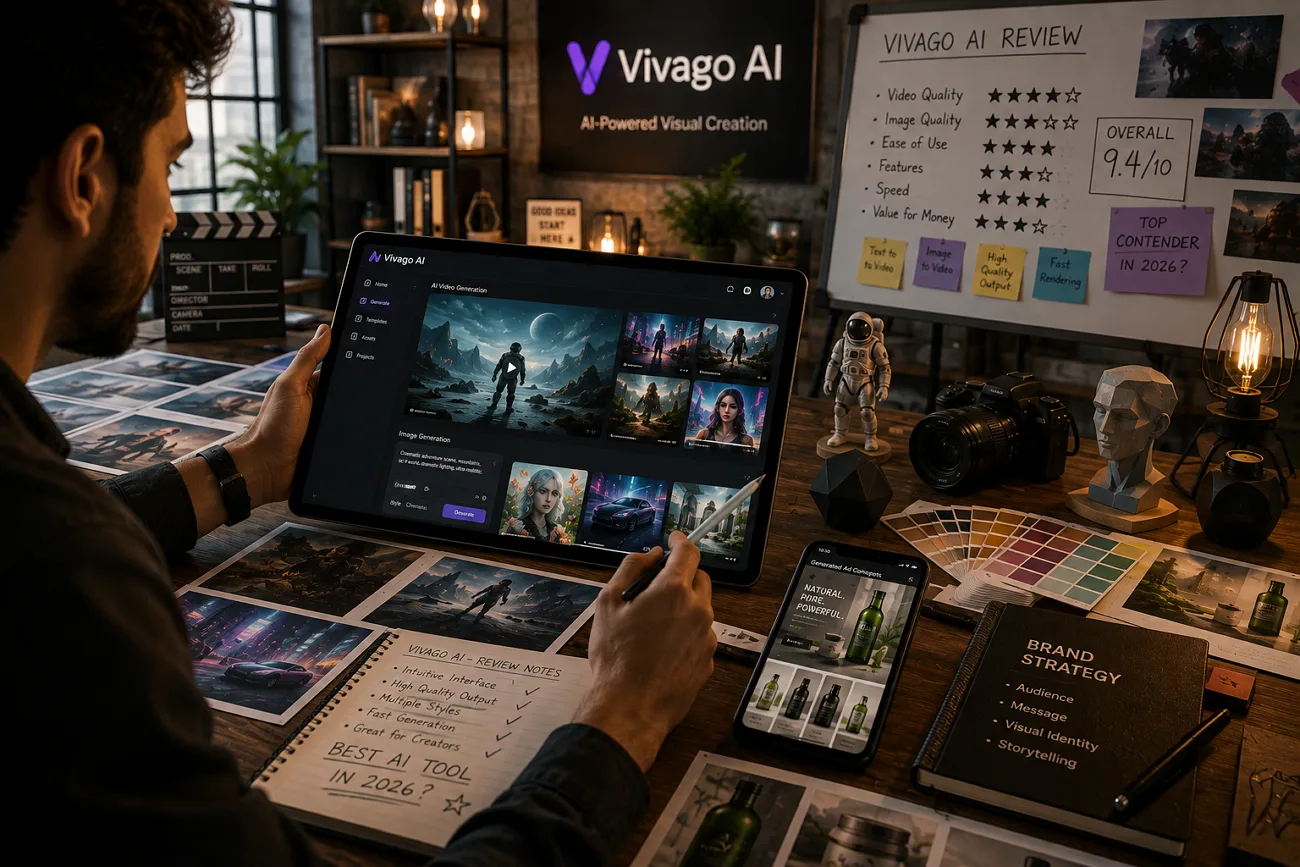
Many AI platforms promise everything, yet not every feature delivers strong results for every creator. Choosing the wrong platform can waste credits and effort before producing useful creative content consistently. This Vivago AI review explains its real features, credit costs, and everyday performance with simple details.
It also covers free plan limits, pricing, and important licensing terms before starting professional client projects. Finally, you will learn whether this platform suits your needs or another option works much better.
Part 1. What is Vivago AI?
Vivago AI is an all-in-one creative platform built by HiDream.ai, creators behind the HiDream-I1 open-source model. It creates and edits videos and 3D assets from prompts or uploaded files using simple creative tools. The platform works through browsers while offering dedicated iOS and Android applications for flexible content creation everywhere.
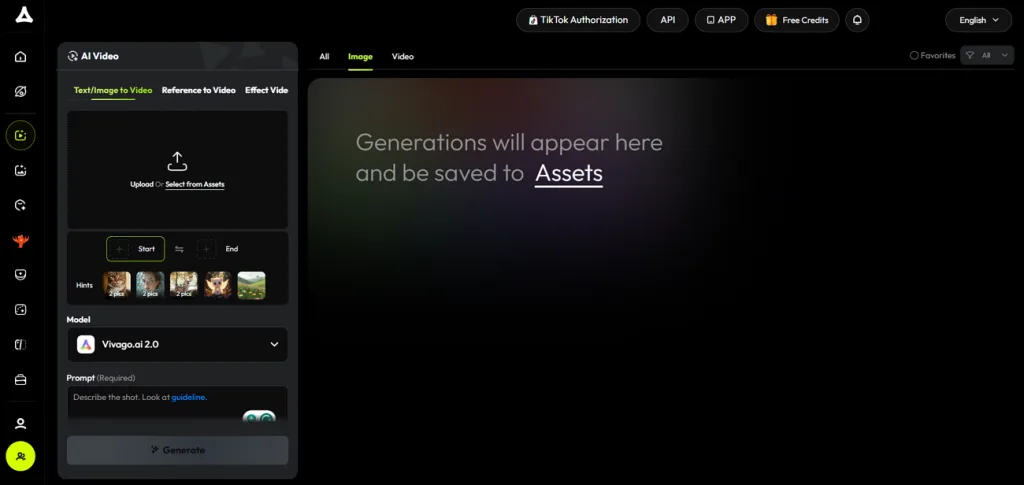
Moreover, it includes multiple creative templates, making content creation faster for beginners and regular creators. Social content creators and short-form video users benefit most, though simplified controls limit advanced timeline editing flexibility.
Core Key Features of Vivago AI
- Text to 3D generates 3D models supporting creative workflows, including Apple Vision Pro compatibility.
- Create videos from written prompts using AI with simple controls and fast processing capabilities throughout.
- Image to Video transforms uploaded still images into realistic motion without requiring complex editing skills.
- Magic Brush animates selected areas only, giving creators greater control over scene movement and visual effects.
- AI voice generation converts ideas into spoken content, helping creators produce audio projects much faster.
Pros and Cons of Vivago AI
Review these pros and cons to decide whether Vivago AI is safe for your creative projects.
Pros
- Supports major AI video generation models like Kling AI and Google Veo.
- Daily free credits reset automatically without requiring a credit card.
- Its “Pro” subscription plan grants full commercial rights for generated content ownership.
Cons
- Free plan limits generated videos to only 5 seconds long.
- Buying its basic subscription plan still puts you on hold during high traffic.
- Motion quality drifts on prompts involving complex movement.
Part 2. How to Use Vivago AI?
Getting started with Vivago AI takes only a few minutes using its simple creative dashboard. Follow the steps below to create your first AI project across Vivago AI:
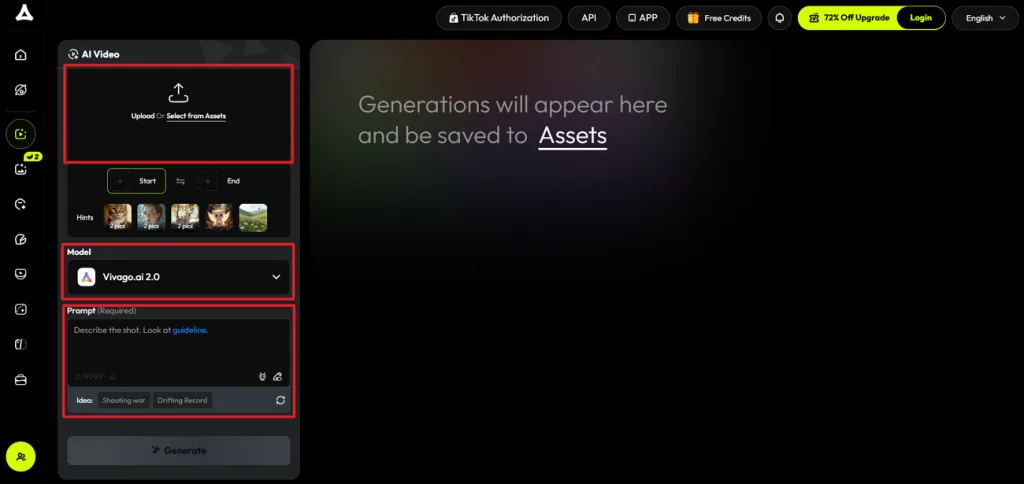
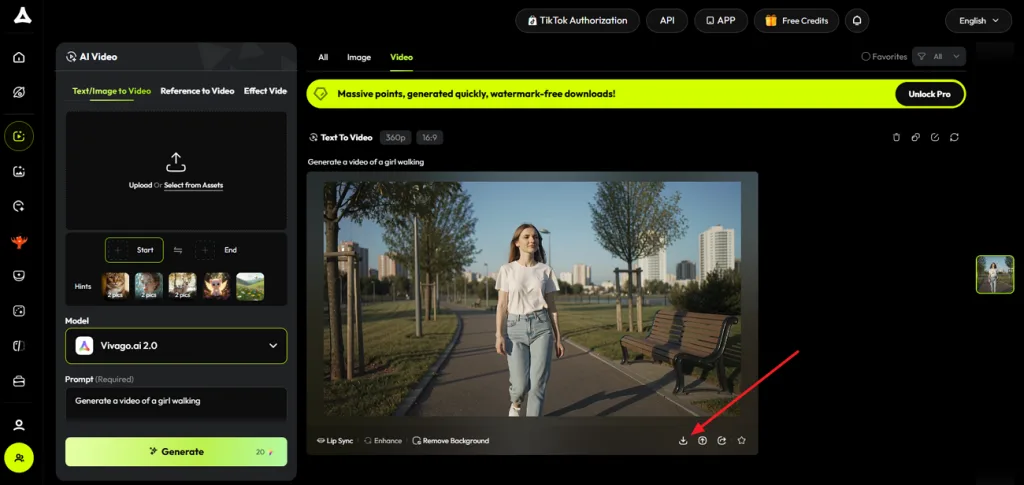
Step 1. Once you enter Vivago AI’s video generator, upload the reference image if needed, choose an AI Model, and enter the video prompt.
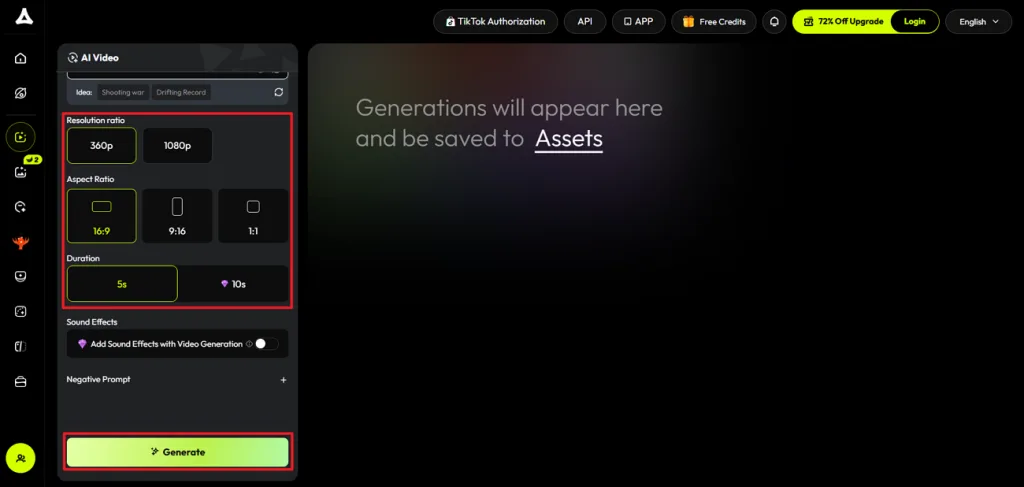
Step 2. Next, choose an appropriate Resolution Ratio, Aspect Ratio, and Duration. Once done, press the Generate button to begin the video generation process.
Step 3. After the video is generated, preview the video and press the Download icon to save the video.
Part 3. Best Alternative to Vivago AI for Video Creation
Vivago AI works well for creating individual AI videos, but larger storytelling projects need stronger creative consistency. This is where MagicLight AI comes in, providing an AI video platform built for complete stories instead of single clips. While Vivago AI free offers a simple starting point, MagicLight AI is better suited for creators producing longer, more detailed videos.
MagicLight AI transforms scripts up to 12,000 characters into long AI videos lasting up to 50 minutes. It also creates videos in 11 different languages, helping creators reach wider audiences without extra translation work. Built-in AI lip sync keeps character speech naturally matched with generated voices, producing more realistic and professional video results.
Core Advantages & Key Features of Magiclight AI
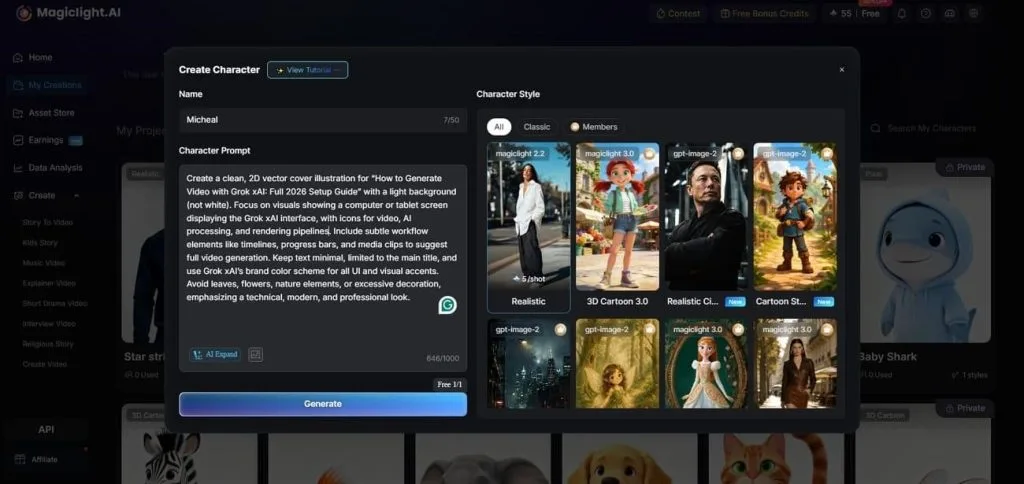
- AI Character Creation: Create characters using 1,000-character prompts or reference images with consistent visual appearance. Save characters in your library and reuse them across future videos without visual changes.
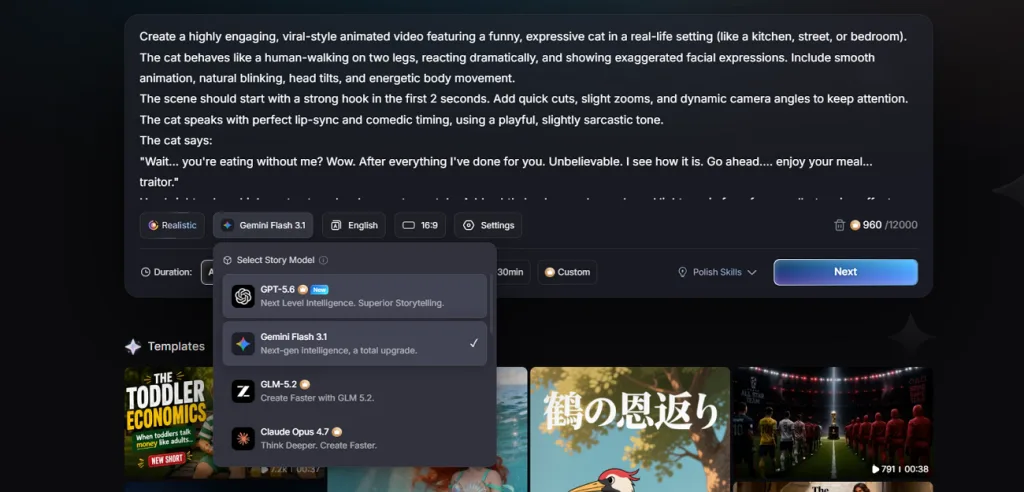
- Story Models: MagicLight AI includes 9 AI story models, including Gemini Flash 3.1 and Qwen 3.5. Different models generate stories matching various creative styles and storytelling requirements for every project.
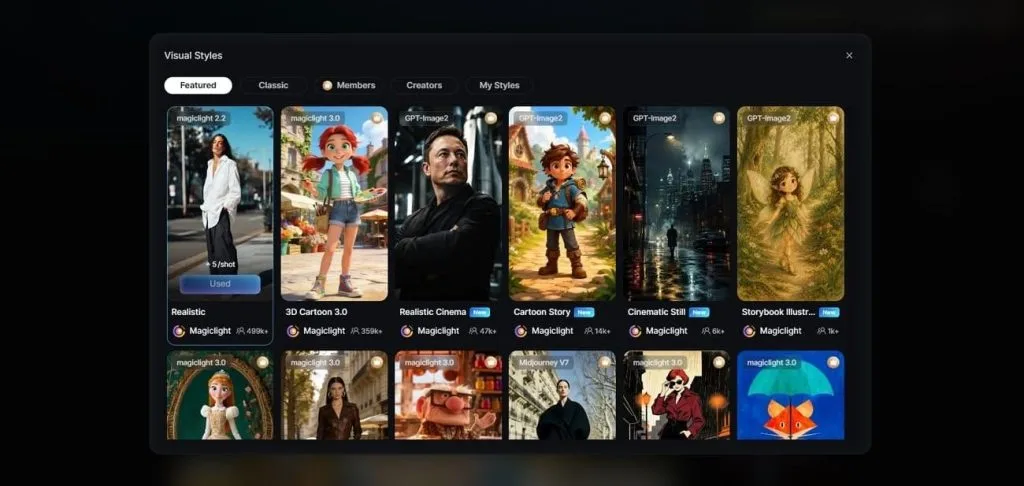
- Visual Styles: Apply more than 20 visual styles for different storytelling themes and creative projects easily. Available options include Ghibli, Pixar, wuxia, and picture book styles for unique visuals.
- Voiceover and Voice Cloning: MagicLight AI offers 37 AI voices filtered by age, gender, accent, and content scenarios. Clone voices to maintain consistent narration across multiple videos without re-recording.
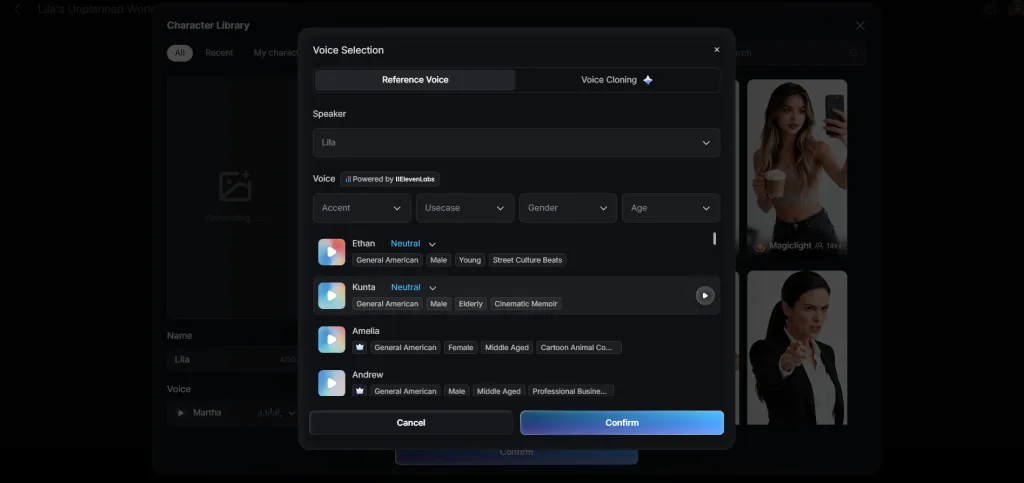
- Subtitles and Background Music: Export videos using 16 subtitle presets for improved readability across different viewing platforms easily. Add 40 background music tracks matching different storytelling moods and creative video scenes.
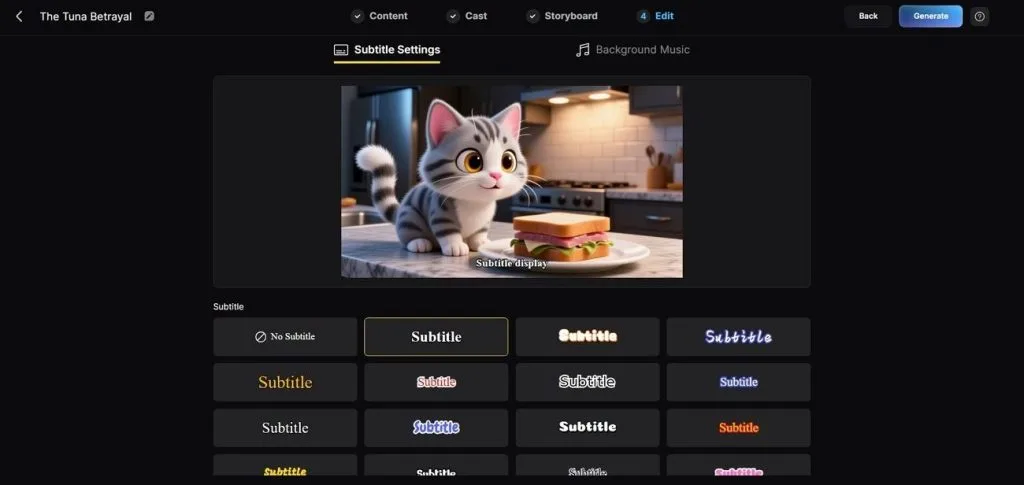
Part 4. Comparison Table Between Vivago AI and Magiclight AI
If you wonder if Vivago AI is legit, comparing both platforms makes choosing much easier. The table below compares their features and video creation capabilities:
| Feature | Vivago AI | MagicLight AI |
| Core Purpose | A toolkit of separate generators | One pipeline from script to finished video |
| Maximum Video Length | 5 seconds free, 15 seconds when paid | Up to 50 minutes per project |
| Script Input | Prompt only | Accepts a 12,000-character script |
| Storyboard Control | Absent from the workflow | Built automatically, edit scenes, clothes, and character poses |
| Voiceover | Not a core capability | 37 voices with cloning |
| Subtitles | N/A | 16 styles applied at export |
| Templates and Styles | 300+ templates refreshed weekly | 50+ style presets, 4 model families |
| Image Editing | Magic Brush, Eraser, Expand and 4K enhance | Not the primary focus |
| Free Tier | Daily credits, watermarked, with ads | Free plan available |
Conclusion
In summary, Vivago AI is a practical choice for creators who want to generate short AI videos, images, and other creative content with minimal effort. Its free plan makes it easy to get started, although credit limits and shorter video generation may not suit every workflow. If your projects require longer videos, consistent characters, and structured storytelling, MagicLight AI offers a more capable solution.
FAQs on Vivago AI
1. What does Vivago AI do?
Vivago AI creates and edits videos, 3D models, and AI podcasts using simple creative tools. It focuses on producing short content quickly without requiring advanced editing software or experience.
2. How much does Vivago AI cost?
Whether Vivago AI is free or paid depends on your creative needs and preferred subscription level. Free plans include daily credits, while Pro plan costs $20/month and Max costs $100/month.
3. What is the best alternative to Vivago AI?
MagicLight AI creates complete videos from full scripts instead of generating separate short clips. Characters, narration, and visual styles remain consistent throughout every scene in each project.


![How to Write a Script for a Short Film in 2026 [Beginner’s Guide]](https://magiclight.ai/wp-2/wp-content/uploads/short-film-screenplay-writing-guide-300x169.webp)


