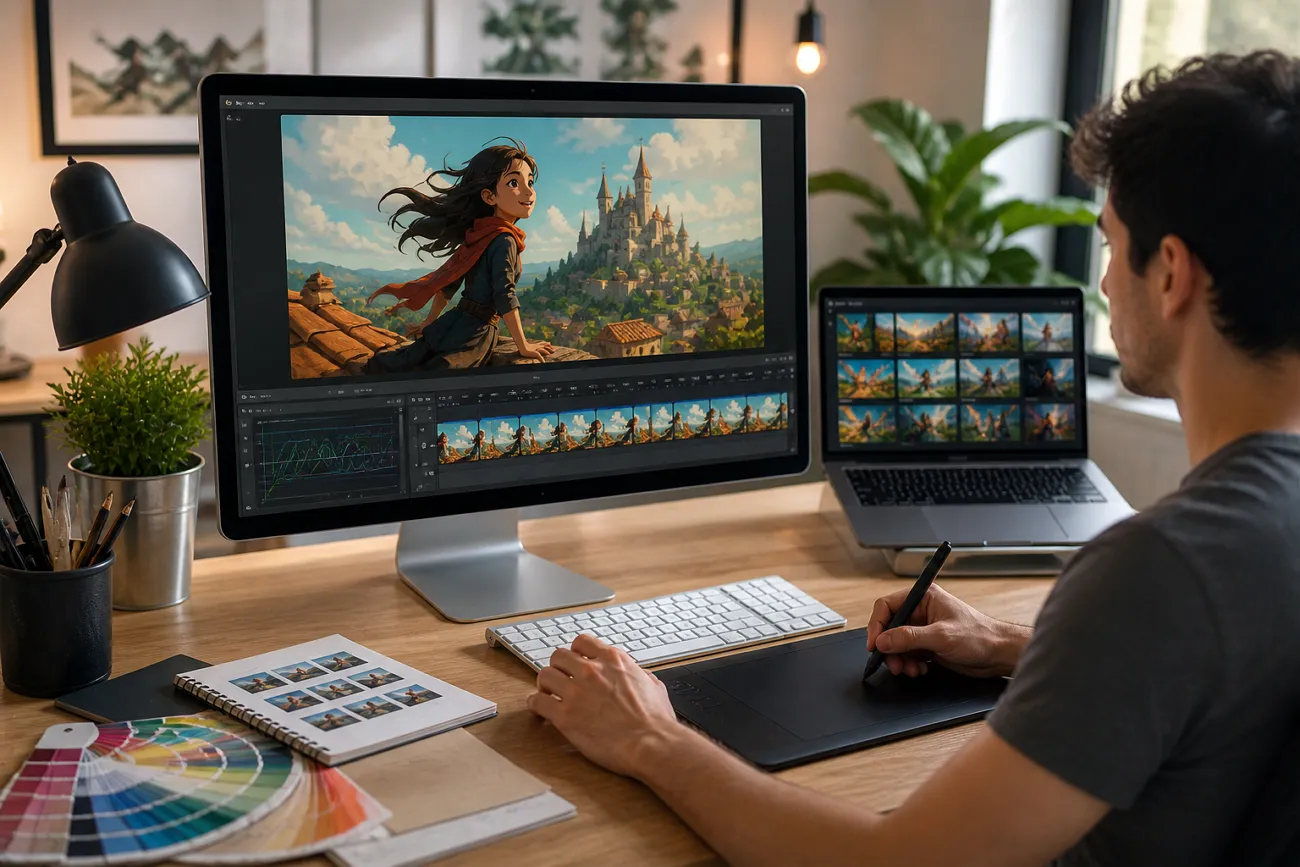
Creating engaging animated visuals often feels overwhelming, especially for beginners who lack advanced editing skills or expensive software. This is where an AI animation tool can make a real difference by simplifying the entire process. With smart automation and user-friendly features, these tools allow anyone to bring images to life in minutes. The article provides a detailed guide on the top 10 tools that are available.
Part 1. 10 AI Animation Tools to Create Animated Videos Without Skills
In the next section, we’ll look in detail at the powerful options that help you turn ideas into animated videos with minimal effort:
1. MagicLight AI
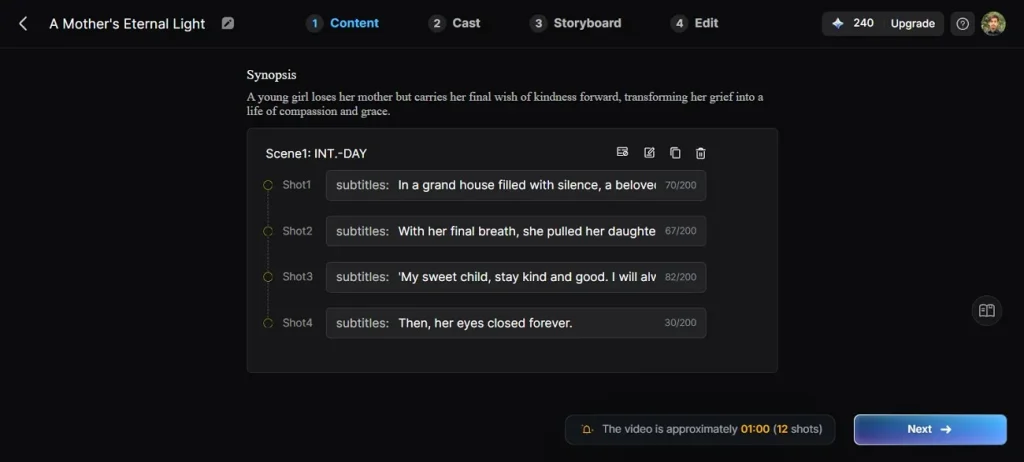
MagicLight AI is an advanced AI tool for animation that transforms simple ideas into fully animated videos using intelligent automation. Designed for both beginners and creators, it offers a complete production pipeline from script input and storyboard creation to final video export. The standout Nano storyboard feature enables precise control over scenes with detailed actions, camera movements, and timing.
Users can create characters with customizable voices, including voice cloning, and choose from multiple AI style models. MagicLight AI also supports long-form video creation of up to 50 minutes, making it ideal for storytelling, explainer content, and more.
Highlights
- One-Click Video Generation: MagicLight AI lets users instantly create complete videos from scripts or prompts using advanced automation, saving time and effort.
- Advanced Frame Generation: The tool locks the facial features and other key objects within the timeline to prevent structural problems with the video.
- Built-in Video Templates: MagicLight AI offers a variety of ready-made templates that help users quickly create professional-looking videos for different content types.
- Video Customization: Users can fully customize videos by editing characters, voiceovers, styles, subtitles, and visual elements to match their creative vision.
Pros
- Supports long-form storytelling with consistent characters across extended video timelines.
- Combines script writing, storyboarding, animation, and export in a single platform.
Con
- The video quality options offered are limited, with no support for 4K quality.
2. Runway ML
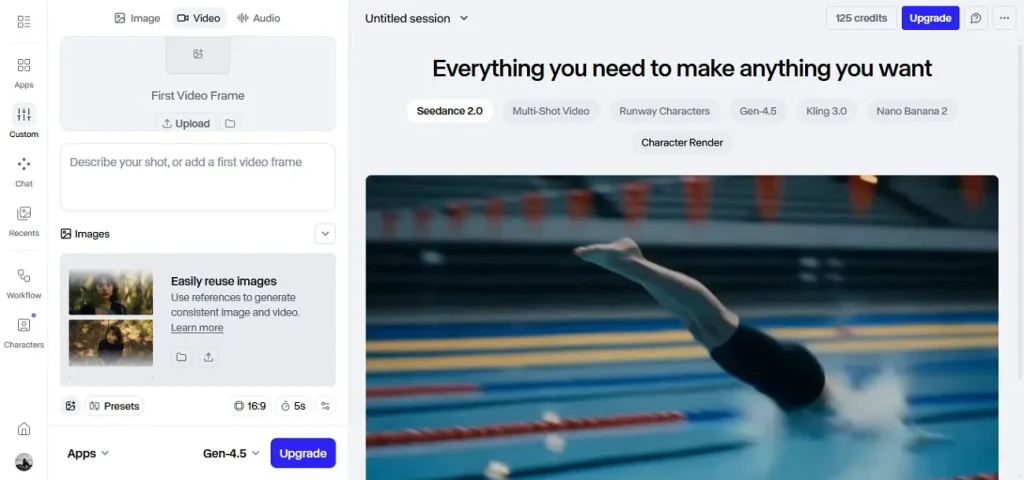
It is a creative platform for filmmakers and designers. Runway generates cinematic visuals from text and images. With advanced motion tools and editing features, it stands as a powerful AI animation tool for producing high-quality videos and visual content easily.
Highlights
- Supports real-time collaboration across multiple users on shared projects.
- Offers AI background removal without manual masking or complex steps.
- Includes video inpainting for removing unwanted objects from footage.
Pros
- Enables fast prototyping of creative ideas using AI-generated video previews.
- Provides frequent updates with cutting-edge generative AI video capabilities improvements.
Cons
- Subscription pricing becomes expensive for independent creators and freelancers.
- Occasional lag when rendering high-resolution cinematic video outputs.
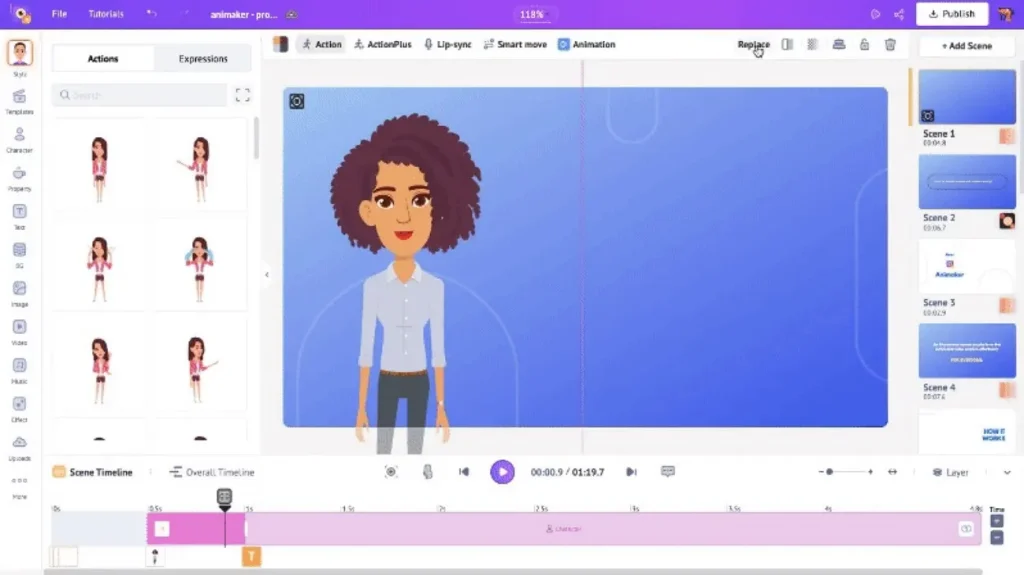
3. Animaker AI
Designed for beginners and marketers, Animaker AI simplifies animation with drag-and-drop tools and smart automation. It helps users build engaging explainer videos quickly, making it one of the most accessible AI animation tools for fast and creative video production.
Highlights
- Built-in character customization library with diverse emotional expressions available.
- Supports automated subtitle generation in multiple global languages instantly.
- Allows team workspace sharing for collaborative video production projects.
Pros
- A large asset library helps create diverse animations without designing elements manually.
- Offers a beginner-friendly interface requiring minimal training for effective video creation
Cons
- Limited control over advanced animation physics and realism features.
- The free version includes noticeable watermarks on exported videos.
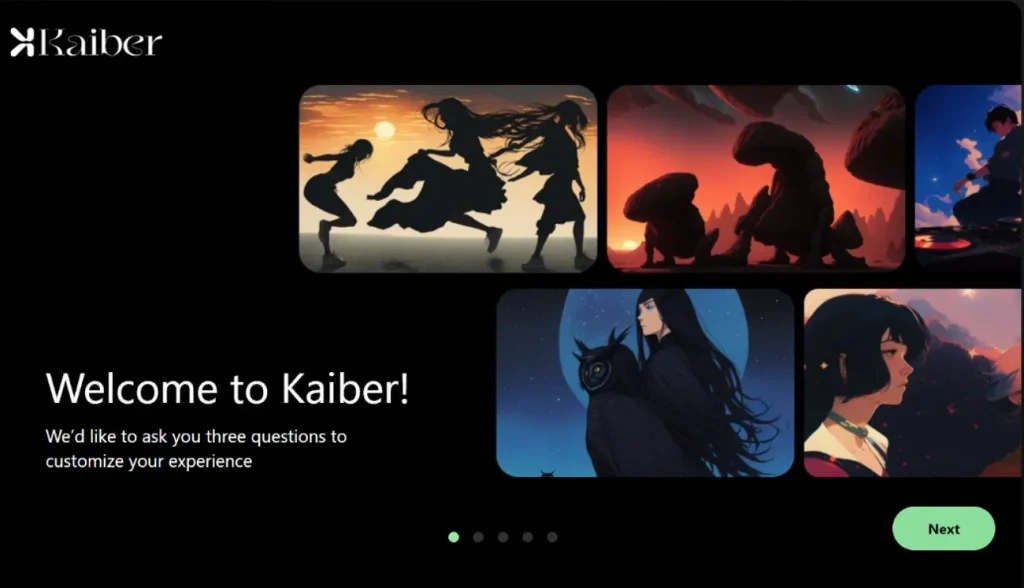
4. Kaiber
Transforming creativity into motion, Kaiber generates animated videos from images and prompts. It focuses on artistic and music-driven visuals, making it a unique AI tool for animation for creators who want expressive and stylized storytelling results.
Highlights
- Offers style transfer tools for transforming image aesthetics dynamically.
- Supports high-resolution exports suitable for professional media publishing.
- Includes timeline editing for adjusting animation speed and flow control.
Pros
- Ideal for music visualization with synchronized animation based on audio input.
- Delivers visually unique outputs suitable for artistic and experimental content creators.
Cons
- Limited precision control over frame-by-frame animation adjustments.
- Style consistency sometimes varies across longer generated sequences.
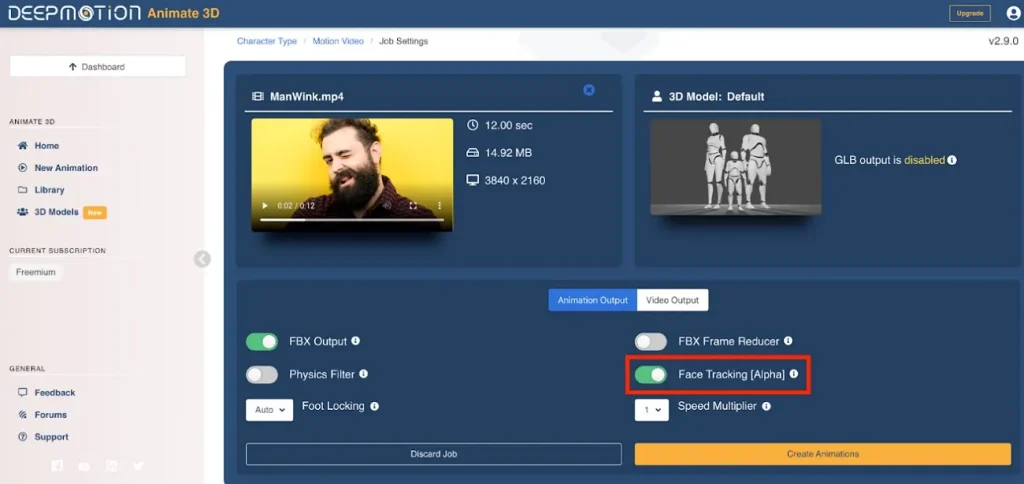
5. DeepMotion
Real-world movement becomes digital animation through DeepMotion’s AI motion capture engine. It analyzes human actions and converts them into 3D character data. This makes it a powerful AI-powered animation tool solution for game developers and virtual production teams.
Highlights
- Supports export to multiple 3D software formats and engines.
- Includes motion smoothing algorithms for reducing jitter in animations.
- Provides cloud processing for handling large animation datasets efficiently.
Pros
- Eliminates the need for expensive motion capture suits and specialized studio equipment.
- Generates realistic animations suitable for gaming, VR, and simulation environments.
Cons
- A learning curve exists for integrating outputs into 3D pipelines.
- Limited creative styling compared to full animation software tools.
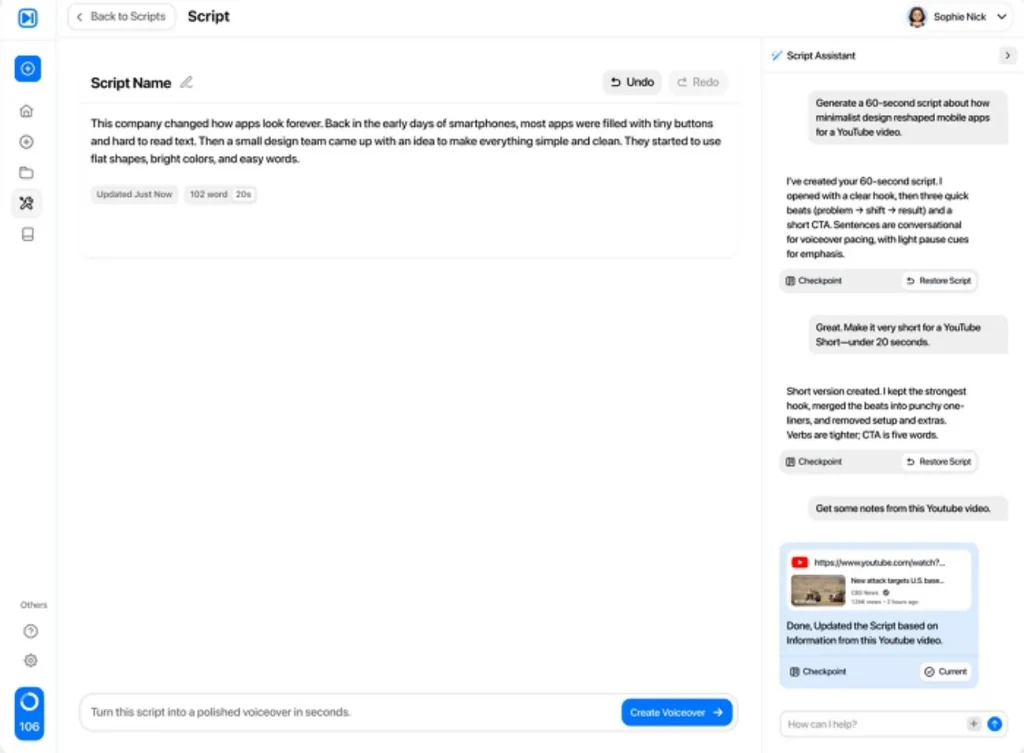
6. Viewmax
Viewmax AI is a video generation platform that transforms text scripts into engaging visual content using AI automation. It eliminates the need for cameras or actors and focuses on quick content creation for marketing, training, and presentations. Its simple workflow and automation make it a strong option among the best AI animation tools.
Highlights
- Supports multi-language video creation for reaching global audiences easily.
- Offers customizable visual styles to match different branding and content needs.
- Enables batch video generation for efficient large-scale content production.
Pros
- Speeds up video production with automated scene generation and layout design.
- Helps maintain consistent branding across multiple videos with reusable templates.
Cons
- Limited advanced editing controls compared to traditional video editing software.
- Premium features require higher-tier plans, increasing overall usage costs.
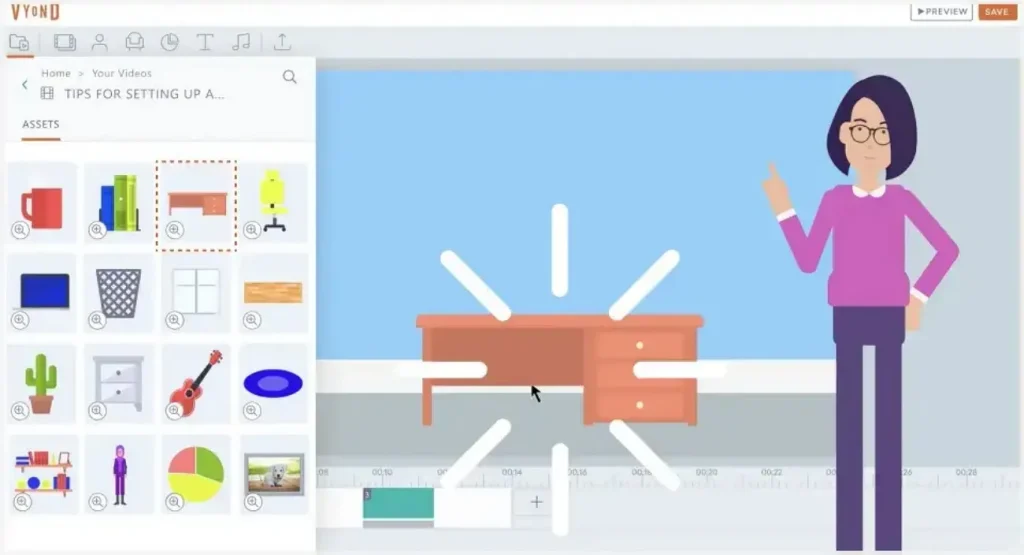
7. Vyond
The tool allows users to create animated videos using characters and templates. It is commonly used in business and education. Vyond is also a useful free AI animation tool for creating simple and engaging animated content.
Highlights
- Provides gesture customization for characters beyond default animation presets.
- Supports brand kit integration for consistent corporate identity usage.
- Offers scene layering tools for advanced visual composition control.
Pros
- Easy drag-and-drop interface simplifies animation creation for non-designers.
- An extensive template library supports the quick development of business video content.
Cons
- Advanced customization features are locked behind premium subscription tiers.
- Export quality is limited in the lower pricing plans available.
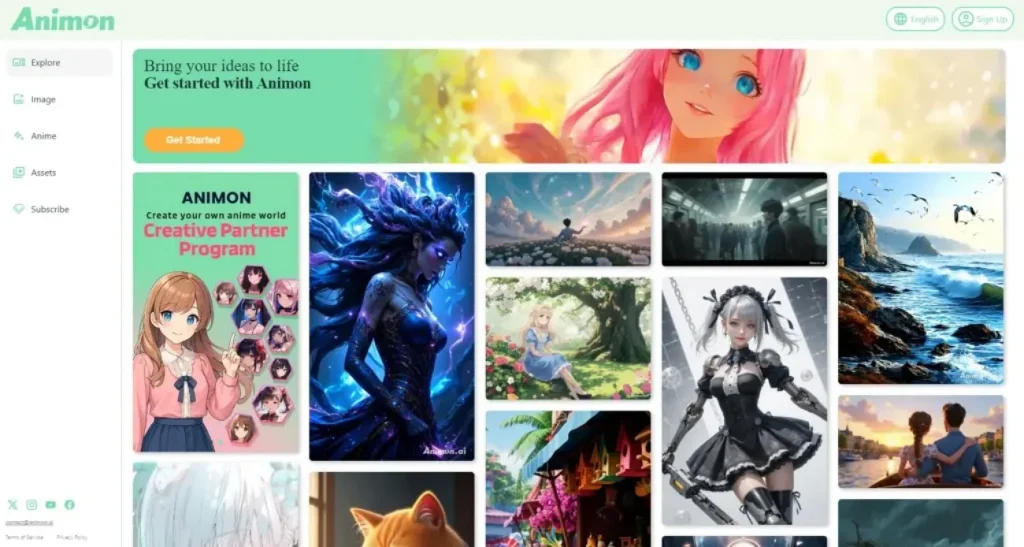
8. Animon AI
This tool is an AI-powered platform that turns scripts and prompts into animated videos with expressive characters and synchronized audio. With support for multiple languages and easy controls, it is often considered when exploring which AI animation tool is best for beginners.
Highlights
- Offers dynamic character animation with expressive gestures and facial movements.
- Provides a real-time preview to review animations before final video generation.
- Includes smart script enhancement for improving clarity and storytelling flow.
Pros
- Simplifies animation workflow with minimal setup and intuitive interface design.
- Enables quick content creation suitable for social media and marketing needs.
Cons
- Animation styles can feel limited compared to advanced professional tools.
- Performance may slow down when generating longer or more complex video scenes.
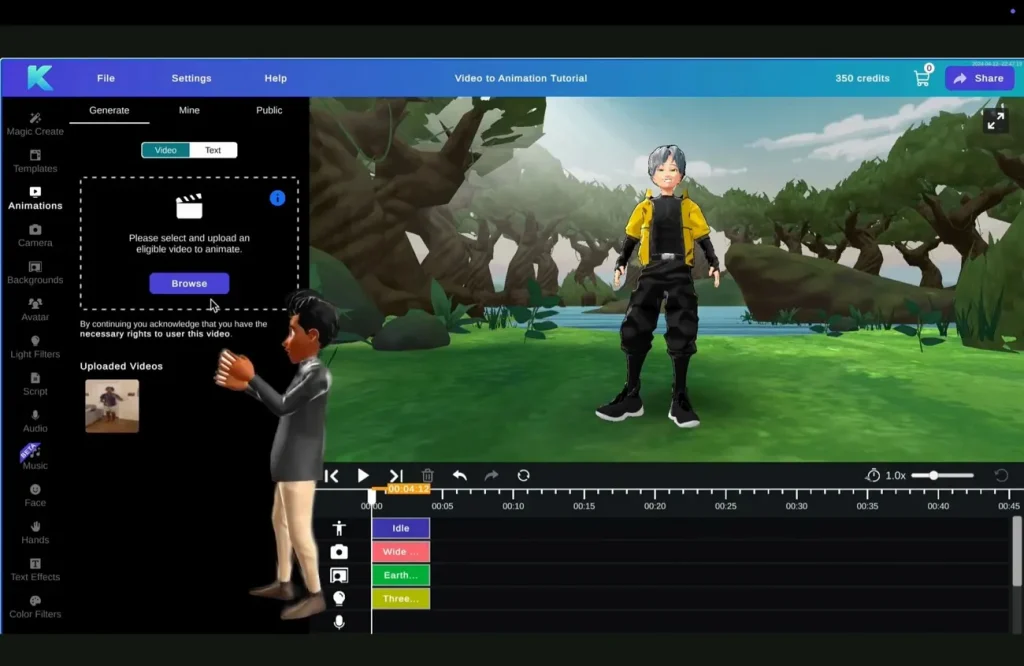
9. Krikey.ai
Krikey.ai focuses on 3D animation using AI motion tools. Users can create characters and animations quickly. It is a useful best AI animation tool for gaming, storytelling, and interactive digital content creation.
Highlights
- Includes physics-based movement correction for smoother character animations.
- Supports multiplayer collaboration inside shared animation project environments.
- Offers drag-based motion editing for intuitive animation control.
Pros
- Encourages creativity through interactive 3D storytelling.
- Simplifies the animation process for users without prior experience in 3D design.
Cons
- Limited support for highly detailed cinematic storytelling effects.
- Performance issues may appear on low-end devices occasionally.
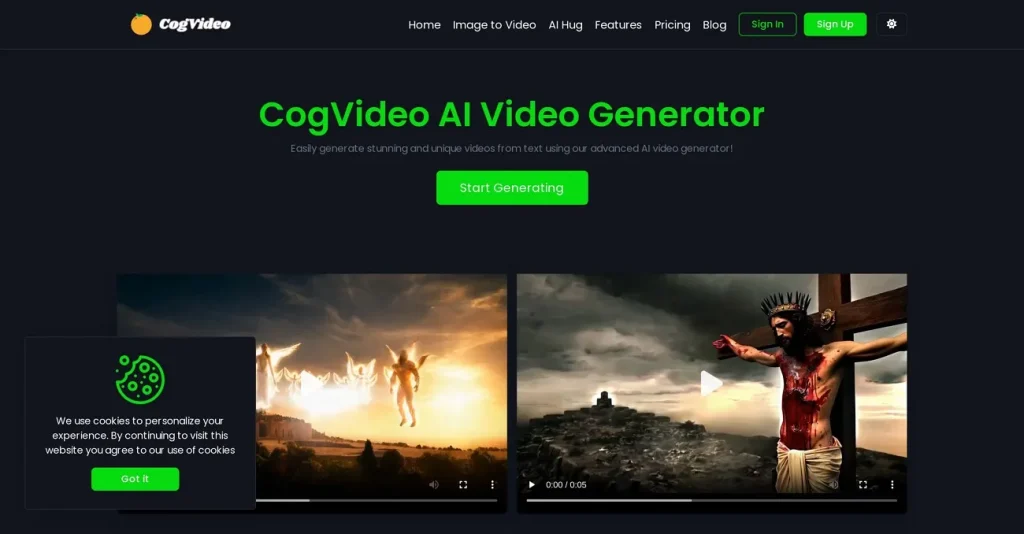
10. Cogvideo
The platform is an AI animation tool developed by Zhipu AI that creates videos directly from text prompts. It focuses on generating short, coherent clips with scene consistency and natural motion. The model is mainly used for research, creative experimentation, and early-stage content generation.
Highlights
- Generates videos directly from text prompts using diffusion-based AI models.
- Maintains scene consistency across frames for smoother visual storytelling outputs.
- Supports prompt-based control for style, motion, and scene composition elements.
Pros
- Enables rapid experimentation with creative ideas using simple text-based inputs.
- Reduces the need for manual animation skills in early-stage video concept creation.
Cons
- Limited public access compared to commercial AI video generation platforms.
- Output duration remains short, restricting use for long-form video creation.
Part 2. How to Use the Best AI Animation Tool Easily
Among all choices, MagicLight AI stands out as a powerful yet beginner-friendly solution. In the next section, we’ll walk through how to use this best AI animation tool easily to create professional-quality animated videos without any technical skills:
Step 1. Start a New Project
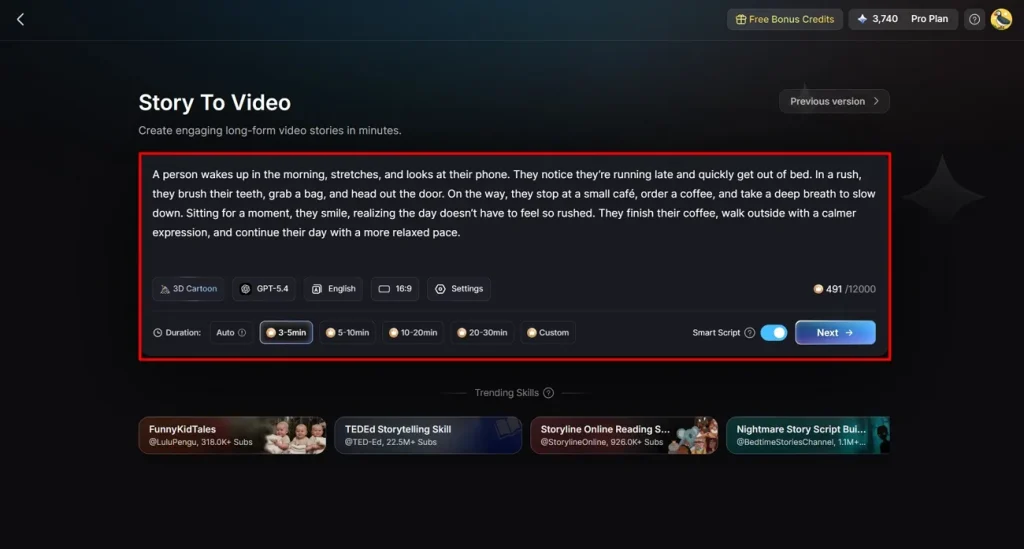
Open the Story to Video feature and set your preferred aspect ratio and video length. Next, choose the language, story model, and style model. Enter your script in the Smart Script section for AI optimization, then proceed by clicking Next.
Step 2. Review Scene Breakdown
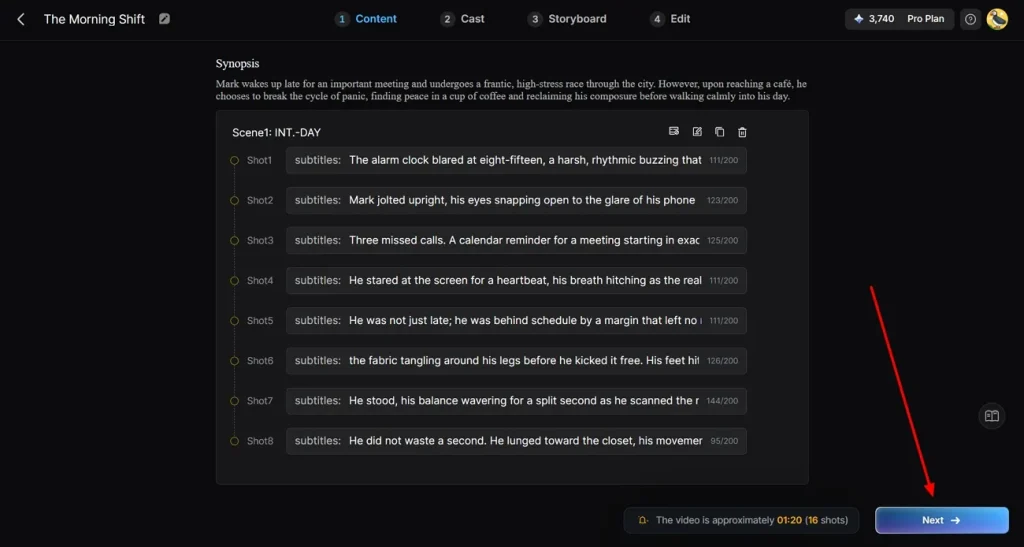
Check the automatically generated scene summary carefully. Make sure each part matches your storyline. If needed, adjust scenes using the available controls at the top, then move forward by selecting Next.
Step 3. Select Video Characters
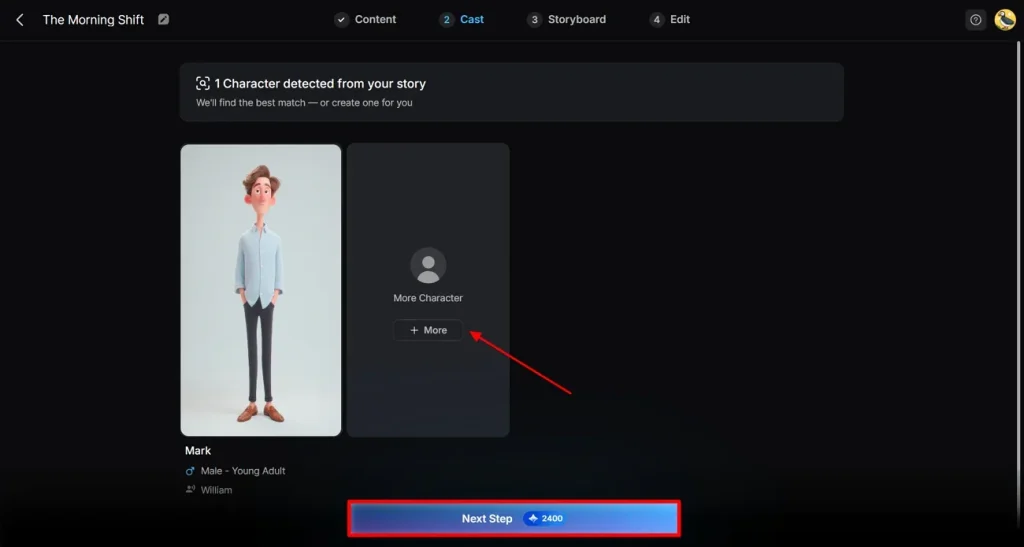
The system will detect characters from your script and suggest suitable options. You can review these or explore more from the library. Once satisfied with your selection, click Next Step.
Step 4. Refine the Storyboard
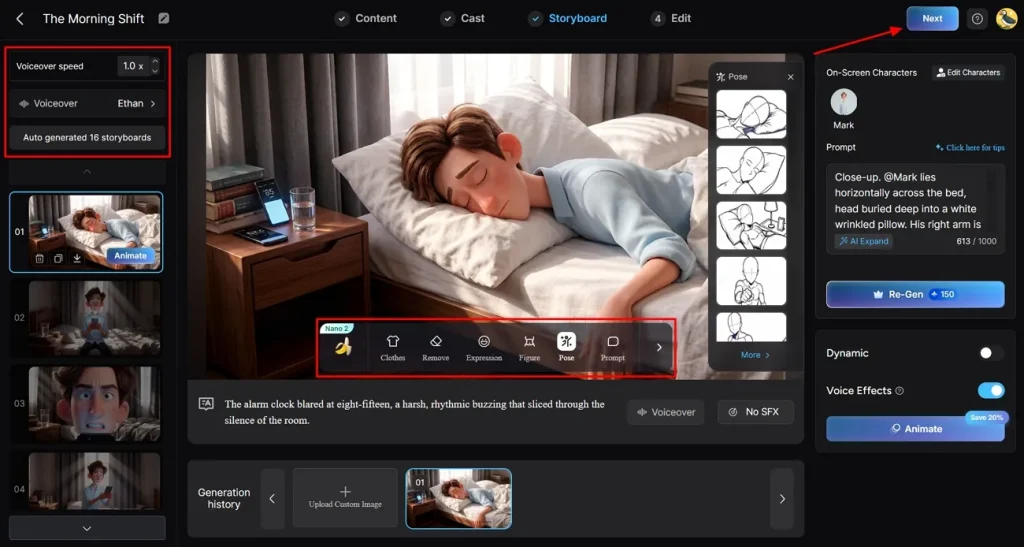
Go through the full storyboard scene by scene and confirm visual accuracy. You can edit outfits, expressions, and poses using the editing tools, then continue by clicking Next.
Step 5. Set Up Subtitles
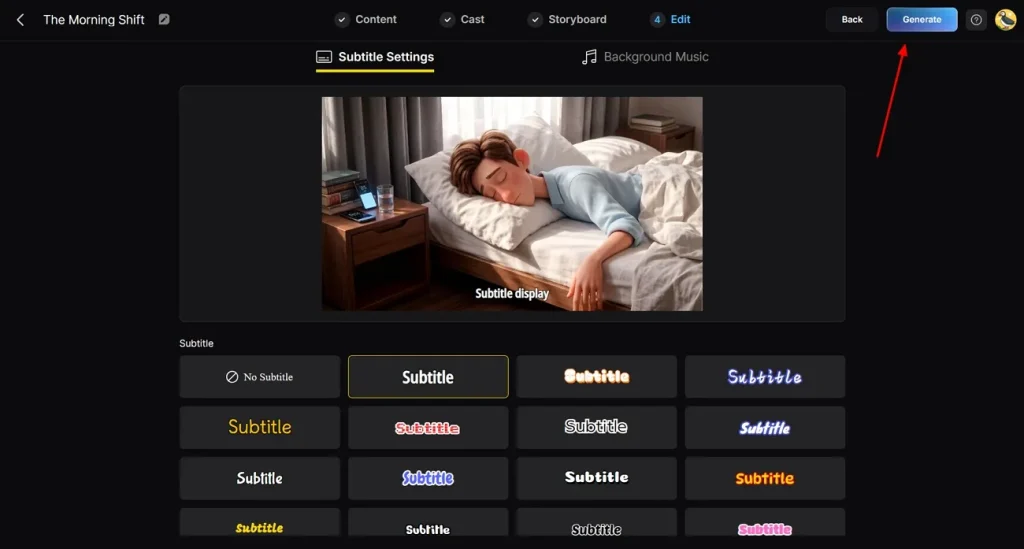
If your video contains narration or dialogue, choose a subtitle style that fits your design. Adjust settings as needed and click Generate to start video creation.
Step 6. Final Review and Export
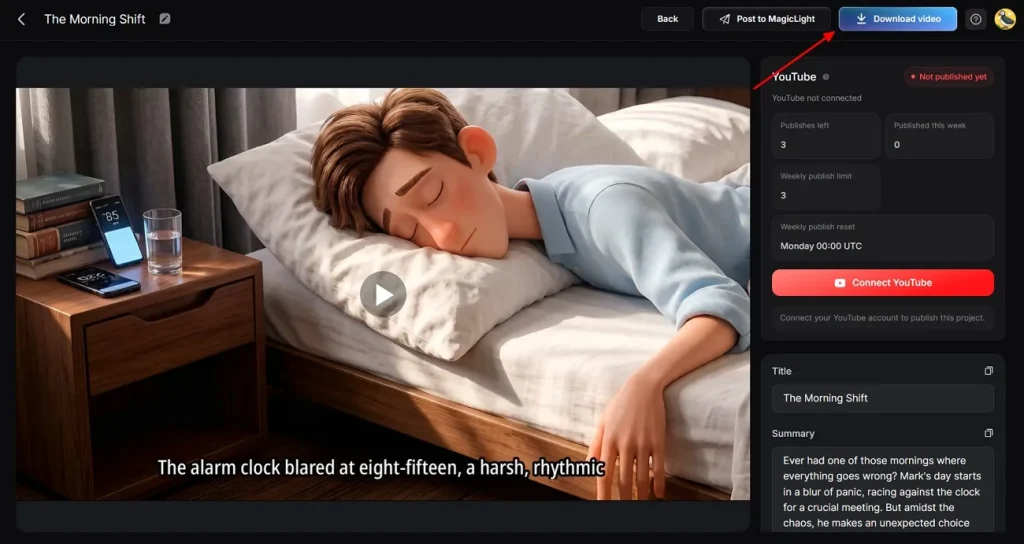
Once processing is complete, preview the final video carefully. Check the cover, thumbnail, and hashtags. If everything looks correct, click Download Video to save your project.
Conclusion
To sum it up, this article provided a detailed guide on the top AI animation tools and how they help creators turn ideas into engaging videos with minimal effort. From beginners to professionals, these tools simplify the entire animation process. Among them, MagicLight AI stands out for its powerful automation, flexible customization, and full video creation workflow.
FAQs on Best AI Animation Tools
1. What is the best AI animation tool?
MagicLight AI is considered one of the best AI animation tools for complete video creation. It offers end-to-end features from script to final animated video.
2. Which AI animation tool is best for beginners?
MagicLight AI is highly suitable for beginners due to its simple workflow and automation features. Users can create professional videos without technical skills.
3. Are there free AI animation tools available?
Yes, some AI animation tools offer free versions with limited features and basic exports. MagicLight AI also provides accessible options depending on its plan structure.
4. Do AI animation tools support voiceovers?
Yes, many AI animation tools support voiceovers with built-in AI narration or custom audio uploads. MagicLight AI also includes voice options for characters and storytelling.
5. Are AI animation tools easy to use?
Yes, most modern AI animation tools are designed for simple and user-friendly workflows. MagicLight AI especially makes animation easy with automated scene and video generation.


![How to Write a Script for a Short Film in 2026 [Beginner’s Guide]](https://magiclight.ai/wp-2/wp-content/uploads/short-film-screenplay-writing-guide-300x169.webp)