


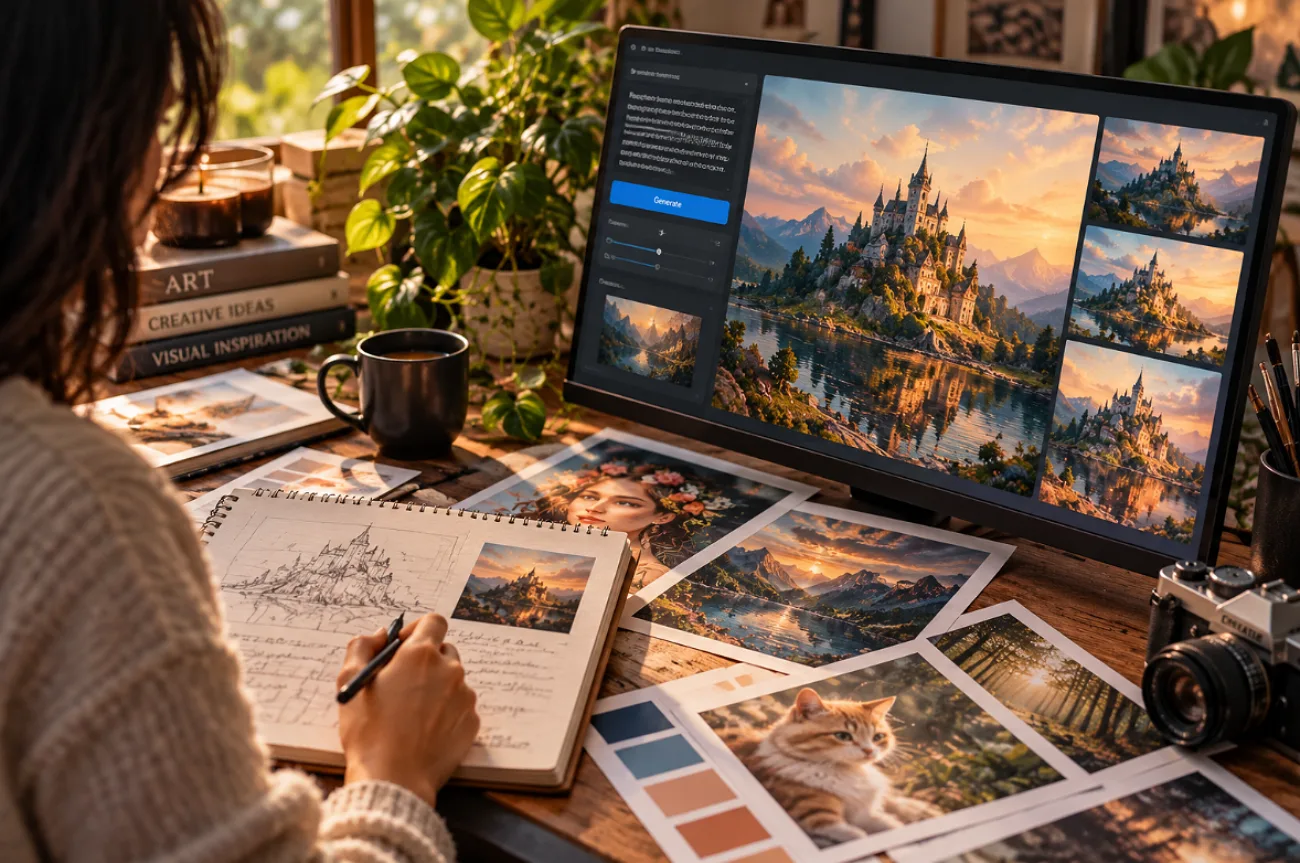
AI art can change dramatically when a prompt includes a few well-chosen details. The best prompts for AI art say what appears in the scene, where it is placed, and which style to use. Lighting, colors, camera angle, and texture help narrow the look even further. The 6 prompt styles below include copy-ready examples and explain which details control each visual result.
Part 1. How to Write Effective AI Art Prompts
Writing best AI prompts for art means being specific about what belongs in the frame. A red fishing boat at sunrise says far more than simply asking for a beautiful ocean scene. Style, lighting, color, and composition can then shape that idea. A few choices have a much bigger effect on the finished image than others.
- Start With the Subject: “An elderly fisherman mending a red net” gives the model something concrete to build around. “A man” leaves too much undecided.
- Name the Look: Watercolor, anime, 3D render, or another medium quickly establishes the visual direction.
- Shape the Shot: Golden-hour backlight changes the lighting, while a low angle or rule-of-thirds composition changes how the scene is framed.
- Bring in Color and Mood: Try a combination such as “muted teal and amber, quiet and nostalgic” when you want the palette and atmosphere to feel connected.
- Build a Prompt Structure: Reusing one order of subject, style, lighting, composition, and mood works for every genre, with extra terms added for each one.
Part 2. 6 Best AI Art Prompt Ideas for 2026
Moving from prompt basics to actual examples makes it easier to see how those details work together. These 6 best AI art prompts cover styles ranging from anime and photorealism to surreal concept art. For each style, you’ll find 2 copy-ready prompts, suitable project ideas, and a breakdown of the details that shape the finished image.
1. Anime & Manga Art Prompts
Best For: Fan art, webcomics, avatars, wallpapers, character designs, and action illustrations.
Key Elements: Cel shading, clean line art, expressive eyes, speed lines, screen tones, and a limited color palette.
Anime and manga art often uses crisp outlines, cel shading, and expressive characters to create a distinct look. These 2 best prompts for AI art anime show how those details work in a peaceful rooftop scene and an action-packed manga panel.
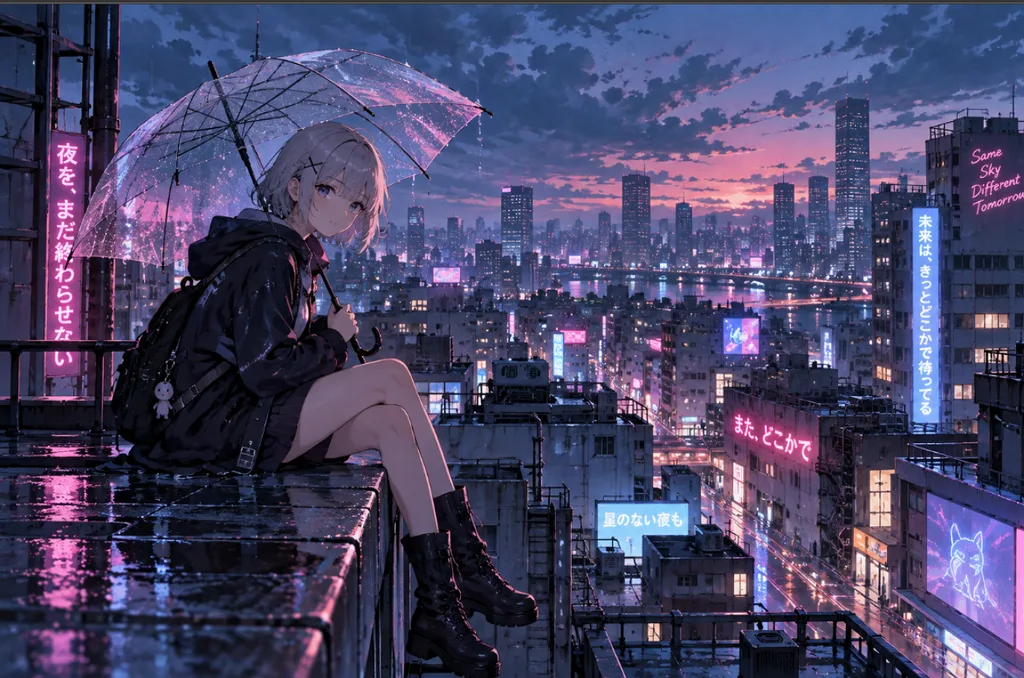
- Rainy Rooftop Scene: “Anime girl with short silver hair sitting on a city rooftop in light rain, holding a clear umbrella, neon signs glowing below, cel shading, soft blue and pink palette, wide shot, calm mood.”
- Manga Action Panel: “Black-and-white manga panel of a young swordsman mid-leap, speed lines behind him, screentone shading, dramatic low angle, torn cloak, intense expression, bold ink outlines, high contrast.”
2. Fantasy & Magical World Prompts
Best For: Book covers, game concept art, tabletop campaigns, and fantasy wallpapers.
Key Elements: A sense of scale, glowing light sources, magical materials, atmospheric haze, and a painterly finish.
A fantasy scene needs more than a castle, creature, or magical object to feel like a complete world. Details such as distant mountains, glowing pathways, mist, and oversized structures create depth and scale. Giving one element the strongest visual emphasis keeps all those details from competing for attention.
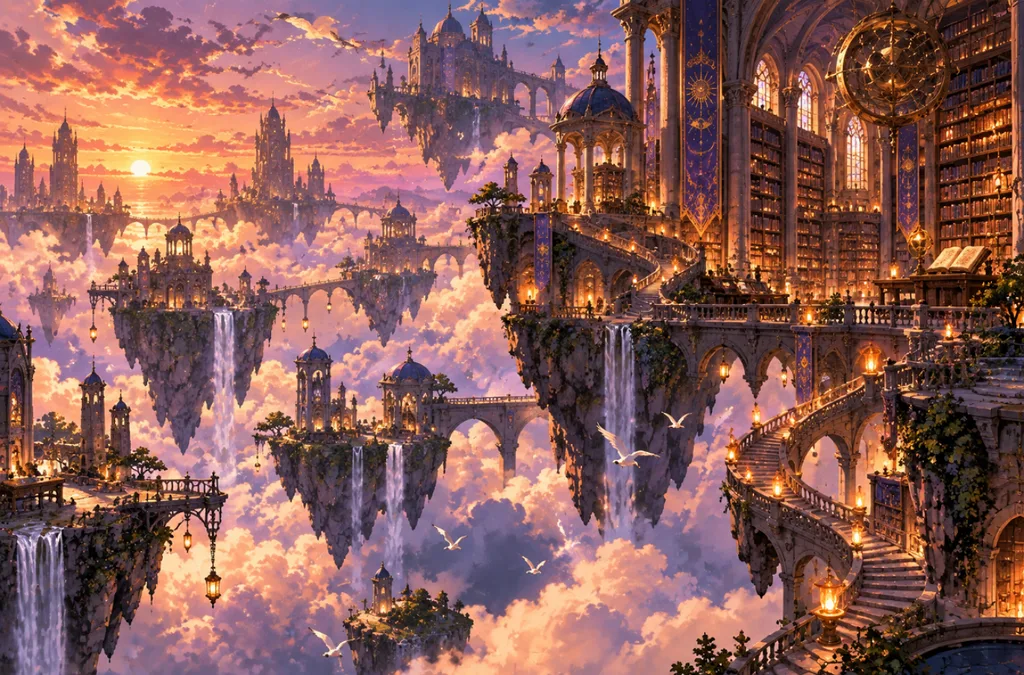
- Floating Library: “An ancient library floating among the clouds at sunset, spiral staircases linking stone islands, glowing lanterns, birds circling the towers, painterly fantasy art, warm gold and violet light, epic wide shot.”
- Forest Spirit Guardian: “A towering forest spirit made of moss and branches, glowing green eyes, standing guard over a hidden waterfall, fireflies drifting, misty morning light, detailed digital painting, mysterious yet gentle mood.”
3. Cinematic & Realistic Art Prompts
Best For: Film stills, storyboards, product ads, portraits, posters, and editorial photography.
Key Elements: Lens and camera terms, film stock, depth of field, color grading, and a single strong light source.
Cinematic images borrow details from real photography, including lens choice, camera angle, lighting, and film stock. Many best AI prompts for art use these details to make portraits and scenes resemble photographed film frames instead of perfect digital renders.
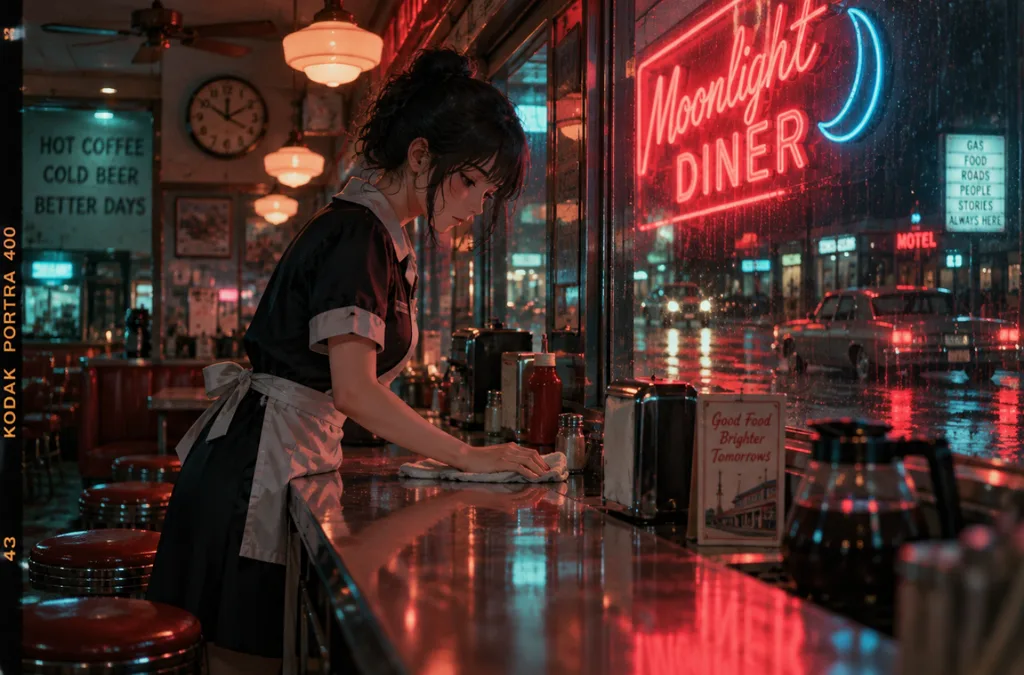
- Diner at Midnight: “A lone waitress wiping the counter of a roadside diner at midnight, neon sign reflected in the window, shot on 35mm film, shallow depth of field, teal and red color grade, cinematic still.”
- Mountain Rescue: “Mountain rescue team climbing a snowy ridge at dawn, headlamps glowing, breath visible in the cold air, telephoto lens, realistic textures, soft pink sunrise light, documentary photography style.”
4. Character Design Prompts
Best For: RPG heroes, comic casts, brand mascots, game NPCs, and original character concepts.
Key Elements: Full-body framing, outfit and prop details, multiple views, a plain background, and a clear personality cue.
Good character design goes beyond choosing clothes and facial features. Small touches, from a worn backpack to a guarded stance, can reveal who the character is before any story is told. Keeping the figure fully visible against a simple background also makes proportions, clothing, and accessories easier to compare.
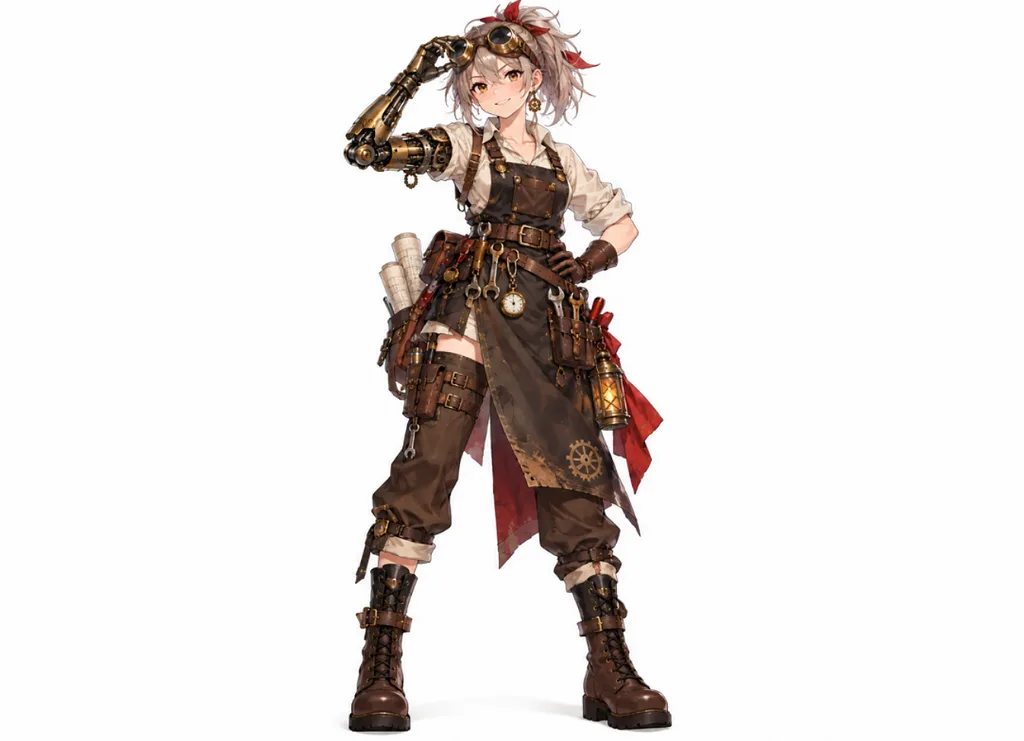
- Steampunk Inventor: “Full-body character design of a young steampunk inventor, brass goggles on her forehead, leather apron with tools, mechanical arm, confident smile, front view, plain white background, clean concept art style.”
- Desert Ranger: “Character sheet of a desert ranger in a hooded sand-colored cloak, curved bow, scarf over the face, front, side, and back views, earthy palette, neutral gray background, detailed game concept art.”
5. Digital Illustration Prompts
Best For: Editorial artwork, picture books, website graphics, social campaigns, posters, and branded content.
Key Elements: A named rendering style, simple shapes or textured brushes, a limited palette, and a friendly, readable composition.
Digital illustration ranges from crisp vector artwork to textured scenes with a hand-drawn appearance. Some of the best prompts for AI art name the rendering method to establish a distinct visual style. Terms like flat vector shapes, grainy brushes, or layered digital paint help define the final finish.
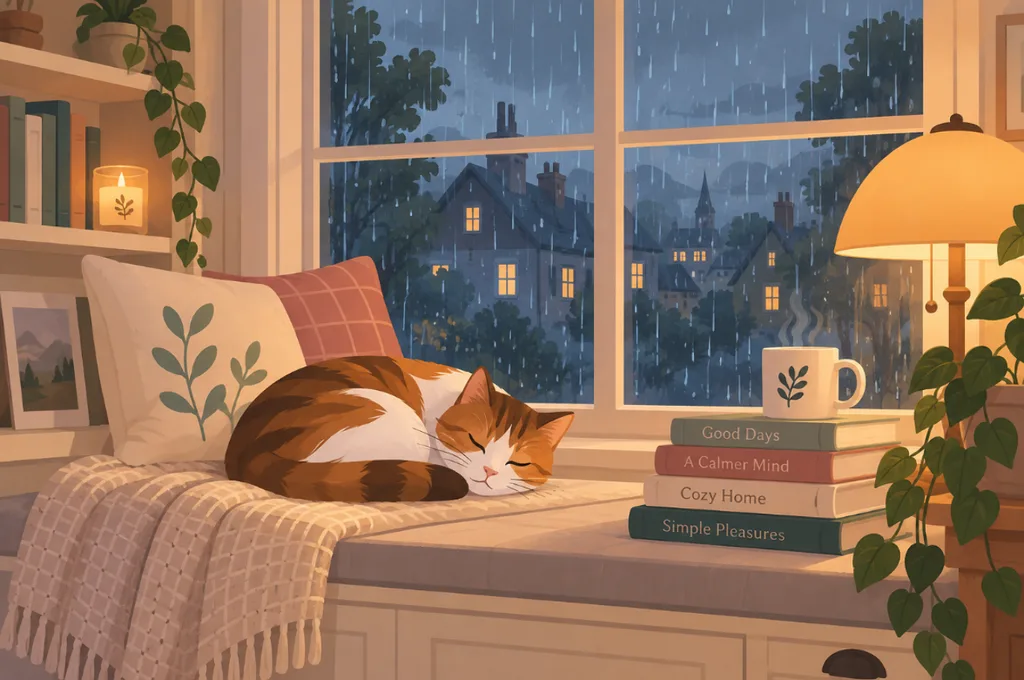
- Cozy Reading Nook: “Flat vector illustration of a cat curled up on a window seat beside a stack of books, rain outside, warm lamp light, simple geometric shapes, pastel palette, clean edges, cozy mood.”
- Storybook Village: “Children’s storybook illustration of a tiny village inside a giant pumpkin, round windows glowing at dusk, mice carrying lanterns, textured gouache brushwork, soft autumn colors, whimsical and warm.”
6. Surreal & Conceptual Art Prompts
Best For: Album covers, gallery-style prints, concept pieces, and eye-catching social visuals.
Key Elements: Unexpected scale, an impossible combination, a simple composition, and a dreamlike color palette.
Surreal art becomes memorable when something familiar appears where it clearly does not belong. A giant whale crossing a desert creates more tension than simply asking for a dreamlike scene. Precise contrasts give the image a strong central idea while leaving room for unusual colors, scale, and atmosphere.
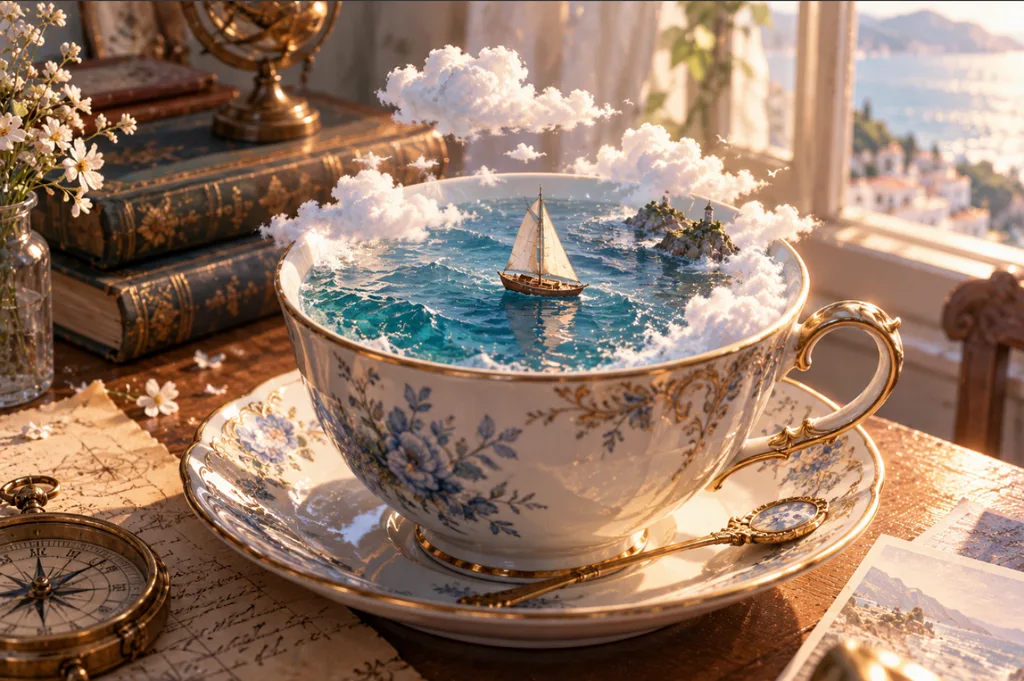
- Ocean in a Teacup: “A calm ocean with a tiny sailboat inside a porcelain teacup on a wooden table, clouds drifting above the cup, soft morning window light, hyperreal detail, dreamy pastel tones.”
- Stairway to the Moon: “Spiral staircase rising from a quiet desert into a giant crescent moon, a lone figure climbing, long shadows, deep blue night sky, minimalist surrealism, calm and mysterious atmosphere.”
Explore the Best AI Art Prompts by Style
Choosing a style is only the starting point; useful wording changes considerably between anime, fantasy, realism, and illustration. Even the best prompts for AI art work better when their visual terms match the intended result. Use the comparison below to quickly identify suitable keywords, lighting choices, and practical uses for each creative direction:
| Style | Core Terms | Lighting | Typical Uses |
| Anime & Manga | Cel shading, line art, speed lines | Soft neon or bright daylight | Fan art, webcomics |
| Fantasy & Magical | Ancient, glowing, epic scale | Golden or violet glow | Book covers, game art |
| Cinematic & Realistic | 35mm film, shallow depth of field | One strong light source | Stills, ad concepts |
| Character Design | Full body, front view, plain background | Even studio light | Mascots, game characters |
| Digital Illustration | Flat vector, gouache texture | Warm lamp light | Blogs, children’s books |
| Surreal & Conceptual | Impossible scale, dreamlike | Calm pastel or night tones | Album covers, prints |
Part 3. How to Turn AI Art Prompts Into Images With MagicLight AI
MagicLight AI suits prompt testing, since its Image tab takes up to 500 characters, accepts reference images, and gives access to 5 image models. Running one prompt through several models shows which engine handles anime line art or cinematic light best. Finished art can later become an animated clip in Image to Video. A character prompt can also lead to a full animated story in Story to Video.
Guide to Create AI Art From a Prompt in MagicLight AI
Once your prompt is ready, you can turn it into an image directly in MagicLight AI. You can paste an example as written or adjust its subject, style, colors, and other details first. Follow the steps below to generate the artwork:
Step 1. Open the Image Workspace
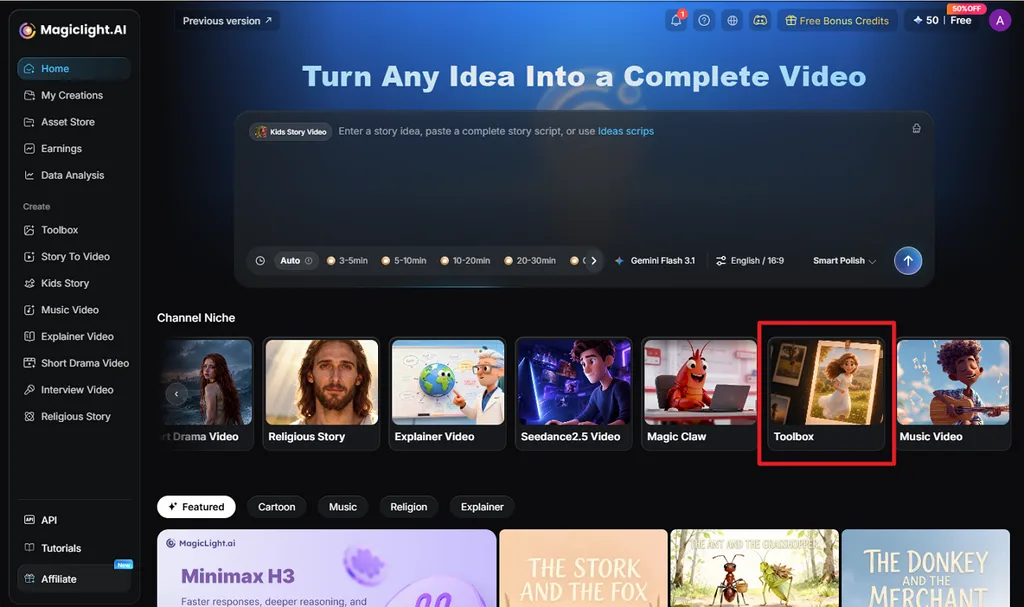
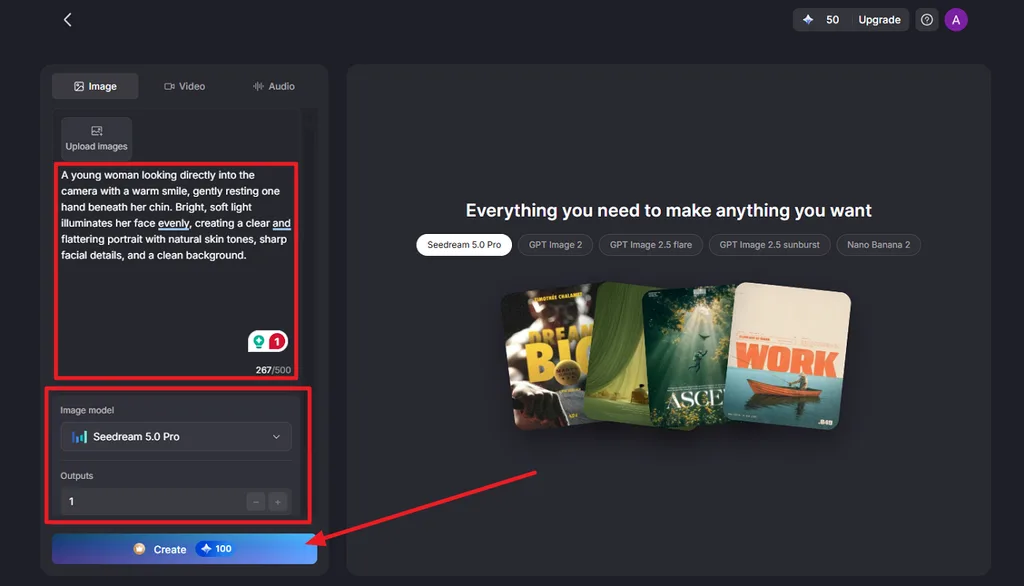
Go to the MagicLight AI home page and select Toolbox under Channel Niche. Open the Image tab to reach the text-to-image workspace, where you can enter your prompt and adjust the generation settings.
Step 2. Enter Your Prompt and Generate
Paste one of the prompts above or write your own description of the subject, setting, lighting, style, and composition. Select an Image Model, for instance Nano Banana 2 or Seedream 5.0 Pro, then increase the Outputs count for several versions. Choose the canvas under Aspect Ratios, then click Create.
Step 3. Review and Download the Result
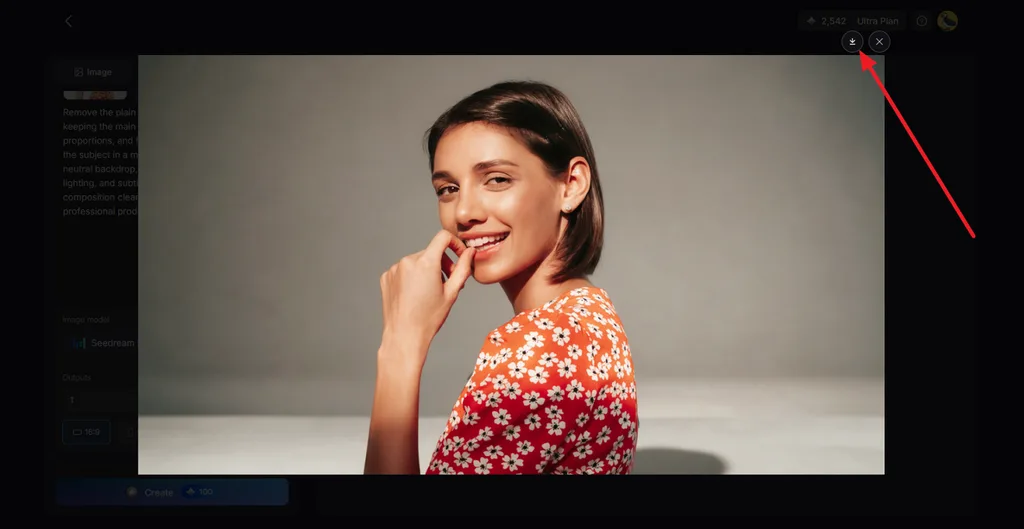
Open the generated results and compare how well each version follows your prompt. Choose the image that best matches your intended subject, style, lighting, and composition. Click the Download icon on your preferred result to save it.
Conclusion
The best prompts for AI art combine a specific subject with clear choices for style, lighting, color, composition, and mood. Each art style then adds its own visual language to shape the result. Once your prompt is ready, MagicLight AI provides a practical place to generate, compare, and refine images.
FAQs About the Best AI Art Prompts
1. How do I write a good AI art prompt?
Write down what you want to see as plainly as possible. “Woman walking through Tokyo at night” gives you a useful starting point. From there, add details that matter to the picture, perhaps neon lighting, a low camera angle, or watercolor textures. Skip details that do not change the image.
2. What are the best prompts for AI art?
The best AI art prompts describe an actual picture rather than throwing together art terms. Think about who or what appears, where the scene takes place, and what it should look like. A fantasy landscape may need scale and atmosphere, while a portrait benefits more from lighting, expression, and framing.
3. Can AI generate anime art from prompts?
Yes. You can describe the same features an artist might use when drawing an anime scene. Cel shading, sharp outlines, large expressive eyes, and limited colors are useful examples. Then describe what is happening in the picture. A character waiting beneath a station clock gives the model much more to work with than “anime girl.”





