


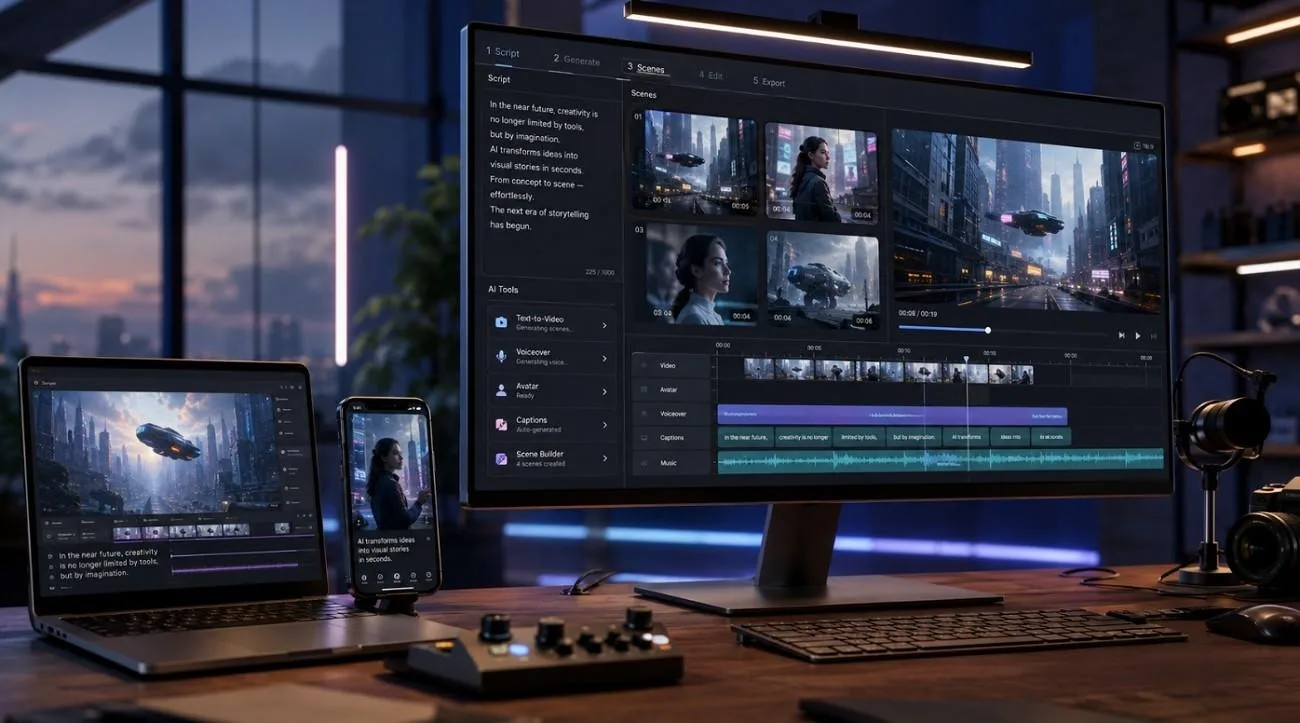
A finished script asks more of an AI video generator than a short prompt. Some tools can work from the full text, while others still require you to split the script into smaller scenes before generating anything useful.
That difference matters when comparing the 6 tools below. The comparison focuses on what happens after you bring in a script: what the tool can read, how far it can take the video, and what you still have to handle yourself. That gives a better measure of the best script-to-video AI than visual quality alone.
Part 1. How to Choose the Best Script-to-Video AI Generator
Feature lists can make script-to-video tools look surprisingly similar. A feature list does not tell you how a tool will handle a real script. Some need far more input from you than others. These 5 factors show what to check when looking for the best script-to-video AI:
- Script-to-Video Capabilities: Determines whether complete scripts become structured videos without manually generating and arranging every scene.
- Video Quality and Visual Styles: Shows how well the tool produces polished visuals while supporting styles suited to different projects.
- Character and Scene Consistency: Measures whether recurring characters, locations, and visual details remain recognizable throughout multiple generated scenes.
- Voiceover, Captions, and Editing: Covers built in tools for adding narration, subtitles, timing adjustments, and final video refinements.
- Video Length and Customization: Indicates supported video duration and how easily users can modify individual scenes after generation.
Part 2. 6 Best Script-to-Video AI Generators in 2026
The best script-to-video AI tools do not all work the same way. Some can turn a complete script into a structured video, while others generate individual clips you assemble afterward. The 6 script-to-video AI generators below are compared with that difference in mind, so you can see what each tool actually does:
1. Magiclight AI
Best For: Creators turning complete scripts into finished narrative video.
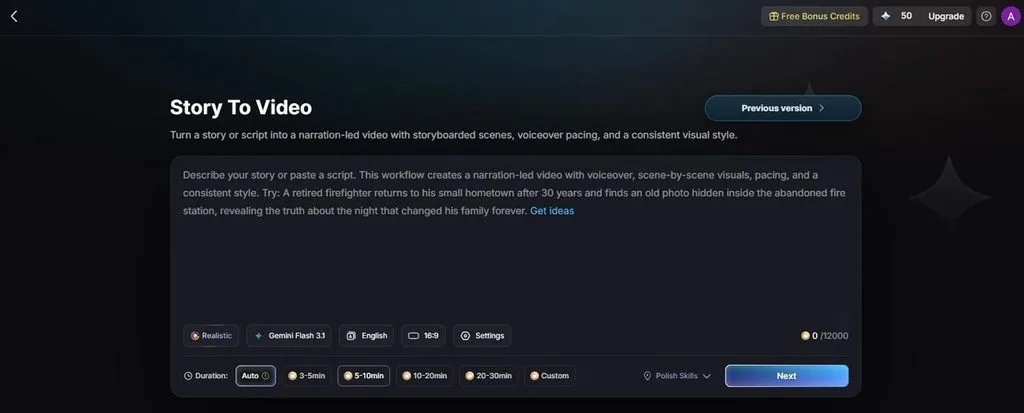
Magiclight AI takes a more structured approach to turning written scripts into videos. Its Story Model analyzes the script and creates scene synopses, helping map the narrative before generation begins. It also supports 11 languages, making the workflow practical for creators producing videos for different audiences.
From there, the platform brings scene generation, recurring characters, AI voiceovers, captions, and editing into the same project. This combination makes Magiclight AI particularly suited to longer narrative videos where the original script needs to carry through the entire production process.
Key Features
- Story to Video: Supports 12,000-character scripts, 9 story models, 11 languages, and videos up to 50 minutes.
- AI Character Creation: Make reusable characters from 1,000-character descriptions or reference images for better visual continuity.
- Nano Storyboard: Separates scripts into editable scenes and offers 50 poses for controlling character actions.
- Voiceover and Subtitles: Includes 37 AI voices, voice cloning, and 16 subtitle styles for built-in narration.
- AI Video Models: Offers multiple generation engines, including Seedance 2.0, for greater flexibility across visual styles.
Pros
- Accepts a full script rather than shot-by-shot descriptions.
- Runtime reaches far beyond what clip generators produce.
- Applies narration, captions, and covers before export.
Con
- Output caps at 1080p rather than 4K.
2. Google Veo 3.1
Best For: Short dialogue-led scenes where audio accuracy matters most.
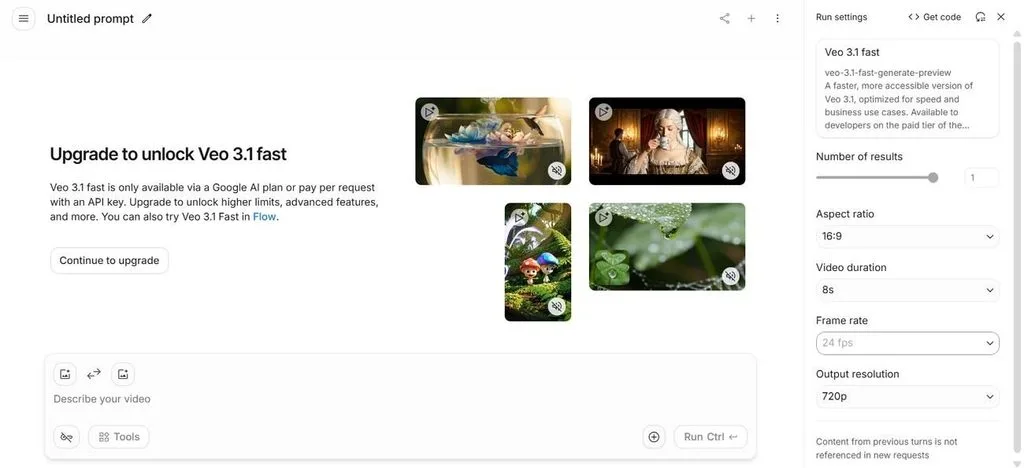
Anyone creating short, cinematic scenes from a script may find Google Veo 3.1 better suited to individual shots than complete videos. Its Fast model combines video generation with native audio, while the available controls cover duration, aspect ratio, frame rate, and output resolution.
Key Features
- Single generations run to 8 seconds, with scene extension chaining them together.
- Sound generates in the same pass and is included at every paid tier.
- Up to 4 reference images guide subject and style through Ingredients to Video.
Pros
- Native audio stays closely synchronized with dialogue and on-screen action.
- Scene extension helps continue shots beyond the initial generation limit.
Cons
- 8-second generations require longer scripts to be divided into multiple clips.
- Veo 3.1 Fast requires paid access for continued video generation.
3. Kling AI
Best For: Turning individual script scenes into short videos with dialogue and native audio.
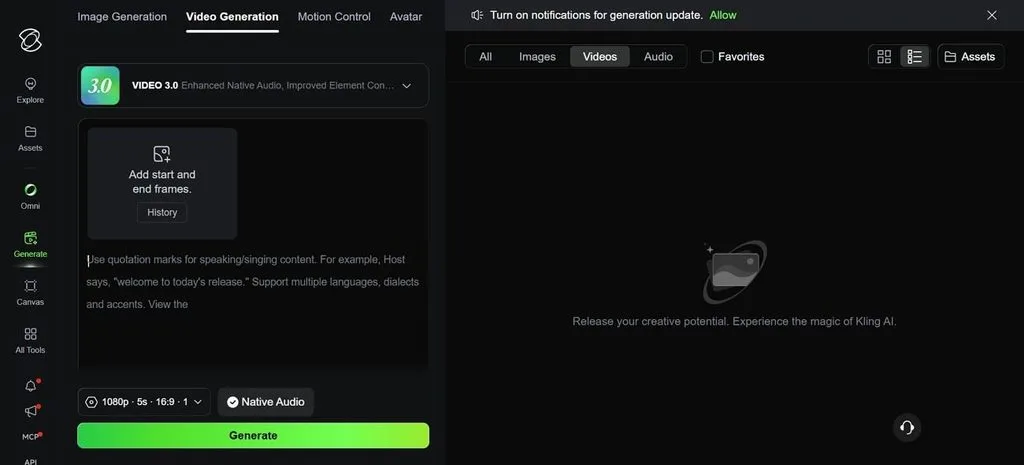
Kling AI earns a place among the best script-to-video AI generators for creators working scene by scene rather than with complete scripts. In Video 3.0, creators can turn scene descriptions and dialogue into short videos with native audio, while start and end frames provide added control over how each sequence develops.
Key Features
- Only 1 prompt can produce several connected shots with planned camera changes and transitions.
- Reusable characters and objects help maintain visual identity across separate video generations.
- Character movements can be guided using reference motion for more controlled on-screen actions.
Pros
- Generation speeds suit creators testing several scene variations quickly.
- Flexible aspect ratios support both vertical and widescreen video projects.
Cons
- 5-second clips make longer narrative projects considerably more labor-intensive.
- Individual generations still require manual organization into a complete video.
4. Runway
Best For: Filmmakers and agencies who direct each shot individually.
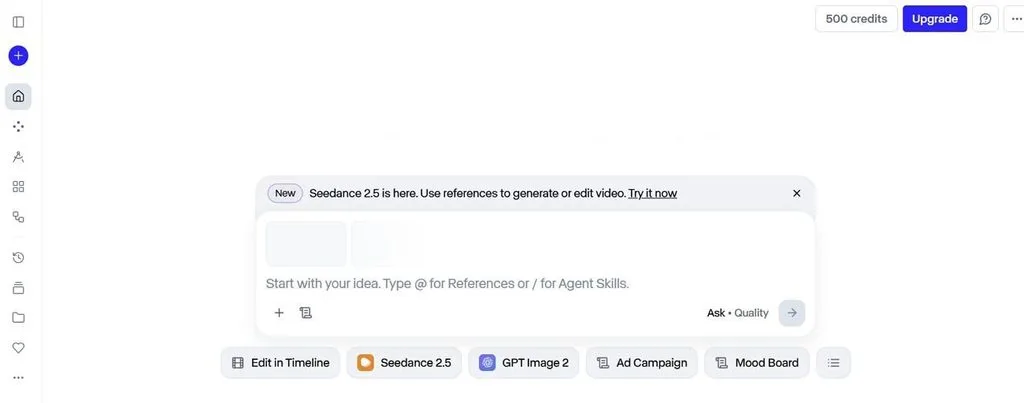
For creators who prefer shaping a script scene by scene, Runway offers more control than automatic script-to-video workflows. Its workspace combines Seedance 2.5, reference-based generation, timeline editing, and Agent Skills. Creators can generate individual shots and refine them before assembling the final sequence.
Key Features
- Text, image and video all work as starting inputs for a generation.
- Generations reach up to 40 seconds with optional upscaling to 4K.
- Commercial rights are included across every plan rather than reserved for upper tiers.
Pros
- Creative control exceeds every alternative in this comparison.
- Plans open near $12 monthly when billed annually.
Cons
- The learning curve is the steepest of the 6 tools listed.
- Credit use runs high at 25 credits per second of output.
5. InVideo AI
Best For: Marketers repurposing long written content into narrated video.
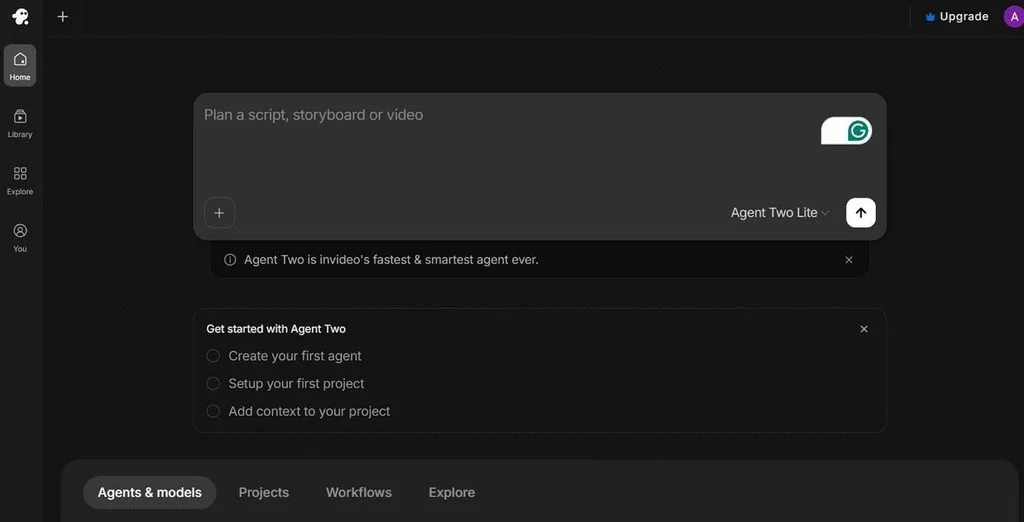
For marketers who want more automation, InVideo AI stands among the best script-to-video AI generators for generating complete videos rather than isolated clips. Its agent-led workflow can plan the script, storyboard, and video, reducing the manual work involved in moving from written content to a finished project.
Key Features
- Plans scripts, storyboards, and videos from written instructions within one workspace.
- Makes scenes with visuals, narration, captions, and music around the supplied content.
- You can request changes to generated videos conversationally instead of rebuilding scenes manually.
Pros
- One pass produces a watchable explainer without manual editing.
- Revision by written instruction avoids learning an editor.
Cons
- Output depends on stock footage, so original visuals are weaker.
- Unused monthly minutes expire rather than rolling forward.
6. Pika
Best For: Social creators producing stylized short-form clips at volume.
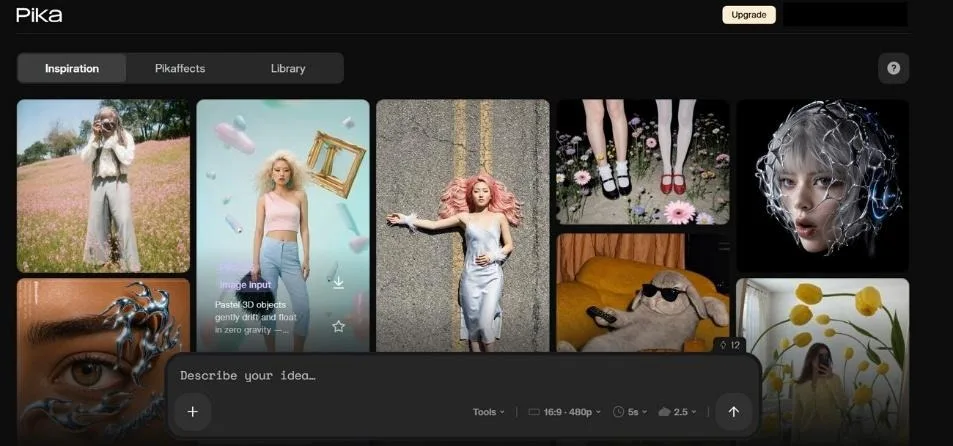
Short-form creators can use Pika to turn individual script moments into visually expressive clips without a complex production workflow. Its strength lies in fast, effect-driven generation and creative transformations, making it a practical choice when a script needs punchy social scenes rather than one continuous long-form video.
Key Features
- Clips generate in roughly 20 to 40 seconds for a short output.
- Pikaffects, Pikadditions, and Pikaswaps handle stylized transformations and object edits.
- Modify Region patches part of a frame without regenerating the whole clip.
Pros
- A free tier allows roughly thirty watermarked generations daily.
- Paid plans begin near $8 monthly, the lowest entry point listed.
Cons
- Clip length caps around 10 seconds, and 5 on the free tier.
- Style locking works well, but realistic output sits outside its strengths.
Compare the 6 Best Script-to-Video AI Generators
The 6 tools take noticeably different approaches to turning scripts into video. A side-by-side comparison makes those differences easier to spot. The table below compares input type, output length, and built-in narration, helping you narrow down the best script-to-video AI for your workflow:
| Tool | Script Input | Maximum Length | Voiceover | Free Tier | Best For |
| Magiclight AI | Full script, 12,000 characters | Up to 50 minutes | 37 voices with cloning | Yes, no card | Complete narrative video |
| Google Veo 3.1 | One shot per prompt | 8 seconds per clip | Audio at every tier | No | Dialogue-led single shots |
| Kling AI | One shot per prompt | 15 seconds, multi-shot | Charged separately | Daily credits | Sequences needing cuts |
| Runway | One shot per prompt | Up to 40 seconds | Not built in | Limited | Shot-by-shot direction |
| InVideo AI | Script or blog post | A full edited timeline | Included in the build | Watermarked | Repurposing written content |
| Pika | One shot per prompt | About 10 seconds | Not built in | 30 daily generations | Stylized short-form clips |
Part 3. Why Magiclight AI Is a Strong Choice for Script-to-Video Creation
Magiclight AI differs from the other tools in 3 practical areas. It interprets a complete script and automatically divides it into scenes, rather than requiring each moment to be rewritten as a separate prompt. You can create characters once and reuse them throughout the story for stronger visual continuity. With videos reaching 50 minutes, longer scripts can also stay within one project instead of being assembled from dozens of short generations.
How to Turn a Script Into a Video
Those advantages only matter if the workflow stays manageable, which is where the best script-to-video AI tools prove themselves. The 6 steps below show how a finished script moves from initial setup to final export, with most creative decisions made at the storyboard stage:
Step 1. Enter Your Script
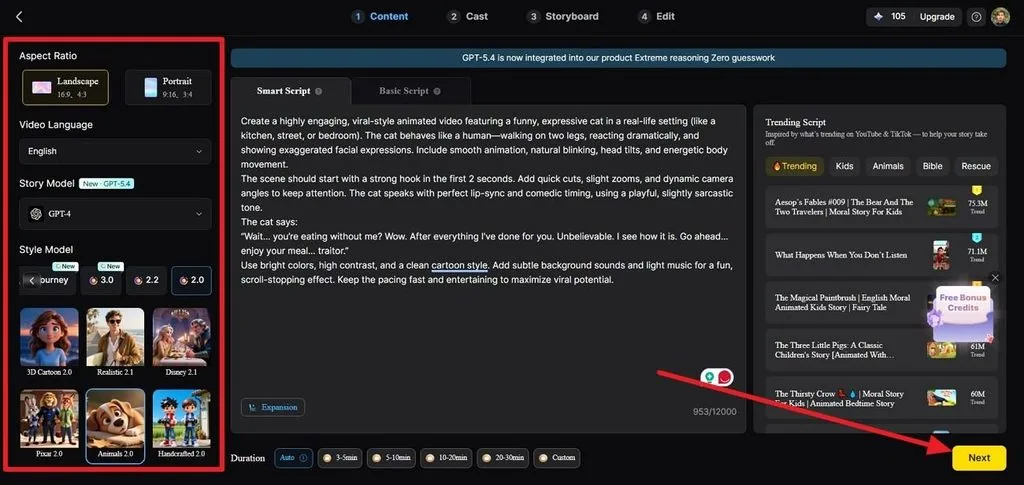
Access Story to Video, followed by Smart Script section where you can paste your script. Select the Aspect Ratio, Video Language, Story Model, Style Model, and Duration, and click Next.
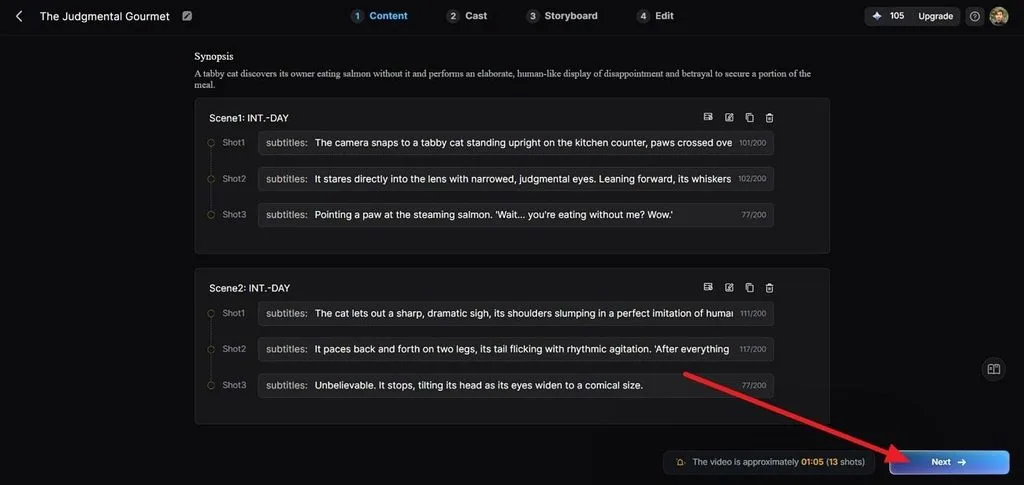
Step 2. Review the Script Breakdown
On the script review screen, check the generated Synopsis of the scenes, and shots. Edit any shot description that needs changing, then press Next.
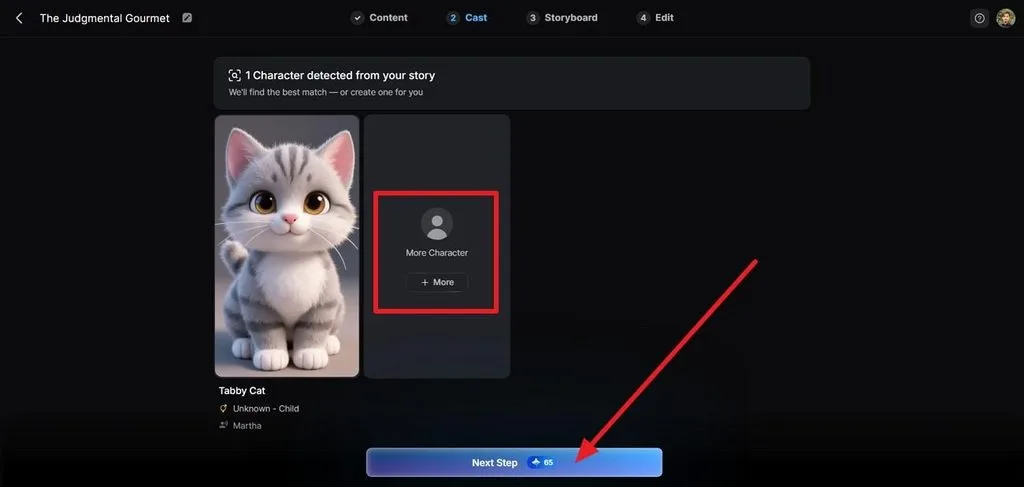
Step 3. Confirm Your Characters
Under Cast, review the characters detected from your story. Keep the generated character, replace it, or choose + More to add another and press Next Step.
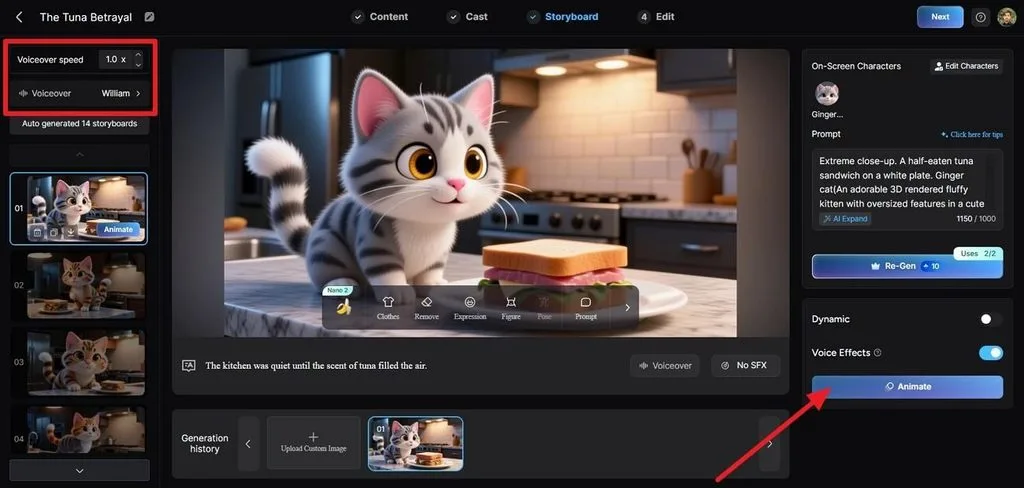
Step 4. Customize the Storyboard
Open Storyboard and select a frame from the left panel. Adjust the Prompt, Expression, Figure, Pose, or other available controls. Set the Voiceover and click Animate when ready.
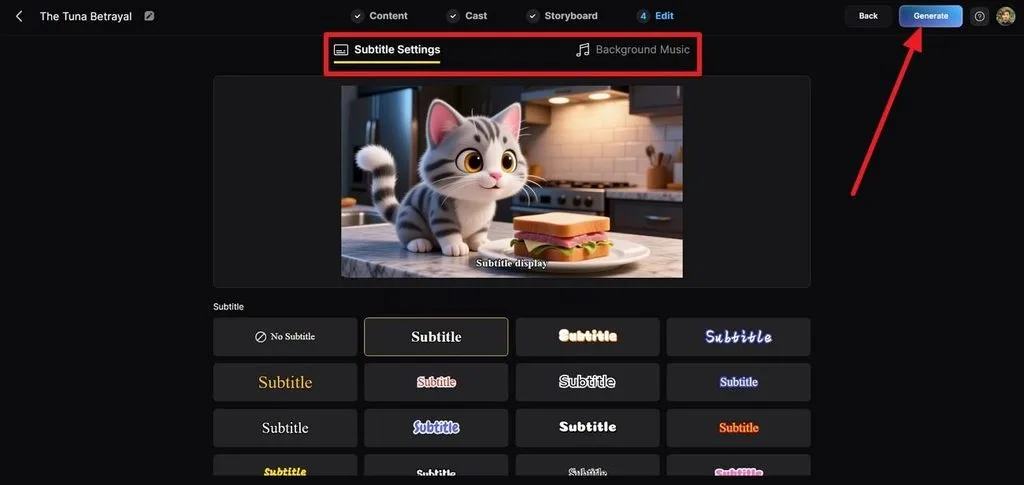
Step 5. Add Subtitles and Music
Click Next to enter the next section for finalizing the edits. Choose a style under Subtitle Settings, then open Background Music to configure the soundtrack. Select Generate to create the final video.
Step 6. Preview and Export
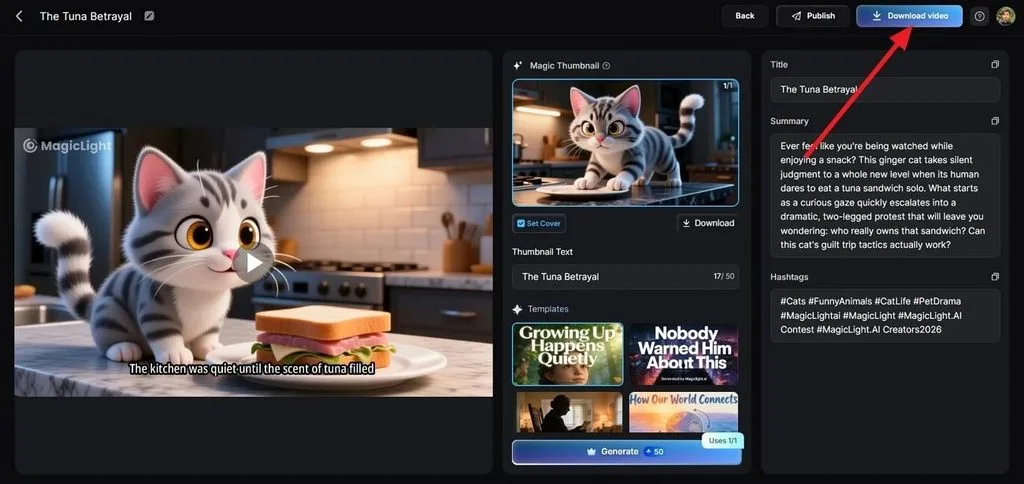
Review the finished video and adjust the Thumbnail, Title, Summary, or Hashtags if needed. Click Publish to share it or Download Video to save the final file.
Conclusion
No single tool wins this category outright. Veo 3.1 leads on audio accuracy, Kling on multi-shot construction, Runway on directorial control, and Pika on speed. What separates those 4 from the best script-to-video AI options is length, since each still needs a script broken apart first. Where a complete piece matters more than one shot, Magiclight AI is built for the job.
FAQs About the Best Script-to-Video AI Generators
1. What is the best script-to-video AI in 2026?
Magiclight AI is the best script-to-video AI for complete pieces. It accepts a full script and returns up to fifty minutes with characters, narration, and captions in place. Veo 3.1 and Runway produce better individual shots but require assembly afterward.
2. What is the best free AI script-to-video generator?
Free tiers differ sharply in what they permit. Pika allows roughly thirty watermarked generations daily, and Kling refreshes credits each day, while Magiclight AI offers a free plan requiring no card. Veo 3.1 provides none.
3. Can AI turn a script into a complete video?
Some can, though most cannot, and the difference is architectural. Platforms built around clip generation return footage that still needs editing together. Script-led platforms handle scene division, voiceover, and captions in one pass.
4. Which AI video generator is best for long scripts?
Length is where the field narrows quickly. Magiclight AI reaches 50 minutes from a single 12,000-character script, while the clip generators listed here stop between eight and forty seconds per generation.
5. What is the best script-to-video AI for YouTube creators?
Magiclight AI suits YouTube work because runtime, narration and captions sit in one workflow. Aspect ratio also switches between widescreen and vertical from the same project, covering a main upload and a Shorts cut without rebuilding either.


![How to Write a Script for a Short Film in 2026 [Beginner’s Guide]](https://magiclight.ai/wp-2/wp-content/uploads/short-film-screenplay-writing-guide-300x169.webp)


