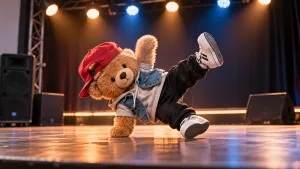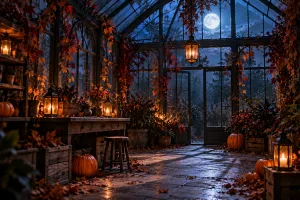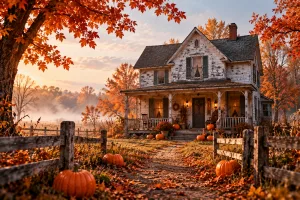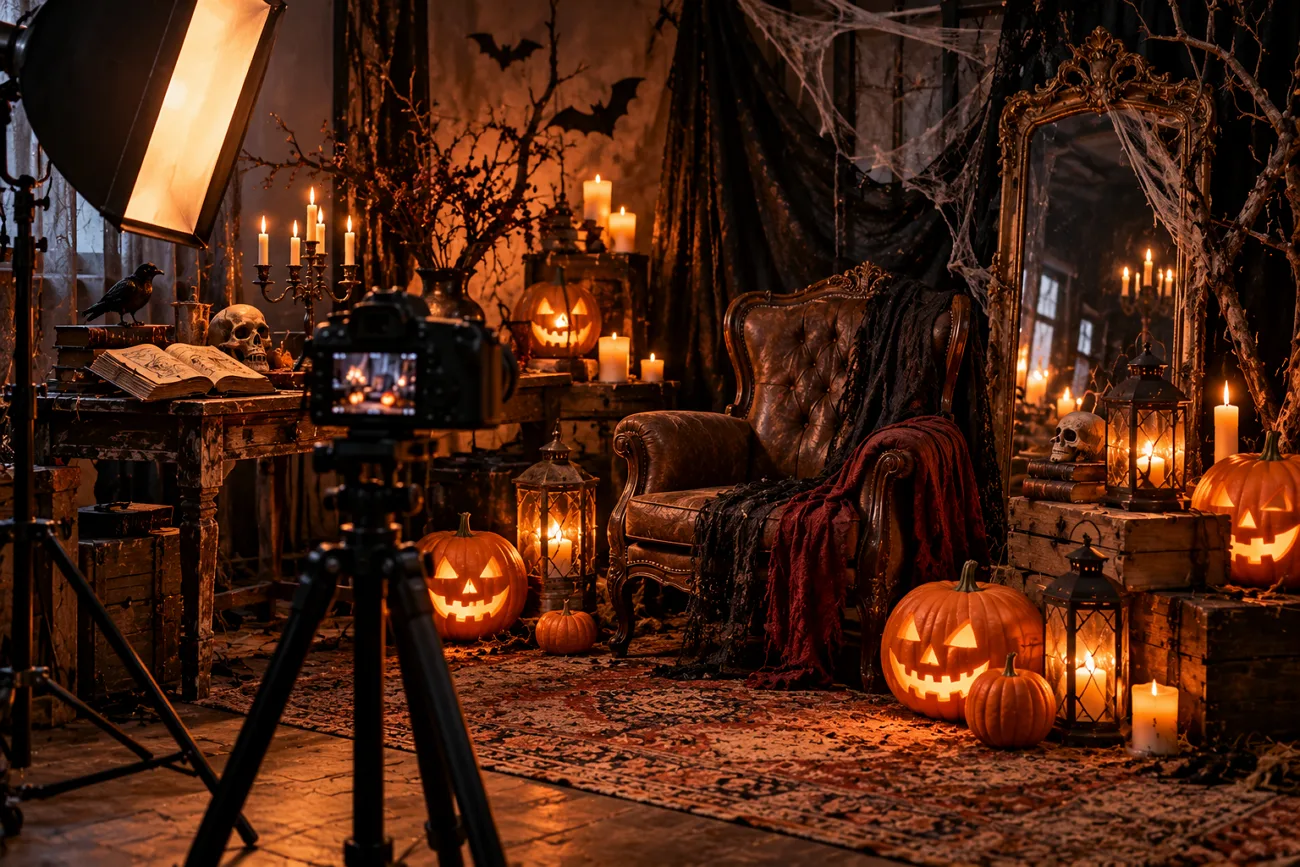
You spend time finding the right Halloween idea, only to get another familiar haunted house. The same foggy streets and dark shadows appear even when you change the prompt. A few unexpected details can give Halloween AI prompts a completely different feel.
Think of a Y2K selfie with a ghost in the background or a pumpkin that moves. This article brings you 15 ideas to try for Halloween photos and spooky stories. You can also use MagicLight AI to turn these ideas into videos with narration.
Part 1. 15 Halloween AI Prompts for Spooky Creations to Try
These 15 AI prompts for Halloween cover everything from Y2K photos to creepy characters and spooky stories. You can try them in your favorite AI image generator or use MagicLight AI to turn them into videos.
Viral Halloween AI Trend Prompts
Old digital cameras give Halloween photos a fun look from the past. The blurry colors and bright camera flashes bring back the feel of photos taken years ago. Try these prompts to give your Halloween pictures that same old-camera look.
- Y2K Flash Bedroom Portrait: Turn my selfie into a 2003 digital camera photo taken in a cluttered bedroom at night. Harsh on-camera flash, a glowing CRT TV, fairy lights behind me, light grain, face unchanged, 4:3.
- VHS Hallway Frame: Paused home video frame of a dim upstairs hallway, where a figure in a bedsheet costume stands at the far end. Timestamp “OCT 31 1997 11:48 PM” in the corner, tracking lines, washed-out color, 4:3.
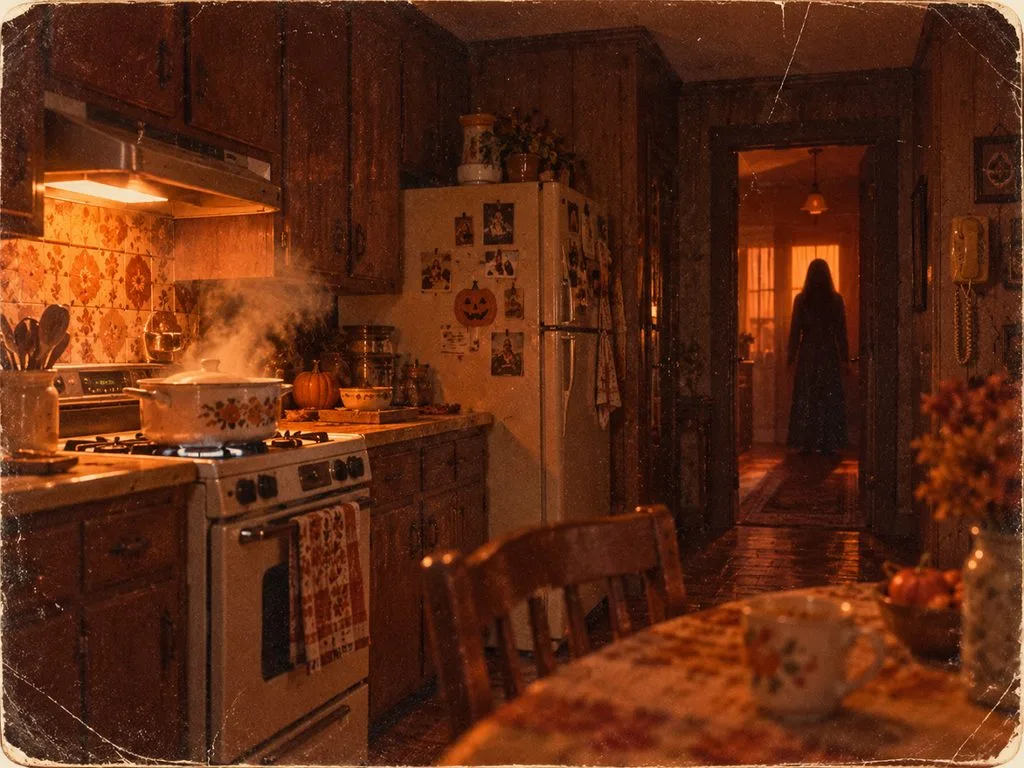
- 1970s Kitchen Still: Faded 1970s photograph of a wood-paneled kitchen at dusk, a pot steaming on the stove and a tall shadow standing in the doorway. Heavy grain, orange-brown color cast, 4:3.
Original Creature Design Prompts
A monster feels much stranger when it has features you have never seen before. You can give it glowing eyes or a body covered in wet moss to create your own AI Halloween trend prompt. The following prompts offer three unusual creatures you can try for your Halloween scenes.
- Moss Golem of the Old Mill: A hulking golem of river stones and wet moss rises from a flooded mill pond at dawn. Where its heart should be, a rusted gear glows. Low angle, cold mist, 16:9.
- Candle-Wax Witch: Show a witch sculpted entirely from melted candle wax, her face sagging slightly as dozens of wicks burn on her hat brim. Dark chapel, warm flicker, drips frozen mid-fall, 4:3.
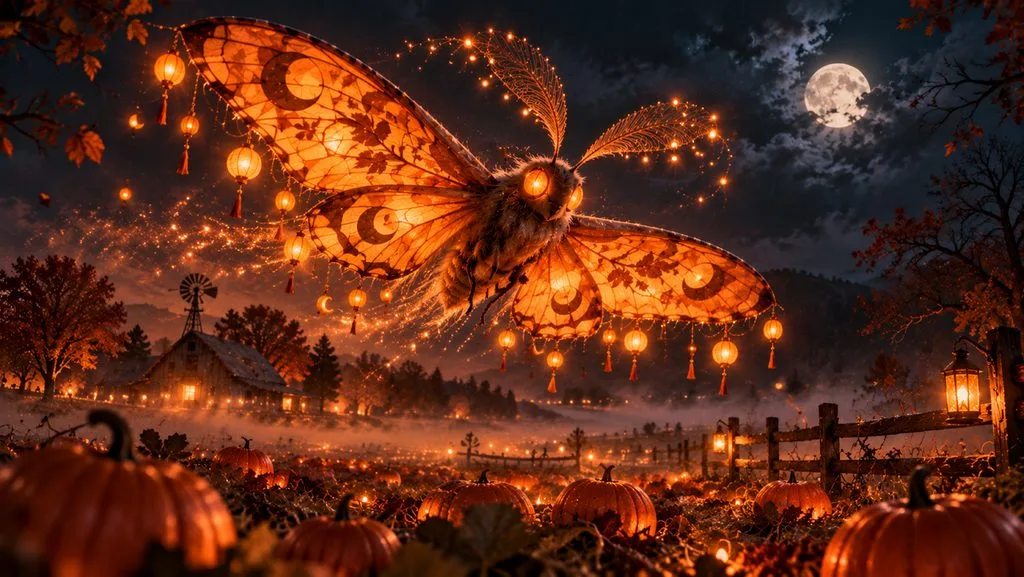
- Lantern Moth Spirit: Picture a giant moth with paper-lantern wings glowing orange over a misty pumpkin field, its antennae trailing sparks. Night sky, soft bokeh, painterly fantasy style, 16:9.
Cozy Halloween Scene Prompts
A warm kitchen filled with the smell of pumpkin bread feels perfect for Halloween. Warm kitchens and small bookshops bring a cozy feeling to Halloween scenes. These Halloween AI prompts capture that cozy feeling through 3 simple scenes.
- Witch’s Kitchen Baking Day: A witch in a flour-dusted apron pulls pumpkin bread from a cast-iron stove, and a black cat supervises from the shelf. Copper pots, steam, late-afternoon window light, 4:3.
- Rainy Night Bookshop: An old bookshop on a rainy Halloween night, with a tabby cat asleep on a stack of ghost stories beside a green reading lamp. Rain on the window, warm wood tones, 16:9.
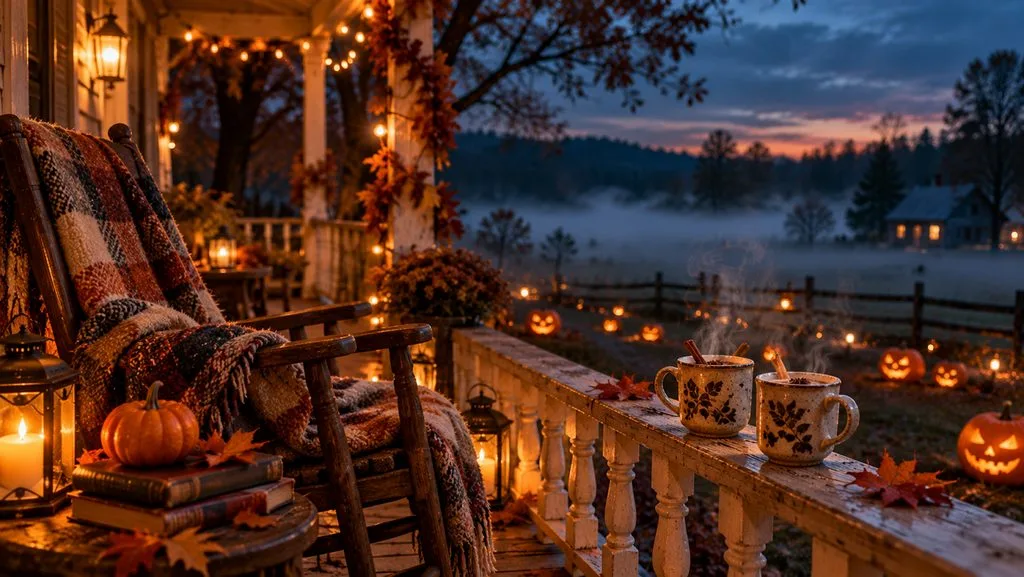
- Porch Tea in the Fog: Two mugs of spiced tea steam on a porch railing as fog rolls across a lawn of carved pumpkins. Wool blanket on a rocking chair, string lights, blue dusk, 16:9.
Eerie Short Video Prompts
A short video can feel scary even when very little happens on screen. You can use a prompt for Halloween AI trend videos to show strange moments with simple sounds. Try these ideas where small changes turn ordinary places into something frightening.
- Music Box Wakes Up: Slow eight-second push-in toward a dusty music box on an attic floor. Its lid creaks open and a tinny lullaby starts on its own, under a single shaft of moonlight, 9:16.
- Handprint on the Window: Static ten-second close-up of a rainy kitchen window at night. A handprint slowly fogs onto the glass from outside as thunder rolls, cold blue light, 16:9.
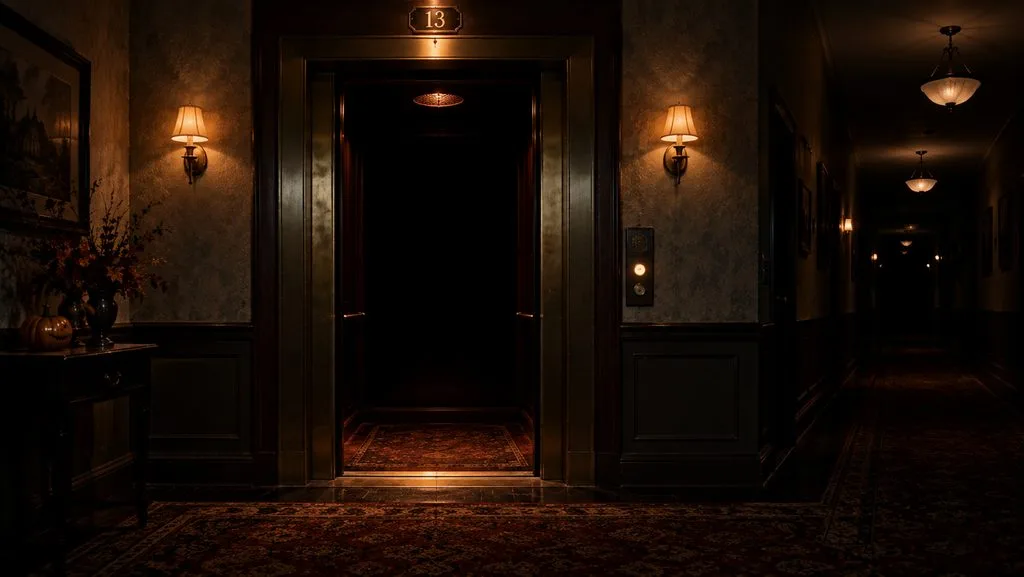
- Elevator Doors at Midnight: Locked-off ten-second shot of hotel elevator doors on the 13th floor. The doors open onto pitch darkness, a bell dings twice, and the hallway lights flicker out one by one, 16:9.
Horror Story Starter Prompts
Imagine hearing someone describe your room during a late-night radio call. That is the kind of strange moment a Halloween AI prompt can turn into a full story. Here are 3 story ideas that start with something ordinary and take an unexpected turn.
- The Late-Night Radio Caller: Write a three-minute horror story about a late-night radio host who takes a call from a listener describing the studio from inside it. End on the host noticing the second chair is warm.
- The Town Where Shadows Run Late: Create a short story set in a town where every shadow arrives one minute after its owner, until one night a shadow shows up first. Keep it under 400 words for narration.
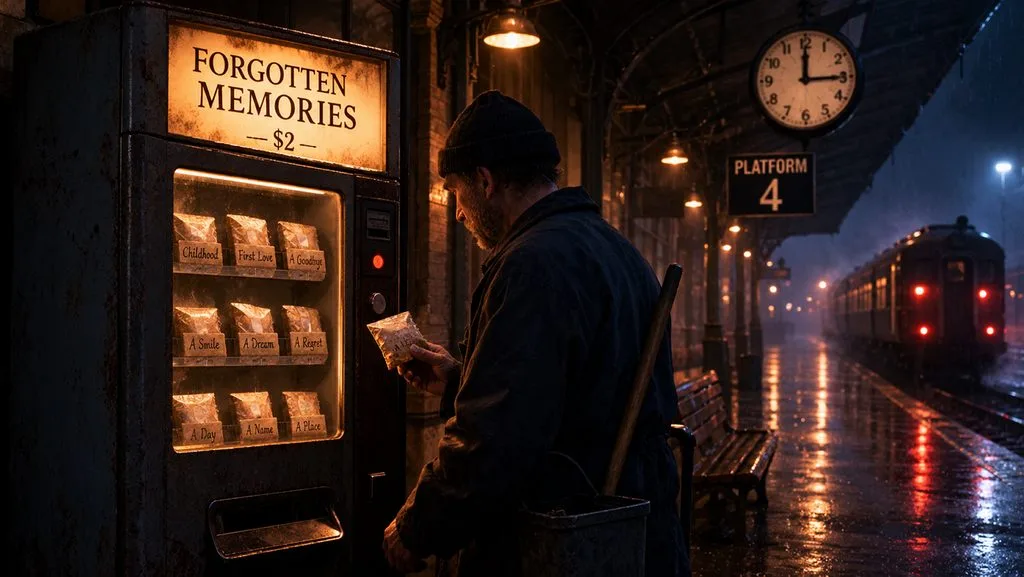
- The Midnight Vending Machine: Draft a horror story about a train-station vending machine that sells forgotten memories after midnight, told by the night janitor who keeps buying them. Three scenes, one twist, a quiet ending.
Part 2. Turn Halloween AI Prompts Into Videos With MagicLight AI
Halloween AI prompts can also become full videos when you have a story to tell. With MagicLight AI, you can use Story to Video to turn your ideas into scenes with characters and narration. It accepts up to 12,000 characters of story text and supports videos up to 50 minutes long.
You can also create a character for your video using a description of up to 1,000 characters. MagicLight AI supports video creation in 11 languages, so your Halloween stories can reach people in different countries.
Key Features of MagicLight AI
- MagicLight Agent: Share your Halloween story idea with the AI video agent through chat. Review the screenplay and change any scenes before moving to video creation.
- Visual Styles: Choose from over 50 visual styles to give Halloween videos different looks. Try Suspense for scary stories and softer styles for cozy Halloween scenes.
- Saved Host Character: Save your Halloween host character with the same face for future episodes. Change the expressions in each scene to match your Halloween story mood.
- Voices and Music: Your Halloween story can have its own narrator from 37 available voices. There are also 40 music tracks to set the mood for scenes.
- Image to Video: A Halloween photo can become a 30-second clip with Image to Video. Describe what should happen in the scene using up to 1,500 characters.
Guide for Turning Halloween AI Prompts Into Videos Using MagicLight AI
MagicLight AI lets you turn a Halloween AI prompt into a video with scenes and narration. Use the steps below to create your own Halloween video from start to finish:
Step 1. Enter Your Halloween Story Idea
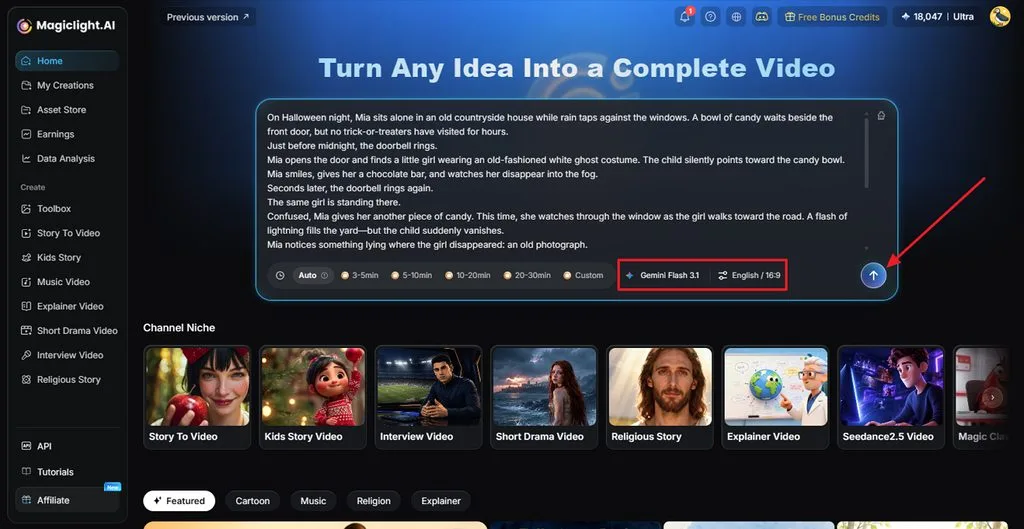
After accessing MagicLight AI’s homepage, enter your story in the prompt box. Set your Video Duration and choose a Story Model. Then, select your language, set the Aspect Ratio, and click Send to initiate the process.
Step 2. Check Your Halloween Story Script
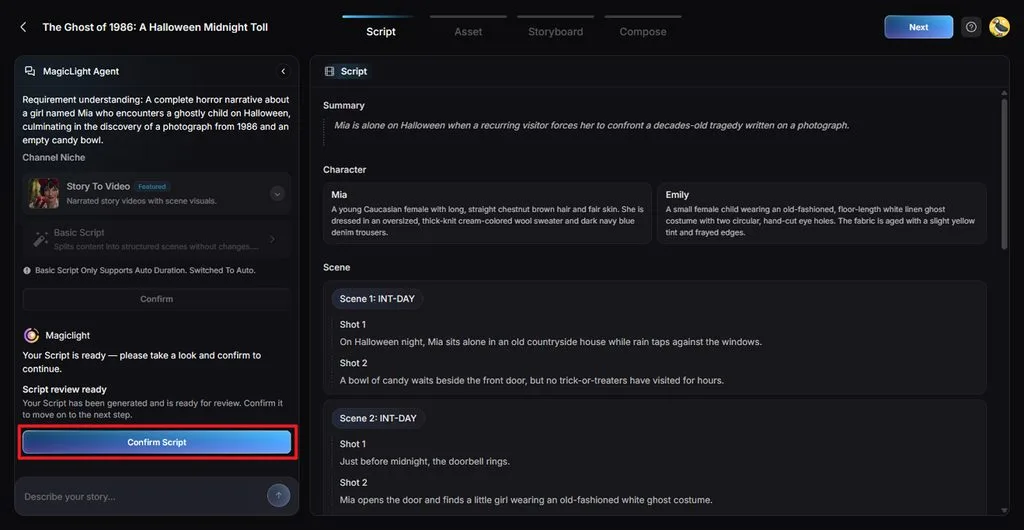
Review the story and scenes created by MagicLight Agent and see how the characters appear in the story. Once you are satisfied with the script, click Confirm Script.
Step 4. Review Your Halloween Characters
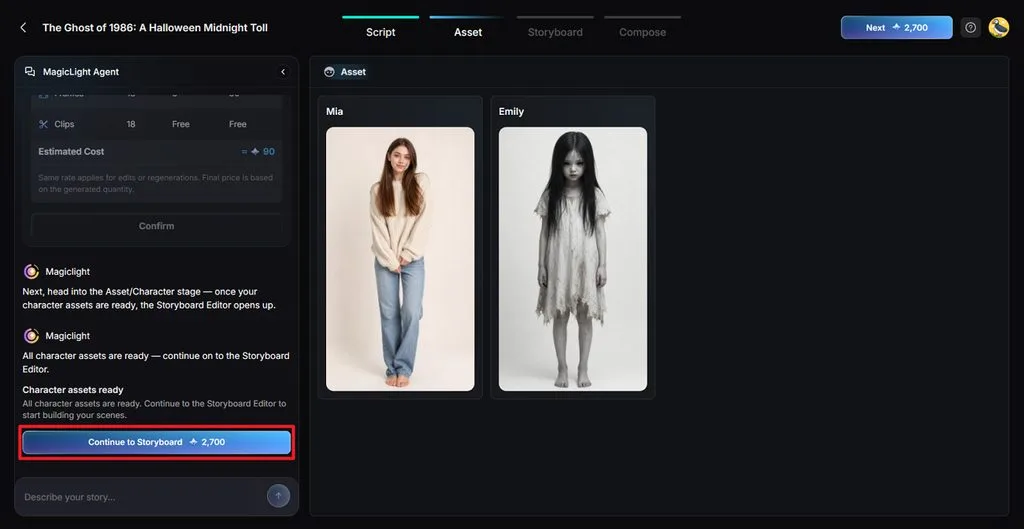
Choose a character for your video that MagicLight AI suggests or add other characters through the Character Library. You can also create new characters using the Create Character button. Click Continue to Storyboard when everything looks right.
Step 5. Adjust Your Halloween Video Scenes
The Nano Storyboard shows the different shots from your Halloween story. Change Clothes, Expression, and Pose for each shot. Click Next after reviewing your scenes.
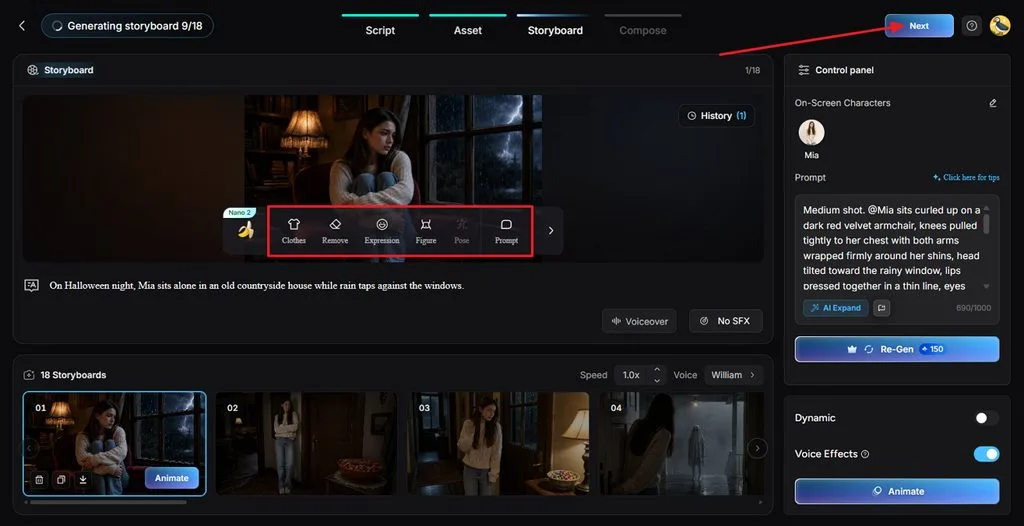
Step 6. Choose Music and Subtitles
Watch the video preview to see how your Halloween story looks. Select a Subtitle Style that viewers can easily read. Add Background Music that suits the scary moments in your story. Click Generate when you are ready.
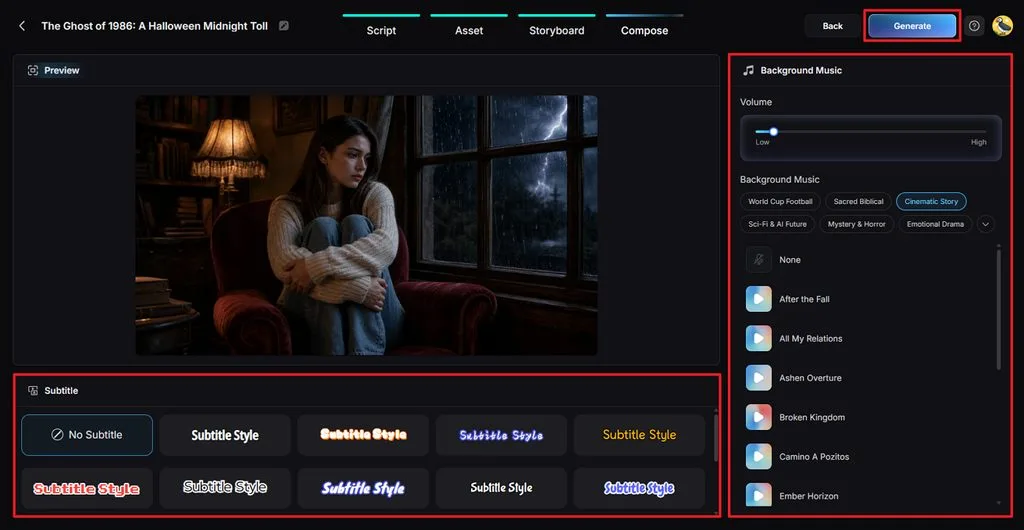
Step 7. Watch and Download Your Halloween Video
Once MagicLight AI finishes the video, watch it from beginning to end. Check the voices and music to see if they match your scenes. If everything looks good, click Download Video to save your Halloween story.
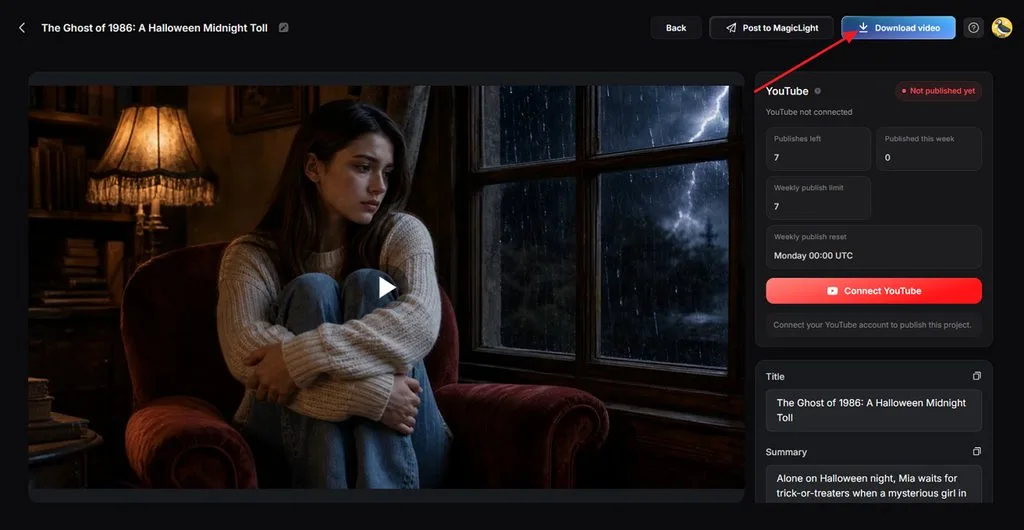
Part 3. Why Choose MagicLight AI for Halloween AI Videos
A prompt for Halloween AI trend videos can lead to many creative ideas. Here are reasons MagicLight AI works well for your Halloween video projects:
- Review Your Story First: Read the script and check each scene before spending credits on video creation.
- 14 Story Models: Choose from 14 story models, including GPT-6 Astra and Gemini Flash 3.1, to explore different Halloween story ideas.
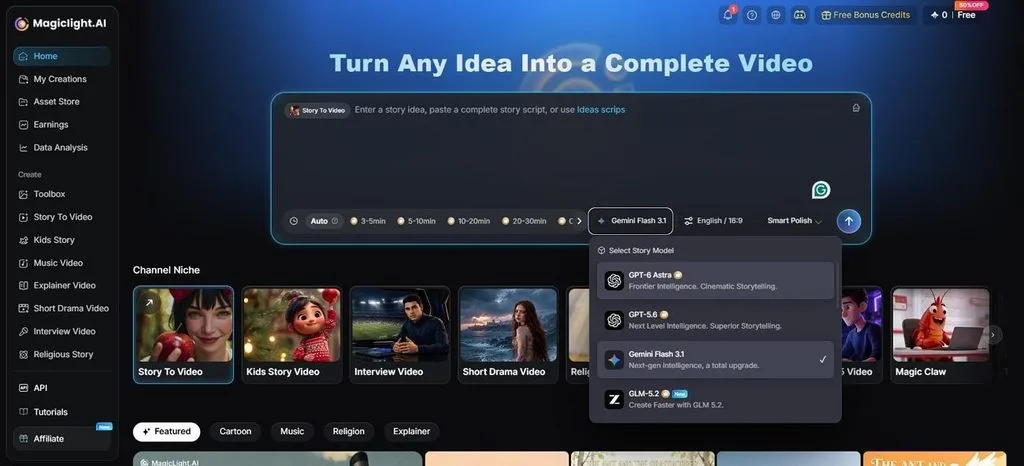
- 50-Minute Long Videos: MagicLight AI lets you create longer Halloween specials of up to 50 minutes through the Long Video Generator.
- Clear Videos Without Watermarks: Download your Halloween videos in 1080p without watermarks when using a paid plan.
Conclusion
To summarize, Halloween AI prompts give you many fun ways to try something new. A few small details can change how your Halloween pictures look. You can try spooky photos and strange creatures before moving into scary stories. MagicLight AI can then help you turn your favorite ideas into Halloween videos.
FAQs About Halloween AI Prompts
1. What makes a good Halloween AI prompt?
A good Halloween prompt tells the AI exactly what you want to see onscreen. Add details about the place and lighting to get a much clearer picture.
2. How can I make Halloween AI prompts more cinematic and creative?
Try using different camera angles and lighting to give your Halloween pictures a new look. You can also add something unexpected to your AI Halloween trend prompt for fun.
3. Can I combine multiple Halloween AI prompts into one video story?
Yes, you can use several Halloween prompts to tell one complete spooky story together. MagicLight AI helps turn those ideas into scenes that follow the same storyline throughout.
4. How can I create consistent characters across a Halloween AI video?
Give your character the same face and clothes in every scene of your video. MagicLight AI lets you save that character and use it again in later videos.
5. What is the best AI video generator for turning Halloween prompts into videos?
MagicLight AI is a good choice when you want Halloween videos with complete stories. It lets you add narration and keep the same characters throughout your video scenes.


![How to Make a Product Video for Marketing With AI [Guide 2026]](https://magiclight.ai/wp-2/wp-content/uploads/product-video-marketing-guide-1-300x198.webp)