A Halloween video can lose its impact when the ghost barely moves or the fog stays still. Even the creepiest setting needs some action to hold viewers’ attention and keep the scene engaging. Strong Kling Halloween prompts describe what happens in each scene rather than focusing only on appearances.
Camera movement, lighting, timing, and sound can also change how each scene feels. Kling’s announced 4.0 model guide suggests a prompt formula that covers these details in order. This guide shares 20 Kling Halloween prompts for spooky scenes, strange creatures, and short horror moments.
Part 1. 20 Kling Halloween Prompts for Spooky AI Videos to Try
These 20 Kling Halloween prompts focus on one clear action and a sound cue for short, spooky AI videos. Each prompt follows a simple shot format to help guide the scene, movement, and atmosphere.You can try them using Kling in MagicLight AI 's Video Generator.
Haunted Setting Prompts
An empty carnival can feel unsettling when something moves where nothing should. The real fear comes from what visitors notice in the darkness, such as strange lights flickering inside an abandoned house. Try the prompts below for eerie locations with their own strange details.
- Abandoned Carnival at Midnight: A rusted Ferris wheel turns on its own at an empty carnival, bulbs flickering one by one. Slow low-angle push-in through fog, cold blue moonlight, calliope music.
- Cemetery Gate in the Fog: Ground fog rolls between leaning headstones as an iron gate swings open. Knee-height tracking shot, lantern glow, an owl call and a slow creak.
- Lighthouse in a Storm: A lighthouse beam sweeps black waves in a thunderstorm, and a figure appears in the lamp room for one flash. Static wide shot, lightning as the only light, crashing surf.
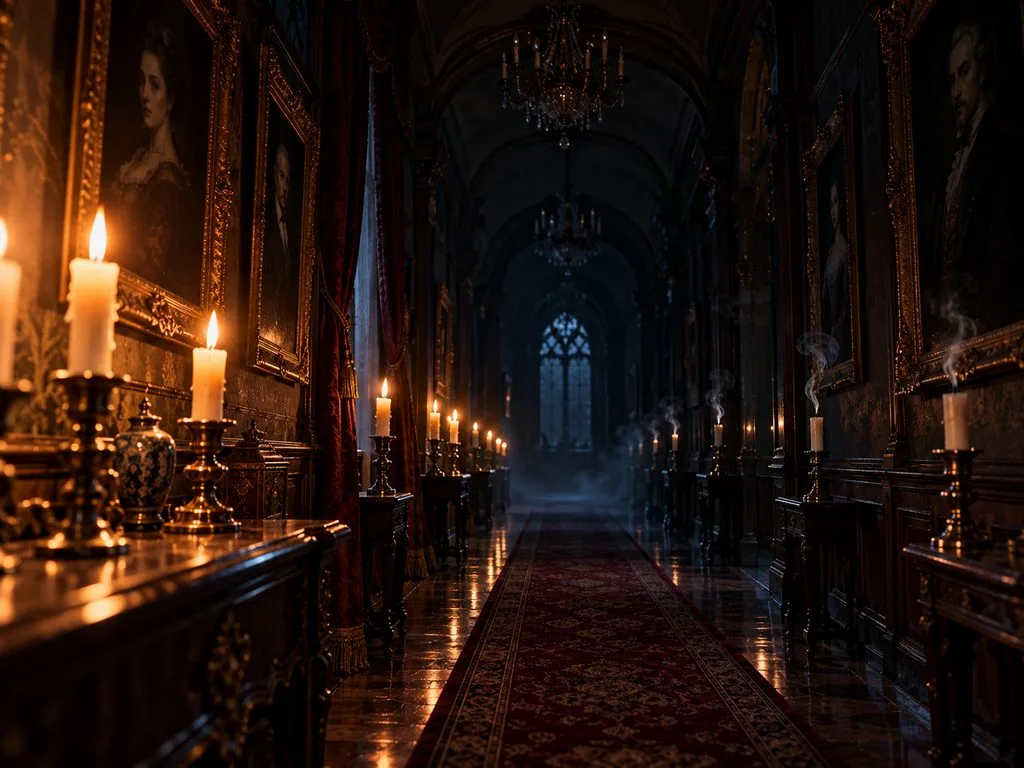
- Candlelit Manor Hallway: Candles along a manor hallway go out one by one toward the camera as portraits watch. Slow dolly backward, flicker fading to black, a whistling draft.
Halloween Character Prompts
Sometimes, one small movement is enough to make a Halloween character feel disturbing. The following Kling Halloween prompts explore different characters and the creepy actions that give each scene its own twist.
- Witch at the Cauldron: An elderly witch in a moss-green shawl stirs a glowing cauldron, then looks into the lens and smiles. Medium close-up, green firelight on her face, bubbling liquid.
- Scarecrow That Turns Its Head: A burlap-faced scarecrow with a stitched grin stands in a moonlit cornfield, then slowly turns toward a passing flashlight. Locked-off shot, silver moonlight, rustling stalks.
- Vampire at the Banquet: A pale vampire in a velvet coat raises a goblet at a candlelit banquet, but the mirror shows an empty chair. Slow push-in, deep red tones, harpsichord music.
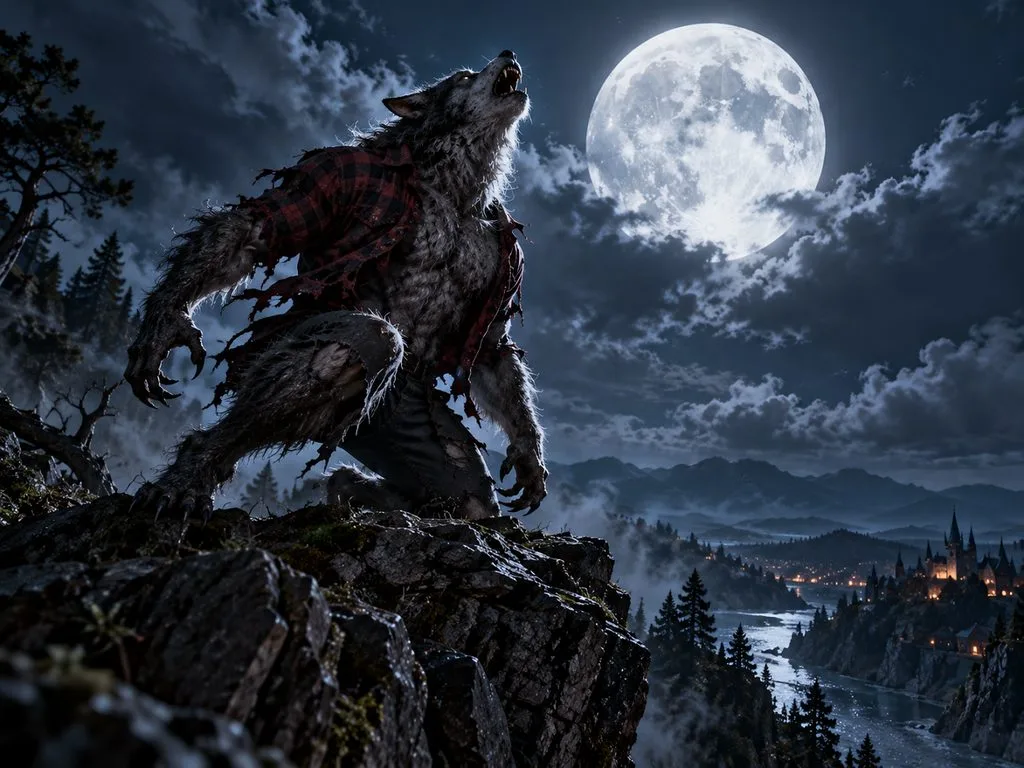
- Werewolf on the Cliff: A gray-furred werewolf in torn flannel crouches on a cliff edge, then howls at the full moon. Low-angle wide shot, moonlit rim light, gusting wind.
Multi-Shot Halloween Prompts
Some Halloween scares work better when the camera shows more than one moment. With Kling Halloween prompts, you can switch between different shots to show how a strange event unfolds. The examples below use 3 shots each, ending with a creepy surprise.
- Trick-or-Treat at the Dark House: Halloween night on a quiet street. [Shot 1: Wide shot] Three costumed friends climb a dark porch. [Shot 2: Close-up] A gloved hand knocks twice. [Shot 3: Medium shot] The door opens on a hall of lit candles.
- The Séance: Midnight in a candlelit parlor. [Shot 1: Overhead shot] Four friends hold hands around a spirit board. [Shot 2: Close-up] The planchette slides on its own. [Shot 3: Wide shot] Every flame bends toward an empty chair.
- Haunted Hayride: An apple orchard on a cold night. [Shot 1: Tracking shot] A tractor pulls a hay wagon through the trees. [Shot 2: Medium shot] Riders laugh under string lights. [Shot 3: Point-of-view shot] A masked figure steps out as the lights die.
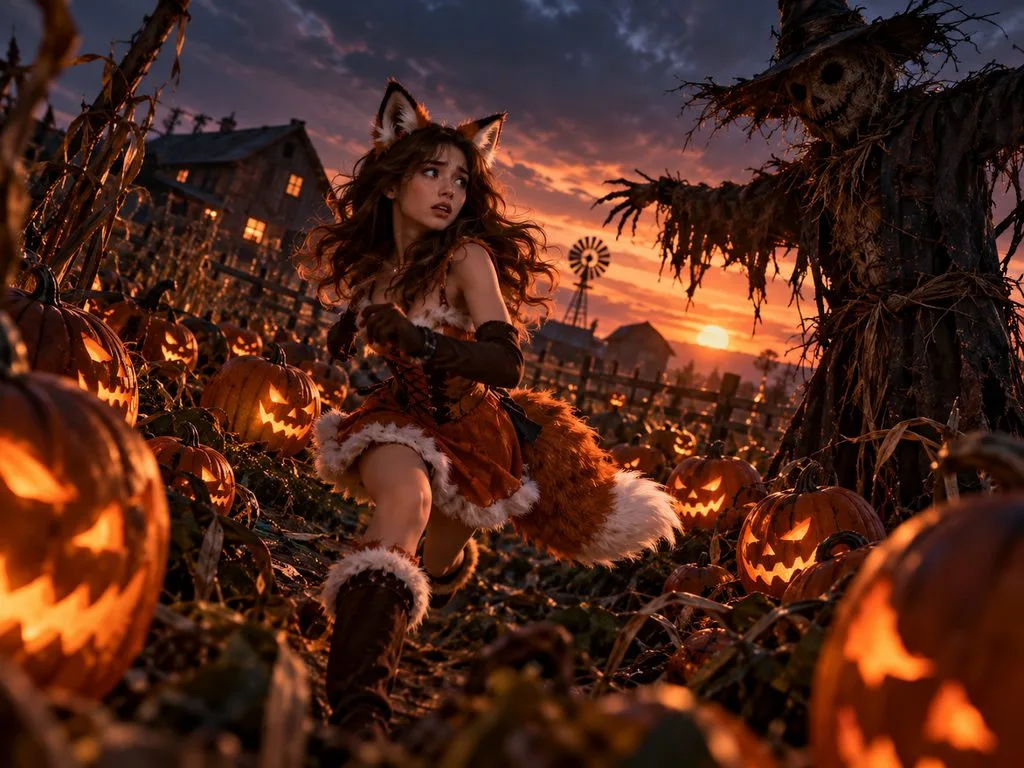
- Pumpkin Patch Pursuit: Dusk over a pumpkin patch. [Shot 1: Wide shot] A woman in a fox costume runs between the rows. [Shot 2: Low-angle shot] Jack-o’-lanterns turn to track her. [Shot 3: Close-up] She stops at a scarecrow, out of breath.
Dialogue and Sound Prompts
A whispered warning from a witch can be just as unsettling as a ghost appearing in the dark. The right voice and background sounds give each Halloween scene its own mood. Explore these prompts featuring mysterious messages, midnight conversations, and voices that seem to know too much.
- Witch’s Warning: In a cluttered potion shop, an old witch leans over the counter toward a nervous customer. [Witch, raspy whisper]: “Never open this jar after midnight.” Medium two-shot, candlelight.
- Ghost Butler’s Welcome: A translucent butler in a tailcoat glides into a grand foyer and bows. [Butler, calm and formal]: “Welcome, guests. Dinner is served at midnight.” Slow push-in, blue haze, a clock chiming.
- Late-Night Radio Warning: A 1950s radio host leans into the microphone as the signal crackles. [Host, hushed and tense]: “If this signal reaches anyone, stay inside tonight.” Close-up, red ON AIR light, rising static.
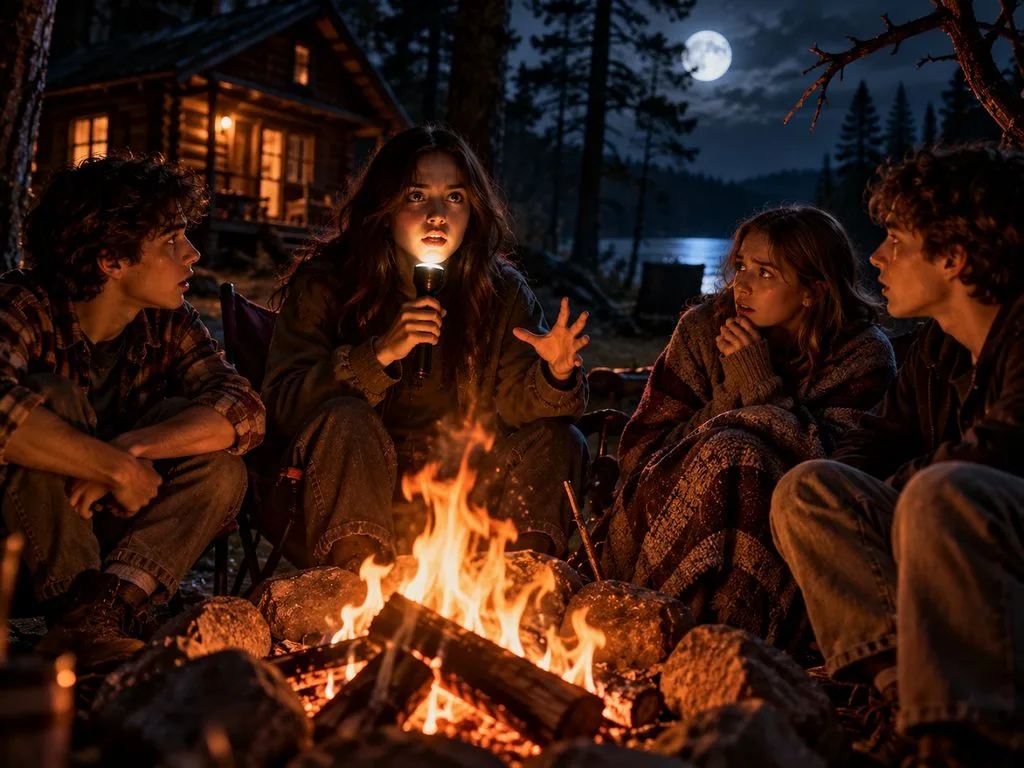
- Campfire Story: Four campers sit around a fire as one holds a flashlight under her chin. [Storyteller, slow and dramatic]: “And the knocking came from inside the cabin.” Orange firelight, a branch snapping.
Family-Friendly and Stylized Prompts
Not every Halloween video needs dark shadows and frightening monsters to entertain viewers. Kling Halloween prompts can also feature playful ghosts and singing pumpkins in colorful animation styles. Here are 4 ideas for cheerful Halloween videos that younger viewers can enjoy.
- Claymation Pumpkin Choir: A row of clay jack-o’-lanterns on a porch sings in harmony, carved mouths opening in time. Stop-motion style, warm porch light, a cheerful three-part choir.
- Cartoon Ghost Learning to Boo: A small round cartoon ghost practices saying “Boo!” to a mirror, then giggles when its reflection jumps first. 2D animation, soft purple palette, a music-box tune.
- Anime Witch Over the Town: An anime witch in a long purple scarf flies her broom over a sleepy town lined with glowing pumpkins. Side tracking shot, hand-drawn 2D style, full moon backlight.
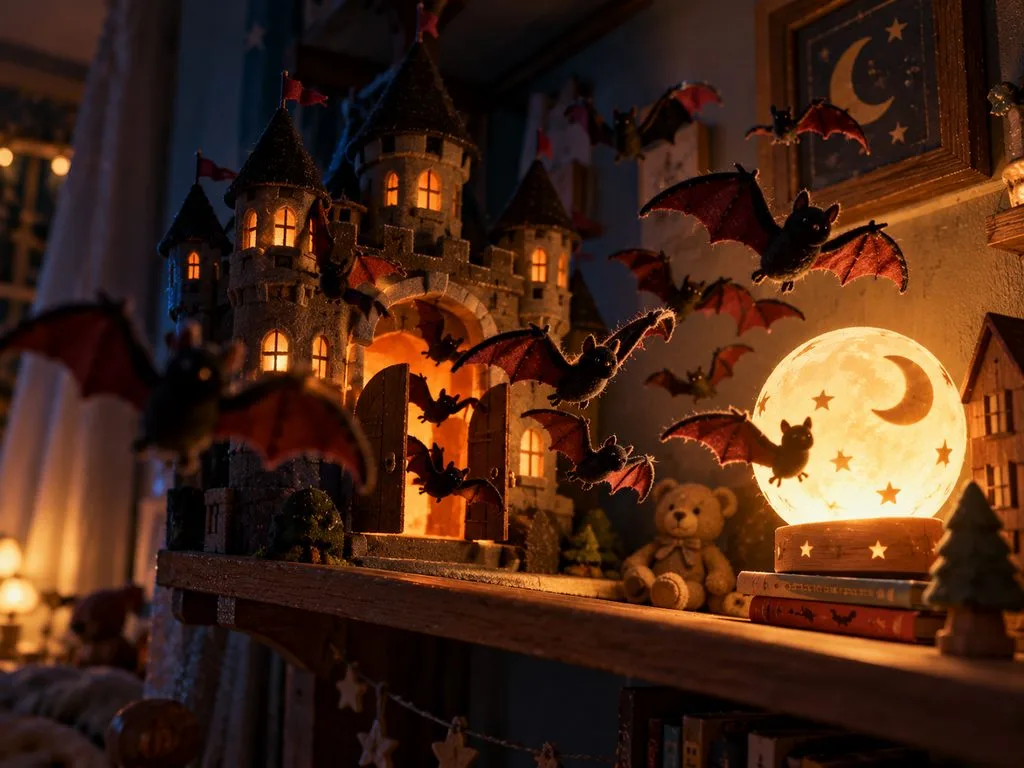
- Felt Bats at Bedtime: Felt bats flutter out of a toy castle on a bedroom shelf and circle a glowing night-light. Stop-motion look, soft amber light, slow orbit, a quiet lullaby.
Part 2. Turn Kling Halloween Prompts Into Complete Stories With MagicLight AI
Short Halloween clips can capture a frightening moment, but a complete horror story needs more time to unfold. MagicLight AI offers a Story to Video feature that turns your ideas into videos lasting up to 50 minutes. You can enter a detailed story prompt of 12,000 characters to describe what you want to see.
MagicLight AI also offers 14 story models that suit different storytelling needs. You can choose from over 52 visual styles to give your Halloween story a distinct appearance. This helps you expand your Kling Halloween prompts into longer stories with connected scenes and a consistent look.
Key Features of MagicLight
- Kling 3.0 as an Engine: MagicLight AI includes Kling 3.0 among its 20 AI video models. It generates spoken dialogue, background music, and ambient sounds within one video.
- MagicLight Agent: Share your Halloween story idea directly with its AI video agent through its chat. It develops your idea into a script with separate scenes and shots.
- Character Assets: The AI Character Generator lets you describe characters using 1,000 prompt characters. Their appearance stays consistent across scenes throughout your entire Halloween horror story.
- Visual Styles: MagicLight AI offers over 52 visual styles for different Halloween video themes. The Production estimate shows the selected style's cost before video generation begins.
- Mystery & Horror Music: Choose from 40 background music options to suit the atmosphere of a Halloween video. The Mystery and Horror category offers eerie tracks for suspenseful scenes.
Guide for Turning Kling Halloween Prompts Into Videos Using MagicLight AI
You can combine the Lighthouse in a Storm and Late-Night Radio Warning Kling Halloween prompts into a 5-minute ghost story about a lighthouse keeper. Now, follow the steps below to turn these ideas into a complete Halloween video using MagicLight AI:
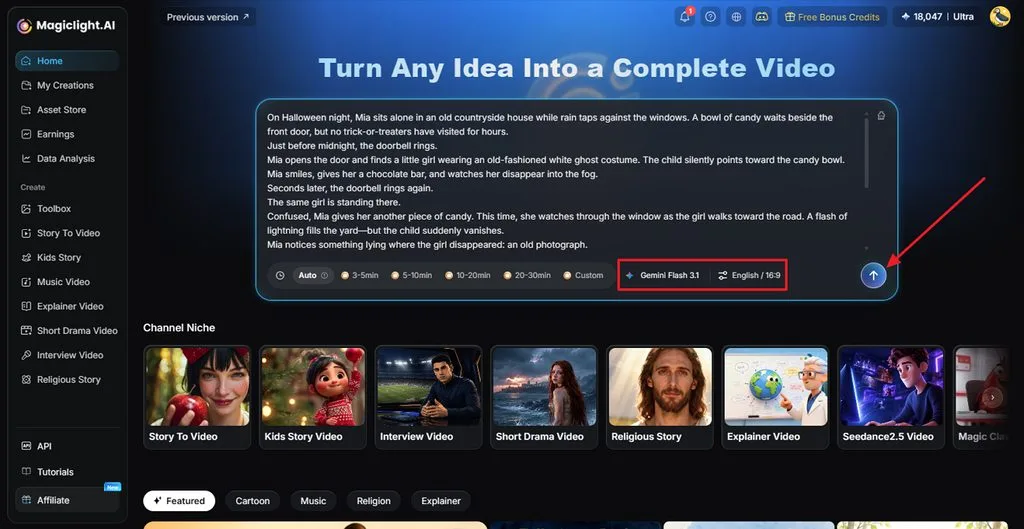
Step 1. Enter Your Halloween Story Idea
In MagicLight AI, enter your Halloween idea in the provided prompt field. Choose a suitable Story Model and set the video duration according to your story. Select the language and aspect ratio and click Send.
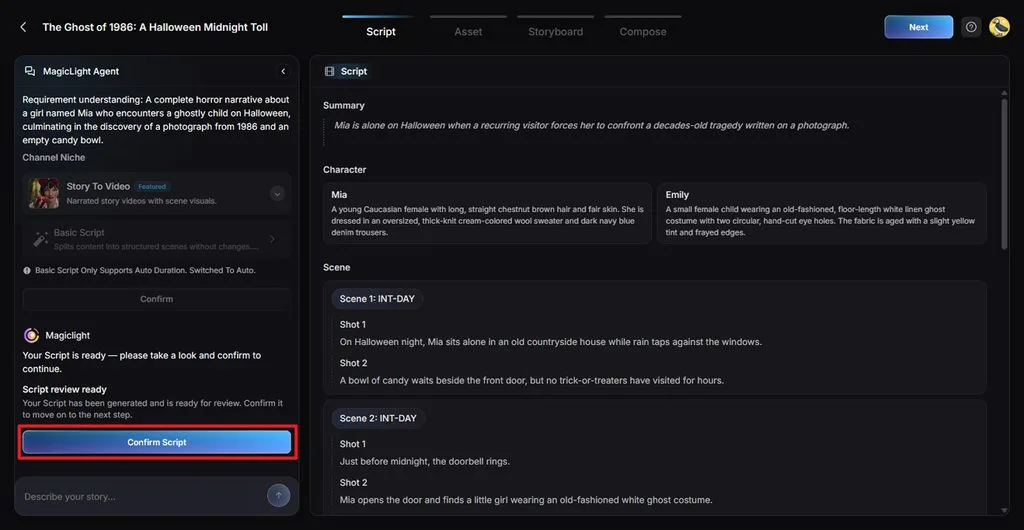
Step 2. Develop Your Halloween Story
After the MagicLight Agent presents an outline of your idea, review the generated script and its scenes. Then, press the Confirm Script button.
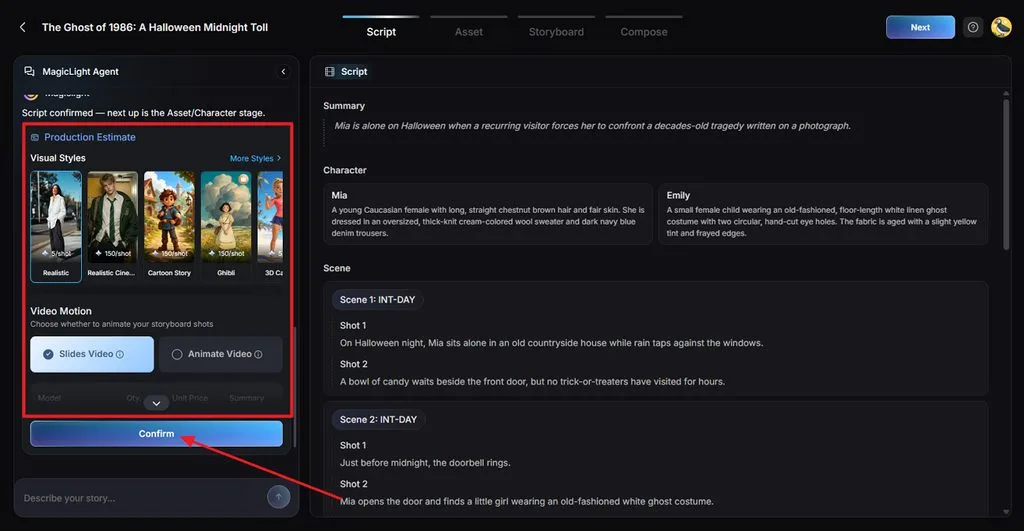
Step 3. Decide the Look of Your Video
Browse the available Visual Styles to find one that suits your Halloween theme. Select Animate Video under Video Motion for moving scenes or choose Slides Video for still images. Check the selected style and motion settings before pressing Confirm.
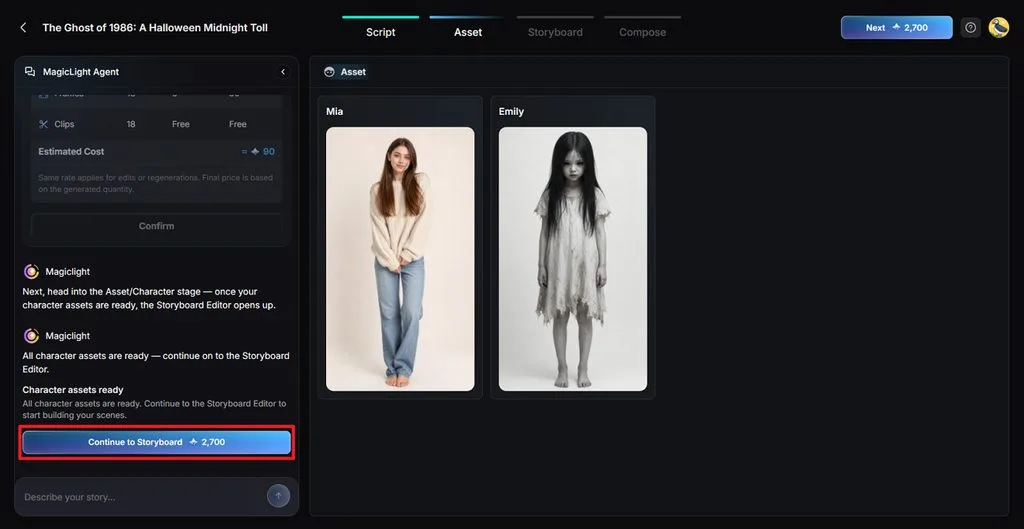
Step 4. Prepare Your Halloween Characters
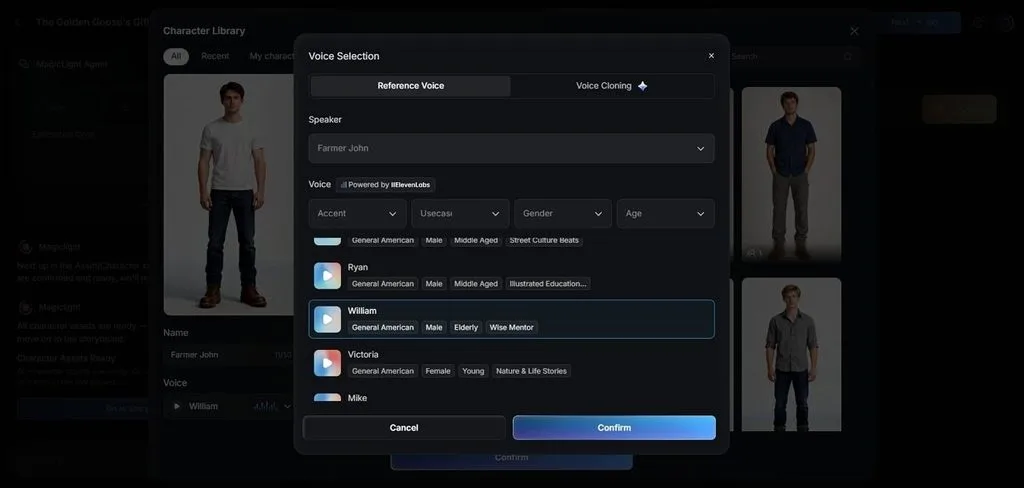
Check the characters suggested by Magiclight AI and adjust any details that do not suit their roles, with additional characters available through the Character Library. Click Go to Storyboard after finalizing the cast.
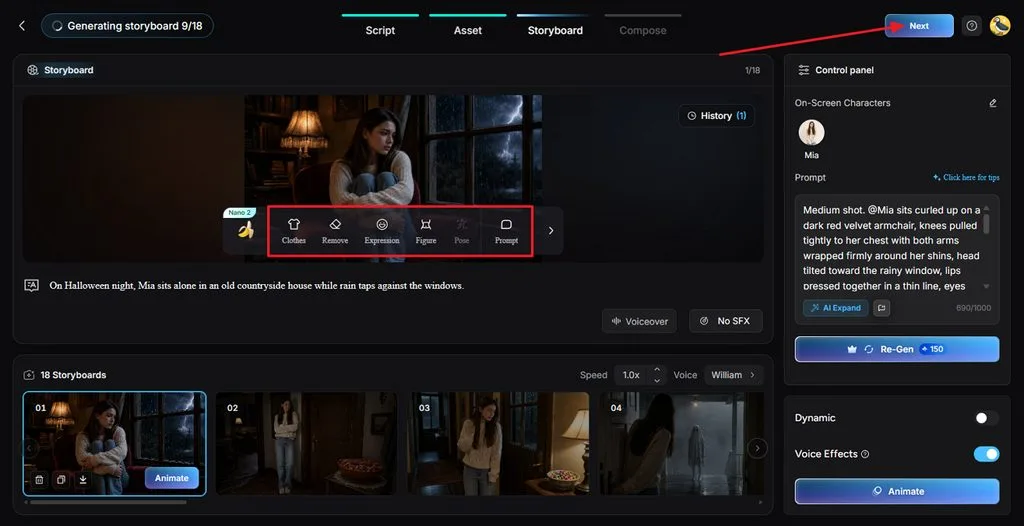
Step 5. Edit the Halloween Storyboard
Inside Nano Storyboard, examine each shot to see how your Halloween story appears on screen. Change Clothes, Expression, Figure, Pose, or Prompt wherever a scene needs attention. Click Next after completing your edits.
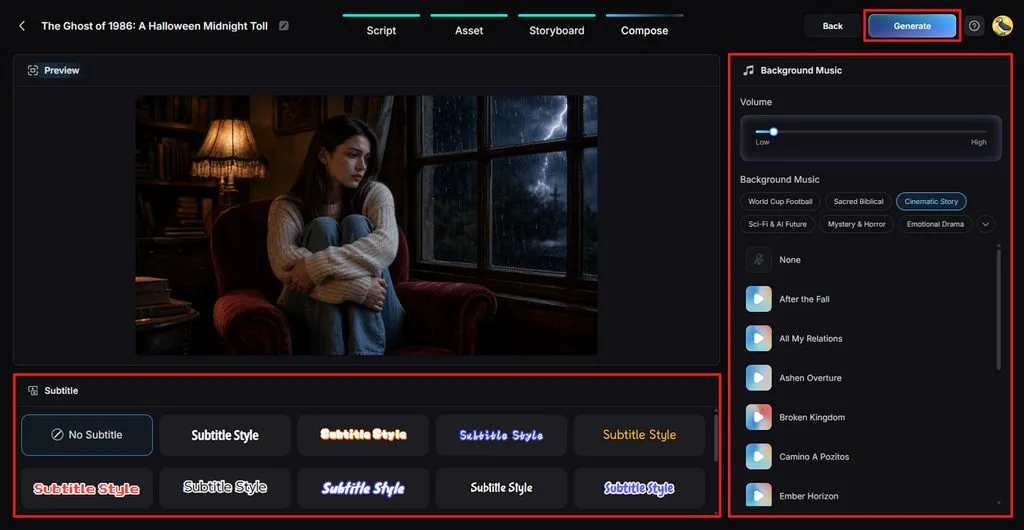
Step 6. Choose Music and Subtitle Settings
After that, explore the Mystery & Horror category under Background Music for your Halloween soundtrack. Adjust the Volume and choose a Subtitle Style that remains readable throughout the video. Click Generate to begin creating the final version.
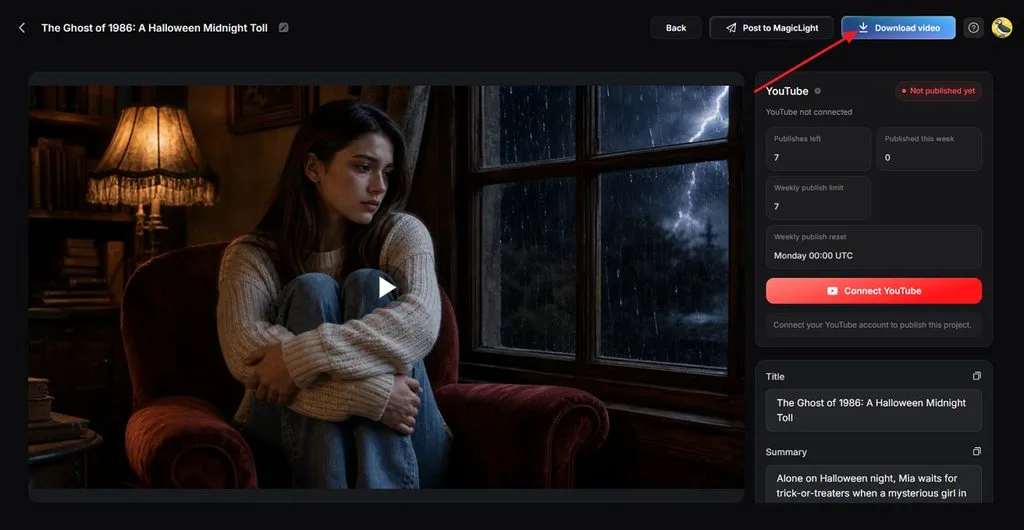
Step 7. Preview and Download Your Story
Once MagicLight AI finishes processing your video, watch the completed Halloween story. Check the scenes and listen to the background music. Select Download video to save the finished video to your device.
Part 3. Why Use MagicLight AI for Kling Halloween Videos?
Kling Halloween prompts can create striking scenes, but longer stories need more attention. MagicLight AI brings those scenes together, with 5 useful features worth exploring:
- Stories That Last Longer: MagicLight AI subscription let you create Halloween videos up to 50 minutes long, giving every twist enough screen time.
- Familiar Faces Across Scenes: Your approved Halloween characters help maintain a consistent appearance throughout the story, reducing the need to describe them again.
- Creepy Voices and Background Music: Pick from 37 voice options and add a horror soundtrack in Compose, without switching to another editor.
Conclusion
In summary, Kling Halloween prompts work best when every scene has clear action and atmosphere. Good camera directions and sound details help each Halloween moment feel more convincing. Longer stories also need consistent characters and smooth connections between different scenes. Try MagicLight AI to turn your Halloween ideas into complete videos with less effort.
FAQs About Kling Halloween Prompts
1. What makes a good Kling Halloween prompt for video generation?
A good prompt describes the character, setting, action, camera movement, lighting, and sound clearly. For Halloween scenes, focus on one frightening moment that viewers can easily follow onscreen.
2. How can I improve motion and camera direction in Kling Halloween prompts?
Describe the camera movement clearly so Kling knows exactly how each scene should unfold. Keep one main camera movement per shot to avoid awkward changes during video generation.
3. Can I combine multiple Kling clips into a complete Halloween story?
You can join separate Kling clips through editing software to create longer Halloween stories. MagicLight AI offers another approach by handling scenes, characters, narration, and music together.
4. How can I keep characters and visual styles consistent throughout a Kling Halloween video?
Use reference images and repeat important character details throughout your Kling Halloween prompts. MagicLight AI also uses approved character designs to improve visual consistency across scenes within the same project.
5. What is the best AI video tool for turning Kling Halloween clips into complete stories?
MagicLight AI works as an AI horror video generator for creating complete Halloween stories. It combines scripted scenes, consistent characters, spooky music, and Kling 3.0 video generation capabilities.


![How to Make a Product Video for Marketing With AI [Guide 2026]](https://magiclight.ai/wp-2/wp-content/uploads/product-video-marketing-guide-1-300x198.webp)