


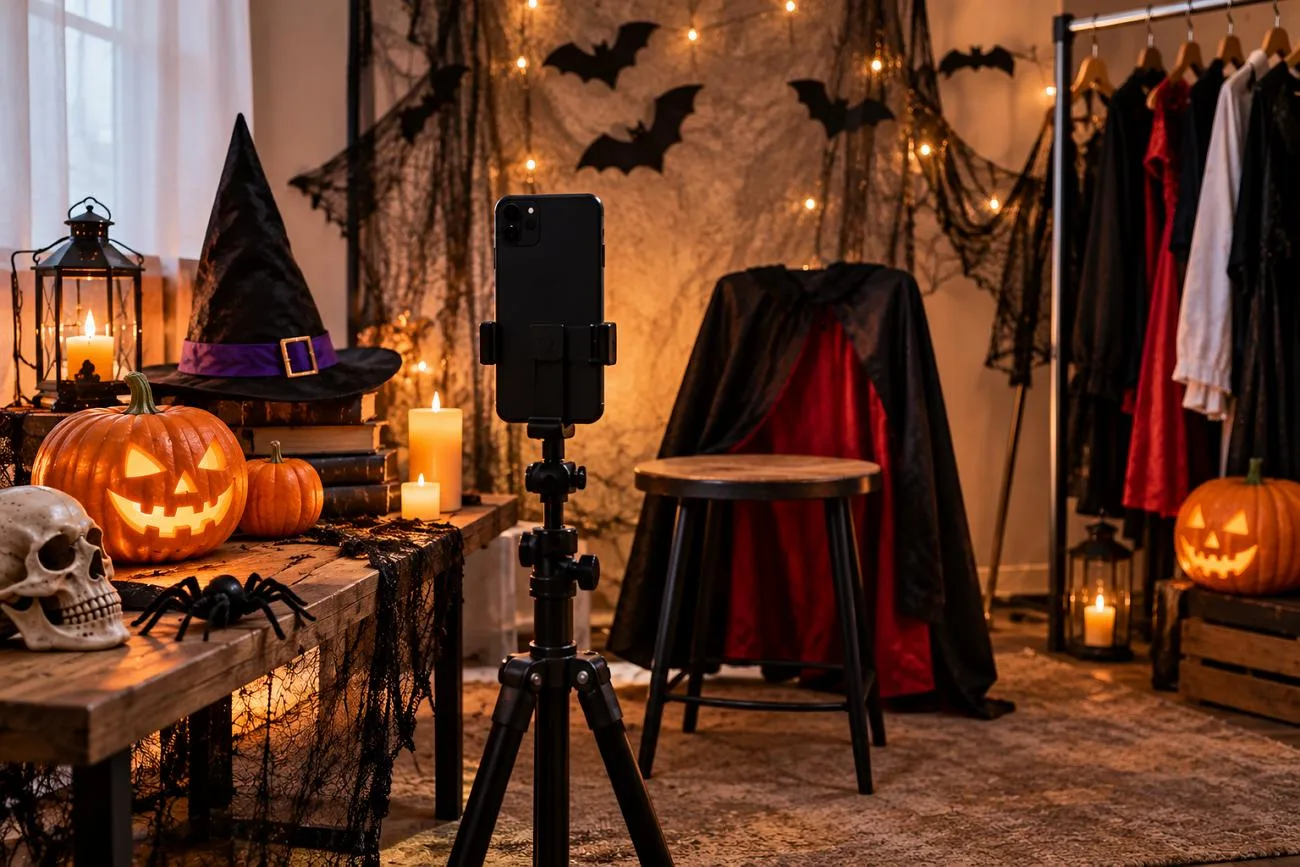
A group of friends decides to change their profile pictures to Halloween costumes before October 31. Everyone chooses a different costume and uses AI to turn their selfies into Halloween photos. The first photos look strange as the AI changes their faces along with their costumes. They soon realize that their prompts did not mention keeping their real facial features.
The right Halloween AI prompts for selfies can help them explore scary looks while keeping their original facial features recognizable. MagicLight AI also lets users upload several reference selfies to help the AI recognize their faces from different angles.
Part 1. 20 Best Halloween AI Prompts for Selfies to Try
Halloween selfies look better when your face stays the same under a new costume. These 20 Halloween AI photo prompts help you explore different spooky looks while guiding AI to preserve your recognizable facial features. You can upload your selfie to MagicLight AI and use any of these prompts to create your Halloween photo.
Classic Monster Selfie Prompts
Classic Halloween monsters are always fun to try when you want a scary selfie. You can turn yourself into a vampire or a mummy and still keep your real face. Here are 4 prompts to help you try these monster looks with your own photo.
- Mummy in Torchlight: Wrap me as an ancient mummy in yellowed linen, leaving my eyes and the center of my face uncovered and unchanged. Torchlight from the left, dusty tomb wall, 4:3.
- Werewolf Mid-Change: Show me halfway into a werewolf transformation, coarse fur creeping up my neck and pointed ears rising. Face shape and eye color unchanged. Full moon over pines, 9:16.
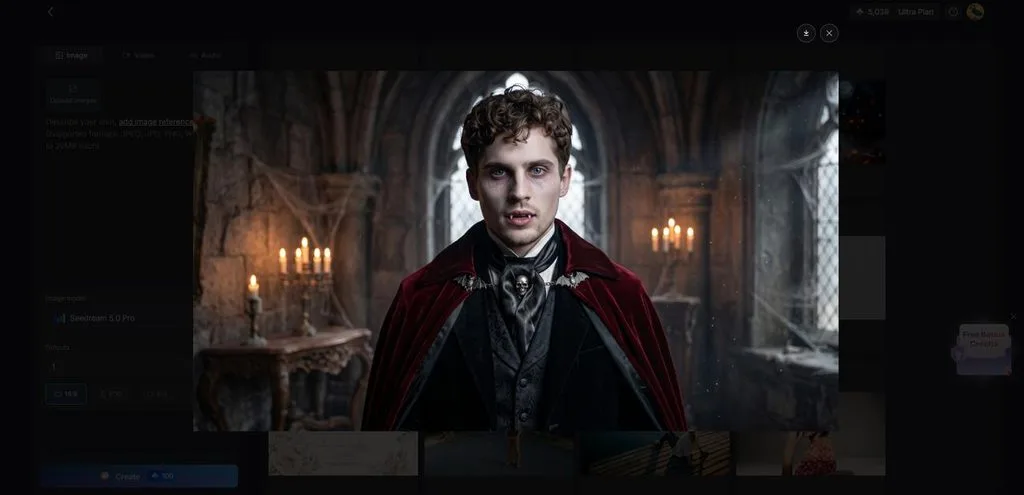
- Candlelit Vampire Host: Turn me into a vampire host at a long candlelit banquet table, velvet coat, faint fangs, pale powder. Nose, eyes, and smile identical to the photo, 16:9.
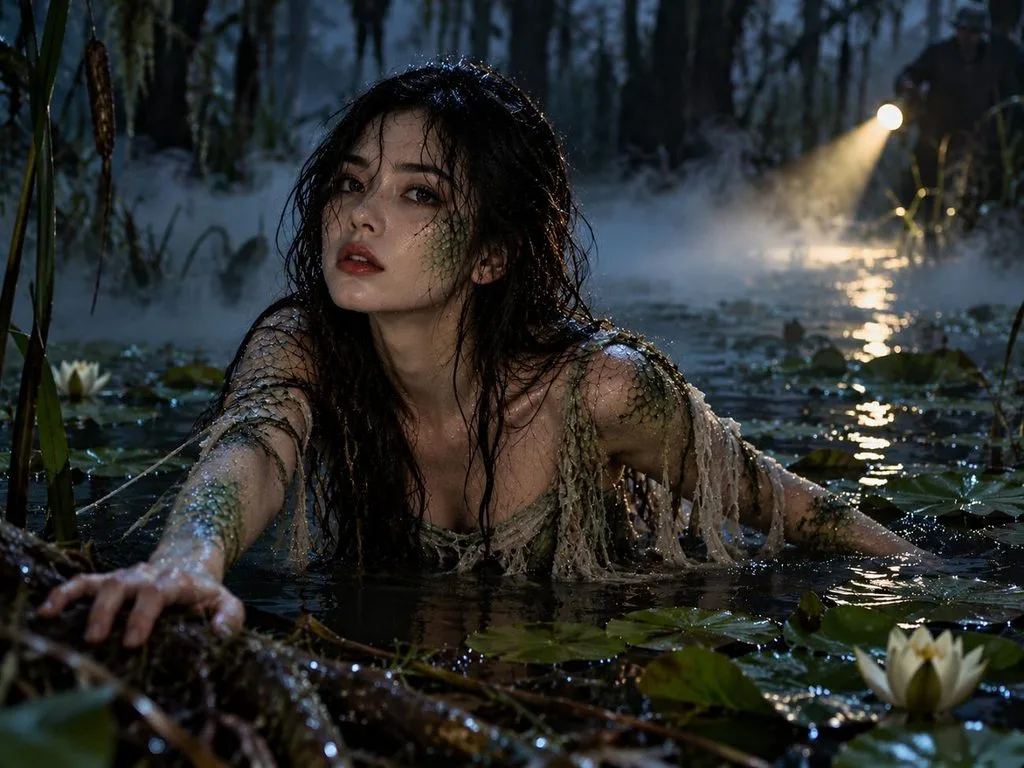
- Swamp Creature Rising: Show me rising from dark swamp water with green scales along my cheekbones and arms, eyes and mouth untouched. Lily pads, drifting fog, a flashlight beam, 4:3.
Makeup and Face Paint Selfie Prompts
You don't need a full costume to give your selfie a Halloween look. A little face paint or dark makeup can change the mood of your photo without hiding your face. Try these AI Halloween photo prompts to see how different makeup styles look on you.
- Drowned Sea Siren: Turn me into a drowned sea siren with blue-gray skin, pearls in damp hair, and tiny scales on my collarbones. My features match the photo exactly, 4:3.
- Cracked Porcelain Doll: Give my selfie a cracked porcelain doll finish, with hairline cracks on the cheeks and painted rosy circles. Eye shape and lips stay as they are. Lace collar, window light, 4:3.
- Glitter Witch Glam: Add witch glam makeup, deep plum lips, black winged liner, and silver glitter at the temples, keeping my natural face shape. Pointed velvet hat, purple rim light, 9:16.
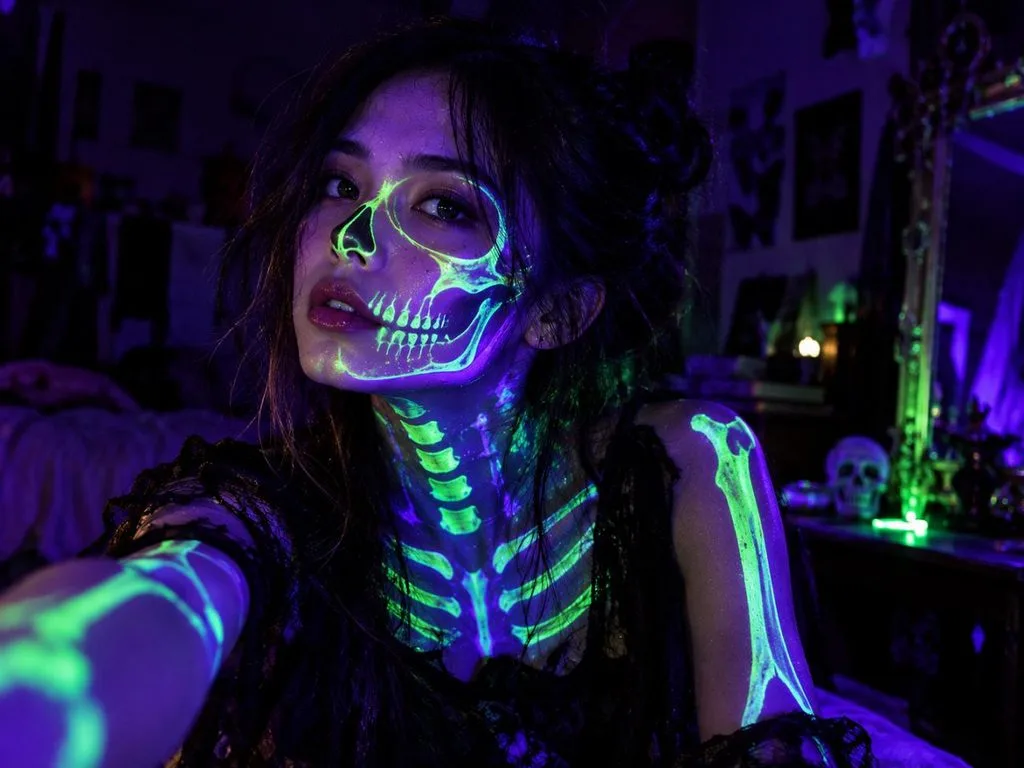
- Blacklight Skeleton: Paint glowing skeleton lines on my face and neck as if lit by a blacklight, without altering my features. Dark room, neon green and violet glow, 4:3.
Horror Movie Selfie Prompts
A familiar face in a dark movie setting can turn an ordinary selfie into something frightening. You can give your selfie the look of a classic horror film with AI prompts for Halloween photos. The following prompts let you explore different horror movie scenes using your own photo.
- Night-Vision Found Footage: Frame me in a grainy night-vision camcorder still at the end of a dark hallway, eyes catching the green glow. Face recognizable through the grain, timestamp 10:31 PM, 16:9.
- 1960s Drive-In Poster: Paint a 1960s drive-in movie poster starring me, screaming at a giant spider, my likeness exact. Title “Attack of the Attic” in bold yellow letters, 9:16.
- 1940s Manor Film Still: Place me in a 1940s black-and-white film still, holding a candelabra on the landing of a creaky manor, face sharp and unchanged. Faint film scratches, 4:3.
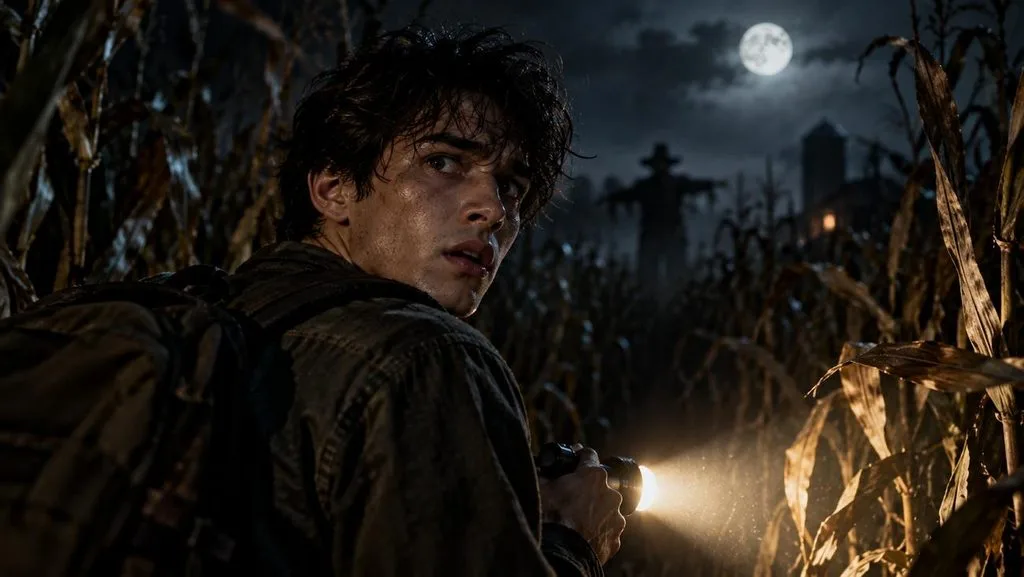
- Last Frame of the Trailer: Turn my selfie into the final frame of a horror trailer, me glancing back in a cornfield at night, flashlight in hand. Features true to the photo, 16:9.
Couple, Friends, and Pet Selfie Prompts
Halloween photos are more fun when your partner or friends join the scene. You can also include your pets in the picture for a fun Halloween look. Try these Halloween AI prompts for selfies to capture everyone together.
- Witch Coven Trio: Use the three uploaded selfies for a coven of witches stirring a bubbling cauldron, each face unchanged. Mismatched hats, green steam lighting the faces, forest clearing at night, 16:9.
- Skeleton Waltz Couple: Dress the two of us as skeleton dancers mid-waltz in a candlelit ballroom, bone patterns on black suits, both faces left natural. Golden light, 4:3.
- Pumpkin Costume Cat: Put my cat from the uploaded photo in a tiny pumpkin costume on a porch step, fur color and markings exactly the same. Warm porch light, maple leaves, 1:1.
- Haunted Hayride Crew: Seat my three friends and me, from the uploaded photos, on a haunted hayride under plaid blankets, every face recognizable. Fog-covered barn behind the wagon, lantern glow, 16:9.
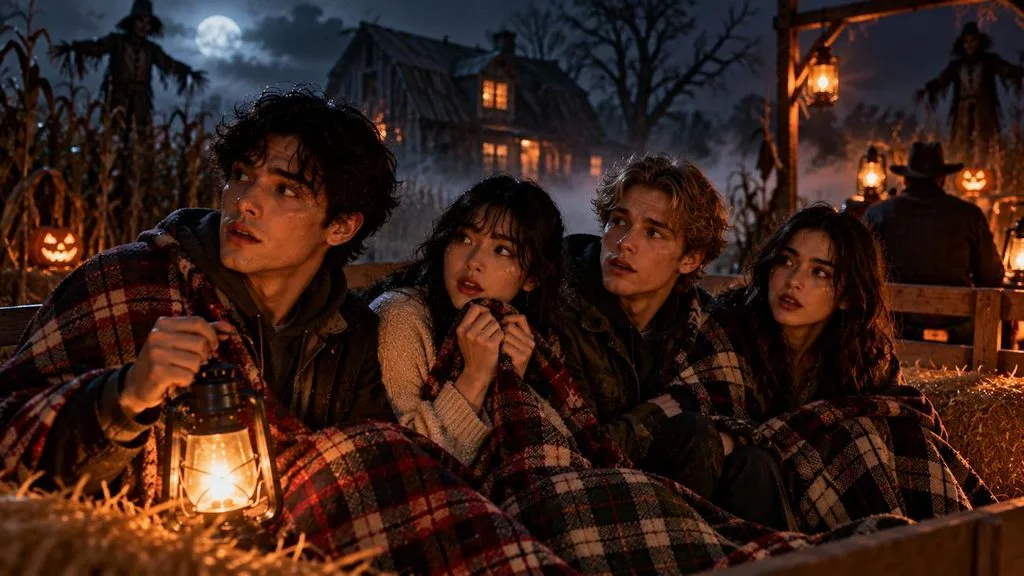
Profile Picture and Story Selfie Prompts
A Halloween costume can give your social media profile a different look. Haunted settings can add a scary Halloween feel to your photo. These AI prompts for Halloween photos offer fun ideas for profile pictures and stories.
- Moonlit Hood Avatar: Make a 1:1 profile picture of me in a dark velvet hood, a crescent moon behind my head, face exactly as photographed. Deep blue background, soft rim light.
- Candy Corn Sweater: Put me in a chunky candy-corn striped sweater, smiling over a mug of cider, facial features unchanged. Cozy autumn kitchen, blurred string lights, 1:1.
- Behind the Creaky Door: Create a 9:16 Story image of me peeking around a creaky wooden door, one eye and half my face visible but unaltered. Dark empty space above for a countdown sticker.
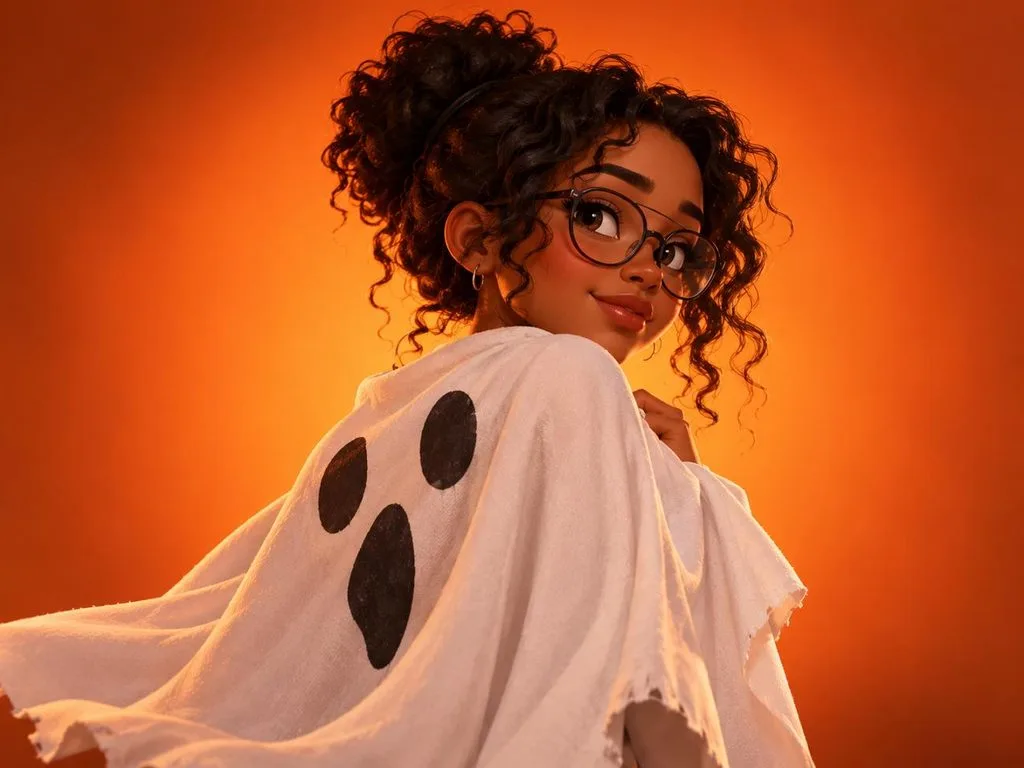
- 3D Cartoon Ghost Cape: Redraw my selfie as a stylized 3D cartoon character wearing a homemade ghost sheet as a cape, hairstyle and glasses kept. Orange gradient background, 4:3.
Part 2. How to Turn Halloween AI Prompts for Selfies Into Images
Your favorite Halloween AI photo prompts can give your everyday selfies a completely different look. MagicLight AI can help you bring these Halloween ideas to life using your own selfies.
MagicLight AI for Halloween Selfie Images
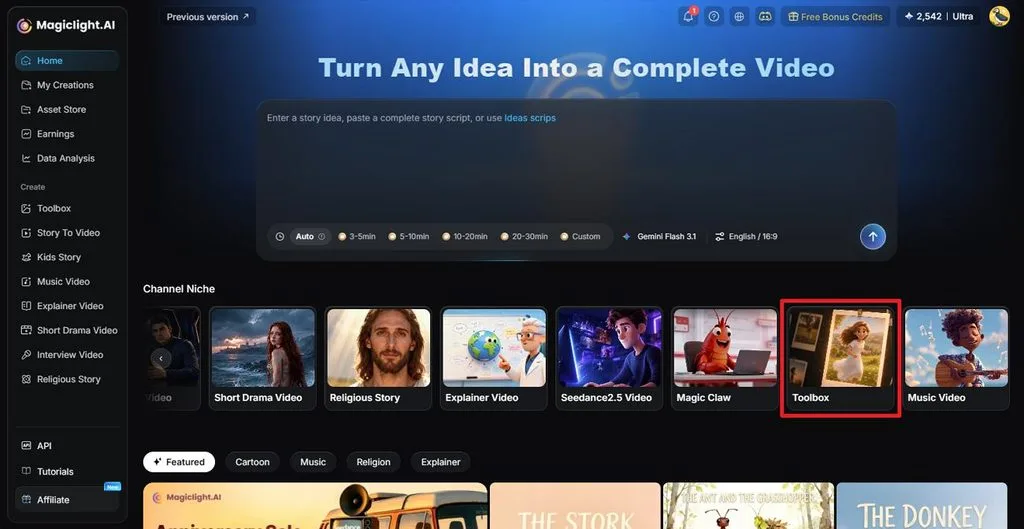
Turning your selfie into a Halloween photo is easy with the AI Image Generator in MagicLight AI. You can find this feature in the Toolbox and enter any Halloween prompt you like. The tool also lets you upload up to 10 reference images to help keep your face recognizable.
You can choose your preferred image size and the number of photos you want to generate. Not only that, MagicLight AI also offers Image to Video to turn your Halloween selfies into short videos.
Key Features
- Reference Uploads: Upload up to 10 reference photos to show your face from different angles. Each photo supports JPG, WEBP, and other formats with a 20MB limit.
- AI Models: Different AI models offer their own look for your Halloween selfie photos. Options include Nano Banana 2, 3 GPT Image versions, and Seedream 5.0 Pro for image generation.
- Frame Sizes: The Image Generator offers different aspect ratios for your Halloween selfie photos. You can select a square frame for your profile picture and a vertical one for stories.
- Prompt Length: Each prompt has a limit of 500 characters for your Halloween photo. The prompt can describe your costume and keep your face the same.
- Story to Video: Longer Halloween stories can become videos with the Story to Video feature. Paid plans support videos up to 50 minutes for your Halloween stories.
How to Create a Halloween Selfie Image With MagicLight AI
Your favorite AI Halloween photo prompts can give ordinary selfies a spooky new look. Use the steps below to create your Halloween selfie with MagicLight AI:
Step 1. Open the Image Generator
Log in to MagicLight AI and select Toolbox from the left menu.
Step 2. Add Your Selfie and Prompt
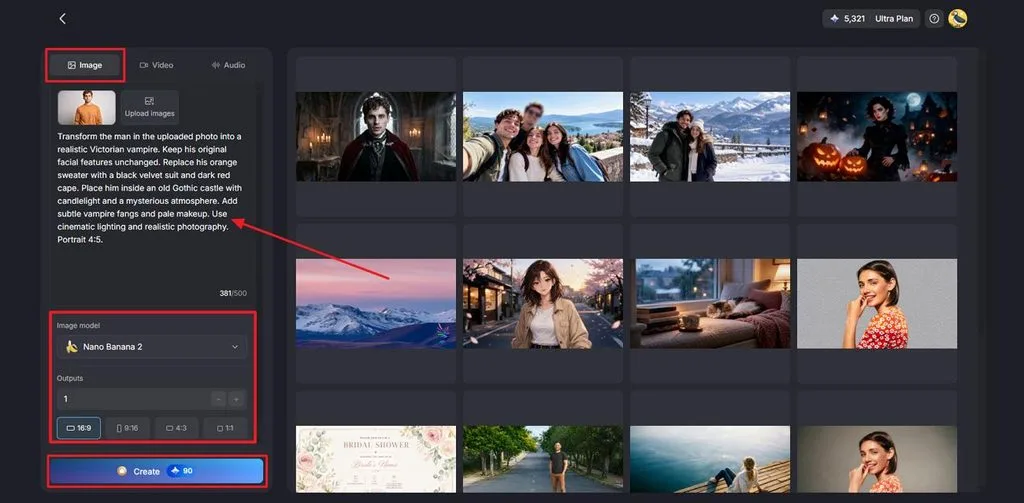
Open the Image tab to start your Halloween selfie. Click Upload images and add a clear selfie from your device. Paste your favorite Halloween prompt into the text box. Select an Image Model and choose your preferred Aspect Ratios. Set the number of Outputs and click Create.
Step 3. Save Your Halloween Photo
Check your Halloween image once it appears on the screen. Try another version if you want a different look. Click the Download icon to save your favorite result.
Conclusion
To conclude, Halloween AI prompts for selfies give you plenty of ways to try a new costume without dressing up. The right Halloween image prompts can change your entire look and still keep your face familiar. You might prefer a scary vampire selfie or something fun for your profile picture. MagicLight AI is worth trying for your Halloween images and videos.
Frequently Asked Questions
- How do I write a good Halloween AI prompt for a selfie?
Start with a clear description of the Halloween look you want in your photo. Good AI prompts for Halloween photos should also keep your original facial features unchanged. Add details about your costume and background to get a more natural result.
- What AI tool can turn Halloween selfies into videos?
MagicLight AI offers Image to Video to turn your Halloween selfies into short videos. The tool supports videos up to 30 seconds and offers 20 different video models. You can also use Lip Sync to give your Halloween character a speaking voice.
- Can I create Halloween selfies with AI for free?
Several AI tools offer free options for creating Halloween selfies from your photos. Gemini and ChatGPT offer image generation with certain limits for their free users. MagicLight AI also provides limited free credits for new users without requiring payment details.


![How to Write a Script for a Short Film in 2026 [Beginner’s Guide]](https://magiclight.ai/wp-2/wp-content/uploads/short-film-screenplay-writing-guide-300x169.webp)


