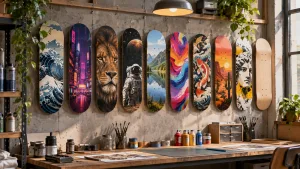
Starting a graphic design project can feel difficult when no clear direction comes to mind. Midjourney AI graphic design makes that early stage easier by turning written ideas into visuals. Designers can explore poster concepts, logo ideas, social media graphics, and branding patterns through prompts.
Each result offers a different direction, giving you something useful to build upon. However, details like brand colors, readable text, and final layouts may still need editing. Knowing how to write better prompts helps you create designs closer to your vision.
Part 1. What Can You Create with Midjourney for AI Graphic Design?
The Midjourney AI tool for graphic design helps designers explore ideas before finalizing projects. From promotional posters to brand visuals, it offers creative possibilities for different design needs. Below are the common graphic design projects you can create using Midjourney AI prompts.
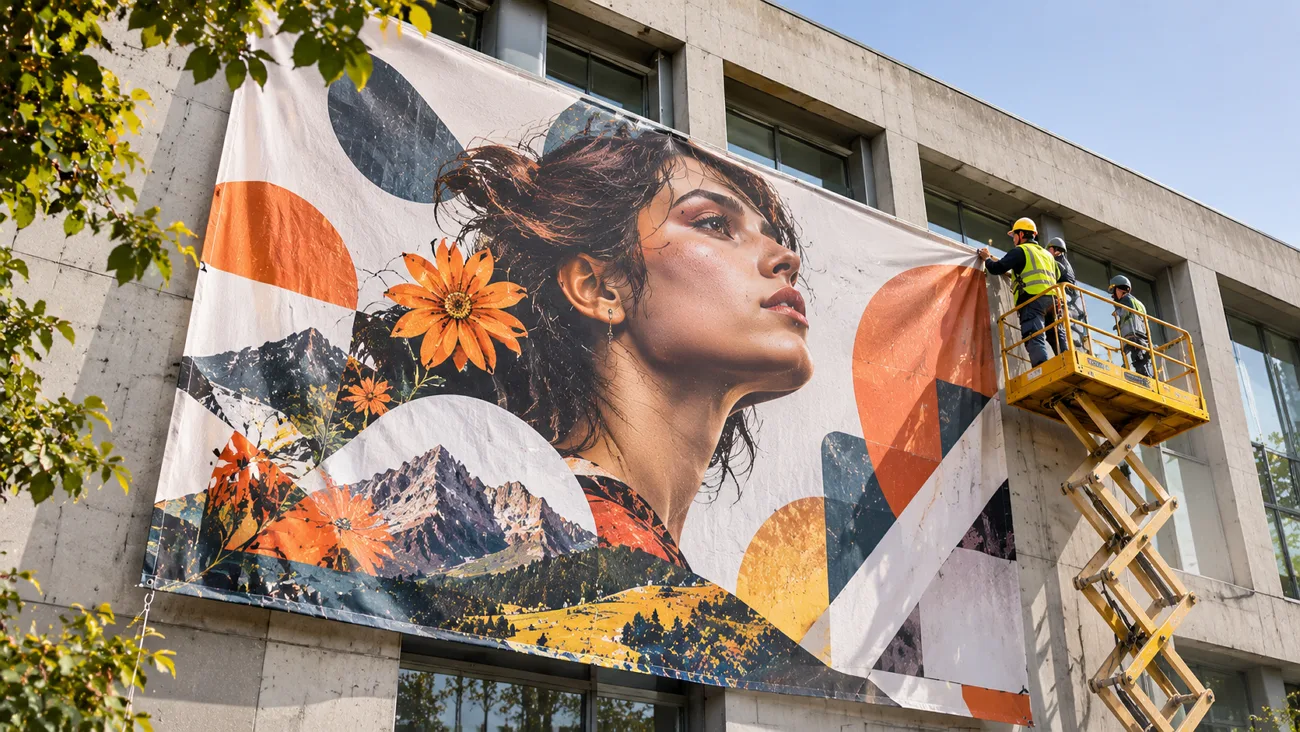
- Posters and Flyers: Create eye-catching poster illustrations, colorful backgrounds, and unique textures for events or promotional campaigns. Add event dates, venue details, and other important text later using your preferred software.
- Logos and Icons: Explore different logo concepts, including minimalist symbols, creative monograms, mascot designs, and brand emblems. Once you find a suitable concept, refine its details using professional vector design software.
- Social Media Graphics: Design attractive visuals for Instagram posts, stories, carousels, and seasonal social media marketing campaigns. Adjust the aspect ratio and visual style to match your preferred social media platform.
- Branding Visuals: Experiment with brand patterns, mood boards, packaging concepts, and textures for a consistent identity. These visuals help you explore different creative directions before settling on the final brand.
- Marketing Materials: Generate advertising backgrounds, website banners, product scenes, and promotional graphics for different marketing channels. Keep colors and visual themes consistent to give your campaign a more recognizable appearance.
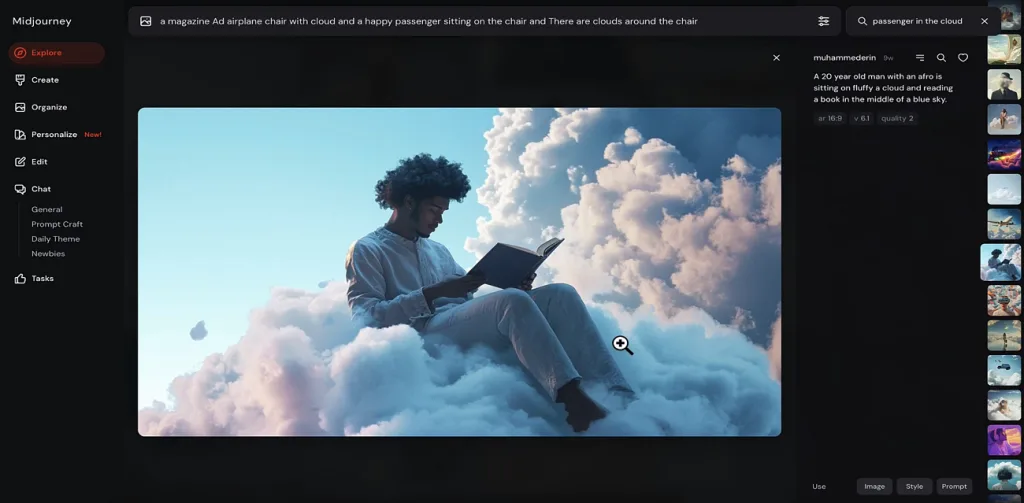
Part 2. Best Midjourney Prompts for Graphic Design
Good Midjourney prompts for graphic design start with a clear idea of your desired result. Include details like the subject, design style, colors, and layout to guide image generation. The following prompts cover different design projects, with examples you can customize to suit your needs:
Event Poster Prompt
A good poster prompt should clearly describe the layout, colors, and text you want displayed. Using a 2:3 aspect ratio works well for standard poster sizes like 24 × 36 inches.
Prompt: Tall gig poster for a late-night jazz festival, a brass trumpet built from bold geometric shapes, deep navy and mustard palette, Swiss grid layout, screen-print grain, headline lettering reading "BLUE NOTE NIGHTS" --ar 2:3 --s 150.
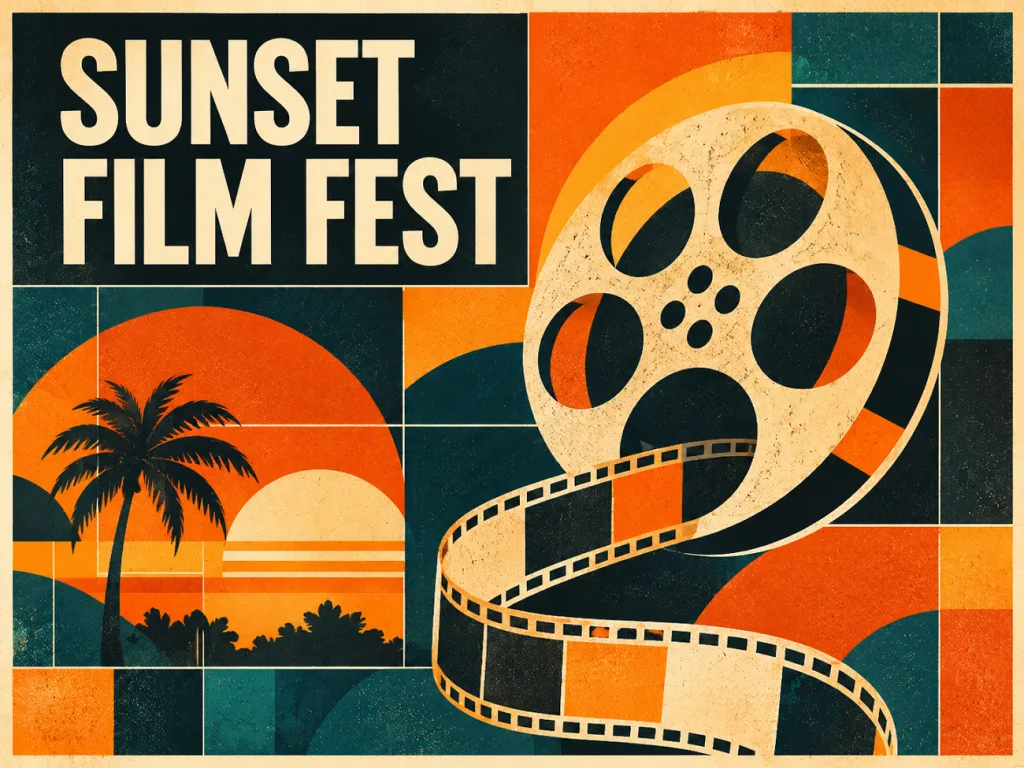
Adapt It: Swap the instrument, palette, and headline for any event, keeping the quoted title to four words or fewer.
Logo Concept Prompt
Midjourney graphic design prompts can produce cleaner logo concepts when you specify simple shapes, 2 colors, and no text. Adding the --raw parameter with a low stylize value helps reduce unnecessary decorative details.
Prompt: Flat vector-style logo mark for a mountain coffee roaster, a coffee bean whose center line forms a mountain ridge, forest green on cream, thick even strokes, centered on a plain background --raw --s 50 --no text, gradients, shadows.
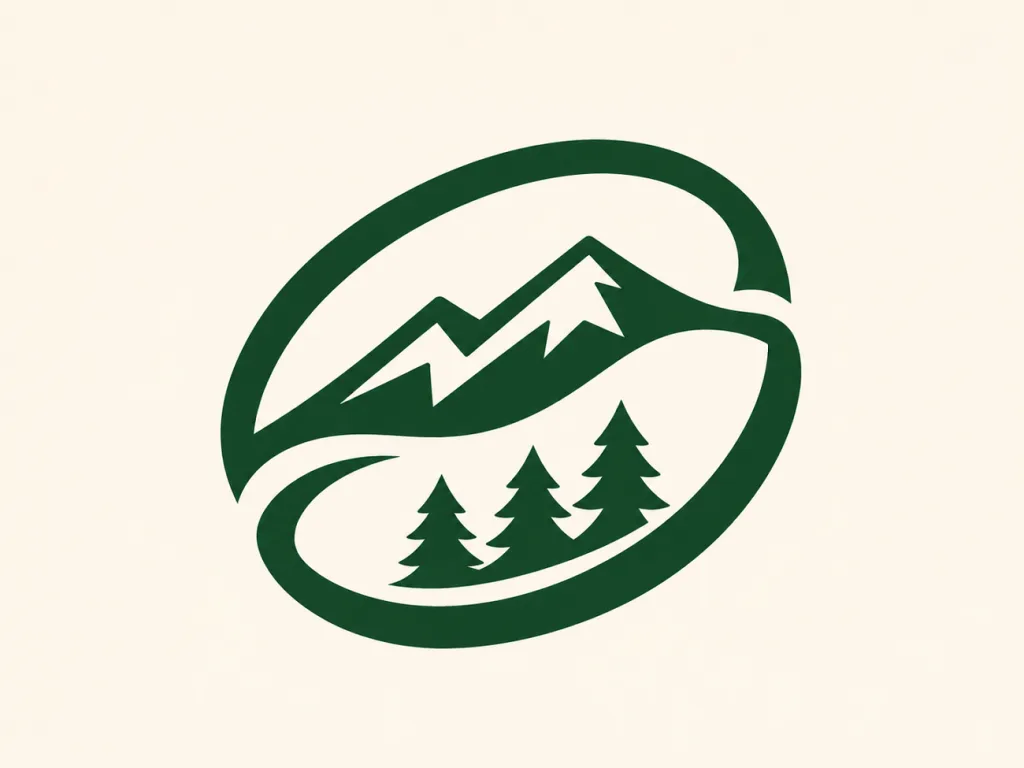
Adapt It: Merge two symbols from the brand story, and generate several rounds before settling on one direction.
Social Media Post Prompt
Social media graphics look better when you leave enough space for headlines and captions. A 4:5 aspect ratio works well for portrait posts, while specifying empty space keeps the layout clean.
Prompt: Portrait social media post background for a skincare brand, one frosted glass serum bottle on a pale stone plinth, soft morning window light, peach and sage palette, upper third left empty for a headline --ar 4:5 --s 200.
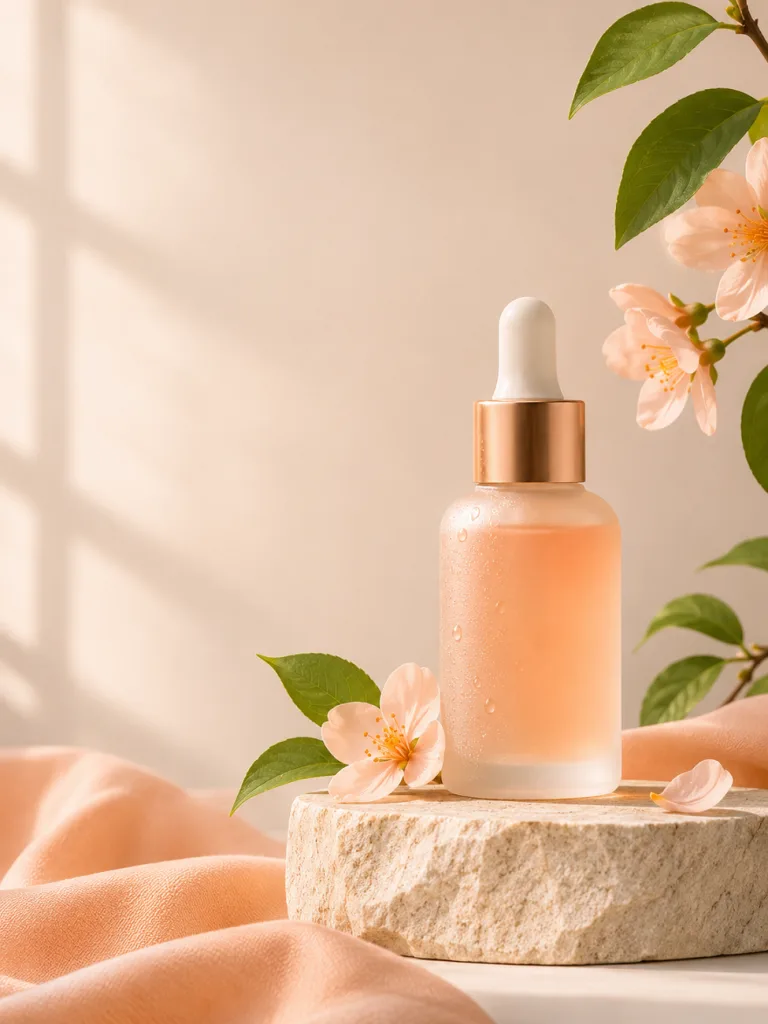
Adapt It: Switch to --ar 9:16 for Stories, and reuse one --sref code across a series for matching posts.
Brand Pattern Prompt
A Midjourney prompt for graphic design can help create repeating patterns for packaging, stationery, and websites. The --tile parameter makes patterns repeat seamlessly, while a limited color palette maintains brand consistency.
Prompt: Repeating surface pattern of hand-drawn lemon slices and olive leaves, tangerine, olive green, and off-white only, flat gouache texture, evenly spaced motifs with generous gaps, made for packaging and gift wrap --tile --s 100.
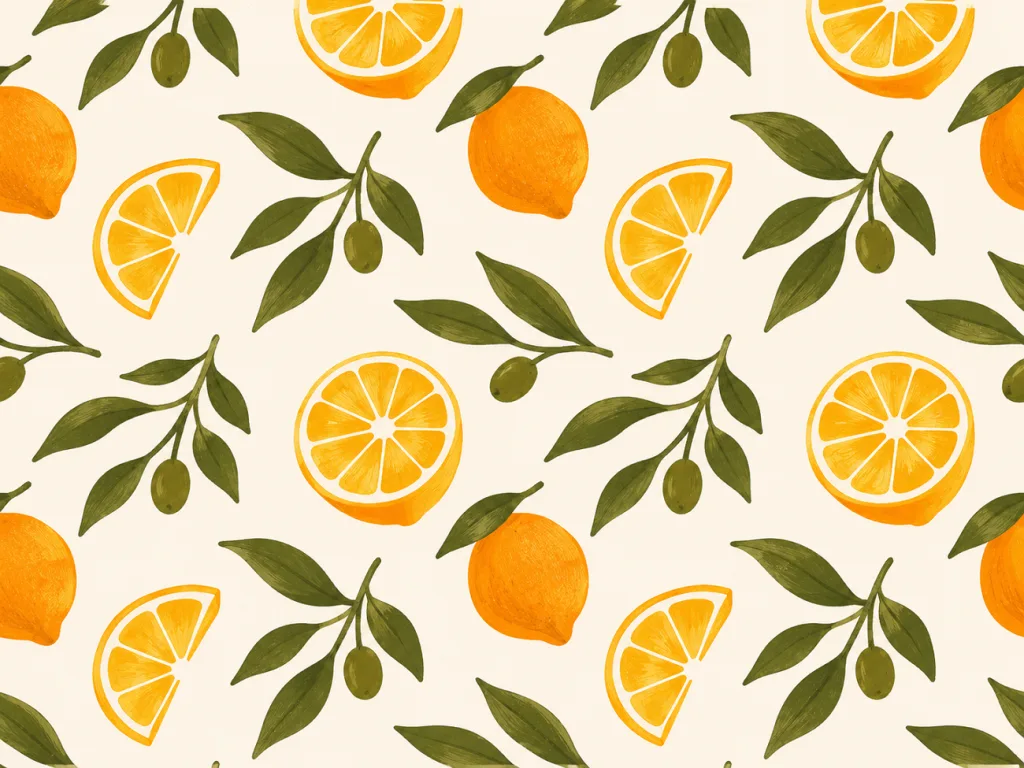
Adapt It: Skip upscaling, which often breaks the repeat, and preview the tile in a pattern checker before printing.
Ad Banner Prompt
Advertising banners need enough space for headlines, promotional text, and call-to-action buttons. Adding details like studio lighting and product placement helps create a more professional advertising look.
Prompt: Wide web banner for a summer sneaker sale, a white running shoe floating above a sunlit sand dune, bright orange sky, studio lighting with crisp shadows, left half kept clear for headline text and a button --ar 16:9 --s 250.
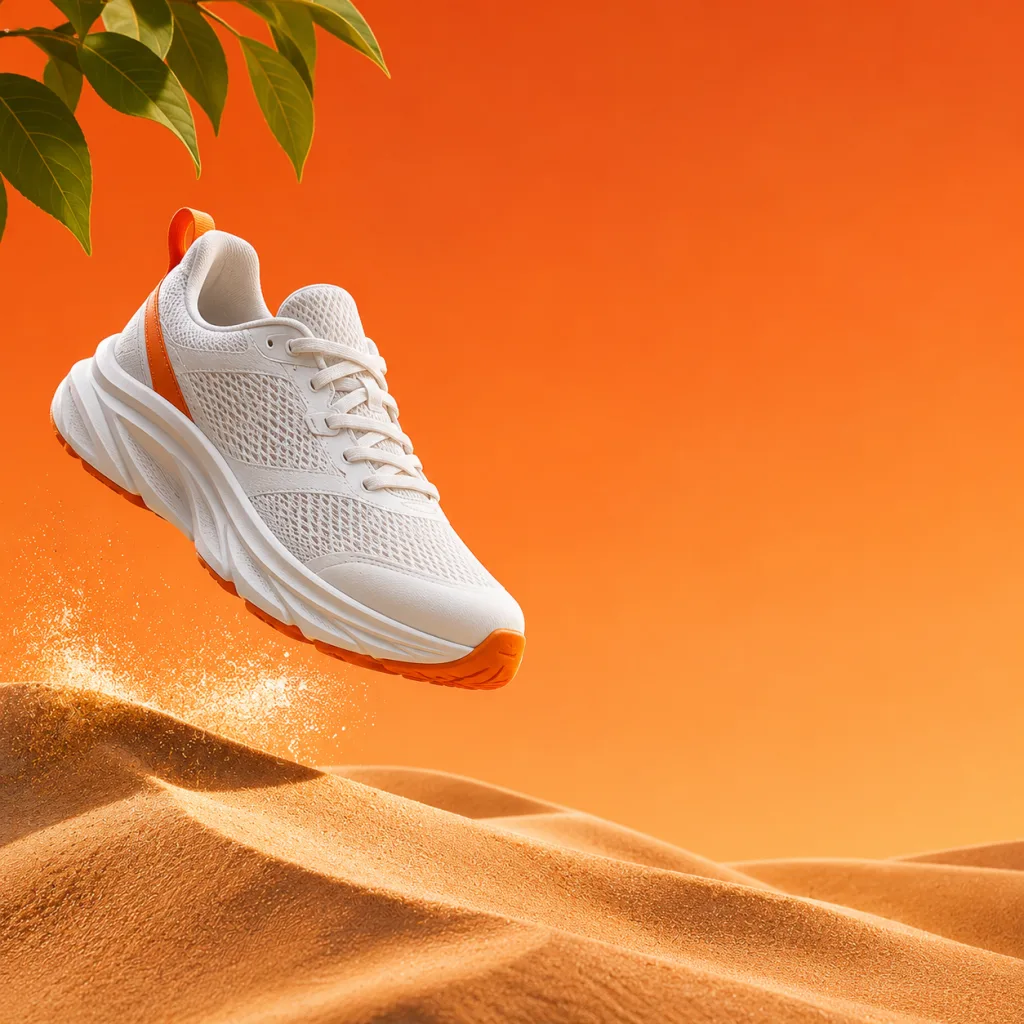
Adapt It: Move the clear area to the right half when copy sits there, and use --ar 1:1 for square display ads.
Part 3. How to Create Engaging Visual Content with MagicLight AI
Creating attractive images is a good start, but videos can make your designs more engaging. While Midjourney offers basic animation, longer videos may need multiple scenes, voiceovers, and background music. That's where MagicLight AI comes in, helping you turn static visuals into engaging video content.
Its AI image generator also lets you create original visuals before bringing them into videos. You can get started with free sign-up credits, while paid plans offer 1080p exports without watermarks.
Key Features of MagicLight AI
- Image to Video: Bring static designs to life through animations lasting up to 30 seconds. Describe camera movements, visual effects, and actions using up to 1500 characters.
- Frame to Video: Starting and ending frames help control how your video changes between scenes. This works particularly well for logo reveals, product transformations, and creative transitions.
- Video Clone: Reference videos provide a structure for recreating advertisements with your own products. Replace existing visuals with product images, brand names, and key selling points.
- Narrated Brand Stories: Story to Video supports scripts up to 12000 characters for longer storytelling projects. Create videos lasting 50 minutes with narration, music, subtitles, and consistent characters.
- Multiple AI Video Models: Explore 20 AI video models, including Veo 3.1, Seedance 2.0 Mini, and more. Choose from 4 video generation methods to create videos for different projects.
How to Turn Graphic Design Images into Videos with MagicLight AI
The images you create using Midjourney graphic design prompts don't have to remain static. With MagicLight AI's Image to Video feature, you can animate a picture by adding movement and visual effects. Follow the simple steps below to turn your graphic designs into engaging videos.
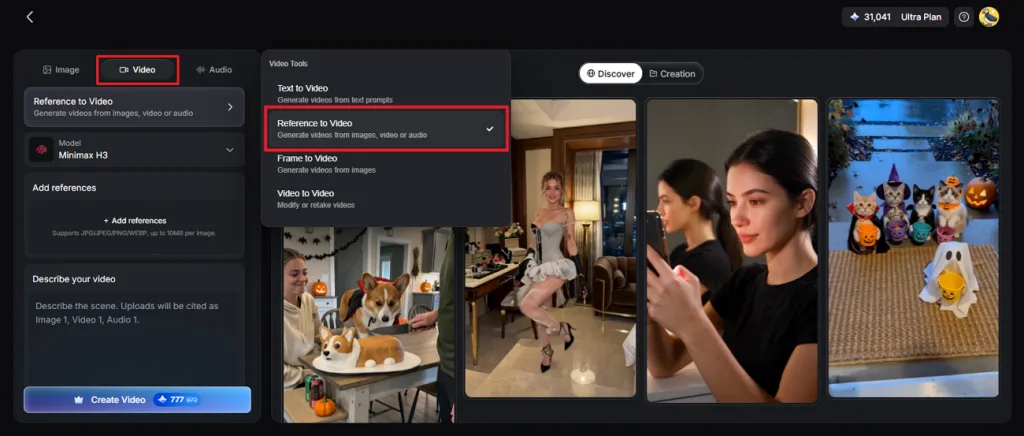
Step 1. Access the Image to Video Tool
Once you enter MagicLight AI, click Toolbox from the main menu. Go to the Video section and select Reference to Video or Frame to Video if you have the first and last frame to get started.
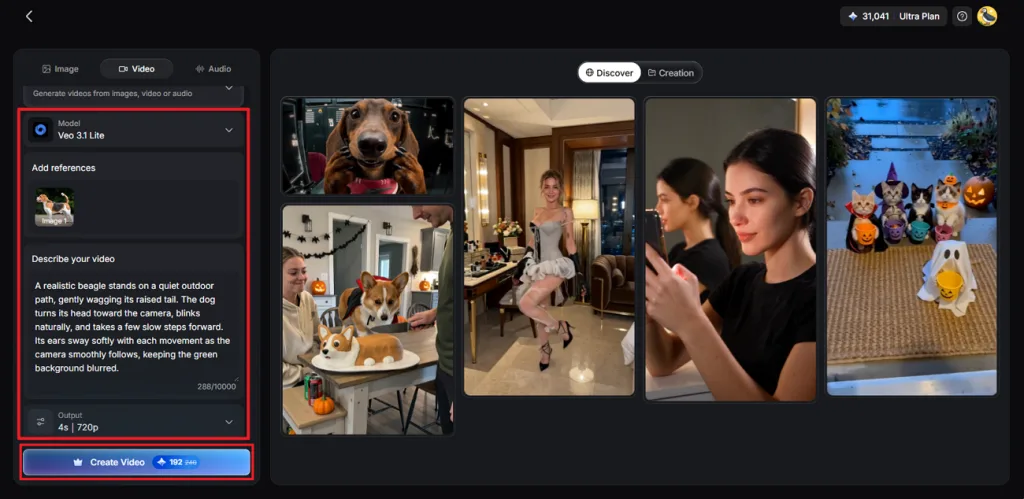
Step 2. Add Your Image and Customize Settings
Import your Midjourney artwork and enter a prompt explaining how the image should move. Next, select an AI Video Model, adjust the Resolution and Duration, and press Create Video.
Step 3. Review and Save the Video
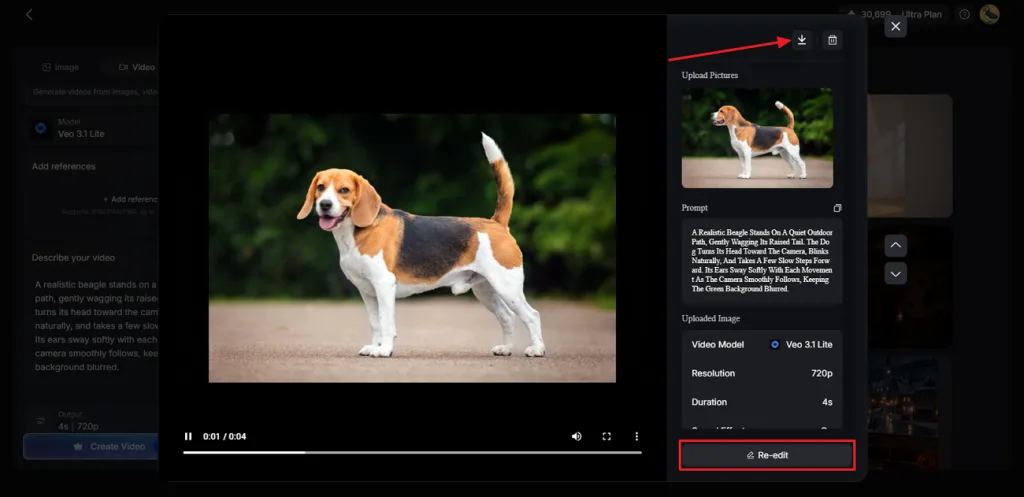
Watch the generated video to see how well the animation matches your original design. Use Re-edit if you want to change anything, or click the Download icon to save the finished clip.
Conclusion
To conclude, Midjourney AI graphic design makes exploring creative ideas easier before starting detailed work. With clear prompts, you can develop posters, logos, social graphics, and branding visuals. You can also refine these designs using your preferred editing software for professional results. For more engaging content, try MagicLight AI to turn your static designs into animated videos.
FAQs About Midjourney for Graphic Design
- Can Midjourney be used for graphic design?
Yes, Midjourney helps designers create posters, logos, social media graphics, and branding concepts. You can explore different visual styles without spending hours developing every idea manually. However, final designs may need additional editing for accurate text and professional printing.
- How do you write effective Midjourney prompts for graphic design?
Start your Midjourney prompt for graphic design by clearly describing the desired result. Include the subject, preferred colors, artistic style, and layout for more accurate visuals. You can also add parameters like --ar and --sref to control visual consistency.
- Is Midjourney good for creating professional design assets?
Midjourney works well for developing professional concepts, backgrounds, illustrations, and creative marketing visuals. Its generated images provide useful starting points for designers working on client projects. However, logos, typography, and print materials often require further adjustments using design software.
- Can you use Midjourney designs for commercial purposes?
Paid Midjourney subscribers generally own their generated images, subject to applicable plan terms. Companies earning over $1 million annually need Pro or Mega plans for ownership. However, commercial usage rights don't automatically guarantee copyright protection for AI-generated artwork.