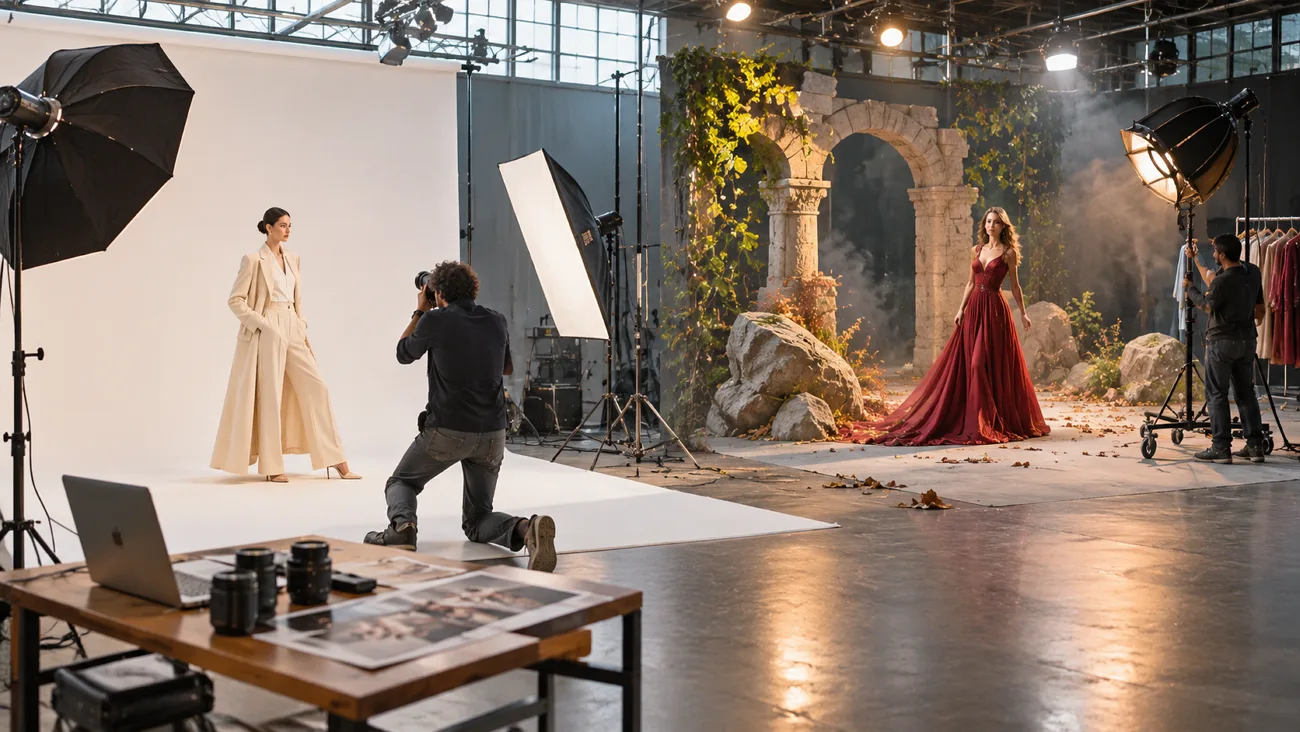
Midjourney has gained attention for creating artistic images with rich colors and beautiful visual details. Its simple web app helps creators explore different styles without needing advanced design skills. Flux takes another approach by giving users more control over realistic images and fine details.
When comparing Midjourney vs. Flux, the differences become clearer through their image quality and features. Both tools have their strengths when it comes to editing images and handling written text. Their pricing and ease of use also play an important part in choosing one.
Part 1. Midjourney vs. Flux: Which One Should You Choose?
A Flux vs. Midjourney comparison goes beyond image quality to explore their main differences. Both tools offer unique features that can make certain creative tasks much easier. Let's compare their strengths and limitations to see which suits your needs better.
Image Quality and Realism
Midjourney creates beautiful artistic images with rich colors that give them a cinematic appearance. Flux focuses on realistic details that make everyday objects look closer to actual photographs. Below are 3 important differences that can help you compare their image quality:
- Default Style: Midjourney produces dramatic lighting and detailed artwork with a strong visual style by default. Its Raw mode helps reduce this effect for a more natural image appearance. Flux supports realistic images alongside creative styles based on the instructions users provide.
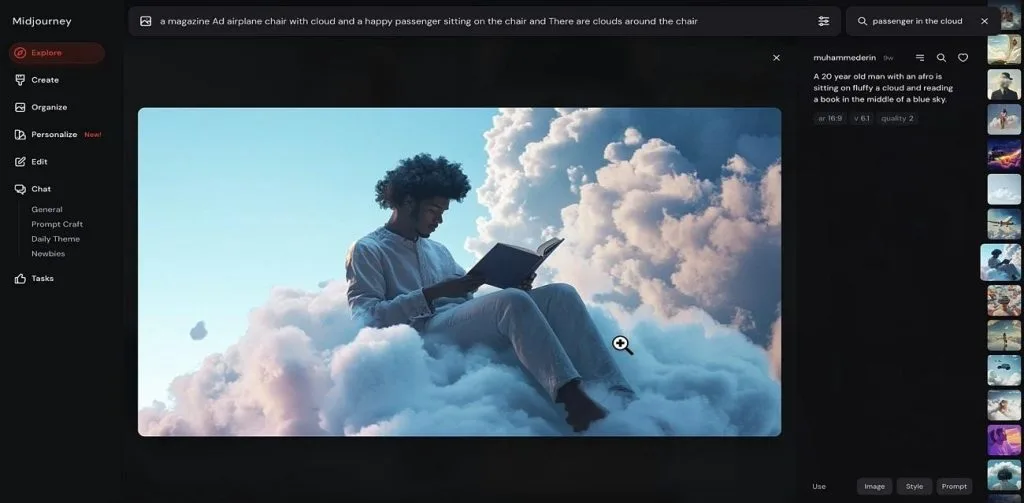
- Photorealism: Flux.2 handles realistic skin textures and natural lighting for portraits and product images. Midjourney can also produce convincing photographs when users adjust their prompts and settings. Neither tool guarantees better results across every subject.
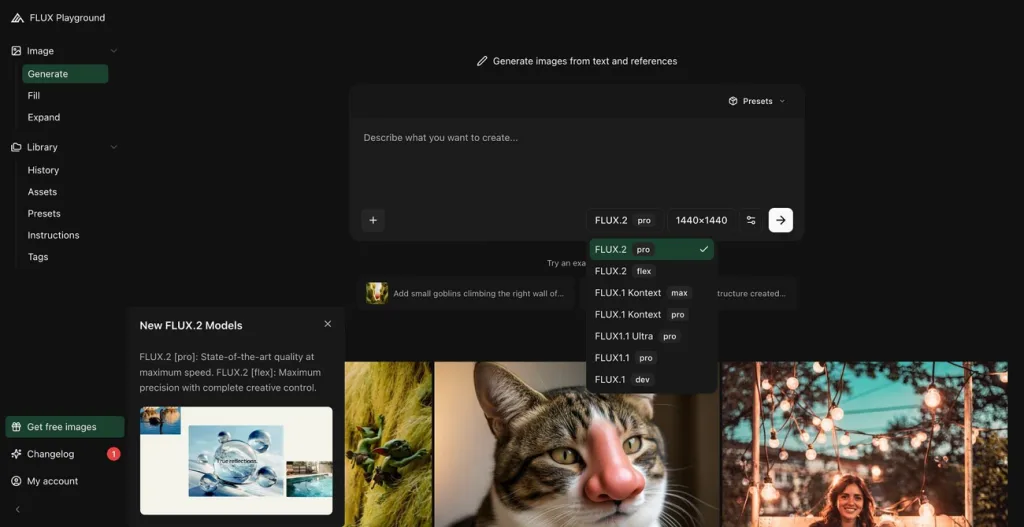
- Resolution: Flux.2 supports image outputs up to four megapixels, while Flux 3 Image supports 4K generation. Midjourney V8.2 generates 2048 × 2048 square images through HD mode. Both provide detailed outputs suitable for digital projects and some printed designs.
Prompt Accuracy and Text Rendering
A good image generator should understand your instructions and show the details you describe. Some tools follow written prompts closely but struggle when images need readable text. The table below compares Flux AI vs Midjourney across 5 important prompt tasks:
| Prompt Task | Midjourney | Flux |
| Long Detailed Prompts | Creative interpretation; may miss details | Strong detail following |
| Structured Prompts | Plain text; prompt parameters | Plain text; JSON controls |
| Exact Brand Colors | Color descriptions; visual references | Hex code color control |
| Short Headlines | Quoted text; best with short phrases | Strong text accuracy |
| Longer Copy | Less reliable for lengthy text | Better support for complex layouts |
Editing and Customization
Both generators let you change existing images without starting your creative work from scratch. Their editing features differ in how much control you have over the final result. Let's explore how Midjourney and Flux handle image editing and personal style settings:
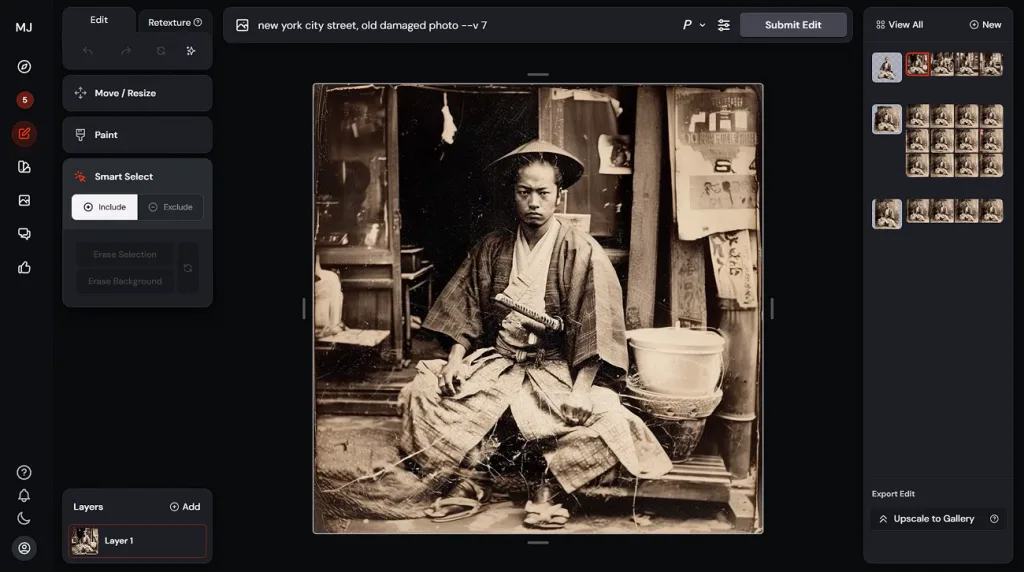
- Midjourney: Its editor lets users change selected areas and adjust the overall appearance of images. Style references and moodboards help maintain a consistent look across different creative projects.
- Flux: Flux.2 supports image editing through prompts and reference images. Flux 3 Image Klein additionally supports spatial editing controls. Both families offer open-weight models, although commercial licensing conditions differ.
Video and Animation
Midjourney turns still images into 5-second videos directly through its web interface and gallery. Each clip can be extended by 4 seconds until it reaches 21 seconds. This feature works well for adding simple movement to artwork and creating short animations.
Flux also supports video generation through its newer FLUX 3 Video model with sound. It can create clips lasting up to 20 seconds using text prompts and images. The video model is available through the Black Forest Labs API for supported users.
Access, Pricing, and Licensing
Midjourney uses subscription plans, whereas Flux offers different payment options based on your chosen model. The Flux vs Midjourney 2026 comparison also covers commercial rights and image privacy settings. Look at the table below to understand their pricing and access differences:
| Aspect | Midjourney | Flux |
| Where It Runs | Web app; Discord | API; Playground; partner apps; local GPUs |
| Free Option | No free plan | Free Klein demo; free local 4B model |
| Paid Entry | Basic plan: $10/month | FLUX.2 Klein 4B API: $0.014/image |
| Billing | Monthly; yearly subscriptions | Pay per image; model-based rates |
| Commercial Use | Paid plans; Pro/Mega above $1M company revenue | API commercial use; Klein 4B under Apache 2.0 |
| Privacy | Public by default; Pro/Mega Stealth Mode | Local image generation; third-party privacy varies |
Ease of Use
Midjourney makes image creation simple through its web app with easy editing features and settings. Beginners can enter a prompt and explore different results without learning complicated tools first. Flux also offers a simple Playground, but local setups need more technical knowledge. Some optimized Flux models run with limited VRAM, although requirements vary by model and configuration.
Final Verdict
Choosing between these tools depends on the type of images you want to create. Midjourney suits artistic projects, whereas Flux gives users more control over realistic image details. See the recommendations below to find which generator matches your creative needs best:
- Choose Midjourney: Its artistic style makes it suitable for illustrations and creative projects needing beautiful visuals. The web interface also helps beginners create images without dealing with complicated technical settings.
- Choose Flux: Its strong prompt understanding makes it useful for realistic product images and text designs. Open-weight models also support local generation for users who want more technical control.
Part 2. Why MagicLight AI Is Another Great Option for AI Image Generation
The Flux AI Image Generator gives creators useful options for producing realistic images with detailed prompts. However, some creators also want a simple way to turn their pictures into videos later.
MagicLight AI offers image generation tools that help users create visuals through simple written instructions. Finished images can become animated clips and story videos using features available within the platform. New users also receive free credits to explore its creative tools without providing payment details.
Key Features of MagicLight AI
- Multi-Engine Generator: One prompt field supports detailed instructions containing up to 500 characters total. Users can create images through different engines without switching between separate platforms.
- Reference Image to Image: Upload up to 10 reference images to guide your next creative design. These pictures help maintain familiar faces and visual details across new scenes.
- Image Models: Choose from 6 image models, including Nano Banana 2.1 and GPT Image 2. Each model offers different creative results based on your selected image settings.
- Animated Stills: Animate stills using 20 AI video models with different motion styles available. Motion prompts support 10000 characters to describe how your images should move.
- Narrated Stories: Turn scripts containing 12000 characters into complete videos using story generation tools. Projects can reach 50 minutes with consistent characters and voiceover throughout scenes.
How to Generate AI Images with MagicLight AI
After comparing Flux vs Midjourney, you can explore MagicLight AI for creating images through simple prompts. Look at the steps below to generate your first image using MagicLight AI:
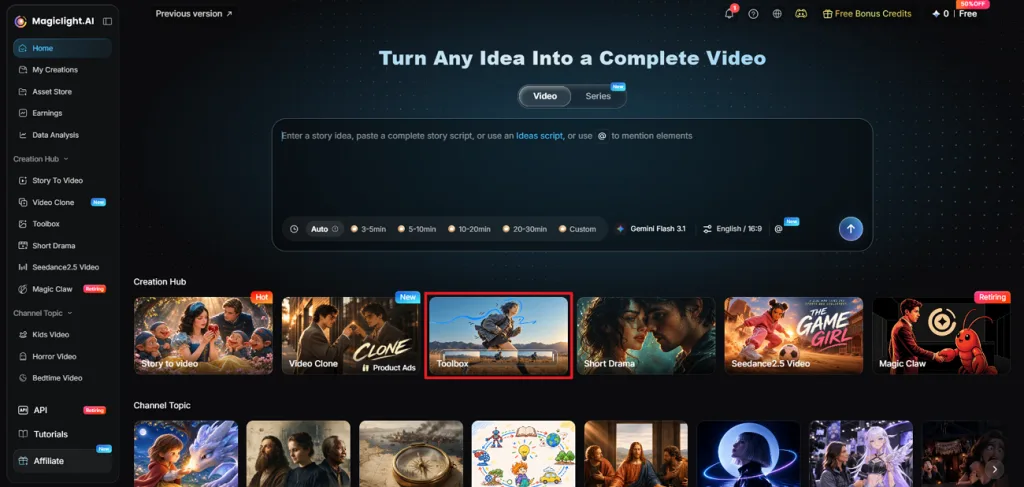
Step 1. Open MagicLight AI Toolbox
Visit MagicLight AI and locate the Toolbox from the dashboard after signing in to your account.
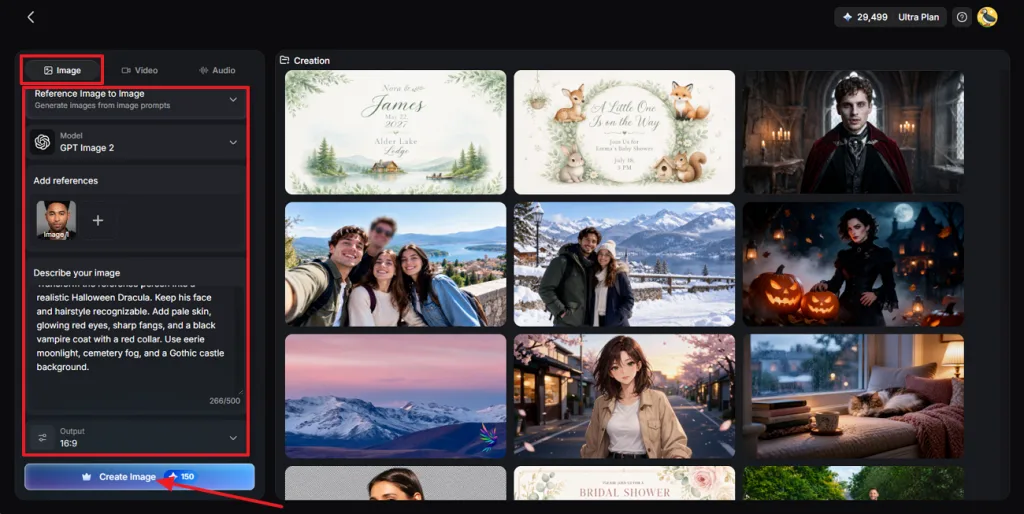
Step 2. Create Your AI Image
Press the Image tab. Start by selecting Text to Image or Reference Image to Image for your project. Add a sample picture when you need the generator to follow an existing design. Type your image description and pick an Image Model that suits your creative needs. Set the Aspect Ratios and press Create Image to start generating your desired visuals.
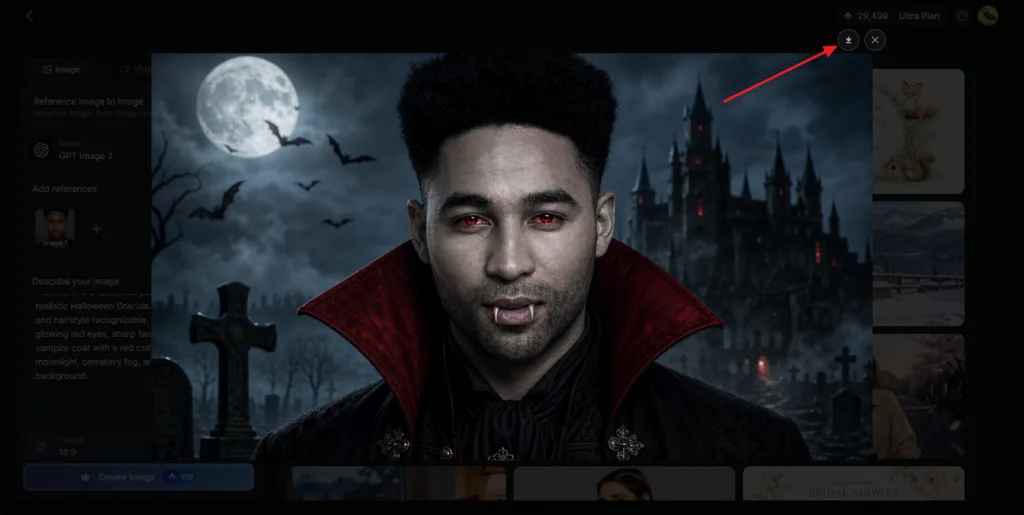
Step 3. Save Your Finished Picture
Check the available results and find the picture that looks closest to your idea. Use the Download icon to store your selected image directly on your device. Try another generation with updated instructions when you want to improve the final result.
Conclusion
To conclude, Midjourney vs Flux shows how both tools serve different creative needs. Midjourney works well for artistic designs with rich colors and beautiful visual details. Flux offers better control over realistic images and accurate text for creative projects. For beginners seeking a simple AI image generator, MagicLight AI is worth trying.
FAQs on Midjourney vs. Flux
- Is Flux better than Midjourney for realistic images?
Flux creates realistic images with natural skin textures and detailed product surfaces easily. Midjourney also produces lifelike results when users adjust its Raw mode and prompts. Your final results depend on the image model and instructions you choose carefully.
- Is Flux AI free to use compared to Midjourney?
The Flux AI vs. Midjourney comparison shows some clear differences in free access. Midjourney requires a paid subscription starting at $10 monthly for generating new images. Some Flux models support free local generation with suitable hardware and technical setup.
- Which AI image generator is better for beginners?
Midjourney offers a simple web interface that helps beginners create images without complications. Flux also provides accessible tools but local installation may require additional technical knowledge. MagicLight AI gives beginners another simple option with different image models and tools.