An indie filmmaker has 2 weeks to turn a sci-fi script into a 60-second festival teaser. With no footage ready, the project needs strong concept visuals before any scenes can move. Midjourney creates those striking frames, while Runway brings selected images to life through video.
The Midjourney vs Runway comparison matters because each tool handles a different creative stage. Some projects depend heavily on polished imagery, while others need motion, editing, and stronger video control. Longer narrated stories can also bring MagicLight AI into the workflow for consistent characters throughout.
Part 1. Midjourney vs Runway: Features, AI Capabilities, and Pricing
Midjourney built its reputation around AI images before expanding into short animated clips. Runway followed a different path, putting video creation first while later expanding its image tools. Let’s compare how those different strengths shape their features, creative control, output, and pricing.
Image Generation
Midjourney puts image creation at the center of its workflow, with V8.2 focused heavily on aesthetics, image quality, and personalization. Runway also offers dedicated image generation through Gen-4 Image, but its image tools sit inside a broader platform built for image and video workflows. The table below compares the main image-generation features available on both platforms:
| Feature | Midjourney | Runway |
| Image Model | V8.2 default image model | Gen-4 Image plus Gen-4 Image Turbo |
| Output Resolution | Up to 2048px with HD | 1080p or 720p |
| Exploring Ideas | Draft Mode for faster, lower-cost experiments | Aesthetic Range, Vary, plus batch generation |
| Consistency Tools | Style References, moodboards, Edit Model references | References for characters, objects, styles, plus scenes |
Video Generation and Editing
Runway offers deeper video production, while Midjourney focuses mainly on animating generated images. The Runway vs Midjourney difference becomes clearer when comparing their core video capabilities.
- Starting Point: Midjourney starts from an image, with motion controls and optional ending frames available. Runway Gen-4.5 supports text-to-video and image-to-video for more flexible starting points.
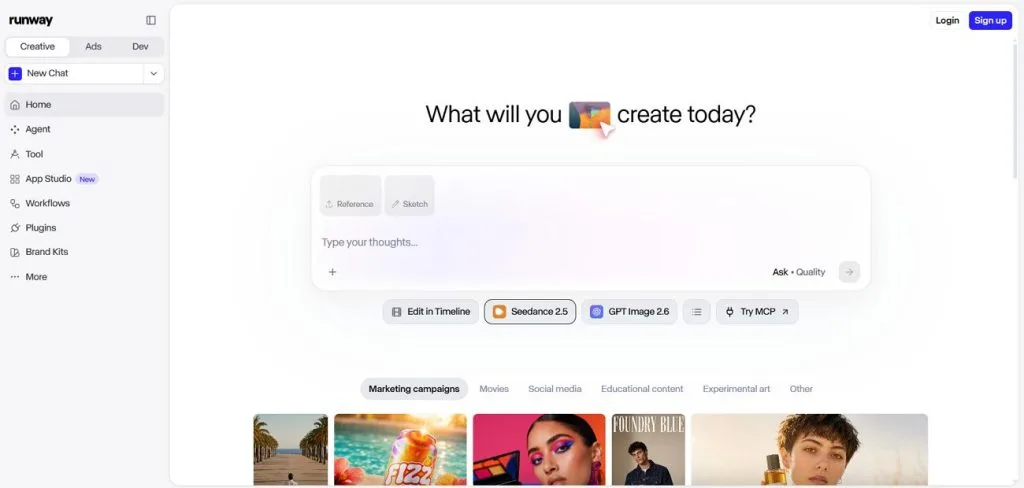
- Clip Length: Midjourney creates 5-second clips that can extend up to 30 seconds in total. Runway Gen-4.5 generates 2-to-10-second clips, while Aleph 2.0 handles longer existing footage.
- Editing Existing Footage: Aleph 2.0 can restyle, relight, replace objects, and modify existing video footage directly. Midjourney lacks comparable footage editing tools because its video workflow starts from images.
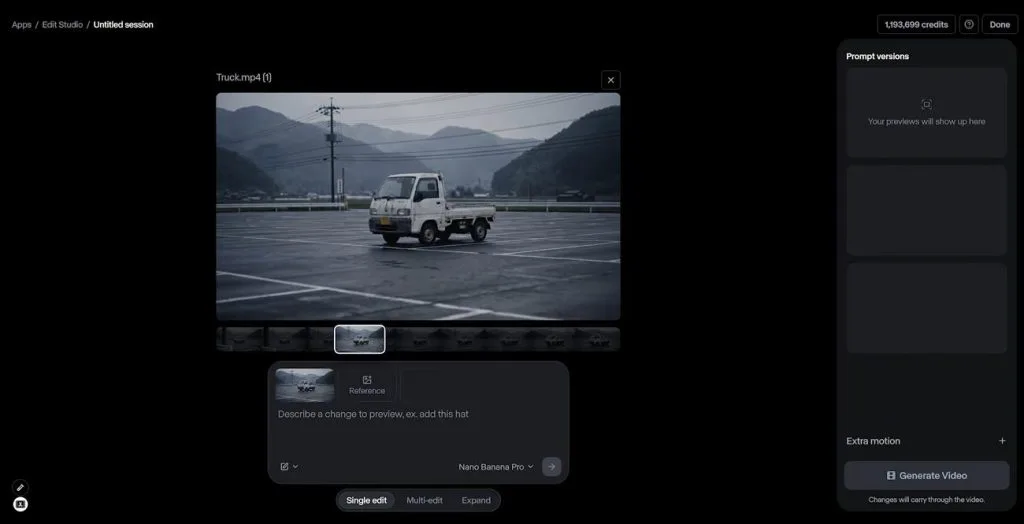
- Performance and Sound: Act-Two transfers facial expressions, speech, and body movements onto characters from recorded performances. Runway includes audio tools, while Midjourney video generation does not currently produce audio.
Image Quality and Visual Styles
Midjourney offers extensive style controls, while the Runway AI video generator connects visual consistency closely with video workflows. Their differences become clearer across illustration, recurring characters, and controlled camera movement. Look at the table below to see which platform holds an edge for each need:
| Style or Need | Midjourney | Runway | Edge |
| Stylized Concept Frames | Style References and Moodboards guide distinctive aesthetics | References can transfer and combine visual styles | Midjourney |
| Anime and Illustration | Niji 7 focuses on anime and Eastern aesthetics | Gen-4 References supports stylized image creation | Midjourney |
| Recurring Characters | V8.2 Edit Model uses up to 4 reference images | References maintain characters across scenes and lighting | Runway |
| Controlled Camera Motion | Motion controls animate generated images | Gen-4.5 supports detailed camera choreography | Runway |
Creative Control and Workflow
Runway gives creators more control over connected production steps, while Midjourney emphasizes visual personalization. These differences become more noticeable when projects require repeated outputs or consistent creative direction. Here is how their workflow tools handle automation, personalization, and final editing:
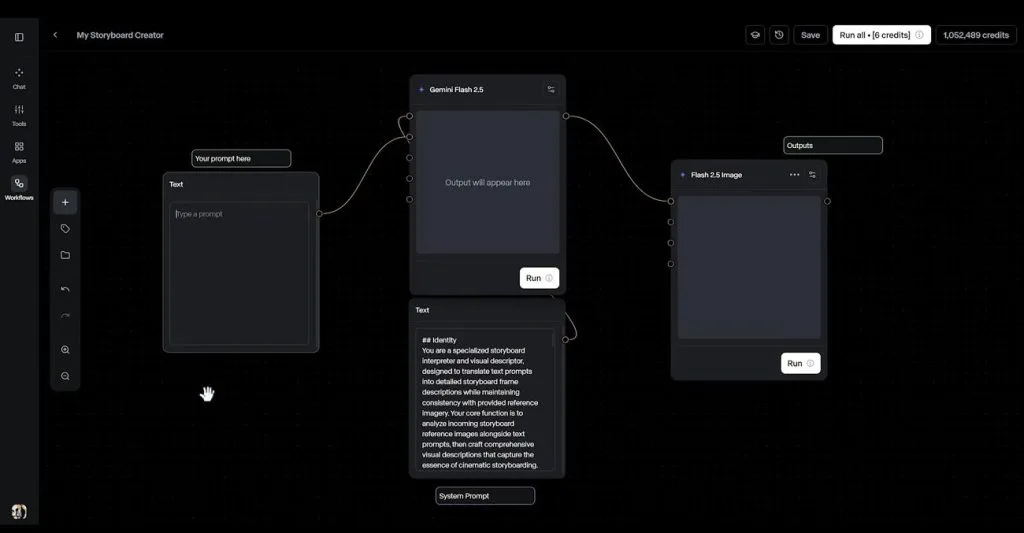
- Node Workflows: Runway Workflows connect models and creative steps through reusable node-based pipelines. Creators can rerun the same workflow with different inputs instead of rebuilding each step.
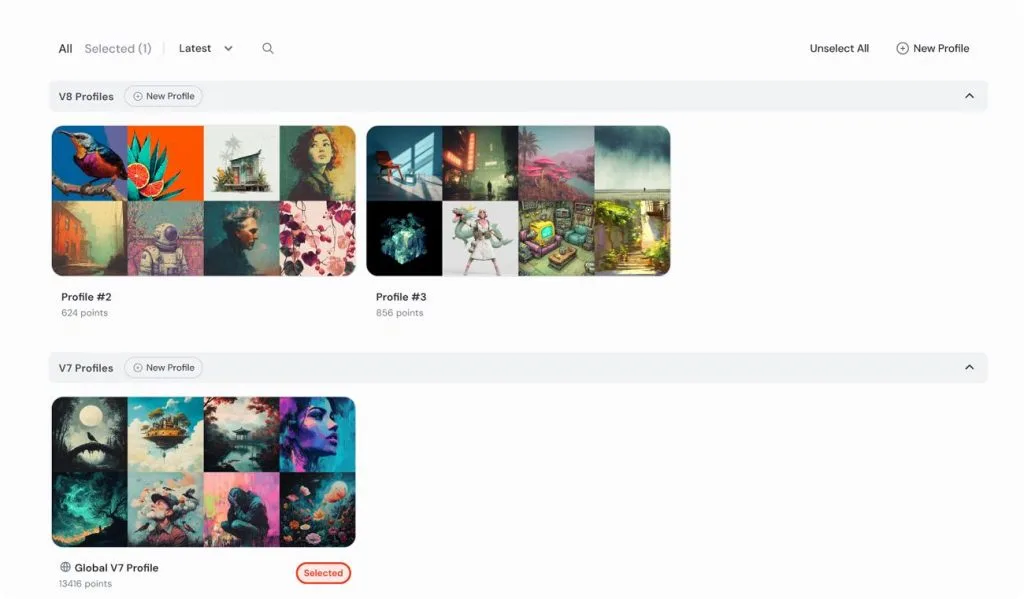
- Taste Memory: Midjourney Personalization builds profiles around images that reflect a creator’s visual preferences. Multiple profiles can preserve different aesthetics for use across future generations.
- Finishing Tools: Runway provides editing tools for refining generated or existing footage within its broader workspace. Midjourney focuses on generating images and short videos rather than providing a full editing timeline.
Pricing and Subscription Plans
Midjourney charges through GPU time, while Runway uses credits across its generative tools. Comparing Midjourney vs. Runway pricing reveals noticeable differences in monthly costs and usage limits. Check the table below for a clear breakdown of their main subscription plans:
| Plan | Price | Included Features | Limitations | Ideal User |
| Midjourney Basic | $10/month | 3.3 Fast GPU hours, SD video | No Relax Mode | Casual creators testing the platform |
| Midjourney Standard | $30/month | 15 Fast GPU hours, unlimited Relax images | No Relax video or Stealth Mode | Regular image and concept creators |
| Midjourney Pro | $60/month | 30 Fast GPU hours, Relax images and SD video, Stealth Mode | Fast GPU time resets monthly | Professional creators and studios |
| Runway Free | $0/month | 125 one-time credits | Credits do not refill monthly | Creators exploring Runway |
| Runway Standard | $15/month | 625 monthly credits, access to Gen-4.5 | Limited monthly credit allowance | Regular video creators |
| Runway Pro | $35/month | 2,250 monthly credits | Unused monthly credits generally expire | Frequent professional creators |
| Runway Max | $95/month | 9,500 monthly credits, ProRes output support | Higher subscription cost | High-volume professional production |
Part 2. Midjourney vs Runway: How Do They Fit Into Real Creative Projects?
Real creative projects often move across multiple tools, with each stage demanding different capabilities. For the filmmaker’s teaser, smooth handoffs between image creation, animation, and editing keep production moving efficiently.
From AI Image Concepts to Video Production
A concept-first workflow can begin in Midjourney, where the visual style takes shape before animation starts. Finalizing the strongest images first also reduces unnecessary video generations once the project moves into Runway. Use the simple steps below to take an AI image concept from a static frame to video:
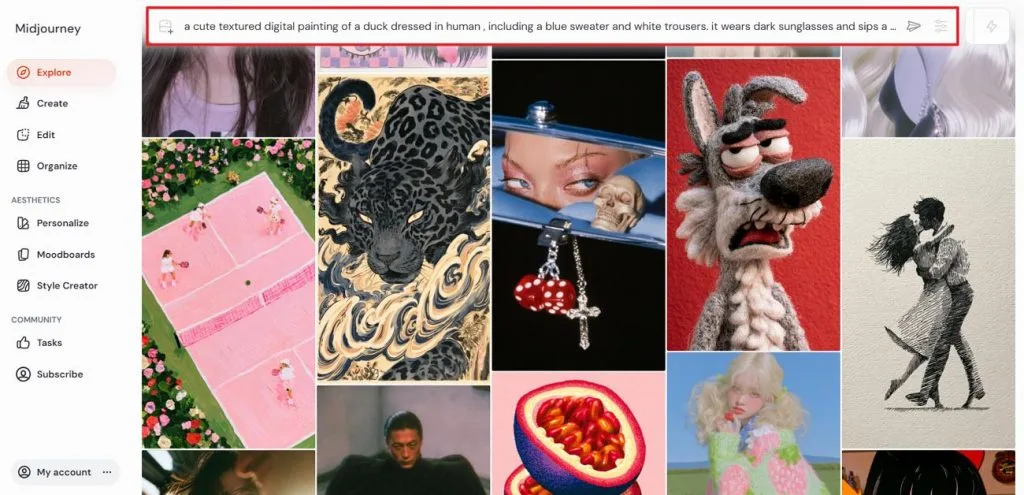
Step 1. Open Midjourney and enter an image prompt describing the scene and visual style you want. Review your prompt for important details, then press the Send button to generate the image.
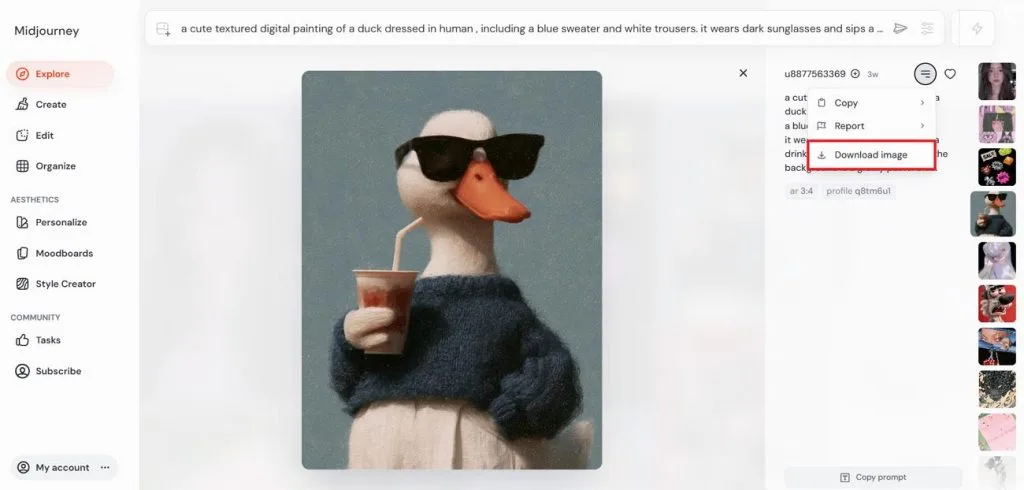
Step 2. Review the generated results and select the image that fits your video concept most closely. Open the chosen result at full size, then press the Download Image button to save it for the next stage.
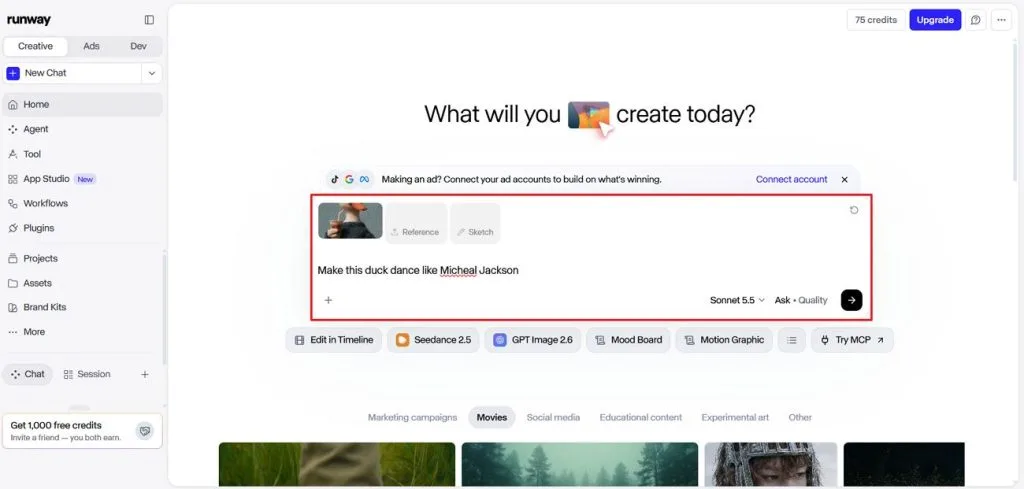
Step 3. Upload the generated image to Runway and enter a video description explaining the movement, action, or camera direction you want. Generate the clip, review the result, and once everything looks right, save the final video to your device.
Creating Social Media and Marketing Content
Social campaigns often need posters, short videos, and multiple creative variations within tight deadlines. Runway vs Midjourney shows how each tool can support different parts of that workload. Let’s explore 3 practical ways to use them for social and marketing content:
- Posters and Key Art: Midjourney creates promotional artwork and campaign visuals in different styles. Multiple results help creators compare ideas before selecting a final direction.
- Vertical Clips: Runway generates vertical video for Reels, TikTok, and other social platforms. Creators can turn existing visuals into short promotional clips for campaigns.
- Batch Variations: Midjourney generates multiple image options from a prompt for faster creative testing. Marketing teams can compare different styles and compositions without starting from scratch.
Combining AI Images and Videos in One Workflow
Using both Standard plans costs $36/month based on annual billing, combining Midjourney at $24/month with Runway at $12/month. Moving Midjourney visuals into Runway still requires downloading and uploading the selected images before continuing with video generation.
Runway can reduce those handoffs by creating still images with Gen-4 Image and References, then moving them directly into its video tools. Midjourney also animates images into short videos within its own platform, making it useful for testing motion before transferring selected visuals elsewhere.
MagicLight AI for Complete AI Storytelling
MagicLight AI brings complete storytelling tools together, reducing the need to switch between platforms. Creators can move from an initial idea toward production without building every element separately. MagicLight Agent guides the creative process while keeping production stages connected inside one workspace.
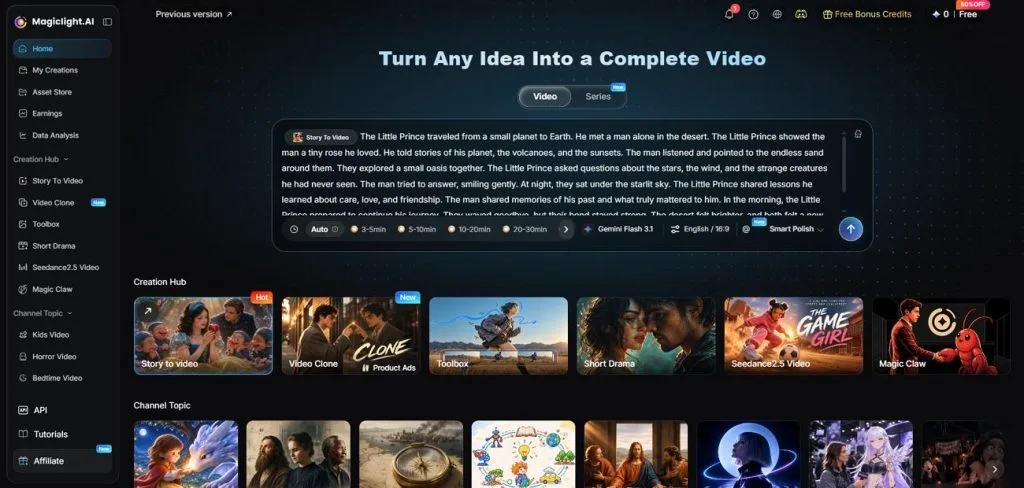
Projects can begin with scripts containing up to 12,000 characters for more detailed story ideas. Its AI character creator builds characters from prompts, then saves each design for reuse. The table below compares how each platform supports different requirements across complete storytelling projects:
| Storytelling Need | Midjourney | Runway | MagicLight AI |
| Video Length | Up to 21-second clips | Agent has no hard overall duration limit | Up to 50-minute videos |
| Script and Planning | No dedicated script workflow | Agent writes scripts, storyboards, and narrative structures | MagicLight Agent plus 16 story models |
| Recurring Characters | Reference-based image editing | References preserve characters across scenes and settings | Saved AI characters can be reused across projects |
| Narration and Sound | No generated audio with video | Voiceover, dialogue, music, and sound effects | 37 voices, 16 subtitle settings, and 40 music tracks |
| Scene-Level Control | Edit Model adjusts still images | Agent and editing tools refine generated or existing footage | Nano Storyboard adjusts clothes, expressions, poses, and prompts |
Conclusion
In conclusion, Midjourney vs Runway comes down to the kind of creative work involved. Midjourney fits projects centered on polished visuals, while Runway takes those ideas further through motion. Using both can create a practical workflow when still concepts need to become videos. For longer narrated stories with recurring characters, MagicLight AI offers a more complete solution.
Frequently Asked Questions
- Which is better, Midjourney or Runway?
Runway vs Midjourney depends on whether your project centers on images or video. Midjourney suits polished visual concepts, while Runway offers broader video production capabilities overall. Using both can make sense when still images need to become moving scenes.
- Is Midjourney better than Runway for AI image generation?
Midjourney remains especially strong for concept art, posters, illustrations, and stylized image creation. Runway handles image generation well, especially when those visuals later become video scenes. Your choice should follow the final format, rather than image quality alone today.
- What is the best alternative to Midjourney and Runway for AI video creation?
MagicLight AI suits creators who want complete storytelling without constantly switching creative platforms. It combines script development, reusable characters, narration, subtitles, music, and video generation. Paid plans begin at $7.50/month with annual billing, making longer projects more accessible.