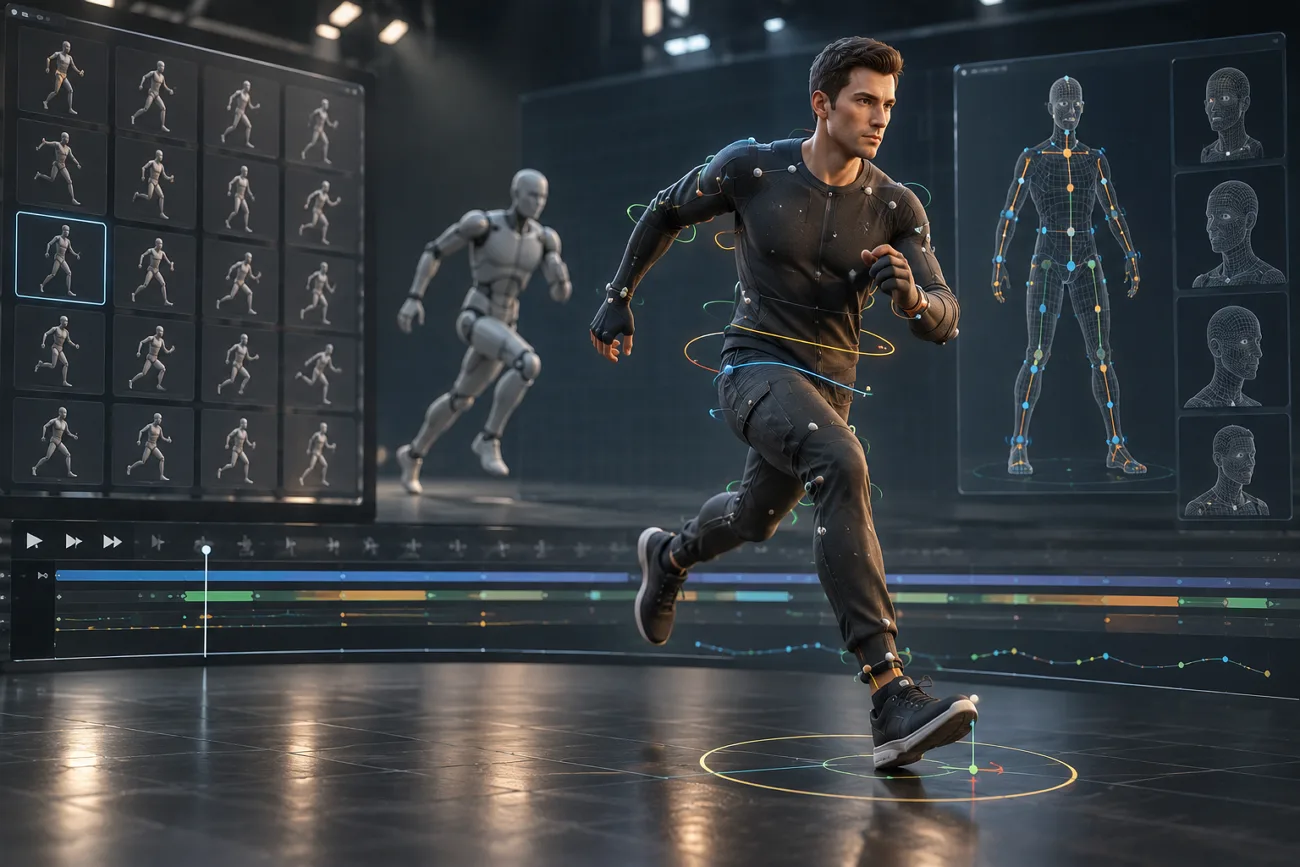
Mixamo remains free with an Adobe ID, offering automatic character rigging and a large library of motion captured animations. Its browser based workflow lets creators rig humanoid characters and apply ready-made movements without manually building complete skeletons.
However, Mixamo primarily focuses on humanoid characters, which can limit creators working with complex rigs or different animation needs. Choosing a capable Mixamo alternative can provide broader rigging, motion capture, and animation options. This guide compares leading alternatives by features, accessibility, rigging capabilities, motion capture, and exports.
Part 1. 10 Best Mixamo Alternatives to Try
Mixamo handles character rigging and motion clips, but other tools take different approaches. These apps, like Mixamo, cover rigging, animation, motion capture, or complete video creation.
1. MagicLight AI
Best For: Creators whose deliverable is a finished video rather than a game-ready asset.
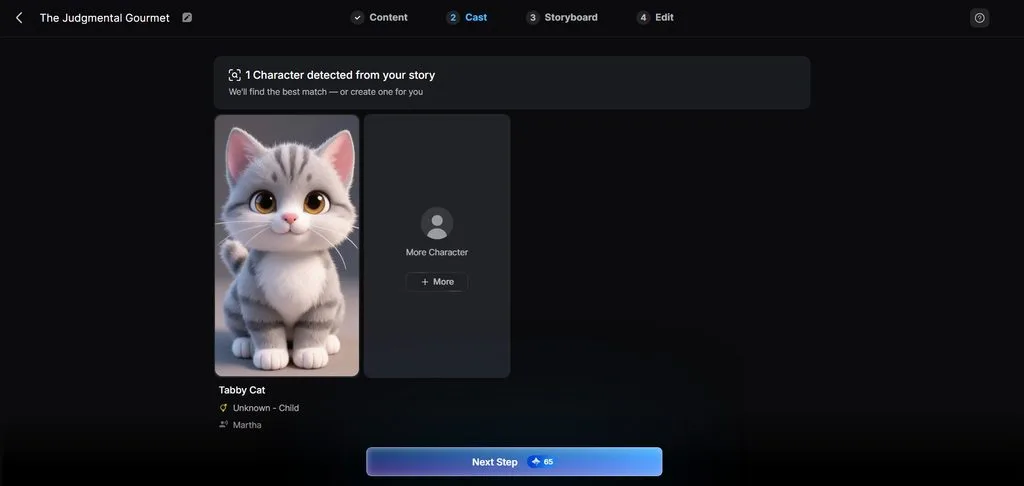
MagicLight AI skips traditional rigging when your final goal is an animated video. Its Story to Video tool turns prompts into complete videos with animated characters. You can enter prompts up to 12,000 characters for longer, detailed story generation.
Depending on your project, generated story videos can run up to 50 minutes. A built-in character library offers 3D characters you can choose for each scene. MagicLight AI handles scenes, character animation, narration, and captions without requiring 3D software knowledge.
Key Features
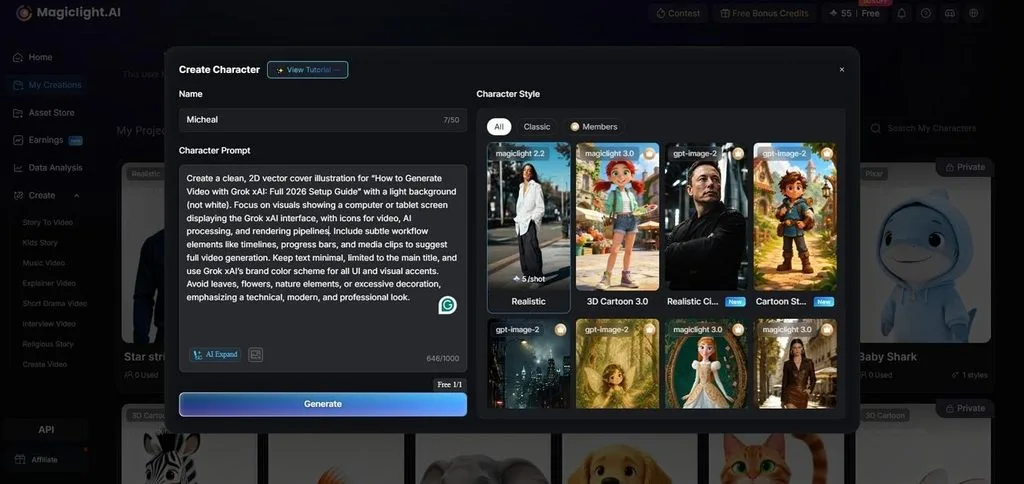
- AI Character Creation: Write prompts up to 1,000 characters or upload your reference images. Create characters from descriptions while keeping their appearance consistent across projects.
- Nano Storyboard: Separate scenes before generation to plan each shot with more control. Adjust wardrobe, expressions, and select from 50 poses for every planned shot.
- Save Characters for Future Use: Store created characters in your library for use across future projects. Keep the same character appearance when creating new stories, scenes, and videos.
- Language Support: Create videos in 11 languages for audiences across different regions. Choose the supported language that matches your story and intended viewers.
- Visual Styles: Select from over 20 presets to give videos your preferred appearance. Keep the selected visual treatment consistent throughout every scene in your video.
User Reviews
- Rosana d' Ávila Uchôa: “I've been creating long-form videos- 16 to 18 minutes in lenght - using MagicLight AI. I really like the videos it produces…”
- Lakshmi Buddhavarapu: “….After a thorough research I found magiclight as a very user-friendly, high quality, intuitive generating and meeting requirement in a platform. I was happy in my choice…..”
- Tracy A. Johnson: “I use MagicLight to create visuals for YouTube videos. It saves time compared with editing everything manually.”
2. DeepMotion
Best For: Indie developers converting reference footage into usable animation data.
It converts ordinary video recordings into 3D animation using its Animate 3D platform. A single camera captures movement, removing the need for suits, markers, or studios. These capture options make DeepMotion better than Mixamo for detailed motion-based animation projects.
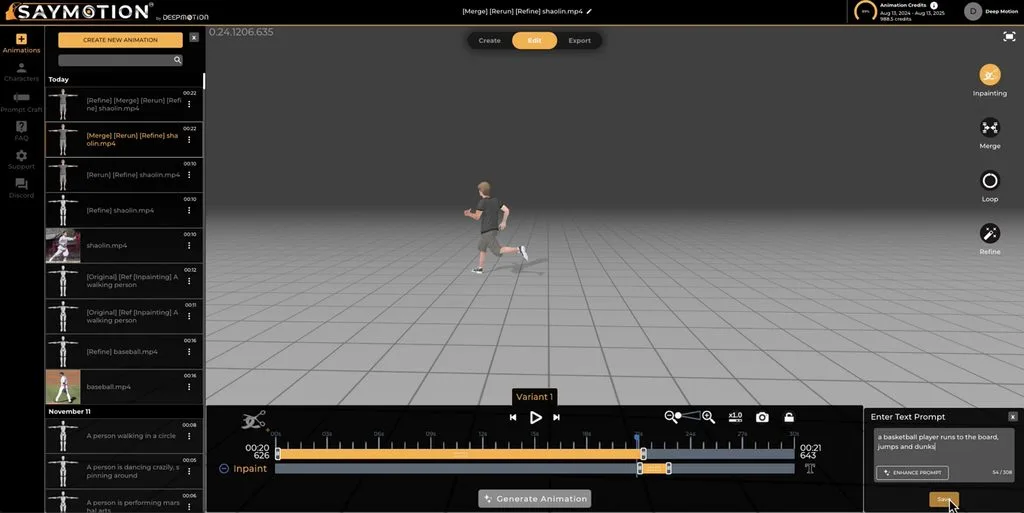
Image alt: video based character motion capture
Key Features
- Tracks body, hand, and facial motion from uploaded video when the corresponding tracking features are enabled.
- Uses physics simulation to improve foot contact and reduce sliding during character movement.
- Retargets captured movement onto custom characters for use across different 3D production pipelines.
User Reviews
- Ayush K.: “Create the terefic Style of Avatars and make 3d avtar is very useful for me.”
- Anonymous: “DeepMotion's animation tech is truly impressive, bringing a level of realism that's outstanding….”
- Tami T.: “there are occasions that it may lack some depth recognition”
3. AccuRIG
Best For: Artists rigging varied humanoid characters that Mixamo may not process.
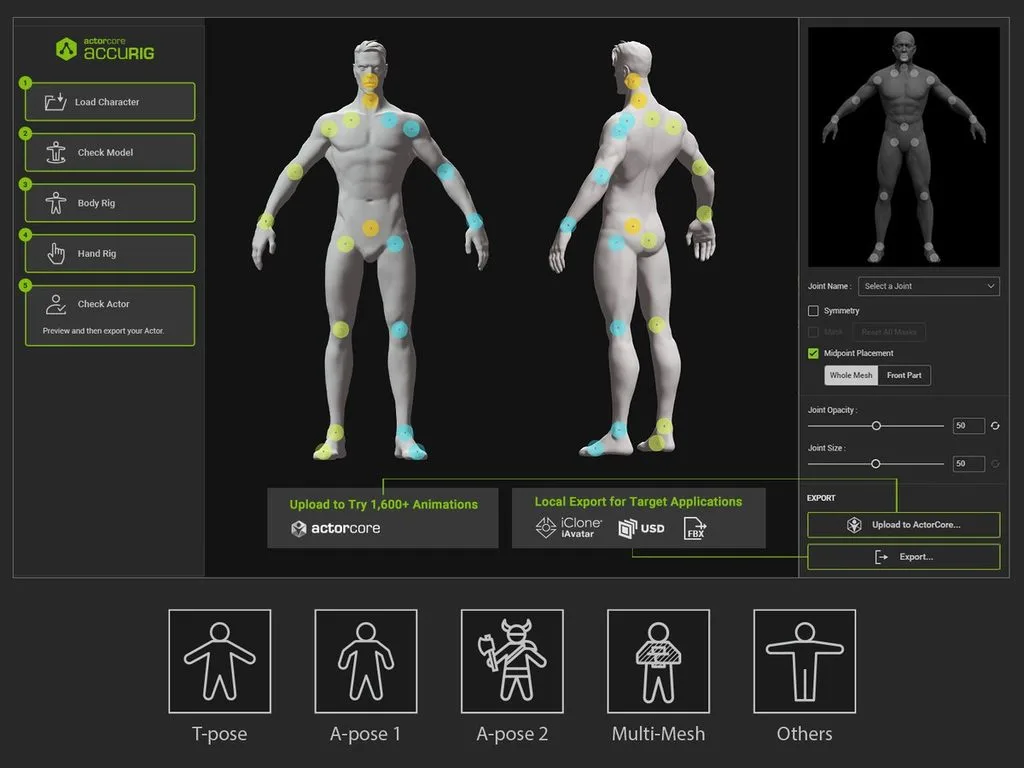
AccuRIG focuses on automatic character rigging and comes free from Reallusion for creators. It supports varied humanoid models and poses, making it a practical alternative to Mixamo. Creators can prepare complex character models for animation without building skeletons by hand.
Key Features
- Accepts A-pose, T-pose, and scanned meshes without requiring manual character repositioning before rigging.
- Processes multi-mesh characters while keeping separate objects intact instead of merging geometry beforehand.
- Sends finished rigs into ActorCore or exports them directly to major 3D applications.
User Reviews
- Sahas P.: “UI/UX sweet enough for ease while using. Great graphics while working with the models.”
- Sahas P.: “Very few individuals in community for problem solving. Limited knowledge resources.”
4. ActorCore
Best For: Studios wanting production-ready motion clips requiring minimal cleanup before use.
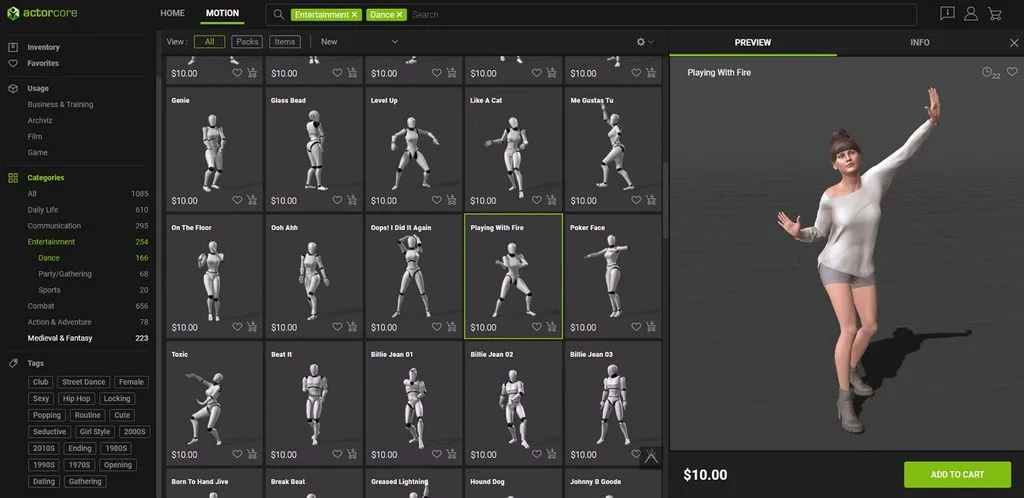
This tool provides production-ready character motions built for professional animation workflows across different industries. As a Mixamo animation alternative, its library reduces cleanup before clips reach production. It belongs to Reallusion’s ecosystem, connecting character preparation with a large motion marketplace.
Key Features
- Covers motion categories for games, films, architectural visualization, combat, sports, and everyday activities.
- Imports characters prepared through AccuRIG without requiring extra conversion or motion retargeting steps.
- Exports animation clips into major game engines and 3D packages for further production.
User Reviews
- AscendedSpidy: “Good set of animations and good pricing…”
- RohrGM: “I haven’t found an easy way to apply all the animations to each model, only by doing retargeting, which is very time-consuming.”
5. Rokoko
Best For: Teams wanting one supplier across free testing and professional capture.
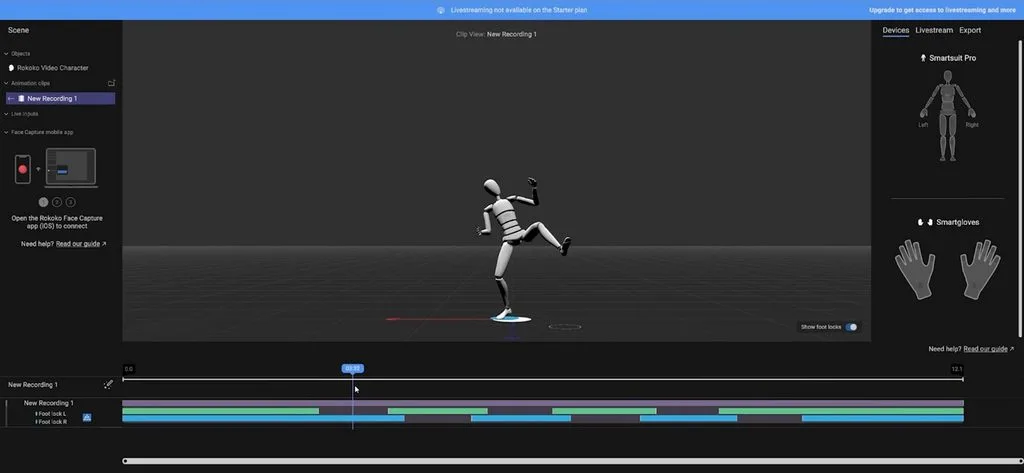
Rokoko combines software and hardware tools within one connected motion capture workflow system. Its setup suits independent animators, game developers, filmmakers, and larger professional production teams. Recorded movement transfers into digital characters for animation across common 3D production environments.
Key Features
- Captures finger movements through Smartgloves, adding detailed hand animation to character performances accurately.
- Face Capture records facial expressions using compatible phones for synchronized character performance animation.
- Rokoko Studio streams captured motion into Blender, Unreal Engine, Unity, Maya, and Cinema4D.
User Reviews
- Lumpy-Passenger2529: “.....It's definetly cheaper than other suits out there….”
- Anonymous: “….The resulting animations are not as precise….”
- Nebula480: “…Never did I think I could act all these scenes and animations out in my living room and just be able to drop them on my character before going to Unreal….”
6. Cascadeur
Best For: Animators keyframing action that has to obey physical rules.
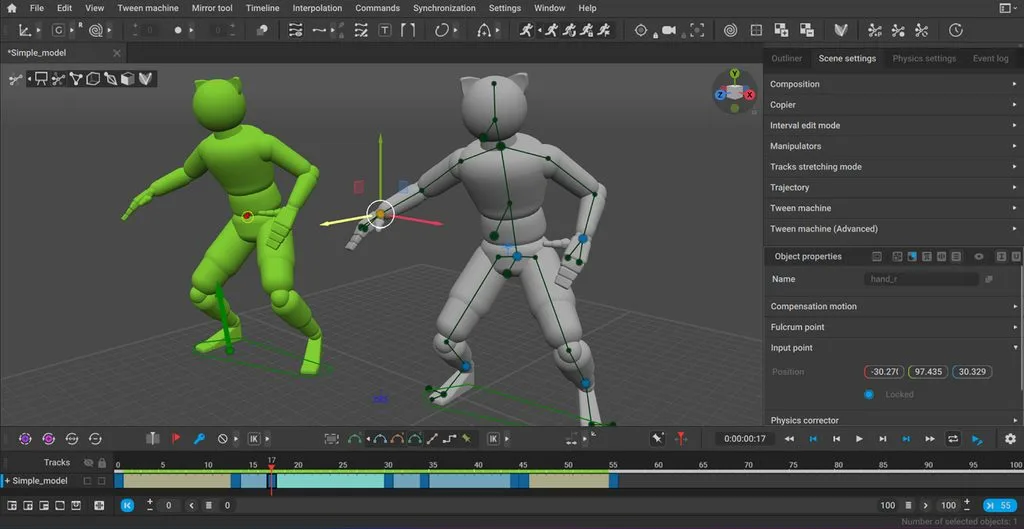
It gives animators direct control over character movement through a keyframe-based animation workflow. Creators seeking free animations like Mixamo can instead build custom movements from scratch. Its approach suits original performances where downloaded motion clips cannot match specific scene requirements.
Key Features
- AutoPosing predicts natural body positions while animators move selected character control points manually.
- AutoPhysics adjusts existing animation using physics while preserving the animator’s original motion intent.
- Animation Unbaking converts baked skeletal motion into editable keyframes for easier animation refinement afterward.
User Reviews
- Deep Dave: “..Having worked on animations in the past, I can only imagine how much time this will save freelance animators and folks in the industry…”
- Vitaly Kilimnik: “..I'm always struggle with animation and this product helps a lot to do them realistic..”
- LookerStudio: “I tried it. Its good, but its really hard to clean the generated motion...”
7. Blender
Best For: Artists willing to trade learning time for complete control.
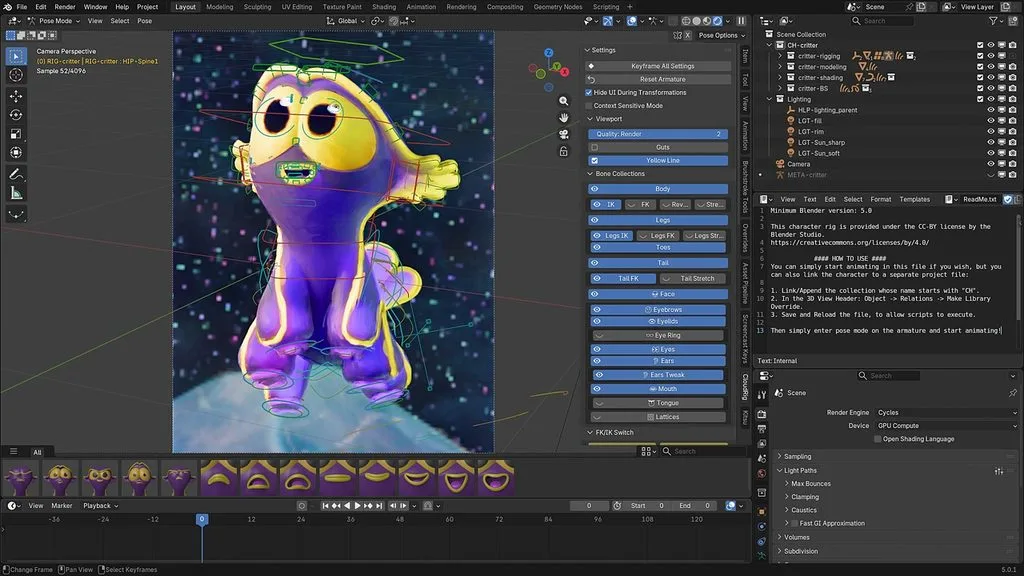
Blender brings character animation, modeling, rendering, and compositing together within one complete workspace. Its open-source setup gives creators full production control without depending on separate animation platforms. The main challenge comes from mastering its deeper workflow rather than paying subscription fees.
Key Features
- Rigify creates humanoid and custom armatures using modular rig components for different characters.
- Graph Editor adjusts animation curves while NLA combines separate actions into layered sequences.
- Motion paths display animated movement visually, helping artists inspect character trajectories across frames.
User Reviews
- Tushar C.: “It’s a power-packed yet simple piece of software. It’s very easy to use...”
- James Waithaka: “Blender being an open free software it has great features...”
- Xinfinte: “I just hate how random and scattered everything is...”
8. Reallusion Character Creator
Best For: Teams needing rigged human characters without sculpting them first.
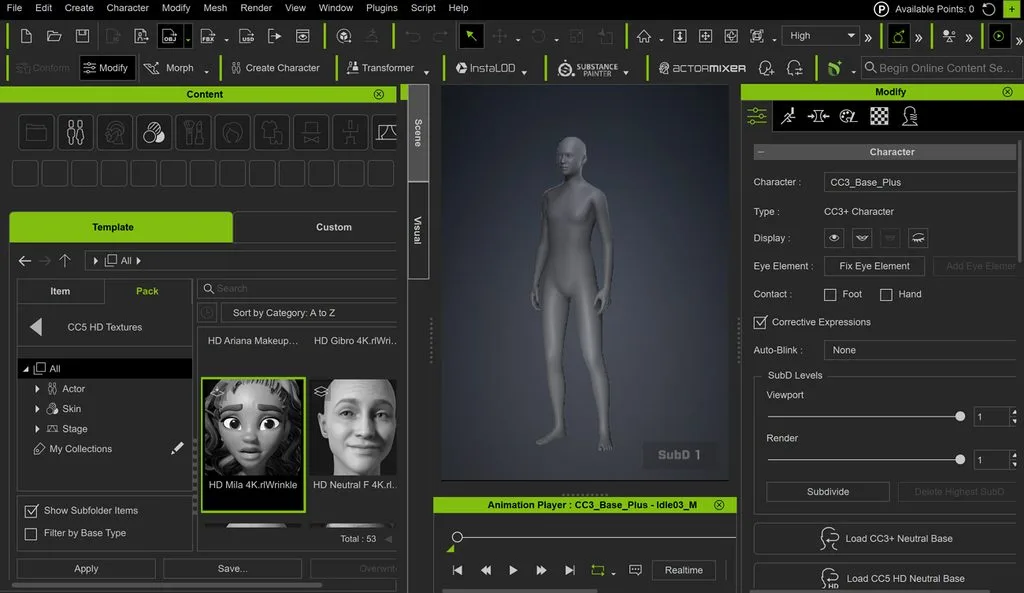
A Mixamo alternative with a free trial that builds detailed digital humans before animation work begins. Characters arrive fully rigged, removing a separate auto-rigging stage from the production workflow. Its creation tools suit artists needing customized characters ready for professional animation projects.
Key Features
- Slider controls reshape skin, clothing, and body proportions without requiring manual mesh modeling.
- Facial profiles support detailed expressions through blendshapes, wrinkle systems, and muscle-based animation controls.
- Characters transfer into iClone, Unreal, Unity, and Blender through dedicated export pipelines.
User Reviews
- Anonymous: “Very easy to create custom characters for beginners...”
- TraumAmnesia: “I love the workflow of the Reallusion suite, everything is designed to be simple.”
- Most-Trainer-8876: “It felt really less customizable... I’m just unable to achieve unique distinct faces...”
9. MoCap Online
Best For: Developers needing dependable motion within one specific category.
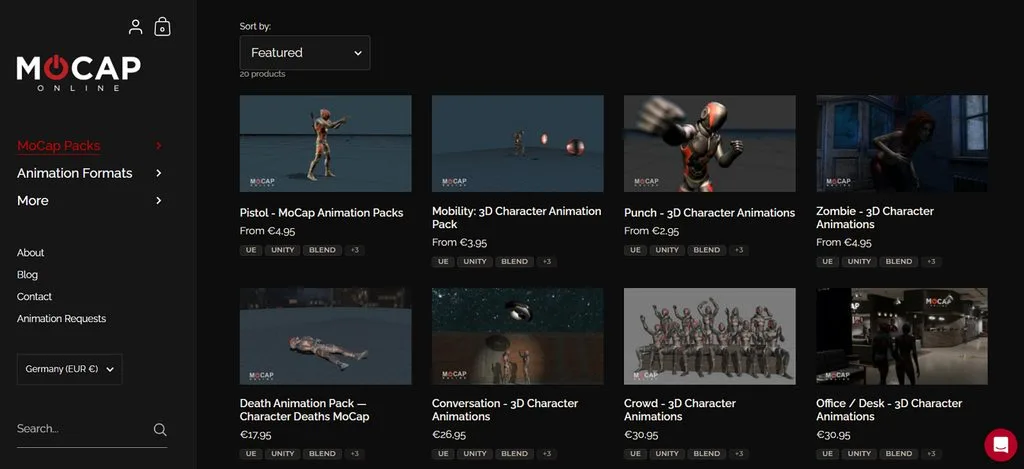
MoCap sells ready-made motion packs created for animators needing dependable character movement. Each collection targets a defined production need instead of offering one massive library. This approach suits projects requiring polished motion assets without recording performances from scratch.
Key Features
- Collections include locomotion, combat, sports, creatures, military actions, and specialized movement sets.
- Animations come cleaned on standardized skeletons, with formats prepared for supported engines and applications.
- Purchased files download permanently, allowing repeated project use without subscriptions or recurring credits.
User Reviews
- maximilian--: “I personally like both... there are some bugs that are noticeable but it’s just for maybe 2 out of the 100+ anims.”
- TheStillio: “The actual quality of the assets for the price look absolutely superb.”
- RendCycle: “MOCAP Online has limited downloads... these game assets are frozen in time.”
10. Meshcapade
Best For: Production teams needing accurate body shape alongside captured motion.
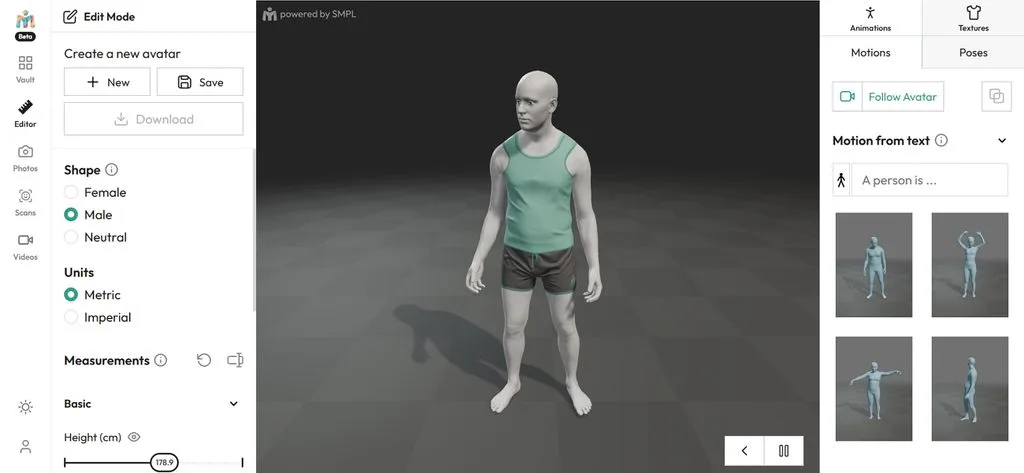
A Mixamo animation alternative, Meshcapade builds digital humans using research-based body modeling technology. It treats body shape and movement separately, giving creators control over character variation. Epic Games acquired Meshcapade in 2026, bringing its technology into broader character workflows.
Key Features
- Captures body and hand movement from standard camera footage without requiring physical markers.
- Parametric models change character physique while preserving the same animation across different bodies.
- Unreal Engine integration transfers captured character data directly into scenes for further production.
User Reviews
- GreenleafVision: “Honestly pretty hyped about this... This democratizes animation without replacing artists…”
- SylvanCreatures: “Meshcapade can capture face, hands and body from an iPhone... meshcapade is state of the art…”
- Rev0verDrive: “Great tool for those that have or can't afford mocap setups. Its output will definitely need hands on refinement…”
Compare All Mixamo Alternatives
Comparing Mixamo similar sites by their core animation purpose makes choosing tools easier. The table below separates rigging, motion capture, and animation libraries for faster comparison decisions:
| Tool | Primary Function | Free Option | Output | Best Suited To |
| MagicLight AI | Animated video from a script | Free plan | Finished video | Video creators |
| DeepMotion | Video to motion capture | Limited minutes | FBX and BVH | Indie developers |
| AccuRIG | Automatic rigging | Fully free | Rigged FBX | Creature and character rigging |
| ActorCore | Motion library | Free samples | Engine-ready clips | Studios avoiding cleanup |
| Rokoko | Capture, free and hardware | Rokoko Video | FBX and BVH | One-supplier pipelines |
| Cascadeur | Physics keyframe animation | Free tier | CASC files only | Hand-keyed action work |
| Blender | Full 3D suite | Fully free | Any format | Artists wanting total control |
| Character Creator | Rigged character generation | Trial only | Rigged characters | Teams skipping sculpting |
| MoCap Online | Curated motion packs | None | Cleaned clips | Specific motion categories |
| Meshcapade | Body models and motion | Limited | Models and motion | Studio production work |
Part 2. Why MagicLight AI Is a Strong Mixamo Alternative
MagicLight AI removes complex 3D production steps when creators need finished animated videos instead. Below are the main reasons MagicLight AI provides a simpler workflow for video-focused projects:
1. Explore 52 Character Styles Across 4 Groups
Character design does not need to begin with modeling a figure from scratch. MagicLight AI includes 52 character styles divided into 4 groups for different visual directions. Creators can match the character appearance with the tone and setting of their story.
2. Keep Characters Consistent Between Scenes
Changing scenes should not mean rebuilding the same character for every new shot. MagicLight AI saves created characters to a personal library for use in later scenes. Their established appearance remains consistent when the story moves between locations and situations.
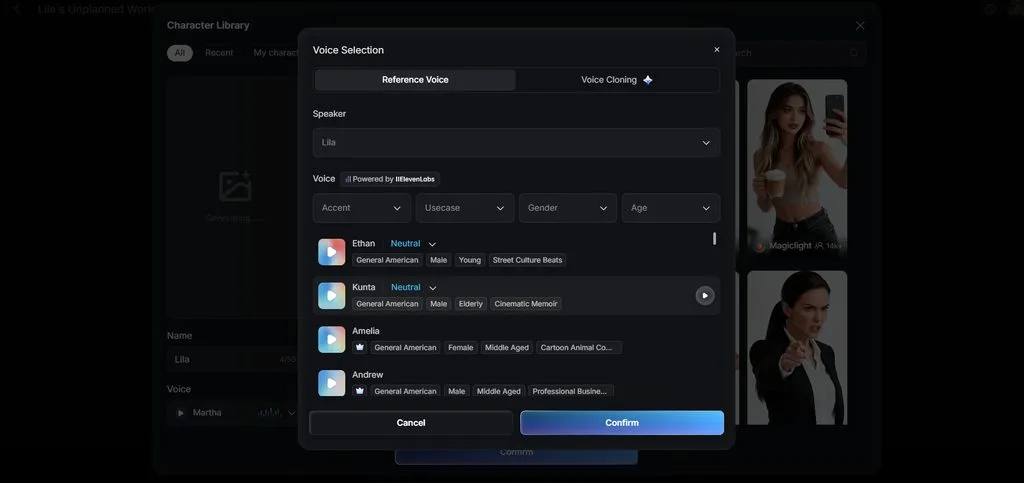
3. Add Voices and Captions Inside the Same Workflow
Character movement alone does not produce a complete video ready for viewers. MagicLight AI includes 37 voice options, voice cloning, and 16 caption styles. These tools let creators handle dialogue and on-screen text without switching between separate platforms.
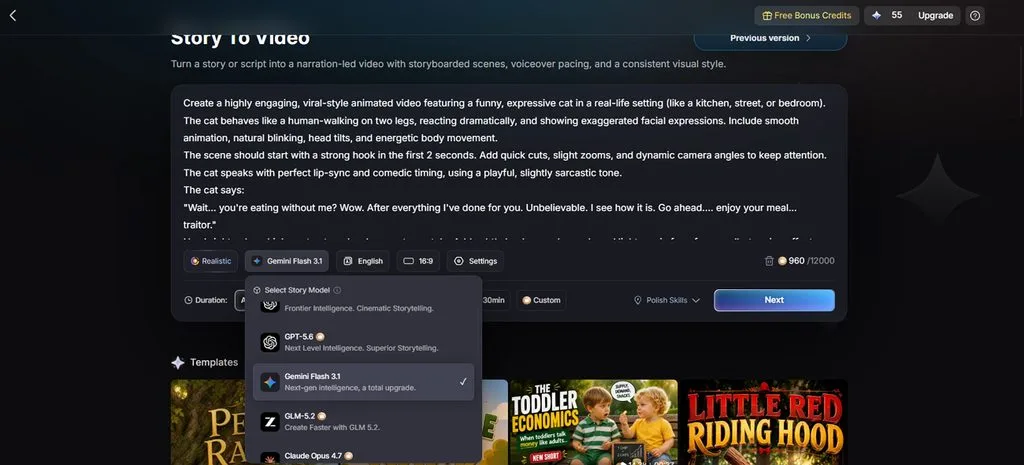
4. Build Stories With 14 Different Models
Story generation can require different models depending on the content and creative direction. MagicLight AI gives creators 14 story models to choose from before building their video. Available choices include Gemini Flash 3.1, GPT-6 Astra, and other supported models.
Conclusion
The right Mixamo alternative depends on your animation needs. AccuRIG handles character rigging, while ActorCore and MoCap Online provide readymade motions. DeepMotion and Rokoko focus on motion capture, while Blender offers greater control across animation workflows. For creators who prefer finished animated videos without complex 3D production, MagicLight AI provides a simpler approach from concept to final video.
FAQs on Mixamo Alternative
1. What is the best Mixamo alternative for AI character animation?
MagicLight AI provides character animation without requiring creators to build complex 3D pipelines. It is a Mixamo alternative free option without rigging, retargeting, or manual engine imports.
2. Which Mixamo alternative is best for automatic rigging?
AccuRIG provides automatic character rigging for A-pose, T-pose, scanned, and non-humanoid character models. It offers a direct replacement when Mixamo cannot process certain character structures correctly.
3. What tools can replace Mixamo for motion capture?
DeepMotion and Rokoko capture perform motion capture from ordinary video without dedicated motion-capture hardware. Other sites like Mixamo, including ActorCore, provide prepared motions instead of recording performances.
4. Can I turn a character into a complete animated video?
MagicLight AI turns created characters into complete animated videos within one connected workflow. Projects can include narration, captions, and videos reaching up to 50 minutes long.
5. Which Mixamo alternative is easiest for creators who don't want complex 3D software?
MagicLight AI runs through a browser and starts video creation from written scripts. As a free Mixamo alternative, it avoids rigging, engine imports, and software installation.


![How to Make a Reaction Video with AI Tool [Guide 2026]](https://magiclight.ai/wp-2/wp-content/uploads/ai-faceless-reaction-video-guide-300x169.webp)