Most AI video tools generate a silent clip first, then bolt on a voiceover or soundtrack afterward. Ovi AI takes a different route and creates naturally synchronized dialogue and lip movements simultaneously. It generates video and audio together in one pass, keeping speech and visuals naturally aligned.
This review assesses Ovi AI's real capabilities, practical limitations, and suitability for different video projects. Moreover, it also identifies when a better alternative is the more practical choice.
Part 1. What Is Ovi AI?
This is an open-source video generation model from Character.AI that creates synchronized audio and visuals. Ovi AI works best for creating short dialogue scenes instead of long, complex video projects. The current version creates clips up to 10 seconds with 960 x 960 resolution plus synchronized audio output. You can access it through hosted platforms, GitHub, Hugging Face, or free online demos easily.
However, longer storytelling remains limited because clips stay short by design for focused scenes only today. This makes Ovi AI video generator suitable for quick character-focused video creation rather than complete long-form projects.
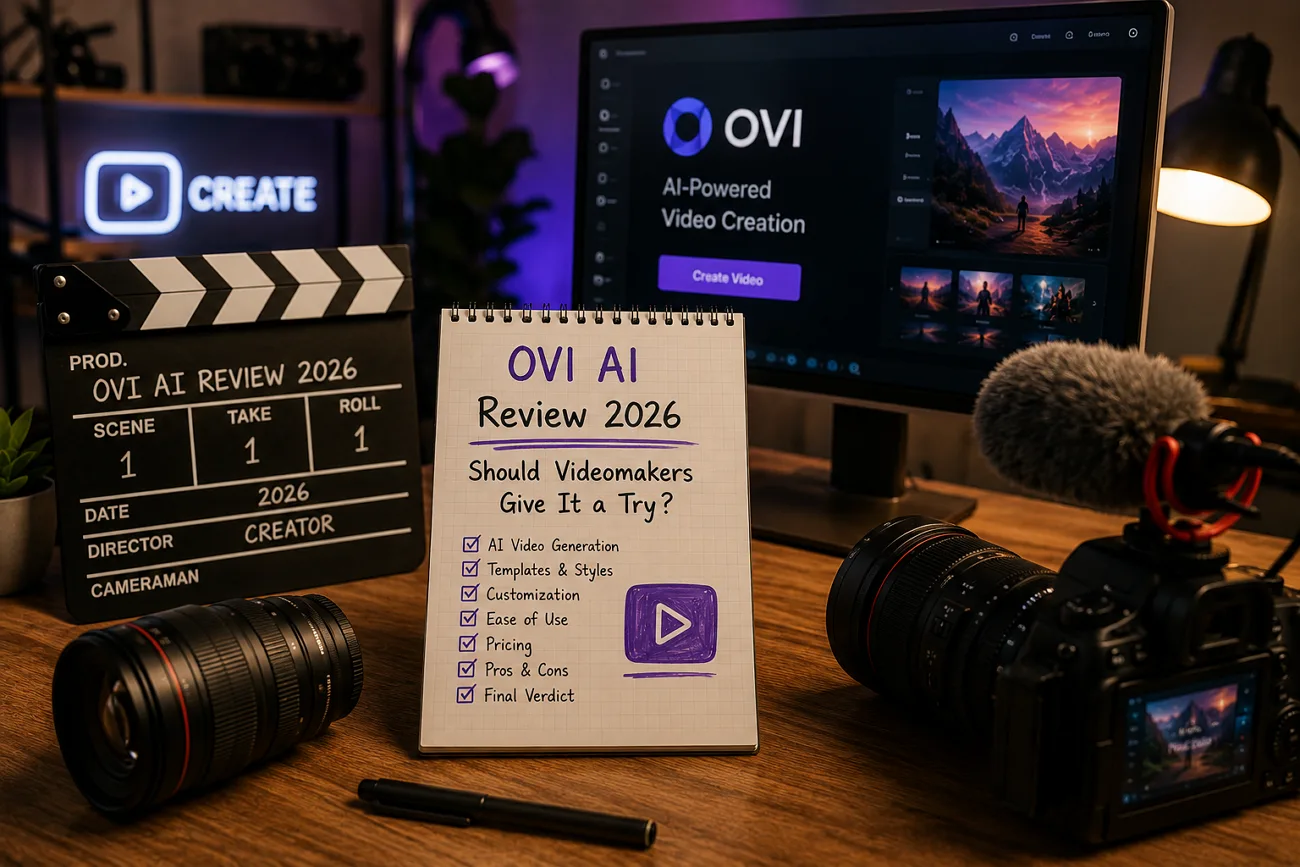
Core Key Features
- Generates synchronized video, dialogue, sound effects, and lip movements together in one generation process.
- Supports image-to-video generation by automatically animating reference images with synchronized audio.
- Creates videos featuring multiple speakers, synchronized dialogue, sound effects, and background audio together.
- Simulates realistic physical movements including flowing hair, clothing, and background fluid dynamics.
Pros
- Synchronized audio and video create more natural character scenes automatically.
- Realistic lip movements improve dialogue quality in character-focused videos consistently.
- Open-source model allows free self-hosting on compatible hardware without subscriptions.
- Free demos make it easy to test Ovi AI before larger video projects.
Cons
- Short 10-second clip limit restricts longer storytelling and continuous scenes.
- No official app creates inconsistent experiences across hosted platforms.
- Ovi AI model requires technical setup and powerful GPU hardware.
- Missing production tools limit complete video creation workflows for beginners.
Part 2. How to Use Ovi AI?
Ovi AI is a model rather than one fixed app, so the exact interface changes depending on where it is hosted. Here is how to create a video with Ovi AI:
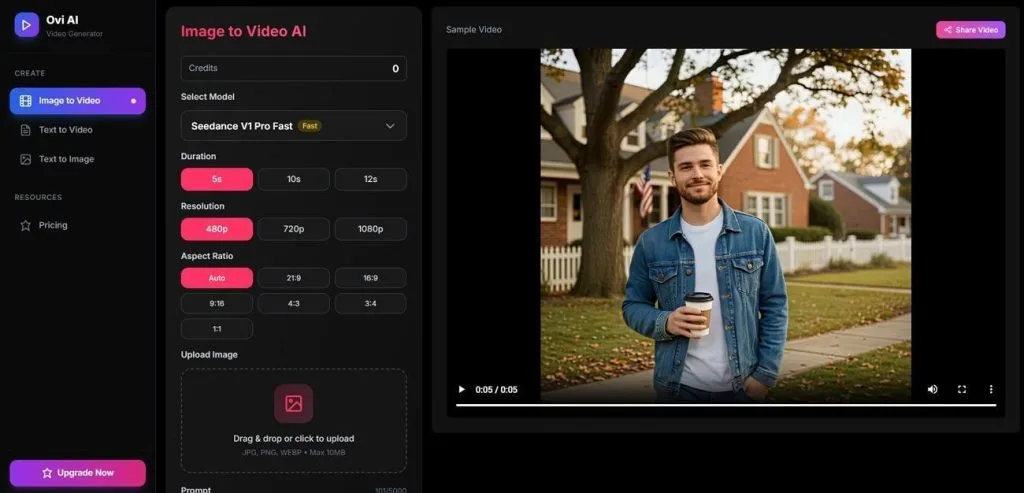
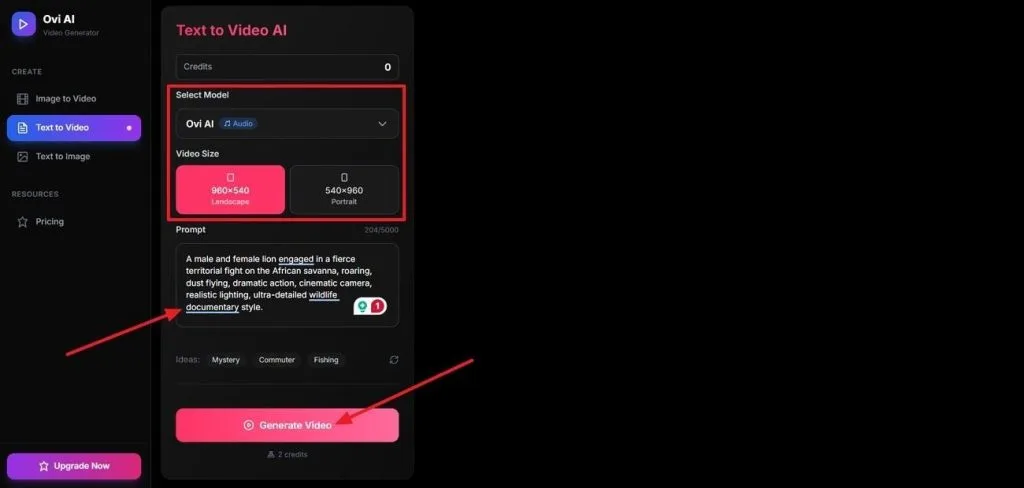
Step 1. First, access the Ovi AI web platform and choose the text-to-video or image-to-video mode. Next, choose the Ovi AI model, select Video Size, and enter the video prompt. Once done, press Generate Video.
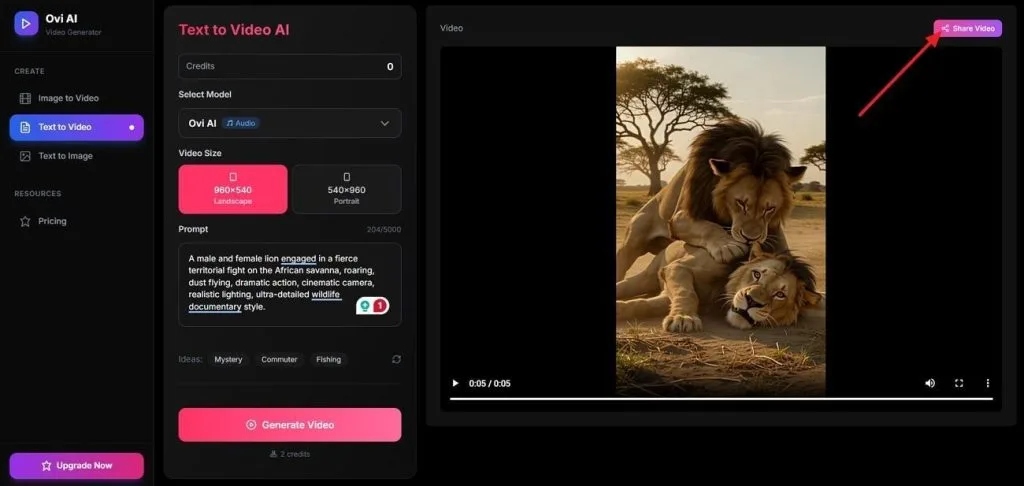
Step 2. Once the video is generated, either save it directly or press the Share Video button to share it across multiple platforms.
Part 3. Best Alternative to Ovi AI for Video Creation
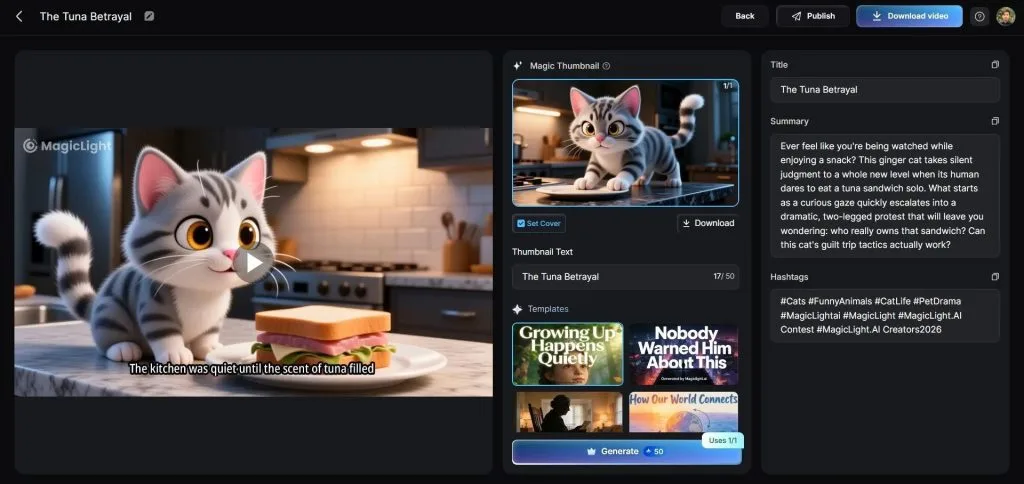
Ovi AI free creates only short videos, making longer storytelling difficult for most creators today. Users also handle editing, planning, and combining multiple clips into complete videos themselves manually. Limited creative controls and fragmented workflows encourage many users to explore more complete video creation platforms. This is where MagicLight AI comes in, offering a complete video creation workflow from one platform.
It creates consistent characters from simple text prompts describing appearance, clothing, expressions, and style. You can choose from 37 voice options or clone your own voice naturally. Simple natural prompts control actions, camera movements, and scene energy without complex scripting knowledge required. These features make MagicLight AI the best Ovi AI alternative for complete AI video creation today.
Core Advantages & Key Features of MagicLight AI
- Long-Form Video Support: Generates videos up to 50 minutes using prompts of up to 12,000 characters. Create complete stories without joining multiple short clips together manually.
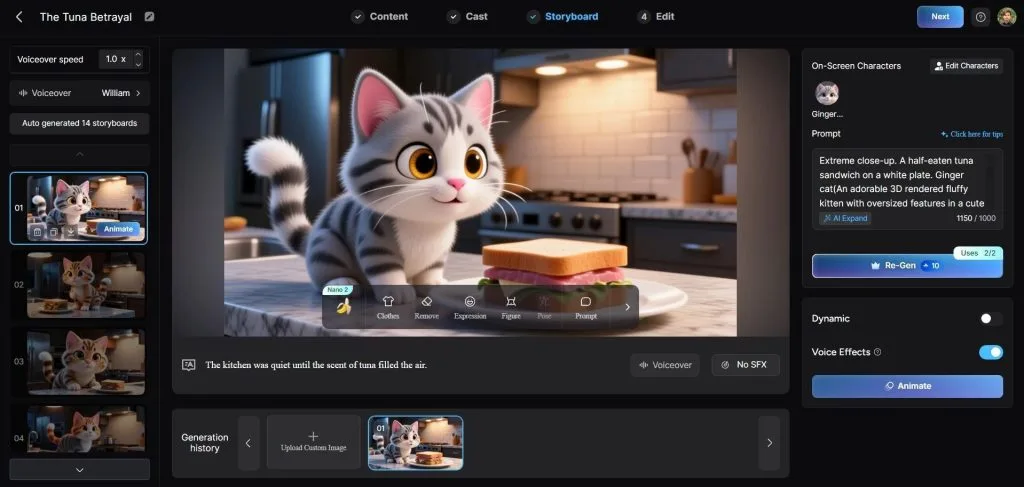
- Nano Storyboard Editing: Breaks every scene into editable steps with 50 poses and timing adjustments. Fine-tune character actions, expressions, and scene flow before final generation.
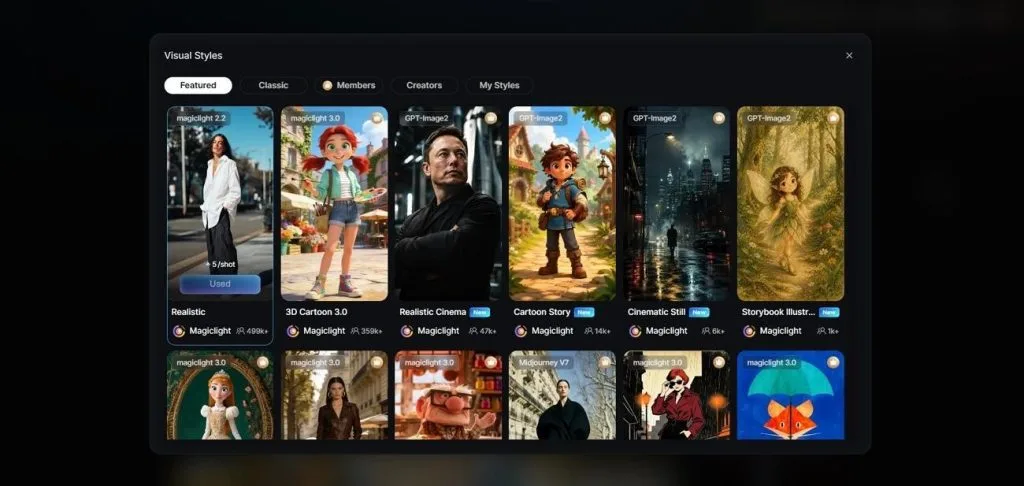
- Custom Visual Styles: Create videos using 20+ visual styles, from realistic and anime to 3D cartoon and watercolor. Match your video's appearance with different creative styles and moods.
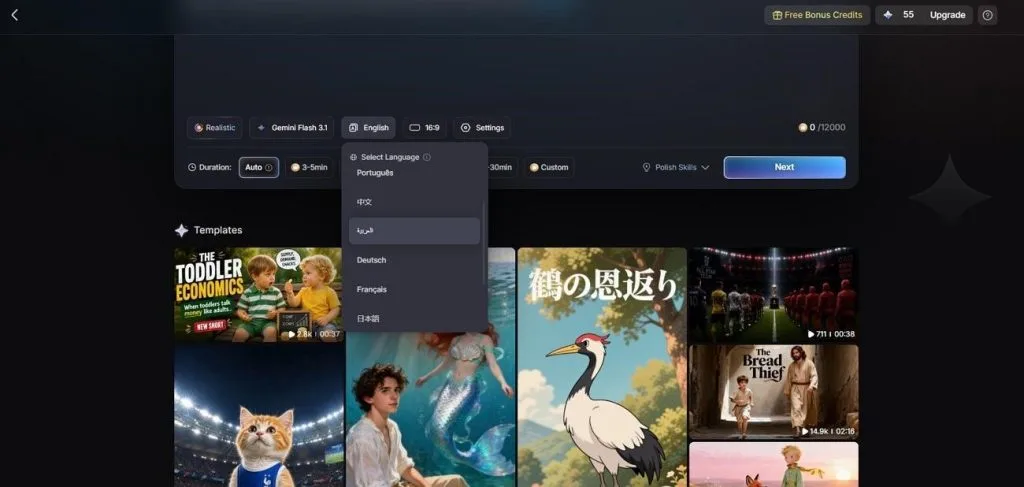
- Multilingual Projects: Produces the same video in 11 languages without rebuilding it from scratch. Reach global audiences while keeping the original story structure unchanged.
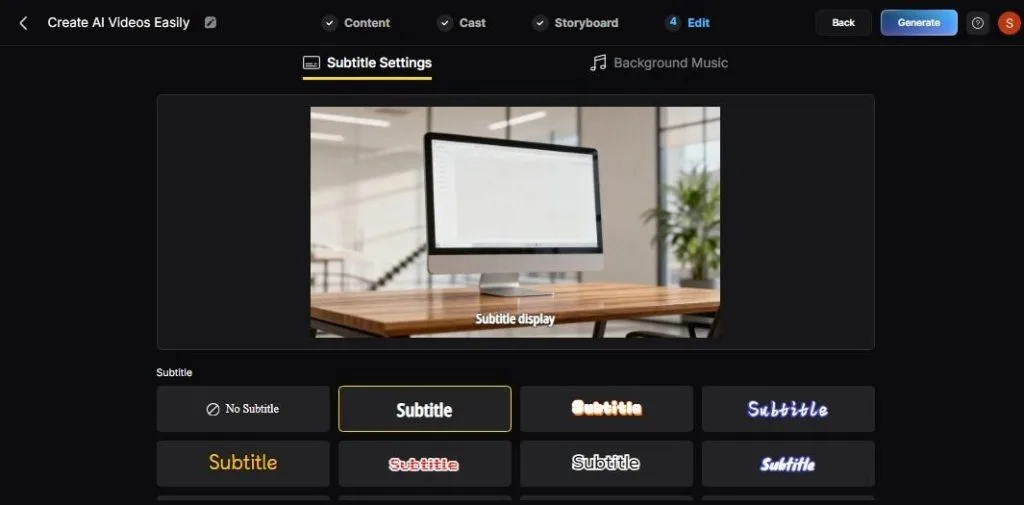
- Subtitle Customization: Add subtitles using 16 different styles to match various video themes and audience preferences. Customize caption appearances to make dialogue clearer and improve viewing experience.
Part 4. Comparison Table Between Ovi AI and MagicLight AI
The Ovi AI video generator and MagicLight AI offer different features for creators with different production needs. With such different approaches to video generation, the two tools are easiest to weigh side by side:
| Feature | Ovi AI | MagicLight AI |
| Primary Focus | Open-source AI model for synchronized audio and video generation | End-to-end AI video platform for creating complete story videos |
| Max Video Length | Up to 10 seconds per generated clip | Long-form videos up to 50 minutes |
| Visual Styles | Realistic character-focused video generation | 20+ visual styles, including realistic, anime, Pixar-inspired, and 3D cartoon |
| Input Types | Text prompts and reference images | Text prompts, scripts, and images for image-to-video generation |
| Editing Features | Prompt-based regeneration for new outputs | Nano Storyboard editing with 50 poses, expressions, and scene adjustments |
| Pricing | Free open-source model with paid services; $28.9/40 credits | Free starter credits with paid plans from $12/month |
| Best Suited For | Short dialogue scenes, expressive characters, and research projects | Story videos, YouTube content, explainers, kids' stories, and long-form productions |
Part 5. FAQs on Ovi AI
1. Is Ovi AI free to use?
Yes, a hosted demo lets you use Ovi AI without signup or payment for free. The Ovi AI model is open-source and can be downloaded and run for free with compatible hardware. Some third-party API providers charge a small fee per generation for higher-volume access.
2. What videos can Ovi AI create?
Ovi AI Free creates short dialogue videos, conversations, and character scenes where accurate lip-sync and natural audio matter most. It generates clips up to 10 seconds long from a text prompt or a single reference image.
3. What is the best alternative to Ovi AI?
For creators who want a finished, long-form video instead of a short, synced clip, MagicLight AI covers considerably more ground. It handles scripting, storyboarding, and character consistency inside one guided platform, with a single project running as long as 50 minutes.
Conclusion
To summarize, Ovi AI generates synchronized audio and video without signup, making experimentation simple for every creator. It creates natural lip-sync clips up to 10 seconds but lacks a complete long-form video production workflow. On the other hand, MagicLight AI helps make storytelling videos with consistent characters from beginning to end. Choose Ovi AI for short dialogue clips or MagicLight AI for polished, long-form video creation projects.

![How to Make a Reaction Video with AI Tool [Guide 2026]](https://magiclight.ai/wp-2/wp-content/uploads/ai-faceless-reaction-video-guide-300x169.webp)