


Most AI video tools provide a prompt box and model for users to create their content. Instead, RoboNeo AI distributes production work across a team of separate agents with specific roles. These agents draft scripts, plan storyboards, manage art direction, and assemble the final video cut.
This approach has gained attention quickly, though it works better for certain projects than others overall. Our review covers its output, credit costs, and the work its documentation clearly advises against.
Part 1. What is RoboNeo AI?
RoboNeo AI is a conversational creative agent developed by Meitu for producing branded visual content. Natural language instructions become images, videos, posters, and marketing content without complex technical settings required. The platform runs at roboneo.com and serves creators, growth teams, agencies, and marketing professionals online. Its models focus on marketing and brand materials designed to support engagement and better conversions.
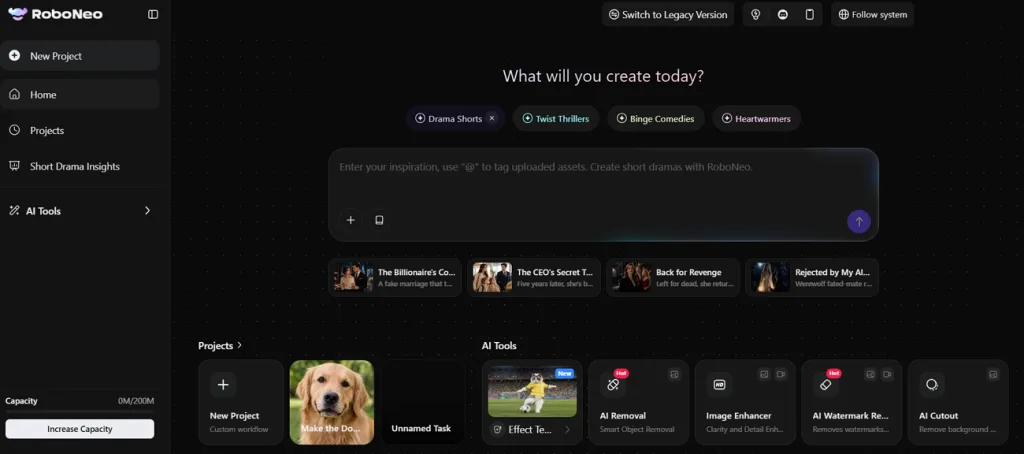
Everything works directly through a browser, so users do not need to install desktop software. However, this is also available as a mobile application. The RoboNeo AI video generator suits teams creating content across different devices and working environments.
Core Key Features of RoboNeo AI
- Reference Image to Video: Reference images guide video generation while maintaining consistent subjects, styles, details, and visual appearance.
- Physics Simulation: The engine creates realistic movement for water, fabric, hair, objects, and dynamic camera motions.
- Text to Video: Simple text prompts can generate 30-second promotional videos designed for marketing and advertising campaigns.
- Editing Toolkit: Users can replace backgrounds, remove objects, change outfits, remove watermarks, and create headshots easily.
- Bundled Video Models: Kling 3.0, Sora 2, and Google Veo are available together within one convenient subscription plan.
Pros and Cons of RoboNeo AI
RoboNeo AI free access offers useful benefits, but credits and project length bring limitations. Now, let's examine the main pros and cons before choosing any paid subscription:
Pros
- Agent workflow reduces manual production steps between tools.
- Short vertical outputs fit TikTok and Reels naturally.
- Beginners can produce videos without previous editing experience.
- Commercial outputs arrive ready for marketing campaign use.
Cons
- Long-form projects remain unsuitable for extended video production.
- About a 500-character prompt limit restricts detailed creative instructions.
- Complex multi-element scenes can produce inconsistent visual results.
- Advanced timeline editing lacks precise professional-level video controls.
Part 2. How to Use RoboNeo AI?
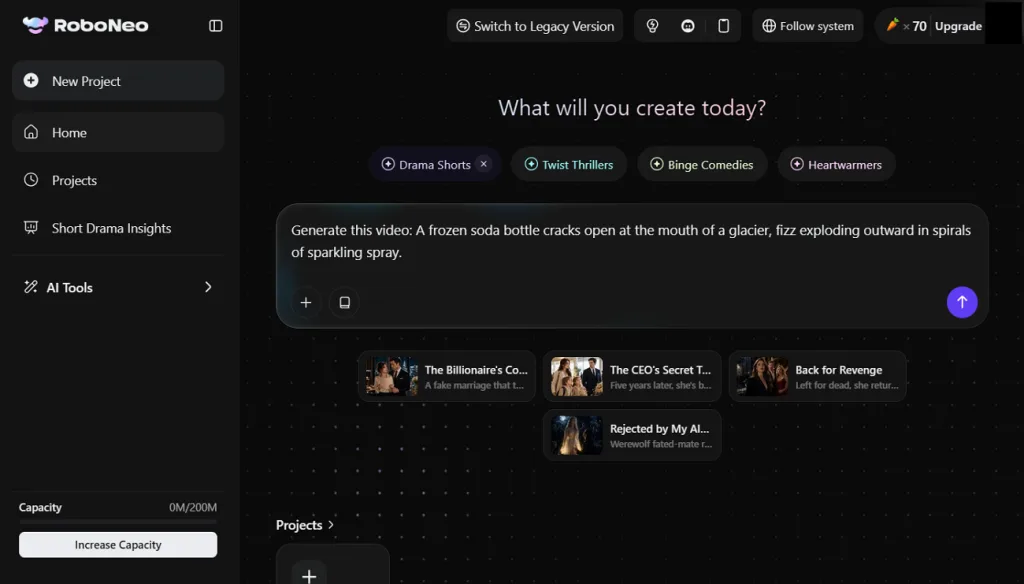
The RoboNeo AI website uses conversational prompts instead of complicated editing panels. Start with a simple request and follow the steps to download clips:
Step 1. Once you enter the main interface, choose a video mode between Text to Video and Image to Video. If you want to create a video using just text, enter the prompt and click Send.
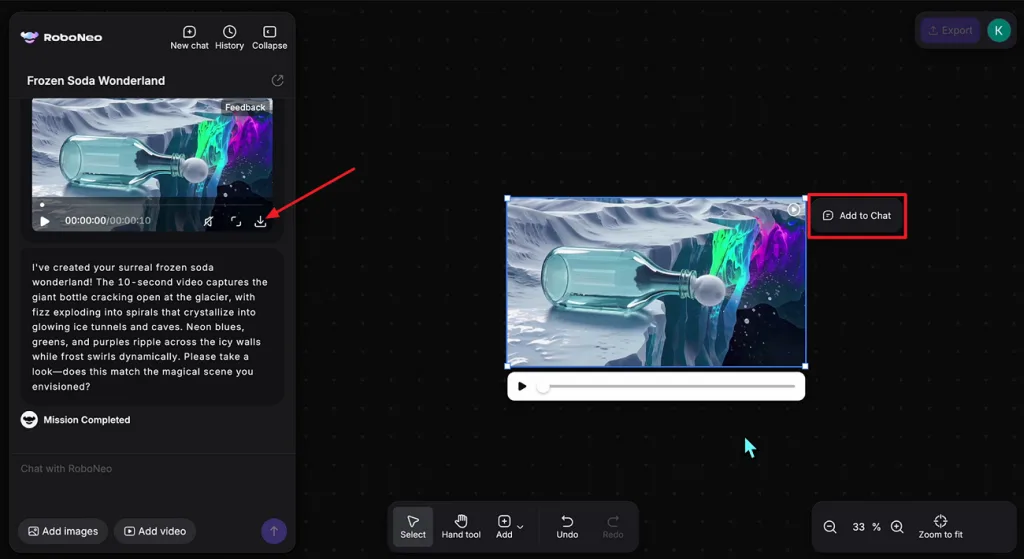
Step 2. Once the video is generated, preview the video and press the Download icon to save it. If you want further refinements, click Add to Chat and ask the chat to modify it if needed.
One practice protects the free allowance more than any other. Testing a concept at lower settings before committing to a full generation avoids spending credits on a direction that was never going to work.
Part 3. Best Alternative to RoboNeo AI for Video Creation
Users needing long-form scripted videos may find short-clip platforms restrictive for complete storytelling projects. This is where MagicLight AI provides greater flexibility for longer, structured video production workflows. It turns written scripts into complete videos while maintaining narrative consistency across longer scenes.
Users can access more than 19 video models within one convenient creative platform easily. Options include Seedance 2.5, Gemini 3.5 Flash, and Kling 3.0 for diverse generation needs. Unlike the RoboNeo AI video generator, it supports projects requiring longer, connected visual storytelling.
Core Advantages & Key Features of Magiclight AI
- Story to Video: Scripts up to 12,000 characters become completed videos reaching 50 minutes in runtime. Users can choose 9 story models to control structure and pacing before generation begins.
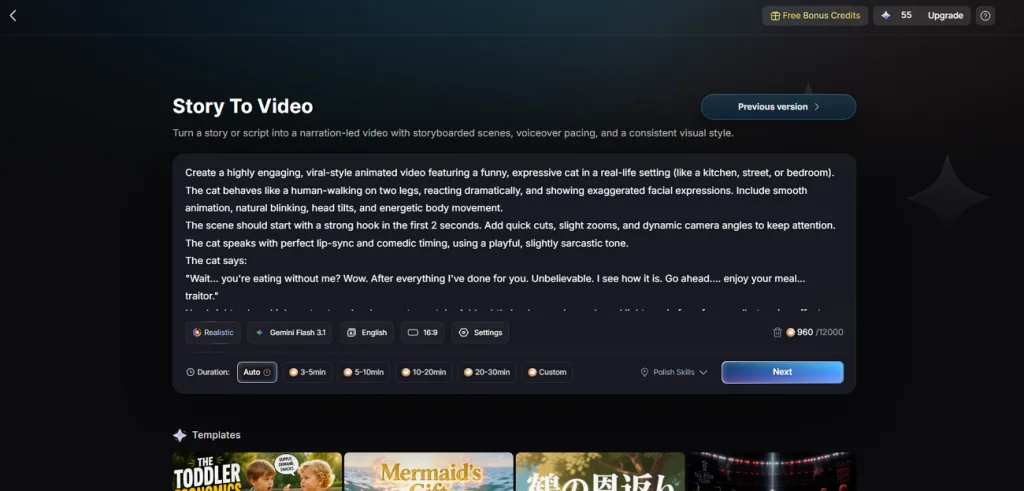
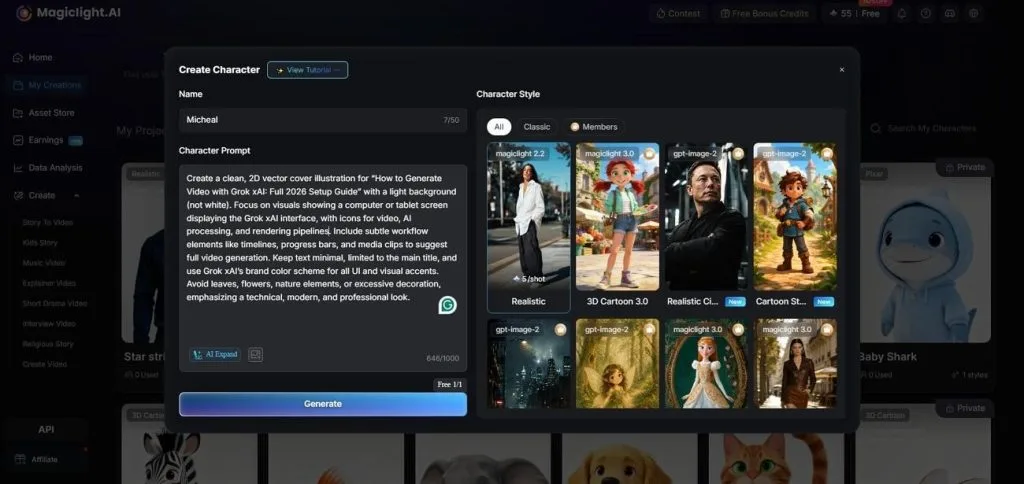
- AI Character Creation: You can create character designs from written descriptions or uploaded reference images. Each character saves into a personal library and stays consistent across future projects.
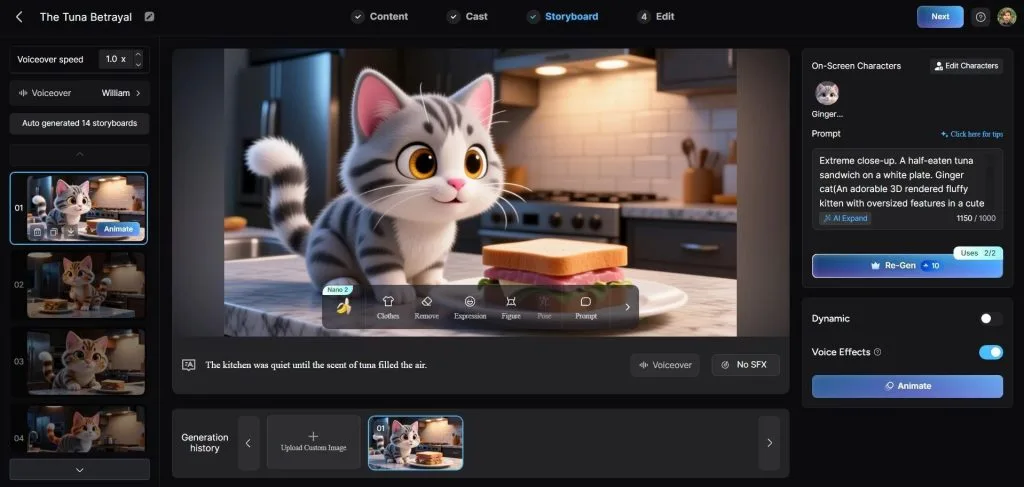
- Storyboard Scene Control: Creators adjust individual scenes using 50 poses and detailed timing controls before rendering. A flexible storyboard process helps refine specific moments and improve overall scene presentation.
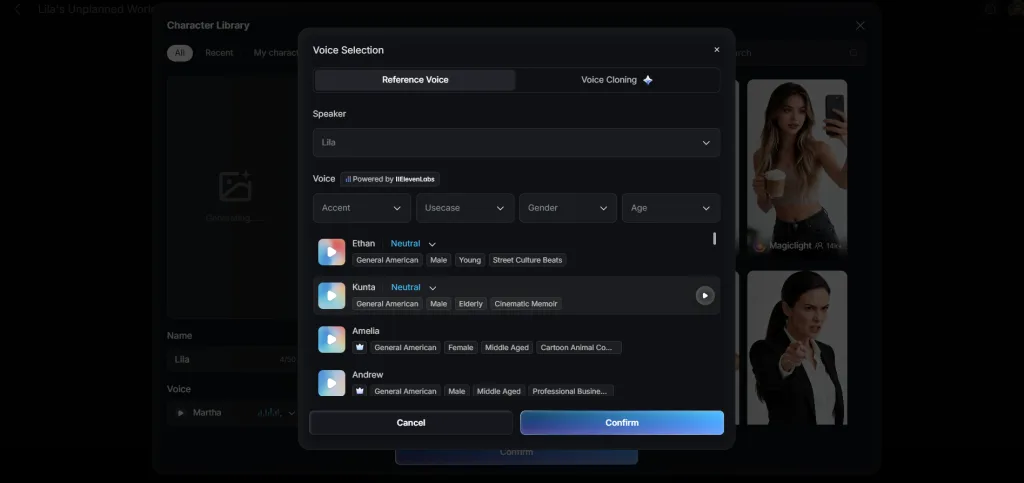
- Voiceover and Subtitles: The library provides 37 voices covering different ages, genders, and accents, plus voice cloning options. Users can apply 16 subtitle presets during export for polished and accessible videos.
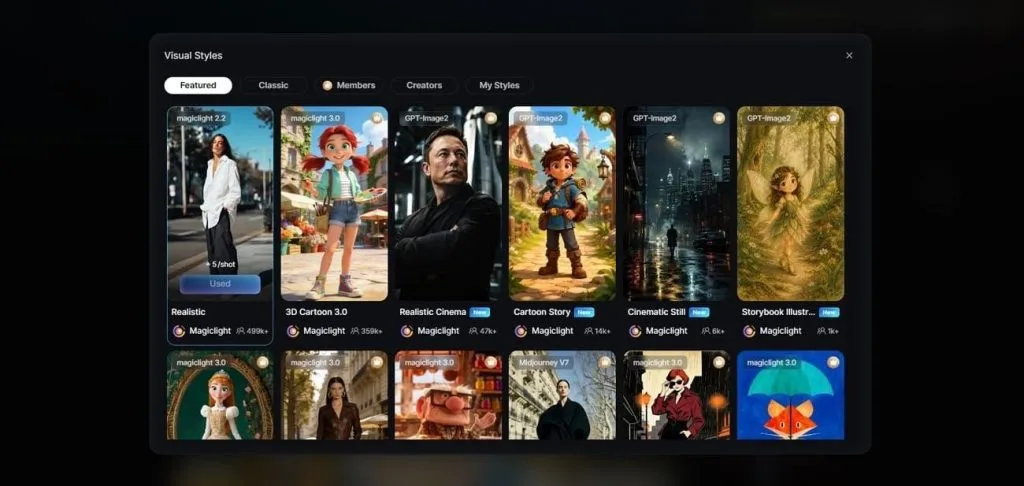
- Visual Styles: Allows you to choose over 20 presets ranging from photorealistic visuals to illustrated designs easily. Selected styles remain consistent across every scene, preventing unwanted visual changes between different shots.
Part 4. Comparison Table Between RoboNeo AI and MagicLight AI
RoboNeo AI video tool creates short assets, while MagicLight AI supports longer videos. The table below compares both platforms across their main video creation capabilities:
| Feature | RoboNeo AI | MagicLight AI |
| Core Purpose | Short-form social and ad creative | Script-driven narrative video |
| Starting Input | A prompt, product photo, or clip | A written script of 12,000 characters |
| Maximum Length | 30 seconds | Reaching 50 minutes in one project |
| Agent Workflow | 4 specialized production roles | Idea through to final cut |
| Model Access | Kling, Sora and Veo bundled | 19 engines, 5 families |
| Character Reuse | Not a core capability | A saved cast returns in later work |
| Voiceover | Not a primary focus | 37 voices, cloning available |
| Languages | Interface-led | 11 supported languages |
| Free Access | Daily credits earned by logging in | Free plan available without a card |
Conclusion
To summarize, RoboNeo AI performs best for short commercial videos, product ads, and social content. Its Agent Teams approach simplifies production, but credit usage increases quickly with larger creative projects. Creators producing frequent ad variations can benefit from its affordable pricing and efficient short-form workflow. For longer stories with consistent characters and connected scenes, MagicLight AI remains the stronger alternative.
FAQs on RoboNeo AI
1. Is RoboNeo AI free to use?
RoboNeo AI free access provides daily credits through logins, with extra credits from referrals. However, regular video creation uses credits quickly, while paid plans start near $8 monthly.
2. What videos can RoboNeo AI create?
RoboNeo AI creates product ads, social clips, branded videos, and restyled existing footage easily. It supports text and image inputs, morph transitions, and realistic physics-based motion for videos.
3. How does RoboNeo AI compare to other AI video tools?
Compared with competitors, RoboNeo AI offers strong speed, pricing, product animation, and multiple models.
4. What is the best alternative to RoboNeo AI?
For long-form video projects, MagicLight AI covers considerably more ground. It handles scripting, storyboarding, and character consistency inside one guided platform, with a single project running as long as 50 minutes.


![How to Write a Script for a Short Film in 2026 [Beginner’s Guide]](https://magiclight.ai/wp-2/wp-content/uploads/short-film-screenplay-writing-guide-300x169.webp)


