Video generation has gained a lot of consumers due to the inaccessibility of production equipment and investment. Unlucid AI is among the notable AI tools that help people bring life to their ideas. Before getting a subscription plan, you must understand the basic operations of this tool. This review looks into the features, pros, and cons of Unlucid AI to help you check whether it’s actually worth it.
Part 1. Everything You Should Know About Unlucid AI
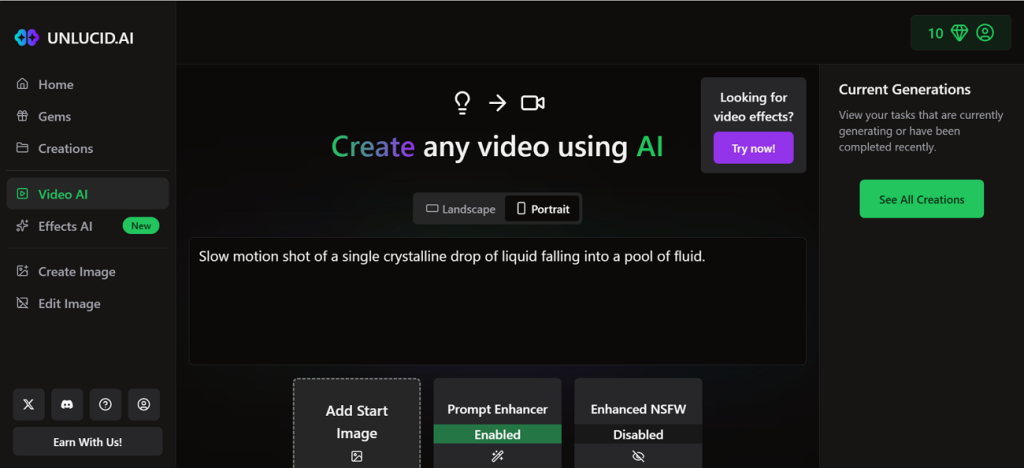
Unlucid AI is a web-based creative tool that uses your text to generate engaging motion in it. Aside from typing a description, upload an initial picture to get started, and it will be added at the start of the video. Use the AI effects to improve your video without having to add any extra edits. These effects in Unlucid AI free act as presets to create ready AI videos.
Users looking for inspiration to make short films can look into the Trending Videos section and see the possibilities of AI video generation. These inspiration videos can also be downloaded on your device for cross-platform sharing and other purposes.
Key Features
- Unlucid AI offers a collection of video effects that elevate the look of your videos.
- You can use the Prompt Enhancer to generate a precisely detailed textual direction.
- It has a designated option for generating explicit videos for the targeted audience.
- Users can choose between landscape and portrait to generate need-based videos.
Pros
- All your previously generated videos are kept in the All Creations folder.
- If you are not satisfied with the results, you can regenerate them.
- You can also use the image generator to create stunning stills.
Cons
- You cannot choose aspect ratios or video durations before creating the video.
- This tool does not allow video customization after generation.
Part 2. How to Use Unlucid AI to Create Stunning Videos?
Unlucid AI encourages beginners in video generation by offering an intuitive interface. The following section highlights how this tool can be used to make stunning AI videos:
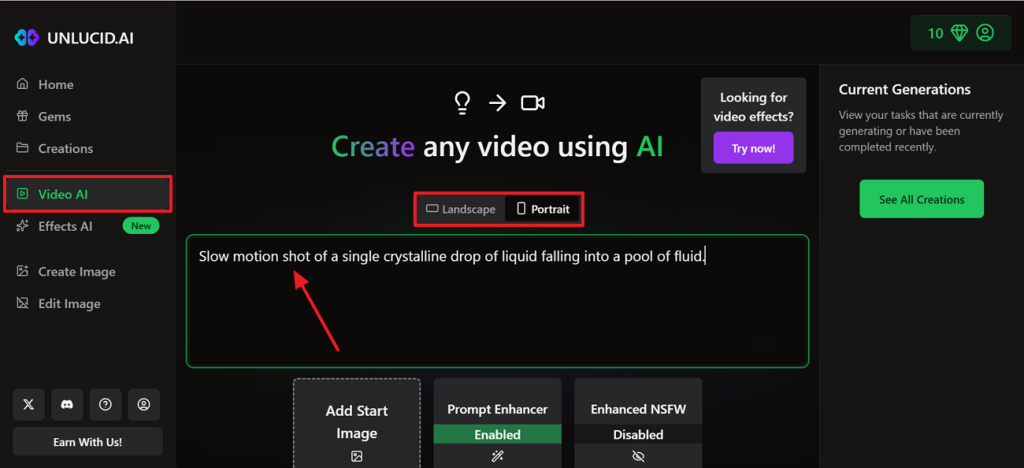
Step 1. To begin with, enter the Video AI tab from the left sidebar and wait for the relevant webpage to open. Using the dedicated field, type in your text prompt and pick the video’s orientation.
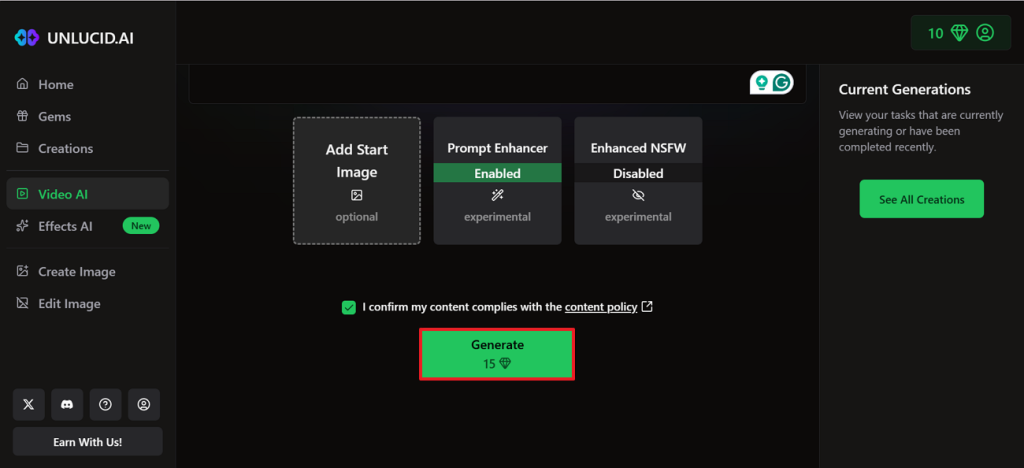
Step 2. Now, scroll down the page and optionally upload a start image from your device. You can also enable the Prompt Enhancer and the other available options if needed. Lastly, click the Generate button to find the generated video in the following window.
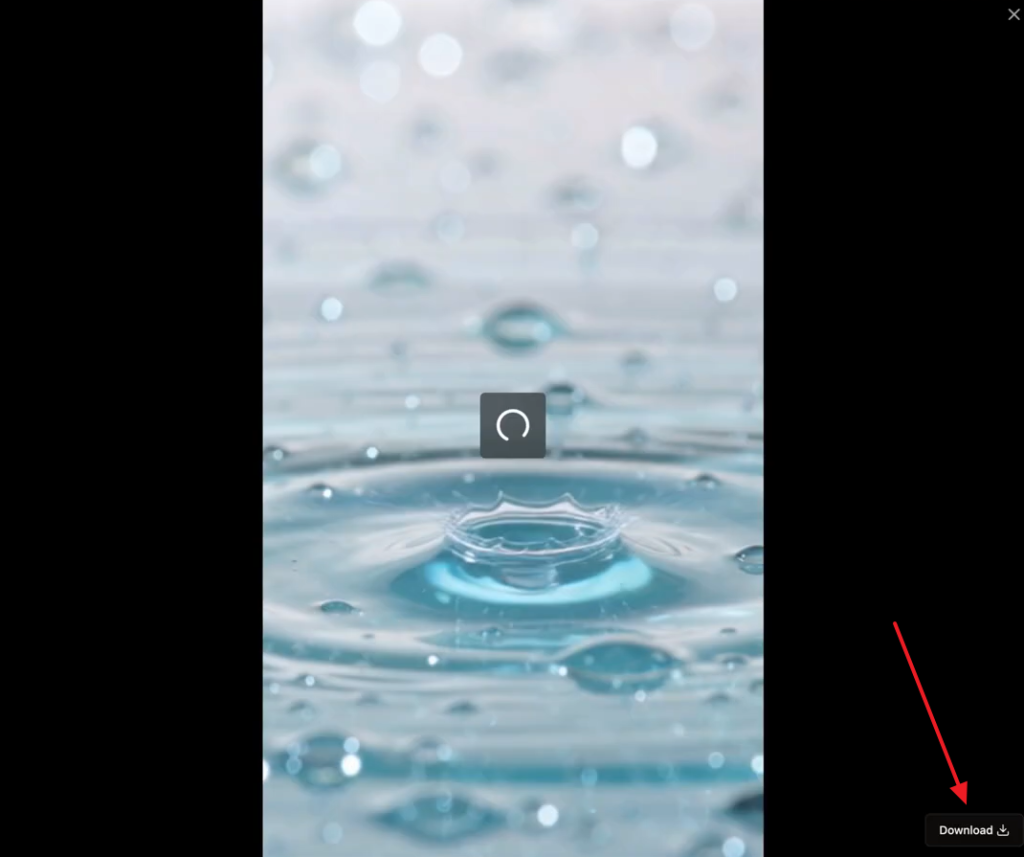
Step 3. Once the video is ready, preview and Download it by pressing the relevant button.
Part 3. Best Alternative to Unlucid AI For Video Creation
Given the features of Unlucid AI free, we can see that it does not support long-form content creation, nor does it let you select the video’s duration. However, Magiclight AI emerges as a better alternative with its custom video duration selections and more customized features. You can generate AI videos from 3 minutes to 50 minutes long with ease. From an idea to a ready video, it renders lengthy videos quickly.
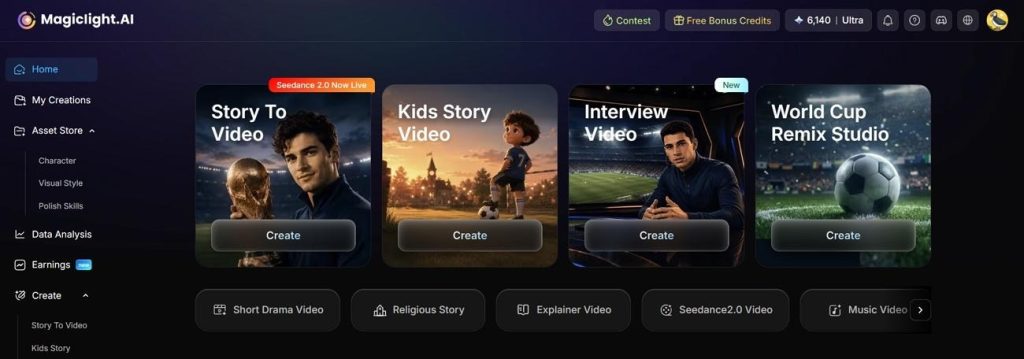
Its story-to-video feature accepts a precisely detailed script and uses it to generate compelling videos. From human faces to additional elements in the video, Magiclight AI generates everything without any additional effort from the users. The final output is ready to publish and does not need editing. However, you can customize the video and the characters at multiple stages of the video production process.
Key Features
- Video Narration: The built-in voice library of 40 AI speakers lets you narrate the video using engaging voices. You can also use the voice cloning utility to include your own voice in the narration for realism.
- AI Video Models: To generate unique and need-specific videos, switch between multiple AI video models. This tool offers many of the latest variants, including Gemini Omni and Seedance 2.0.
- Video Subtitle Generation: Create and add impressive subtitles to your video. This tool features a library of 16 subtitle templates to create a more visually appealing result.
- Storyboard Preview: Towards the end of the video, Magiclight AI displays the storyboard that helps you preview the final results. If needed, you can make changes to 50 elements in the video using the Nano storyboard controls.
- High-Quality Exports: Users can choose between 720p and 1080p video resolutions before they save the video. This helps them download in the quality that their devices can handle.
- Background Music: Make the video more engaging by using a collection of catchy background music options. You can make use of 40 music tracks and add some life to your videos.
Unlucid AI is used to create visual effects and animations from images, while MagicLight AI is better suited to AI video production with narrative and extended length. Here is a simple comparison between Unlucid AI and MagicLight AI, showcasing their capabilities, processes, and ideal applications.
| Feature | Unlucid AI | Magiclight AI |
| Primary Focus | Fast image-to-video effects and creative visual edits | Story-to-video and long-form AI video generation |
| Best For | Viral short clips, memes, social media visuals | YouTube videos, explainers, faceless content, storytelling |
| Video Style | Short animated clips with preset effects | Structured videos with scenes and narrative flow |
| Content Length | Mainly short-form content | Up to 50 minutes long |
| Input Type | Images and prompts | Text, scripts, stories, prompts, and images |
| Character Consistency | Limited | Better suited for recurring characters in stories |
FAQs on Unlucid AI
1.Is Unlucid AI free to use?
Unlucid AI offers free access to Unlucid AI free gems with limited features, allowing users to try basic generation tools without payment. However, advanced features and higher usage limits may require a paid plan.
2.What is the best alternative to Unlucid AI?
One of the best alternatives to Unlucid AI is MagicLight.AI, which provides powerful AI video generation with more structured storytelling features. It is especially useful for creating educational, religious, and engaging kids’ story videos with ease.
3.What videos can Unlucid AI create?
Unlucid AI can create short animated videos, AI-generated clips from images, and prompt-based creative motion content optimized for social media. These include stylized transformations, dynamic effects, and experimental visuals. However, MagicLight.AI can be used for more professional and long-form AI video creation.
Conclusion
AI video generation is a viable option for video production for creators with no access to models. Unlucid AI is a well-known AI video generator that uses your text and image to generate a compelling video. Despite its effective results, it does not support long-form content creation. On the other hand, Magiclight AI offers the generation of long videos with the relevant graphics and other elements that complement the video.