


Kitchen lighting makes handmade mugs look yellow in photos taken by a small shop owner. Fixing the color is simple, but holiday product photos need a completely different background. Setting up Christmas decorations for another photoshoot would take several hours of extra work.
With a picture modification app, the shop can improve photos without taking new pictures. Basic editing tools can fix colors, but changing backgrounds may need more advanced features. MagicLight AI also helps create new scenes from existing photos using simple text instructions.
Part 1. 6 Best Picture Modification Apps in 2026
Each picture modifier app offers different features that can help improve your everyday photos. Some focus on basic photo changes, but others provide advanced features for creative editing. The following reviews explain what each app does and where its main limits appear.
- Canva
Best For: Creating social media designs with edited photos.
Canva lets you edit pictures directly inside your designs without opening another photo editing program. You can select any uploaded photo and make changes before placing it in your design. Its editing tools are useful for preparing product pictures that need a more polished look.
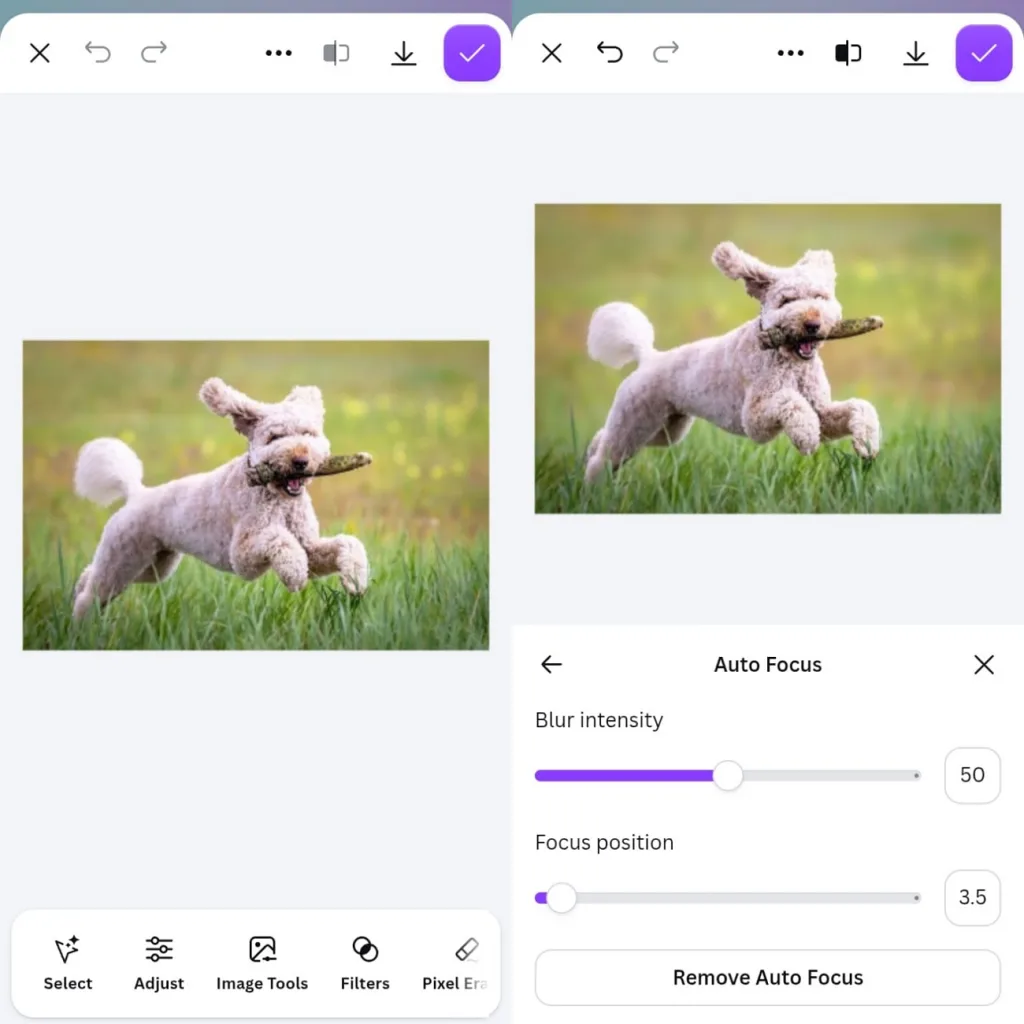
Key Features
- Replace selected image areas with new content by entering a short text instruction.
- Remove unwanted objects from pictures without tracing their edges by hand first.
- Straighten tilted product shots with perspective controls before framing them with Smart Crop.
Pros
- Edited pictures stay inside your design without additional uploads.
- Shadow effects help product images look less flat on screen.
Cons
- RAW camera files require conversion before uploading into Canva.
- Simple photo adjustments still require opening the design editor.
Best For: Beginners editing photos through simple text instructions.
MagicLight AI works as a photo edit app that changes pictures through simple written instructions. Its Toolbox Image feature lets users upload existing photos and describe their desired changes. You can also access MagicLight AI through mobile browsers on Android and iOS devices.
For product photos, separate prompts can create fresh backgrounds suited to different seasonal marketing needs. Clear instructions help the tool understand your requests and keep unwanted changes under control.
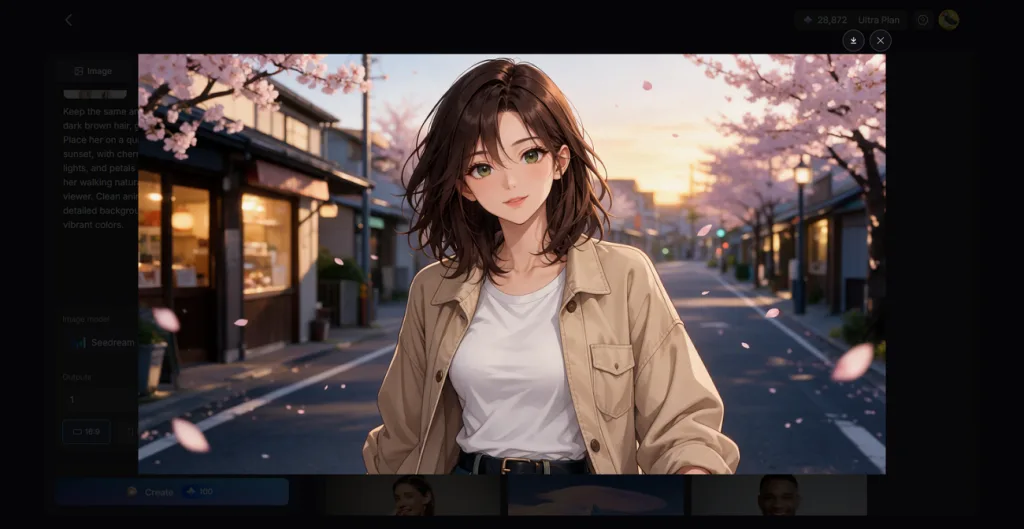
Key Features
- Instruction-Based Edits: The prompt box accepts up to 500 characters describing your desired changes. You can request a different background without manually selecting parts of pictures.
- Several Reference Images: Upload up to 10 photos together when you want elements from different pictures combined. A product photo can blend with another scene to create something new.
- AI Image Models: MagicLight AI offers 6 models Nano Banana 2 and Nano Banana 2.1, Seedream 5.0 Pro, and GPT Image 2.0, GPT Image 2.5 flare and GPT Image 2.5 sunburst to choose based on how you want your edited pictures to look
- Outputs and Frame Shapes: Increase the output count to get several versions of your edited photo. Choose square or vertical image sizes that fit your social media posts.
- Motion From Stills: The Image to Video feature turns your edited pictures into moving clips. You can create videos lasting 30 seconds from still images.
Pros
- Edit photos without learning layers or complex editing tools.
- Make realistic changes and creative edits in one place.
- Reuse text instructions to create matching photos more easily.
Con
- Free credits limit how many photos you can edit.
- Text prompts are required to edit photos.
- Picsart
Best For: Adding creative effects before sharing photos online.
Creative photo editing becomes easier with Picsart through its mobile apps and website. Among the apps to modify pictures, it offers helpful features for changing selected areas. You can also continue phone edits on the website before sharing finished pictures online.
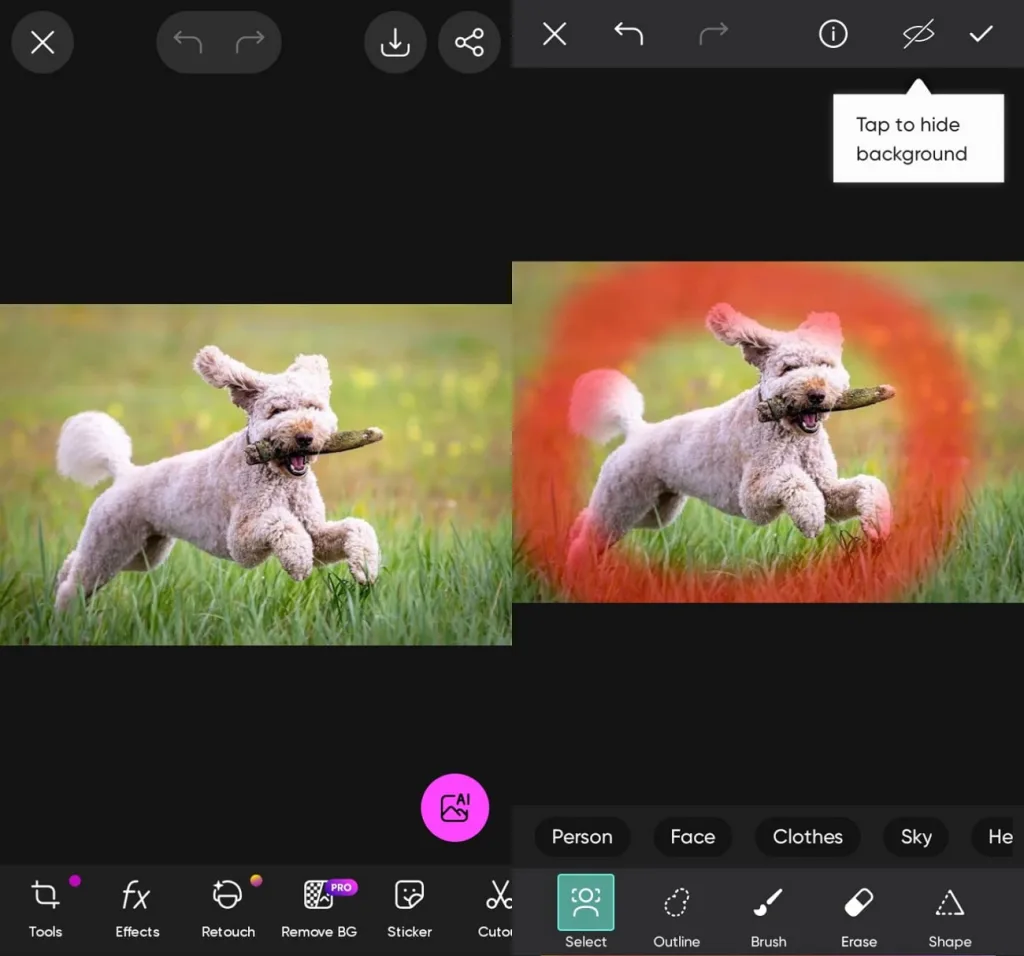
Key Features
- Replace selected parts of your photos with AI-generated objects using simple editing controls.
- Remove unwanted people from pictures and blend the cleared area with nearby details.
- Extend photo backgrounds beyond their original edges without manually creating additional image space.
Pros
- Apply the same edits across multiple pictures.
- Adjust highlight and shadow colors separately for better results.
Cons
- Large sticker collections make basic editing tools harder to find.
- Replaced objects sometimes need adjustments to match nearby lighting.
- Snapseed
Best For: Editing RAW photos with detailed manual controls.
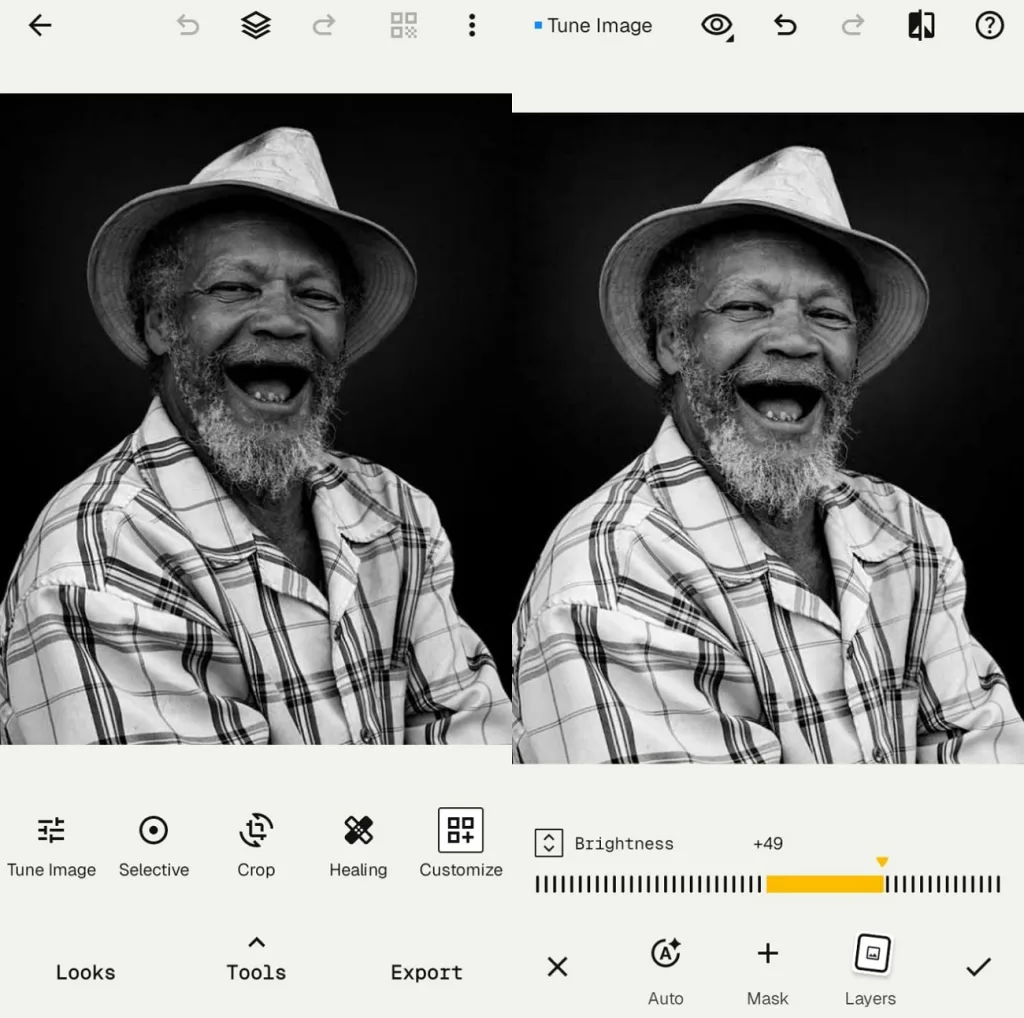
Photographers who prefer manual editing can make detailed photo changes using Google's Snapseed. Available on Android and iOS, its mobile apps support RAW files. You can edit everything directly on your phone without needing a separate web editor.
Key Features
- Select specific areas with masking tools for more focused photo adjustments.
- Add soft glowing effects around bright areas using its built-in vintage film filters.
- Clear small dust marks and skin blemishes using the Healing tool for photos.
Pros
- Reverse previous edits without losing your original photo quality.
- Copy saved editing styles across multiple photos for consistency.
Cons
- Removing large objects remains difficult without AI background generation.
- No web editor is available for desktop photo editing.
- Fotor
Best For: Users who aim to improve product lighting and backgrounds.
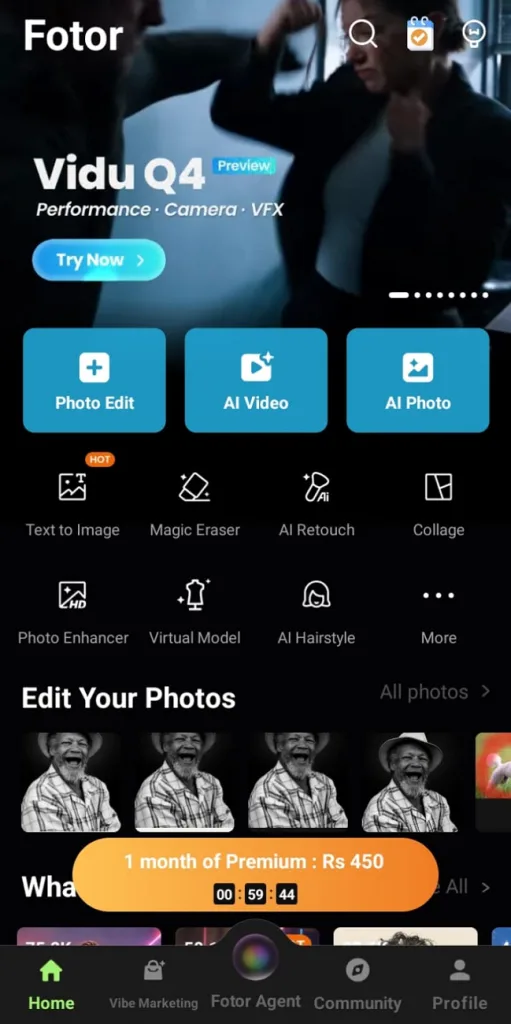
Fotor is an app to modify photos through its website and mobile apps. Its editing tools help improve product pictures that need better lighting after shooting. You can also replace backgrounds without setting up another photo shoot for your products.
Key Features
- Remove unwanted people from photos with a dedicated tool for this task.
- Expand photo edges to recover missing background space beyond the original image frame.
- Change product photo backgrounds with new scenes using its AI background generation tools.
Pros
- Enlarge small product photos up to 4x their size.
- Improve blurry photos caused by camera movement or focus issues.
Cons
- Lighting and background changes require switching between different tools.
- AI scene changes can affect small details on products.
- Pixlr
Best For: Designers who need advanced browser-based photo editing tools.
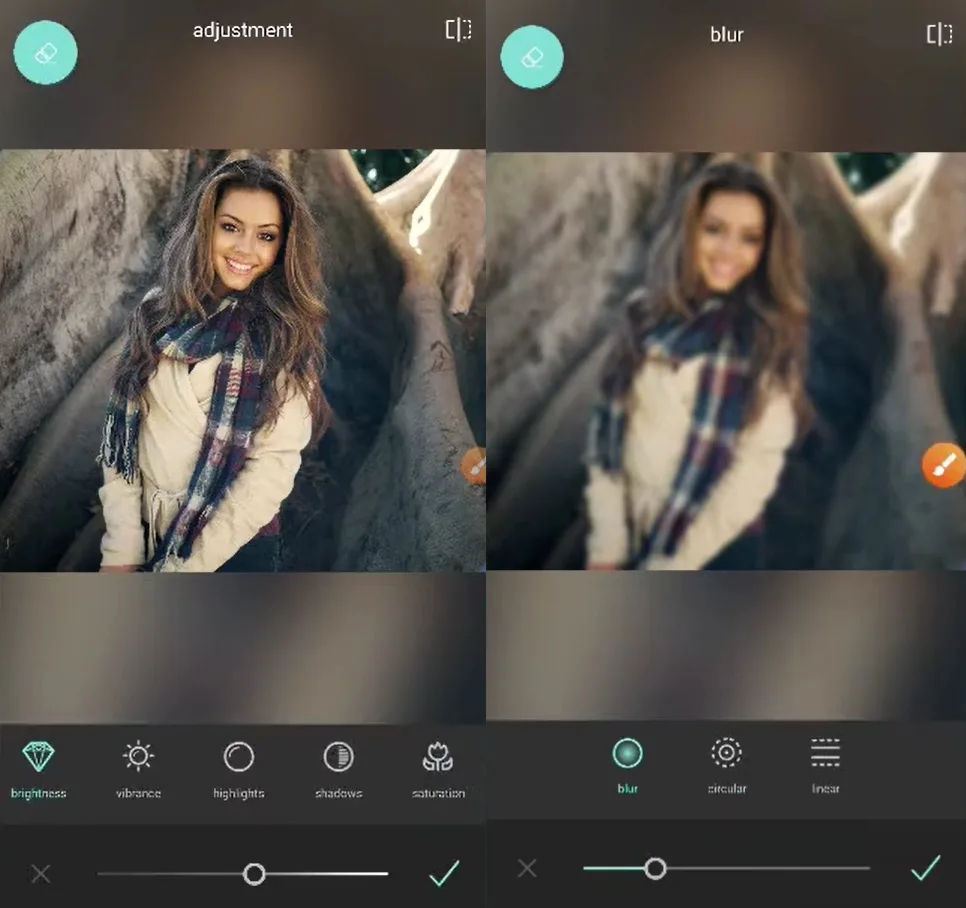
For detailed photo editing, Pixlr offers several useful features directly in your browser. This picture modifier app combines traditional editing controls with AI tools for changing photos. Its mobile apps also provide editing options for people working away from their computers.
Key Features
- Select parts of your image and replace them with content from text instructions.
- Move objects within photos and automatically fill the empty spaces left behind afterward.
- Increase image resolution up to 25 megapixels with Super Scale upscaling.
Pros
- Edit separate image layers using masks for better control.
- Turn flat pictures into separate layers using AI tools.
Cons
- Basic and advanced edits require opening different Pixlr editors.
- Saved PXZ projects may not open in other editors.
Part 2. Picture Modification Apps Compared
Choosing the right picture modification app depends on the changes you want to make. Some apps offer simple AI editing features, but others give more control over photos. The table below compares their main features to help you find a suitable option:
| App | Prompt-Based Editing | Object Removal | Manual Controls | Standout Tool |
| Canva | Magic Edit | Magic Eraser | Color and perspective sliders | Background Generator |
| MagicLight AI | Toolbox Image text prompts | Through written prompts | No manual adjustment sliders | Image to Video |
| Picsart | AI Replace | Remove Object | Color grading and batch editing | AI Expand |
| Snapseed | Not available | Healing tool | RAW editing and selective adjustments | Film filters and Halation |
| Fotor | AI Replace | Remove Object and Remove Person | Color and retouch controls | Relight Image |
| Pixlr | Generative Fill and AI Assistant | Remove Object | Layers and masks | Super Scale |
Part 3. Best App to Modify Pictures for Beginners
Beginners usually want an app to modify photos without spending hours learning different editing tools. Some apps make selecting objects easier but still require manual adjustments to finish the changes.
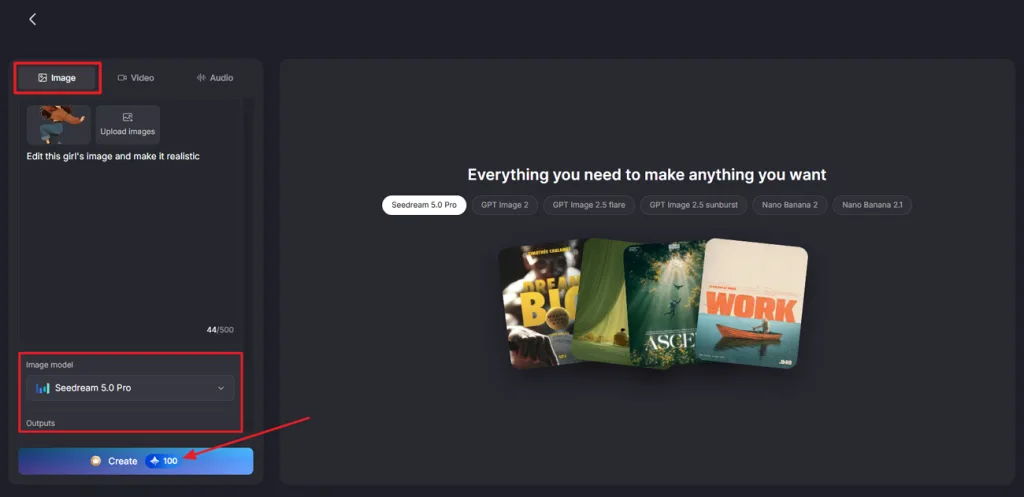
MagicLight AI offers a simpler approach through its Toolbox Image feature for editing existing photos. You can upload a picture and describe the changes you want using simple text instructions. For example, you can change a mug's background to a snowy window scene with one prompt. Users can also create completely new pictures from written descriptions using its AI image generator.
Work happens in one panel under Toolbox, where the Image tab holds Upload images, the prompt box, and the model and Outputs settings. Pressing Create shows the credit cost, and the chosen version downloads through the Download icon.
Conclusion
Choosing a picture modification app becomes easier when you know what changes your photos need. Some tools offer detailed manual controls, but others make photo editing easier through AI features. You can also animate edited images to create short videos for sharing on social media. For simple photo changes through written instructions, MagicLight AI is a great option for beginners.
FAQs
- What is the best picture modification app in 2026?
MagicLight AI is a helpful choice for people who prefer editing photos through text. Snapseed works better for users who want detailed control over their photo adjustments instead.
- Which picture modification app is best for beginners?
MagicLight AI is a useful app to modify photos through simple written instructions. Beginners can use its Toolbox Image feature without learning complicated editing controls or tools.
- What is the difference between a photo editing app and an AI image generator?
A photo editing app modifies existing pictures using manual adjustments or AI tools. An AI image generator creates pictures from text prompts or reference images.
- Can I use MagicLight AI to modify existing photos for free?
Yes, MagicLight AI offers limited free credits that let new users try photo editing. You can upload existing pictures and use available credits to make changes through prompts.
![How to Turn Audio File Into Video in 2026 [Full Guide]](https://magiclight.ai/wp-2/wp-content/uploads/audio-to-video-conversion-guide.jpg-300x169.webp)
![How to Make an AI Movie in 2026 [Step-by-Step Guide]](https://magiclight.ai/wp-2/wp-content/uploads/ai-movie-creation-journey-posters.jpg-3-300x169.webp)

