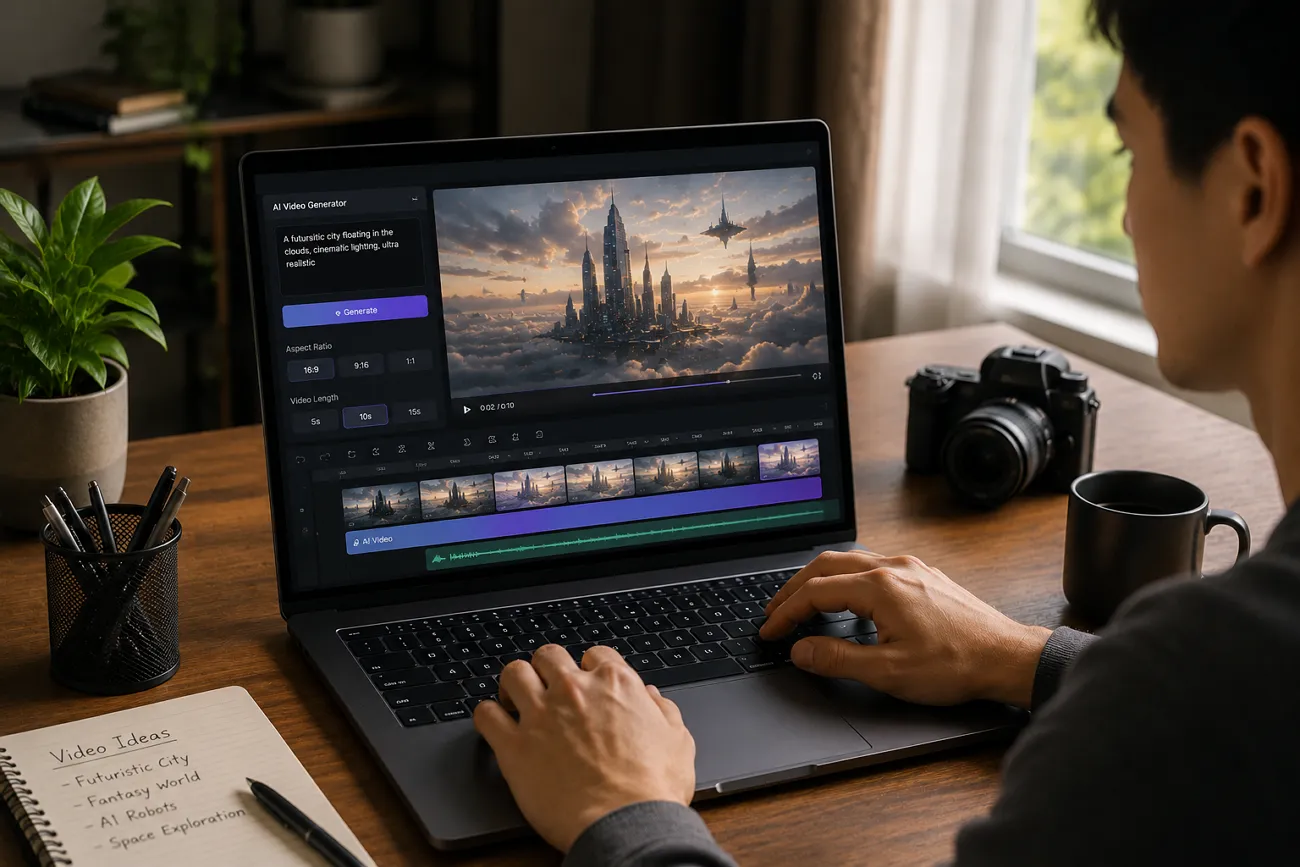
A few years ago, making a video meant hiring someone or buying software. Small creators and beginners had very little chance of competing online. Now, new AI tools have made video creation simple, fast, and accessible for everyone. Many users still wonder how to make AI videos in a simple way. So, this guide introduces the best free tools and shows you exactly where to begin your video journey.
Part 1. How to Make AI Videos (Step-by-Step)
In this particular section, review the complete steps to learn how to make an AI video with tools such as MagicLight AI:
Step 1. Start a New Video Project
Begin by opening MagicLight AI and choosing the Story to Video option.
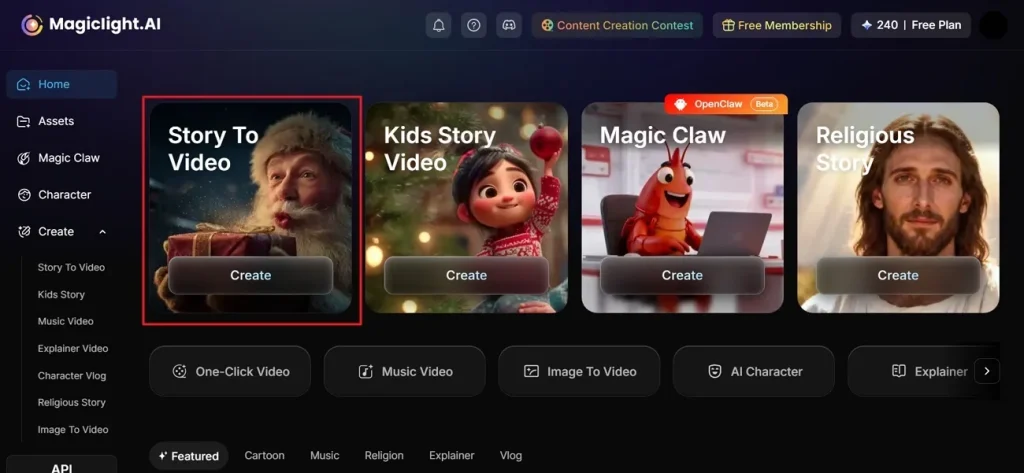
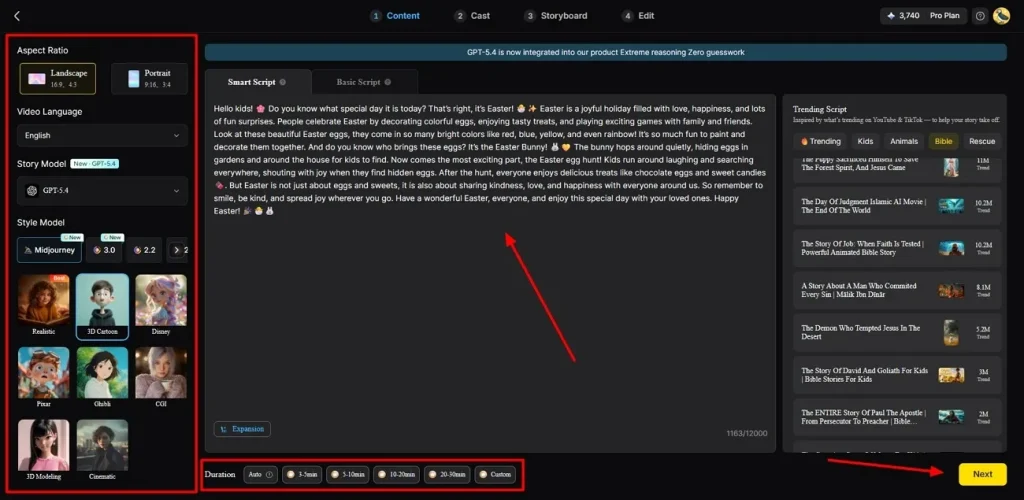
Step 2. Enter Your Idea and Adjust Video Settings
After accessing it, type your story idea into the Prompt Box and pick your preferred Video Language. By using the provided option, adjust the Aspect Ratio based on your content style and pick an AI Story Model. After that, pick a Style Model and set your Video Duration using the available options, then hit the Next button.
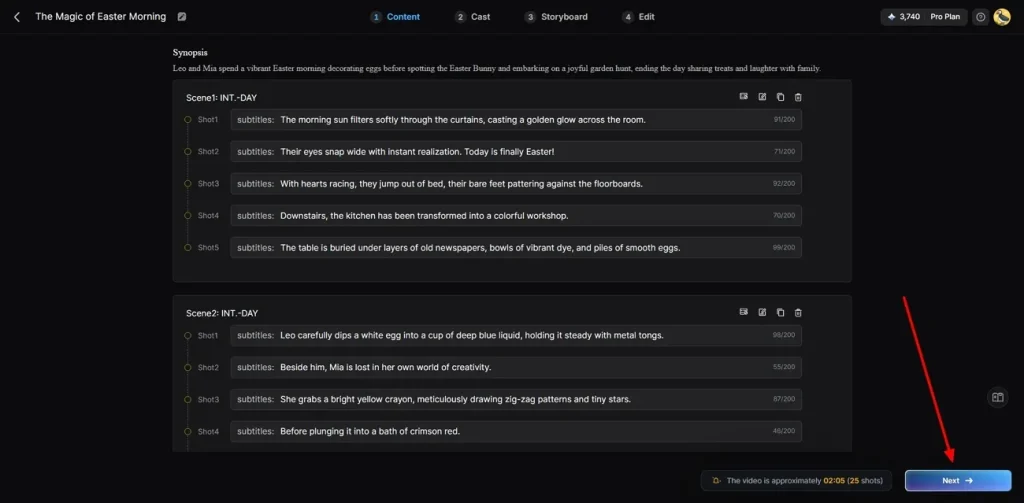
Step 3. Review the AI-Generated Video Summary
Now, check the generated AI video scenes and opt for Next to continue.
Step 4. Choose or Build Your Characters
MagicLight AI suggests characters based on your story style and theme automatically. Pick one from the character library or tap More Character to design a custom one. Once your character is ready, click the Next Step button to go forward.
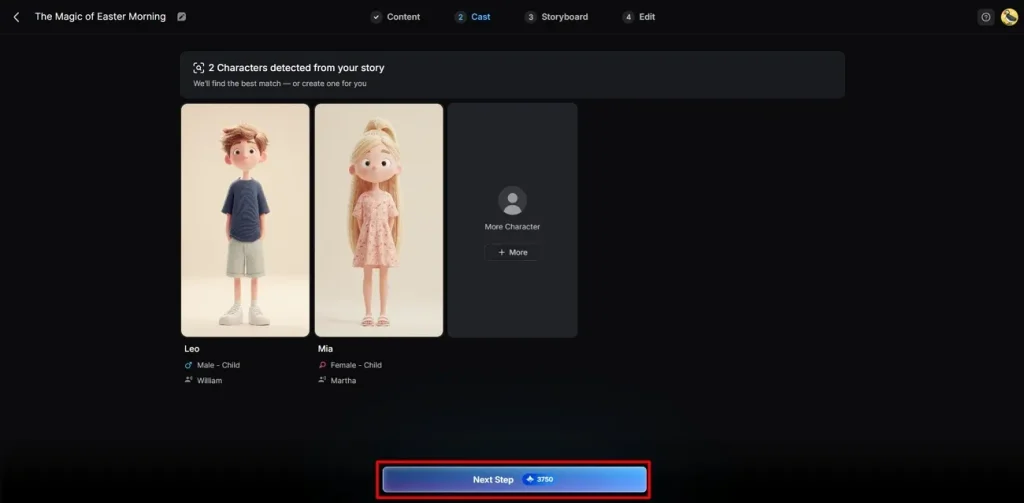
Step 5. Customize Your Character's Look
By using its Storyboard feature, you can customize Voiceover Speed and adjust each scene individually. In addition, you can change Expressions, Clothes, and Poses according to your needs. When all edits are done, opt for the Next button to continue to the next stage.
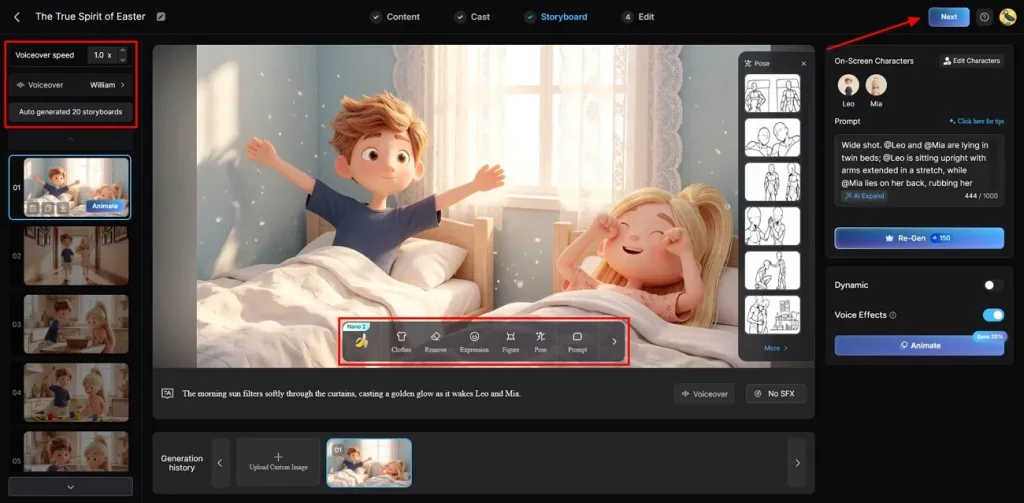
Step 6. Insert Background Audio and Captions
Following that, go to Subtitle Settings to generate custom captions for your video. To add an audio, head to the Background Music section and select the sound that matches your video's mood and theme. Once everything looks right, click Generate to produce your final AI video.
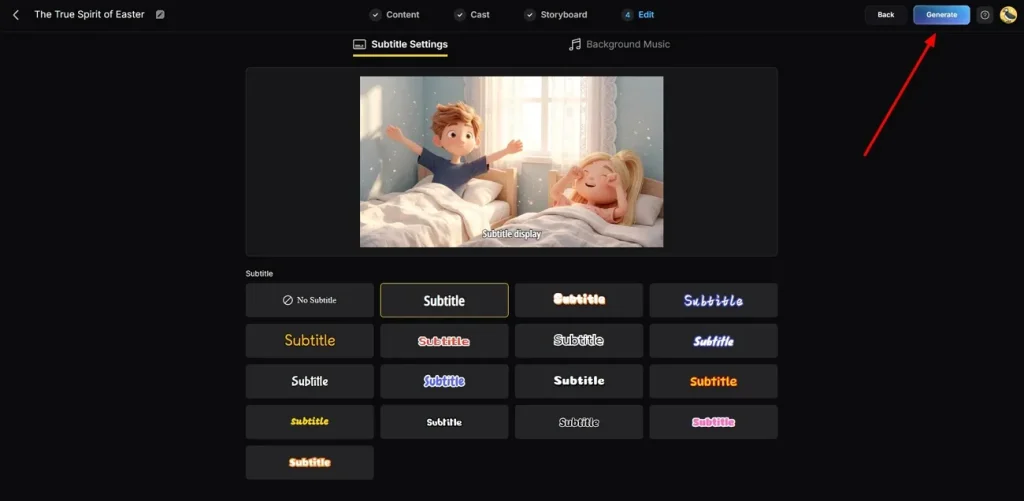
Step 7. Preview and Save Your Final Video
Watch your finished video using the built-in playback player on the platform. You can also add Thumbnail Text or trending Hashtags before saving your output. If everything looks correct, opt for the Download button to save the video to your device.
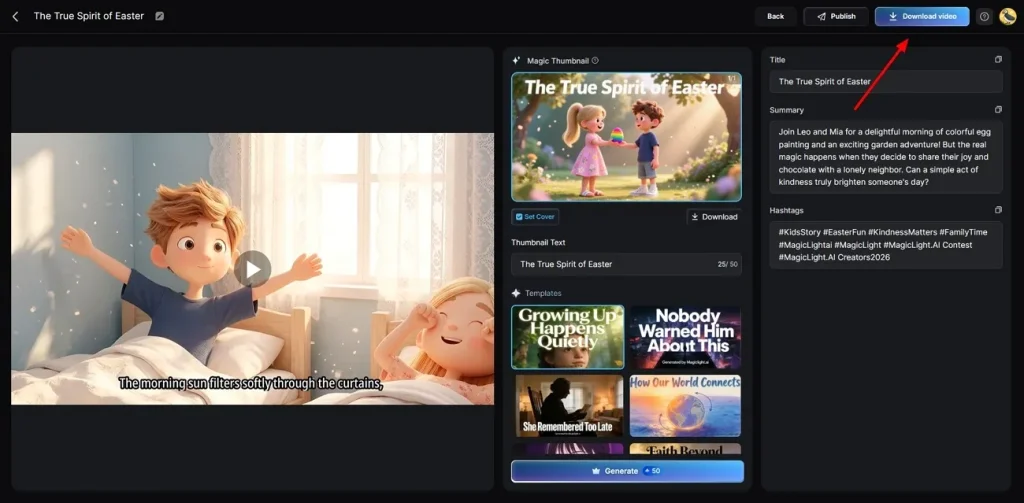
Part 2. 5 Best AI Tools to Make AI Videos Easily
Now you already know how to make AI videos for free easily. Yet, below are 5 powerful tools that simplify video creation for everyone:
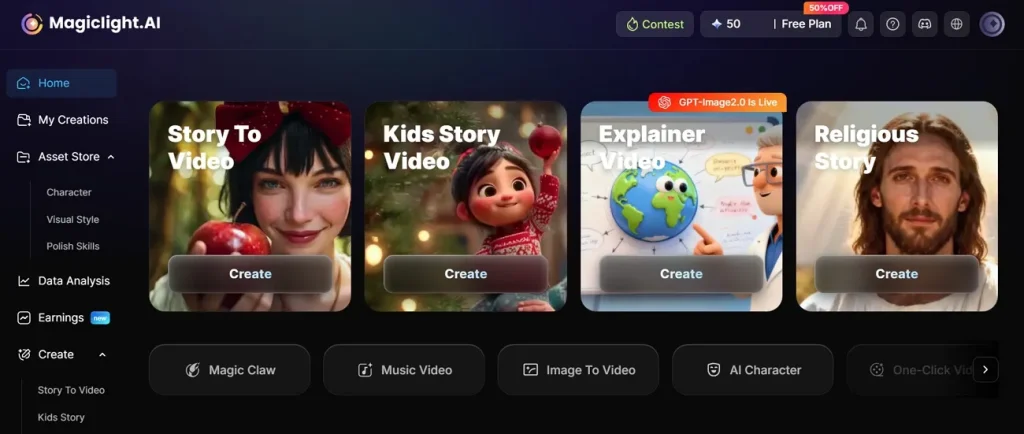
1. MagicLight AI
MagicLight AI is one of the leading AI video creation platforms, as it supports 12 AI story models like GPT-4 and Claude Opus 4.6. If you are learning how to make AI videos for free, this tool manages scene editing prompts and regeneration options in the AI workflow system tool. Further, this tool supports long video creation up to 50 minutes per project.
Key Features
- Top AI Models: Generate content using top-rated AI models like Seedance 2.0, Gemini Omni, and Kling AI with ease.
- Kids' Stories: Offer simple templates and safe storytelling options for children's content system.
- Voice Model: Use ElevenLabs or Minimax Speech 2.8 for high-quality AI voice generation.
Drawback
- Does not provide option of generating videos above 1080p.
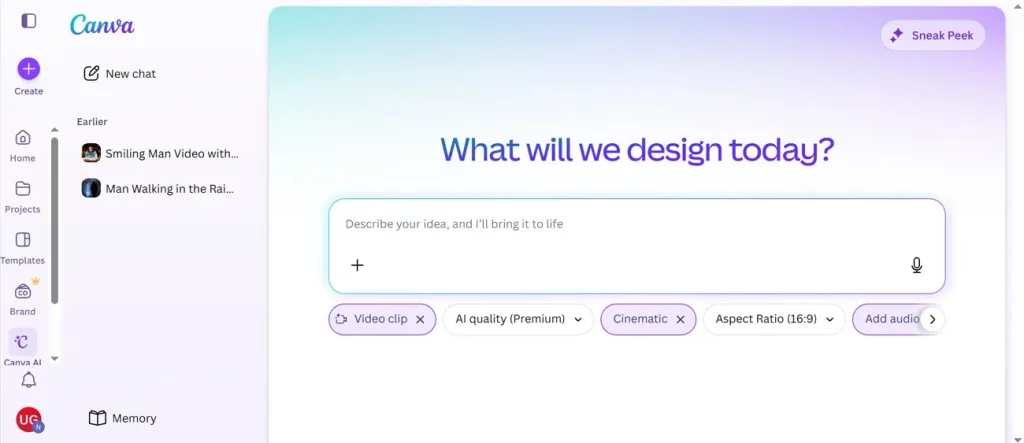
2. Canva
This platform offers 10 different video styles to match your content's visual theme and helps users learn how to make a AI video easily. It even aligns video cuts and transitions automatically with the background music rhythm. While generating videos, Canva removes dead space and unnecessary pauses from your video clips automatically with ease.
Key Features
- Control framing options to make every video scene look more professional visually.
- Detect key moments and remove unnecessary video content instantly.
Drawbacks
- Clip limit restricts generated AI videos to short segments up to 8 seconds
- No advanced color grading tools for cinematic video editing control
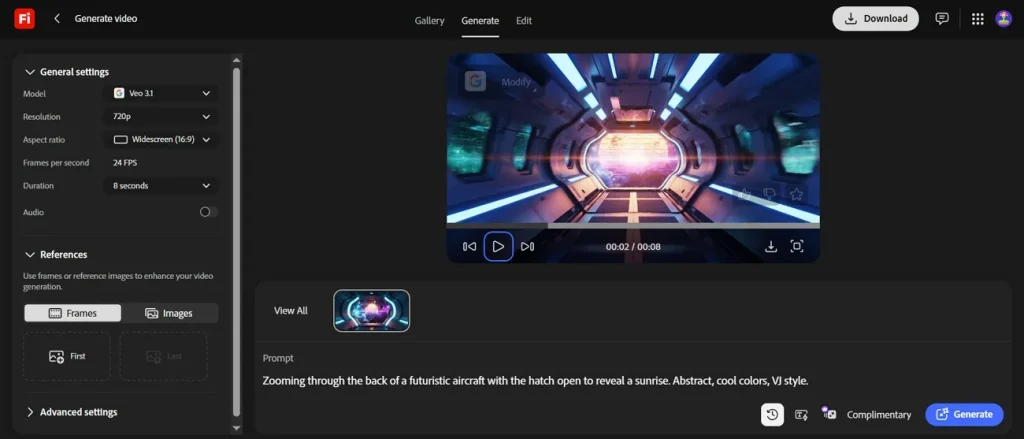
3. Adobe Firefly
Users can also use this tool that adjusts the lighting mood and cinematic tone using text prompts, including for creative use cases like how to make AI baby videos. It has 5 AI video models, including Kling 3.0 and Veo 3.1, for versatile video creation. Moreover, this tool uses frames or reference images to enhance your video generation.
Key Features
- Allows editing video scenes by adding AI-generated visual elements.
- Improves user input using AI for clearer, detailed video generation results.
Drawbacks
- Limited fine control over exact motion and camera precision.
- Complex prompts often produce inconsistent or unexpected video results.
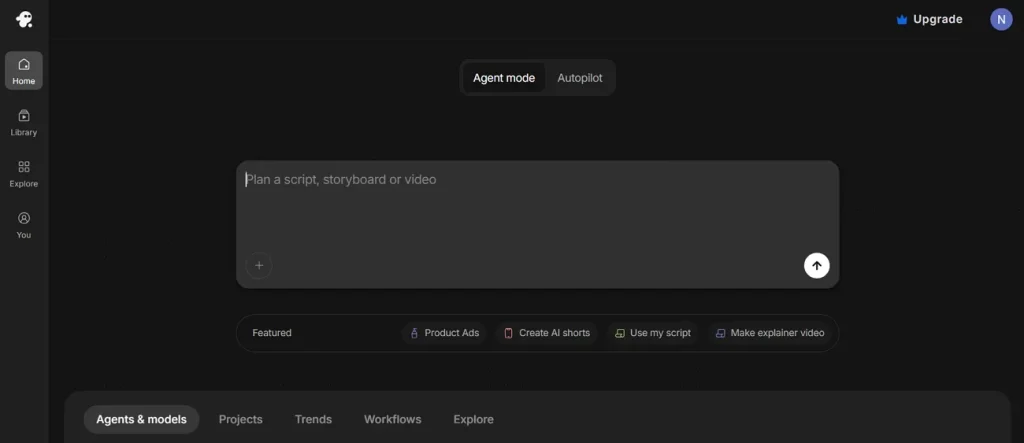
4. Invideo AI
Invideo AI creates text-to-video and image-to-video movies and UGC style testimonial videos easily. While generating videos, captions are generated automatically to make your videos more accessible and engaging. It also helps users learn how to make AI videos for free with sound by combining voice, music, and AI-generated audio for complete video creation.
Key Features
- Change any scene, swap visuals, or adjust music after your video is generated.
- The platform selects and adds matching stock or AI visuals to every scene.
Drawbacks
- Limited frame level control reduces precision for cinematic video creation.
- AI-generated visuals sometimes mismatch the script context or intent.
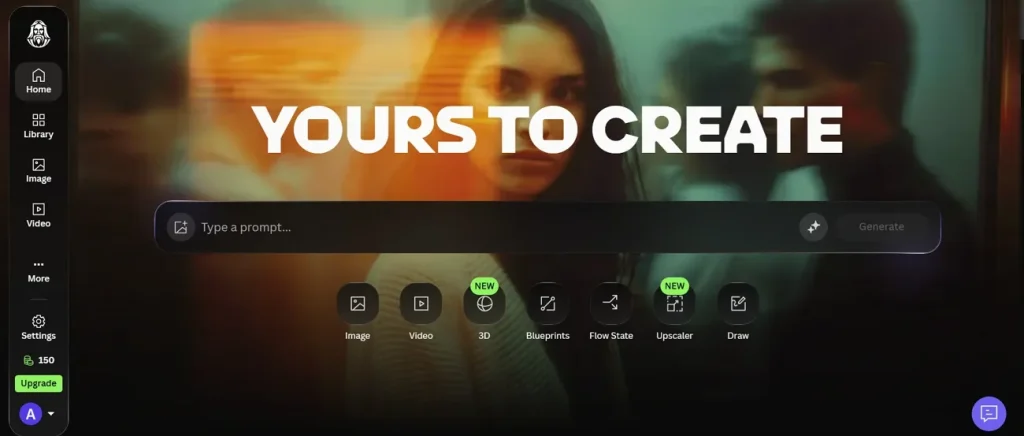
5. Leonardo AI
The platform supports up to 1400-character prompts for detailed video generation, including use cases like how to make AI videos for TikTok. Additionally, its Style control feature helps maintain desired visual aesthetics across animated video outputs. If you have a short prompt idea, you can enhance it using AI for stronger video outputs.
Key Features
- Adjusts camera movement intensity settings for smoother and more natural animated video creation.
- Keeps animated assets visually uniform across multiple generated video scenes consistently.
Drawbacks
- Motion realism sometimes appears jittery, unnatural, or visually inconsistent.
- Motion controls need careful balancing to avoid chaotic animation results.
Compare Leading AI Video Tools Based on Features and Performance
Understand how to make AI video faster through this detailed tool comparison:
| Feature | MagicLight AI | Canva | Adobe Firefly | Invideo AI | Leonardo AI |
| Story Models | 12 Models | Basic Styles | 5 Models | Multiple Models | Prompt Motion |
| Video Length | 50 Minutes | 8 Seconds | Short Clips | Full Videos | Short Clips |
| Scene Editing | Prompt Editing | Auto Highlights | Generative Fill | Scene Swapping | Motion Control |
| Visual Styles | Midjourney V7 | 10 Styles | Lighting Control | Auto Visuals | Style Control |
| Prompt Tools | Scene Regeneration | Auto Trim | Prompt Enhance | Text Commands | AI Enhance |
Conclusion
To conclude, learning how to make AI videos is easier than many beginners expect now. This guide shows various AI tools that help create videos easily, but with certain limitations. However, many users still need a strong tool for long videos and consistent characters. Thus, MagicLight AI stands out with automated storytelling, long videos, and beginner-friendly controls.
FAQs on How to Make AI Videos
1. Do AI videos need editing skills?
No, most AI video tools are designed for users without editing experience. Modern tools like MagicLight AI use simple settings and automatic tools for beginners. Users can create videos easily without learning difficult editing software first.
2. Are AI videos free to create?
Yes, many AI video platforms offer free plans with limited features. MagicLight AI allows users to test video creation before choosing paid plans. Some advanced styles, longer videos, and exports may require premium access.
3. Can beginners make AI-generated videos?
Beginners can create AI videos without technical knowledge or experience. Automated systems like MagicLight AI provide simple templates and automatic video creation. New users can turn ideas into videos using only basic text prompts.
4. How do I make AI videos for free?
Start by choosing a free AI video generator with basic tools. Enter your idea, choose settings, and generate your video automatically. Review the output, make changes, and download your final video.
5. What is the easiest AI video generator?
Several AI tools offer easy workflows for simple video creation, but MagicLight AI stands out as the best for beginner-friendly settings. Users can create complete videos quickly without the complex editing knowledge required.

![How to Remove People from Photos in 2026 [Full Guide]](https://magiclight.ai/wp-2/wp-content/uploads/remove-people-from-photos-guide.jpg-300x197.webp)
![6 Best Picture Modification Apps in 2026 to Try [New List]](https://magiclight.ai/wp-2/wp-content/uploads/best-picture-modification-apps-for-photos.jpg-300x200.webp)
![How to Turn Audio File Into Video in 2026 [Full Guide]](https://magiclight.ai/wp-2/wp-content/uploads/audio-to-video-conversion-guide.jpg-300x169.webp)