


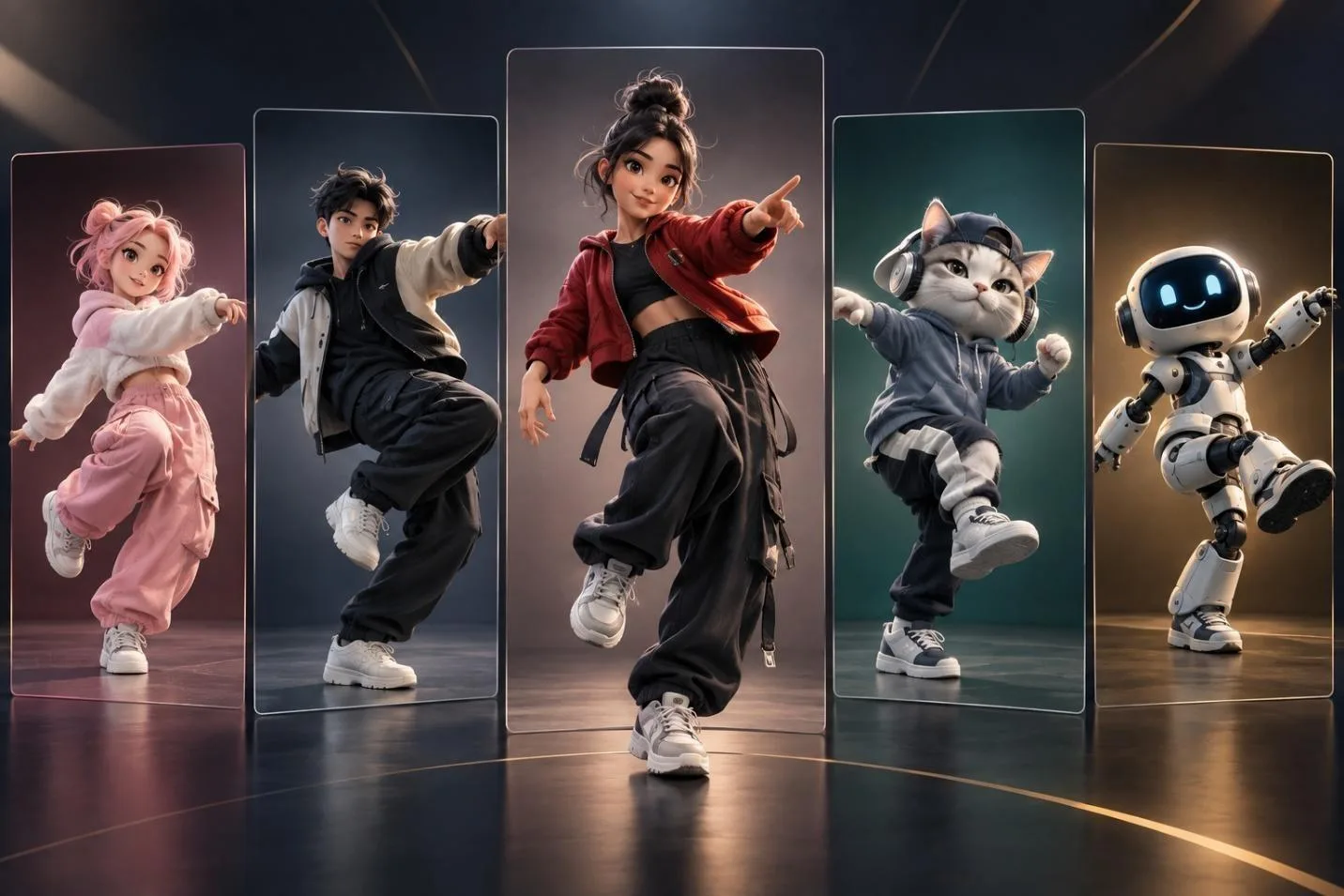
Viggle remains a strong motion-transfer tool, with its JST-1 model handling realistic physics well. Its limitation is scope, because motion-transfer clips stay short, although newer models include synced audio. These limits send many creators searching for a Viggle AI alternative with broader capabilities.
Ranking tools by output quality instead of monthly price can change their final order. Longer videos, sound support, and consistent characters matter more when comparing serious creative tools. This guide compares 5 options to help you choose based on quality and practical needs.
Part 1. Top 5 Alternatives to Viggle AI
These 5 platforms overcome different Viggle limits, including video length, sound, and character handling. Their quality differences matter much more than price when choosing the right creative platform.
How I Ranked “Quality”
Price was excluded because lower costs often come with shorter limits and fewer capabilities. These measures shaped the ranking, based on problems users commonly face during regular creation. Viggle performs strongly in motion realism but falls behind across several practical usage areas.
Free users receive limited watermarked clips, while commercial permissions remain unclear without paid access. These criteria help compare any AI similar to Viggle on practical creative performance. Below are the 5 quality measures used to rank each platform in this comparison.
- Output Length: Checks whether videos exceed 15 seconds without requiring clips or extra editing afterward.
- Audio Handling: Measures whether generated videos include sound instead of requiring external audio work later.
- Character Consistency: Tests whether faces and features remain stable across different scenes, shots, and generations.
- Motion Quality: Reviews how natural movement appears, especially when Viggle AI alternatives handle multiple characters.
- Free-Tier Terms: Examines what free plans allow, including watermarks, usage limits, and commercial permissions.
- MagicLight AI
Best For: Creators turning complete stories into longer animated video projects.
MagicLight AI turns a written idea into a complete animated video without manual scene building. Its Story to Video tool creates scenes, characters, narration, and captions from a single prompt. Prompts support up to 12,000 characters, giving writers more space for detailed, longer story projects.
With videos up to 50 minutes, MagicLight AI is better than Viggle AI for storytelling. Characters stay consistent across scenes, so longer videos keep the same faces and appearance throughout.
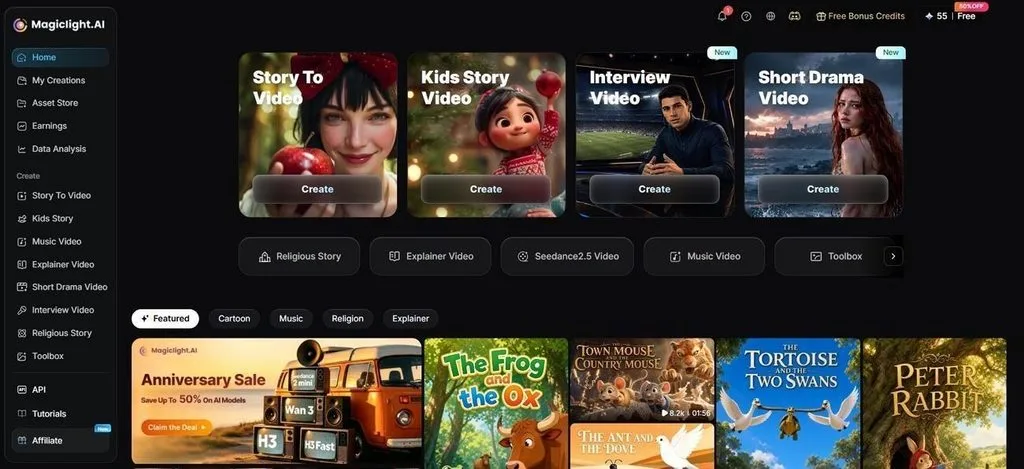
Key Features
- Image to Video: Add up to 5 reference images to guide the generated video style. Prompts allow 1,500 characters, and videos reach 30 seconds on supported models.
- AI Video Models: Choose from 20 AI video models for different generation styles and needs. Available options include Kling 3.0, Seedance 2.5, and several other models.
- Nano Storyboard: Nano Storyboard divides your story into scenes before the video generation begins. You can adjust expressions, clothing, poses, and individual shots before generating videos.
- Voice and Captions: Choose from 37 voices to add narration that matches your video style. Captions also offer 16 subtitle styles for clearer and more flexible presentation.
- AI Image Generator: Upload a reference image and write a prompt describing the visual clearly. Prompts support up to 500 characters for clear and detailed image instructions.
User Reviews
- Rosana d' Ávila Uchôa: “I really like the videos it produces. They look beautiful and are very easy to make….”
- Monika Dillingham: “Creators who need quick visuals can use MagicLight without complex editing skills.”
- Mohamed Ali: “Magiclight is one of the first Ai platform i used and one of many i tried.”
Pros
- Creates long videos suited for stories, lessons, and campaigns.
- Adds narration and captions automatically during the video generation process.
- Keeps saved characters visually consistent across separate scene projects.
Con
- Provides a maximum resolution of up to 1080p.
- Seedance
Best For: Users needing realistic motion with detailed generation control.
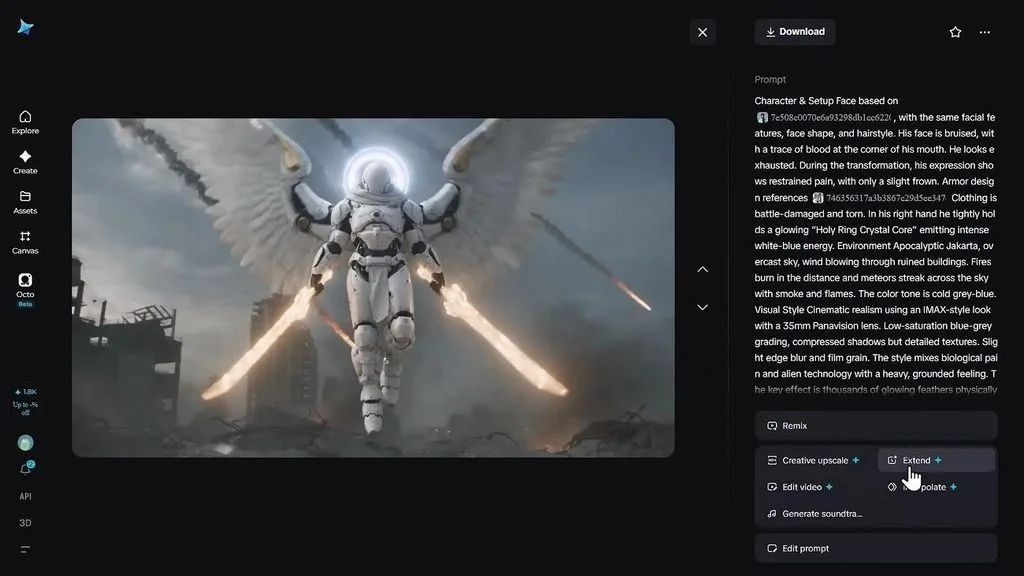
For motion realism, Seedance stands out as an AI similar to Viggle. Its latest model creates longer scenes while keeping movement natural and controlled throughout. Built-in sound also removes one extra production step from every generated clip automatically.
Key Features
- Use up to 50 assets to guide appearance, movement, and sound precisely.
- Change selected regions or timestamps without rebuilding the entire video again manually.
- Extend one generation twice when the original scene needs additional running time.
User Reviews
- Gamehow: “The motion is smooth, no warping, and audio sync is excellent. Free daily tier is generous.”
- Anzelika L: “I keep buying credits for my renders as it wouldn’t do as instructed…”
Pros
- Native 4K output preserves sharper detail for high-resolution creative work.
- Reference-heavy workflows give creators precise control over complex visual continuity.
Cons
- Generation costs can rise quickly during repeated testing and revisions.
- Access remains divided across ByteDance platforms instead of one workspace.
- Vidu
Best For: Creators needing stable characters with flexible generation options.
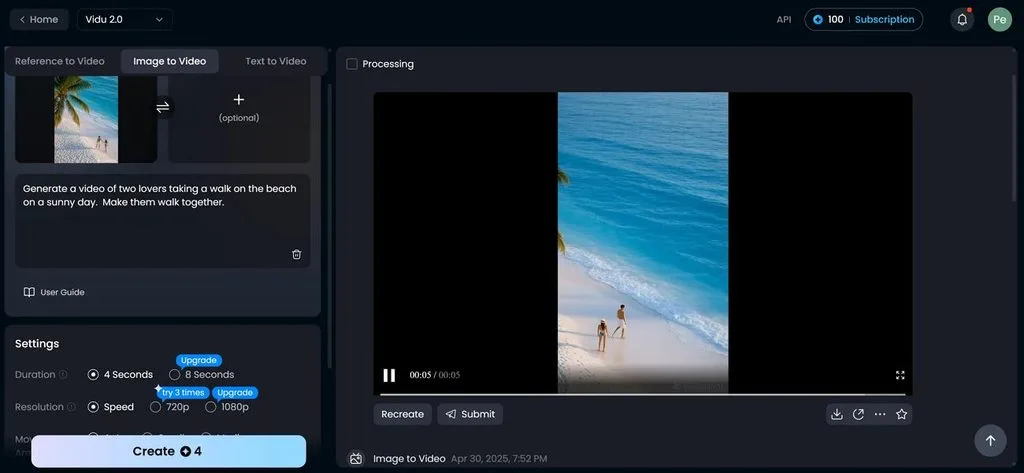
Vidu keeps recurring characters visually consistent while scenes, backgrounds, and outfits change naturally. Its Q3 model creates synchronized audio and lip movement within 16-second clips. Creators can begin with text, images, or references for flexible video generation workflows.
Key Features
- Multi-reference controls preserve facial details across separate shots without rebuilding each character manually.
- Free users receive starter credits plus unlimited off-peak generation for extended testing sessions.
- Different creation modes support text-to-video, image-to-video, and reference-to-video inside a simple workspace interface.
User Reviews
- Alper: “Top of the dynamic actions now as Q2 just dropped today,.....”
- Jesna's Creative Hub: “Vidu AI has tremendous features using Text to Image/ Video, Reference to Image…”
- Skyaura Rainbow Fox: “My experience of Vidu is that I often don't get the results I want for making Videos….”
Pros
- Stylized and anime visuals remain strong across expressive creative projects.
- Built-in sound reduces editing work after each completed video generation.
Cons
- Free exports include watermarks and restrict commercial use without upgrading.
- Unpaid accounts cap output at 720p, reducing detail on displays.
- VEED AI Video Generator
Best For: Teams combining video generation and editing in one workspace.
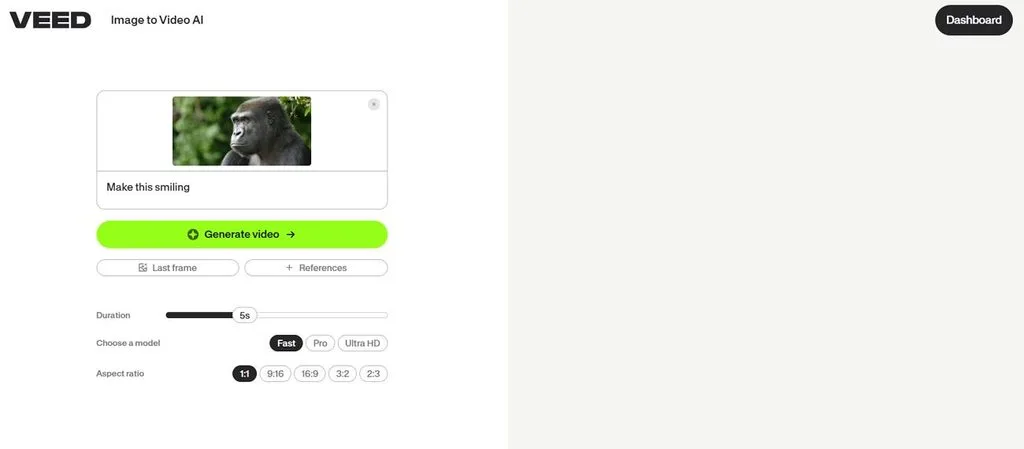
VEED combines AI generation and editing inside one browser workspace for creative teams. As an app like Viggle, it also supports deeper post-production tools for teams. More than 25 video models give creators broad generation choices from one account.
Key Features
- Access Veo 3, Kling, Sora, and Seedance models without switching between separate platforms.
- Automatic subtitles cover over 100 languages with built-in translation for international video projects.
- Choose from 50 AI avatars with voice cloning and eye-contact correction for presenters.
User Reviews
- Pedro Ramírez: “It's great for my personal entertainment. I only record the song lyrics.”
- Inloggu: “its pretty easy to add effect for small editing projects”
- Alejandro Veintimilla: “It is too buggy. Clean audio doesn’t work correctly….”
Pros
- Browser access avoids installing separate desktop software for routine editing.
- Subtitle accuracy receives strong praise across multilingual video production workflows.
Cons
- Free exports include watermarks and stay limited to 720p resolution.
- Unused AI credits expire instead of rolling into later cycles.
- HeyGen
Best For: Teams combining video generation and editing in one workspace.
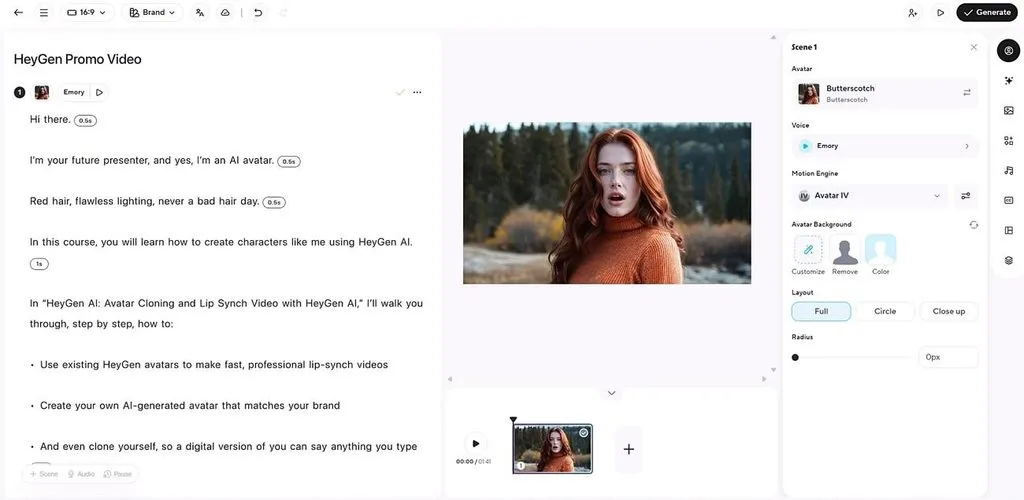
Among other apps like Viggle, HeyGen focuses on presenter videos for global audiences. Its localization tools adapt one recording across markets while preserving each speaker's identity. The platform suits brands needing polished communication without building complex animated scenes manually.
Key Features
- Choose from 240+ avatars or create custom digital twins from recorded footage easily.
- Dubbing supports 175+ languages while cloned voices preserve familiar speech patterns across regions.
- Translate existing videos while keeping lip movement matched closely to the new language.
User Reviews
- Stephen Cox: “heygen does an excellent job of creating video's that i want rendered”
- Jomar Mendezabal: “This service platform is awesome. I love it.”
- Emma: “I can't share audio even though I haven't watched many videos…”
Pros
- Presenter lip sync stays convincing across translated marketing videos globally.
- Voice cloning helps multilingual content keep the same speaker identity.
Cons
- Reference clips cannot drive character motion like Viggle workflows do.
- Scene creation remains limited because outputs center on presenters primarily.
Compare All Viggle AI Alternatives
Comparing alternatives to Viggle AI by length and audio makes their differences easier to understand. The table below shows how each option compares across the most important quality measures:
| Rank | Tool | Max Length | Audio | Free Tier |
| 1 | MagicLight AI | 50 minutes | Narration and captions | Free trial with limited credits, no card required |
| 2 | Seedance | 15 sec (2.0); 30 sec (2.5) | Generated in the same pass | Depends on hosting platform |
| 3 | Vidu | Up to 16 seconds with Q3 Pro | Synchronized with video | Free credits; unlimited generation also offered in Off-Peak Mode |
| 4 | VEED | Up to 30 minutes in Gen-AI Studio on Studio plan | Voiceover and subtitles | 3 videos/month, up to 1 minute each |
| 5 | HeyGen | 30 min Creator/Pro; 60 min Business | Voice cloning included | 3 videos/month, up to 1 minute each |
Quality-Based Recommendation
Viggle still leads at reference motion transfer, but its limits push creators toward broader tools. An app similar to Viggle AI should solve longer video, audio, or consistency needs clearly. Seedance works well for polished single shots, offering strong resolution and longer generations than Viggle. Vidu suits stylized character projects, when recurring faces and flexible inputs matter most overall.
VEED fits teams that want generation, subtitles, avatars, and editing inside one shared workspace. A Viggle AI review also shows why complete storytelling needs more than short motion clips. MagicLight AI ranks first here because long videos, narration, and stable characters remove key limits.
Conclusion
To conclude, quality among Viggle AI alternatives depends on length, sound, consistency, and output needs. Seedance delivers strong shot quality, while Vidu keeps characters consistent across stylized video projects. VEED combines generation and editing, while HeyGen focuses on realistic presenter videos for brands worldwide. If you need longer videos with sound and stable characters, use MagicLight AI for storytelling.
Frequently Asked Questions on Viggle AI Alternative
- Is there anything better than Viggle AI?
Nothing replaces Viggle for motion transfer, but broader tools handle finished videos better. MagicLight AI removes short clip limits while adding narration, longer projects, and stable characters.
- What is the best Viggle AI alternative in 2026?
MagicLight AI ranks first when length, audio, and character consistency matter most. Seedance suits creators focused mainly on single-shot quality and higher-resolution video output needs.
- What AI is similar to Viggle AI?
Vidu is an app similar to Viggle AI for character-focused animation projects. Its multi-reference workflow keeps recurring faces stable while supporting stylized visual output well.
- Is Viggle AI still available?
Yes, Viggle AI remains available through its website and mobile applications in 2026. Users can still access its motion tools for short reference-driven animation projects online.
- What are some good AI alternatives?
Seedance, Vidu, VEED, and HeyGen provide strong options for different video needs. Among other apps like Viggle AI, MagicLight suits creators needing longer, complete videos.





