Hero background

AI Outfit Generator

Try on different outfits virtually with MagicLight AI. Upload your photo and a clothing image to see how the outfit looks on you. No fitting room or editing skills needed.

Create an AI Outfit for Free
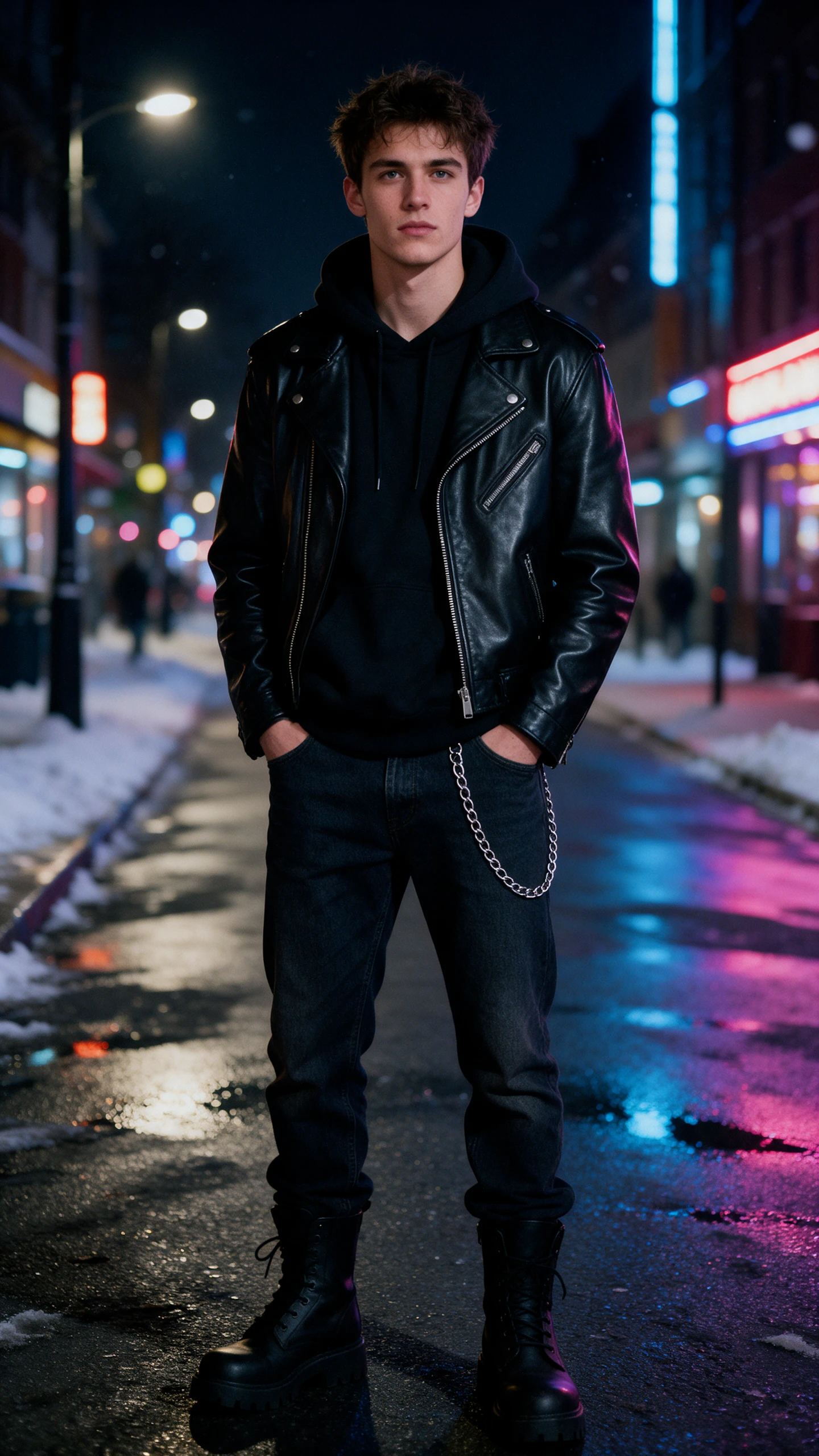
AI Outfit Generator preview
AI outfit preview
AI outfit preview
AI outfit preview
AI outfit preview
AI outfit preview
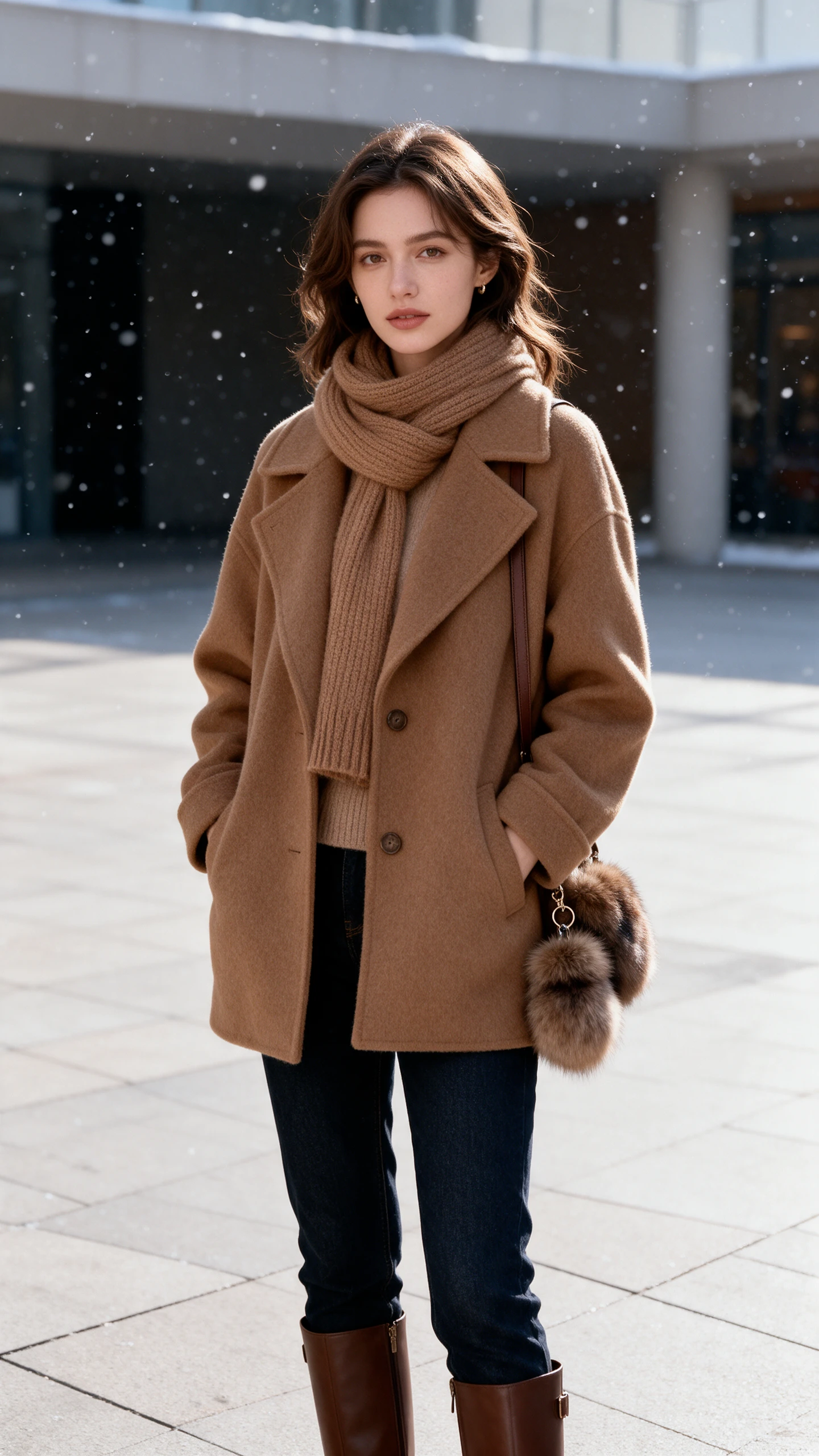
AI Outfit Generator preview
AI outfit preview
AI outfit preview
AI outfit preview
AI outfit preview
AI outfit preview

Explore the Magiclight AI Outfit Generator Features

Clothes look different on a hanger than they do on you. The AI outfit generator in Magiclight AI shows the outfit on your own photo so you can judge it before you buy.
Generate AI Outfit Now
3D decoration

Reference Image to Image for Your Own Photo

Switch to the reference mode and add a full-length photo of yourself. Add a picture of the clothes you want to try. Describe the rest of the look in the prompt.

Up to 10 Reference Pictures in One Run

Upload your photo plus shots of shoes, a bag and a dress. Say in the prompt which of the 10 reference images goes where, which will help the look comes together in one image.

3 File Formats Up to 20MB

Upload JPG or PNG or WEBP files as image references. Product shots from a store work as they are. Each file can be up to 20MB in size.

6 AI Models for Different Photo Looks

Run one prompt on GPT Image 2.5 Sunburst and then on Nano Banana 2. Each model reads the same description in its own way. Keep the version that fits your style.

Who Can Use the Magiclight AI Outfit Generator
Many outfit decisions come down to seeing the look first. The Magiclight AI outfit generator helps shoppers and stylists plan a purchase. Boutique sellers and event guests use it too.
For Online Shoppers
For Online Shoppers
Use Reference Image to Image to place a jacket on your photo.
Add up to 10 reference pictures to test a full outfit.
Upload store product shots as JPG, PNG, or WEBP files.
For Personal Stylists
Describe fabric and fit within the 500-character prompt.
Compare GPT Image 2.5 Sunburst and Nano Banana 2 on one look.
Use the 4:3 frame to lay out a capsule wardrobe board.
For Boutique Sellers
Keep each garment file under 20MB for a product page look.
Draft a lookbook idea on the Magiclight iPhone app.
Download the final image for a product page or a post.
For Wedding and Event Guests
Start with Text to Image to sketch a dress code idea.
Try the Video tab to turn the final look into a short wedding clip.
Use 20 AI video models for animating outfit photos for wedding selection.
Why Choose Magiclight AI
Outfit Generator
Choosing an outfit means testing many combinations. The AI outfit generator in Magiclight AI lets you try them on a photo without changing clothes.
Text to Image for Outfit Ideas
Describe a look in words when you do not have the pieces yet. No photo or clothing picture is needed in this mode. Sketch the idea first and refine it later.
1 iPhone App for Shopping Trips
Start a prompt on the Magiclight iPhone app when you spot an outfit in a store. Finish the details later on a larger screen. Write the idea down before it slips away.
2 Frame Shapes for Different Uses
Pick a tall 9:16 frame for a head-to-toe look. Choose 1:1 for a product page or a feed post. Set the frame before you create the image.
Download Each Look to Compare
Save the final look to your device before you check out. Download several versions to compare them side by side. Send the best one to a friend for a second opinion.
Image to Video for a Moving Preview
Move a finished outfit picture to the Video tab in the same Toolbox. Image to Video starts from the picture you made. Use it to see the look in motion.
Create Matching Looks for Different Occasions
Build a collection of outfits for work, weddings, vacations, or casual outings using Magiclight AI. Keep your favorite clothing pieces as references and explore new combinations around them.

How to Make an Outfit with Magiclight AI

Seeing an outfit on yourself takes 3 steps in Magiclight AI. Start with a clear, full-length photo so the AI outfit generator has more to work with.

1.

Step 1. Upload Your Photo and the Clothes

Launch the Toolbox and select Image. Switch to Reference Image to Image and add a full-length photo of yourself plus the garment pictures you want to try.

2.

Step 2. Describe the Full Look

Describe the fit, fabric, color, and occasion in up to 500 characters. Say which uploaded item goes where, such as the jacket over the dress.

3.

Step 3. Choose 9:16 and Create

Pick a model from the list and set the 9:16 frame for a head-to-toe look. Press Create Image and download the look you like best.

FAQs on AI Outfit Generator

Will the clothes fit me exactly like the real ones?

No, the image is a visual preview and not a sizing tool. Check the store’s size chart for fit. Use Magiclight AI outfit generator to judge style, color, and overall look. A clear full-length photo gives a better preview.

Can I try on clothes from an online store?

Yes, save the store’s product shot as a JPG, PNG, or WEBP file up to 20MB. Upload it beside your own photo in Reference Image to Image. Then describe how to wear it in the prompt.

How many clothing items can I add?

Up to 10 reference images fit in one run, and your own photo counts as one. Magiclight AI can combine a top, bottoms, shoes, and accessories. Say in the prompt where each item goes.

Can I use someone else's photo?

Only with their clear permission. Style only yourself or friends who agreed. Do not upload photos of people who have not said yes. This applies to every reference image you add in Magiclight AI.

Can boutiques use these images on product pages?

Yes, if the boutique holds a paid plan with commercial rights. Label styled images as previews and not as the exact product photo. Check the plan terms before you publish them on a product page.

Is the AI outfit generator free to try?

Yes, new accounts receive starter credits to test the tool. The Create Image button shows the credit cost of the selected model before each run. Upgrade only when you need more.


Create an AI Outfit with Magiclight AI

Add a photo of yourself and the pieces you want to try. The AI outfit generator in Magiclight AI shows the look on screen before you buy anything.