Many AI lip sync tools let anyone turn simple ideas into talking videos without complex editing skills or equipment. You no longer need a full studio, because smart AI matches voices and mouth movements for you. These tools support many video styles, from simple talking avatars to detailed animated scenes and characters.
This guide explores the best AI lip sync video generator options, with both free tools and powerful paid platforms. It helps you choose the right tool for YouTube, social media, education, or business storytelling needs.
Part 1. 10 Top AI Lip Sync Tools for Realistic Talking Avatar Videos
2026 brings a wide range of AI tools that help creators make realistic talking avatar videos easily. First, we will list platforms so you can quickly compare each of the best lip sync AI video generators:
1. Magiclight.AI
This tool turns your ideas into animated talking videos where every word matches clean, natural lip movements. Magiclight.AI keeps timing clean with no lag or delay, locking speech and mouth movement together every frame. It also tracks vocal tone and emotion to create natural expressions that make characters feel alive rather than robotic.
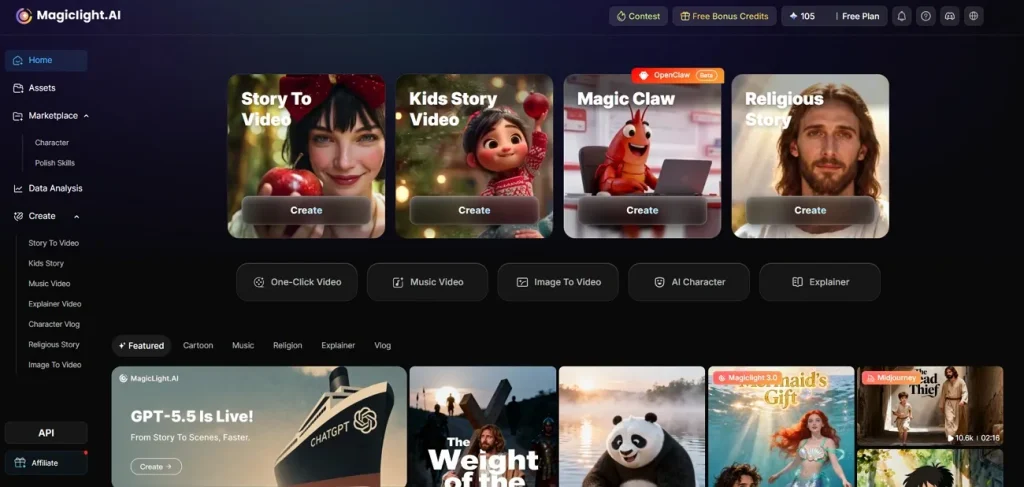
The system works with photos and stylized characters, without limiting you to realistic faces. Integrated AI voices let you choose from 37 different options and clone your own voice for stories. You can define your own visual style, then add voices, AI lip sync, music, and subtitles to build smooth, consistent multi‑scene videos in minutes.
Highlights
- Makes full videos up to 50 minutes long.
- Supports AI lip-sync in 11 languages for stories.
- Uses powerful engines such as Seedance 2.0 and Gemini 3.5 Flash.
- Removes the need for manual keyframing as AI handles all animation work.
Limitations
- Only provides video export resolution up to 1080p.
2. HeyGen
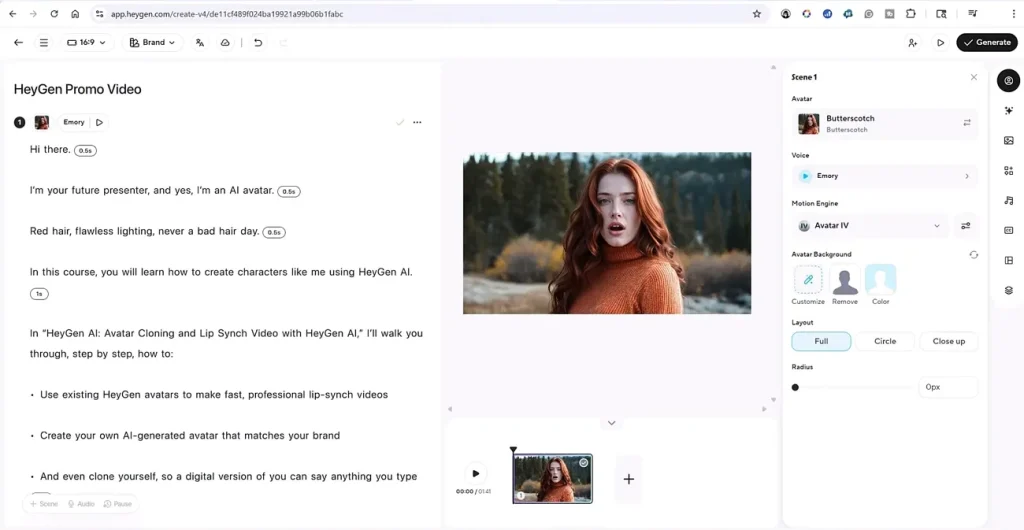
HeyGen lets you match spoken words with expressive AI avatars, creating talking videos that feel lifelike. It can translate your voice into other languages and keep lips synced, turning one video multilingual. You are free to use built-in avatars or upload your own footage before adding custom facial expressions. Many creators see it as the best AI lip sync video generator, free for testing global content ideas.
Highlights
- Matches translated speech to lips, so multilingual videos still look natural.
- Lets you apply lip sync to either avatars or uploaded footage easily.
Limitations
- The free plan allows only a few short lip-synced videos each month.
- Longer or premium lip sync videos consume paid credits and plans.
3. Vozo AI
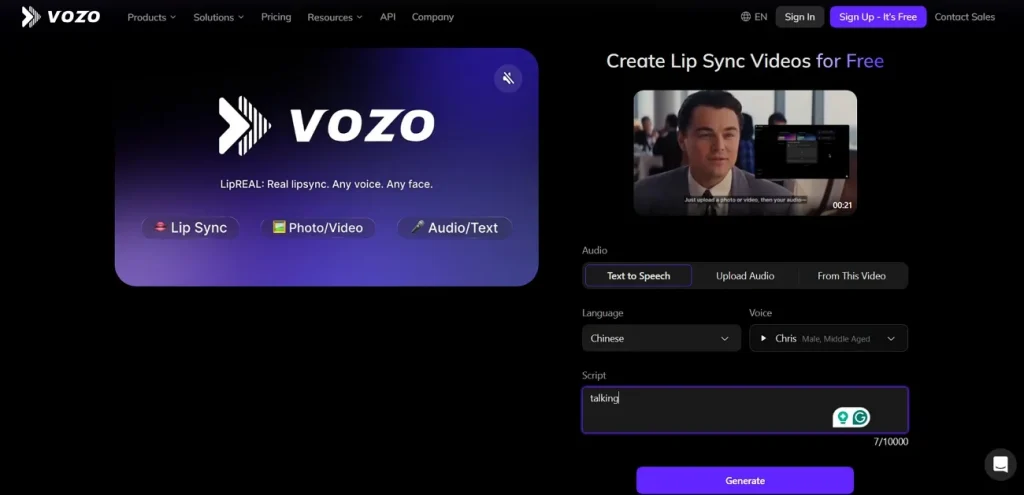
This tool helps you turn written scripts into spokesperson-style videos with voices that match every mouth movement. Vozo AI focuses on lip-synced clips for marketing and explainers, helping brands speak without a camera. You can pick human-like avatars, pair them with your message, and produce content for remote presentations. The platform also supports large video uploads, processing files up to 2.5 GB.
Highlights
- Handles complex scenes by automatically detecting and syncing the correct speaking face.
- Lets you fix incorrect lip-sync segments without costing extra points.
Limitations
- Designed for shorter projects because lip-sync input supports durations under 10 minutes.
- Precision mode can be slow, taking much longer to process difficult faces.
4. Sync.so (Sync Labs)
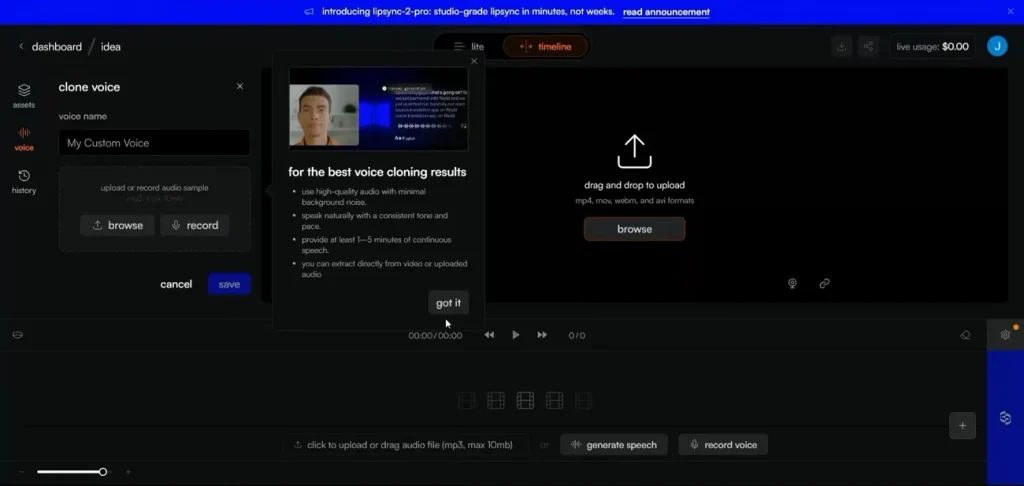
An AI lip-sync editor from the Wav2Lip founders, built to match mouths and speech. Sync.so aligns a speaker’s lips with new audio or typed text in real time, while remaining photorealistic. You can translate and dub videos into other languages while preserving natural rhythm. A flexible API and studio tools connect to pipelines, making it a serious best AI video generator with lip sync option.
Highlights
- sync-3 and react-1 give scene-aware, emotional lip sync for difficult footage.
- The Batch API lets teams dub many videos efficiently.
Limitations
- Usage-based billing gets pricey when processing long or frequent lip-sync jobs.
- Best results need technical setup, not ideal for casual beginners.
5. Kling AI
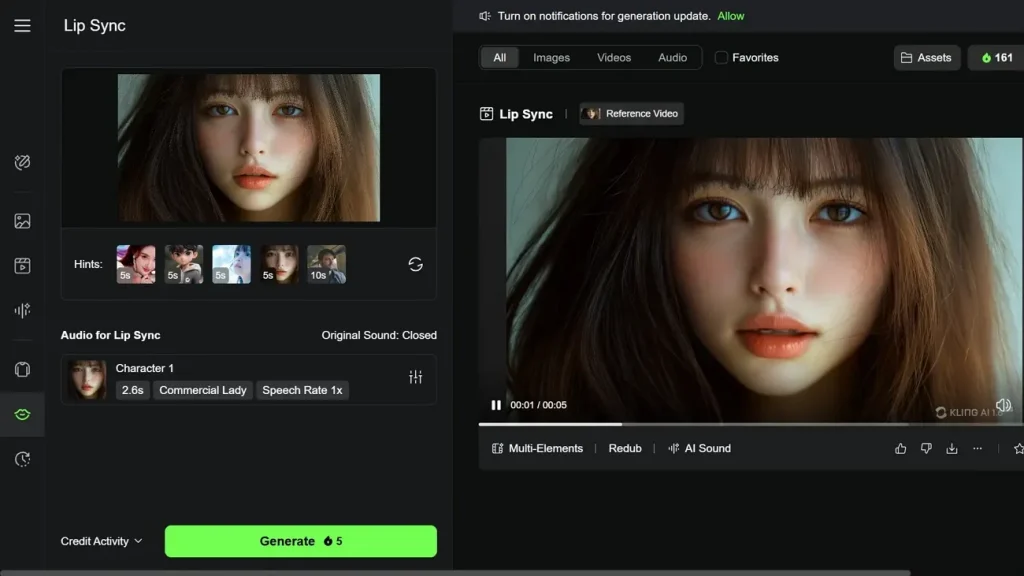
Kling AI’s lip sync feature lets you line up speech audio with video, making characters talk realistically on screen. You can sync your own recorded video or use Kling clips, then match them with uploaded speech audio. There is also a text-to-speech option that lets Kling generate voices and lip movements. This makes it useful for dubbing interviews, vlogs, and social media content.
Highlights
- Produces realistic lip sync that stays believable on close-ups.
- Adds lip sync to music videos so performances feel tightly on beat.
Limitations
- Lip sync clips are short and often capture only brief moments.
- Works best on human faces, while stylized characters often fail.
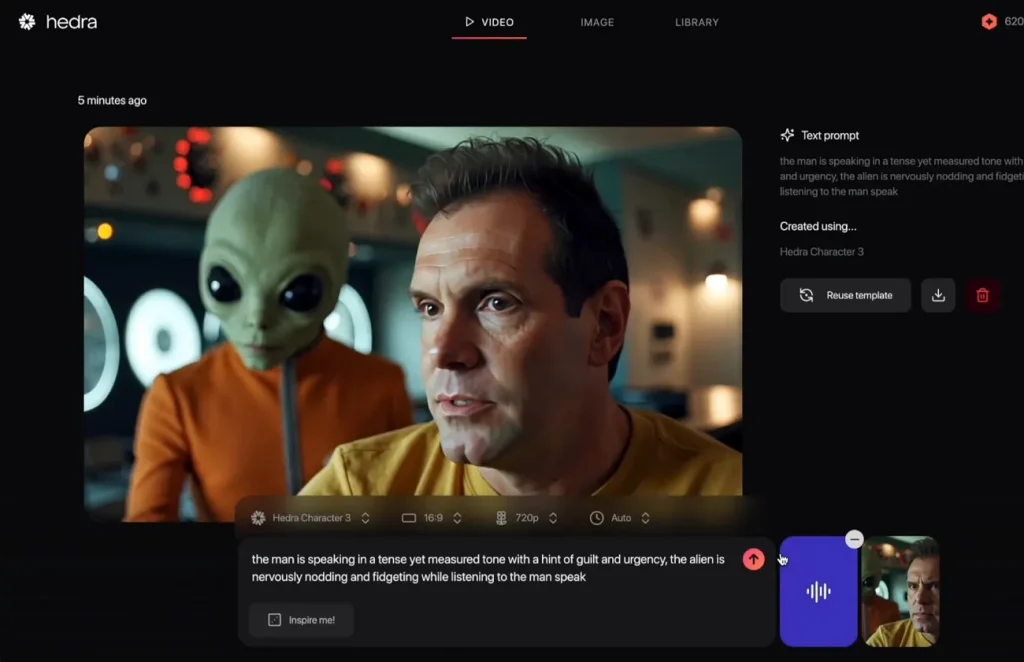
6. Hedra
Hedra turns photos into talking avatars with natural lip movement, aiming to be the best AI lip sync video generator. It lets you upload or generate a face, type a script, then sync voice to mouth. Plain text scripts can also feed text-to-video tools that automatically generate voiced, lip-synced speaking clips. The studio blends image-to-video, lip-sync, and avatar controls to make short character videos ready.
Highlights
- Handles profile angles and non‑human faces while keeping lip sync believable.
- Offers multilingual avatar videos by reusing the same animation with different voices.
Limitations
- The free tier adds a watermark to generated lip-sync avatar videos.
- It creates just short clips, as most models generate only brief segments.
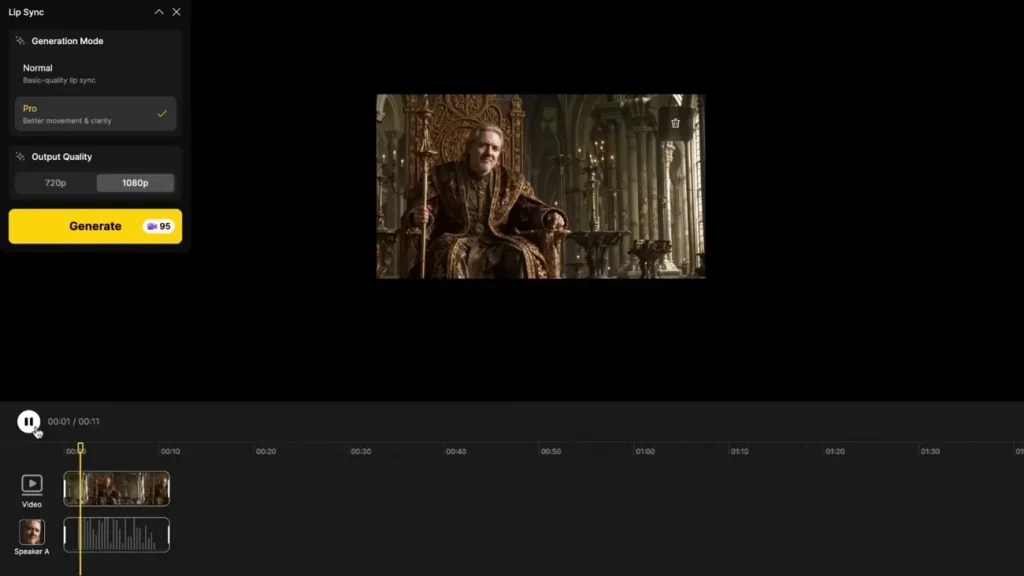
7. Dzine AI
An AI tool that focuses on making voice and mouth movements feel human to avoid the uncanny valley look. It analyzes speech patterns, then drives lip motion so each word appears clearly timed. Dzine AI’s lip sync tool animates when conversations overlap or characters switch speaking roles. Multilingual dubbing features help creators deliver the same scene in different languages without re-recording or manually adjusting lips.
Highlights
- Creates continuous dialogue scenes up to 5 minutes in a single render.
- Syncs conversations with as many as 4 characters talking in one video.
Limitations
- Longer multi-character renders can introduce small timing glitches between overlapping voices.
- High-quality multi-face lip sync consumes credits on lower subscription tiers.
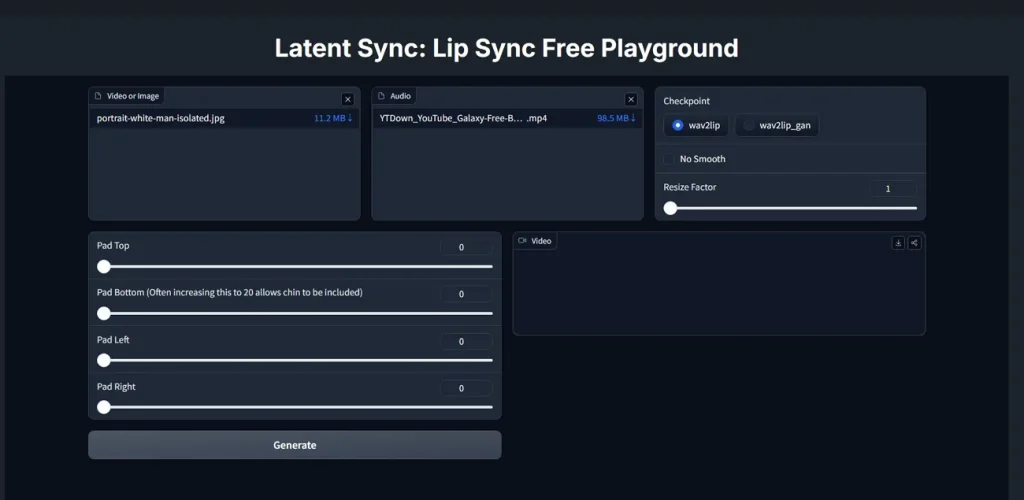
8. LatentSync
This is a ByteDance open-source model that retimes talking videos, so the lips match the new speech audio. LatentSync uses audio-conditioned latent diffusion to learn how sound should drive realistic mouth shapes and timing. A TREPA module smooths changes between frames, cutting flicker and keeping lip motion consistent over time. Many creators treat it as the best free AI lip-sync video generator for custom pipelines.
Highlights
- Uses TREPA to boost temporal smoothness while keeping lips tightly synced.
- Works on both real people and stylized characters for flexible dubbing.
Limitations
- Setup and training require powerful GPUs and command-line proficiency.
- Inference still needs several gigabytes of VRAM for good performance.
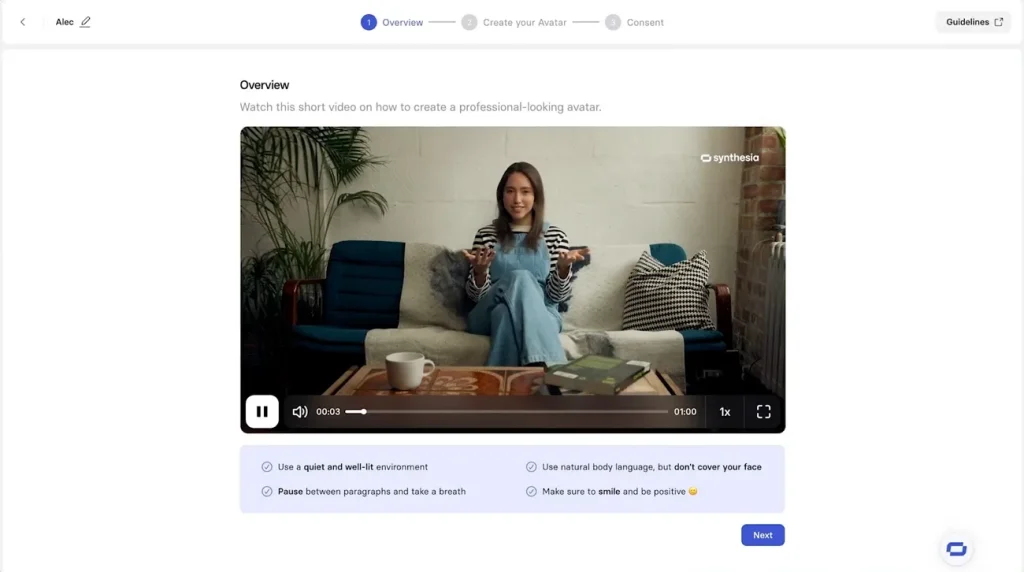
9. Synthesia
It is an AI avatar video platform that turns typed scripts into presenter-style videos. Synthesia focuses on business training and communications, where teams need consistent branding. Moreover, the built-in AI dubbing translates finished videos into 130+ languages and accents with frame-accurate lip sync. The same tool handles voice generation and avatar animation, so global teams update content from one place.
Highlights
- AI dubbing keeps the original speaker’s voice while changing the on-screen language.
- Lip sync stays frame-accurate in translated versions, preserving timing and expressions.
Limitations
- Some stock avatars show weaker lip sync and less natural facial movement.
- Credits for lip-synced dubbing get expensive on long or frequent projects.
10. LipDub AI
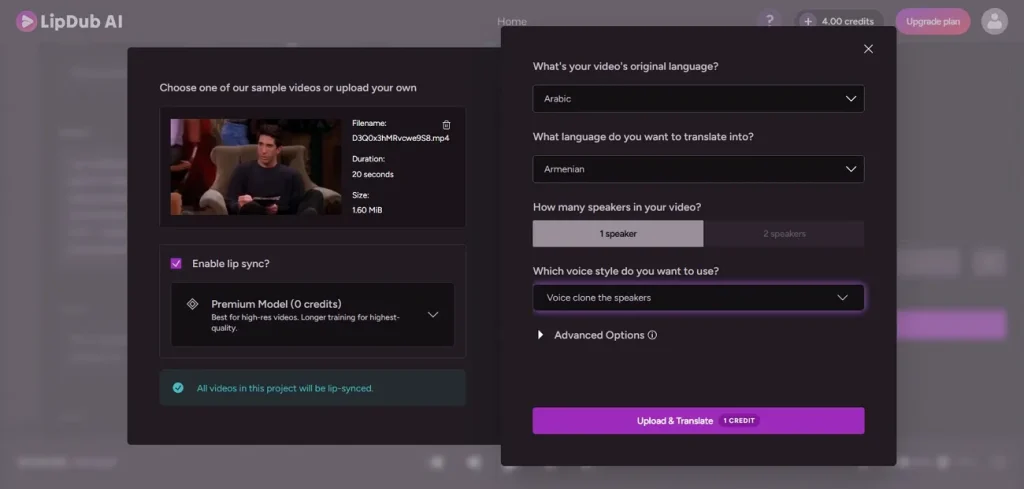
One of the best lip sync AI video generators that focuses on dubbing existing videos into new languages while keeping lip movements looking natural. It analyzes the speaker on screen and retimes their mouth to match freshly translated dialogue. Voice translation and timing adjustments are handled in one place, so teams reuse footage without extra shoots.
Highlights
- Time-coded controls let editors adjust specific dialogue moments with precision.
- Advanced tracking preserves subtle motion in the jaw and clothing during dubbing.
Limitations
- No built-in talking avatar generator for script-to-video workflows.
- The complex interface overwhelms beginners who only need quick dubs.
Part 2. Why Magiclight.AI Is the Best AI Lip Sync Video Generator
Having explored many lip sync tools and styles, many users wonder which tool truly handles everything. So, look at the full feature set and workflow to understand why Magiclight.AI is the best AI lip sync video generator:
| Tool | Max Lip-Synced Duration | Avatar/Face Types | Standout Lip Sync Strength | Output Video Format |
| Magiclight.AI | Up to 50‑min full videos | Photos, illustrations, stylized characters | Long, emotional story videos | MP4, HD/YouTube‑ready |
| HeyGen | Short to mid‑length clips | Stock avatars, uploaded human footage | Easy multilingual talking heads | MP4, up to 4K, SCORM |
| Vozo AI | Under 10 minutes per clip | Human presenters, spokesperson avatars | Brand‑style explainers | MP4 video export |
| Sync.so | Scene‑dependent, pro pipelines | Real human faces, production footage | Scene‑aware precision | MP4 via API pipeline |
| Kling AI | Short social clips, seconds long | Real people in close‑up frames | On‑beat talking shots | MP4 social clips |
| Hedra | Brief avatar clips | Photos, stylized and non‑human faces | Side‑angle, non‑human sync | MP4 avatar videos |
| Dzine AI | Up to 5‑min continuous scenes | Up to 4 faces in one scene | Multi‑speaker timing | MP4 talking videos |
| LatentSync | Depends on pipeline, custom runs | Stylized faces in projects | Open‑source TREPA smoothness | MP4 or custom pipeline |
| Synthesia | Business‑length training videos | Corporate avatars, presenters | Business‑grade dubbing | MP4, LMS‑ready files |
| LipDub AI | Full‑length dubs, editor‑limited | Existing on‑camera speakers only | Fine time‑code controls | MP4 localized videos |
Conclusion
In the end, today’s tools make lip‑synced talking videos easy, without studios or complex editing skills. From fast clips to long episodes, you now have flexible options for every platform and workflow. For many creators, Magiclight.AI feels like the best AI lip sync video generator and a surprisingly realistic AI video generator.
FAQs on Best AI Lip Sync Video Generator
1. What is the best AI cartoon video generator in 2026?
Magiclight.AI stands out for long cartoon videos with consistent characters and smooth lip sync. It offers templates, voices, and styles, so beginners and pros finish polished stories quickly.
2. Which AI cartoon video generator is free to use?
You can start with free plans or trials that include limited credits and features. These free tiers let you test cartoon styles and basic exports before upgrading for more usage.
3. Can I create cartoon videos without editing skills?
Yes, these tools automate animation, timing, and scenes, so you skip complex manual editing. Magiclight.AI lets you type ideas, choose characters, then generate full cartoon videos in minutes.
4. What is the best free cartoon AI video generator app?
Magiclight.AI offers a mobile app and free credits, great for testing cartoon stories easily. It provides templates, voices, and fast rendering, making it the best free AI lip sync video generator for beginners.
5. Which AI tool makes the most realistic cartoon videos?
You get cinematic cartoon motion thanks to strong animation engines and expressive voices from Magiclight.AI. Its models track lip sync and emotions closely, making characters feel lively instead of stiff or robotic.