


Creating videos for social media requires more than just good visuals. Creators need to publish consistently, adapt content to different platforms, and keep viewers engaged within the first few seconds. AI video generators can simplify this process by turning scripts, ideas, images, or prompts into videos without requiring a full production team. However, different tools are designed for different types of content, so choosing the right one matters. This guide compares six of the best AI video generators for social media content in 2026, focusing on video quality, creative control, customization, and how well each tool fits common social media workflows.
Part 1. How to Choose the Best AI Video Generator for Social Media Content
Not every AI video generator works equally well for social media. Before choosing a tool, consider these five factors:
- Social Media Formats: Check support for vertical formats such as 9:16 for TikTok, Instagram Reels, and YouTube Shorts.
- Generation Speed: Faster generation makes it easier to maintain a regular publishing schedule.
- Video Quality and Styles: Look for visual styles that fit your niche and content format.
- Customization and Consistency: Character, scene, and visual controls are important for recurring content.
- Voiceover, Captions, and Editing: Built-in production features can reduce the need for additional editing software.
Part 2. 6 Best AI Video Generators for Social Media Content in 2026
The best AI video generators for social media content serve different purposes. Some are designed for short cinematic clips, while others focus on storytelling, marketing, or AI avatars.
1. MagicLight AI
Best For: Storytelling, long-form content, and multi-scene social media videos.
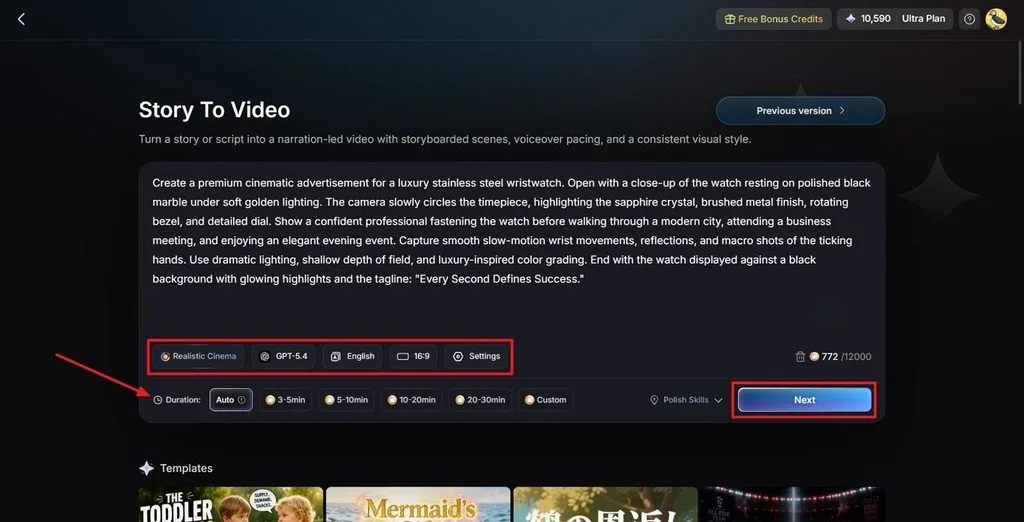
MagicLight AI takes a script-based approach to video creation. Instead of generating isolated clips one by one, it can analyze a complete script and organize it into scenes before generating the video.
It also combines character creation, voiceovers, subtitles, and storyboard customization in one workflow. This makes it useful for creators producing recurring stories, educational content, YouTube videos, and social media content.
Key Features
- Story to Video: Supports scripts up to 12,000 characters and videos up to 50 minutes.
- AI Character Creation: Create reusable characters for consistent storytelling.
- Nano Storyboard: Break scripts into editable scenes and customize character poses.
- Voiceover and Subtitles: Includes 37 AI voices, voice cloning, and subtitle styles.
- Multiple AI Video Models: Provides different generation models for various visual styles.
Pros
- Turns a complete script into a structured video. Automatically organizes the script into scenes and helps build a complete video.
- Supports both short-form and long-form content. Suitable for different social media formats, from short clips to longer videos.
- Combines visuals, narration, captions, and editing in one workflow. Keeps the main video creation process in one place, reducing the need for multiple tools.
Con
- Maximum output resolution is 1080p. This may be a limitation for creators who need higher-resolution video for certain projects.
2. Kling AI
Best For: Realistic and cinematic short-form social media videos.
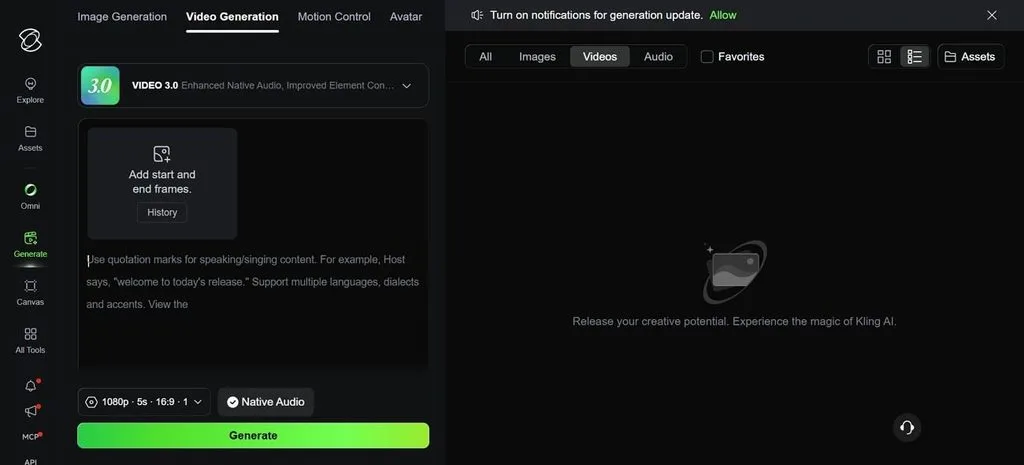
Kling AI is a strong option for creators who want visually impressive short clips. It focuses on realistic motion, detailed visuals, and dynamic scenes, making it useful for TikTok videos, Instagram Reels, and YouTube Shorts.
Creators can use it to turn individual ideas or scenes into attention-grabbing visual content.
Key Features
- Realistic AI video generation.
- Supports image-to-video and text-based generation.
- Dynamic motion and camera effects.
- Useful for short-form visual storytelling.
Pros
- Strong visual quality. Produces polished visuals that can make social content more engaging.
- Good for cinematic social clips. Works well for creating visually rich and cinematic short videos.
- Suitable for attention-grabbing short-form content. Helps creators make eye-catching clips designed to capture viewers quickly.
Con
- Longer videos usually require multiple generated clips and additional editing.
3. Runway
Best For: Creative control and professional social video production.
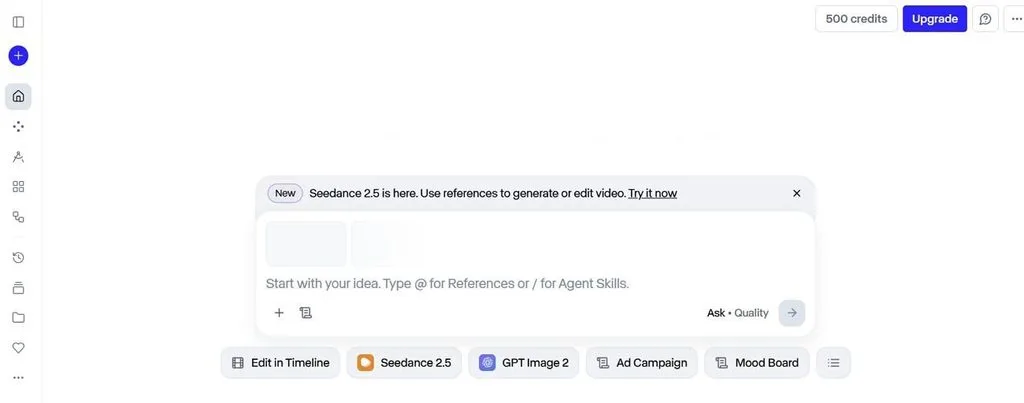
Runway is designed for creators who want more control over individual shots and visual direction. It provides tools for generating and refining AI video content, making it suitable for filmmakers, designers, and creators developing distinctive social media visuals.
Key Features
- Text, image, and video-based generation.
- Detailed control over individual shots.
- Multiple AI video generation models.
- Tools for refining and editing generated content.
Pros
- Strong creative control. Gives creators more flexibility to shape the look and feel of their videos.
- Useful for professional visual content. Works well for polished videos that need a more refined visual style.
- Suitable for experimenting with different styles. Makes it easy to explore different creative directions and visual effects.
Con
- Requires more creative input and editing compared with fully automated workflows.
4. Pika
Best For: Stylized and engaging short-form social content.
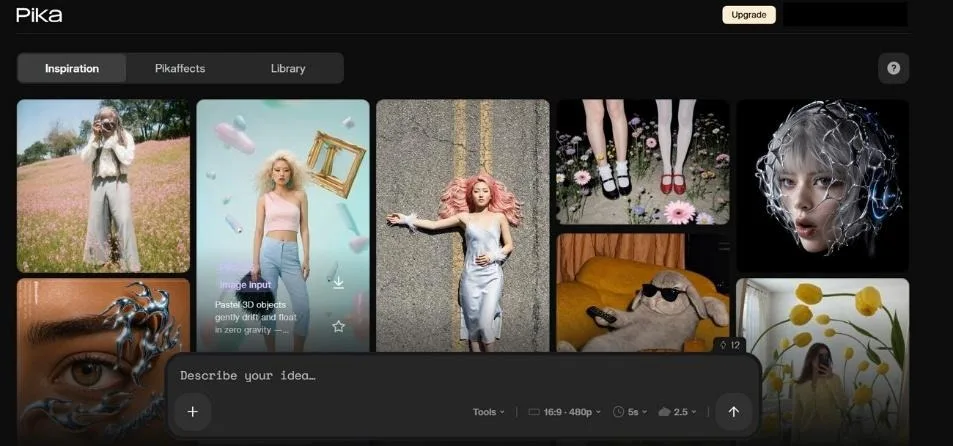
Pika focuses on fast, creative video generation and visual effects. Its transformation tools allow creators to experiment with objects, scenes, and visual styles without building complex video projects from scratch.It is particularly useful for social media creators who want unusual effects and visually engaging short clips.
Key Features
- AI text-to-video and image-to-video generation.
- Creative video effects and transformations.
- Short-form video generation.
- Tools for modifying elements within scenes.
Pros
- Easy to experiment with creative concepts. Makes it simple to test different visual ideas and styles.
- Well suited to short-form social videos. Works well for quick, engaging content on social platforms.
- Useful for trend-driven visual content. Helps creators produce eye-catching videos that follow current trends.
Con
- Short clip generation makes it less suitable for long narrative videos. It is better suited to short visual content than extended storytelling.
5. InVideo AI
Best For: Marketing and promotional social media videos.
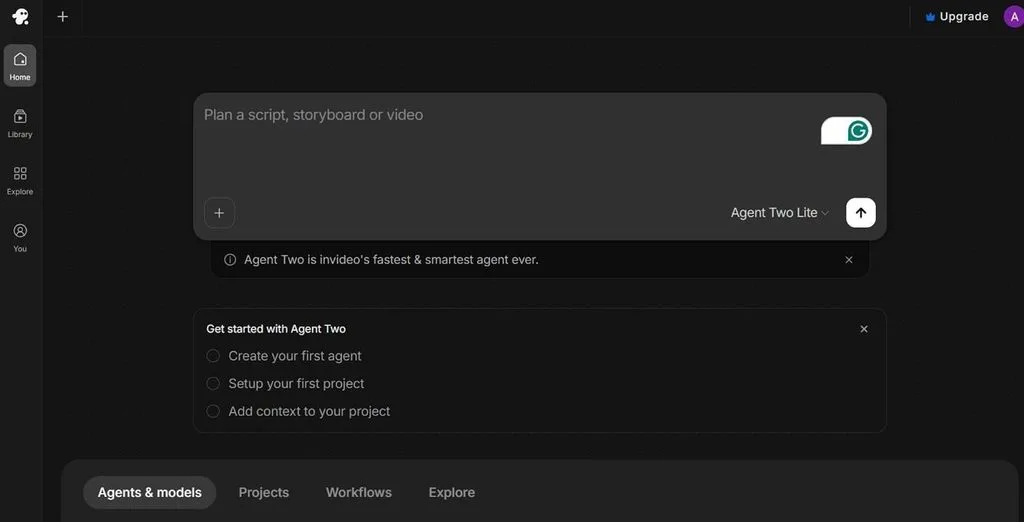
InVideo AI is designed for creators and businesses that need to produce marketing content efficiently. Its AI-assisted workflow, templates, subtitles, and media assets make it practical for promotional videos and branded social content.
Key Features
- AI-assisted video creation.
- Marketing-focused templates.
- Built-in media assets and subtitles.
- Useful for promotional and branded content.
Pros
- Efficient for marketing videos. Helps create promotional content quickly with less manual work.
- Large selection of templates and media assets. Provides plenty of ready-made options for different marketing needs.
- Reduces manual editing work. Automates many editing steps, making video production more efficient.
Con
- Generated content can rely heavily on stock footage. Videos may feel less original when using too many stock assets.
6. HeyGen
Best For: AI avatar and presenter videos.
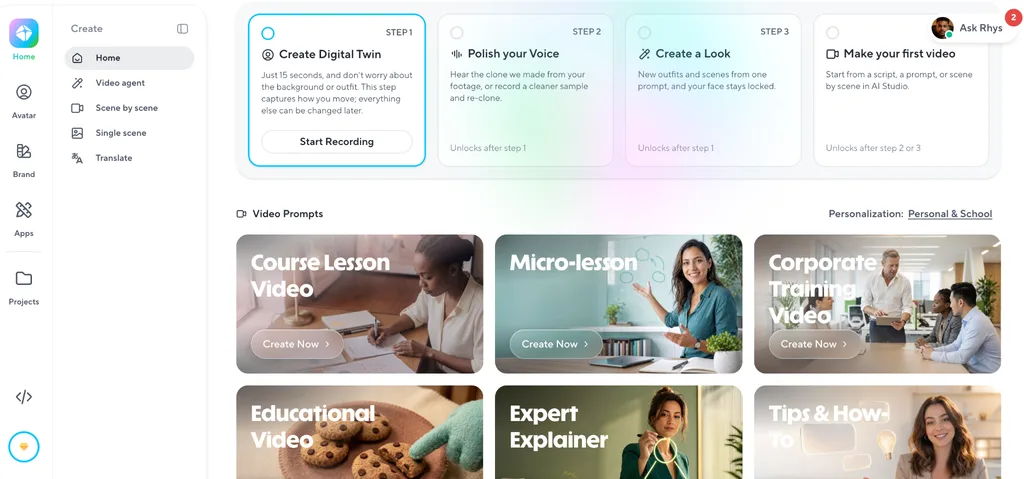
HeyGen focuses on AI avatars and virtual presenters. It is particularly useful for creators and businesses producing tutorials, educational videos, product explanations, and announcements without appearing on camera.Its presenter-based format works naturally for social media content that depends on spoken explanations.
Key Features
- Realistic AI avatars.
- AI-generated voiceovers.
- Presenter-style video creation.
- Suitable for tutorials and educational content.
Pros
- No camera or studio setup required. Create presenter-led videos without filming equipment.
- Useful for presenter-led content. Works well for tutorials, introductions, and explainers.
- Simple workflow for explanatory videos. Turn a script into a video with just a few simple steps.
Con
- Less suitable for cinematic storytelling and complex animated scenes. Better suited to avatar-based videos than highly visual content.
Compare the 6 Best AI Video Generators for Social Media Content
The six tools take noticeably different approaches to social media video creation. The table below makes it easier to match each platform with the type of content you want to produce.
| Tool | Best For | Video Type | Social Content |
| MagicLight AI | Storytelling | Script-to-video | Stories, YouTube, Shorts |
| Kling AI | Realistic visuals | Short clips | TikTok, Reels, Shorts |
| Runway | Creative control | AI video generation | Creative social content |
| Pika | Stylized clips | Short-form videos | TikTok, Reels |
| InVideo AI | Marketing | Complete videos | Ads, YouTube, social posts |
| HeyGen | AI avatars | Presenter videos | Tutorials, business content |
Part 3. Why MagicLight AI Is a Strong Choice for Social Media Content
MagicLight AI differs from short-clip-focused generators by supporting complete scripts and organizing content into multiple scenes. Creators can customize scenes, reuse characters, add voiceovers and subtitles, and turn one story into both long-form and short-form social media content.
How to Create Social Media Videos with MagicLight AI
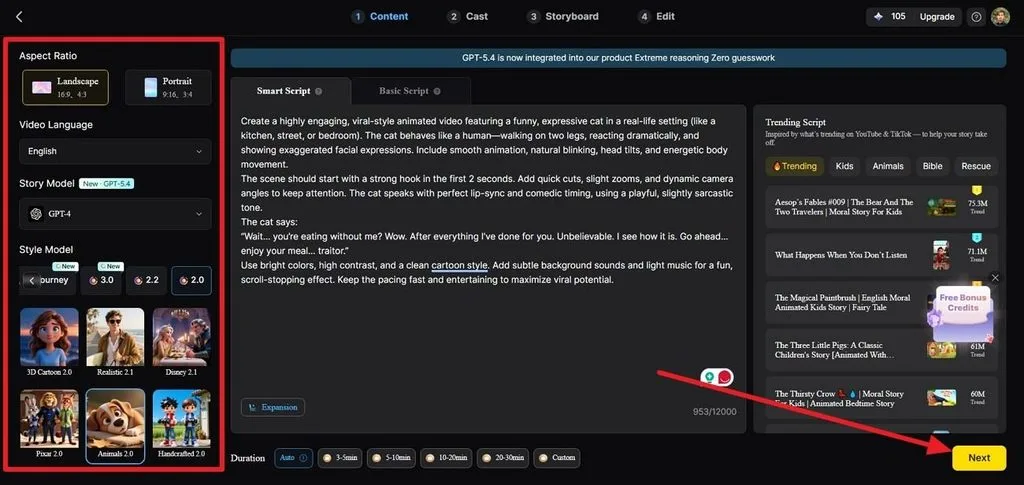
Step 1. Enter Your Script
Open Story to Video and go to the Smart Script section. Paste your script, then choose the aspect ratio, video language, story model, style model, and duration.
Step 2. Review the Script Breakdown
Review the generated synopsis, scenes, and shots. Edit any scene descriptions that need adjustment before continuing.
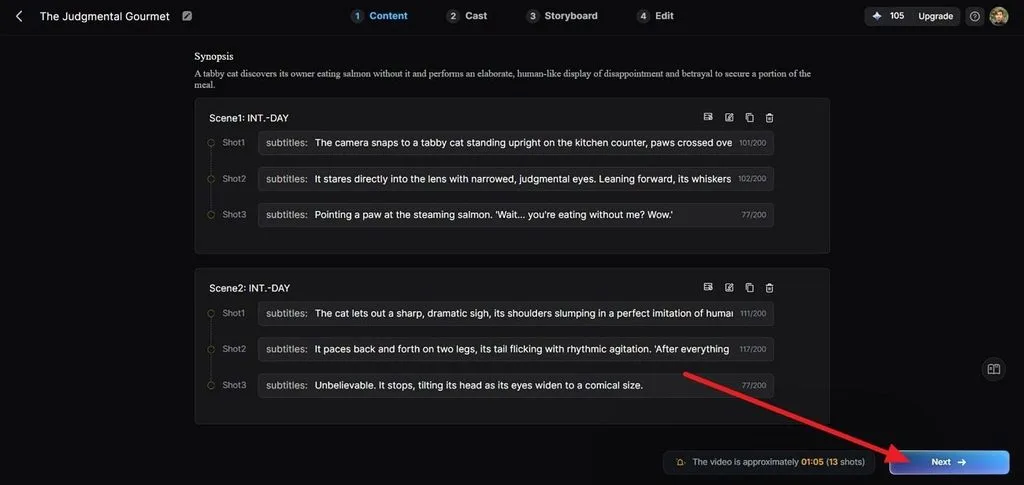
Step 3. Confirm Your Characters
Go to Cast and review the characters detected from your script. Keep the generated characters or add your own references for recurring content.
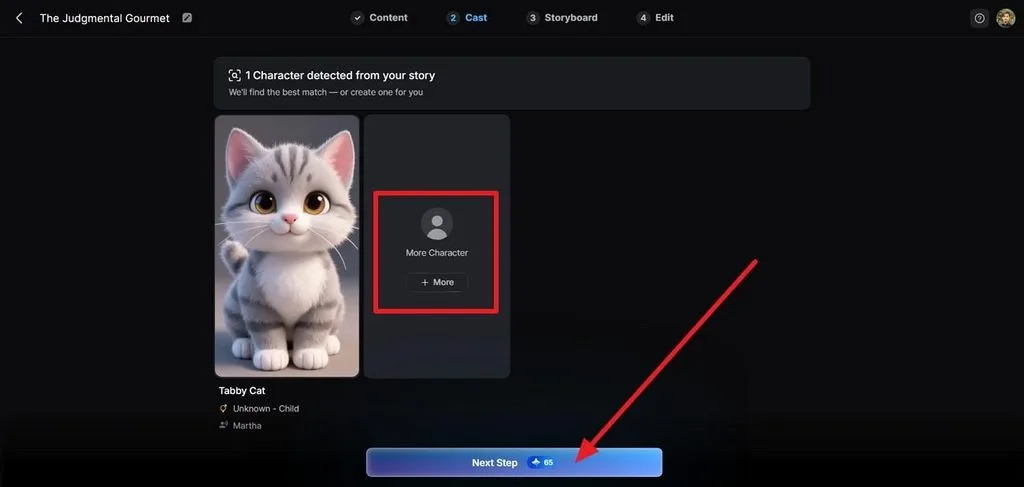
Step 4. Customize the Storyboard
Open Storyboard and select a frame. You can adjust the prompt, expression, figure, pose, and other available settings before animating the scene.
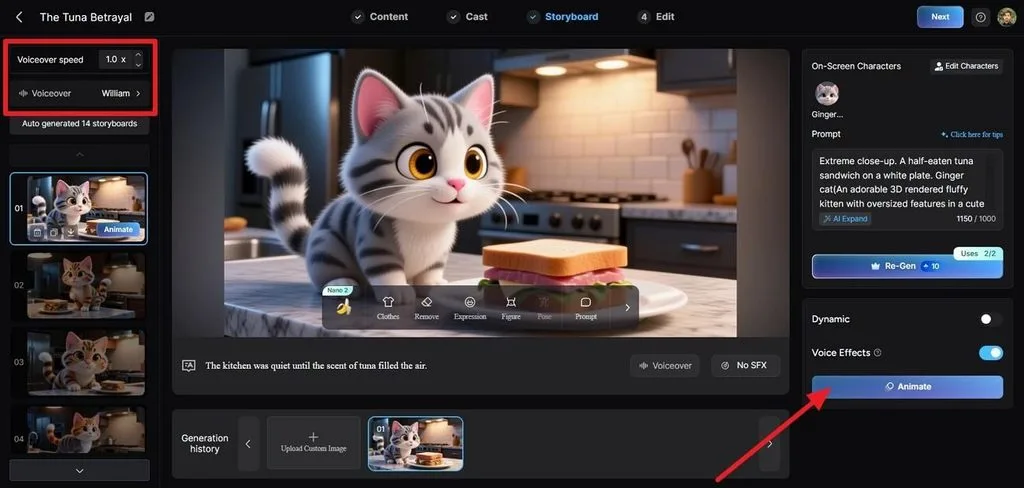
Step 5. Add Subtitles and Music
Choose a subtitle style and configure the background music. Once the settings are ready, generate the video.
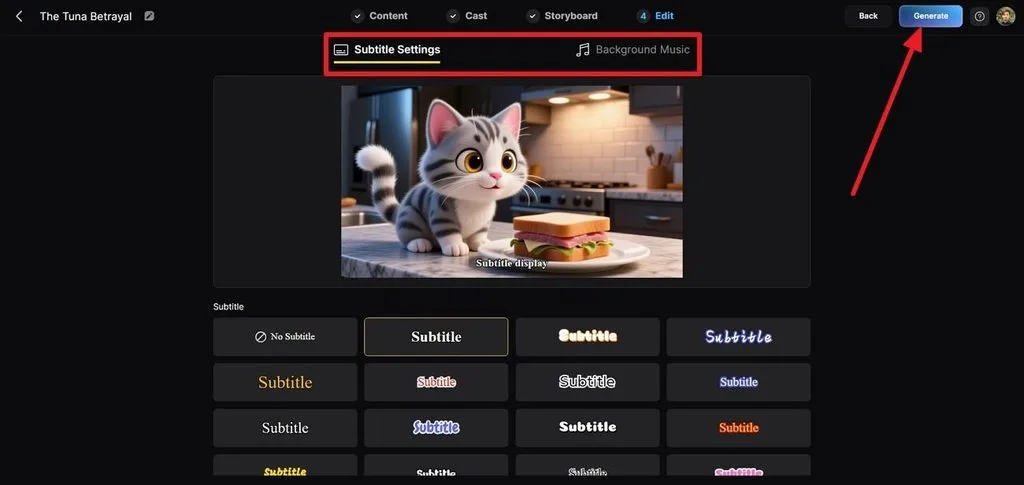
Step 6. Preview and Export
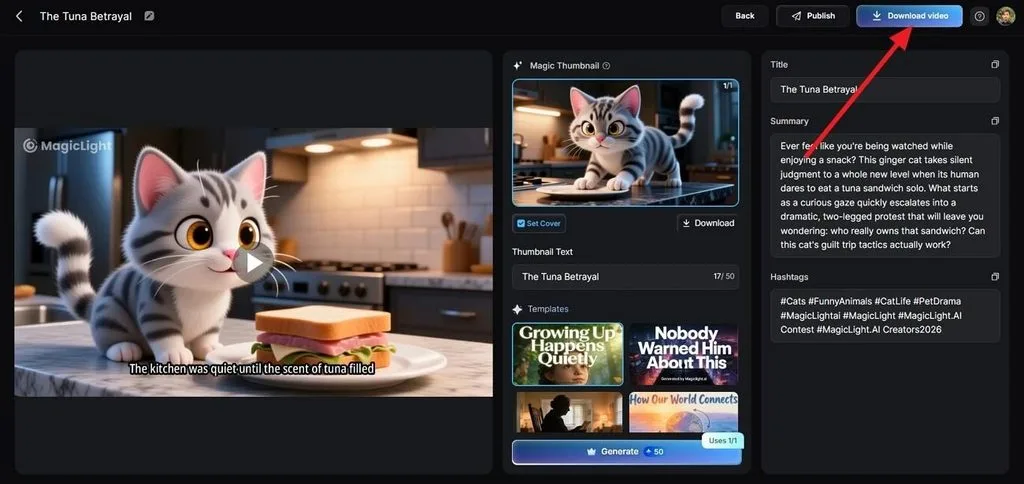
Review the completed video and adjust the thumbnail, title, summary, or hashtags if necessary. You can then publish or export the final video.
Conclusion
The best AI video generator for social media depends on your content needs. Kling AI is ideal for realistic short clips, Runway offers advanced creative control, Pika suits stylized content, InVideo AI works well for marketing videos, and HeyGen focuses on AI avatar presentations. For creators who want to turn complete scripts into structured, multi-scene videos, MagicLight AI provides a broader workflow with long-form generation, consistent characters, voiceovers, subtitles, and storyboard customization.
FAQs About the Best AI Video Generator for Social Media Content
1. What is the best AI video generator for social media content?
It depends on your content type. MagicLight AI is a strong choice for storytelling and script-based videos, while Kling AI and Pika work well for short-form visual content.
2. What are the best AI video generators for social media content creators in 2026?
Popular options include MagicLight AI, Kling AI, Runway, Pika, InVideo AI, and HeyGen. Each tool is suited to different social media workflows.
3. Can AI create videos for TikTok, Instagram, and YouTube?
Yes. AI video generators can help create content for TikTok, Instagram Reels, YouTube Shorts, and other platforms. MagicLight AI also supports different aspect ratios, making it easier to adapt content across platforms.


![How to Write a Script for a Short Film in 2026 [Beginner’s Guide]](https://magiclight.ai/wp-2/wp-content/uploads/short-film-screenplay-writing-guide-300x169.webp)


