


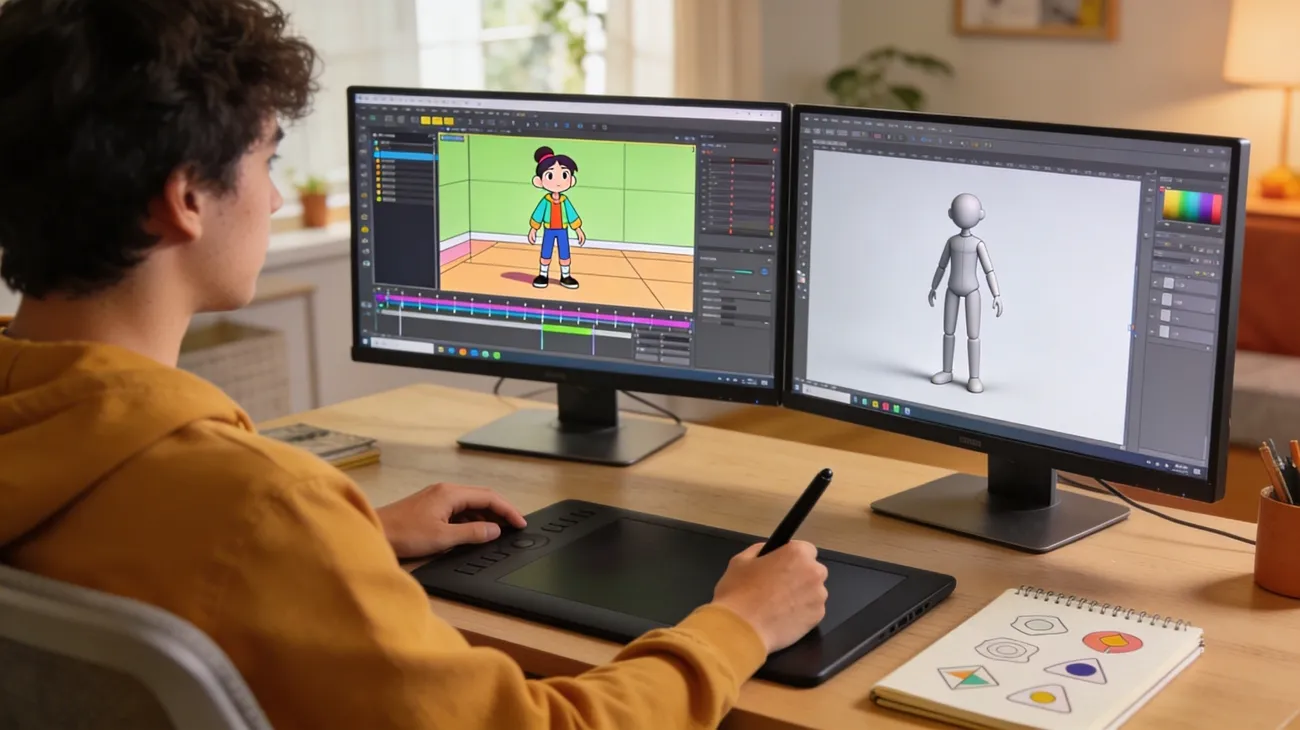
A student opens a laptop to create a short, animated video for a class project. Within minutes, the excitement turns into confusion. Many professional animation tools look complicated at first. Long timelines, multiple controls, and technical settings can easily overwhelm beginners. Fortunately, modern tools are built to make animation easier to learn.
They offer simple interfaces, ready-made assets, and helpful tutorials. With the right platform, creating animations becomes much more manageable. Choosing the best animation software for beginners helps new creators focus on storytelling and creativity rather than struggle with complex editing tools. In this article, we have curated a list of the top 10 tools that will let you create 2D and 3D animations effortlessly.
Part 1. Side-by-Side Review of the Best Animation Software for Beginners
The best software for beginner animation should simplify the process with intuitive controls, templates, and automation, so new creators can focus on their ideas. Below is a side-by-side review of the top 10 tools to help you make the right choice:
| Software | Animation Type | Ease of Use | Key Features | Best For |
| MagicLight AI | AI animation/story-to-video | Very Easy | Text-to-animation, auto storyboard, voice sync, character consistency | Fast animated videos and storytelling |
| Blender | 2D & 3D | Hard | Advanced modeling, rigging, rendering, and Grease Pencil | Professional-level animation learning |
| Pencil2D | 2D | Medium | Simple frame-by-frame drawing, lightweight interface | Basic hand-drawn animations |
| FlipaClip | 2D | Medium | Mobile animation, frame-by-frame drawing, onion skinning | Beginners and mobile creators |
| Krita | 2D | Hard | Digital painting, frame animation, timeline editing | Artists who already draw digitally |
| OpenToonz | 2D | Medium | Professional studio tools, effects, and compositing | Cartoon production and learning pipelines |
| Synfig Studio | 2D (Vector) | Medium | Bone rigging, tweening, and automatic frame generation | Vector animation projects |
| Vyond | 2D business animation | Easy | Drag-and-drop scenes, business templates | Marketing and explainer videos |
| Adobe Animate | 2D | Medium | Keyframes, rigging, and asset warp tools | Web animations and interactive content |
| Procreate Dreams | 2D | Easy | iPad animation tools, touch gestures, drawing workflow | iPad illustrators and creatives |
Part 2. 10 Best Software for Beginner Animation
After comparing different tools side by side, it becomes easier to see which platforms truly support beginners. The following section highlights the best computer animation software for beginners, explaining what each tool offers and why it stands out for new creators:
1. MagicLight AI
For beginners who want to create animations quickly, MagicLight AI offers a modern approach that removes much of the complexity found in traditional animation software. Instead of manually drawing frames or building detailed timelines, users can simply enter a story idea or script and let the AI transform it into a complete animated video.
The platform also keeps characters visually consistent across scenes and supports subtitle generation, which is useful for online videos. Its Magic Claw feature transforms a single idea into structured, ready-to-produce video content automatically. MagicLight AI stands out as one of the best animation software programs for beginners who want to focus more on creativity and storytelling rather than complex animation workflows.
Key Features
- AI Character Generation: Users can create customizable animated characters that match the story style and remain visually consistent throughout the video.
- Character Consistency: The platform maintains consistent character appearance and design across different scenes, which helps produce more professional-looking animations.
- AI Voice Narration: MagicLight AI offers built-in AI voice options that automatically narrate the script, making it easier to add voiceovers without recording audio.
- Automatic Lip Sync: The system synchronizes character mouth movements with the voice narration to make dialogues look natural and engaging.
Comprehensive Steps to Create Animated Videos Using MagicLight AI
As one of the best free animation software for beginners, MagicLight AI makes it easy to turn images into polished videos. Mentioned below is a step-by-step process to create your own animated videos using this intuitive platform:
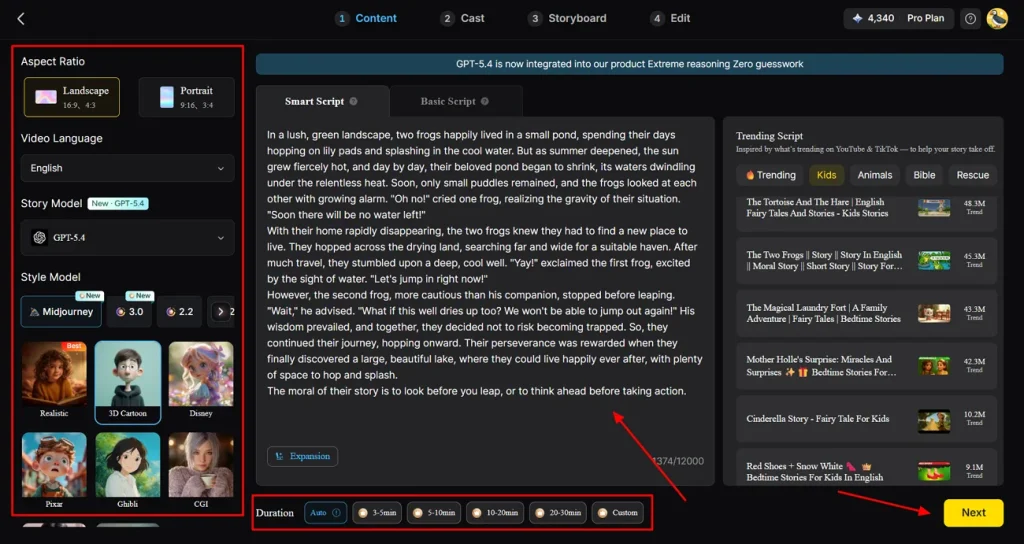
Step 1. Begin By Inputting Script
Open MagicLight AI’s Story-to-Video tool and set your desired aspect ratio and video length. Choose the language, story template, and animation style, then enter your script into the Smart Script section for AI optimization. Hit Next to start generating your animation.
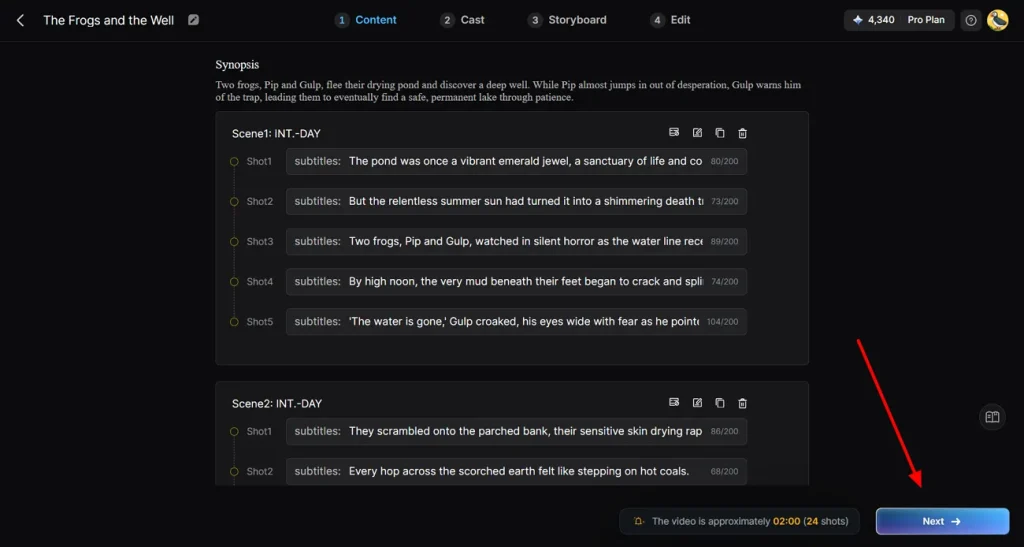
Step 2. Inspect the AI Scene Plan
Review the AI-created scene-by-scene breakdown to make sure it aligns with your animation idea. Adjust timing, transitions, or scene order as needed, then click Next to move forward.
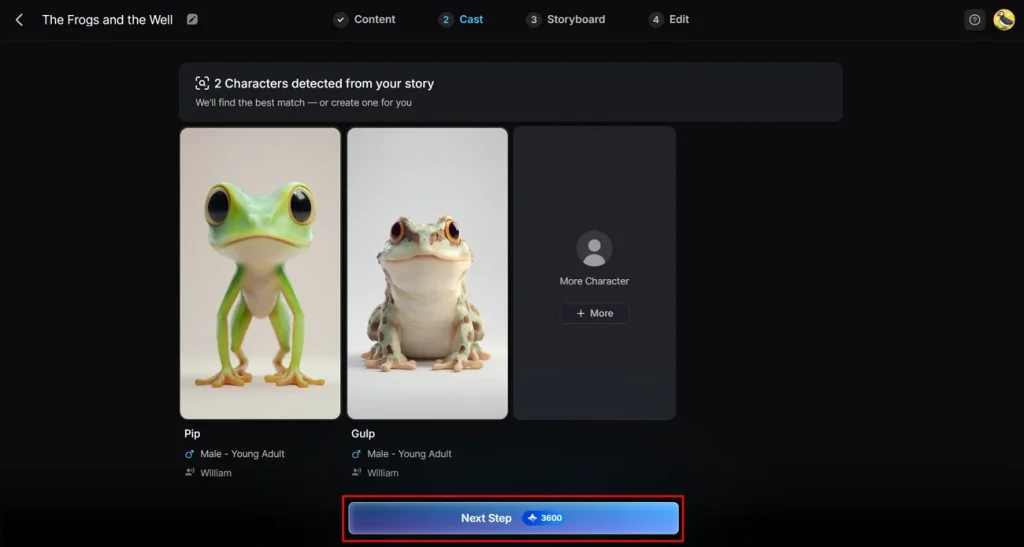
Step 3. Select Your Video Characters
MagicLight AI identifies characters from your script and suggests options. You can browse additional characters, confirm your choices, and then click Next Step to integrate them into your animation.
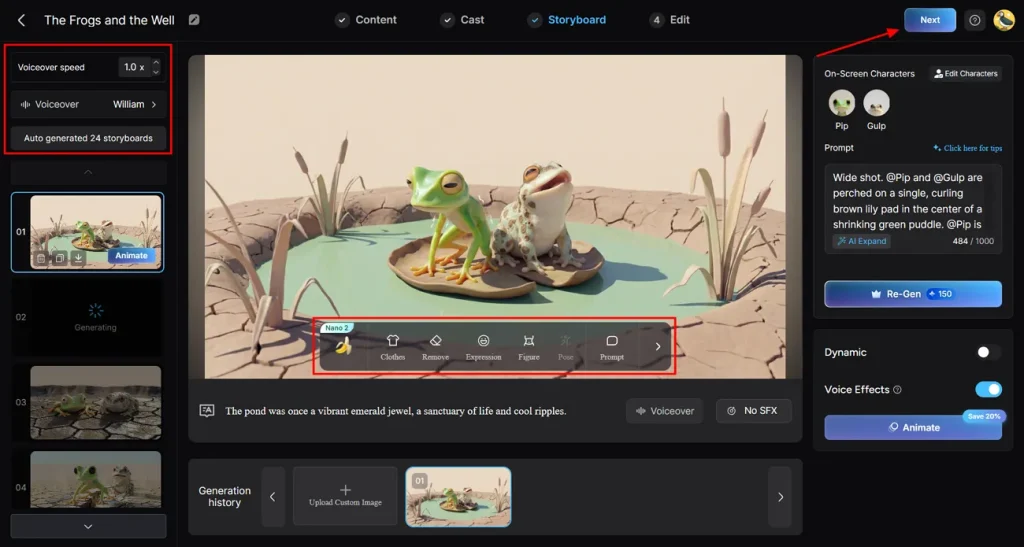
Step 4. Enhance Storyboard Scenes
Go through each scene in the storyboard to ensure smooth storytelling. Adjust character poses, facial expressions, and outfits so they match the style and tone of your video before continuing and hit Next.
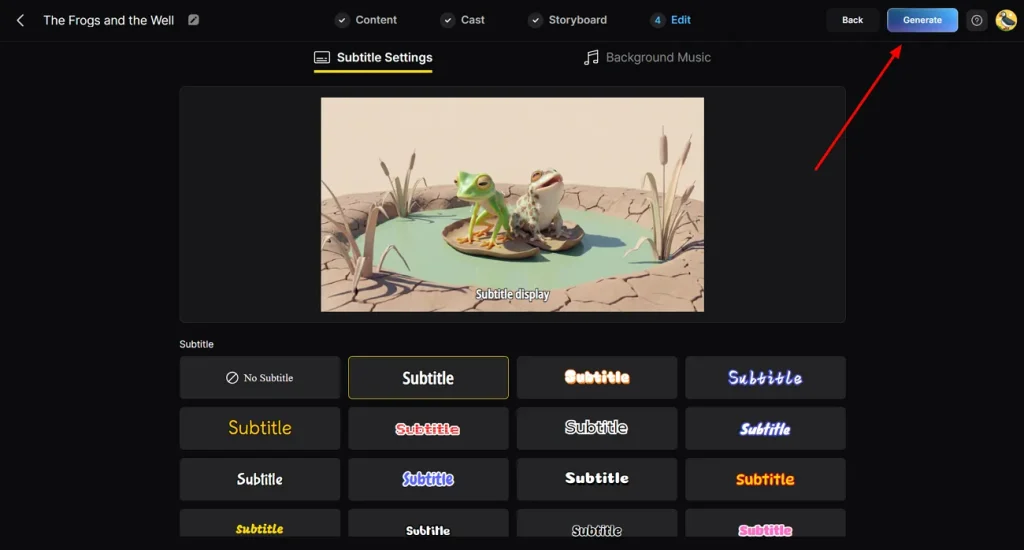
Step 5. Set Subtitle Design
For narration or dialogue, pick a subtitle style that complements your animation. After configuring it, click Generate to create your fully AI-powered animated video.
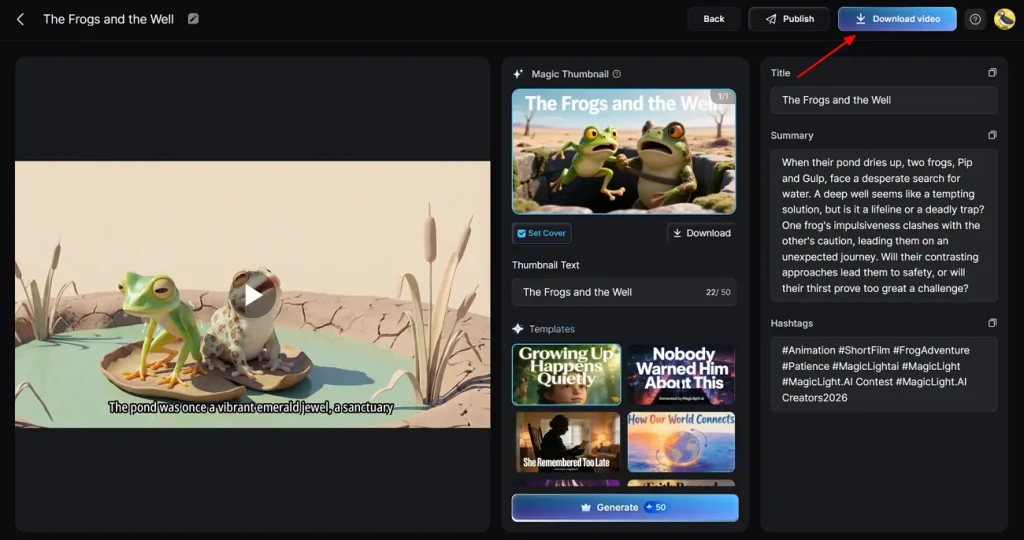
Step 6. Review and Export Your Animation
Play through the finished animation to ensure all visuals look polished. Once you’re satisfied, click Download Video to save your completed animation.
Ease of Use: Very Easy
2. Blender
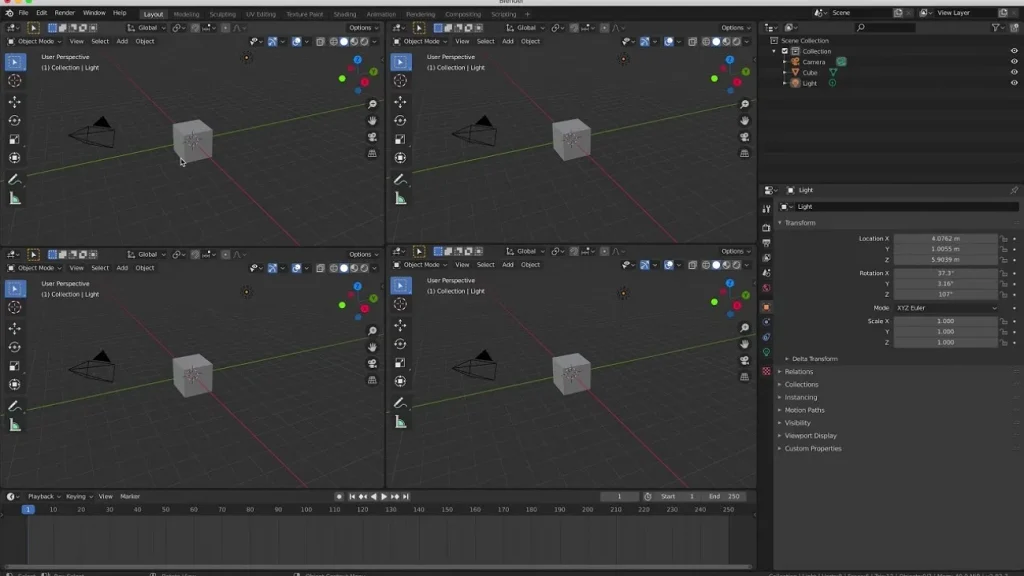
It is a powerful open-source platform widely recognized as the best 3D animation software for beginners who want professional-quality results without spending money. It supports modeling, rigging, animation, and rendering in one environment. While it has a steeper learning curve, its versatility makes it a favorite among hobbyists.
Key Features
- Users can draw 2D sketches directly in a 3D environment, blending traditional animation with 3D.
- The software allows realistic simulations for elements like fluids, cloth, and particles.
- Extensions and plugins can be added to improve workflow and automate repetitive tasks.
Ease of Use: Hard
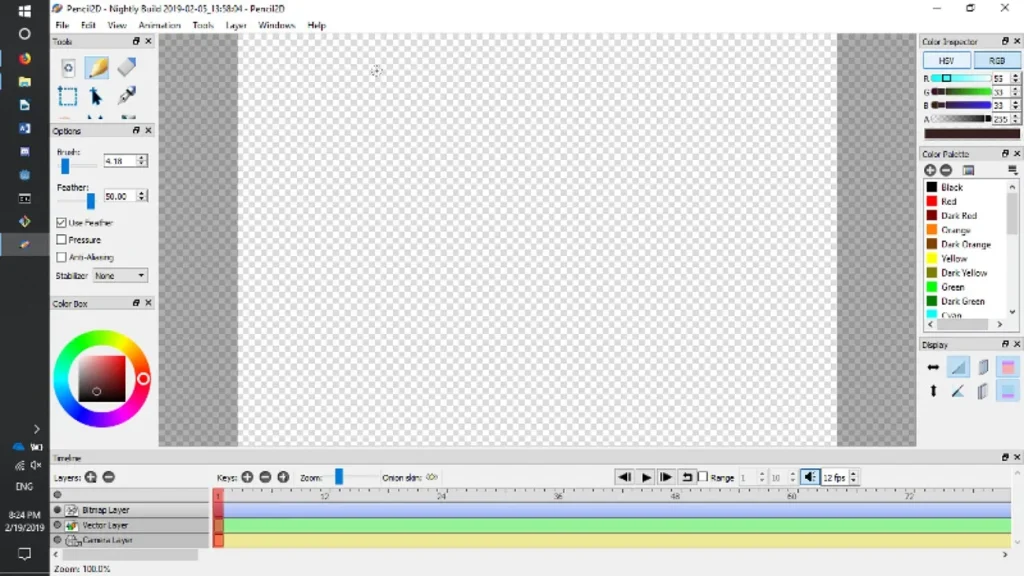
3. Pencil2D
Pencil2D is lightweight and intuitive, making it one of the best free 2D animation software for beginners. It focuses on traditional hand-drawn frame-by-frame animation, perfect for students or hobbyists who want a clean and distraction-free workspace.
Key Features
- Beginners can switch between bitmap and vector layers for flexible drawing and editing.
- Frame progression can be tracked with transparent overlays to create smooth motion between frames.
- Finished animations can be exported in multiple formats, including GIF.
Ease of Use: Medium
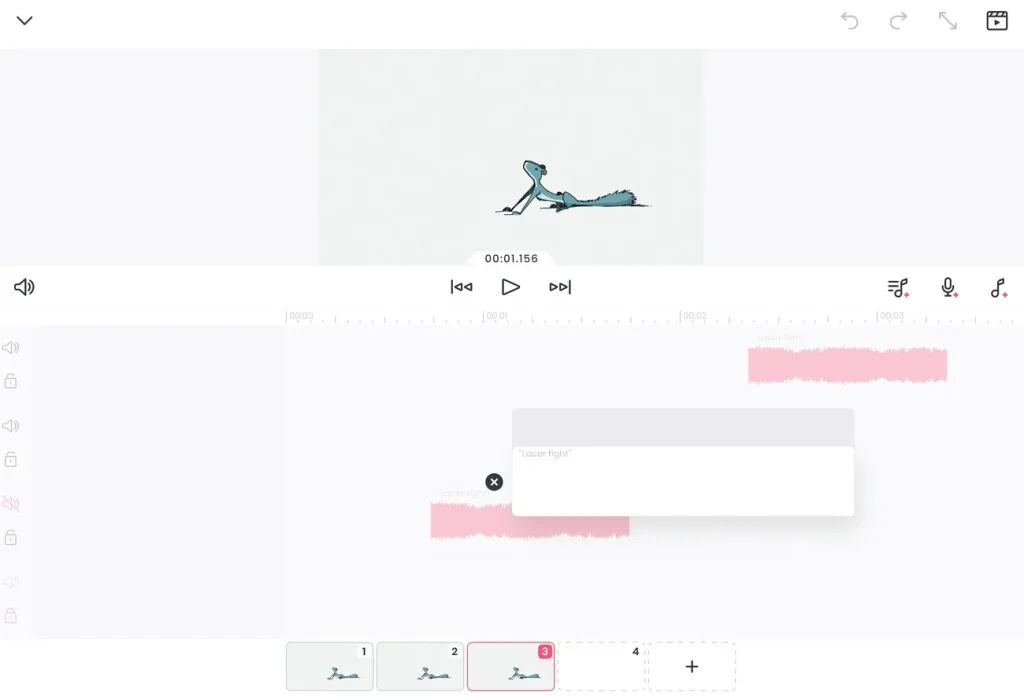
4. FlipaClip
The tool is designed for mobile creators and casual animators, often regarded as the best software for beginner animation on smartphones. It makes frame-by-frame animation fun and accessible, providing tools to draw, layer, and animate easily.
Key Features
- Pressure-sensitive input ensures fine control when drawing with a stylus or finger.
- Timeline tools make it simple to manage frames and layers for clean animation sequences.
- Templates and prebuilt animation scenes help users start projects quickly and efficiently.
Ease of Use: Medium
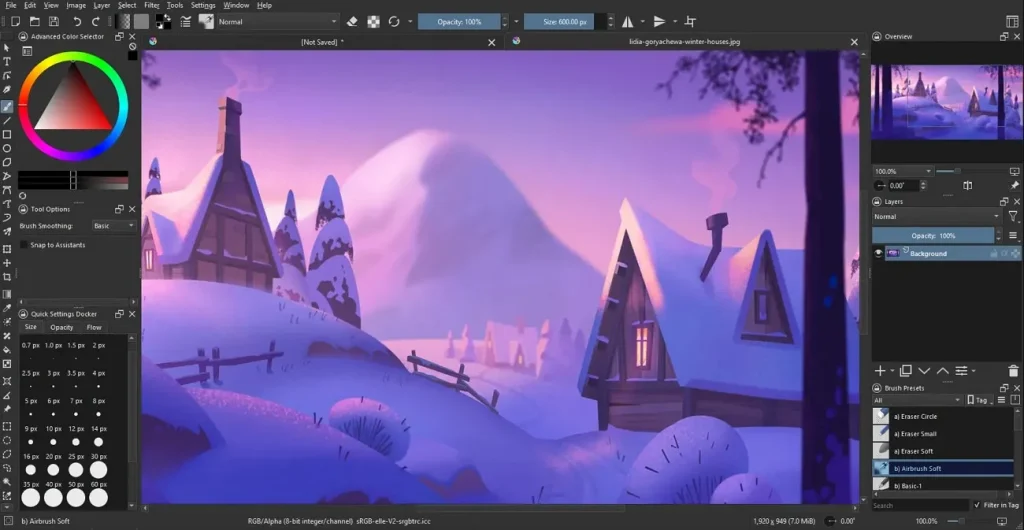
5. Krita
This is a digital painting software that doubles as the best 2D animation software for beginners who are already comfortable with drawing. Its frame-by-frame animation features are integrated into a powerful illustration workflow, making it ideal for artists looking to add movement to their artwork.
Key Features
- Custom brushes allow artists to create unique textures and visual effects in their animations.
- A timeline interface makes it easy to arrange frames and manage the animation flow.
- Vector layers can be used alongside bitmap drawings for scalable and editable artwork.
Ease of Use: Hard
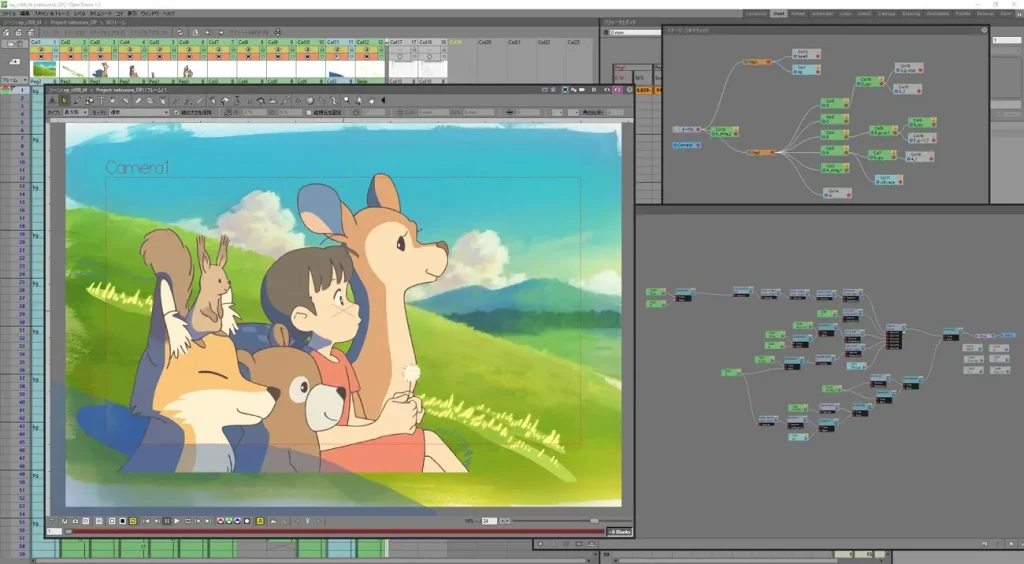
6. OpenToonz
OpenToonz is an open-source platform that studios and beginners alike can explore, making it a contender for the best animation software for beginners seeking professional features. It offers tools for traditional 2D animation, effects, and compositing, with extensions for digital workflows.
Key Features
- Hand-drawn sketches can be scanned and seamlessly integrated into digital animation workflows.
- Built-in effects enable lighting, shading, and compositing for professional-looking results.
- Scripting tools allow repetitive tasks to be automated, improving efficiency for complex projects.
Ease of Use: Medium
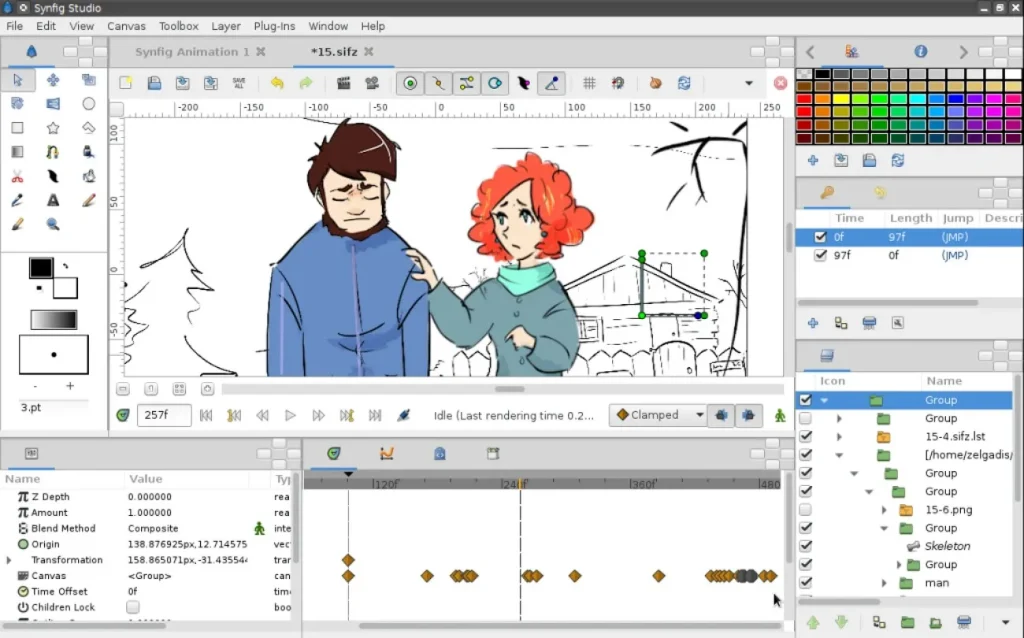
7. Synfig Studio
It is the best free animation software for beginners who prefer vector-based animation over traditional frame-by-frame. It simplifies tweening and rigging, reducing the need to draw every frame manually. Its focus on automation allows beginners to produce smooth animations.
Key Features
- Automatic generation of in-between frames helps save time and reduces manual drawing.
- Characters can be rigged using bones for smoother and more controlled movement.
- Multiple layers can be combined with filters and transformations for dynamic animations.
Ease of Use: Medium
8. Vyond
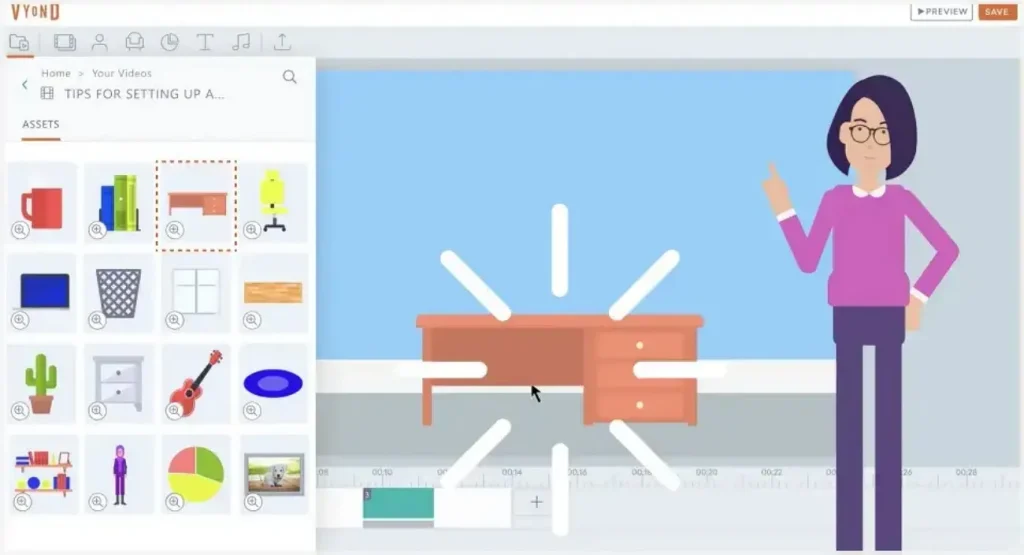
A cloud-based platform that is often cited as the best computer animation software for beginners is Vyond. It focuses on drag-and-drop animation, allowing users to create explainer videos, presentations, and short clips without prior animation experience.
Key Features
- Ready-to-use templates accelerate video creation for marketing, educational, or explainer content.
- Characters can be fully customized, including expressions and gestures, to match the story.
- Scene transitions are smooth and help maintain viewer attention throughout the animation.
Ease of Use: Medium
9. Adobe Animate
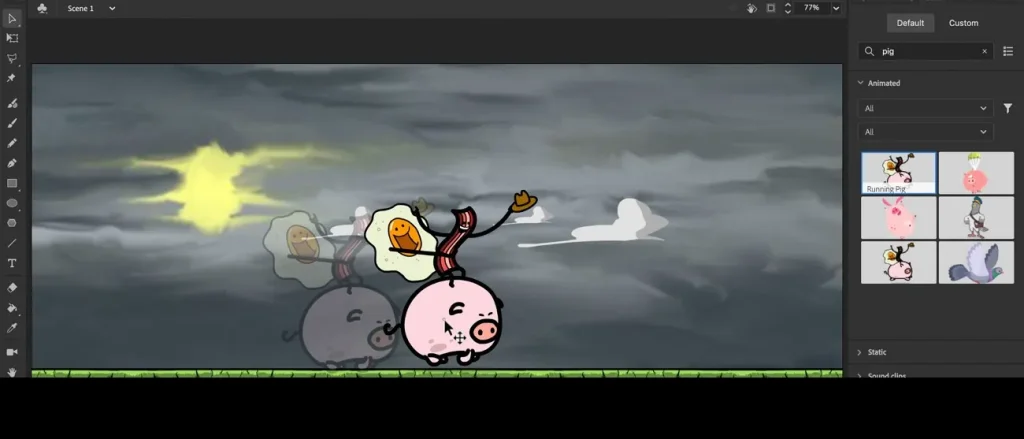
Adobe Animate is widely used in web animation and interactive content creation, making it one of the best software for beginner animation learners aiming for professional output. It combines drawing, keyframe animation, and HTML5 output for creating interactive graphics and videos.
Key Features
- Objects can be deformed and animated without redrawing, providing more flexibility in motion.
- Animations can be exported directly to web-friendly formats like HTML5, SVG, and Canvas.
- Multiple layers and symbols allow creators to organize complex scenes efficiently.
Ease of Use: Medium
10. Procreate Dreams
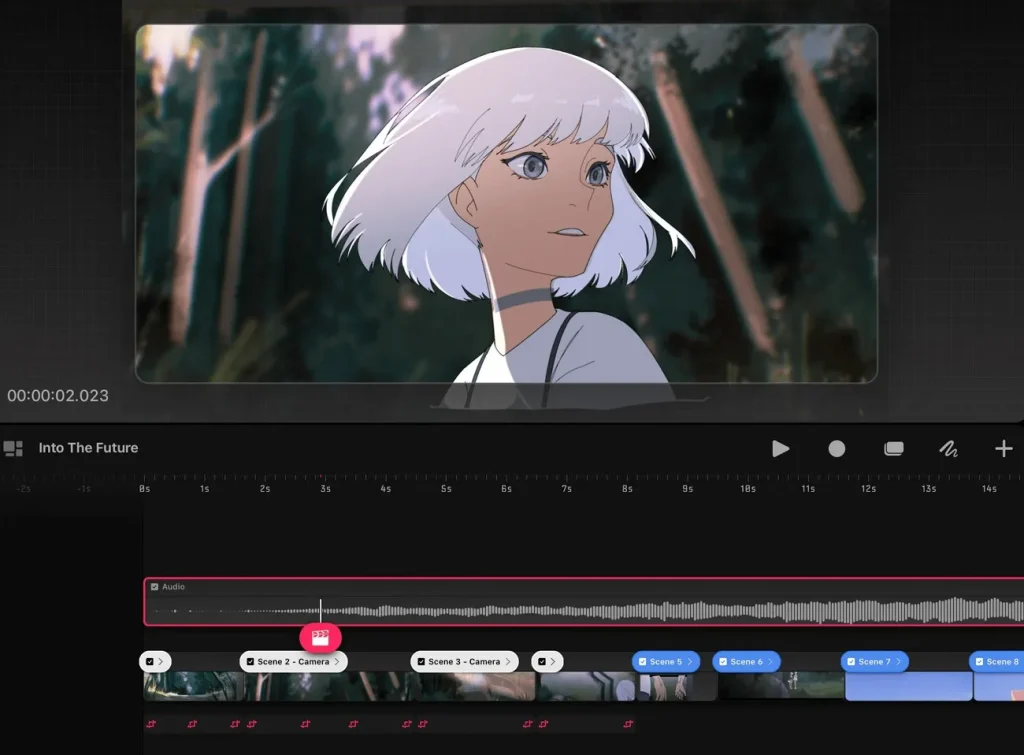
It brings animation to iPad creators, often considered the best 2D animation software for beginners who prefer touch-based workflows. It combines Procreate’s powerful illustration tools with animation timelines, allowing users to create expressive, hand-drawn animations directly on their tablets.
Key Features
- Touch controls allow intuitive editing of frames and timeline sequences on a tablet.
- Transparent overlays help visualize the sequence of motion for smoother animations.
- Custom brushes enhance the visual style, adding depth and texture to each frame.
Ease of Use: Medium
Conclusion
To sum it up, this article provided a detailed comparison between the top 10 best animation software for beginners. While each tool has unique strengths, MagicLight AI stands out for its simplicity and automation. Beginners can quickly turn ideas into polished animated videos without complex workflows. Its AI-powered storyboard, character generation, and voice sync make it the ideal starting point for new creators.
FAQs on Best Animation Software for Beginners
1. What is the best animation software for beginners to start with?
MagicLight AI is ideal for beginners because it automates key steps like storyboarding, character creation, and voice sync. It allows users to focus on creativity without worrying about complex timelines or technical settings.
2. Do I need a powerful PC for animation software as a beginner?
Not always, simple 2D software like Pencil2D or FlipaClip runs on most computers. However, 3D programs like Blender may require higher specs for smooth performance and rendering.
3. How long does it take to learn animation software for beginners?
With beginner-friendly tools like MagicLight AI, users can start creating videos in a few hours. More advanced software may take weeks to master, depending on the features and complexity.
4. How do I choose the best software for beginner animation?
Consider ease of use, learning resources, and whether the tool supports your preferred animation type. Testing free trials or AI-assisted platforms can help you find a tool that matches your workflow.
5. What is the difference between 2D and 3D animation software for beginners?
2D animation software focuses on flat, hand-drawn or vector-based visuals, ideal for simple storytelling and mobile projects. 3D animation software adds depth, modeling, and rendering, allowing more complex, realistic scenes.





![How to Make a Marketing Video 2026 [Step-by-Step Guide]](https://magiclight.ai/wp-2/wp-content/uploads/marketing-goal-planning-guide-300x200.png)