

Pixelcut helps product sellers create clean photos without spending hours fixing every image by hand. Its background remover makes product cutouts easier and supports batch editing for larger photo collections. You can also improve image quality with 16x upscaling and generate new product scenes.
Finding a suitable Pixelcut alternative becomes useful when your editing needs grow beyond basic product photos. Some tools offer more creative freedom through ready-made templates and realistic scenes with custom props.
Part 1. 10 Best Pixelcut Alternatives to Try
Many Pixelcut alternatives offer useful features that make photo editing easier for different creative needs. Let's explore the 10 tools worth trying in 2026 and see what each offer.
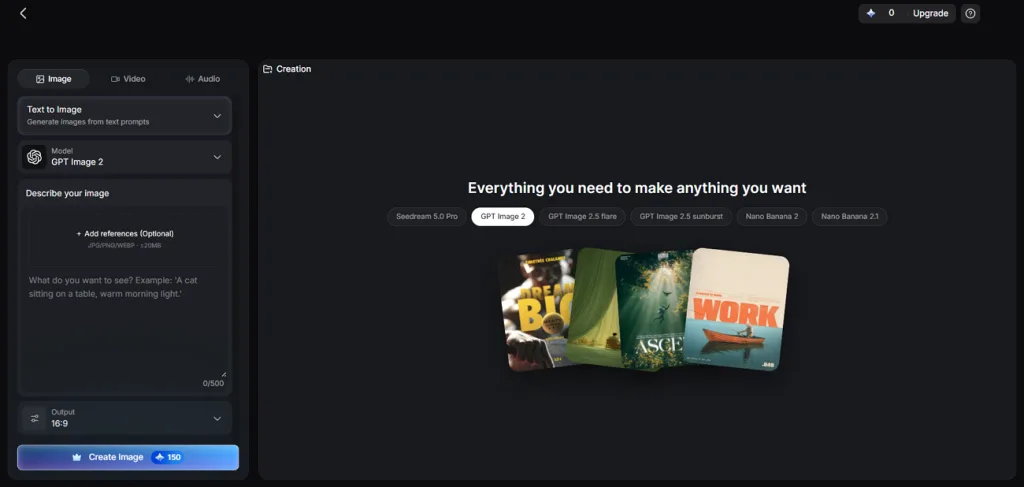
MagicLight AI gives creators an easy way to produce fresh visuals without complex editing skills. Its AI image generator offers 6 image models for creating pictures with different styles. You can describe your ideas through simple prompts and get images matching your creative vision.
The platform also helps turn still images into videos for more engaging visual content. This makes MagicLight AI useful for sellers who want fresh content beyond basic editing.
Key Features
- Detailed Image Prompts: Describe your desired image using prompts with up to 500 characters. Add details about lighting and backgrounds to get results matching your ideas.
- Multiple Image References: Upload up to 10 product photos to help create more accurate AI generated images. These references help keep product details consistent across different scenes and styles.
- Image to Video: Turn product images into videos lasting up to 30 seconds with Frame to Video. Add smooth camera movements to make your product videos feel more engaging.
- AI Video Models: Choose from 20 AI video models to create content matching your needs. Available options include Kling 3.0 and Seedance family models for video generation.
- Creative Scene Control: Change product backgrounds using simple prompts without editing the entire image manually. Adjust lighting and scene details to match your preferred product photography style.
User Reviews
- Vivek: “Started using Magiclight AI two months ago and what I feel is that the app is awesome.….”
- Rosana d' Ávila Uchôa: “I've been creating long-form videos- 16 to 18 minutes in lenght - using MagicLight AI. I really like the videos it produces….”
- Mohamed Ali: “Magiclight is one of the first Ai platform i used and one of many i tried , and to be honest whether you are a beginner or an expert i really recommend to try it out….”
Pros
- Prompts help preserve product labels and original packaging details.
- Product images become videos within the same user account.
- Paid plans include commercial rights for finished creative projects.
Con
- No dedicated background removal tool for bulk image editing.
- Photoroom
Best For: Online sellers managing large product photo catalogs.
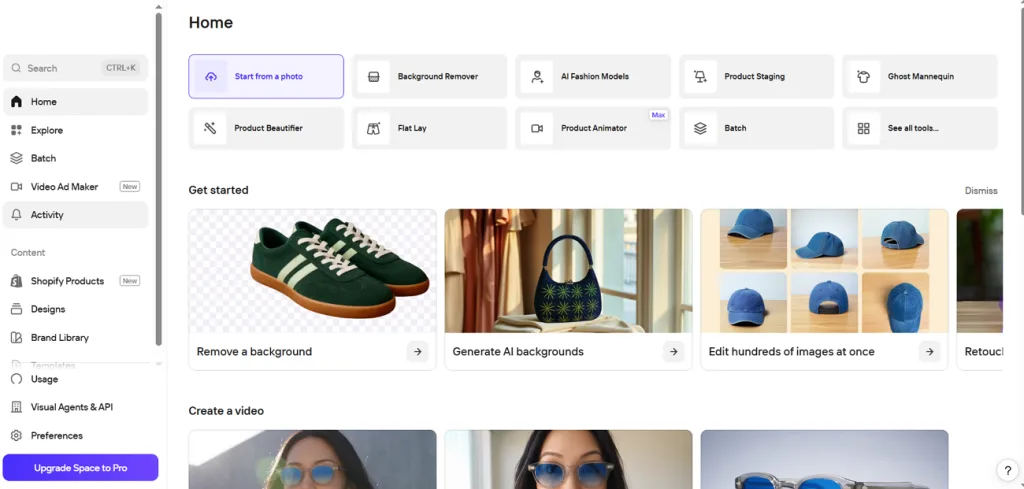
Photoroom makes product photography easier for sellers who need clean images across their online stores. As a Pixelcut alternative, it removes unwanted backgrounds and adds realistic shadows to product photos. Its brand library also helps stores maintain a familiar look across their entire product catalog.
Key Features
- Batch editing handles thousands of product images without requiring changes to each photo.
- AI Fashion Models generate realistic model images from supported clothing photos.
- AI Expand fills missing background areas when you need more space around products.
User Reviews
- Samuel Kisakye: “I don't complain, my initial purpose is well served. Specifically Photo Background removal…”
- Diana Ramos: “My experience has been amazing... ive been using photoroom for about 2 and a half years now.…”
- Ryan Freebody: “Awful it's taking me 20 minutes to edit 6 pictures as it keeps cutting out.…”
Pros
- Shopify integration helps sellers manage product images more easily.
- Its API supports automated photo editing for online stores.
Cons
- Generated backgrounds may appear plain without clear scene instructions.
- Glass objects sometimes need extra work around their edges.
- Picsart
Best For: Social media sellers creating product posts and videos.
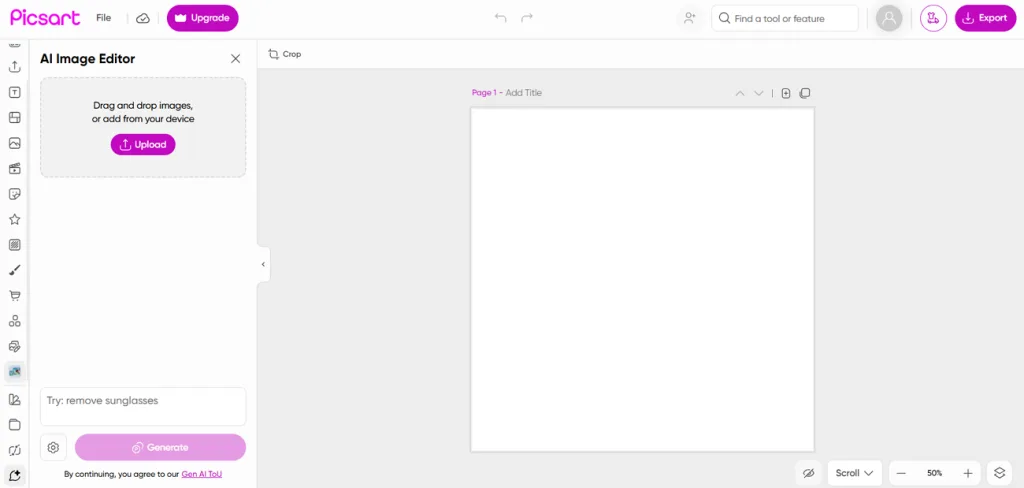
Social media sellers need more than basic cutouts when preparing fresh content for their pages. Picsart works as a Pixelcut free alternative with creative editing tools for everyday product posts. You can also make short animated videos from product photos to grab more attention online.
Key Features
- Apply matching edits across multiple product photos using the bulk editing feature.
- Ready-made templates help create rotating product reveals and dramatic advertisement videos.
- Retouching tools fix small photo flaws before the image enhancer improves overall quality.
User Reviews
- Lari: “I love editing pictures it's my thing and pics art makes it my dream come true…”
- Dennis Bailey: “Awesome tool for whatever you enjoy doing with photography!!!”
- Balliaplanet Garwar: “Very intrusive app , always wants to leak privacy of the user or his content one way or the other.…”
Pros
- Brand kits help maintain matching fonts across social posts.
- Creative templates make designing product promotions much easier daily.
Cons
- Finding basic editing tools can take extra time initially.
- Popular templates may make your posts look less unique.
- Canva
Best For: Marketing teams creating branded product designs daily.
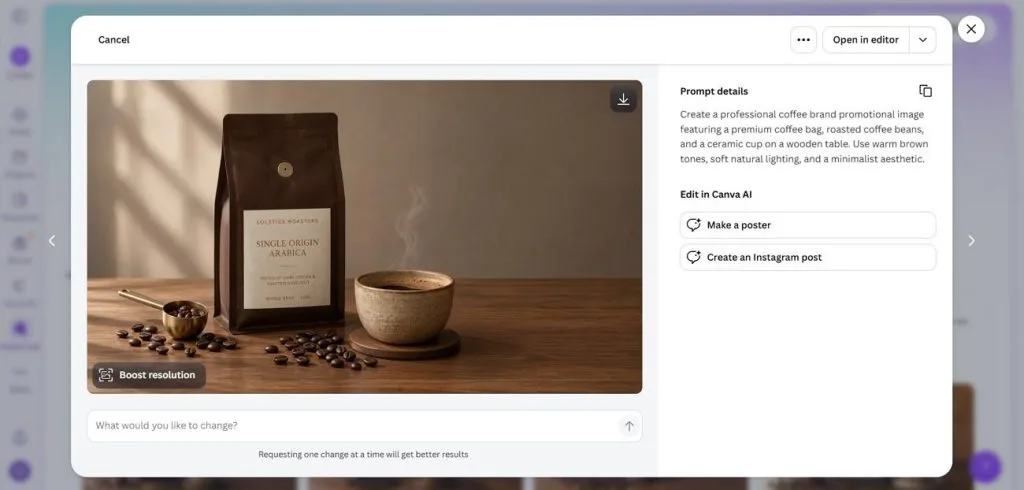
Creating product designs becomes easier when your editing tools sit inside the same design platform. Canva works as a Pixelcut alternative for businesses that want more than simple background removal. Its Magic Studio tools help improve product images before placing them into branded marketing designs.
Key Features
- Change selected photo areas using Magic Edit by describing your desired changes clearly.
- Separate objects from flat images with Magic Grab to move them anywhere easily.
- Resize finished designs for different social platforms without creating each layout from scratch.
User Reviews
- Tomato: “I love using Canva for all my designs and i use it very often….”
- Faizah Balogun: “I've been using canva for a good 5 years now for personal and school use and it never fails to make me happy with my work.….”
- CS: “They don’t have the basic decency to send a notification before charging your card.….”
Pros
- Video background removal helps clean up moving product footage.
- Ready-made templates simplify banners for stores and printed materials.
Cons
- AI product scenes offer less control than specialized tools.
- Product shadows may need extra adjustments after background removal.
- Adobe Express
Best For: Small businesses creating product photos with Adobe templates.
Adobe Express helps small businesses create product images without learning complicated photo editing software. As one of the Pixelcut alternatives, it offers background removal alongside useful AI editing features. You can create fresh product backgrounds through simple prompts without designing every detail.
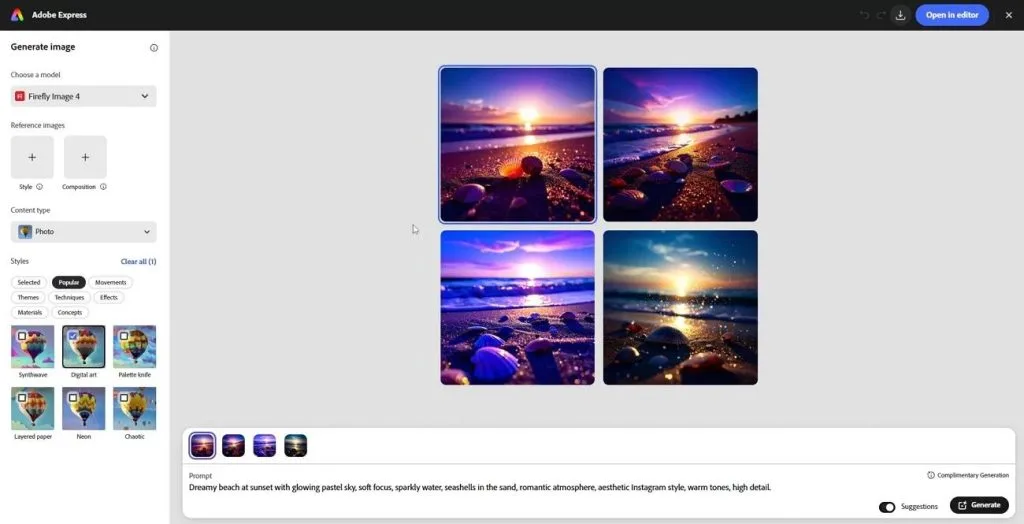
Key Features
- Upload product images as JPEG, PNG, or WebP files with 40MB size limits.
- Generative AI lets you replace unwanted objects without changing the entire product photo.
- Download transparent PNG images that you can easily place into other product designs.
User Reviews
- Ricky Guzman: “Ease of ordering. Love the products.”
- David M: “How is the company still in business? They are extremely difficult to work with…..”
Pros
- Background removal works through browsers and mobile devices easily.
- Firefly AI tools make creative editing easier within templates.
Cons
- Fine product details may disappear during automatic background removal.
- Learning the design layout takes time for simple edits.
- Fotor
Best For: Small shop owners preparing product listings.
Fotor gives small shop owners useful tools to improve product photos without much effort. You can remove unwanted backgrounds and create fresh settings using simple text descriptions for products. Its ready-made templates also help prepare images for online stores and social media posts.
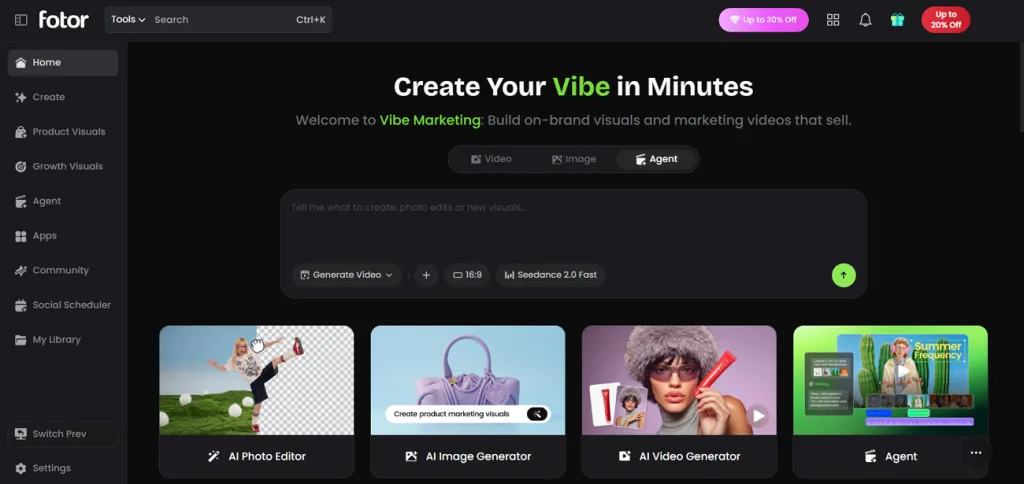
Key Features
- Background blur keeps your product clear and makes the surrounding area look softer.
- Fix rough edges around product cutouts using the Magic Brush for cleaner results.
- Resize existing product images to fit different content formats without editing them again.
User Reviews
- Amy Kempf: “Fotor is a great app offering awesome and constantly evolving products….”
- Chris Lam: “I am very satisfied with the service I received following my email regarding an annual subscription….”
- Wen Wat: “Fotor you haven't done an update for awhile and my account options changed out of no where.….”
Pros
- Preset backgrounds help create product scenes without writing prompts.
- Your editing projects remain accessible across desktop and mobile.
Cons
- Generated backgrounds sometimes need changes to match product lighting.
- Finding product tools takes time within the crowded menu.
- Pixlr
Best For: Online sellers editing product photos without complicated software.
Pixlr helps online sellers improve product photos using simple editing tools. As a Pixelcut Android alternative, it offers background removal alongside useful tools for everyday editing. You can also replace unwanted objects and improve image quality without starting your design again.
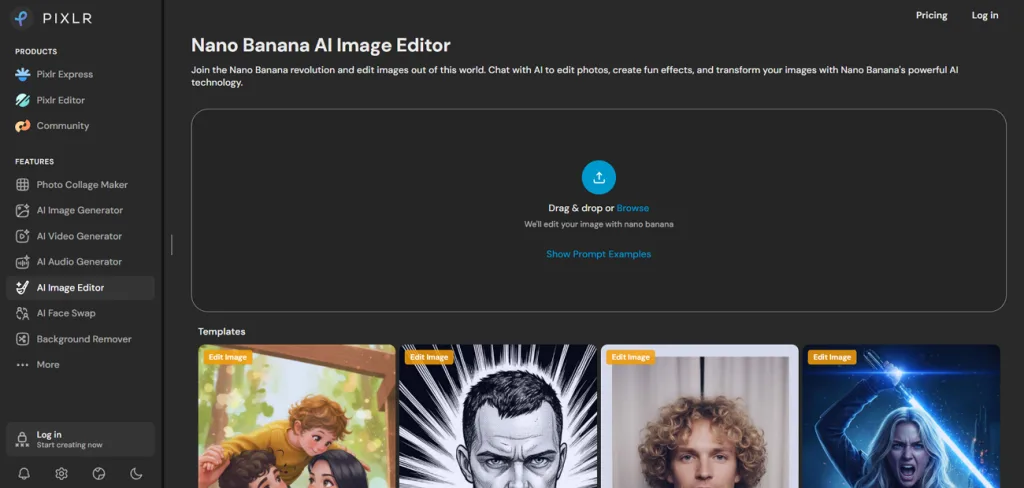
Key Features
- Remove product backgrounds automatically to create clean cutouts for your online store listings.
- Batch editing applies matching adjustments across more than 100 photos.
- Generative Fill replaces selected image areas using text prompts without changing the entire photo.
User Reviews
- Hristo Ganev: “Best support team ever, thank you guys.”
- Enikő Molnár: “Used it for 10+ years, download limit, killing off designer and other good old feature….”
Pros
- Batch editing saves time when updating large photo collections.
- Generative Fill helps replace objects without complicated manual editing.
Cons
- Some advanced editing features require credits or paid subscriptions.
- Finding certain editing functions may take extra learning time.
- Clipdrop
Best For: Marketing teams improving product photos for campaigns.
Clipdrop brings useful photo cleanup tools together for marketers preparing images for different campaigns. As a Pixelcut alternative, it helps remove unwanted objects and improve existing product photos. You can also adjust lighting after removing backgrounds to give products a more natural appearance.
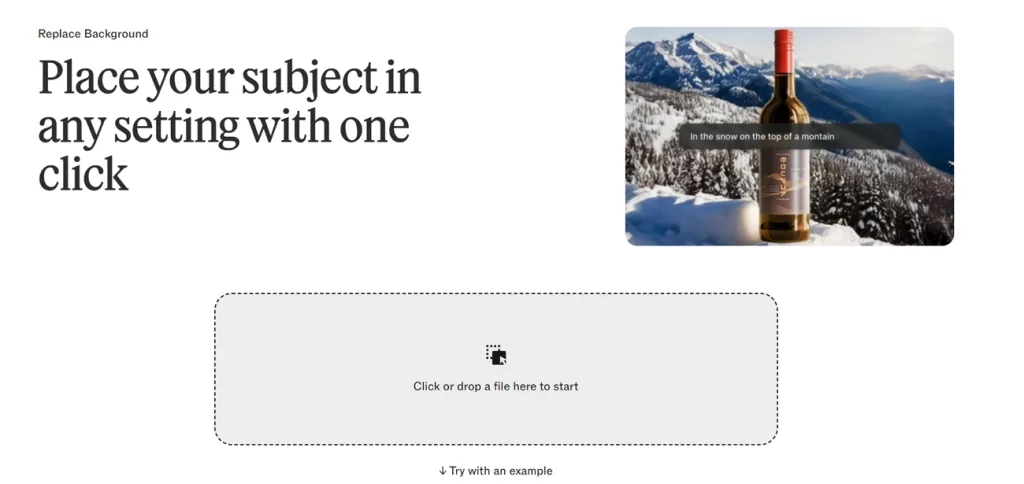
Key Features
- Cleanup removes unwanted objects without requiring detailed manual editing or masking.
- Uncrop extends images beyond their original borders to create space for different layouts.
- Image upscaling enlarges photos by 2x or 4x to improve their overall appearance.
User Reviews
- Georgia Pugh: “Most of useful tools are locked in free version and gives very limited access….”
- Roberto Tafuto: “I used the free version to sharpen pics made with dall-e mini. Works perfectly for the purpose.”
Pros
- Commercial use is allowed for generated images under terms.
- Photoshop plugins help connect editing tools with existing projects.
Cons
- Switching between separate tools adds extra steps during editing.
- Product scene options feel limited compared with specialized platforms.
- Pebblely
Best For: Small brands creating lifestyle photos for catalogs.
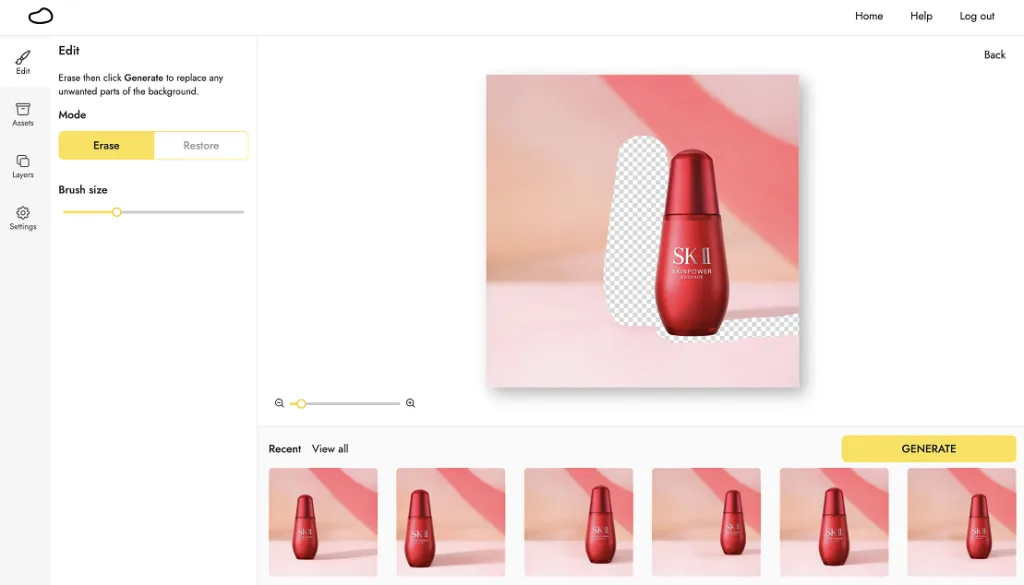
Pebblely helps online sellers create lifestyle product photos without arranging real backgrounds for every shoot. Its AI places uploaded products into realistic settings based on your chosen themes and descriptions. You can also prepare matching product scenes for different stores without repeating the entire process.
Key Features
- Choose from over 40 ready-made themes to create product scenes without writing prompts.
- Reference images help guide the visual style and colors of your generated scenes.
- Generate scenes for multiple products together using shared settings with easy bulk downloads.
User Reviews
- Rohit S.: “Pebblely is amazing tool, this tool turn boring product images into awesome photos for you product.….”
- Matthew M.: “Many different themes to choose from and the AI background cutout works flawlessly…”
- Nedaa Karawan: “It changes and alter the product as it pleases….”
Pros
- Add people holding products naturally through simple text prompts.
- Images fit popular stores like Amazon and Etsy easily.
Cons
- Background removal was removed; uploads now use cropping instead.
- Detailed photo corrections require another editing tool for adjustments.
- Flair AI
Best For: Fashion and beauty brands creating styled campaigns.
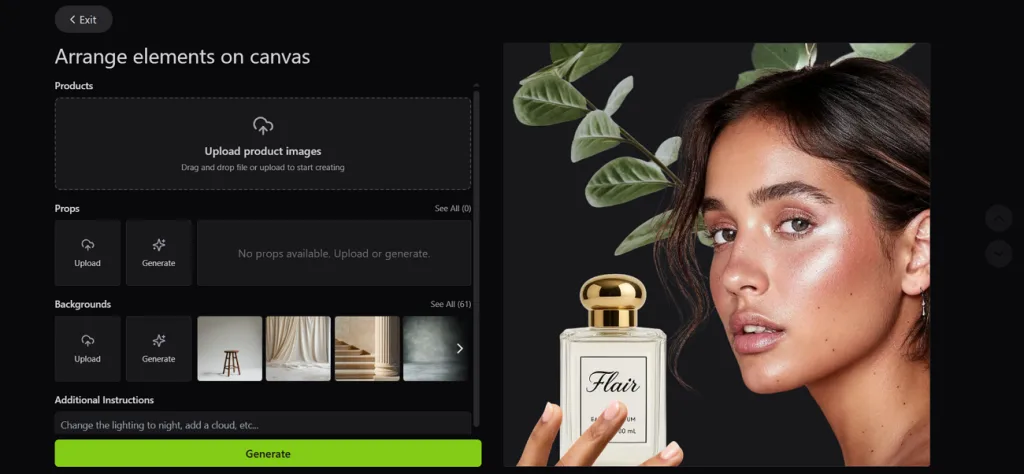
Flair AI gives brands more control over product photography through its drag-and-drop scene design canvas. As a Pixelcut review alternative, it lets you arrange props before generating your final image. Your team can also work together on the same design to prepare matching campaign visuals.
Key Features
- Place clothing and jewelry onto AI models, then verify patterns and logos afterward.
- Create custom AI models by choosing specific features like hairstyles and body shapes.
- Save your favorite scene layouts as templates for future product photography projects easily.
User Reviews
- Anonymous: “The best thing I like about this platform is it makes product photography very much easier…”
- Shubham J.: “Flair Ai is the platform that is very useful for our work where we have used it for creating the template for our product…”
- Abhishek C.: “The free version, while beneficial, might have limitations in terms of features, resolution, and output options.…”
Pros
- Create product videos without switching to another editing platform.
- Brand settings help maintain consistent colors across campaign images.
Cons
- Setting up scenes takes longer than basic background removal.
- Complex scenes may need adjustments to fix product proportions.
Part 2. Quick Comparison of the Best Pixelcut Alternatives
Finding the right Pixelcut alternative depends on the editing features your product photos actually need. The table below compares each tool's main strengths and specific features to help you choose:
| Tool | Main Strength | Standout Feature | Best For |
| MagicLight AI | AI image generation | 6 image models with reference images | Product visuals and creative content |
| Photoroom | Product photo editing | Batch AI backgrounds with realistic shadows | Large product catalogs |
| Picsart | Creative photo editing | Bulk editing with AI video templates | Social media sellers |
| Canva | Branded product designs | Magic Grab for moving photo objects | Marketing design teams |
| Adobe Express | Product cutouts | Firefly-powered object replacement | Small business marketing |
| Fotor | Product photo enhancement | Background blur with Magic Brush | Small online shops |
| Pixlr | AI photo editing | Batch editing with Generative Fill | Online product photo editing |
| Clipdrop | Photo cleanup | Relight with Uncrop tools | Product image improvements |
| Pebblely | Lifestyle product photography | 40+ themes with bulk generation | Product lifestyle catalogs |
| Flair AI | Custom product scenes | Drag-and-drop staging with AI models | Fashion and beauty campaigns |
Part 3. Why Choose MagicLight AI as a Pixelcut Alternative?
MagicLight AI gives creators more ways to use their product images beyond basic photo editing. As a Pixelcut alternative with limited free access, it turns existing product photos into videos. You can create product ads with custom voices and music without switching between different tools.
Key Features of MagicLight AI
- Video Clone: Use an existing video ad as a reference to create fresh product content. Add your product images and key details to make the new video your own.
- MagicLight Agent: Describe your product through chat and let the Agent prepare a video script. It also plans the storyboard and shows the credit cost for each scene.
- Voices, Music, and Subtitles: Choose ElevenLabs or MiniMax voices to give your product videos natural narration. Add background music through Suno and select from 16 subtitle styles for captions.
How to Create Product Images with MagicLight AI
Creating product images with MagicLight AI is simple and requires no advanced photo editing skills. Follow the steps below to generate your desired product visuals using the AI image generator:
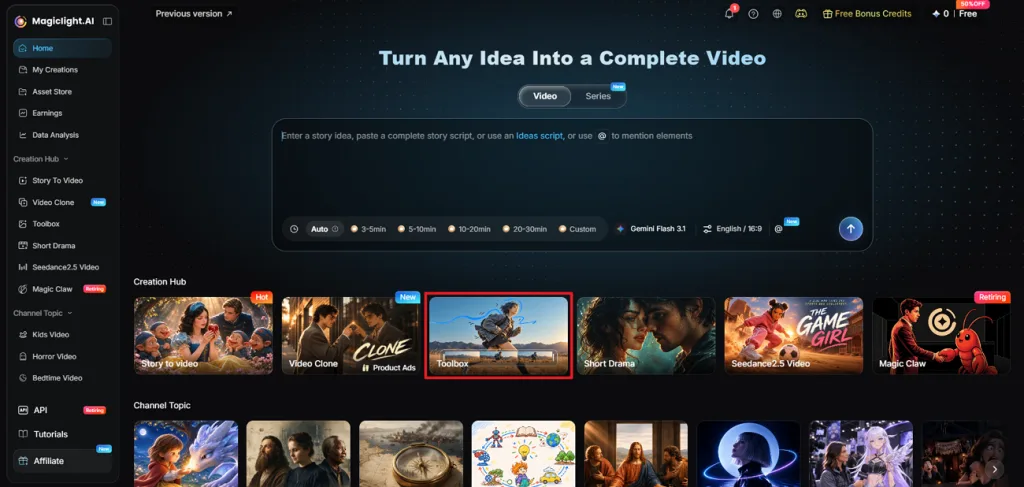
Step 1. Open the AI Image Generator
Choose the Toolbox option on the main dashboard after signing in and open the Image tab.
Step 2. Create Your Product Image
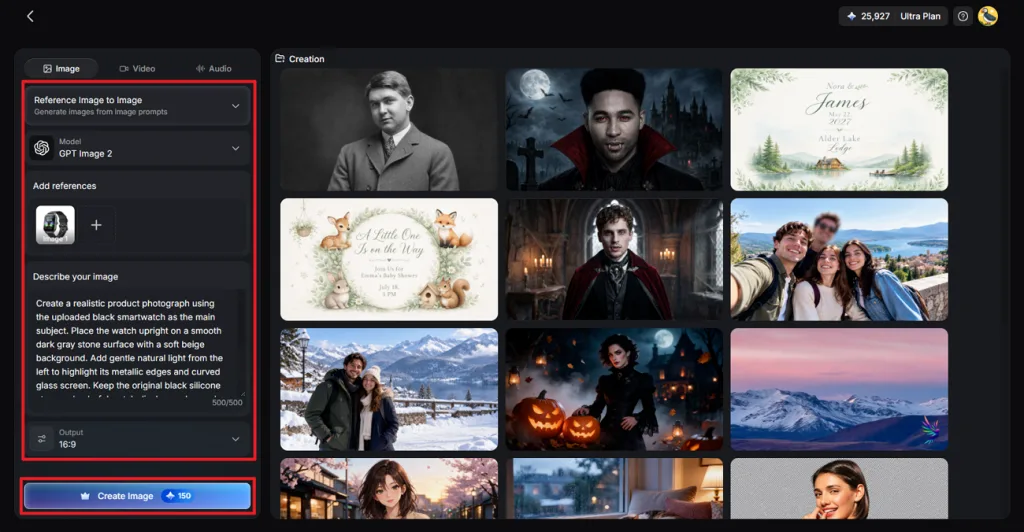
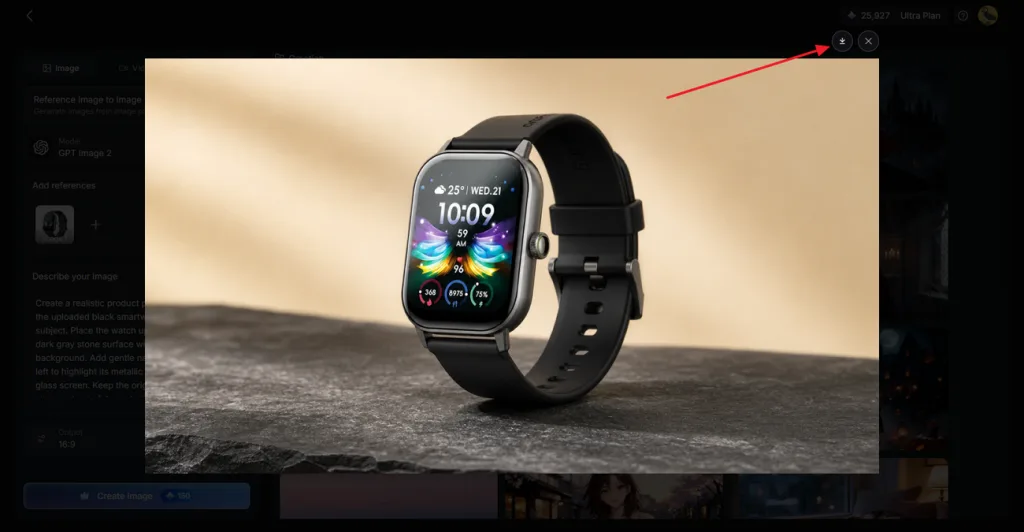
Select Reference Image to Image if you want to use an existing product photo. Upload your reference image and write a clear prompt describing the background you want. Pick your preferred Image Model and set the Aspect Ratio for your final image. Click Create Image and wait for MagicLight AI to generate your product visuals.
Step 3. Save Your Generated Image
Check the generated images and find the version that looks closest to your original idea. Click the Download icon to save your chosen product image directly to your device. You can also change your prompt and generate fresh images if the results need improvement.
Conclusion
In conclusion, finding a suitable Pixelcut alternative depends on what you want from your product images. Some tools handle large photo collections better and others help create attractive product scenes. Your choice should match the type of content you plan to share with customers. For businesses exploring AI images and video creation together, MagicLight AI is worth trying.
FAQs on Pixelcut Alternatives
- What is the best Pixelcut alternative for creating professional product photos?
Photoroom works well for sellers who need clean product photos across large catalogs. Pebblely creates realistic lifestyle scenes that make ordinary product images look more appealing. MagicLight AI also generates custom product visuals using reference images and written prompts.
- Can AI tools remove backgrounds from multiple product images at once?
Yes, several AI editing tools can remove backgrounds from multiple photos together. Photoroom handles large product collections through its batch editing feature for online sellers. Picsart also supports bulk editing to save time when preparing many product images.
- Which Pixelcut alternatives offer free background removal?
Several Pixelcut alternatives provide background removal features without requiring an immediate paid subscription. Adobe Express lets users remove image backgrounds through its available free editing tools. Canva also offers background removal access with certain limits depending on your plan.
- How can I create realistic product photos without hiring a photographer?
Start by photographing your product near natural light against a simple clean background. Upload the picture into an AI image generator and describe your preferred setting. Check the final image for accurate product details before using it for marketing.
- What is a good Pixelcut alternative for creating AI videos and visual content?
MagicLight AI helps creators turn product images into videos using its AI tools. Its Video Clone feature can create fresh advertisements using existing videos as references. You can also add narration and background music to make product content engaging.