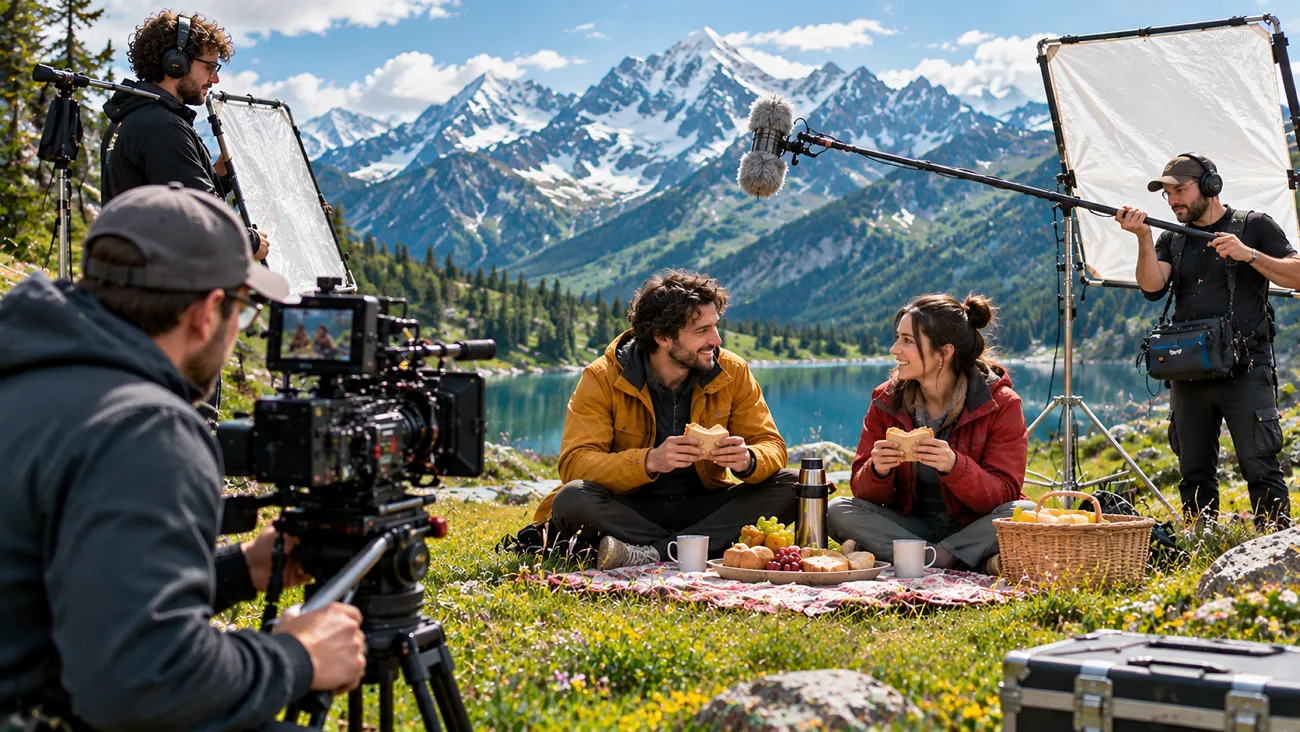
AI filmmaking now goes beyond short clips as creators build complete scenes with recurring characters. Higgsfield AI has gained attention with over 70 camera movements and several generation models. Still, credit costs and long waiting times make creators look for a Higgsfield alternative. Some creators need realistic cinematic shots, but others want complete stories with matching characters. Finding the right tool means looking beyond video quality to sound and scene control.
Part 1. 10 Best Higgsfield Alternatives to Try
Different creators have different needs when choosing AI tools for their filmmaking projects. These Higgsfield alternatives offer useful features for creating videos with better control over scenes. Below are 10 tools worth exploring to find the right fit for your projects.
Best For: Storytellers and educators creating complete narrated video stories.
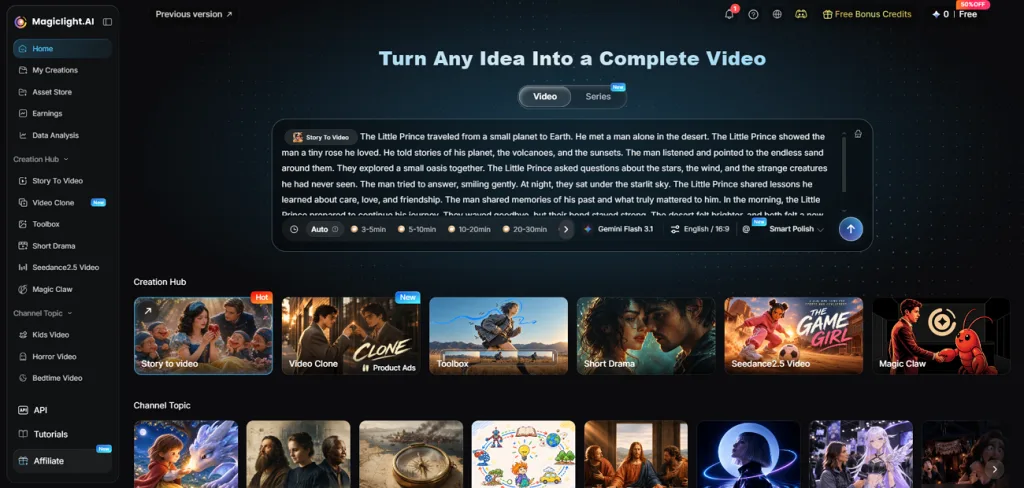
MagicLight AI helps creators turn their story ideas into complete films with matching characters. Its long video generator supports up to 50 minutes of video within a project. Creators can build their stories with clear narration and music that matches each scene.
It also keeps character appearances consistent as the story moves between different scenes. New users can try its filmmaking features with free credits without entering payment details.
Key Features
- Story to Video: Paste a script with up to 12,000 characters to create complete scenes. MagicLight AI turns your written story into a video with clear narration.
- Character Library: Create characters using reference photos with descriptions reaching up to 1,000 characters. Their appearance stays consistent across scenes as your story moves forward naturally.
- MagicLight Agent: Describe your video idea through chat to begin planning your filmmaking project. The Agent prepares scripts and scenes with 3 budget options for production.
- Story Models: Choose from 16 story models including GPT-5.6 to develop your video script. Each model helps shape your story based on the direction you provide.
- Language Support: MagicLight AI supports 11 languages to help creators reach viewers across countries. You can create narrated stories in different languages for your intended audience.
User Reviews
- Amelia Ashley: “I created an animation video for my client, which saved me a lot of time and effort. MagicLight surprised me with its AI characters and templates….”
- Rizwan Tareen: “MagicLight is an amazing tool with very powerful AI features.….”
- Mohamed Ali: “Magiclight is one of the first Ai platform i used and one of many i tried , and to be honest whether you are a beginner or an expert i really recommend to try it out….”
Pros
- Scenes include matching voices and captions without extra editing.
- Paid plans include commercial rights for your finished films.
- Longer videos reduce the need to combine shorter clips.
Con
- Camera movements require prompts instead of ready-made preset options.
Best For: Filmmakers and agencies editing real footage with AI.
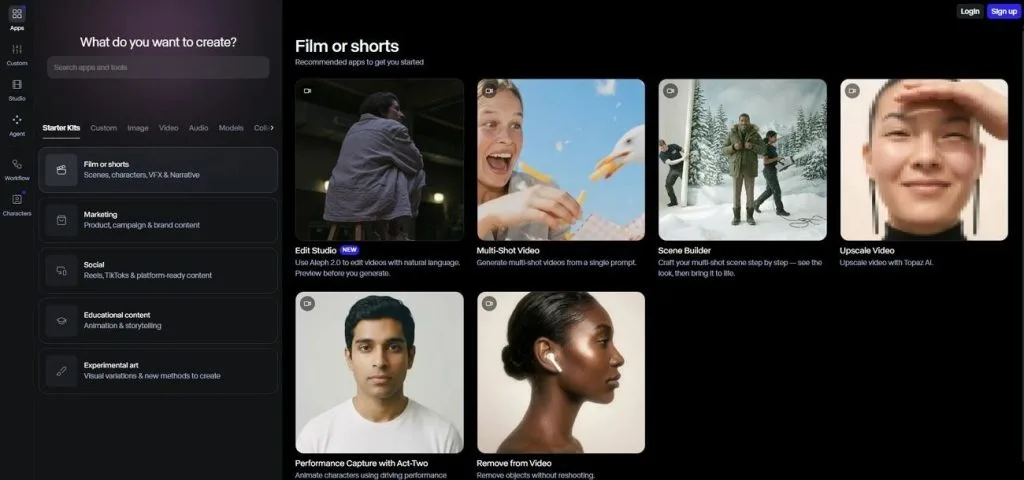
Runway gives filmmakers more control over existing footage, making it a useful Higgsfield alternative. Its video tools help creators change scenes without filming everything again from the beginning. The platform also supports new video generation using written prompts and reference images.
Key Features
- Change lighting and replace objects without editing every video frame separately.
- Transfer real facial expressions and body movements onto AI-generated characters.
- Connect different AI models to create reusable video editing workflows.
User Reviews
- Sofi: “amazing technology for a variety of needs!”
- Lam Hoang: “It regularly misunderstands prompts and produces results that miss the requested style, subject, or motion—yet each failed attempt still costs credits.”
- Richard Lee: “Yes, it is useful but the pricing structure makes it a product to steer well clear of.”
Pros
- Upscale finished videos to 4K for better viewing quality.
- Create background music and sound effects within the platform.
Cons
- Short generated clips require extra editing for longer scenes.
- Generated objects sometimes change unexpectedly between different video frames.
Best For: Musicians and visual artists creating music-based video projects.
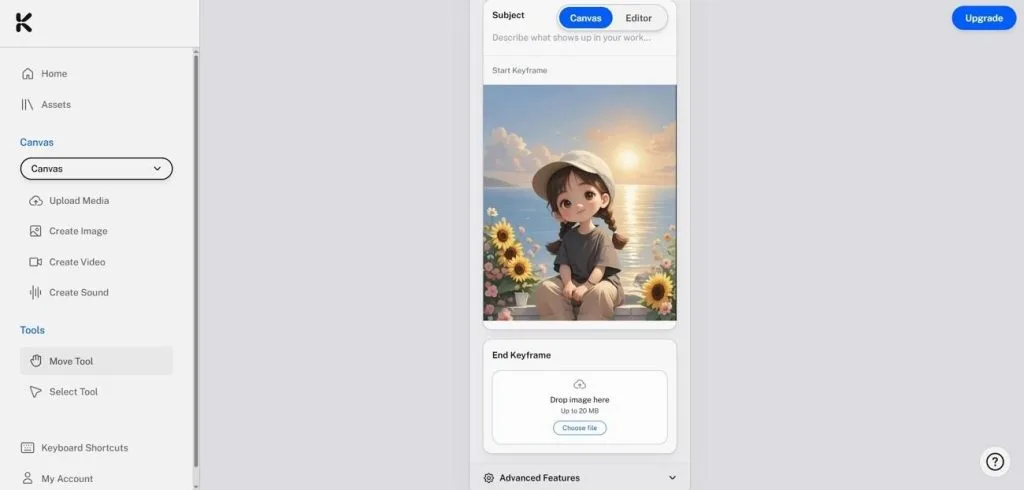
Music creators can use Kaiber to build visuals that move with their favorite tracks. Among Higgsfield AI alternatives, it stands out for turning music into creative video projects. Its Canvas workspace also supports different video models for building custom visual styles.
Key Features
- Train custom models using personal artwork to maintain a consistent visual style.
- Separate music into individual tracks for better control over video timing.
- Upscale finished videos to 4K using built-in Topaz technology.
User Reviews
- Sammy N: “I am a creator who utilizes mulitple ai models to create, edit, and produce content for brands and influencers.”
- Dristi Sharma: “this can generate interesting visuals, but performace and consistency are lacking.”
- Mitch Cholette: “Extremely disappointing AI service with rude customer support, confusing subscription plans, and poorly designed workflows.”
Pros
- Choose from over 50 styles for creative music videos.
- Match video movements with music beats using Beat Sync.
Cons
- The Canvas workspace takes time for beginners to understand.
- Generated videos may change details from uploaded reference images.
Best For: Users creating cinematic scenes with matching characters.
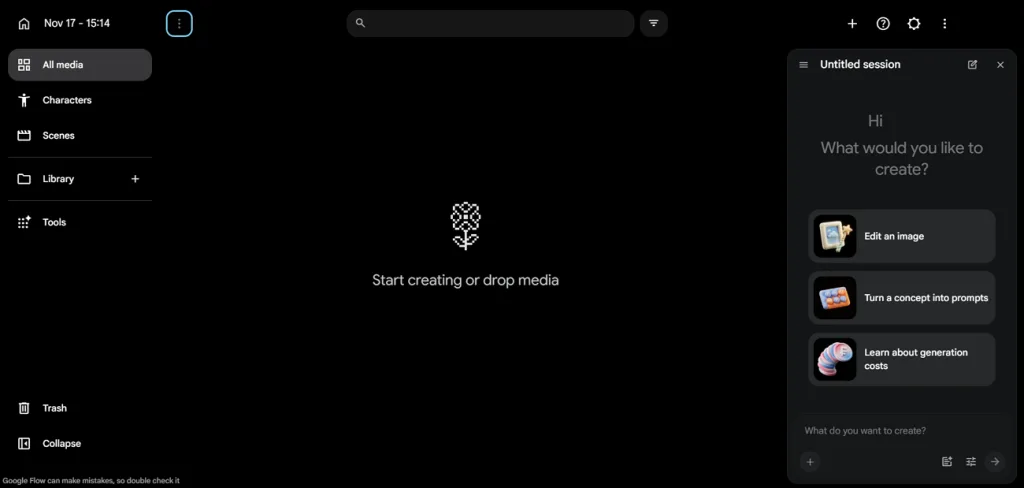
Filmmakers can use Google Flow to create cinematic scenes with sound using simple prompts. As a Higgsfield AI free alternative to explore, it offers access through limited free credits. Its Scenebuilder also helps creators combine generated clips into longer sequences for their projects.
Key Features
- Use reference images to keep the same characters across different video scenes.
- Set starting and ending frames to control how each generated shot develops.
- Create recurring characters with consistent appearances for scenes across your filmmaking projects.
User Reviews
- Florent: “The video editor is making too often mistakes……”
- Alberto Enrique: “SOME DAY you will able to do incredible things with HQ Videos. Go.”
Pros
- Generated clips include dialogue and sound effects without extra editing.
- Simple text requests help plan and complete several editing tasks.
Cons
- Short clip limits make longer filmmaking projects harder to complete.
- Generated videos contain SynthID watermarks that identify AI-created content.
Best For: Developers and filmmakers exploring downloadable AI video models.
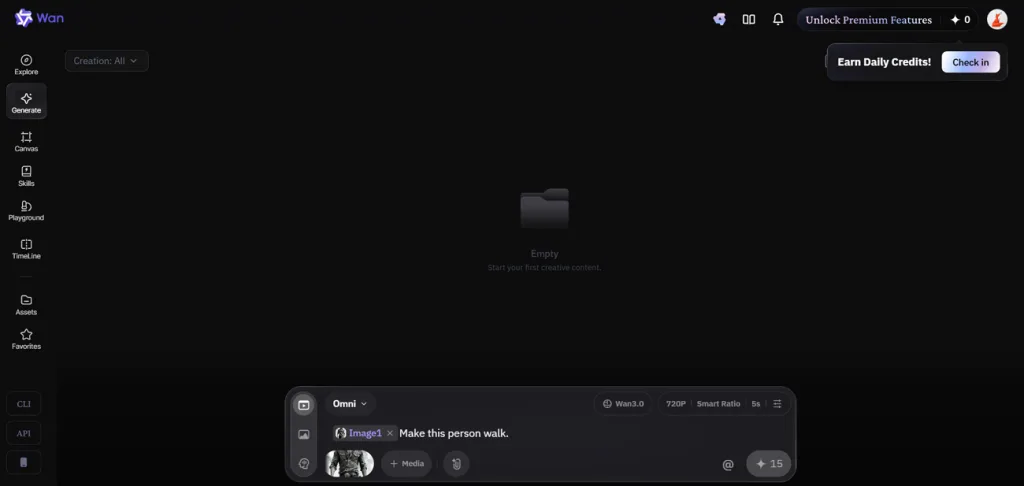
Creators looking for more control can explore Wan AI for realistic video generation projects. Among Higgsfield AI alternatives 2026, Wan 3.0 deserves attention for its video generation capabilities. The platform also offers hosted tools alongside earlier downloadable models for more flexible filmmaking.
Key Features
- Divide a video into shorter shots using prompts with specific time settings.
- Upload up to 20 reference files to guide the generated video.
- Generate new images from written prompts using the Wan AI studio.
User Reviews
- Miles Many: “It is one of the most powerful models and I simply love it at the moment.”
- Nathan G: “Wan AI suddenly removed the free unlimited (slow) generation feature as of July 31, 2026”
- Stephen Clark: “the first try was terrible not even close to what I asked for”
Pros
- Run earlier downloadable models privately using your own computer hardware.
- Access newer Wan models through supported third-party video generation platforms.
Cons
- The newest model cannot be downloaded like some earlier versions.
- Running models locally requires powerful graphics cards and technical knowledge.
Best For: Filmmakers creating longer scenes with natural character dialogue.
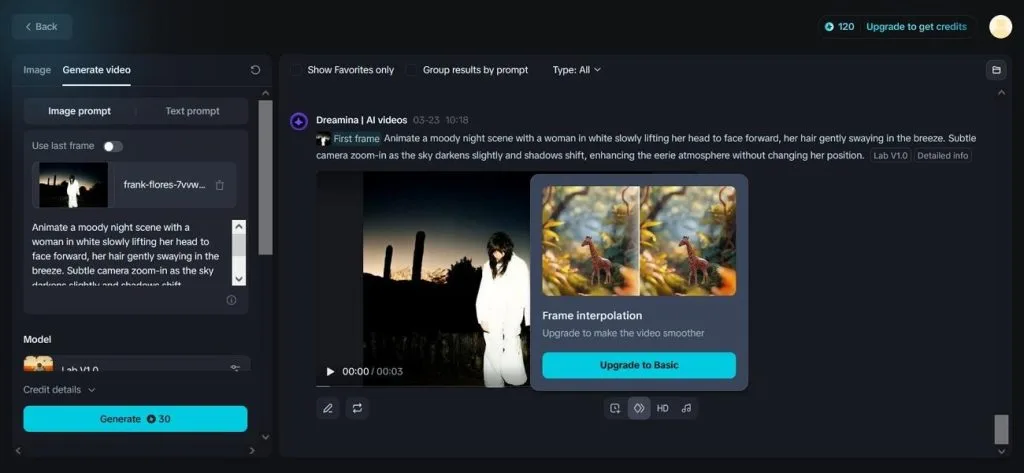
Dreamina helps filmmakers create longer video scenes without breaking every shot into smaller clips. Its Seedance model supports videos reaching 30 seconds with a special Long Video mode. Creators can also explore different video models to find suitable results for their projects.
Key Features
- Add up to 50 image and video references to guide each generation.
- Match character lip movements with uploaded audio for more natural speaking scenes.
- Copy camera movements from reference videos to create similar shots with AI.
User Reviews
- Aaron Eisenrieder: “Everything worked fine initially. However, when I returned to the platform 2 weeks later, I”
- Vic Partouche: “The tool worked well for my part however BE CAREFUL I paid for a one time credit….”
- Zsolt Bíró: “Every single video was an absolute failure.”
Pros
- Extend existing clips and connect scenes with matching lighting.
- Generate detailed videos reaching 4K for larger viewing screens.
Cons
- Character faces and clothing may change between generated scenes.
- Video models and export settings vary across different regions.
- Morphic
Best For: Animation studios and teams creating videos together.
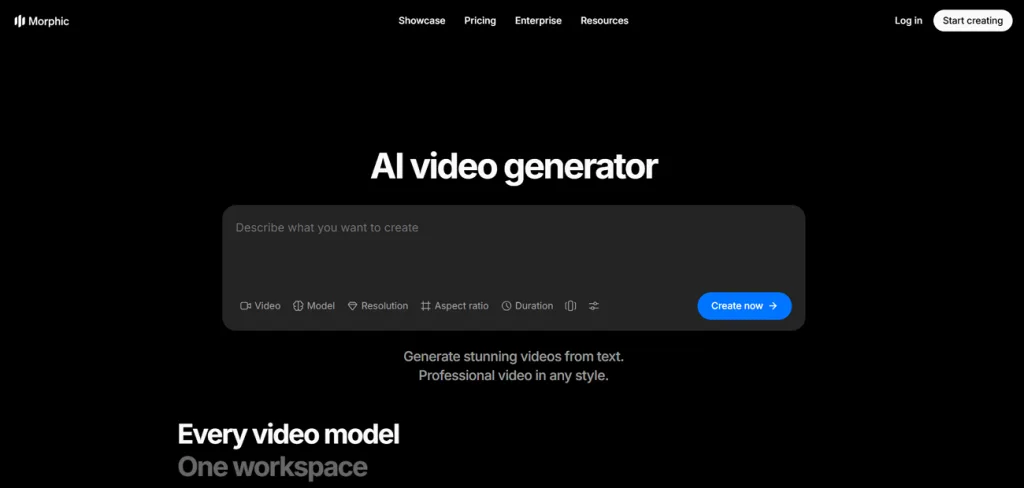
Creative teams can use Morphic to develop animated projects within a shared workspace together. As a Higgsfield AI free alternative, its available access depends on current plan limits. Its canvas helps production teams build scenes and review changes without switching between projects.
Key Features
- Use 2 to 5 keyframes to create smooth movement between different scenes.
- Leave comments at exact video moments to make team feedback easier.
- Choose from 72 ready-made workflows for storyboards and video editing tasks.
User Reviews
- Jeff M.: “Incredibly easy to get your website up and running with both the product and Morphic team….”
- David Xxx: “I tried the free Account, wanted to get a Picture to a 5 second Video…..”
Pros
- Train character models using images to maintain consistent appearances.
- Remove unwanted objects from video frames using built-in editing tools.
Cons
- The shared canvas may feel complicated for individual creators.
- Public information does not clearly identify its video models.
Best For: Filmmakers creating detailed cinematic shorts with dialogue.
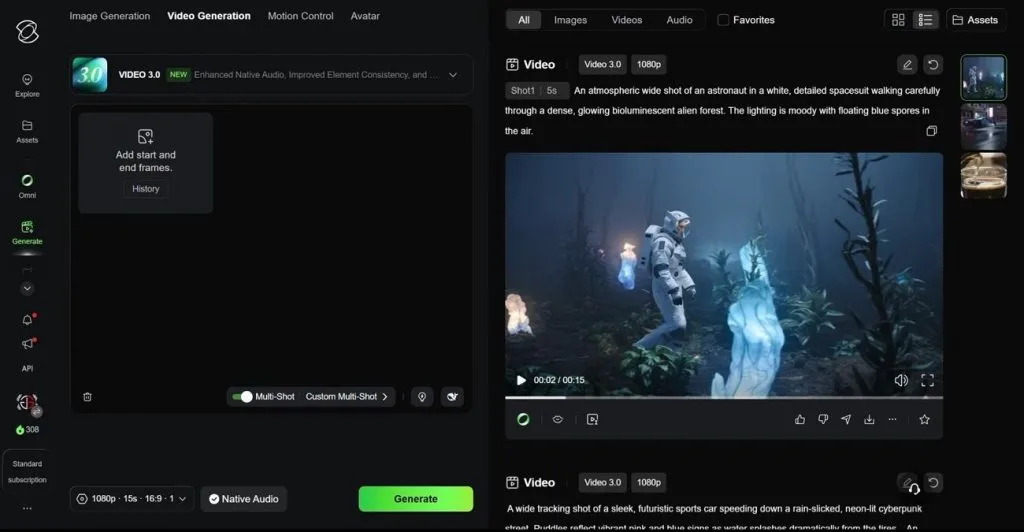
Kling AI helps filmmakers create detailed cinematic videos with realistic movement and clear sound. As a Higgsfield AI alternative, it supports 15-second clips with 4K output and native audio. Its multi-shot feature also creates scene cuts that follow the action in each video.
Key Features
- Set up to 10 keyframes to control important moments throughout your video.
- Upload up to 15 reference assets to guide characters and video scenes.
- Edit up to 5 existing clips together using simple written instructions.
User Reviews
- Soul M.: “Kling AI is one of the best tools on the market right now. It includes everything I need, like an image tool and an image-to-video tool…”
- Aditya B.: “Kling 3.0 Motion Control works amazingly well. It’s one of the best in the industry..…”
- Richard: “It doesn't matter what you do, it will not listen to you. I believe it is simply a built-in function…”
Pros
- Generate stereo sound with matching lip movements for dialogue.
- Create faster draft videos at 720p using Flash mode.
Cons
- Video Extension supports creating videos reaching up to 3 minutes.
- Editing requires special prompt formatting to preserve existing details.
Best For: Anime creators making stories with recurring characters.
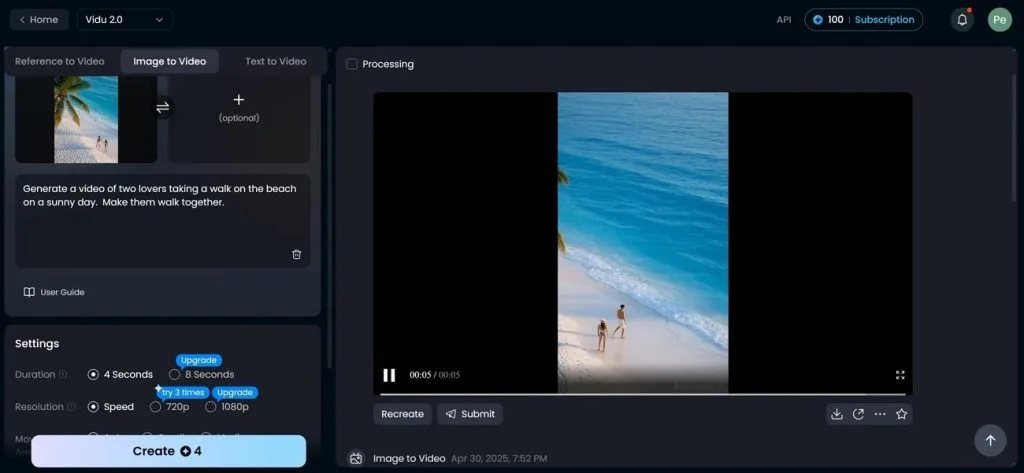
Individuals making animated stories can use Vidu AI to keep characters consistent across different scenes. As a best Higgsfield alternative for reference-based videos, it supports multiple character images during generation. Its latest model creates 4K clips reaching 16 seconds with dialogue and background sound.
Key Features
- Turn a written story into draft video scenes using Short Films.
- Choose ready-made templates for character hugs, transformations, and similar actions.
- Adjust motion strength to control how much characters move within scenes.
User Reviews
- Jesna's Creative Hub: “It has been one great year using ViduAI. ViduAI has tremendous features using Text to Image/ Video, Reference to Image / Video….”
- Pattaya Pye: “Vidu ai is trash for one it keeps getting my prompts it over rides it….”
- Ged: “By far the worst AI i have used. Super slow, free trial was offered but reality was 2 shots and pay for the rest….”
Pros
- Access ready-made character references through the built-in RefHub library.
- Export 1080p videos with H.265 compression for smaller files.
Cons
- Longer scenes require combining multiple clips into one video.
- Generated dialogue supports only English, Japanese, and Chinese languages.
- Magnific AI
Best For: Designers and marketers creating mixed visual content.
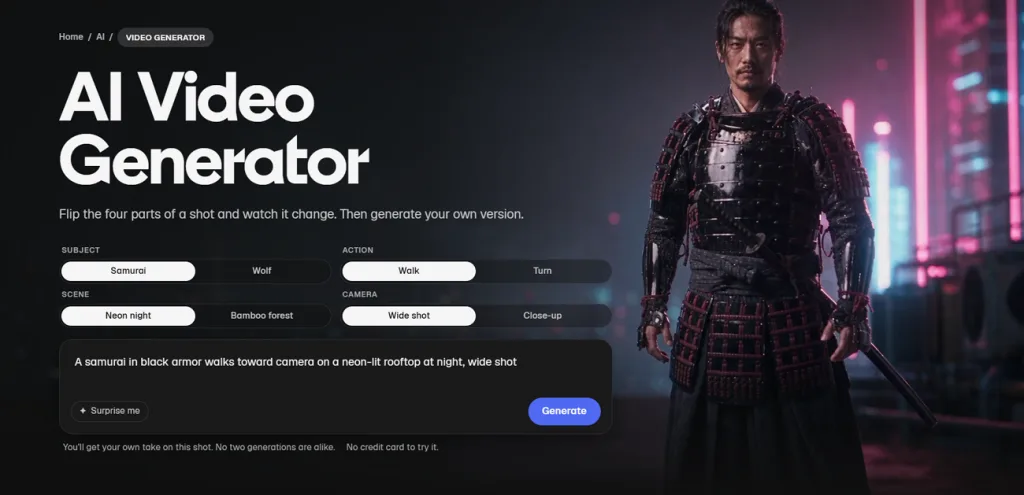
Magnific AI brings over 40 image and video models into one workspace for creative projects. Its collection includes popular models like Kling and Veo for generating different video styles. Creators can also improve video quality using its upscaling tools for sharper final results.
Key Features
- Connect different AI models through Spaces to build reusable creative workflows.
- Train custom agents using brand guidelines to maintain consistent content across projects.
- Generate speech, background music, and sound effects within the same creative workspace.
User Reviews
- SK: “although this is definitely a paid AI generator, my free generation was insane”
- Malin unander-scharin: “I got help soon after I posted this review. THANK YOU! I’m so grateful for the help I received…”
- Zdenka Kralova: “What was once a reliable and impressive service has become a frustrating and disappointing experience.”
Pros
- Create videos using text prompts, reference images, and camera controls.
- Access your creative projects through its dedicated mobile app.
Cons
- Dedicated upscaling tools may produce better results for photographs.
- Choosing between over 40 AI models can confuse new users.
Part 2. Quick Comparison of the Best Higgsfield Alternatives
Finding a suitable Higgsfield free alternative also means comparing the video quality and creative controls available. The table below compares these tools across important features to help you choose:
| Tool | Main Strength | Clip Length | Video Resolution | Character Consistency Tools |
| MagicLight AI | Complete narrated stories | Up to 50 minutes | Up to 1080p on paid plans | Character library with reference photos |
| Runway | Video generation and editing | 2–10 seconds (Gen-4.5) | 720p native | Reference images and keyframes |
| Kaiber | Music videos and animation | Varies by model | Model-dependent | Image references |
| Google Flow | Cinematic scenes with sound | Up to 15 seconds (Omni Flash 1.2) | Up to 4K upscale on Ultra | Reference images and frame controls |
| Wan AI | Hosted and downloadable models | 2–30 seconds, depending on model | Up to 1080p | Multiple reference assets |
| Dreamina | Longer cinematic scenes | Up to 30 seconds, plus Long Video | Up to 4K | Image and video references |
| Morphic | Team-based animation production | Varies by model | Model-dependent | Trained character models |
| Kling AI | Realistic cinematic videos | Up to 30 seconds (Kling 4.0) | Up to 4K HDR | Reference assets and keyframes |
| Vidu AI | Consistent animated characters | Up to 16 seconds | Up to 4K | RefHub character references |
| Magnific AI | Upscaling and model selection | Varies by model | Model-dependent | Reference images and custom workflows |
Part 3. Why MagicLight AI Is a Great Higgsfield Alternative
MagicLight AI helps creators build complete video stories without managing every scene separately. As the best Higgsfield alternative for long-form storytelling, it combines scene planning with consistent characters. Creators can also add narration and music within the same project for a complete film.
Key Features of MagicLight AI
- Nano Storyboard: Edit character poses, facial expressions, and outfits directly within individual storyboard frames. Choose from 50 preset poses to match character movements with different scenes.
- Video Engine Choice: Animate your images using models like Kling, Seedance, Wan, and Hailuo. A dedicated Seedance 2.5 Pro workflow also provides another option for generating video scenes.
- Visual Styles: Choose from over 50 visual presets to give your video a consistent appearance. Apply your selected style across the entire film to keep scenes visually connected.
How to Make an AI Film with MagicLight AI
MagicLight AI's Story to Video feature turns written ideas into complete AI films. Follow the steps below to create your film using MagicLight AI's simple tools:
Step 1. Describe Your Film Concept
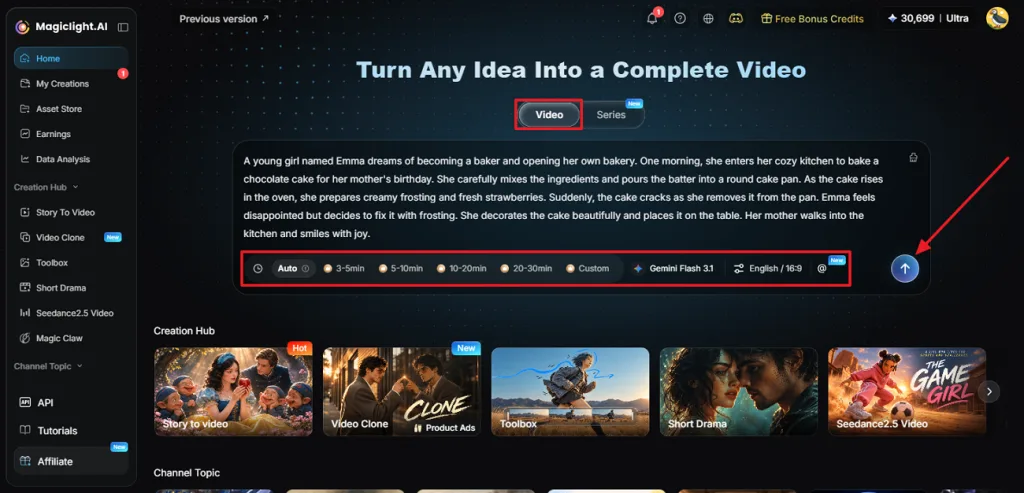
First, choose the Video tab and write a prompt explaining your film idea. Pick a Story Model, Aspect Ratio, and Language before pressing Send.
Step 2. Set Your Story Direction
MagicLight Agent suggests a Channel Niche based on the details of your film. Review its recommendation, update the script if needed, and select Confirm to proceed.
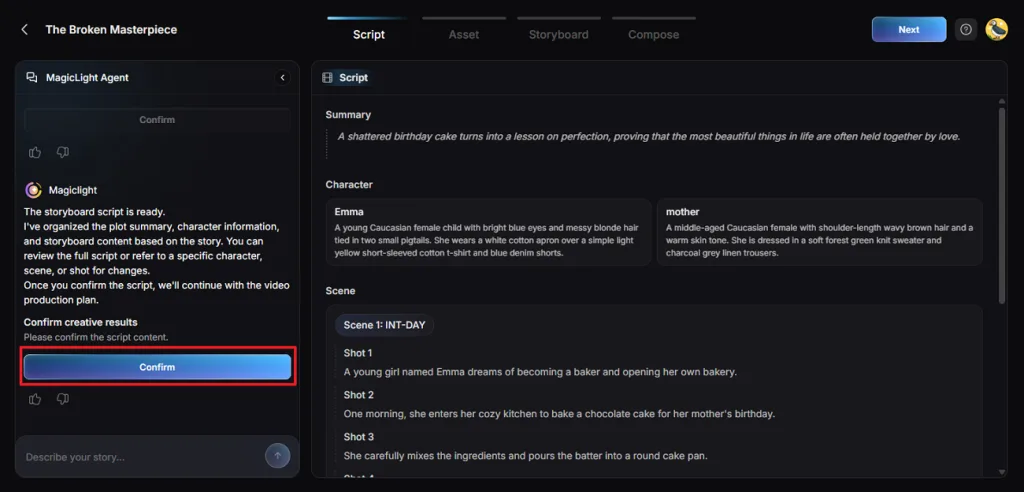
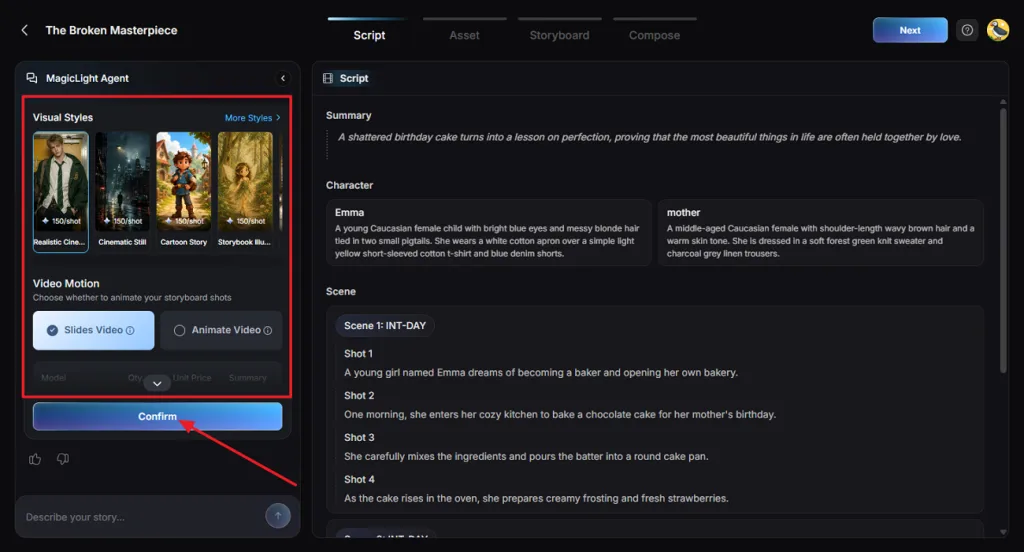
Step 3. Select Your Film's Visual Look
Pick a Visual Style that suits the mood and setting of your story. Select Slides Video or Animate Video, customize the available options, and confirm your settings.
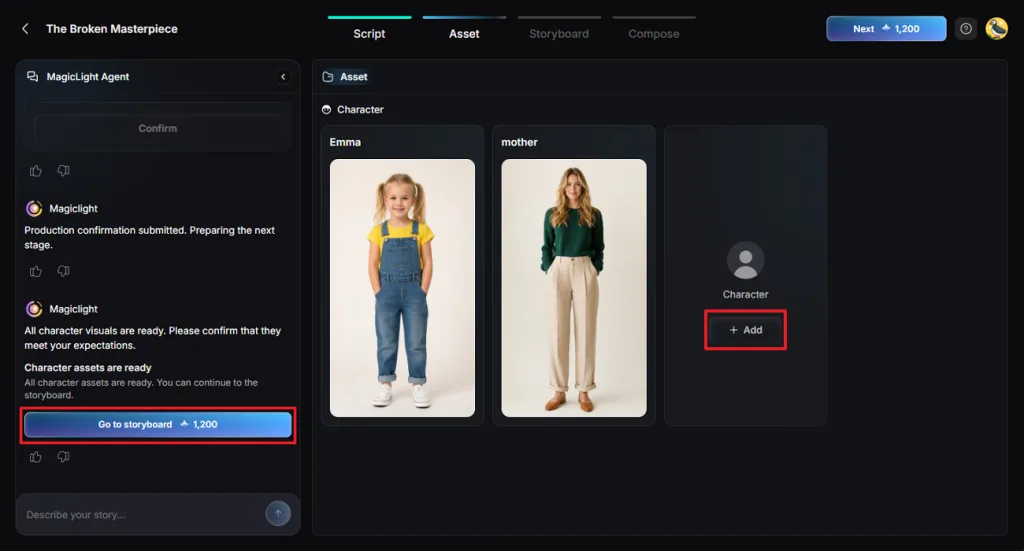
Step 4. Prepare Your Film Characters
Look through the generated character images and correct any details that seem inaccurate. Use +Add to create another character through the Character Library if needed. Save your changes and press Go to Storyboard.
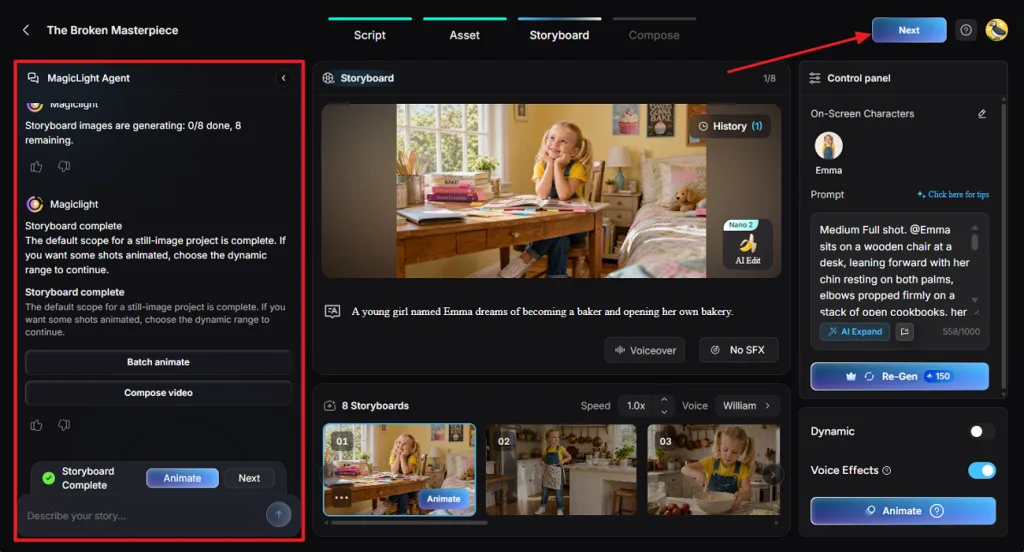
Step 5. Refine Your Film Scenes
Examine the storyboard shots to check character movements and the flow of your story. Use the MagicLight Agent side panel to change poses or animations. Click Next once the scenes match your vision.
Step 6. Add Sound and Final Touches
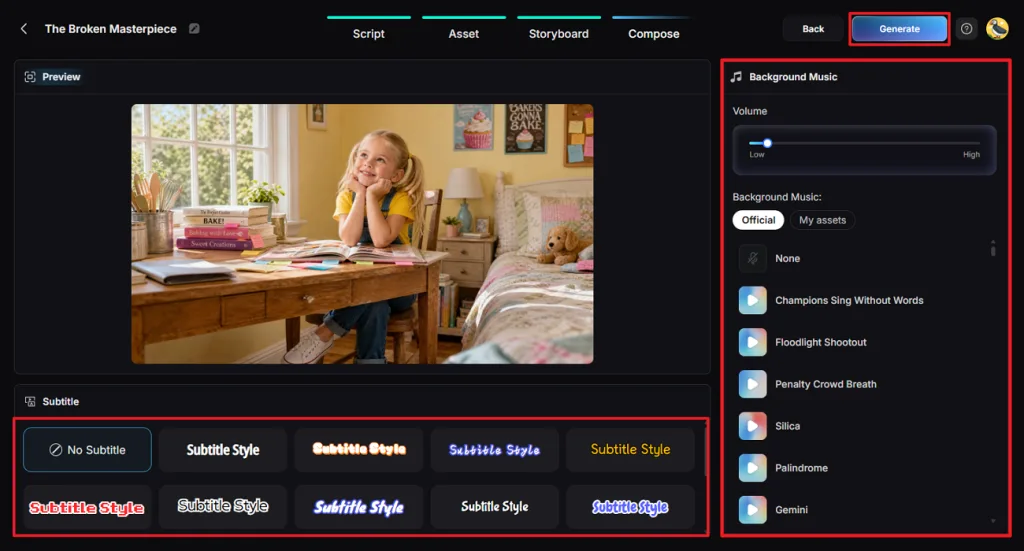
Watch the video preview and select a Subtitle Style that fits your film. You can also choose No Subtitle and adjust the Background Music volume. Press Generate to produce the finished video.
Step 7. Save Your Completed Film
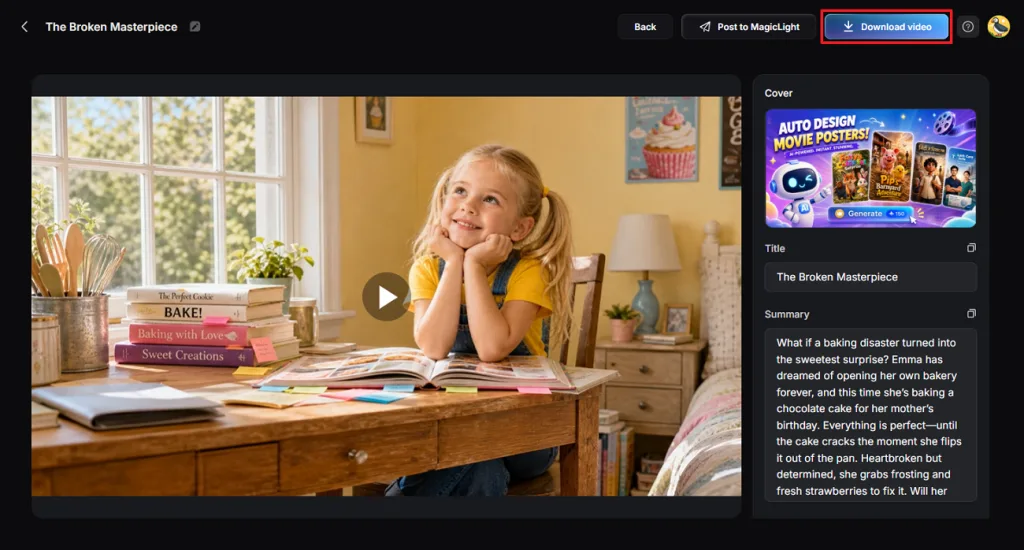
Play the generated film to check the scenes, character appearances, and spoken narration. When the result meets your expectations, select Download video to save your film.
Conclusion
To summarize, finding the right Higgsfield alternative depends on the kind of film you want to create. Some tools produce realistic cinematic clips, but others support longer stories with recurring characters. Think about your video's length, visual style, and editing needs before making a choice. For complete narrated films with consistent characters, MagicLight AI is a great option to try.
FAQs on Higgsfield Alternatives
- Which AI tool is best for turning cinematic clips into a full-length story?
MagicLight AI helps turn simple story ideas into complete films with connected scenes. Its Story to Video feature supports films lasting up to 50 minutes per project. You can also manage recurring characters, narration, and background music within one workspace.
- Is there a free alternative to Higgsfield?
Several AI video tools provide free credits for trying their video generation features. Google Flow, Dreamina, and Kling AI let users explore video creation with limits. MagicLight AI also provides trial credits so new users can test its tools.
- Which Higgsfield alternative offers the most realistic video generation?
Kling AI creates realistic cinematic scenes with detailed movement and high-resolution video output. Google Flow also produces natural-looking footage with dialogue and sound effects matching scenes. The best results still depend on your prompts, chosen models, and visual references.
- Can AI video generators maintain consistent characters across multiple scenes?
Yes, many generators use reference images to keep characters recognizable across different scenes. Vidu AI and Kling AI provide tools for guiding character appearances during generation. MagicLight AI also saves character designs for reuse throughout longer video storytelling projects.
- How do cinematic AI video tools like Higgsfield compare to traditional filmmaking?
AI filmmaking tools help creators produce cinematic scenes without arranging physical shooting locations. Traditional filmmaking gives directors greater control over actors, lighting, and individual camera movements. A Higgsfield AI alternative can also support early story planning and visual experiments.