LimeWire became popular for music sharing before entering the world of AI media creation. Its AI Studio now helps users create images and short videos from text prompts. However, some creators need better tools to develop longer videos with more creative control.
Many LimeWire alternatives now offer useful features that make different creative projects easier. Some focus on realistic images, but others can turn simple ideas into complete stories. This guide explores 10 tools to help you choose one for your next project.
Part 1. Top 10 LimeWire Alternatives to Try
Many alternatives to LimeWire offer different features that help users create their own content. Now, we will explore 10 popular options to help you find your ideal match.
Best For: Content creators making stories and educational video content.
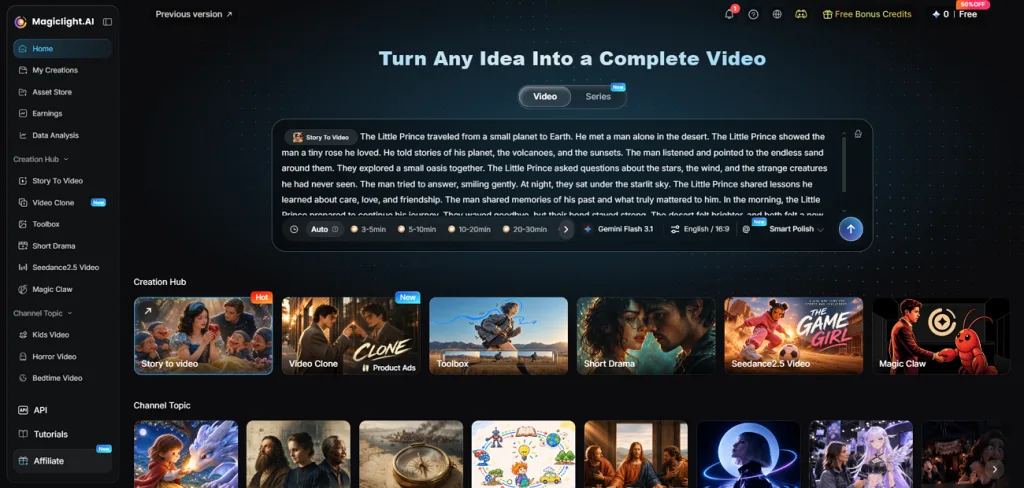
This tool helps creators bring their ideas to life through simple AI video generation. It offers 6 image models that help users create visuals for different creative projects. Text to Video tool turns written stories into complete videos with matching characters throughout scenes.
MagicLight AI includes 40 background music tracks to give each video the right mood. It also adds voice narration and subtitles to make your finished videos more engaging.
Key Features
- Story Models and Script Capacity: MagicLight AI supports 16 story models, including GPT-6 Astra, for developing creative video scripts. Users can also add scripts reaching 12,000 characters to create videos from their stories.
- MagicLight Agent: The MagicLight Agent helps users plan their videos through a simple chat conversation. It also offers three budget levels to match different video needs before starting generation.
- Character Library: Users can create reusable characters using a 1000-character description or a reference image. These characters maintain their appearance across different scenes to keep the story visually consistent.
- Long Video Generator: MagicLight AI includes a long video generator that supports videos lasting 50 minutes. This gives creators enough room to develop complete stories without splitting them into clips.
- 20 AI Video Models: The platform provides 20 AI video models for different video creation needs. Users can explore Veo, Kling and Seedance family models to achieve their preferred visual results.
User Reviews
- Rosana d' Ávila Uchôa: “I've been creating long-form videos- 16 to 18 minutes in lenght - using MagicLight AI. I really like the videos it produces….”
- Rizwan Tareen: “MagicLight is an amazing tool with very powerful AI features.….”
- Lakshmi Buddhavarapu: “My interest was to find an easy to create a story with consistent characters for long episode of 20 minutes [Magiclight Story to video]in a series, as beach stories for kids.….”
Pros
- Create images and videos within one simple creative platform.
- Paid plans include commercial rights for finished video projects.
- Make longer story videos without joining many separate clips.
Con
- Free users receive limited credits for creating AI videos.
Best For: Filmmakers and creative agencies producing professional cinematic videos.
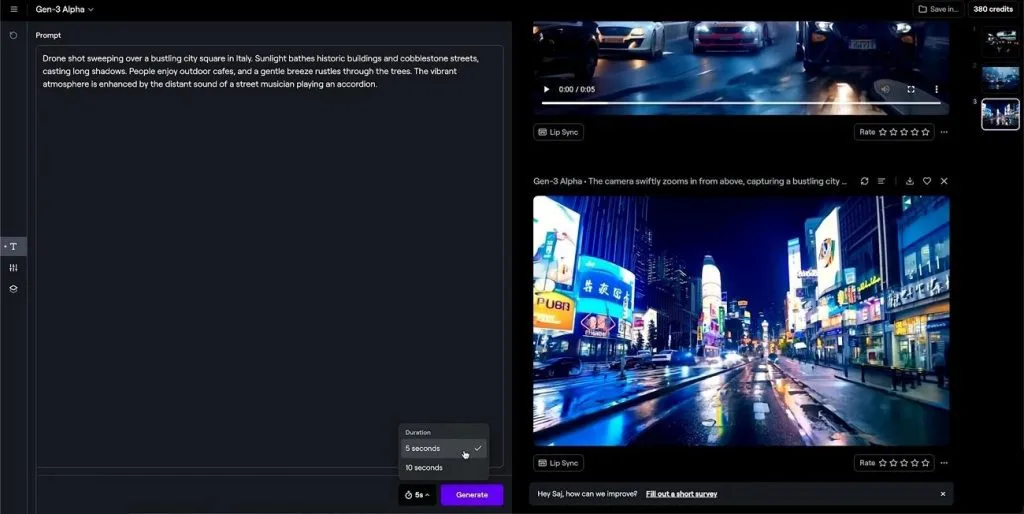
Runway gives filmmakers more control over video creation through its advanced AI editing tools. Among LimeWire alternatives, it stands out for creating cinematic scenes from images and text prompts. You can also edit existing footage and explore different video models within one creative workspace.
Key Features
- Change product details and lighting across clips using a single reference image easily.
- Recorded performances help generated characters copy real facial expressions.
- Turn simple written descriptions into working apps without writing any code yourself first.
User Reviews
- Tomas Zuinga: “it will generate great videos”
- Richard Lee: “Yes, it is useful but the pricing structure makes it a product to steer well clear of.”
- Douglas: “Gigantic waste of time and money.”
Pros
- Upscale finished video clips to sharp 4K picture quality.
- Add background music and voiceovers directly inside video projects.
Cons
- Generated shots have a maximum length of 10 seconds.
- Some objects disappear unexpectedly between frames during video generation.
Best For: Social media creators producing short videos with trending effects.
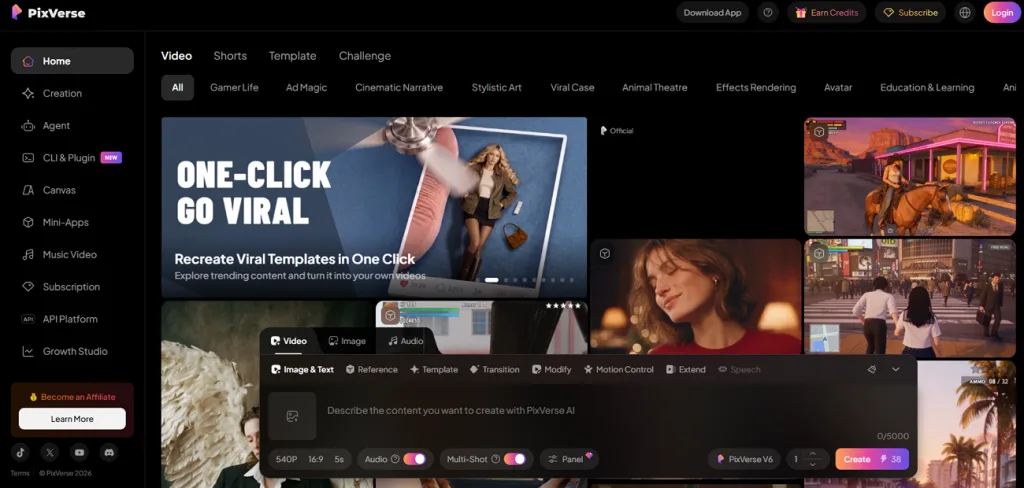
Short video creation becomes easier with PixVerse through its simple tools for animating personal photos. This LimeWire alternative free option lets creators generate engaging clips with built in sound effects. Its video model also creates connected scenes from one prompt for better visual storytelling results.
Key Features
- PixVerse Agent helps generate videos through conversations without changing complex settings.
- Multiple reference images help maintain consistent character clothing and backgrounds across scenes.
- Upload two images to control the opening and closing frames of video transitions.
User Reviews
- Robert McKenna: “Billing support doesn't get any better than this.”
- Muggy Kuntz: “Really good for free generations”
- CHAKAL LYCAN: “It constantly restricts my videos for supposed policy violations, even when I’m simply trying to add basic movement to my own artwork.”
Pros
- Sync character mouth movements with recorded audio for videos.
- Turn uploaded photos into animations using popular effect templates.
Cons
- Videos featuring multiple speakers may experience voice synchronization problems.
- Maximum output resolution remains 1080p without supporting 4K quality.
Best For: Social media creators making playful videos with effects.
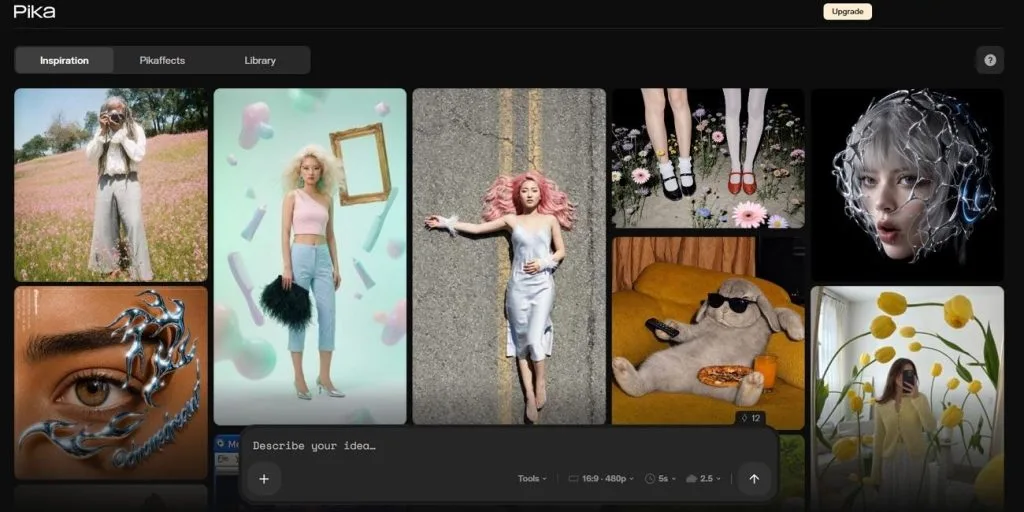
Creating playful videos becomes easier with Pika through its creative effects and simple editing tools. This LimeWire Mac alternative lets users transform ordinary footage into fun clips with unique effects. Its Video Studio also supports multiple shots and helps creators build videos lasting 30 seconds.
Key Features
- Swap Anything lets users replace people and objects within their existing video clips.
- Transfer movements from reference videos onto different characters for more natural animated actions.
- Extend existing video clips to continue scenes without starting the generation process again.
User Reviews
- Soyoung Lee: “Amazing experience. good UX, nice quality and easy to manage”
- Alan Maranho: “My favorite gen ai product! Easy to use and they’re are always adding new tools and models!”
- Jen Buckley: “I generated like five different videos already and each one glitched out and then didn’t even make the video.”
Pros
- Turn simple product photos into engaging short video advertisements.
- Create and edit videos directly through its iPhone app.
Cons
- Android users cannot access a dedicated mobile application yet.
- Playful video effects may not suit professional business projects.
- Krea AI
Best For: Designers creating custom visuals with instant creative feedback.
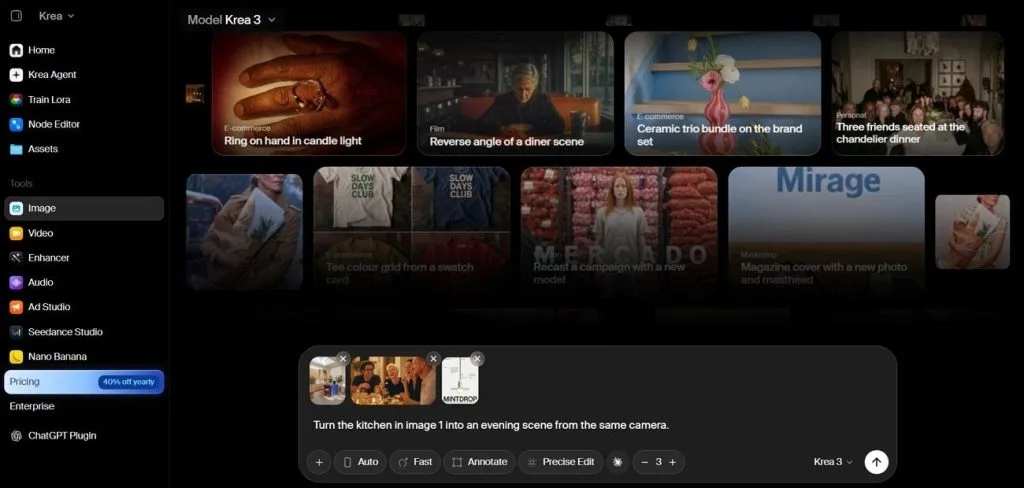
Krea AI gives designers instant visual feedback as they change their sketches and text prompts. This new LimeWire alternative brings several creative models together for easier image generation tasks. Users can also explore advanced video tools without switching between different AI creation platforms.
Key Features
- Upscale images to 22K resolution and enhance videos up to 8K quality.
- Train custom models using personal images to develop unique styles and characters easily.
- Generate detailed 3D models using simple text descriptions and uploaded reference images.
User Reviews
- DR: “The goat. Just the best service for imagery right now.”
- Enrique Wilches: “The quality of the images is very good. And the offer of platforms integrated are ok.”
- Jason: “terrible rip off, agent continuously asks for regenerations, burns tokens for fun.”
Pros
- Connect creative tools directly with Photoshop and other editing software.
- Remove unwanted objects and adjust lighting using built-in tools.
Cons
- Switching between different models can change visual styles unexpectedly.
- Creating complete narrated stories requires tools beyond this platform.
Best For: Game artists and marketers creating consistent visual assets.
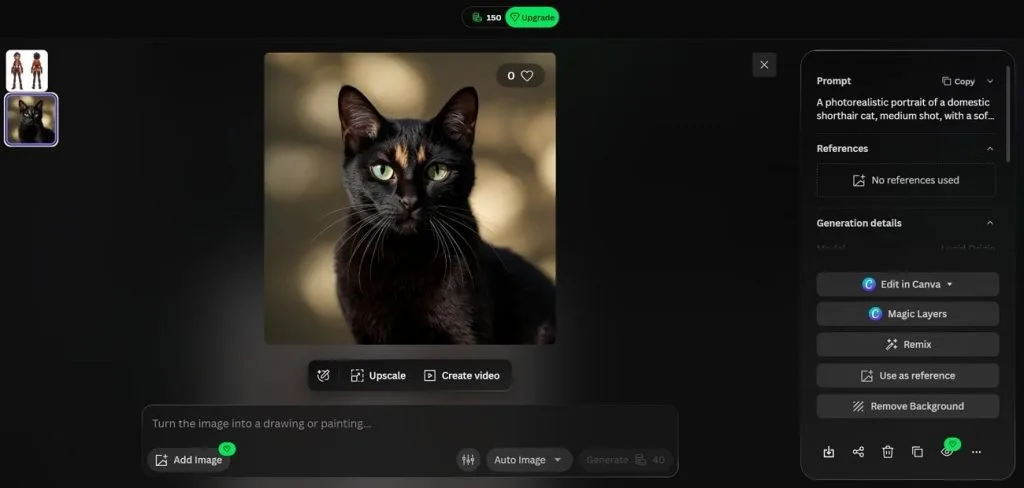
Leonardo AI helps artists create detailed game designs using its powerful image generation models. The platform gives users more control over their artwork through different styles and reference images. You can also animate finished images using its Motion models for more creative projects.
Key Features
- Use style references to maintain a similar appearance across different generated images easily.
- Train a personal model using 10 to 20 pictures of your chosen subject.
- Blueprints help repeat creative tasks using new inputs without rebuilding each process manually.
User Reviews
- Gita: “I have used AI design apps - DZine, Dall-E etc. I find Leonardo to have the most intuitive interface…”
- CRISTINA BENITEZ: “I'm really happy with the platform, especially because it offers several different AI image generation models…”
- Shadow: “It's made for kids. Unusable……”
Pros
- Create artwork directly through dedicated iPhone and Android applications.
- Edit selected image areas and extend existing backgrounds easily.
Cons
- Character Reference only supports models built using SDXL technology.
- Finding specific tools takes time across different interface panels.
Best For: Illustrators and concept artists creating distinctive visual artwork.
Creating artistic images with rich colors and detailed textures is where Midjourney truly stands out. Among alternatives to LimeWire, it appeals to creators who prefer unique artwork over realistic results. Its video feature also turns existing images into moving clips lasting up to 21 seconds.
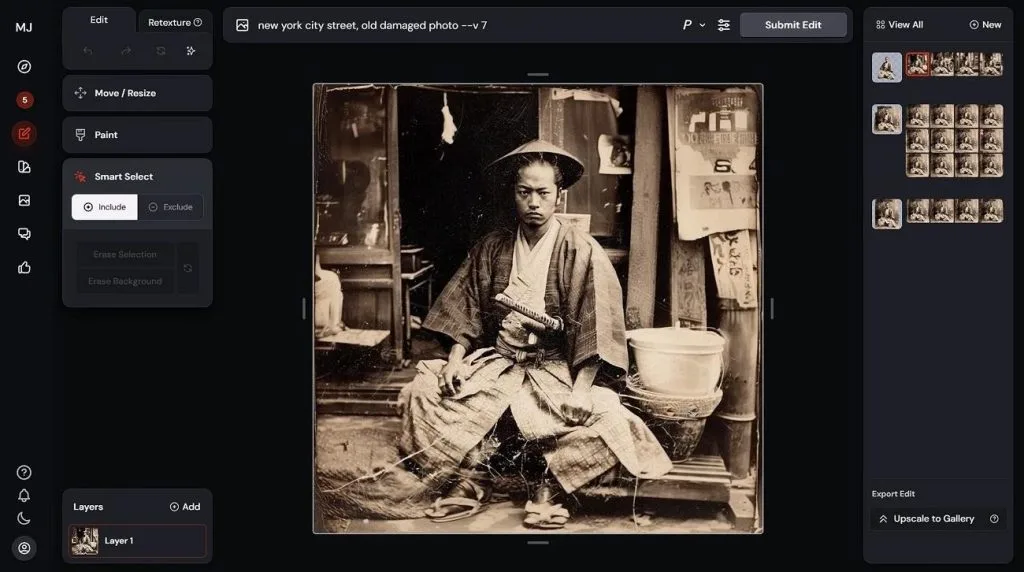
Key Features
- Rate generated images to help Midjourney understand your personal artistic preferences.
- Moodboards help maintain a chosen visual style across multiple image generation projects.
- Edit selected image areas or change complete scene textures using simple written instructions.
User Reviews
- Roham Sadaghiani: “Amazing quality artworks, but we need a way for long prompts to be used for V8…”
- Alejandro Perez: “Been using midjourney for over 3 years now. It's great, it can bring to life my craziest concepts…”
- Marc-Antoine: “Even when using Claude to prompt it, results are weird, inconsistent. Got 6 usable pictures for a whole month usage..”
Pros
- Generate polished artistic images from simple prompts with minimal adjustments.
- Access Midjourney directly through Safari on your Mac computer.
Cons
- Generated video clips contain no audio for finished projects.
- Users cannot switch between models from other AI providers.
Best For: Social media marketers creating videos with cinematic effects.
Higgsfield AI brings cinematic camera movements into video creation through more than 70 presets. Among LimeWire alternatives, it gives creators more ways to produce dramatic scenes without filming equipment. The platform also includes several video models that help users explore different visual styles.
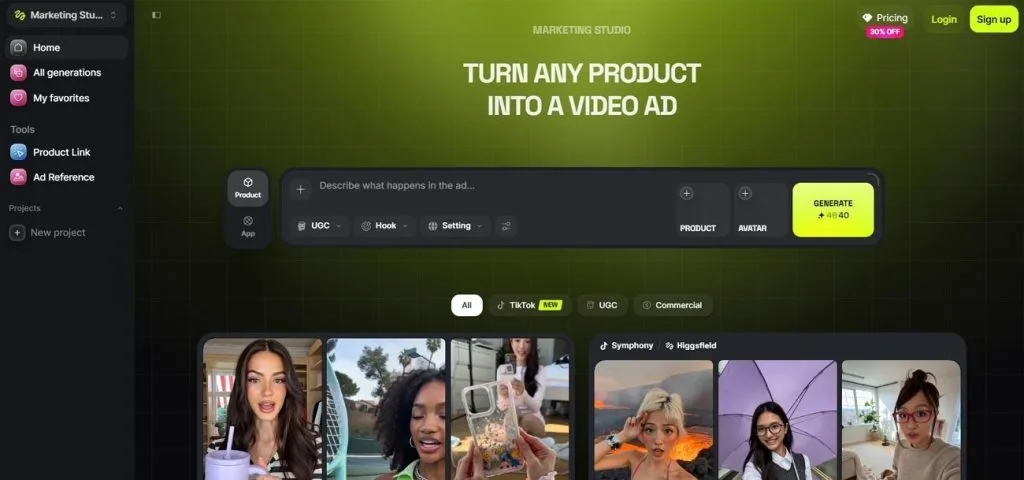
Key Features
- Create consistent character faces using a small collection of uploaded reference photos easily.
- Popcorn generates matching storyboard frames to help creators plan connected video scenes.
- Dedicated marketing tools help turn product ideas into videos for social media campaigns.
User Reviews
- Valued Wix User: “By far the best tool for AI video generation.……”
Read Customer Service Reviews of higgsfield.ai - Lynn Cantu: “Higgs gave me this ability, from home. Its just an incredible tool. I love that I can generate images, videos in all styles, audio”
Read Customer Service Reviews of higgsfield.ai - Mostafa Rashaad: “My experience with Higgsfield AI has been extremely disappointing.……”
Pros
- Create manga artwork and virtual influencers using dedicated tools.
- Enhance video quality and replace faces within one platform.
Cons
- Some lower tier models produce less realistic character movements.
- Video generation may take longer during busy platform hours.
- Artlist AI
Best For: Video editors creating AI videos, voiceovers, and licensed stock content.
Artlist AI combines stock media with AI generation tools for creators working on different video projects. Its library includes more than 20 image models and over 25 video generation engines. The platform also provides voice generation and dubbing tools to help creators finish their videos.
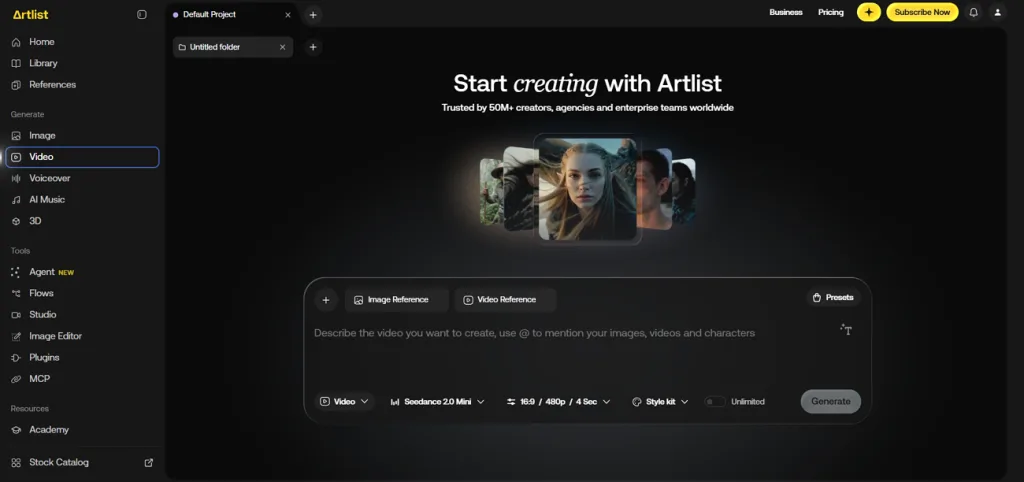
Key Features
- Generate natural voiceovers using text to speech, speech conversion, and voice cloning tools.
- Turn a single image into a talking presenter video using an uploaded audio track.
- Translate spoken dialogue through lip sync and dubbing without recording the original performance again.
User Reviews
- Anja Rieß: “I had a great experience with Artlist’s customer support! I wanted to change my subscription plan but couldn’t do it directly through my account.”
- Blockchain World: “Really enjoying Artlist so far! It has all the major AI models in one place…...”
- Taira: “Extremely disappointed with Artlist! I've been paying $75 for 80,000 credits, for months……”
Pros
- Generate original background music using Lyria text prompts.
- Customer projects remain excluded from AI model training.
Cons
- Video duration depends on the selected generation model.
- Stock media and AI tools use separate workspaces.
Best For: Technical artists creating customized images with advanced controls.
Stable Diffusion gives artists control over image generation through models running directly on personal computers. As the best LimeWire alternative for customization, it supports private generation and detailed visual adjustments. Mac users can also run compatible models through Draw Things on Apple silicon devices.
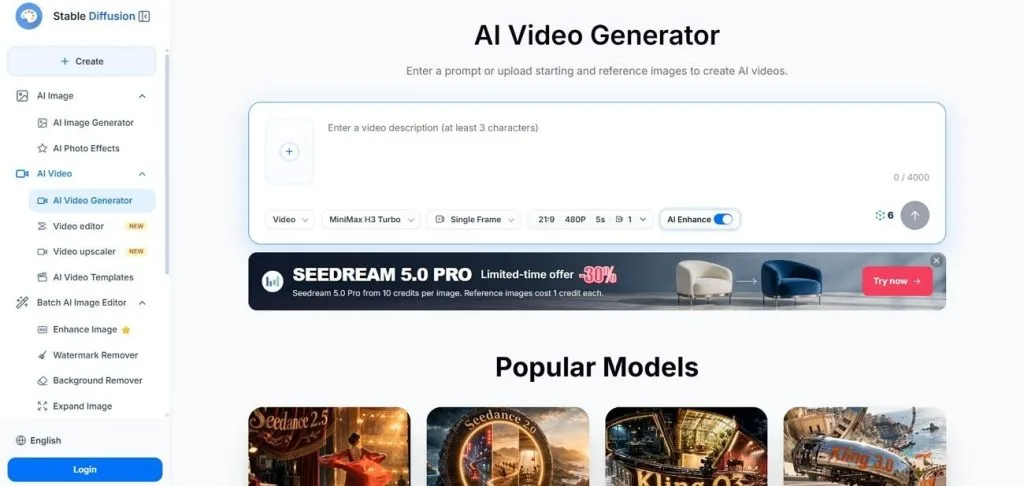
Key Features
- Train LoRA files using reference images to create consistent characters and custom artistic styles.
- Control image composition using depth maps, body poses, and edge outlines through ControlNet.
- Save complete ComfyUI workflows as reusable node graphs for future image generation projects.
User Reviews
- Кайн: “That's very good free ChatGPT, respect for developers.….”
- CW: “All of the free services on this website are absolutely superb….”
- MASUUD: “dose not work lounds for a long time….”
Pros
- Access community models covering many artistic styles and subjects.
- Adjust generation settings through seeds, samplers, and negative prompts.
Cons
- Larger models may require powerful graphics cards for generation.
- Installing models and learning workflows takes additional time.
Part 2. Quick Comparison of the Best LimeWire Alternatives
Choosing a LimeWire Mac alternative involves more than checking which tool generates images or videos. The table below compares 10 LimeWire alternatives by their main purpose and limitations:
| Tool | Main Media | Best For | Key Strength | Main Limitation |
| MagicLight AI | Videos, images, audio | Animated stories and narrated videos | Consistent characters across long videos | Less suited to advanced manual editing |
| Runway | AI videos, editing | Cinematic video production | Advanced motion and video editing | High credit usage |
| PixVerse | Short videos, effects | Social media video creation | Fast effects and image animation | Limited long-form storytelling |
| Pika | Short videos, effects | Creative clips and object swaps | Playful effects and visual transformations | Limited professional editing controls |
| Krea AI | Images, videos, 3D | Real-time visual creation | Live image generation and enhancement | Limited long-form video production |
| Leonardo AI | Images, motion clips | Game art and marketing assets | Custom models and style references | Complex interface for beginners |
| Midjourney | Images, short videos | Illustrations and concept art | Detailed artwork with distinctive styles | Limited video editing features |
| Higgsfield AI | Cinematic videos, ads | Social media and advertising | Camera movement presets | Slow rendering during busy periods |
| Artlist AI | Videos, audio, stock media | Video editing and marketing | AI generation with licensed stock | Separate AI and stock workspaces |
| Stable Diffusion | Images | Custom artwork and offline generation | Local models and advanced customization | Technical setup required |
Runway and Higgsfield AI suit cinematic projects, while Midjourney and Krea AI focus on visual artwork. PixVerse and Pika work well for short creative clips, and Stable Diffusion provides greater customization. For complete narrated stories with consistent characters, MagicLight AI is the recommended choice.
Part 3. Why Choose MagicLight AI for Easy AI Media Creation?
MagicLight AI brings image generation, video creation, voiceovers, and music together in one place. As the best alternative to LimeWire, it helps creators produce complete videos with consistent characters and connected scenes. Its Toolbox also supports individual images and short clips without requiring a complete storytelling project.
Key Features of MagicLight AI
- 6 AI Image Models: Generate images using Nano Banana 2.1, Seedream, and GPT Image models with detailed prompts. You can also upload up to 10 reference images to guide the final results.
- 4 Video Generation Modes: Create videos using text prompts, reference images, starting and ending frames, or existing footage. Each mode supports different creative needs, with generated clips lasting up to 30 seconds.
- Visual Styles and Asset Store: Choose from over 50 visual styles to give your projects a consistent appearance. The Asset Store also provides reusable characters, styles, and voice emotions for future creations.
How to Create AI Media with MagicLight AI
MagicLight AI lets you create images and turn them into animated videos within the same workspace. Use the steps below to generate your artwork and bring it to life:
Step 1. Create an AI Image
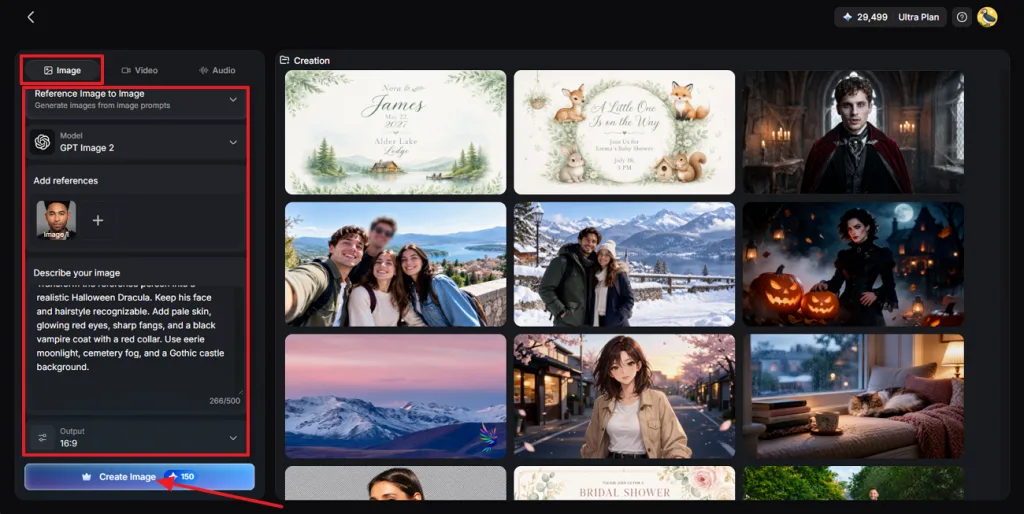
First, navigate to Toolbox. Select the Image tab and choose Reference Image to Image. Add your reference image, write a prompt describing your desired result, and press Create Image.
Step 2. Save Your Image
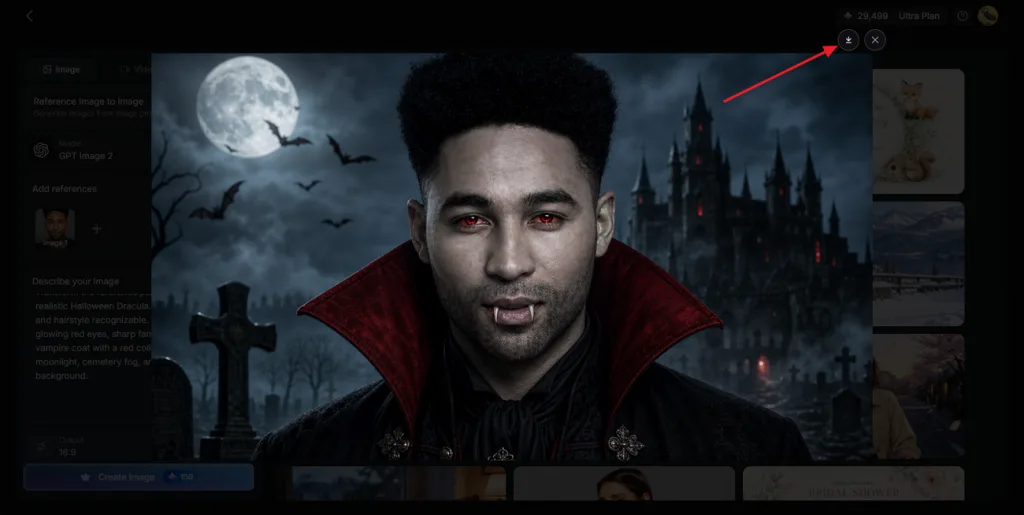
Check the generated results and find the image that matches your idea. Once satisfied, click the Download icon to save the image to your device.
Step 3. Animate Your Image
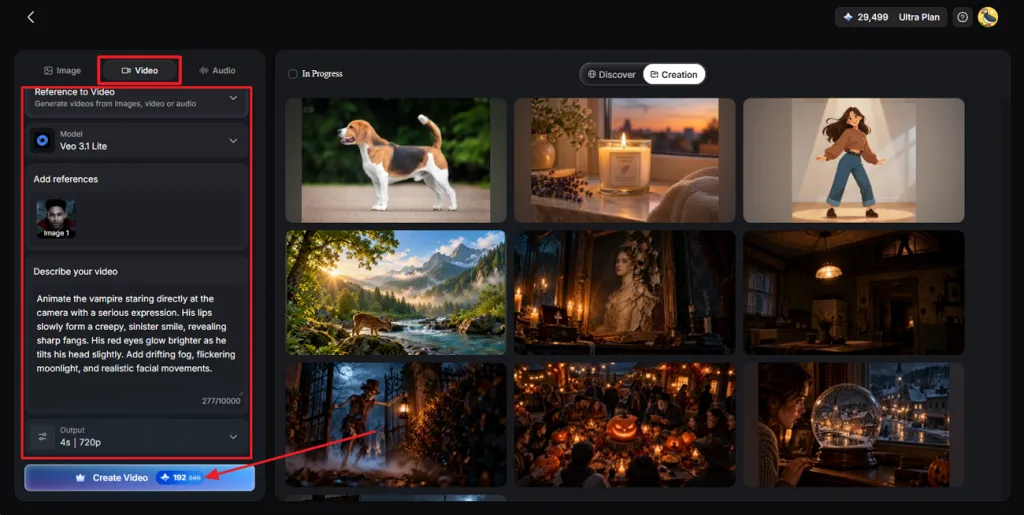
Switch to the Video tab and select Reference to Video. Upload your downloaded image and enter a prompt explaining the desired movement. Select an AI Video Model, set the Resolution and Duration, and click Create Video.
Step 4. Review and Download the Video
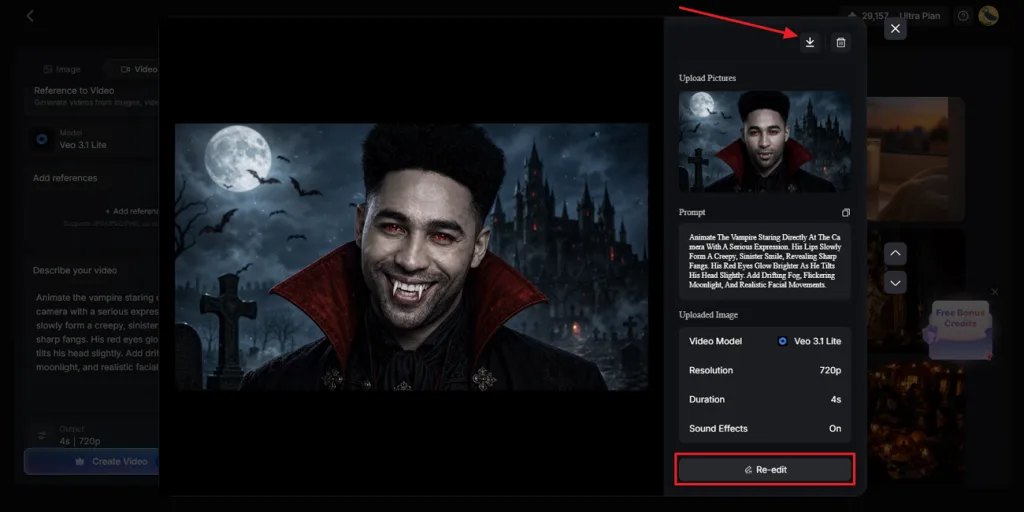
Preview the generated clip to see how the animation looks. Use Re-edit to make changes if the results need improvement. Finally, click the Download icon to save your completed video.
Conclusion
In conclusion, choosing from the best LimeWire alternatives depends on what you want to create. Some tools work better for detailed artwork, while others focus on short videos and effects. Creating complete stories takes more than good visuals, especially when characters and voices must stay consistent. For that reason, MagicLight AI is our recommended choice for creating images, videos, and complete stories.
FAQs on LimeWire Alternatives
- What is the best LimeWire alternative for AI media creation in 2026?
MagicLight AI is a strong choice for creating images, videos, and narrated stories. It supports longer videos with consistent characters, music, voiceovers, and connected story scenes. Runway suits cinematic videos, and Midjourney works well for creating detailed artistic images.
- Are there any free alternatives to LimeWire?
Several platforms provide free access, although generation limits differ between their available plans. Stable Diffusion supports free local generation, and Leonardo AI provides daily generation tokens. MagicLight AI also offers trial credits, letting new users explore its creative tools.
- Which LimeWire alternative supports both AI image and video generation?
MagicLight AI is an alternative to LimeWire supporting both image and video creation. Users can generate an image first, then animate it using the video tools. Runway, Krea AI, and Leonardo AI also provide image and video generation features.
- Can I use AI-generated content for commercial projects?
Most AI platforms allow commercial use, but their licensing rules can vary significantly. Some free plans restrict commercial rights, making paid subscriptions necessary for business projects. Always review the platform's current licensing terms before publishing content for commercial purposes.
- What is the best AI tool for turning stories and scripts into videos?
MagicLight AI turns written stories into complete videos with connected scenes and characters. Its Story to Video feature supports voiceovers, subtitles, and consistent character appearances throughout. Creators can produce videos lasting up to 50 minutes without assembling individual clips.