


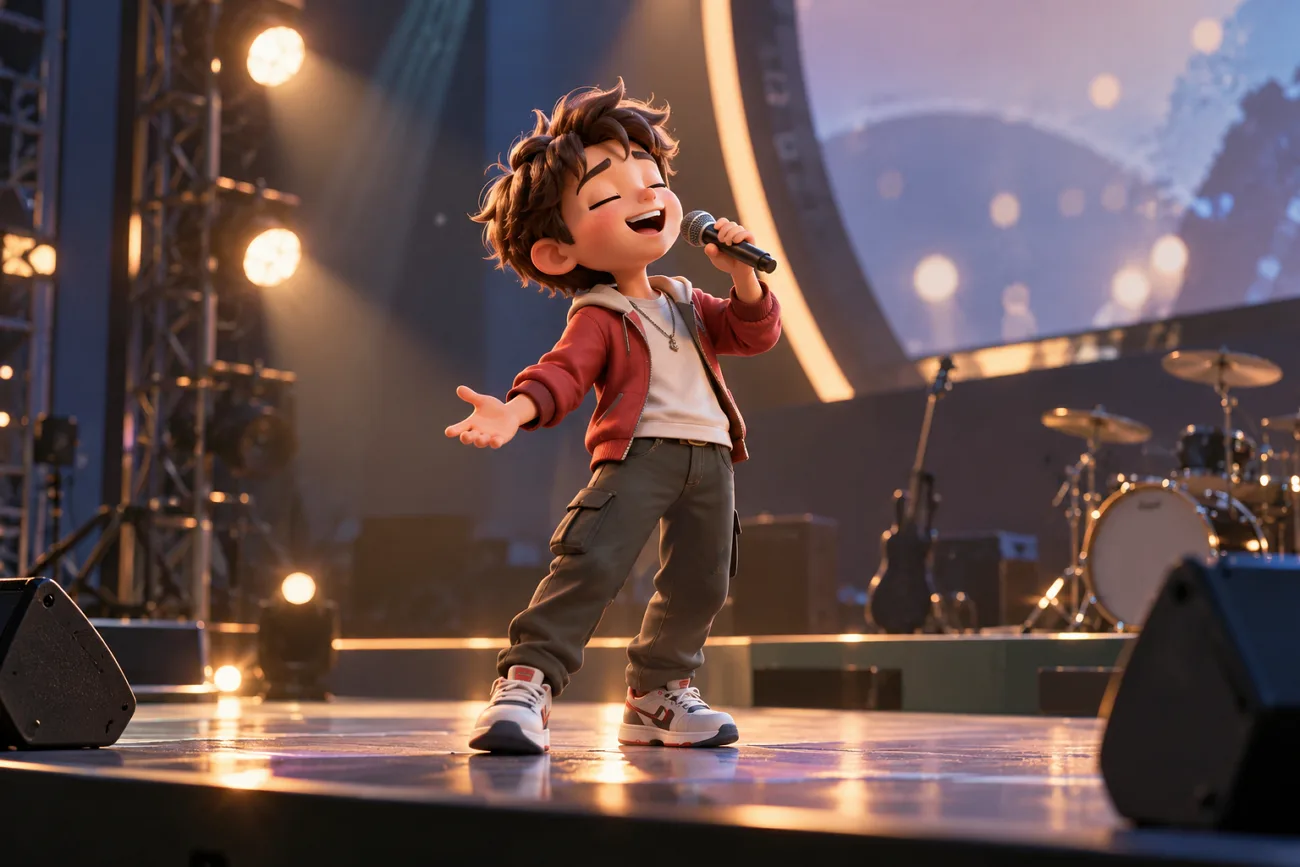
Krikey AI provides an accessible way to create and animate 3D characters using photos, text prompts, and ready-made avatars. The browser-based platform makes creating talking avatars and social videos simple for beginners. Users can create animations without learning complex keyframes or using traditional 3D animation software themselves.
Its quick creation process works well, but credit limits can affect larger animation projects sometimes. Understanding its features, pricing, app options, and creation process helps users decide what works best. This guide explains Krikey AI, how it works, and an alternative for creating longer videos easily.
Part 1. What Is Krikey AI and Is It Free?
Krikey AI cartoon maker works online and offers a free plan with limited credits available. Let’s see what Krikey AI offers, how its free plan works, and where limits apply.
Introduction to Krikey AI
Krikey AI cartoon generator focuses on creating animated 3D characters for different video projects. Users can describe movements with text or upload short videos to create character animations easily. It handles much of the animation and rigging process inside its browser editor, reducing the need for manual 3D setup. This makes character animation easier for beginners without technical skills or previous animation experience.
You can create talking avatars, classroom clips, social videos, and animated music videos online. Photos and brand mascots can become 3D characters, while ready-made characters are also available. Users can also add dialogue, lighting, and other scene details before exporting.
Key Features
- Text to Animation: Write what your character should do, and Krikey turns those words into 3D movement for you.
- Video to Animation: Upload a short body video, and Krikey copies those movements onto your chosen 3D character.
- Lip-Synced Dialogue: Add dialogue and create lip-synced voiceovers with support for more than 20 languages.
- Backgrounds and Exports: Pick a background for your scene, then save the finished animation in several supported formats.
- Timeline Editor: Use the timeline to change when animations happen and adjust how each scene plays out.
Krikey AI App
Krikey AI mainly works through its browser editor, with no dedicated mobile animation app currently available. An older Krikey AI app for iOS offers AR avatar games, but its last update came in 2022. Krikey can also be accessed through integrations including Canva, Adobe Express, and its OpenAI app for ChatGPT.
Free Plan and Limitations
Free access feels more like a trial because the included credits never refresh. The table below compares pricing, monthly credits, watermark rules, and other paid benefits:
| Plan | Price | Credits | What It Includes | Best For |
| Free | $0/user/month | 20 one-time | Standard exports, AI scripts, voice AI, 3D editor | Beginners and first-time testing |
| Pro | $15/user/month | 165/month | MP4, GIF, PNG, FBX exports, watermark removal | Solo creators, teachers, students |
| Teams | $10/user/month | 200/user/month | Pro features, team collaboration, shared editing | Agencies and marketing teams |
| Enterprise | Custom | Custom | Longer uploads, license management, automated provisioning | Schools and large organizations |
Credits go quickly, since a talking-avatar video costs 8 credits and a custom character costs 40. Yearly billing saves at least 16%, and one-time credit passes start at $1.50 for 10 credits.
Pros
- Makes 3D animations without requiring previous animation experience.
- Supports lip-synced voices in more than 20 languages.
- Works with Canva and Adobe Express for easier editing.
- Supports FBX export on eligible paid plans for use with major game engines.
Cons
- Custom 3D characters cost 40 credits to create each.
- Removing the Krikey watermark requires a paid subscription plan.
- Motion capture works with videos up to 15 seconds.
- Character animation requires models with a human-like bipedal skeleton.
Part 2. How to Use Krikey AI?
The Krikey AI animation maker works online and lets beginners create videos without complex setup. Follow the steps below to create your first animated video and download it:
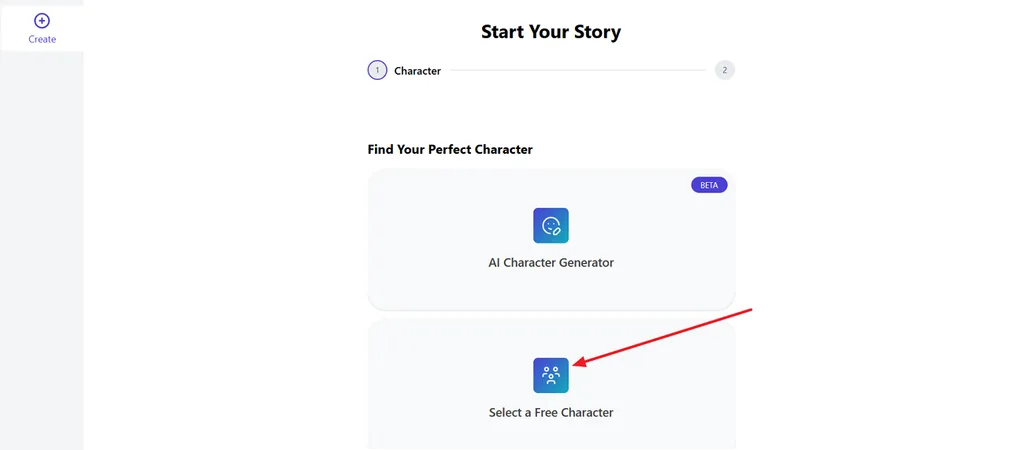
Step 1. Once you enter the main interface, start by creating your character. Choose the Select a Free Character option to pick your character.
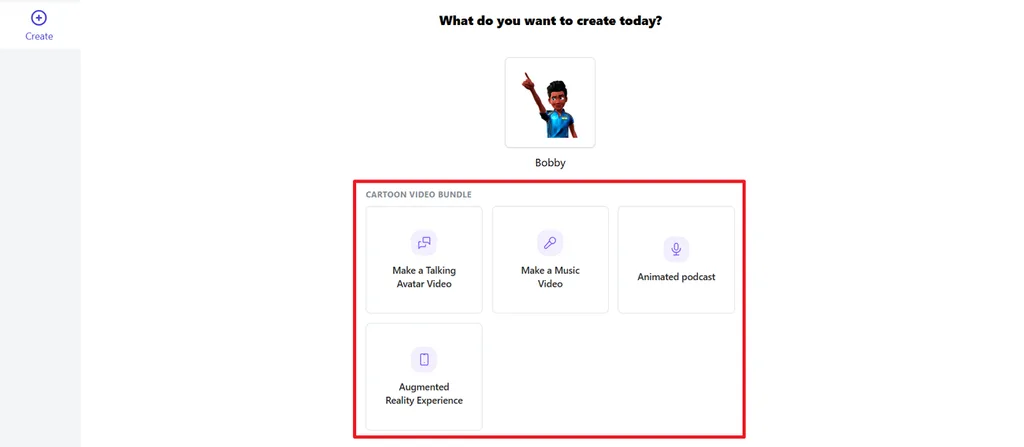
Step 2. Then, choose a video niche you want to create.
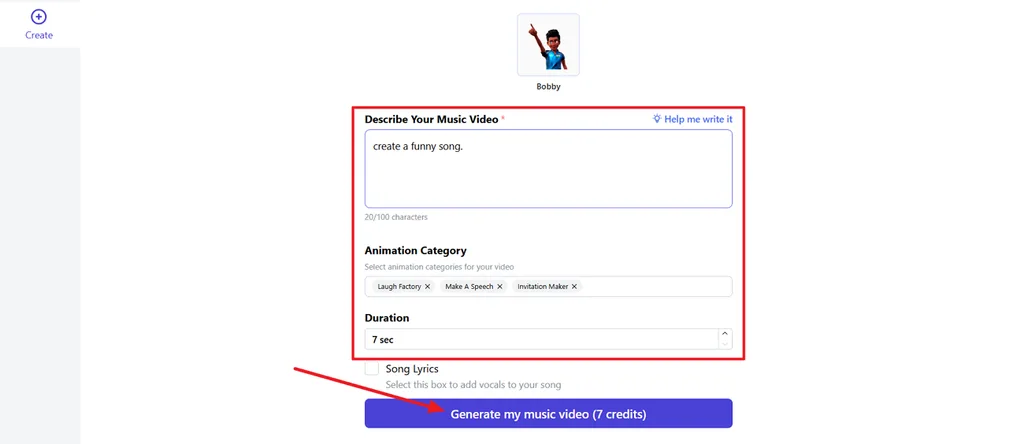
Step 3. After the niche is selected, enter a video description in the text box, choose an Animation Category, and pick a Duration. Once done, press the Generate button to begin the generation process.
Step 4. Once the video is generated, use the chat section in the left panel to make amendments in the video. If the video is finalized, press Download to save the video.
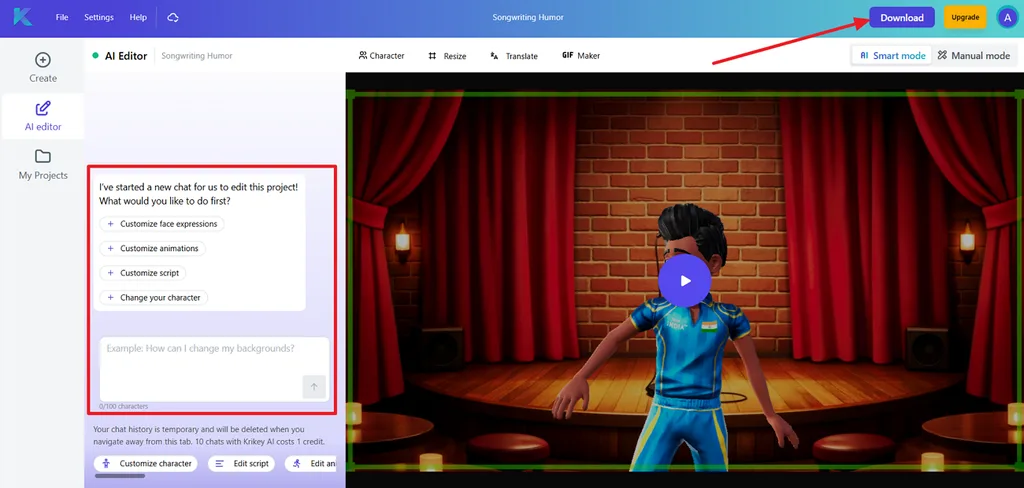
Part 3. Best Alternative to Krikey AI for Video Creation
The Krikey AI animation generator works well for short character clips and simple animation projects. However, longer stories with several scenes and speaking characters may need a different video tool. MagicLight AI turns written ideas and scripts into complete animated videos with connected scenes easily. It supports scripts up to 12,000 characters, giving creators more room for detailed storytelling projects.
Videos can reach 50 minutes, making longer episodes and complete animated stories possible for creators. Characters, narration, captions, and multiple scenes can all come together within one complete video project. A free plan is also available, letting new users test video creation before paying anything.
Key Features of MagicLight AI
1. MagicLight Agent: It breaks the script into ordered scenes before starting the video. Each scene follows the original script order, keeping the story clear and organized.
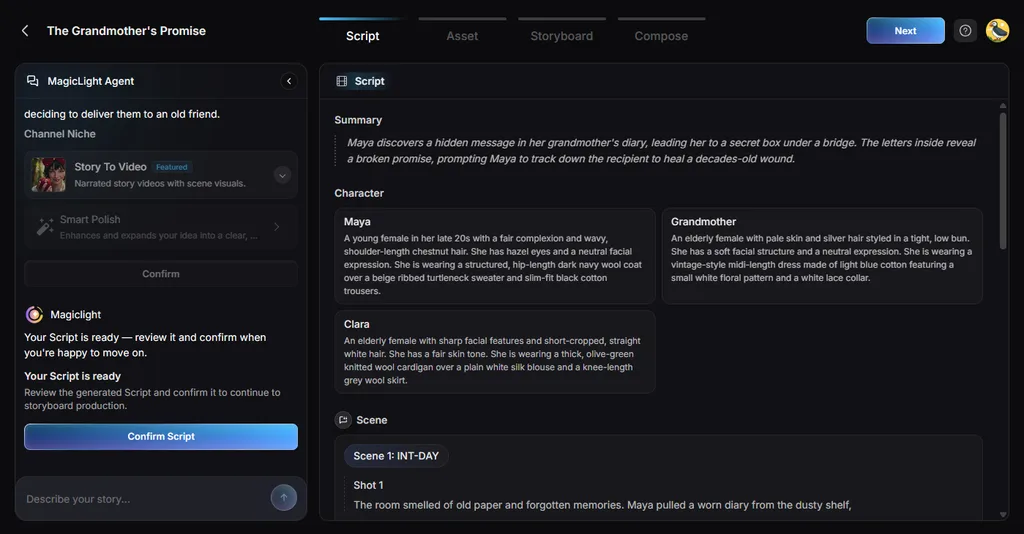
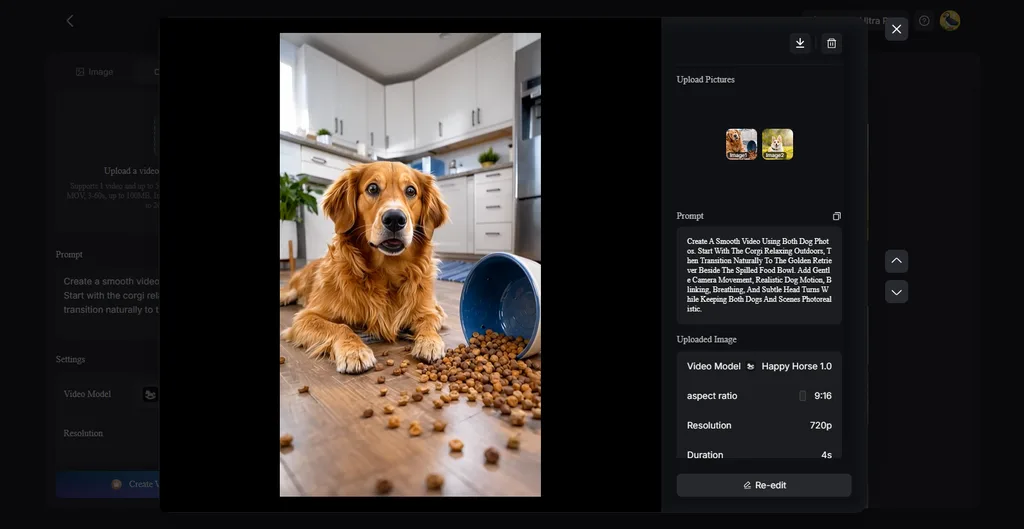
2. Image to Video: Upload up to 5 reference images for better visual guidance. Prompts can reach 1,500 characters for describing scenes and desired movement.
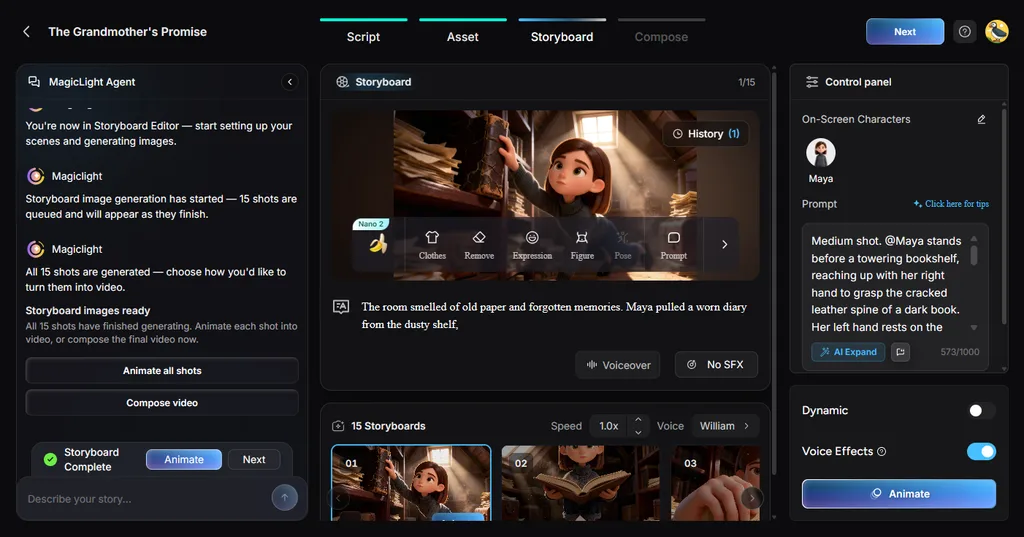
3. Storyboard Scene Control: Creators can shape individual scenes using 50 available character poses. Timing controls also help adjust specific moments before the final video renders.
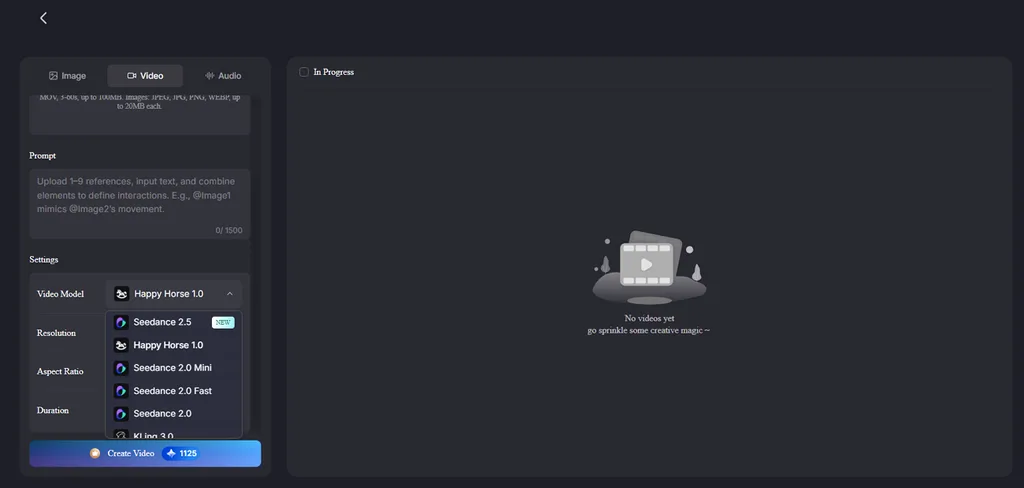
4. AI Video Models: MagicLight AI includes 20 video models for different generation needs. Choices include Seedance 2.5, Kling 3.0, and Hailuo 2.3 Fast.
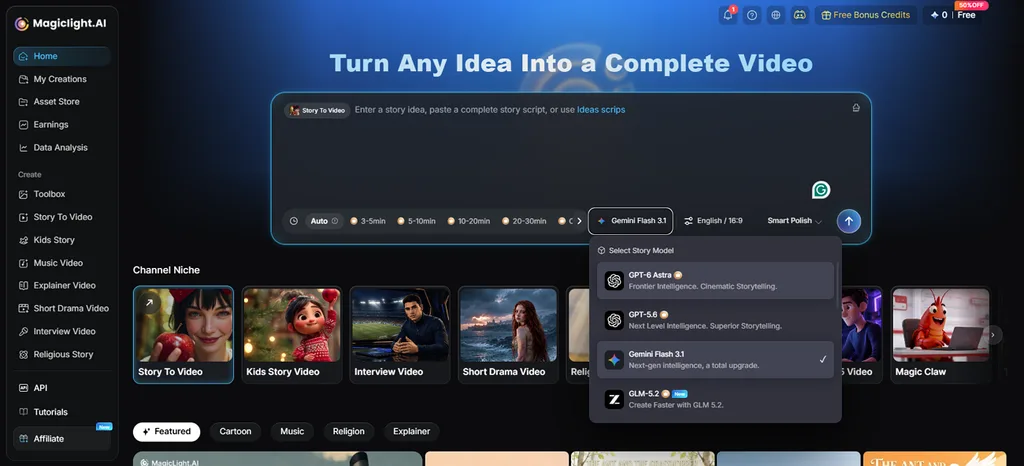
5. Story Models: MagicLight AI provides 14 models for writing and story planning. Options include GPT-6 Astra and Gemini Flash 3.1 for developing complete stories.
Part 4. Comparison Table Between Krikey AI and MagicLight AI
Krikey AI 3D animation focuses on character clips, while MagicLight AI handles longer stories. The table below compares both tools across features, video length, pricing, and creative options:
| Feature | Krikey AI | MagicLight AI |
| Best For | Short 3D animations and talking character videos | Longer animated stories, episodes, and scripted videos |
| Starting Point | Text prompt, video, photo, or ready-made character | Written idea, prompt, or complete video script |
| Long-Form Video | Primarily designed around shorter character-animation workflows | Supports video projects up to 50 minutes |
| Visual Range | Custom 3D characters, avatars, backgrounds, and scenes | More than 20 visual styles across different looks |
| Voices and Lip Sync | Voice AI with lip sync in 20+ languages | 37 voices, voice cloning, and 11 supported languages |
| Editing Control | Edit camera, lighting, expressions, gestures, and animations | Adjust storyboard scenes, poses, expressions, and timing |
| Export Formats | MP4, GIF, PNG, and FBX file exports | Video exports available in 720p and 1080p |
| Free Plan | 20 credits included with the free account | Free credits available to test video creation |
Conclusion
To conclude, Krikey AI makes short 3D character animations easier for beginners and everyday creators. Its character tools, lip sync, motion capture, and editor handle many common animation projects well. MagicLight AI suits longer stories needing connected scenes, consistent characters, and greater video length. Among AI animation generators, both serve different needs depending on your project size and goals.
FAQs on Krikey AI
- How does Krikey AI create 3D animations?
Krikey AI turns written action prompts into movements performed by selected 3D characters online. Users can also upload short full-body videos to capture their movements for animation projects. Lip sync adds matching mouth movements when characters speak written dialogue during animated scenes.
- Can Krikey AI create cartoon characters?
The Krikey AI cartoon maker creates custom 3D characters from photos users upload directly. Available character styles include Anime, Cartoon, and K-pop looks for different creative projects online. Ready-made characters are also available when users prefer skipping custom character creation entirely online.
- What can Krikey AI be used for?
Krikey AI can create talking avatars, classroom videos, social clips, and animated presentations. Creators can use finished animations in PowerPoint, Google Slides, games, and other projects too. FBX exports also help developers move character animations into game engines and 3D software.





