OpenArt AI is a popular AI studio for making images and videos with many smart creative tools. Still, some users feel limited by pricing, credits, generation speed, and the way its features change over time. That is why many creators begin searching for reliable alternatives that better fit their workflow and meet specific project needs.
This guide walks you through the best free and paid OpenArt alternatives available in 2026. Moreover, it lets you choose the right video generator for your skill level and creative goals.
Part 1. 10 Best OpenArt AI Alternatives for Faster Video Creation
Creators today have many powerful AI video tools, and each OpenArt alternative focuses on slightly different strengths and features. First, we will list these 10 platforms so you can compare their features, limits, and best use cases.
1. Magiclight.AI
Magiclight.AI, a reliable video generator, turns your written script into a full video and also lets you turn images into videos. It supports 11 languages to let you share videos with audiences in many different regions and markets. There are 9 story models that help users match different formats, like kids' stories, explainers, and dramatic narratives.
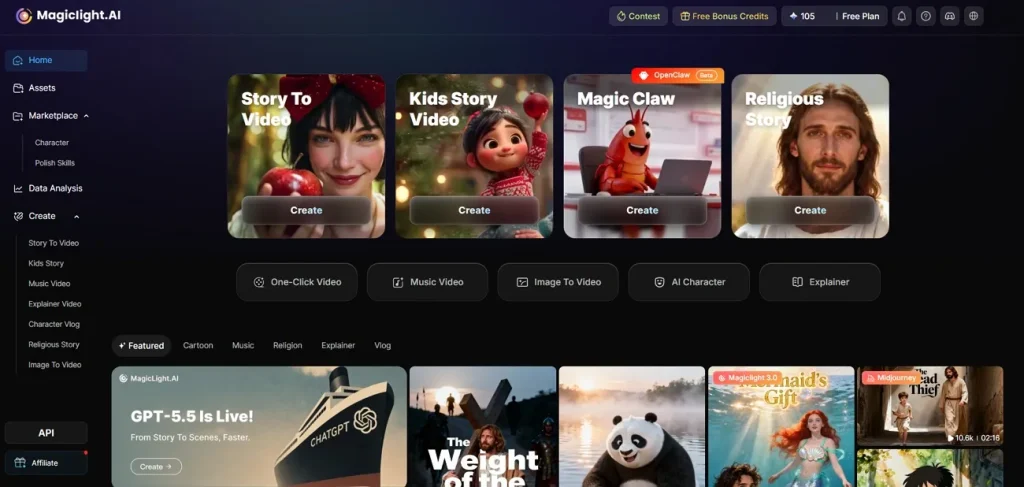
Moreover, you can generate unique characters inside the tool and control how they look in each of your videos. It also gives you 37 different voice selections and makes each character sound distinct and match their personality. Automatic cover generation supports 21 styles, helping you create attractive thumbnails that fit your story in seconds.
Key Features
- Character Lock Looks: Keeps generated characters looking the same across scenes, including face details, clothing, and body proportions.
- Long AI Videos: Handles long‑form projects and can build story videos that run for about 50 minutes in length.
- Multi‑Model Video Engine: Connects to 19 AI video models like Gemini 3.5 Flash, Seedance 2.0, and several other options.
- Narrative Story Builder: Expands simple and short prompts into full stories with clear openings and satisfying endings.
Cons
- Does not provide better output resolution than 1080p.
2. Midjourney
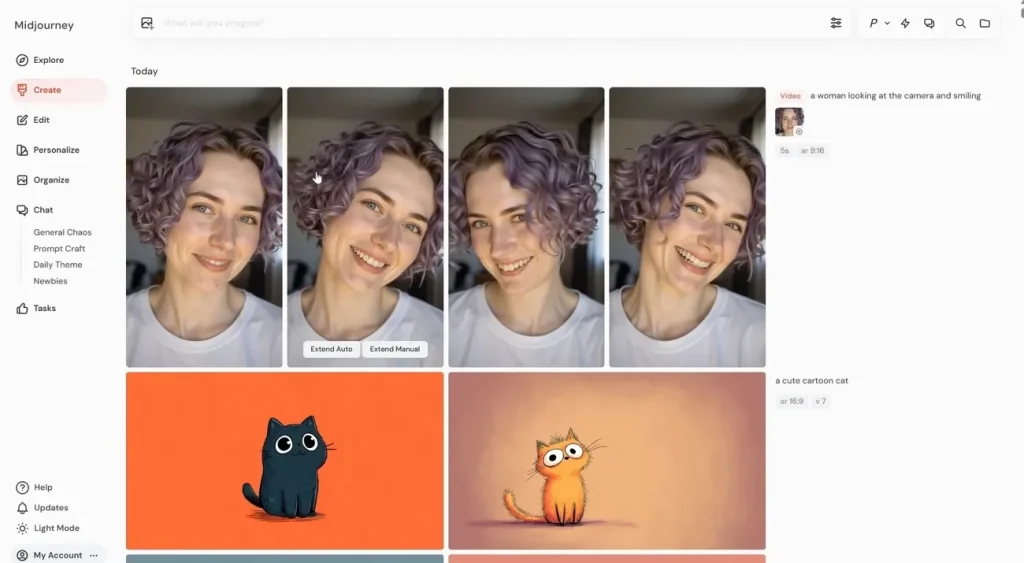
This is an OpenArt free alternative that turns short text prompts into artistic videos in a few moments. You can describe scenes in natural language, and the model transforms those descriptions into visual artwork. The tool runs through its website and connected services, giving users a focused space for visual experimentation.
Key Features
- Image‑to‑video model animates single frames into short moving clips.
- Auto animation mode invents motion without needing detailed video direction prompts.
- Manual motion prompts control camera movement and subject action with low or high motion settings.
Cons
- Video jobs cost more credits than standard image generations.
- Clips are short and limited to low‑resolution outputs currently.
3. Flux (via APIs)
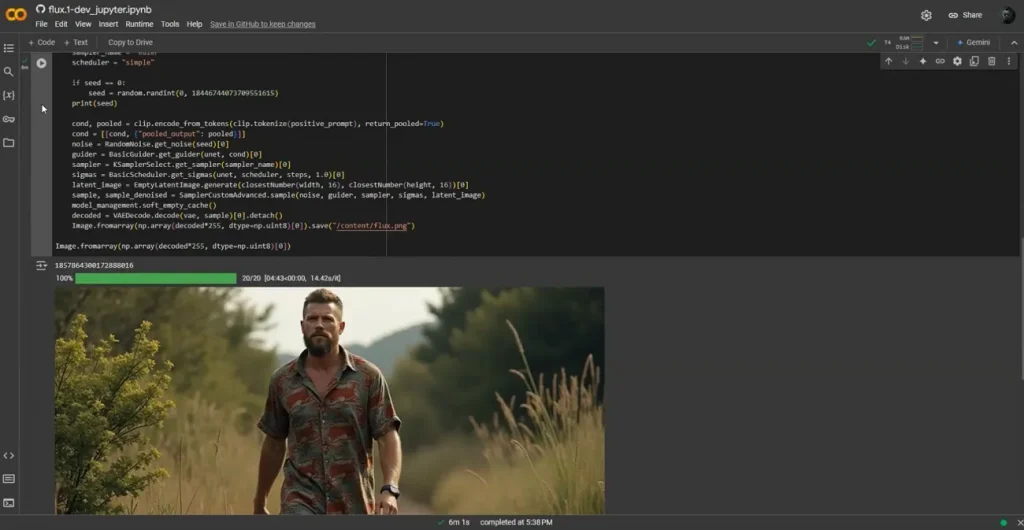
Flux accessed through APIs lets developers plug advanced visual models into custom video creation workflows. These models generate high‑quality keyframes that downstream tool stitch into smooth motion for complex scenes. Different providers expose Flux endpoints inside dashboards, letting non‑coders run image generation. Studios often pair Flux outputs with separate video engines, building pipelines for cinematic shots.
Key Features
- Supports high‑resolution frame generation that feeds into image‑to‑video tools for sharper outputs.
- Offers specialized variants like Kontext and Fill that refine frames before video conversion.
- Fast “schnell” variant reduces per‑frame latency, improving preview speed in editing timelines.
Cons
- No native timeline tools; requires a separate editor for sequencing.
- Licensing differs by model, complicating commercial video deployment decisions.
4. Leonardo.AI
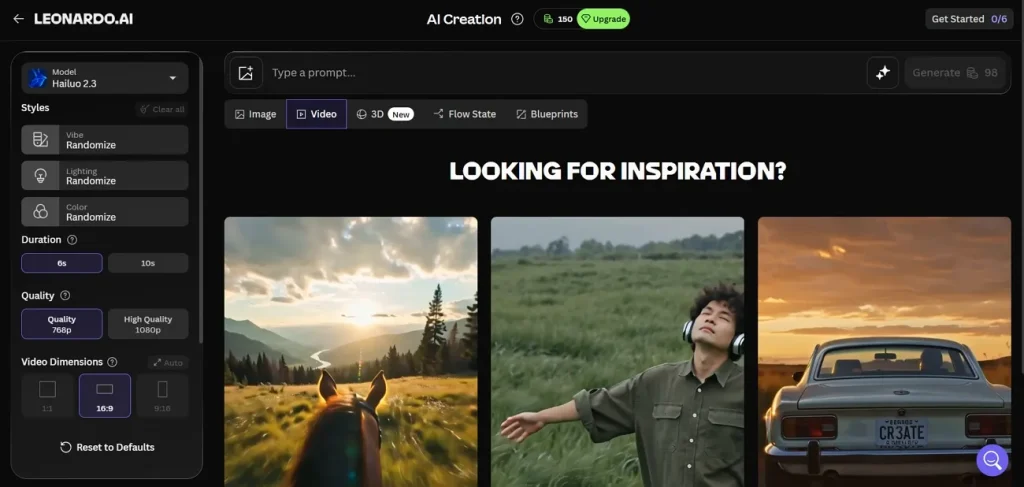
OpenArt AI alternatives like Leonardo.AI focus on creative assets, and Leonardo adds powerful motion tools for short videos. The platform combines custom image models, style presets, and editing tools inside one workspace for visual production. You can design characters, environments, props, and promotional graphics that match a consistent artistic direction.
Key Features
- Motion and Motion 2.0 animate still images into smooth, looping cinematic clips.
- Supports frame interpolation and 720p presets for cleaner movement in short social videos.
- API endpoints let you trigger Motion generations programmatically from image IDs inside pipelines.
Cons
- Motion clips stay very short, limiting full narrative scene building.
- Uploading your own images for Motion requires a paid plan.
5. Stable Diffusion
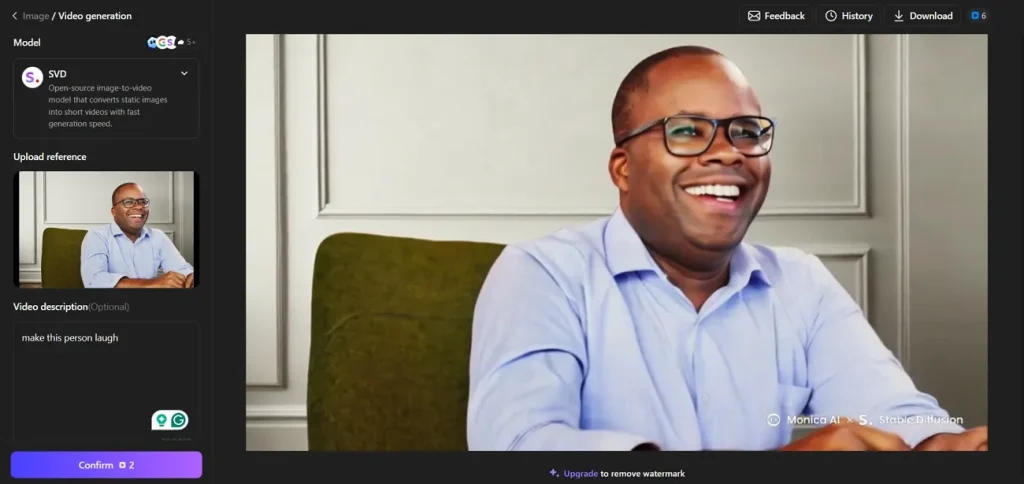
It offers a browser interface around Stable Diffusion models for fast experiments and everyday creative tasks. Users can load text prompts or images and run generations online without installing local software or extensions. The platform also exposes Stable Video Diffusion tools that transform still input images into short, animated clips.
Key Features
- The Stable Video Diffusion page lets you upload images and preview AI‑generated motion sequences.
- Frame count and frame‑rate sliders adjust motion smoothness for different social use cases.
- Web interface auto‑queues video jobs and removes manual GPU setup and local configuration headaches.
Cons
- Only image‑to‑video available, no direct text‑to‑video workflow.
- Short clip lengths limit storytelling, mainly suitable for quick motion tests.
6. Canva
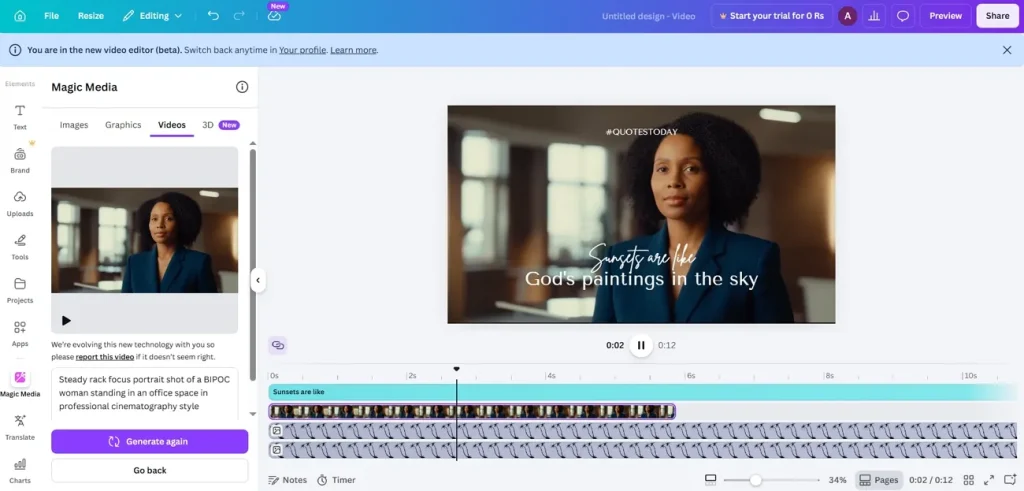
Canva is an online design workspace for building videos and branded content. Teams can organize templates and colors in one shared dashboard to keep every project visually consistent. Many creators now treat it as an OpenArt alternative when they need fast designs plus simple video outputs.
Key Features
- Magic Media text‑to‑video creates short clips with synchronized dialogue, sound design, and music.
- AI avatars turn photos into talking presenters that read scripts in many supported languages.
- Magic Video feature auto‑cuts longer projects into paced story edits from loose input material.
Cons
- AI video clip length per generation stays capped at around 8 seconds.
- The monthly AI video quota feels restrictive for heavy marketing workflows.
7. Krita AI Diffusion
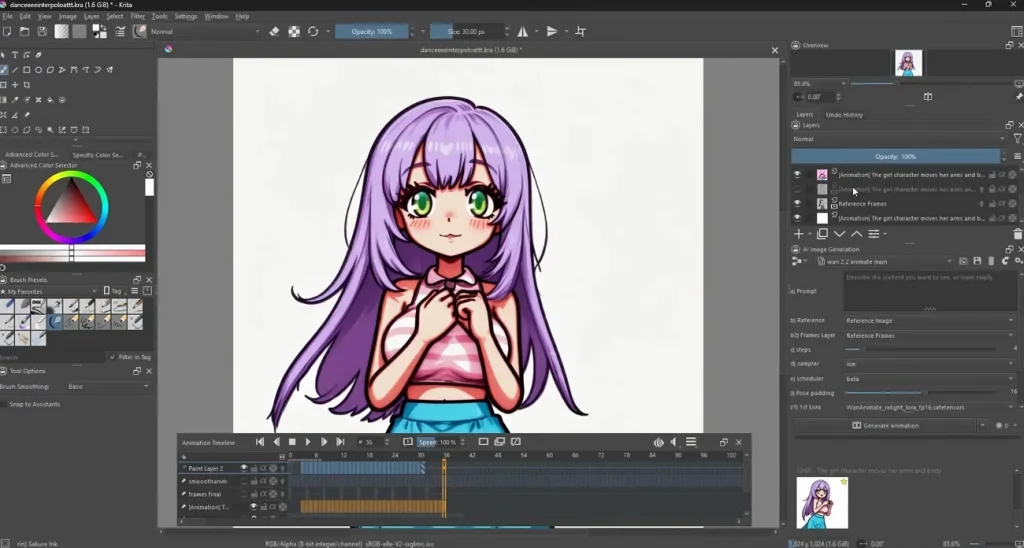
This GitHub project lets animators apply AI diffusion to individual frames inside Krita’s animation timeline. Krita AI Diffusion allows you to sketch key poses first, then use the plugin to generate AI‑assisted in‑between frames automatically. When the sequence looks right, Krita can export it as a video file or image series.
Key Features
- Animation batch mode processes every frame between timeline markers using shared AI settings.
- Region‑based prompts target only selected areas, preserving hand‑drawn motion while updating details.
- ControlNet support guides poses and depth, keeping movement structure similar across generated frames.
Cons
- No one‑click text‑to‑video, only timeline‑driven frame generation workflows.
- Requires external tools for advanced interpolation or high‑end generative video models.
8. RunwayML
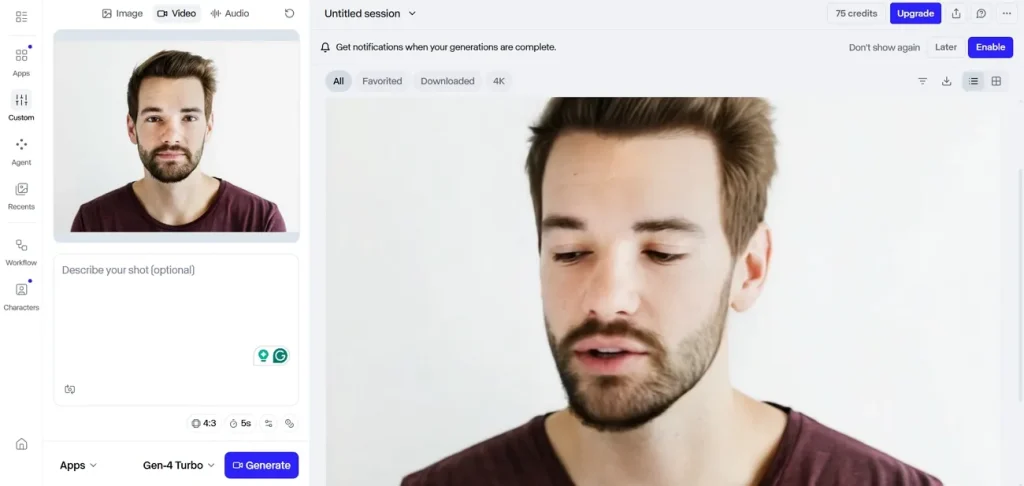
An OpenArt AI free alternative that works as an online studio to let creators build polished AI videos from simple text prompts. Its Gen‑4 and Gen‑4.5 models focus on realistic motion, strong physics, and detailed cinematic scenes. Editors, marketers, and filmmakers use the web interface to generate, refine, and export production‑ready video clips.
Key Features
- Camera Control options specify pans, tilts, zooms, and rolls directly from structured settings.
- Video inpainting removes or replaces objects across frames while preserving lighting, motion, and backgrounds.
- Gen‑4.5 prompt system supports multi‑step actions with timed events in a single instruction.
Cons
- Credit‑based pricing makes longer, high‑resolution shots expensive quickly.
- Fine‑tuning motion details often needs many re‑renders, which slows the creative workflow.
9. Pika Labs
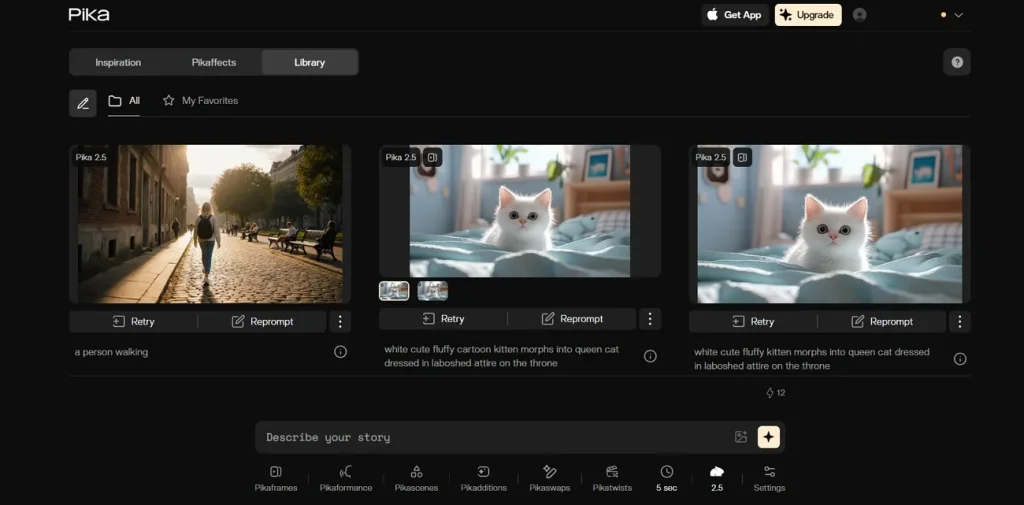
Pika.art is a web-based AI video tool that turns text prompts, images, and short clips into stylized videos. Its models focus on creative shots for social media and animated storytelling rather than long films. Creators control motion and effects from a simple interface, so they can experiment quickly without editing skills.
Key Features
- Generates short video clips up to 10 seconds from clear, descriptive text prompts.
- Image‑to‑video mode animates one still frame with depth, lighting, and character motion.
- Camera motion prompts add moves like orbital spins, push‑ins, and pans using text.
Cons
- Results show motion glitches and inconsistent realism across complex scene frames.
- Audio and music often require extra tools for polished final edits.
10. Kling AI
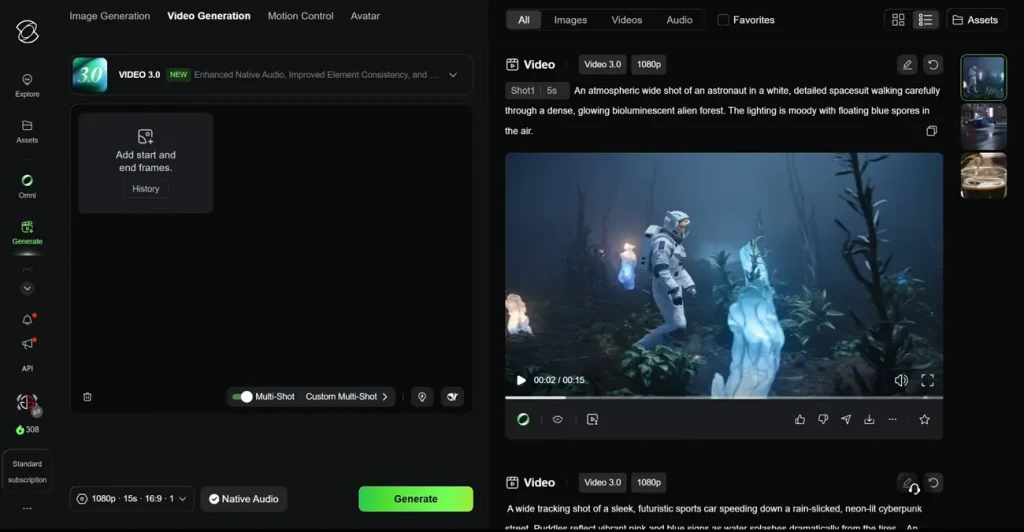
A Kuaishou creative studio for generating high‑quality AI videos and images from text and references. You can use it as an OpenArt alternative when short cinematic shots with strong physics and motion are required. The latest Kling 3.0 model focuses on multi‑shot stories, native audio, and consistent characters across complex scenes.
Key Features
- Kling 3.0 generates videos up to 15 seconds in a single run.
- Multi‑shot mode supports as many as 6 cuts per generation for story structure.
- Native audio covers 5 languages with synced dialogue and ambient sound in one pass.
Cons
- Free access is often limited to 720p exports and watermarked clips.
- Longer runs and higher resolutions quickly require paid, higher‑tier plans.
Part 2. OpenArt AI Alternatives Comparison Table
Having explored many AI art platforms, many users wonder which tool works best as an OpenArt AI free alternative. So, look at the comparison table below to understand why different tools may fit different creative needs:
| Tool | Max Video Duration | Input Formats | Max Resolution | Output Formats | Price (Starting From) |
| Magiclight.AI | 50 min projects | Text, images, scripts | Up to 1080p+ | MP4 | $12/month |
| Midjourney | Approx. 21 s clips | Text, image seed | ~480p | MP4 | $10/month |
| Flux (via APIs) | Depends on the paired video engine | Keyframes from text, images | Up to 4MP frames | Frames → video externally | API usage‑based fees |
| Leonardo.AI | Few‑second Motion | Text, uploaded images | Up to 720p | MP4 | $12/month |
| Stable Diffusion (SVD) | 2 to 5-second clips | Single image | Up to 1024 px | MP4 / GIF (host) | $20/month |
| Canva | 8 seconds Magic Media | Text, uploads, templates | HD social | MP4, social exports | $12.99/month |
| Krita AI Diffusion | Timeline‑dependent | Hand‑drawn frames, images | Canvas‑based | Video, image sequence | $11 for 5,000 tokens |
| RunwayML | Up to 1 min | Text, image, video | Up to 4K | MP4 | $15/user/month |
| Pika Labs | Up to 10 seconds | Text, image, clips | Up to 1080p | MP4 | $10–$35/month |
| Kling AI | Up to 15 seconds | Text, images, refs | Up to 1080p | MP4 + audio | $7/month, credit-based |
Conclusion
To conclude, we explored the top OpenArt alternatives that handle longer videos, characters, and flexible pricing. Moreover, the OpenArt AI review shows strong creative power but ongoing concerns around credits, limits, and costs. For that, choose Magiclight.AI when you need long stories, stable pricing, and beginner‑friendly workflows.
FAQs on OpenArt AI Alternatives
1. Is there a free alternative to OpenArt AI?
Yes, several platforms offer free tiers, though features and limits vary a lot. For longer projects and testing workflows, Magiclight.AI and Runway provide useful free or trial options.
2. Which app is like OpenArt AI for images?
For rich image styles and flexible prompting, Leonardo and Midjourney feel closest overall. Magiclight.AI also supports strong still‑image generation when preparing characters or scenes for videos.
3. Why do people switch from OpenArt AI?
Many users dislike changing credit rules, feature rotations, and inconsistent pricing across updates. They search for a more stable OpenArt AI alternative that handles longer videos, like Magiclight.AI.
4. Which OpenArt alternative is best for beginners?
Magiclight.AI is friendly for beginners because workflows follow simple steps from script to export. Its story templates, voice presets, and automatic covers reduce setup time and learning pressure.
5. Can Leonardo AI replace OpenArt?
Leonardo can replace OpenArt for many image tasks and short Motion video experiments. However, its video duration limits mean long narrative projects still fit Magiclight.AI better.