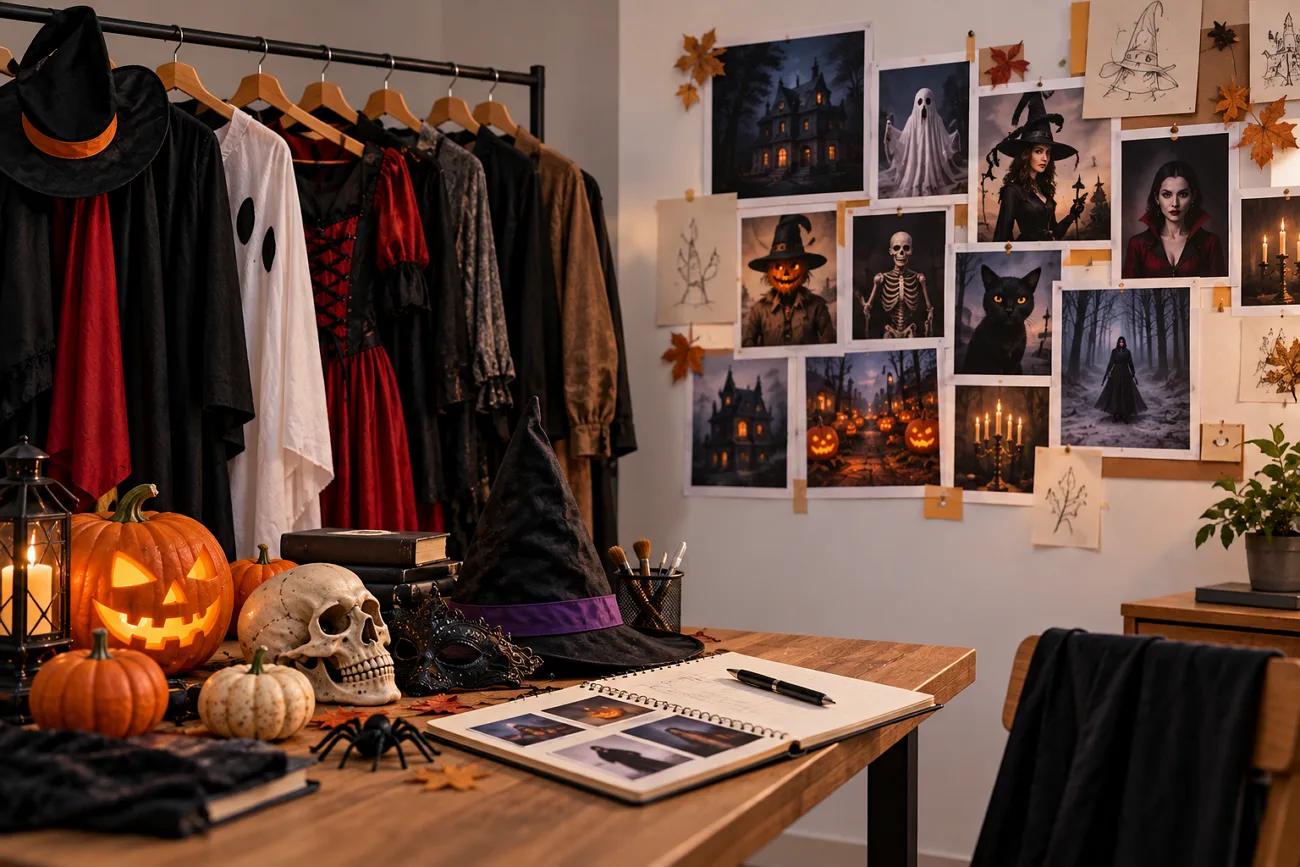
Gemini can turn your regular selfie into a Halloween photo without a real costume. The face may look different if the prompt lacks clear instructions. Detailed prompts for Gemini AI Halloween can help preserve the original face and create the desired Halloween look. Gemini has limits on video length.
MagicLight AI provides another way to make longer Halloween videos with narration. This article shares 20 Halloween prompts and explains how to turn your ideas into videos using MagicLight AI.
Part 1. 20 Best Gemini Halloween Prompts for AI Photos and Videos
You can use Gemini to create Halloween photos from your own pictures. A clear selfie helps Gemini recognize your facial features while editing. Below are 20 Gemini Halloween prompts you can copy to create different spooky looks and scenes.
Costume Portrait Prompts
These Gemini Halloween photo prompts help you turn your selfie into different Halloween characters. Each prompt includes costume details and lighting instructions to create a specific look. They also ask Gemini to keep your original facial features unchanged.
- Silent-Film Vampire: Edit my photo into a 1920s silent-film vampire without changing my face. High-collared black cape, pale powder, dark lips, harsh side light, black-and-white grain, 4:5.
- Pumpkin-Patch Scarecrow: Turn me into a friendly scarecrow in a pumpkin patch at sunset, keeping my real facial features. Straw-stuffed plaid shirt, patched hat, rosy painted cheeks, 3:4.
- Victorian Ghost: Make me a translucent Victorian ghost on a grand staircase, my face still recognizable. Lace mourning gown, a candelabra, pale blue glow, 4:5.
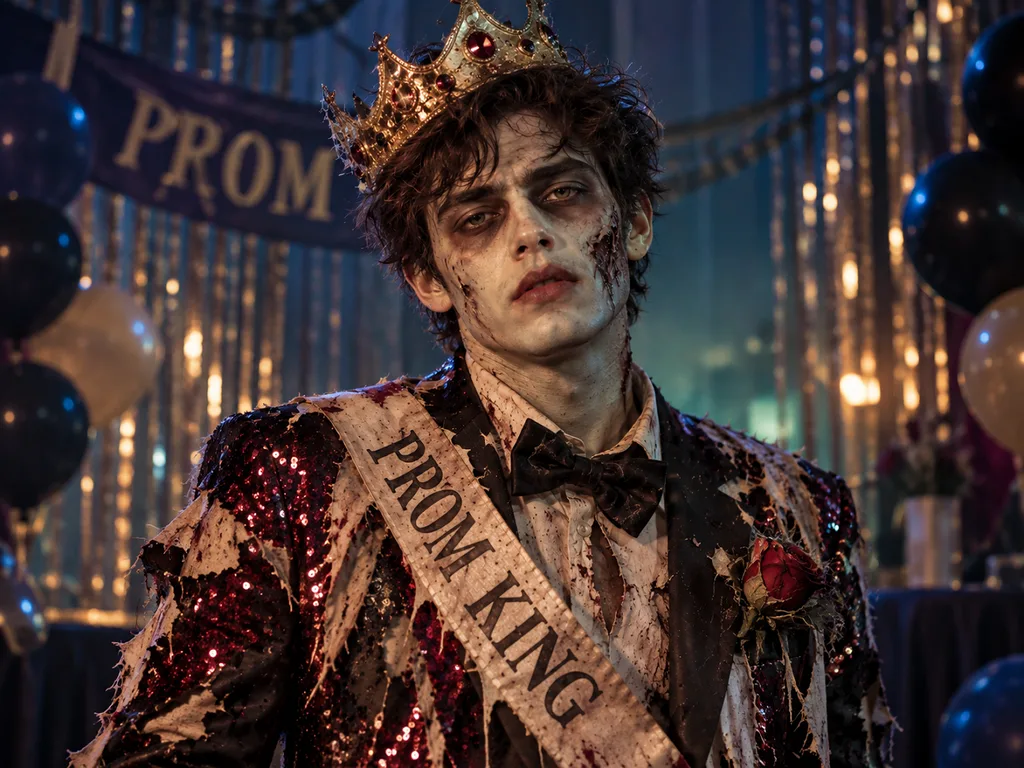
- 1980s Zombie Prom: Keep my exact face shape and eyes, but restyle me as a 1980s zombie prom queen or king. Torn sequins, gray-green makeup, crooked crown, 4:3.
Couple, Friends, and Pet Prompts
Group Gemini prompts for Halloween lean on Nano Banana 2, which Google says can keep up to five people recognizable. Uploading one photo per person tends to protect each face. Try the following prompts to create Halloween photos with your partner and pets.
- Haunted Couple Portrait: Combine our two photos into a haunted-mansion oil painting, both faces unchanged. Me as a ghost bride, my partner as a candle-holding butler, gilded frame, 4:5.
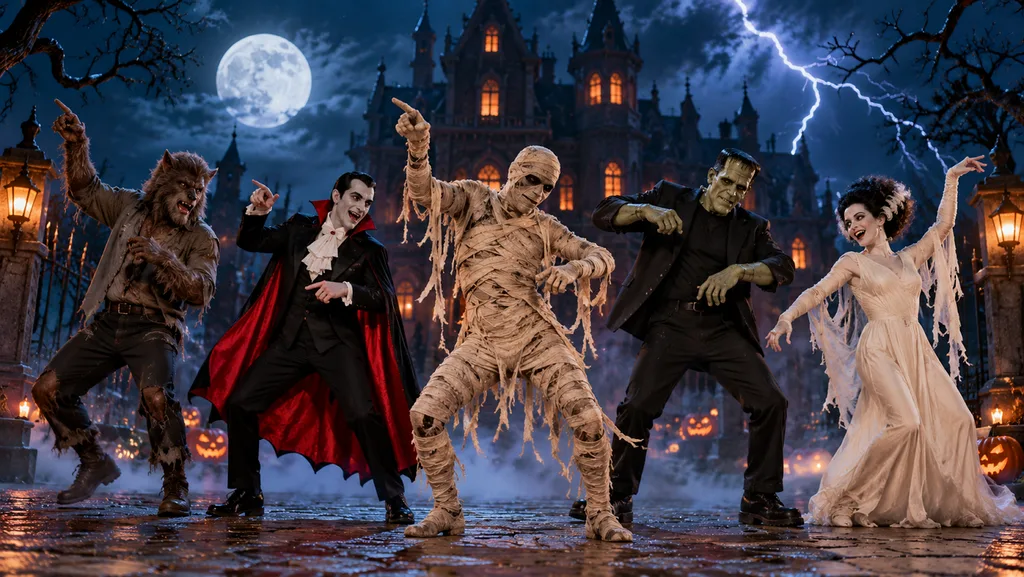
- Classic Monster Squad: Use our four photos and keep every face accurate. Dress us as Dracula, a mummy, a werewolf, and Frankenstein’s monster on a foggy castle stair, 3:4.
- Pumpkin-Carving Night: Place the four people from my photos around a kitchen table carving pumpkins, faces unchanged. Seeds everywhere, warm tungsten light, candid phone-photo look, 4:3.
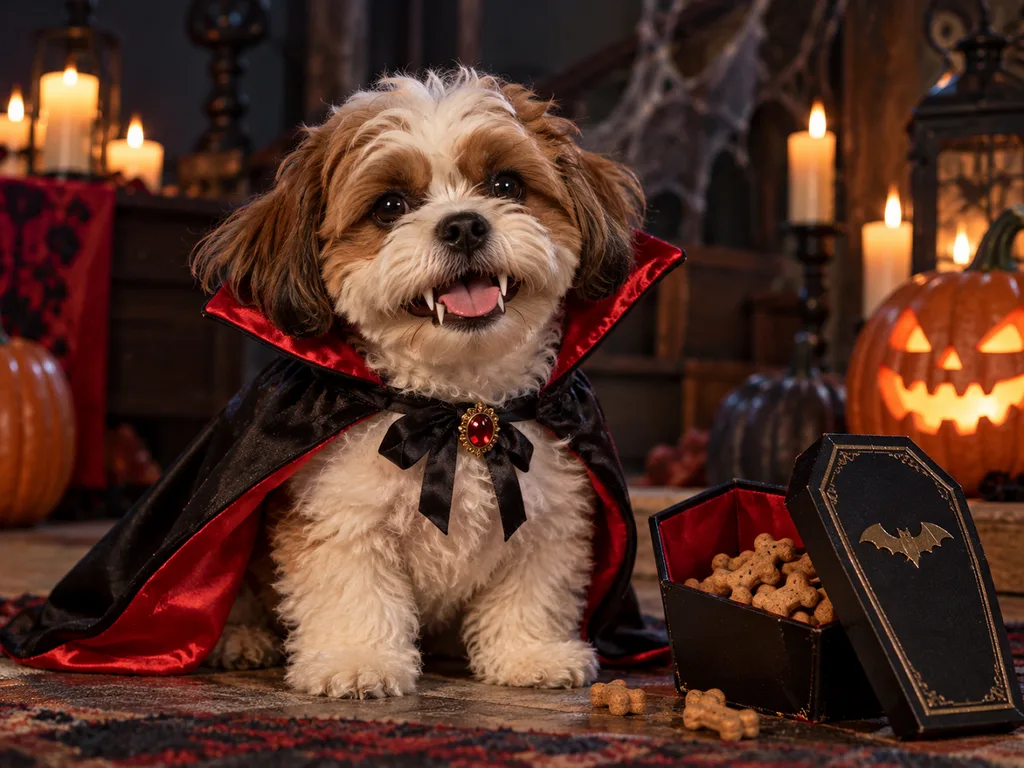
- Pint-Sized Pet Vampire: Dress my dog from the uploaded photo as a tiny vampire, fur pattern and eye color exact. Red-lined cape, toy fangs, a coffin-shaped treat box, 4:3.
Invitation, Card, and Profile Picture Prompts
These Halloween prompts for Gemini help you create personalized invitations and cards using your own photos. You can also design Halloween profile pictures or horror book covers without changing your original facial features. Each prompt includes specific instructions for adding text and creating the desired design.
- Host on the Invitation: Use my photo, face unchanged, as the host on a vintage Halloween party invitation. Add “Haunted Hangout at Mia’s, Oct 31, 8 PM” in drippy green letters, 4:5.
- Jack-o’-Lantern Profile Picture: Create a 1:1 profile picture from my selfie, face exactly as photographed. I hold a jack-o’-lantern that lights my face from underneath, dark purple background.
- Trick-or-Treat Thank-You Card: Design a neighbor thank-you card showing me from the uploaded photo as a witch, face unchanged. Write “Thanks for the treats!” in chunky orange letters, watercolor style, 2:3.
- Horror Paperback Cover: Turn my photo into a 1970s horror paperback cover, my face unchanged. Title “The House on Willow Road” in cracked red serif letters, painted storm clouds, 4:3.
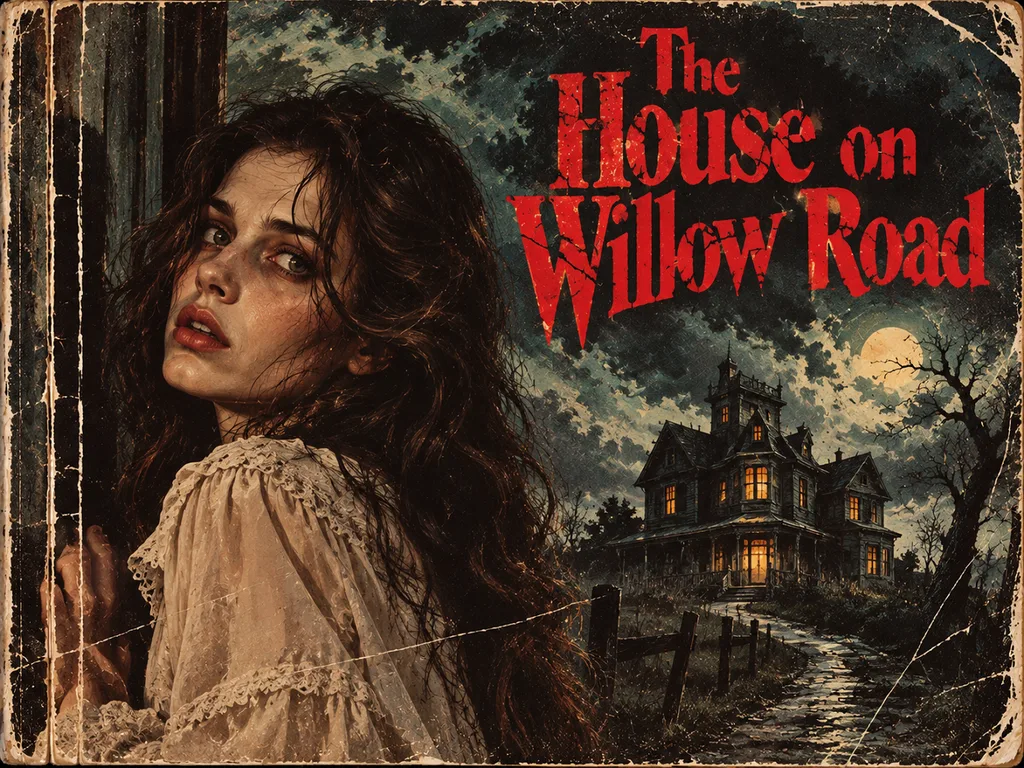
Photo-to-Video Prompts for Gemini Omni
A Halloween photo becomes more interesting when the characters start moving. Google Gemini Halloween photo prompts can help you plan short animated scenes from your images. The examples below show how to add movement and action to different Halloween scenes.
- Vampire Portrait Wakes Up: Animate my silent-film vampire portrait. I open my eyes slowly and smile to show fangs as the candle beside me gutters out. Slow push-in, distant thunder.
- Ghost Through the Door: Using my ghost portrait, make me drift toward the camera and fade through a closed wooden door, face steady. Creaking hinges, a soft whisper, 9:16.
- Pet Vampire Bark: Animate my dog in the vampire costume. It sits still, then the cape flaps open and it gives one proud bark. Bouncy harpsichord tune, gentle zoom, 9:16.
- Monster Squad Dance: Turn our classic-monster group image into a dance clip. The mummy starts, the others join in, and lightning flashes on the last beat. Surf-rock guitar, wide shot, 16:9.
Text-to-Video Halloween Scene Prompts
You can create Halloween videos in Gemini by describing a scene without uploading any photos. Text prompts help you control what happens in the video and how the camera moves. The following Gemini Halloween prompts offer different scenes you can generate directly from text.
- Porch Light Visitor: Night on a suburban porch decorated for Halloween. The light flickers twice, a tall shadow appears behind the frosted door glass, and three knocks follow, 9:16.
- Candy Bowl Thief: Close-up of a candy bowl on a doorstep at dusk. A gloved hand reaches for a chocolate bar, and a bony hand slaps it away. Rustling wrappers, 9:16.
- Broom Takeoff: Low angle in a moonlit backyard. A broom leaning on the shed rises by itself, hovers, then shoots over the fence into the clouds. Whoosh sound, light wind, 16:9.
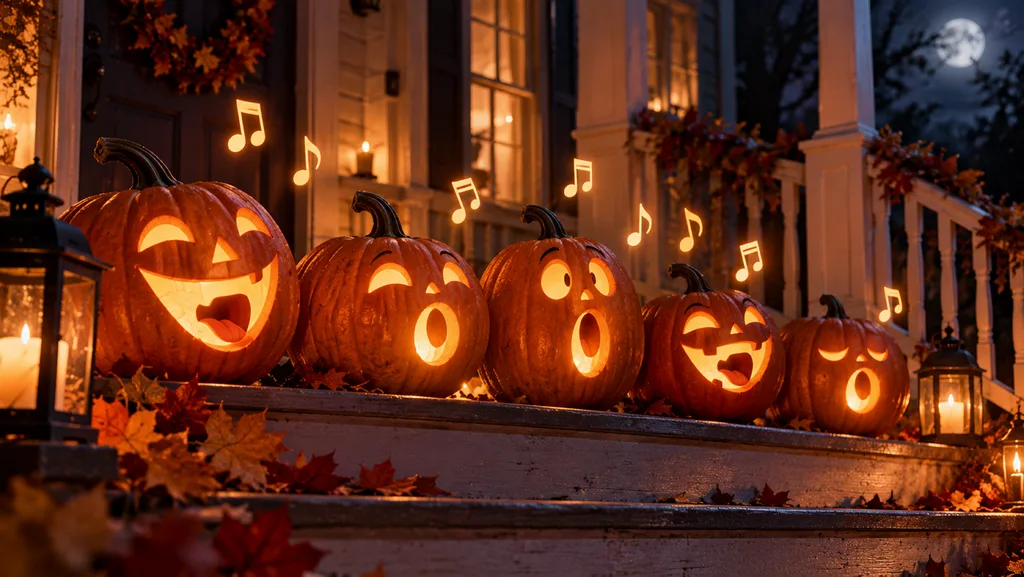
- Singing Pumpkins: A row of carved pumpkins on porch steps lights up one by one and sings a short eerie harmony. Warm candle glow, slow pan left, 16:9.
Part 2. Best Way to Turn Gemini Halloween Prompts Into AI Videos
A Google Gemini Halloween prompt can create a realistic Halloween photo. Gemini Omni also supports video generation, but clips are generally limited to around 10 seconds. Users also need a paid Google AI plan to access video creation.
Introduction to MagicLight AI
MagicLight AI is another tool for creating Halloween photos and videos from your ideas. You can use your Gemini Halloween prompts to generate images with up to 500 characters per prompt. It also allows you to upload up to 10 reference images for more personalized results.
Once your Halloween image is ready, the Image to Video feature can turn it into a video lasting up to 30 seconds. This gives you another way to create Halloween videos using your own photos or AI-generated images.
Key Features of MagicLight AI
- Image Models: MagicLight AI offers 5 image models for creating different Halloween pictures. Nano Banana 2 helps generate realistic Halloween portraits using detailed text prompts.
- AI Video Models: Choose from 20 video models to create your own Halloween scenes. Available options include Seedance 2.5 plus Kling 3.0 for video generation.
- AI Lip Sync: Turn your Halloween characters into talking figures using the lip sync feature. MagicLight AI matches spoken dialogue with mouth movements for realistic character animations.
- Story to Video: This feature accepts prompts containing up to 12,000 characters for Halloween stories. Users can generate longer Halloween videos with durations reaching up to 50 minutes.
How to Turn a Gemini Halloween Portrait Into a Video With MagicLight AI
You can use Google Gemini prompts for Halloween to create portraits before animating them with MagicLight AI. Follow these steps to turn your Halloween portrait into a video:
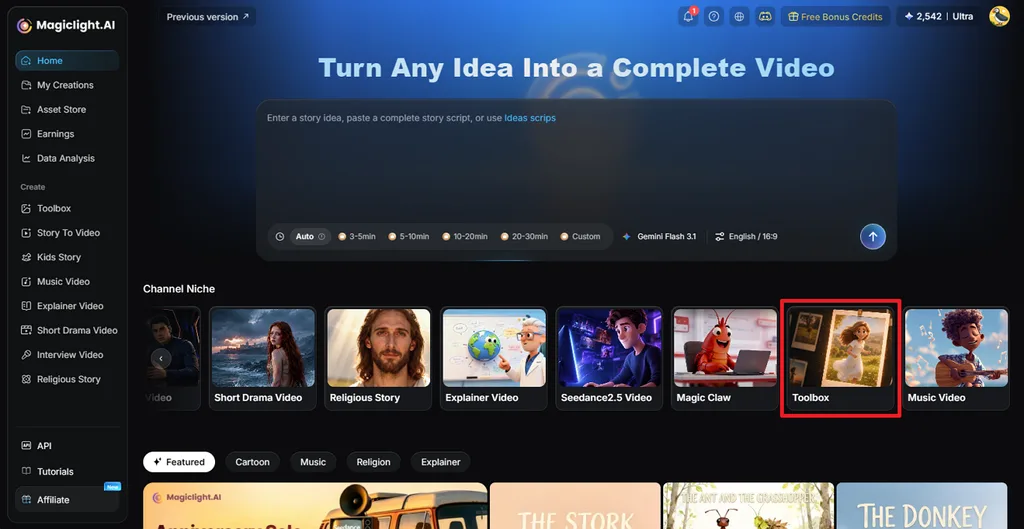
Step 1. Access the MagicLight AI Toolbox Feature
Once you enter the main interface, press the Toolbox feature to access the image and video creation page.
Step 2. Create or Upload the Portrait
In the Image tab, upload your face image and enter the Halloween prompt in the Prompt box. Next, choose an Image Model like Nano Banana 2 and select an Aspect Ratio. Once done, press Create. Once the image is created, download it.
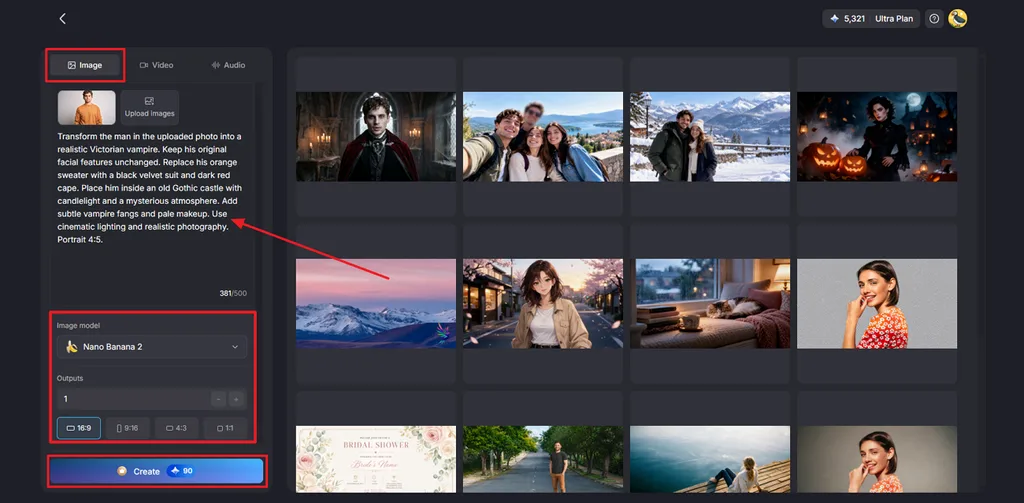
Step 3. Turn Your Halloween Portrait Into a Video
Open the Video tab and upload your generated Halloween portrait. You can also upload an existing photo from your device. Enter a prompt describing how you want the character to move. Choose a Video Model and set your preferred Resolution and Duration. Click Create Video to generate your Halloween animation.
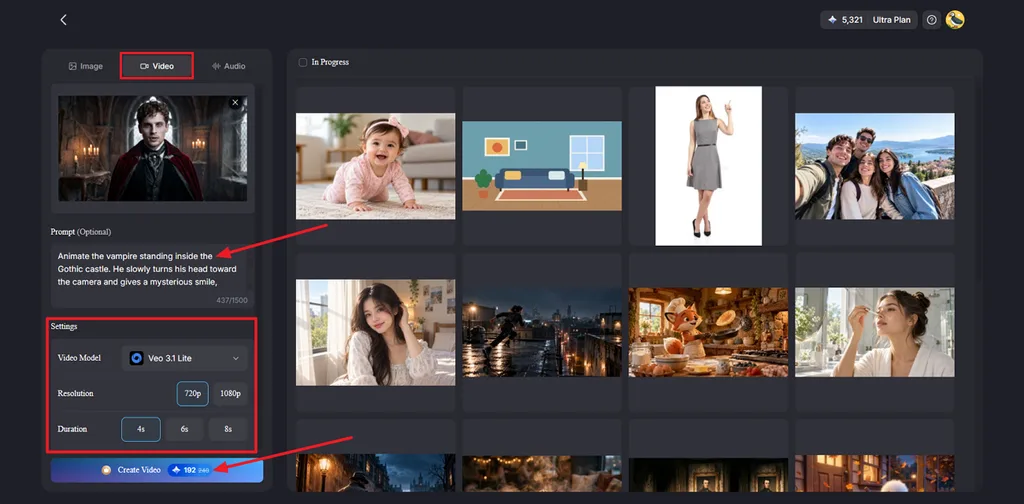
Step 4. Preview and Save Your Halloween Video
Watch the generated video to check the character's movements. If you want to make changes, select Re-edit to adjust the prompt or video settings. Once satisfied, click the Download icon to save your Halloween video.
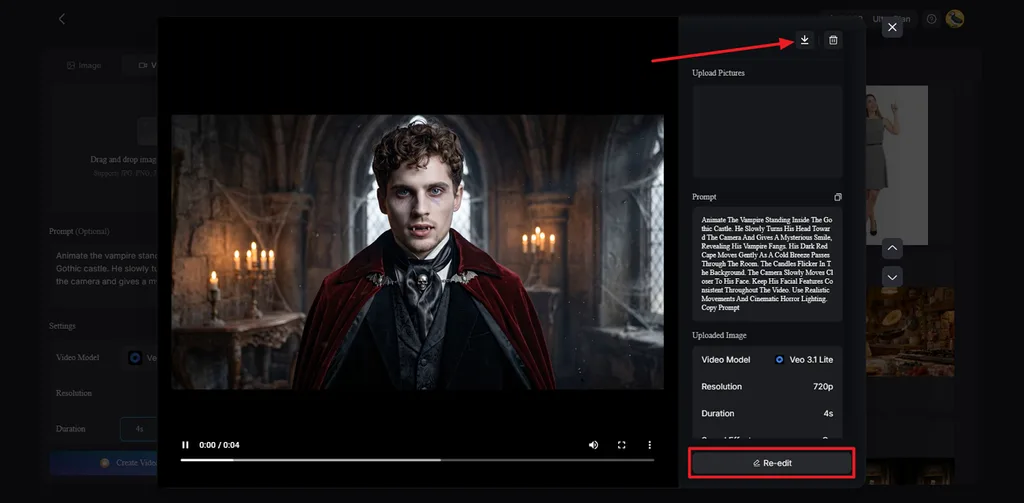
Conclusion
To conclude, creating Halloween photos becomes easier with detailed prompts for Gemini AI Halloween. The 20 prompts in this article help you explore different Halloween themes without changing your original facial features. You can also turn these photos into videos to make your Halloween ideas more interesting. For longer Halloween videos with narration, we recommend MagicLight AI.
FAQs on Gemini Halloween Prompts
- What are good Gemini Halloween prompts?
Good Gemini Halloween prompts describe the costume, background, and lighting you want in your image. If you upload a selfie, ask Gemini to keep your original facial features unchanged.
- How do I write a Gemini AI Halloween photo prompt?
Start your Gemini Halloween photo prompts with clear instructions about the appearance you want. Include costume details and mention any changes you want to make to the uploaded photo.
- What can I create with Gemini Halloween photo prompts?
You can create Halloween costume portraits, group photos, pet pictures, and party invitations. MagicLight AI can also turn these generated images into animated Halloween videos.
- Can I use Gemini prompts for Halloween with other AI tools?
Yes, you can use Gemini prompts for Halloween with other AI image generators, although results may vary. MagicLight AI supports Nano Banana 2 for creating Halloween images from text prompts.
- Can I turn Gemini Halloween images into videos?
Yes, you can use MagicLight AI to animate your Gemini Halloween images into short videos. Upload your Halloween picture and describe the movements you want, with free credits available for new users.
- Can MagicLight AI create Halloween videos from ideas or scripts?
Yes, MagicLight AI can develop your Halloween ideas into scripts using its AI Agent. You can then use Story to Video with the Suspense style to create Halloween stories lasting up to 50 minutes on supported paid plans.

![How to Remove People from Photos in 2026 [Full Guide]](https://magiclight.ai/wp-2/wp-content/uploads/remove-people-from-photos-guide.jpg-300x197.webp)
![6 Best Picture Modification Apps in 2026 to Try [New List]](https://magiclight.ai/wp-2/wp-content/uploads/best-picture-modification-apps-for-photos.jpg-300x200.webp)
![How to Turn Audio File Into Video in 2026 [Full Guide]](https://magiclight.ai/wp-2/wp-content/uploads/audio-to-video-conversion-guide.jpg-300x169.webp)