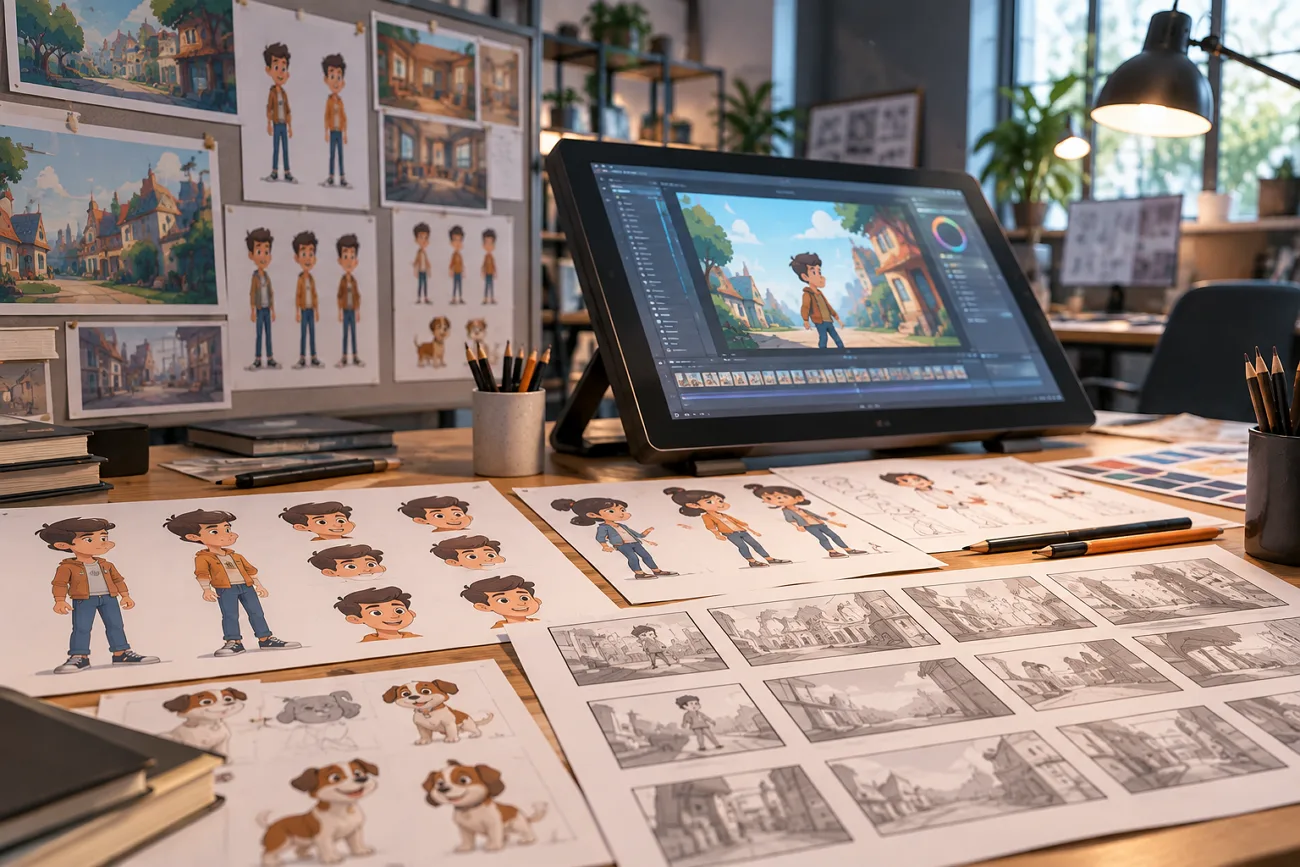
Vyond built its reputation on character animation for corporate training and business communication. Its Starter plan costs $99 monthly, which can feel expensive for smaller teams producing only a few videos. Vyond also uses its own project format, so editable projects cannot be opened directly in other animation software. Moving to a Vyond alternative may require rebuilding existing projects rather than simply transferring the original editable files.
Part 1. 10 Best Vyond Alternatives to Consider
The best alternatives to Vyond differ most in how users build each scene. Some require manual timelines, while others create scenes from your written content instead.
1. MagicLight AI
Best For: Teams turning written content into story-driven videos.
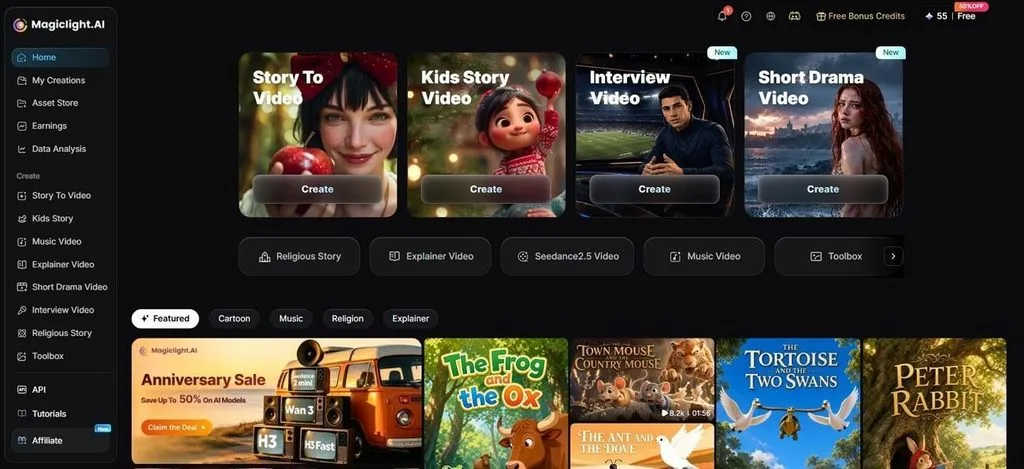
MagicLight AI turns written ideas into finished animated videos without manual scene building. Its Story to Video tool supports prompts containing up to 12,000 characters. It can turn those longer prompts into videos lasting up to 50 minutes.
The platform identifies scene breaks, characters, actions, and visuals from your written story. Saved characters can return across scenes and projects without changing their core appearance. Moreover, MagicLight AI supports 20 AI video models, including Gemini 3.5 Flash and Seedance 2.5.
Key Features
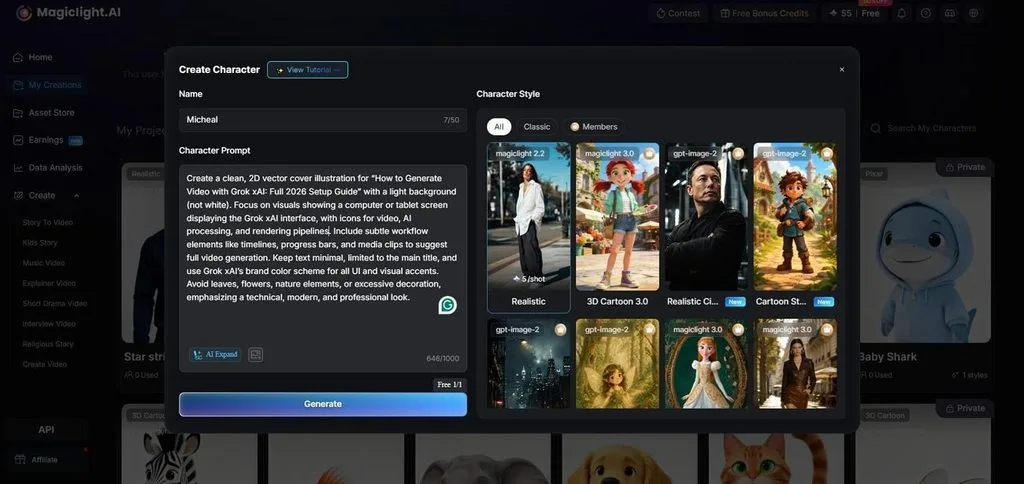
- AI Character Creation: Design characters from written descriptions of up to 1000 characters or uploaded reference images. Each created character keeps a consistent appearance across future video projects.
- Multilingual Video Creation: Create videos for different audiences with support across 11 languages. This helps produce multilingual stories, training materials, and marketing videos with ease.
- Visual Style Library: Choose from more than 20 visual presets for different video appearances. Your chosen style remains consistent across every scene within the complete project.
- Character Library: Save finished character designs inside your personal library for future projects. Saved characters return across new videos without changing their established appearance later.
- Voice and Captions: Pick a narration from a built-in library containing 37 different voices. Creators can clone repeat presenters and select from 16 preset caption styles.
User Reviews
- Wendy W. Banta: “Scenes can be adjusted or merged easily inside the editor.”
- Rosana d' Ávila Uchôa: “I really like the videos it produces. They look beautiful and are very easy to make…..”
- Mohamed Ali: “Magiclight is one of the first Ai platform i used and one of many i tried….”
2. Animaker
Best For: Small teams needing affordable character animation tools.
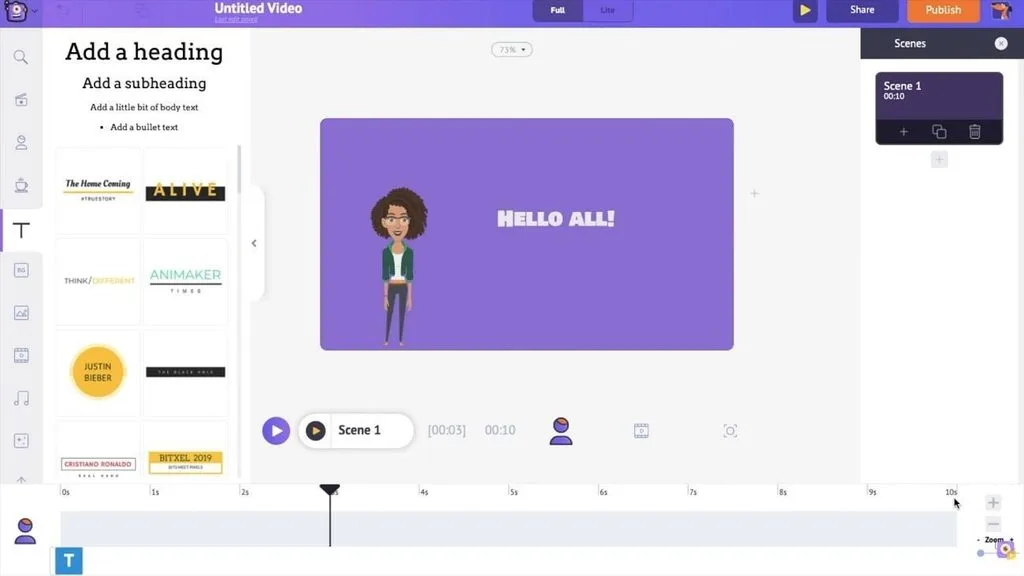
Animaker gives teams software like Vyond with character animation at a lower cost. Its editor supports several animation styles without forcing users into separate creation tools.
Key Features
- Cartoon, whiteboard, infographic, and live-action modes work inside one shared editing workspace.
- Built-in text-to-speech creates narration without requiring teams to purchase separate voice software.
- The free plan provides useful animation tools for testing projects before upgrading later
User Reviews
- Younes: “I had a very positive experience with Animaker's customer support…”
- Paul Crowney: “Very easy to use platform for anyone without editing skills, very good graphics, voices, and great selection of characters to use….”
- Jolene: “The tool promotes AI generated videos - however the output videos are made up of 6 second clips…”
3. Powtoon
Best For: Professionals creating animated business presentations without complex tools.
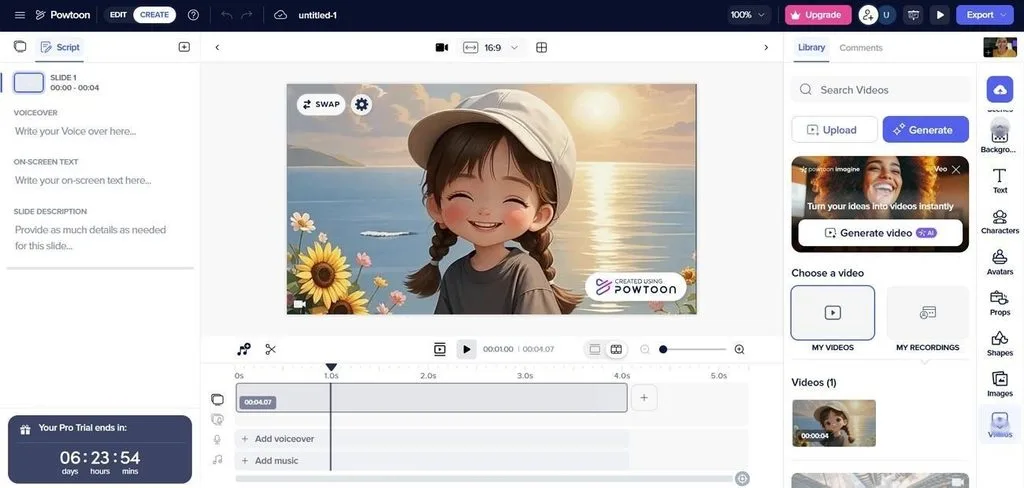
It stands among apps like Vyond by using a presentation-style approach to animation. Its workspace feels familiar to people who already create business slide presentations regularly. This design reduces the learning curve for newcomers producing animated workplace content.
Key Features
- Ready-made templates target training, marketing, education, sales, and internal communication project needs well.
- Powtoon provides built-in characters, props, icons, and footage for assembling visual scenes quickly.
- Free exports include Powtoon branding and resolution limits that paid plans remove later.
User Reviews
- Patti P.: “Timeline is easy to use, Pricing is reasonable, The support with any questions or issues is top notch….”
- Roni M.: “I really like the number of assets that are included in my plan…”
- David B.: “Rendering can sometimes take longer than I’d like….”
4. Synthesia
Best For: Compliance teams generating consistent presenter videos without studio recordings.
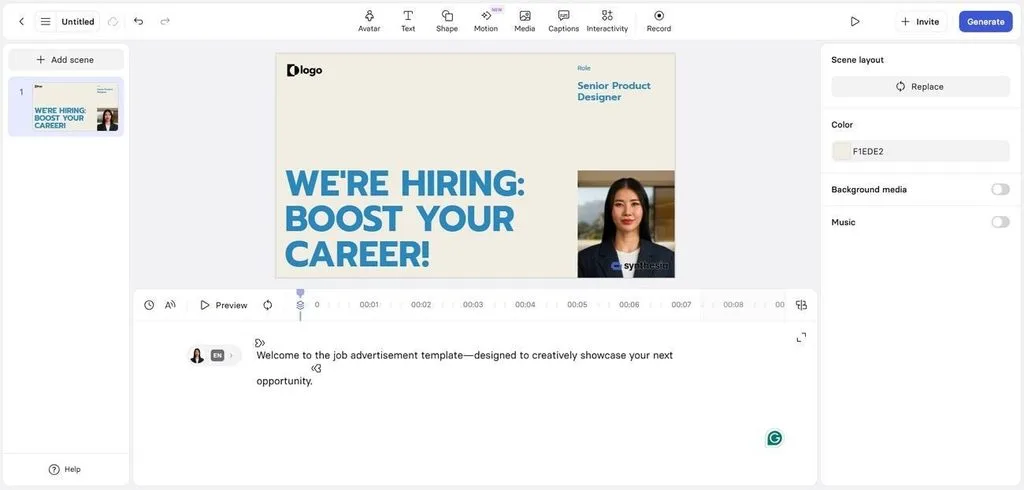
Synthesia creates presenter-led videos from scripts without requiring cameras, actors, or studio setups. Teams can choose digital avatars that present training content with a human presence. The platform suits organizations replacing recorded presenters with scalable AI-generated video production workflows.
Key Features
- Paid plans support avatar narration across more than 140 languages for global training.
- The free plan allows around 10 minutes of generated video content each month.
- Built-in templates pair with an AI script assistant for faster course creation workflows.
User Reviews
- Ben R.: “What I like best about Synthesia is how quickly I can turn an instructional concept…”
- Gunjesh M.: “The professional appearance of the AI-generated model performance is seamlessly good….”
- Ben Johnson: “The AI system auto rejects your video. I spent 3 hours turning a pitch deck into a video only for it to be autoflagged….”
5. HeyGen
Best For: Brands localizing presenter videos across markets from one recording.
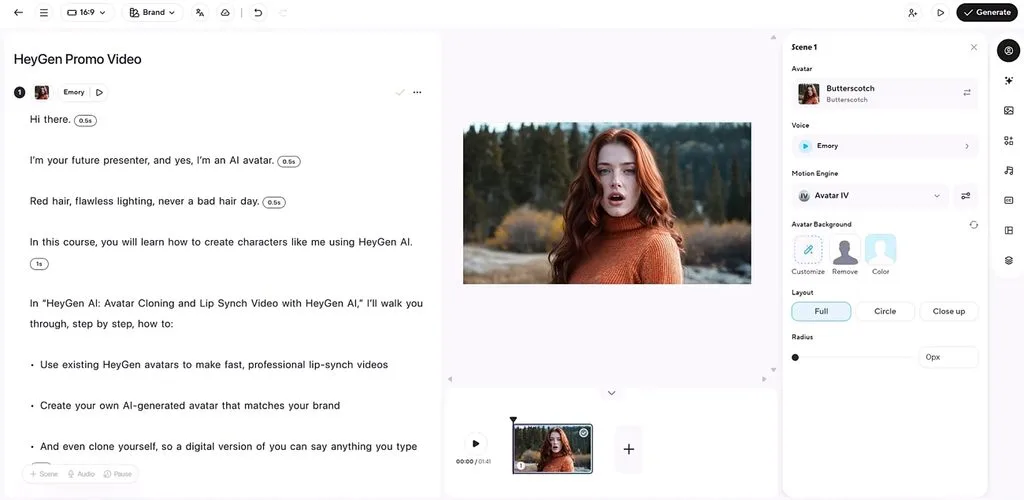
Among free alternatives to Vyond, HeyGen focuses on multilingual presenter videos for brands. A single recording can reach new markets while preserving the original presenter identity. Face, voice, and lip movements remain aligned throughout translated versions across different regions.
Key Features
- Translation and dubbing support over 175 languages while retaining cloned speaker voices accurately.
- Custom digital twins require roughly 2 minutes of footage to build each avatar.
- Credits are consumed across supported generation features, with costs varying by selected feature.
User Reviews
- Onos Malson: “the best when it comes to realism and credit management”
- Elie Jabbour: “The videos making quality (photos and script to videos), the lips sync, voice clones…”
- Nisha: “very silly credits reducing... i just trying to listen the audio how it gonna come…”
6. Canva
Best For: Marketing teams creating branded videos alongside graphics and presentations.
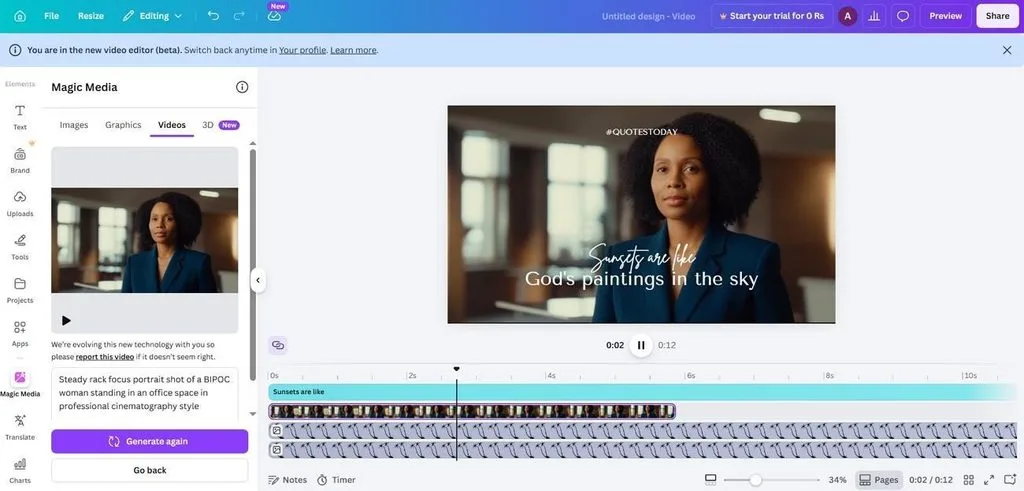
For teams already designing in Canva, video creation fits into existing campaign workflows. The same workspace keeps visual content production connected across graphics, presentations, and videos. This makes Canva practical for marketers who want fewer tools across daily projects.
Key Features
- Brand kits store approved logos, fonts, and colors for consistent use across projects.
- Animation presets add movement to text and elements without manual keyframe editing work.
- Shared editing and comments let teams review video projects inside one workspace together.
User Reviews
- Promise R.: “Honestly, what I like best about Canva is that Canva is very simple for me to use….”
- Iqra R.: “What I like about Canva is how quickly I can create professional looking presentations without spending too much time….”
- Cruz: “very hard to use and a lot of stuff you need to pay money for”
7. Renderforest
Best For: Small businesses needing video, branding, logos, and mockups together.
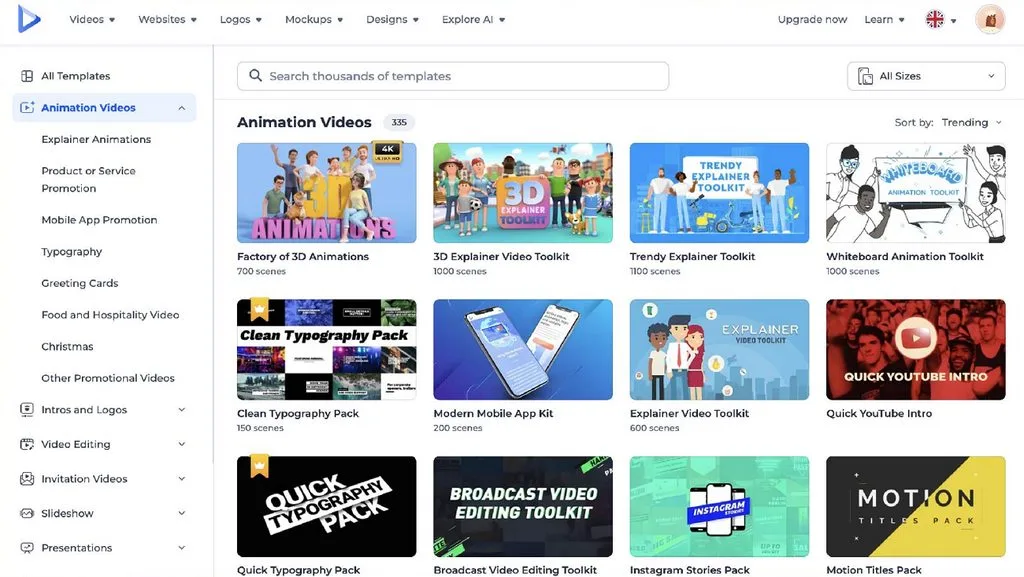
Renderforest combines video creation with branding tools for small businesses managing multiple needs. Among programs like Vyond, it offers affordable access without limiting users to animation. Its broader toolkit helps companies produce consistent marketing materials from one connected platform.
Key Features
- Template categories include animated explainers, logo reveals, slideshows, presentations, and promotional video projects.
- Its logo maker generates brand marks and exports matching visual identity assets.
- Mockup tools place logos and designs onto products for presentation-ready marketing visuals.
User Reviews
- Black Shadow: “The user-friendly interface and versatile video templates integrate seamlessly into my project pipelines,...”
- Süleyman Elmas: “Everything is great, video intros and the advanced artificial intelligence tool are incredibly the best…”
- Luis Pedro Ramirez: “Unfortunately, the service did not work as advertised,....”
8. VideoScribe
Best For: Educators creating structured whiteboard lessons for clear visual explanations.
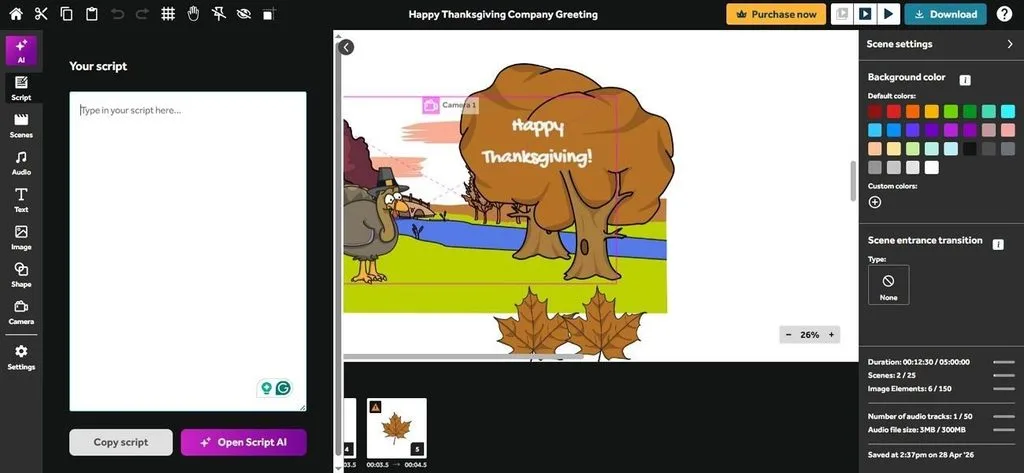
For educators and trainers, VideoScribe turns explanations into clear whiteboard-style visual lessons. Its drawing approach helps viewers follow ideas in a step-by-step visual sequence. This format works well for teaching concepts that benefit from paced visual explanation.
Key Features
- Imported SVG images can animate as hand-drawn visuals when properly prepared for VideoScribe.
- The built-in image library covers business, education, science, and common presentation topics.
- Properly prepared SVG files animate as drawn elements, keeping custom graphics consistent onscreen.
User Reviews
- Natalia Josephs: “Love Video Scribe - easy to use - great customer service…”
- District News Hindi: “Best software for creating whiteboard animation video.”
- Stephen Fender: “This really doesn't work very well….”
9. CreateStudio
Best For: Teams creating animated explainers with customizable characters and timelines.
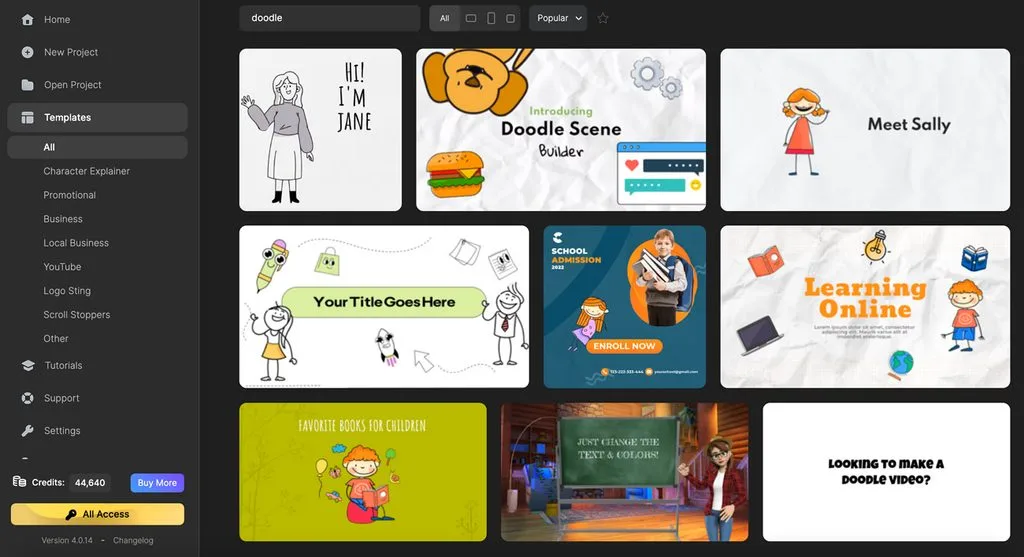
CreateStudio gives teams software similar to Vyond for polished animated explainer video production. Its timeline combines 2D characters, 3D assets, motion graphics, and imported media smoothly. Integrated AI tools help creators build scenes, voiceovers, captions, and scripts faster.
Key Features
- Customizable 3D characters support lip-syncing, saved presets, walking animations, and reusable actions onscreen.
- AI Explainer Builder converts pasted scripts into scenes with synchronized voiceovers and captions.
- Track Matte mask footage inside text, logos, or shapes for custom transition effects.
User Reviews
- Markwin Schumm: “CreateStudio is a very user-friendly animation tool…”
- Mickle Versoza: “Create Studio application is really amazing. The features are stunning with all the 3D characters…”
- Customer: “I would give it two stars for its basic 2d motion effects,...”
10. Biteable
Best For: Social teams producing branded marketing videos without complex workflows.
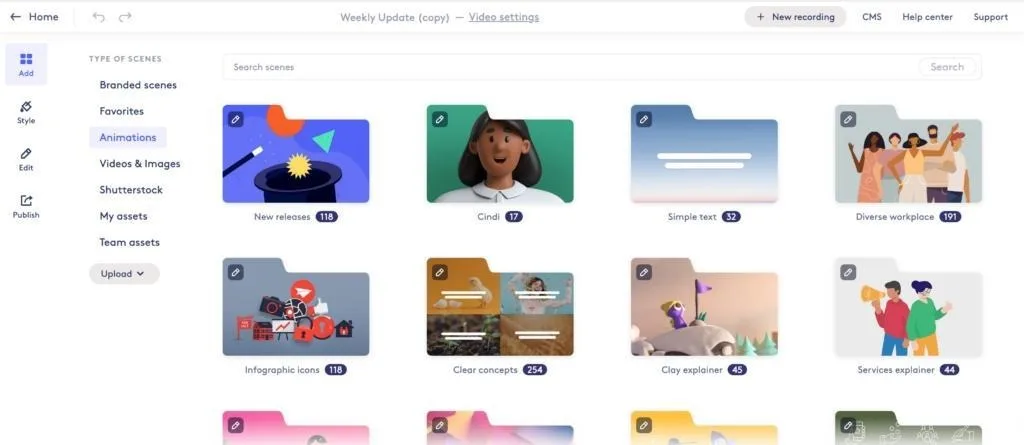
Biteable gives social teams software designed for producing short branded videos at scale. Its streamlined editor suits frequent content schedules without requiring advanced animation knowledge or skills. The platform focuses on fast marketing production rather than complex long-form animated storytelling projects.
Key Features
- Brand settings lock approved colors, logos, and fonts across recurring video campaigns automatically.
- Social templates target announcements, advertisements, promotions, updates, and platform-specific video formats directly.
- Paid plans provide full-quality exports without restrictions applied to lower access levels afterward.
User Reviews
- John Bowden: “Caveat - it's paid for by the business so I don't foot the bill. But I love it…”
- Rene V: “I find biteable to be an amazing service with a great structure to deliver elegant…”
- Alex: “I think Biteable started as a good idea, but then corporate interests or investors ruined it….”
Compare All Vyond Alternatives
Manual scene building separates sites like Vyond more than most advertised platform features. The table below shows how each option balances editing control, speed, and setup:
| Tool | Workflow | Free Option | Entry Price (Starting From) | Best Suited To |
| MagicLight AI | Script becomes scenes automatically | Basic tools to test the platform | Free to start, $15/month | Story-driven video |
| Animaker | Timeline with character library | Generous free tier | $27/month | Budget character animation |
| Powtoon | Slide-based scene building | Watermarked free | Free plan, $15/month | Beginner explainers |
| Synthesia | Script plus chosen avatar | 3 minutes monthly | $29/month | Presenter-led training |
| HeyGen | Avatar with translation | Limited | $29/month | Multi-market localization |
| Canva | Design workspace with video | Free tier | Free to start, $18/month | Existing Canva teams |
| Renderforest | Template-driven production | Free tier | About $14.99/month | Broader branding needs |
| VideoScribe | Whiteboard drawing sequence | Trial only | $12.50/month | Whiteboard explanation |
| CreateStudio | Timeline with 2D and 3D animation | Trial available | $27/month | Animated explainers |
| Biteable | Template with brand controls | Limited | $29/month | High-volume social output |
Part 2. Why MagicLight Stands Out Among Vyond Alternatives
Choosing animation software like Vyond often means building and arranging every scene manually. Vyond vs MagicLight AI shows a clearer difference between manual assembly and automation.
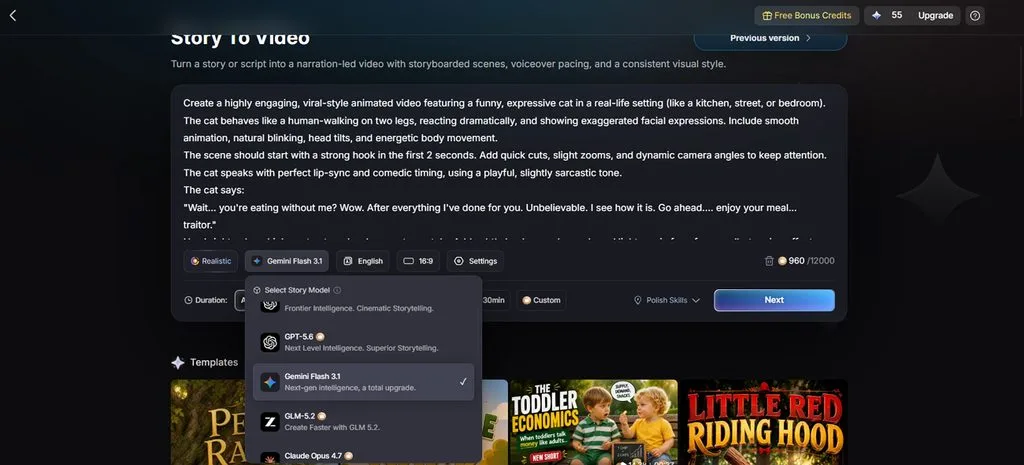
1. Choose From 14 Story Models
Different projects benefit from different AI engines for tone, pacing, and story development. MagicLight AI provides 14 model options before creators begin generating their video concept. Choices include Gemini Flash 3.1, GPT-6 Astra, and additional supported models.
2. Reuse the Same Characters Across Scenes
Creators do not need to redesign recurring characters whenever the setting changes. MagicLight AI stores finished character designs inside a personal reusable character collection. Those saved designs maintain the same visual identity throughout different scenes and projects.
3. Produce Videos Up to 50 Minutes
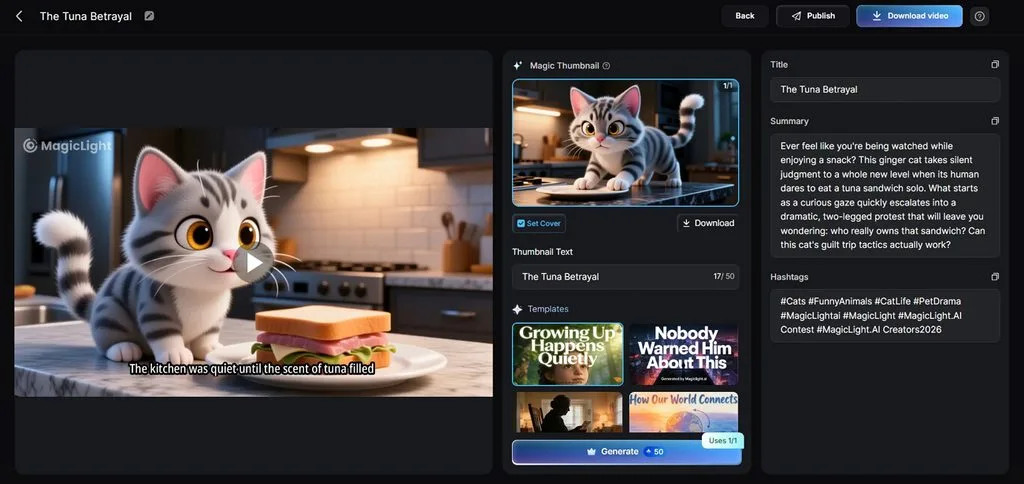
Longer stories often become awkward when platforms are designed around short marketing clips. MagicLight AI supports individual videos reaching up to 50 minutes in total length. This capacity suits tutorials, courses, narratives, and other content needing extended runtime.
4. Complete More Work Before Downloading
Final production often requires extra software for captions, audio, or presentation finishing tasks. MagicLight AI brings these elements into the workflow before users export their video. Finished projects can be downloaded in 720p or 1080p for publishing afterward.
Conclusion
To conclude, the best Vyond alternative depends on your main production needs. Animaker and Renderforest offer lower-cost options, while Powtoon and CreateStudio support more hands-on animation workflows. Synthesia and HeyGen focus more on presenter-led AI videos than traditional character animation. For automated story-driven creation with less manual scene building, MagicLight AI offers a more streamlined approach.
FAQs on Vyond Alternative
1. What makes a good Vyond alternative for AI video creation?
A Vyond alternative reduces manual work while keeping video creation flexible and efficient. MagicLight AI builds scenes from scripts, helping creators avoid repetitive timeline assembly work.
2. Can I create a video from a story without building every scene manually?
Yes, MagicLight AI turns written stories into structured scenes without manual timeline building. It identifies scene breaks, characters, and actions before generating the complete video automatically.
3. Which Vyond alternative is best for character-based storytelling?
MagicLight AI keeps recurring characters consistent across scenes, projects, and longer story sequences. Animaker suits creators who prefer hands-on character animation with more manual editing control.
4. What are the best alternatives for animated business or explainer videos?
Powtoon and Animaker work well for animated explainers, training, and business presentation videos. Free alternatives to Vyond often limit exports, resolution, branding, or advanced production features.
5. Which Vyond alternative works well for longer story-driven videos?
MagicLight AI supports longer story-driven projects reaching up to 50 minutes per video. Free Vyond alternatives usually target shorter clips, making longer narratives harder to produce.

![How to Make a Reaction Video with AI Tool [Guide 2026]](https://magiclight.ai/wp-2/wp-content/uploads/ai-faceless-reaction-video-guide-300x169.webp)