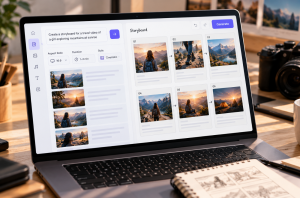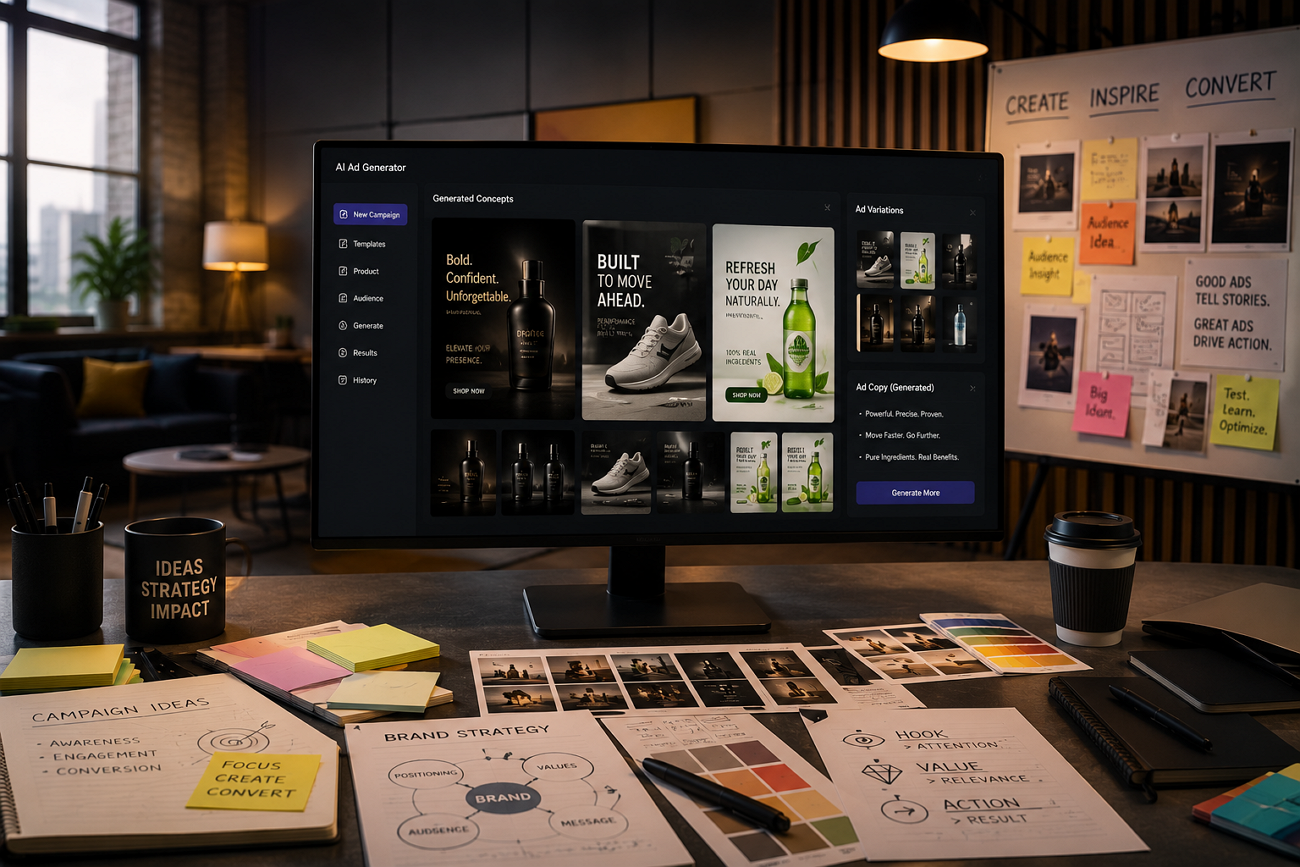
Creating quality ads is easy today, but making many versions quickly often costs much more money. Many AI tools produce strong results, yet large campaigns need affordable pricing and higher output volumes. The best AI ad generator should offer the right mix of features and output quality.
Comparing these platforms helps you understand which tools provide better value for different advertising campaign goals. This guide compares 6 leading platforms to help you choose the right solution with confidence.
Part 1. How to Choose the Best AI Ad Generator
Every platform offers different strengths, making the best AI video generator for ads harder to identify. Now, let's explore the key factors that help you compare these platforms:
- Where the Ad Starts: Some platforms build ads from a product URL, while others start with a script or prompt. The wrong starting point can limit what a tool is designed to do.
- Variant Throughput: Paid social campaigns rely on testing, making twenty useful variants more valuable than one polished ad.
- Platform Formatting: Vertical, square, and widescreen exports are all essential, while manual resizing reduces the time AI should save.
- Credit Economics: Headline pricing tells only part of the story. Calculate the cost of each finished ad, including realistic regeneration attempts.
- Brand Consistency: A consistent presenter, color palette, and voice help every ad in a campaign feel connected.
Part 2. 6 Best AI Ad Generators for Creators To Try
Every platform offers unique features for different advertising styles, budgets, and creator needs. Below, we have explored the best AI ad generator 2026 options for creators and marketers.
1. MagicLight AI
Best For: Brands running campaigns where one presenter and voice must appear across every asset.
MagicLight AI helps creators produce video ads quickly with simple tools and flexible creative options available. It offers more than 20 visual styles for different ad tones and campaign goals. Each style helps brands create videos matching professional, playful, cinematic, or modern marketing needs.
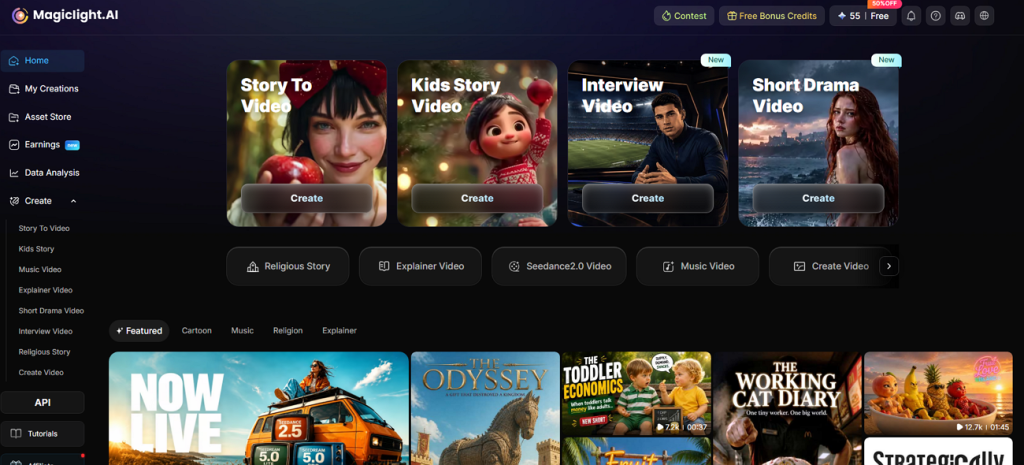
This AI video ad generator also keeps visuals consistent across multiple ads with minimal manual editing. Creators can produce engaging campaigns faster while maintaining a clear and recognizable brand identity throughout.
Key Features
- Story to Video: Scripts of up to 12,000 characters generate finished video, with 9 story models and 11 languages selected at the outset.
- AI Character Creation: A brand presenter is built from text or a reference image, then saved and reused across every subsequent campaign.
- Subtitle Styles: Choose from 16 subtitle styles to match different ad formats, improve readability, and keep branding consistent across every video.
- Voiceover and Voice Cloning: Access 37 AI voices with voice cloning to keep narration consistent across every ad version and language.
- Explainer Video Mode: Offers 7 story templates to create detailed product explainers, tutorials, and longer promotional videos.
Pros
- A single character and voice carry across an entire campaign.
- Long-form explainers are supported alongside short ad spots.
- Script input replaces prompt guesswork for scripted advertising.
Con
- Exports are limited to 1080p rather than reaching 4K.
2. Synthesia
Best For: Corporate teams producing scripted training and explainer videos at scale.
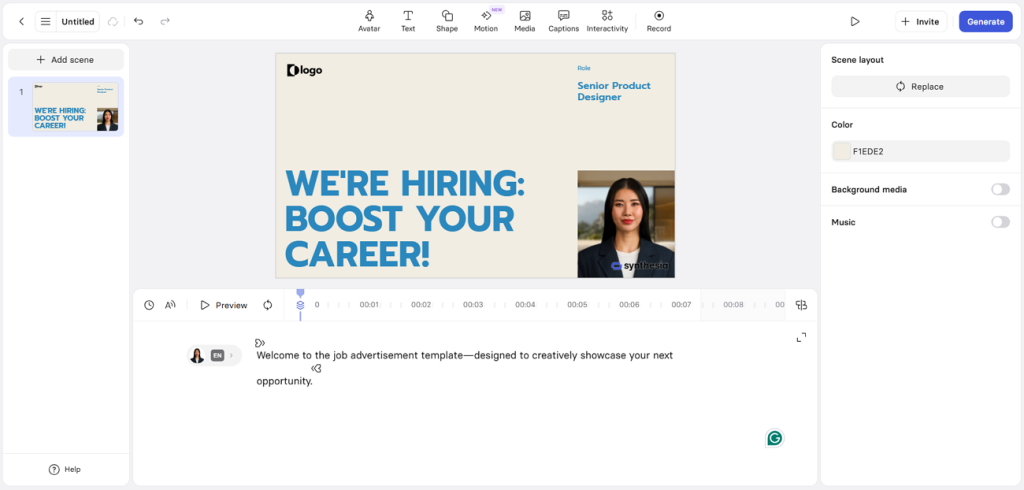
A professional script becomes a polished presenter video with Synthesia for business marketing campaigns. Businesses use it for training, product demos, and customer communication without recording real presenters. Many consider it among the AI ad tools with the best video generation for professional business content.
Key Features
- A library of more than 125+ stock avatars covers most professional presenter roles.
- Digital Twin builds a personal avatar from roughly 15 minutes of recorded footage.
- Micro-expressions are included on every paid plan without consuming additional credits.
Pros
- Presenter videos look polished and professional across every project.
- SOC 2 compliance supports enterprise security and procurement requirements.
Cons
- Product showcase videos require additional manual creative preparation steps.
- Starter plan includes only 120 video minutes annually.
3. HeyGen
Best For: Brands creating multilingual video ads with consistent presenters across global marketing campaigns and audiences.
HeyGen creates realistic presenter videos with simple tools for professional advertising and marketing campaigns. Its AI avatars keep the same appearance across multiple ads for stronger brand consistency everywhere. Creators can produce promotional videos faster without recording new footage for every campaign.
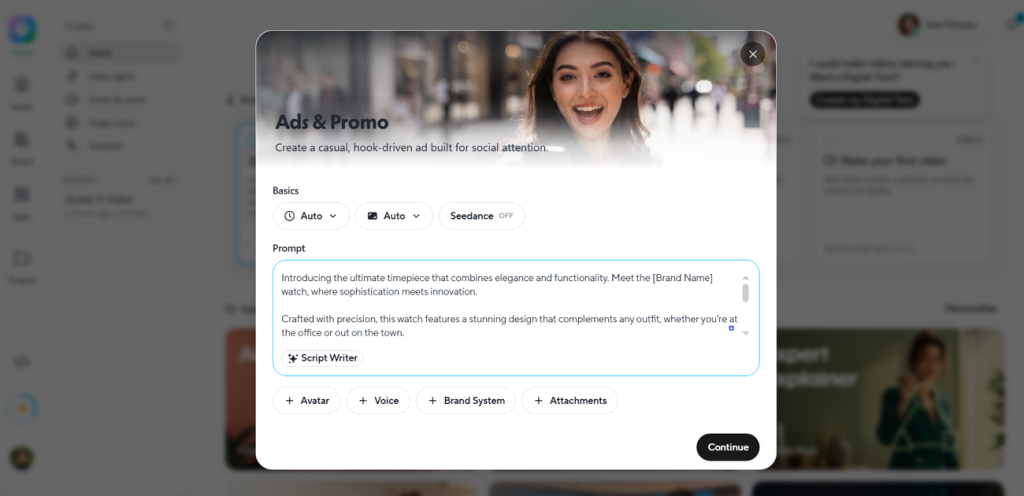
Key Features
- Choose from over 500 AI avatars for consistent presenter-based advertising videos.
- Support 175+ languages with realistic voice cloning for branded video narration.
- Pay using monthly credits, making video production costs easier to estimate.
Pros
- Avatar realism delivers natural and professional presenter videos consistently.
- Extensive language support benefits brands reaching global audiences.
Cons
- Advertising-specific tools remain limited compared with dedicated ad platforms.
- Premium avatars consume credits much faster during video creation.
4. Creatify
Best For: Ecommerce brands seeking the AI video generator for Facebook ads with fast product automation.
Creatify is an AI-powered ad creation platform that supports URL-to-video, AI avatars, product ads, and automated ad variations for performance marketing. A product URL becomes multiple video ads without manual editing or complicated creative work. Creatify automatically pulls product details and builds ready-to-use ads for marketing campaigns.
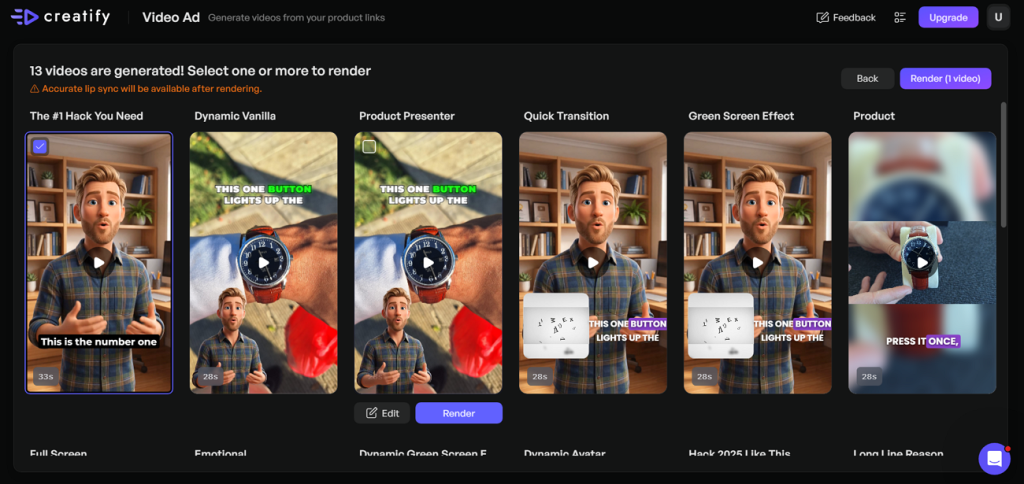
Key Features
- Pulls product details directly from Shopify, Amazon, or landing pages automatically.
- Offers around 1,500 AI avatars designed for advertising and promotional videos.
- Creates up to 50 video variants together through its Batch Generation workflow.
Pros
- Creates video ads directly from product URLs within minutes automatically.
- Competitor ad tracking helps improve campaign performance and creative decisions.
Cons
- Limited control over advanced scene editing after automatic video generation.
- Free plan provides 10 credits and adds video watermarks.
5. Pika Art
Best For: Social creators making eye-catching short video ads for Instagram Reels and similar platforms daily.
Pika Art focuses on creative visual effects for short, attention-grabbing advertising videos and campaigns. Its animation tools help brands create unique content with minimal editing and creative effort required. Creators seeking the best AI video generator for ads often choose Pika Art for visual storytelling.
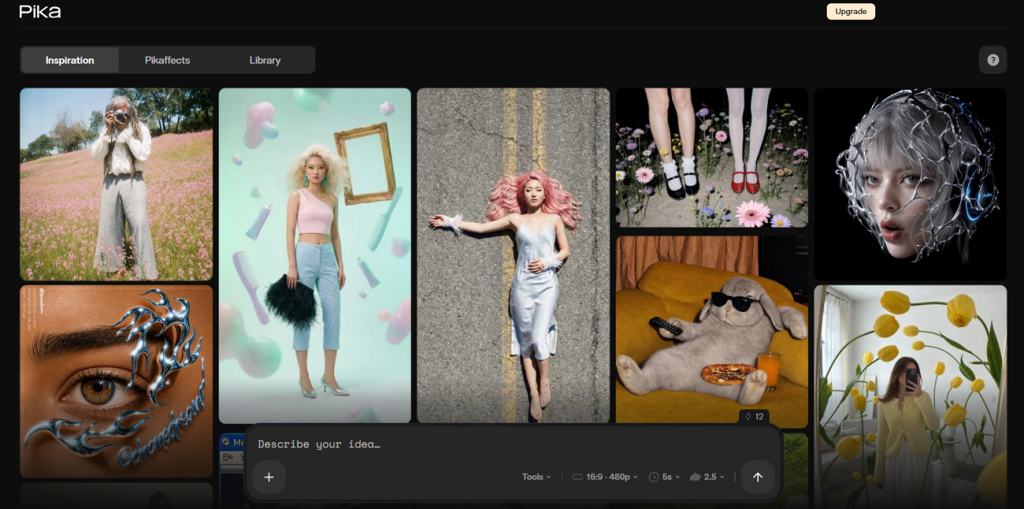
Key Features
- Turns a single photo into realistic, animated videos with accurate lip syncing.
- Exports videos in 1080p resolution with clips lasting up to 25 seconds.
- Turbo mode generates short video clips in about 12 seconds.
Pros
- Generates creative videos faster than most competing AI video platforms.
- Free plan exports videos without adding visible watermarks.
Cons
- Character appearance changes between scenes reduce visual consistency.
- Free plan limits exports to 480p resolution only.
6. Higgsfield AI
Best For: Creators needing the best AI video ad generator for cinematic marketing videos.
This ad generator includes 15 video models, including Sora 2, Veo 3.1, and Kling 3.0 for different advertising styles. Advanced camera controls help creators produce dynamic shots unavailable in most competing AI platforms. Marketing Studio and UGC Builder provide dedicated tools for creating branded advertising videos.
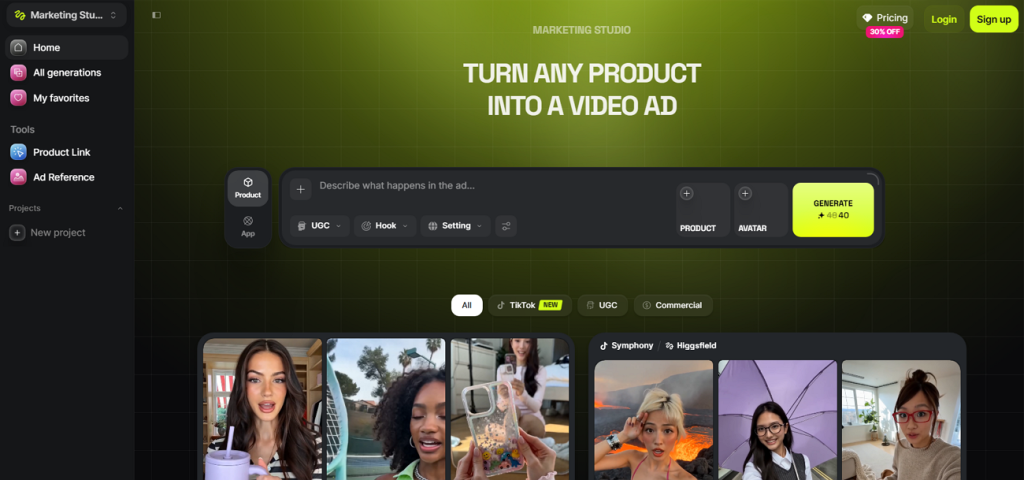
Key Features
- Cinema Studio creates crash zooms, dolly moves, and orbit shots automatically.
- Includes over 70 camera presets for professional cinematic video movements.
- Marketing Studio creates product video ads directly from a website URL.
Pros
- Access to 15 video models reduces switching between AI platforms.
- Advanced camera controls create professional cinematic advertising videos easily.
Cons
- Premium models consume 40–70 credits for each generated clip.
- Monthly credit expiration limits flexibility for occasional content creators.
Compare the Best AI Ad Generators
Every platform offers different strengths, making the best AI video generator for ads difficult to choose. Now, let's compare these 6 platforms in the table below for an easier decision:
| Tool | Ad Starting Point | Variant Output | Max Video Length | Creative Options | Free Tier |
| MagicLight AI | Written script or idea | Scene-level edits and reuse | Up to 50 minutes | 37 voices + 40 music options | Yes |
| Synthesia | A written script | Single video generation | Varies by plan | 160+ languages | Yes |
| HeyGen | Script, image, or audio | Credit-based generations | Varies by plan | 175+ languages/dialects | Limited |
| Creatify | A product page URL | Up to 50 variants | Short-form focused | Multiple ad variations | 10 credits |
| Pika Art | A prompt or still image | Single clip generation | Short clips | Multiple effects | 80 credits |
| Higgsfield AI | A prompt or product URL | Single clip generation | Short clips | Multiple camera motions | 10 initial credits |
Part 3. What Makes MagicLight AI the Best AI Ad Generator for Creators?
MagicLight AI stands out from the other platforms for 3 important reasons. It keeps the same presenter, voice, and visual style across every campaign for better brand consistency. Creators can also make their own visual styles to match different advertising goals and audiences. These features make it the best AI video ad generator for creating consistent and flexible marketing campaigns.
How to Create an Ad With MagicLight AI
Follow the steps below to create a professional video ad with MagicLight AI:
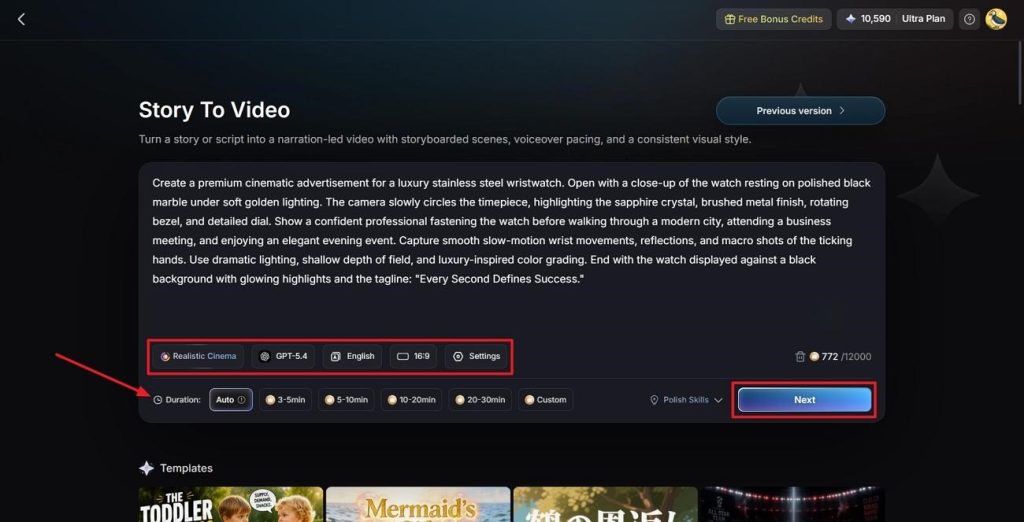
Step 1. Enter Your Ad Idea and Adjust Settings
First, describe your video ad in the Text Box. Next, choose a Visual Style Model, select an AI Story Model, and set the preferred Video Language and Aspect Ratio. Finally, adjust the Video Duration and press Next to continue.
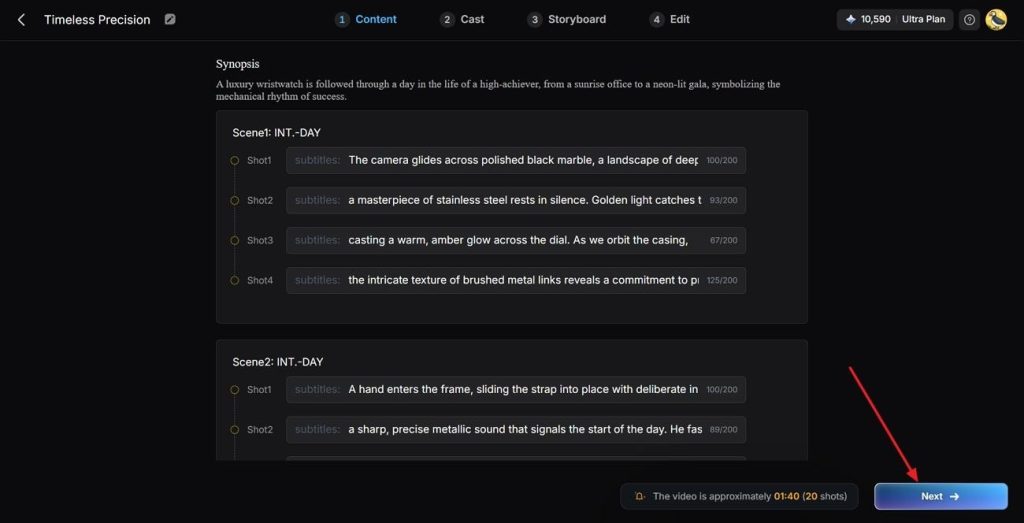
Step 2. Review Your Ad Scenes
After that, review all the ad scenes and the Synopsis breakdown. If any changes are needed, use the Controls at the top. Once the scene layout is finalized, press Next to continue.
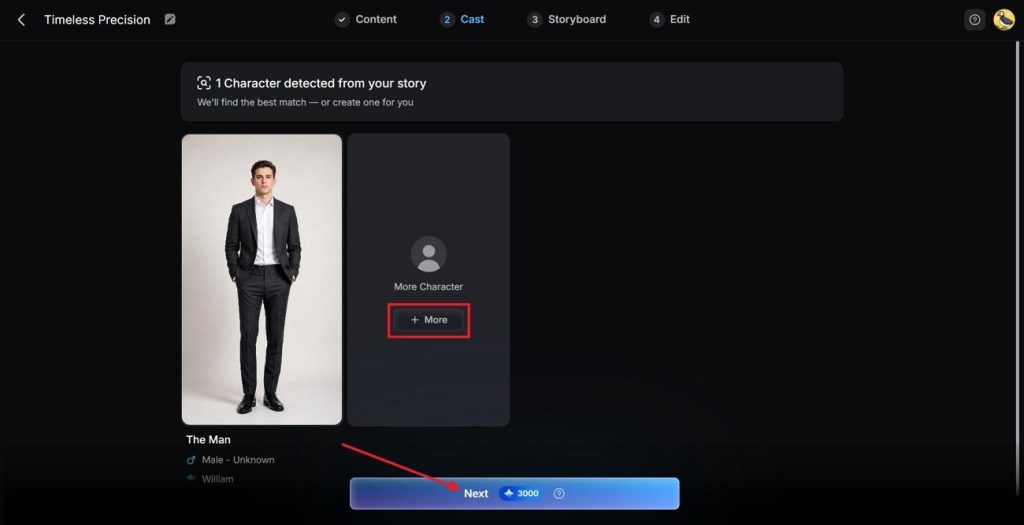
Step 3. Choose a Presenter for Your Ad
Next, MagicLight AI will analyze your script and suggest suitable characters for your video ad. To explore more options, click the More button. Once you select your preferred presenter, press Next Step.
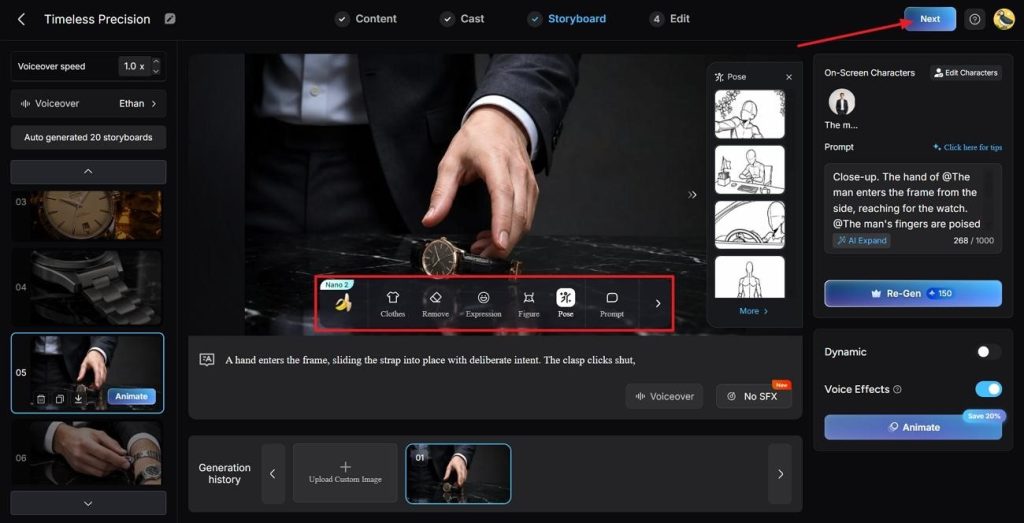
Step 4. Review Your Ad Storyboard
Then, review every scene in the generated Storyboard carefully. If any adjustments are needed in the Clothes, Poses, and Expressions, use the Controls below. Once the Storyboard is finalized, press the Next button at the top.
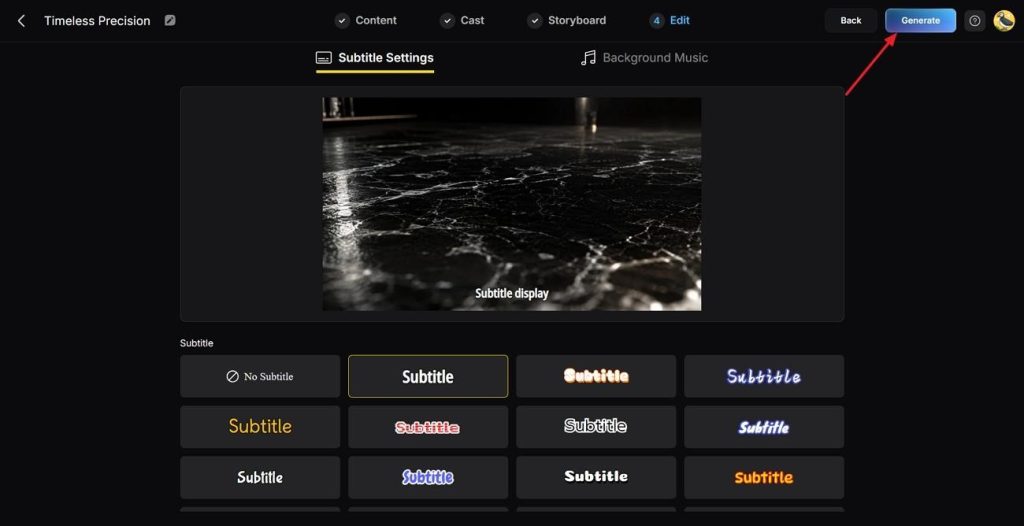
Step 5. Choose a Subtitle Style
After that, choose a Subtitle Style that matches your video ad. Then click the Generate button in the top right corner.
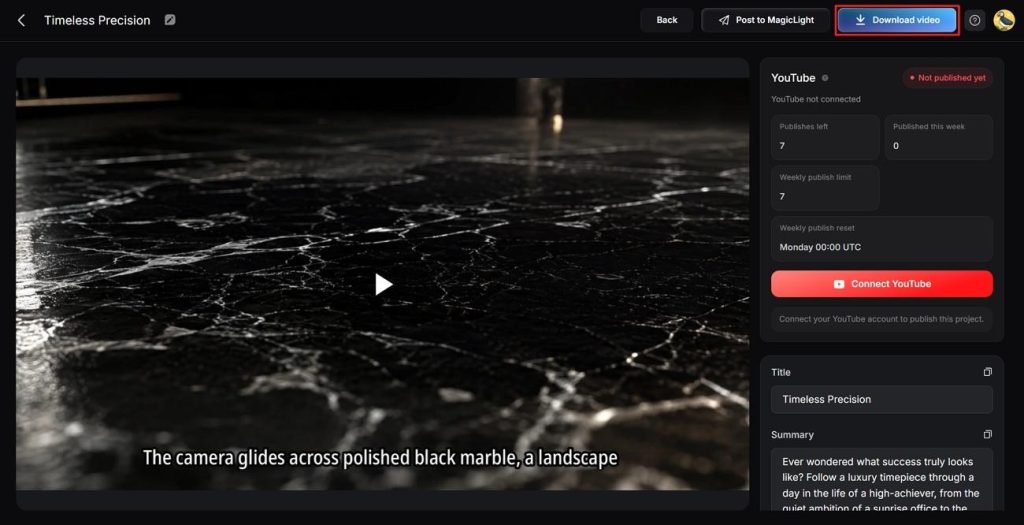
Step 6. Preview and Download Your Ad
Finally, preview your generated video ad carefully. Next, review the Cover, Thumbnail, and Hashtags. Once everything looks good, click Download Video to save your final ad.
Conclusion
To conclude, every platform offers unique strengths for different advertising goals and creative campaign needs today. Choose the best AI ad generator based on your budget, workflow, and content creation requirements carefully. MagicLight AI stands out for consistent characters, flexible styles, and scalable advertising campaigns across platforms.
FAQs on Best AI Ad Generator
1. What is the best free AI ad generator in 2026?
Free plans offer different limits, making the best free AI ad generator harder to choose. MagicLight AI provides practical features for creators needing consistent characters and flexible advertising projects.
2. Which platform is good at turning a product description into an ad?
Creatify addresses this directly by scraping a live product URL. Where a written copy exists rather than a page, MagicLight AI accepts that description as a script and returns a finished ad.
3. Are AI ad generators worth it?
For paid social testing, generally yes, since producing 20 variants manually is rarely viable. The value diminishes on campaigns requiring careful positioning, where scripts still need human editing.
4. How much does an AI ad generator cost?
Entry plans range from free to roughly $29/month, while higher tiers can cost substantially more. Credit consumption matters more than the headline figure, since premium models can exhaust an allowance within a few clips.
![How to Create a TikTok Video for Beginners [2026 Guide]](https://magiclight.ai/wp-2/wp-content/uploads/tiktok-video-creation-guide-300x169.png)
![How to Blur Faces in Photos Like a Pro [2026 Guide]](https://magiclight.ai/wp-2/wp-content/uploads/blur-faces-in-photos-with-ai-300x198.png)