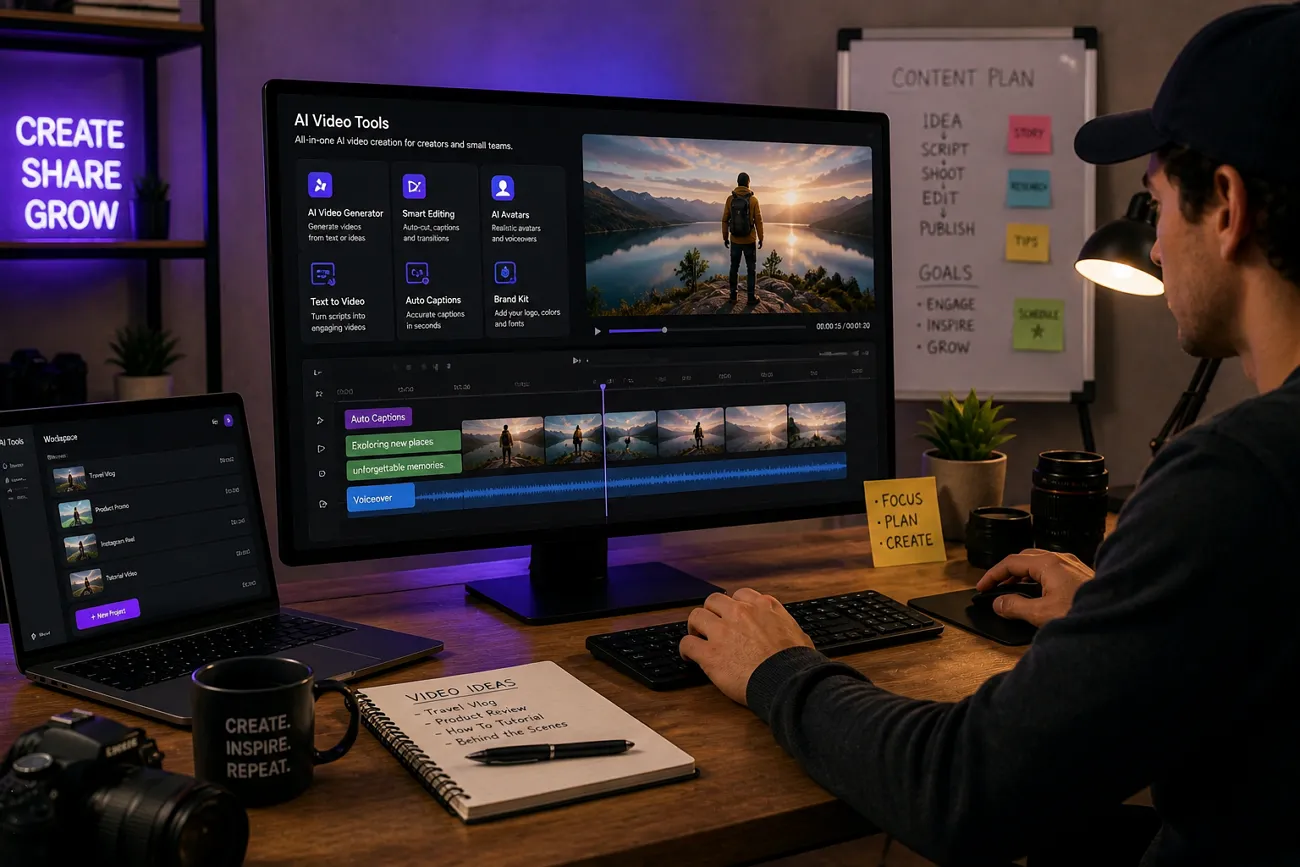
Many creators and small teams struggle to produce videos consistently and quickly. They often waste time on editing and refining. The best AI video tools can speed up production and reduce editing stress. Such tools can deal with tasks such as cutting clips, adding subtitles, and syncing audio. In this article, we compare 10 practical tools along with their pros and cons to find the best option.
Part 1. 10 Best AI Video Creation Tools Recommended
In this section, we will look at some of the best free AI video tools for small content teams available in 2026. With these tools, you get faster, high-quality videos that keep viewers watching:
1. Magiclight AI
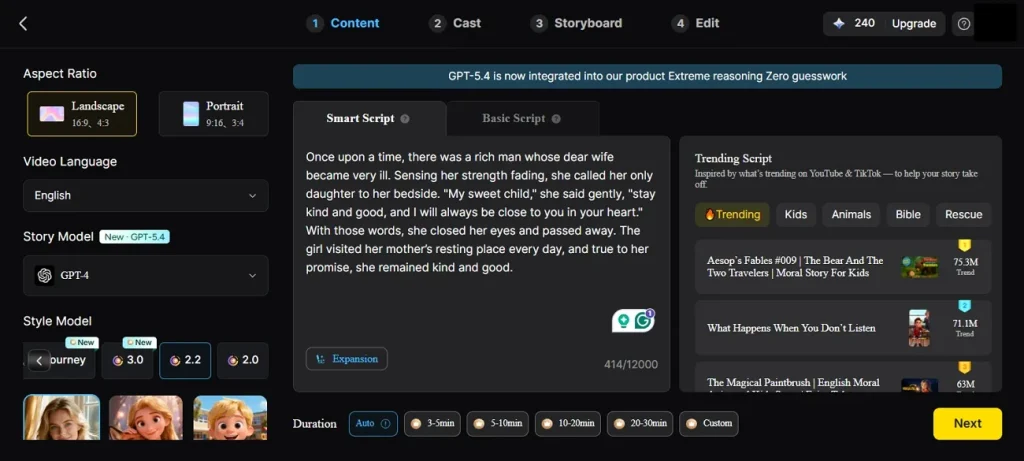
Creators can build detailed story videos using Magiclight AI. It supports scripts up to 12, 000 characters and generates long videos up to 50 minutes. This tool is an effective choice for beginners and professionals alike because of its minimal interface. Characters can be extensively customized in terms of name, age, and 37 voice options, including voice cloning.
Moreover, an automatic storyboard shows every scene, so you can refine prompts, clothing, expressions, and poses. MagicLight AI also offers themed templates, and music creation features for fast, engaging videos. This wide range of options and consistent characters make it a strong choice.
Pros
- Offers a handy image-to-video mode for fast, short-clip generation.
- Generates natural voices that sync directly with the character's lip movements.
- Includes 16 subtitle styles and 40 music tracks, so videos look professional.
Con
- Only provides output resolution up to 1080p for users.
2. Supawork AI
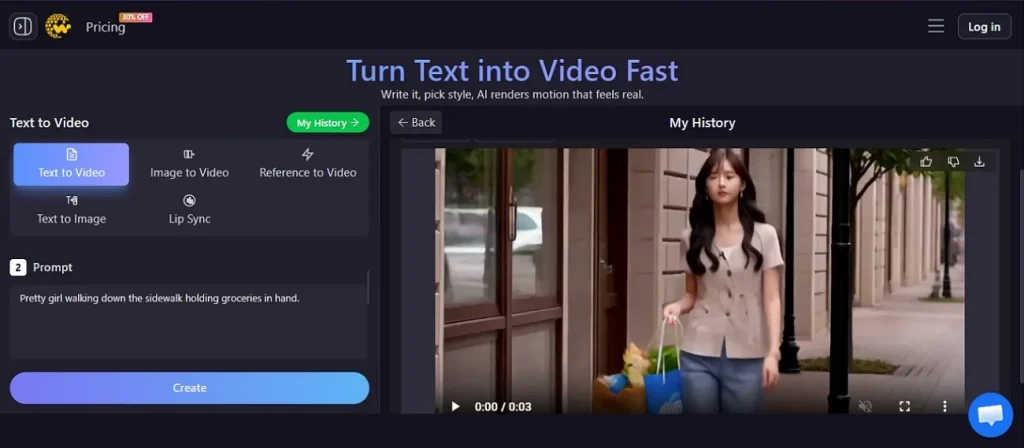
If you want quick, simple edits, one of the best AI tools for video creation is Supawork AI. This provides face swap, image-to-video, lip sync, and watermark removal functionality to clips. Its free and no-watermark generators are appealing to new creators. Nonetheless, it is more appropriate for short-from content, with the text-to-video option having a character limit of 1500.
Pros
- 4K studio-quality face swaps with 50+ expressions and complex lighting are available.
- Offers batch processing and cloud collaboration for more professional workflows.
Cons
- Limited export resolution and controls compared with advanced studio tools.
- This software does not offer longer-form video creation to users.
3. Flora AI
It is a visual, node-based workspace for modern creative teams. It connects text, image, and video models on one flexible infinite canvas. Designers, filmmakers, and photographers can build reusable workflows instead of juggling many separate tools. This makes Flora AI useful for structured, collaborative content production across formats.
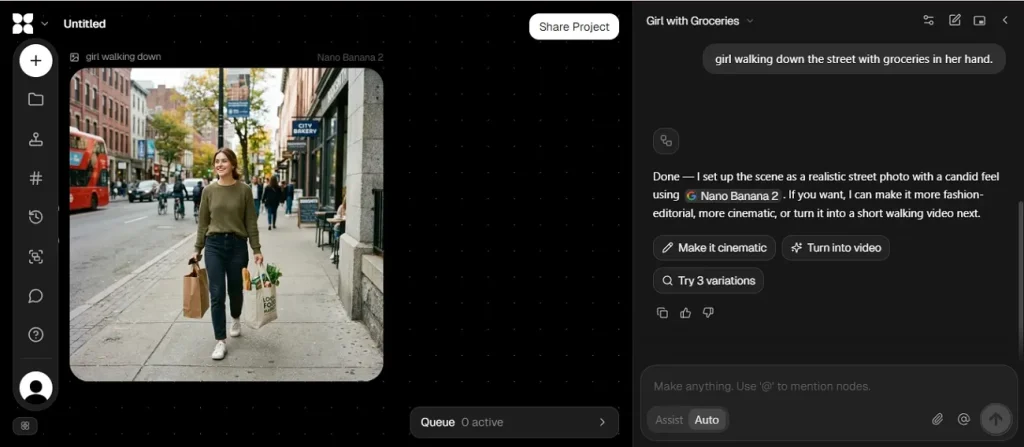
Pros
- Supports 40+ AI models with collaboration tools for professional teams.
- Node-based canvas gives creators strong control, flexibility, and reusable workflows.
Cons
- Credit-based pricing can become expensive for heavy video or team usage.
- Visual workflow system has a moderate learning curve for new users.
4. Whisk AI
A good option for creators who want a simple and easy video is Whisk AI. As the best free AI video generation tool, it is aimed at quick creative experiments. You describe a scene, paste a short script, and it turns ideas into eight-second clips. You can also upload a reference image for more control over style and subject.
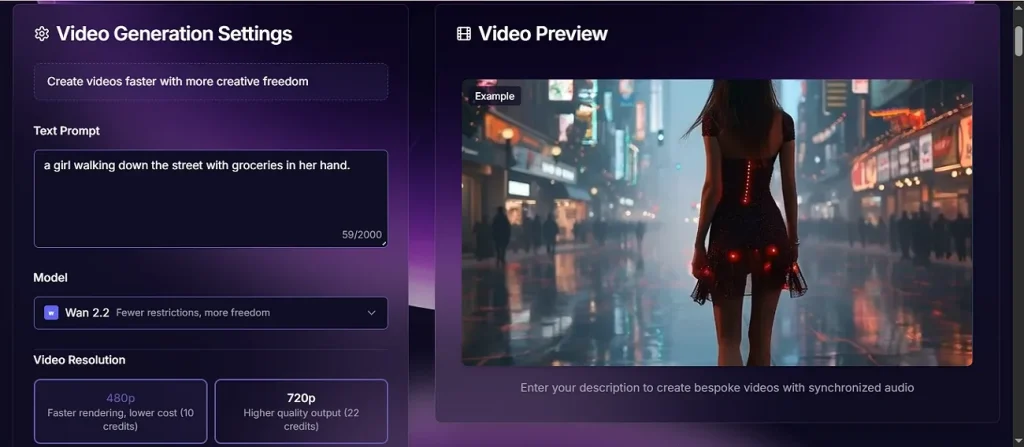
Pros
- Lets you upload 10MB reference images for more consistent video results.
- Accepts text scripts up to 2,000 characters for detailed prompts.
Cons
- Limited aspect ratios and resolution formats compared with pro-level tools.
- This tool has restricted regional access, so not everyone can use it.
5. Deevid AI
It is an online text‑to‑video and image‑to‑video tool built for short, cinematic clips. Beginners can start with simple prompts and templates. Meanwhile, marketers and professionals get motion control, style transfer, and avatar tools. You can access Deevid AI in your browser on a laptop or desktop, and on your phone. This makes it a flexible option for fast, everyday content production.
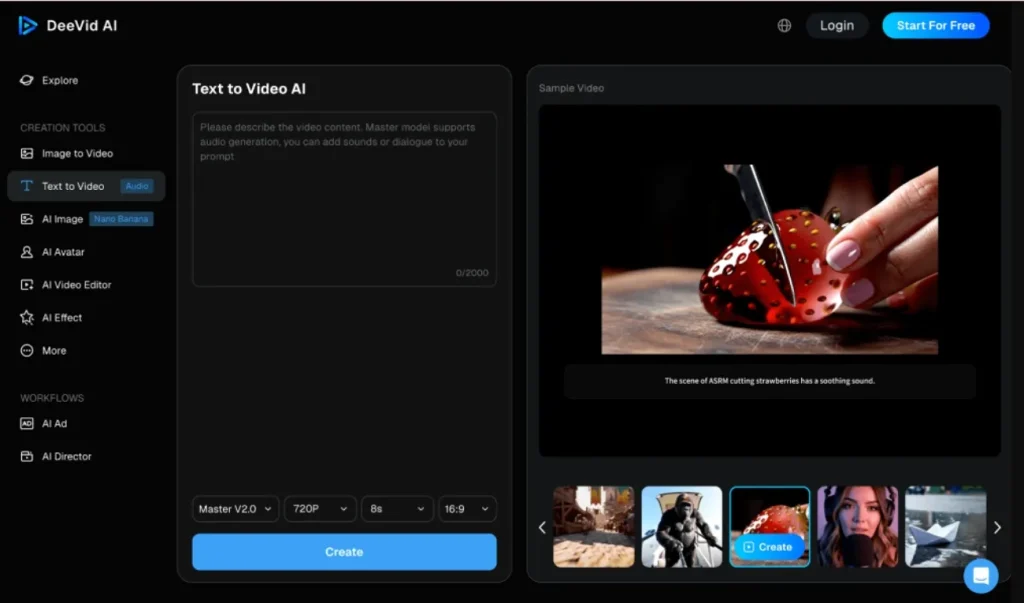
Pros
- Offers lip‑sync, avatar, and templates that make beginners look professional quickly.
- This has multiple AI models and effects for polished, ad‑style short videos.
Cons
- Focuses on short clips, with limited control over longer storytelling.
- Credit system and pricing can feel confusing and expensive for new users.
6. A2E AI
The best AI video creating tool for personal, uncensored projects might be A2E AI. It lets you swap faces, change clothes, and turn still images into short videos easily. You can also create talking avatars with voice cloning and text‑to‑speech support. This makes it useful for creators, marketers, and educators who want flexible, experimental content.
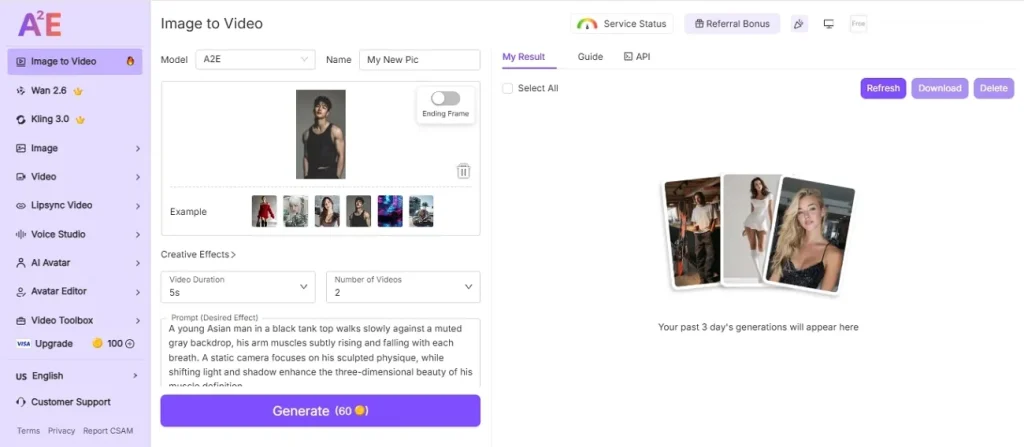
Pros
- Allows more personal, experimental content than heavily restricted AI platforms
- Community feedback drives frequent updates and new creative video modes.
Cons
- Complex scenes sometimes show artifacts or inconsistent video quality.
- Interface feels less smooth and polished than bigger mainstream tools.
7. Digen AI
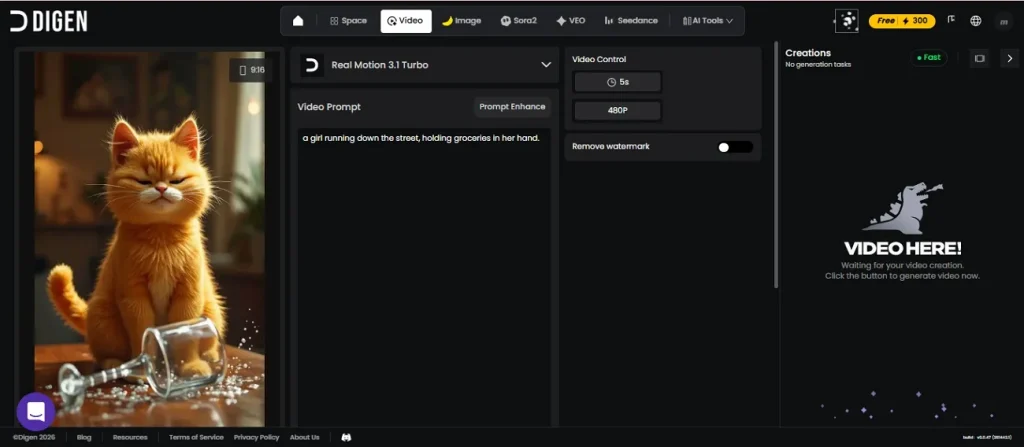
Turn simple photos into animated clips using Digen AI. It is a great option for casual users, influencers, and social media creators who want short, eye‑catching videos. Moreover, marketers and educators can use it for promo videos, lessons, and character‑driven content. Digen AI can be accessed in your browser or through its mobile app on Android and iOS.
Pros
- Users get realistic avatars, natural lip‑sync, and templates for easy video creation.
- Includes a simple image‑to‑video workflow ideal for beginners and busy social creators.
Cons
- Subscription, credits, and watermark rules can confuse new or casual users.
- Video generation speed can be lower at peak usage durations.
8. Kling AI
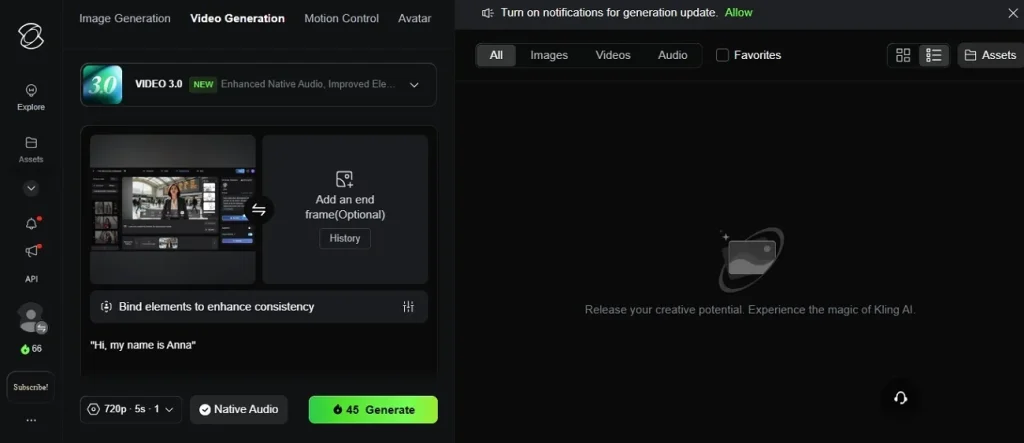
For desktop and mobile users, Kling AI is a creative studio tool for generating both videos and images. It supports text‑to‑video, image‑to‑video, and image creation, offering creators an integrated workspace for everything from social clips to full cinematic videos. Kling AI is famous for producing videos with high motion accuracy.
Pros
- Creates high-quality (1080p) videos that follow realistic motion and lighting.
- Offers free daily credits so users can experiment from phone or desktop.
Cons
- Interface is in Mandarin on the native platform, confusing new users.
- Advanced modes are not always available in every third‑party frontend.
9. Viewmax
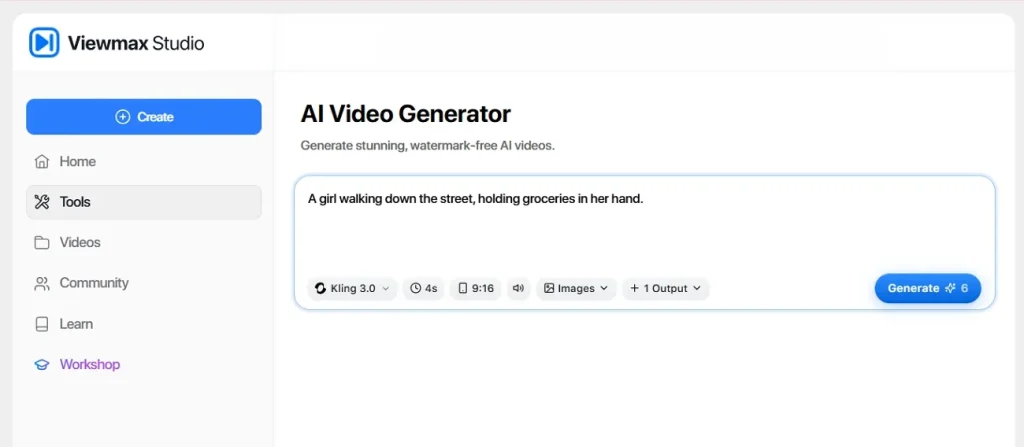
With Viewmax, anyone can convert short clips, images, and AI‑generated scenes into social‑ready videos fast. It allows you to mix media sources, switch aspect ratios in one project, and export vertical or horizontal formats for different platforms. For many creators, it sits alongside other best free AI video generation tools as a handy companion for quick edits.
Pros
- Trimming and caption tools polish TikTok, Reels, and Shorts content quickly.
- Combines imported clips with AI scenes for faceless or talking videos.
Cons
- Limited render controls and weak performance on long, detailed video projects.
- No unlimited plan, plus strict usage caps and lost failed credits.
10. Viggle AI
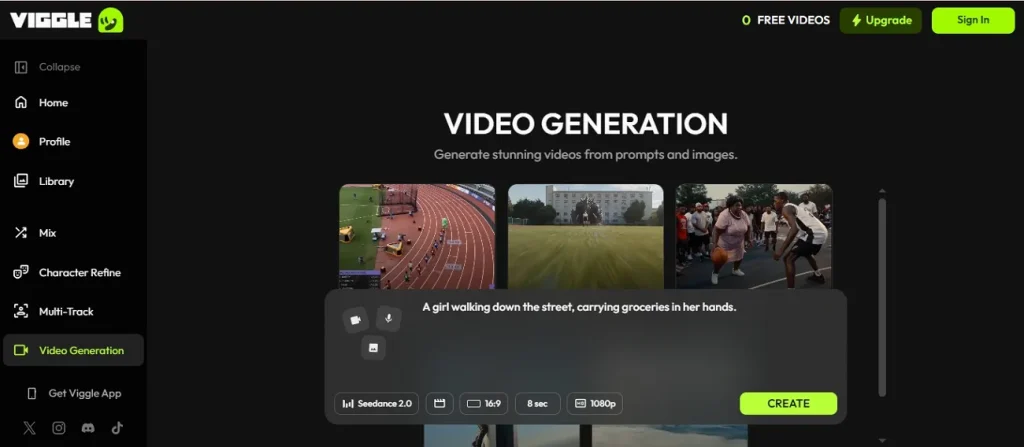
A video generator that is still relevant in 2026 and crafts hilarious memes is Viggle AI. It lets you turn images or short clips into dancing, lip‑synced characters. You can also generate TikTok‑style videos by combining prompts, audio, and motion presets. This makes it a fun choice for fast, shareable social content.
Pros
- Create clips up to 15 seconds long using a prompt or image.
- This tool includes six different AI models for video generation.
Cons
- Free plan limits daily generations, storage time, and editor access.
- Long queues and watermarks on free exports reduce professional usability.
Comparing The Best AI Video Tools
To get a better understanding of the best AI video tool and what to choose, review the comparison table below:
| Tool | Input Format | Pricing | Max Video Length | Export Resolution | Output Format | Interface Type |
| MagiclightAI | Script, image, and music | Free credits, but offers plans starting from $6/monthly | Long‑form, up to 50 minutes | 720p, 1080p | MP4, social‑ready clips | Web app; mobile app available |
| Supawork AI | Text, image, video upload | Paid plan starts from $9.99/month | Short clips, under 2 minutes | Up to 4K on face swap | MP4 | Web application |
| Flora AI | Text, image, video nodes | Free 500-1000 credits; paid plans start from $16.00/month | Depends on workflow canvas, short–medium lengths available | Up to 4K, depending on the model used | MP4; short clips | Online canvas workspace |
| Whisk AI | Text prompt, reference image | 6 free credits per month; Professional plan starts at $9.99 per month/annually | Very short clips, around 8 seconds | Fixed presets, HD‑range | Social-ready formats: MP4 | Online browser; simple UI |
| Deevid AI | Text, image, template input | 20 free credits upon sign up; plans start at $10-14/ monthly | About 5–15 seconds | 720p, 1080p | MP4; social formats | Web app; beginner-friendly UI |
| A2E AI | Image, text, audio, video upload | 30 free credits daily; Pro plan starts from $14.90/monthly | Short–medium, scene‑based clips | Up to 4K on some modes | MP4’ GIF-style clips | Web app |
| Digen AI | Single image, text | 300 credits on sign up; Ultra Plan starts from $4.99 montly per year | Short avatar and meme clips | 720p, 1080p | Portrait clips; MP4 | Mobile app; Online browser |
| Kling AI | Text, image, reference video | Free plan avilable; Standard plan starts from $6.99 | Short cinematic clips, under 2 minutes | Up to 4K | MP4; cinematic videos | Web app; API |
| Viewmax.io | Video, image, audio, mixed media | Basic plan starts from $14 monthly/ per year | Snappy social videos, under 2 minutes | 720p, 1080p | Both vertical and horizontal videos | Web app; timeline UI |
| Viggle AI | Text, image, clip, audio | Free to start; Pro plan starts from $7.99 per month | Short clips up to 15 seconds | 720p, 1080p | MP4; TikTok style exports | Online, mobile-friendly |
Part 2. Why MagicLight AI Is the Best AI Video Creation Tool
When it comes to suggesting the best free AI video tool for small content teams, Magiclight AI comes on top. Here are some reasons why Magiclight AI beats other basic tools:
- Diverse Visual Styles: It offers 20+ styles like Ghibli, Pixar, and Wuxia. Every project can look fresh, unique, and tailored to your channel’s aesthetic.
- Flexible Video Lengths: You choose durations from 10 seconds to 50 minutes per project. This range easily covers quick memes, short promos, and longer story‑driven videos.
- Realistic Voice Cloning: Creators upload an audio sample to build a detailed voice profile. Pitch, tone, and accent are mirrored, making characters sound naturally human.
- Multilingual Storytelling: MagicLight AI supports 11 different languages for scripts and voices. Creators can reach global audiences and anime communities without extra dubbing costs.
- Built-in Audio and Covers: Get 16 subtitle styles, 40 music tracks, and 21 covers. Videos are ready to share, and every stage stays editable for refinements.
- Deep Character Control: Users can adjust clothes, skin tone, hairstyle, and body shape. Character consistency across scenes keeps long stories clear, polished, and professional.
Conclusion
In conclusion, users have many options when choosing the best AI video tools. These platforms help you produce more content in less time. While you’ve learnt much about some of the top options available, selection still seems a difficult feat. If you want long stories, custom styles, and precise control, MagicLight AI is the top choice to try.
Frequently Asked Questions on Best AI Video Tools
Q1. What is the best AI video tool for beginners?
MagicLight AI is a strong option for beginners because it automates storyboards, scenes, and audio. You can start with a simple script and generate full videos without advanced editing skills.
Q2. Which AI video generator is completely free?
Many tools offer free plans with limits, such as watermarks, shorter video length, or daily caps. When you compare the best free AI video generation tools, always check export quality, usage limits, and whether your videos include branding.
Q3. Are AI video tools good for small content teams?
Yes, AI video tools are very helpful for small teams because they save editing time and reduce production costs. With options like MagicLight AI, a small team can publish more videos each week without hiring a full studio.
Q4. Which AI tool is best for social media videos?
For social media, Magiclight AI is ideal because it supports different styles, lengths, and formats. You get to create short promos, memes, and story clips that are ready to share on TikTok, YouTube, and Instagram.

![How to Write a Script for a Short Film in 2026 [Beginner’s Guide]](https://magiclight.ai/wp-2/wp-content/uploads/short-film-screenplay-writing-guide-300x169.webp)