


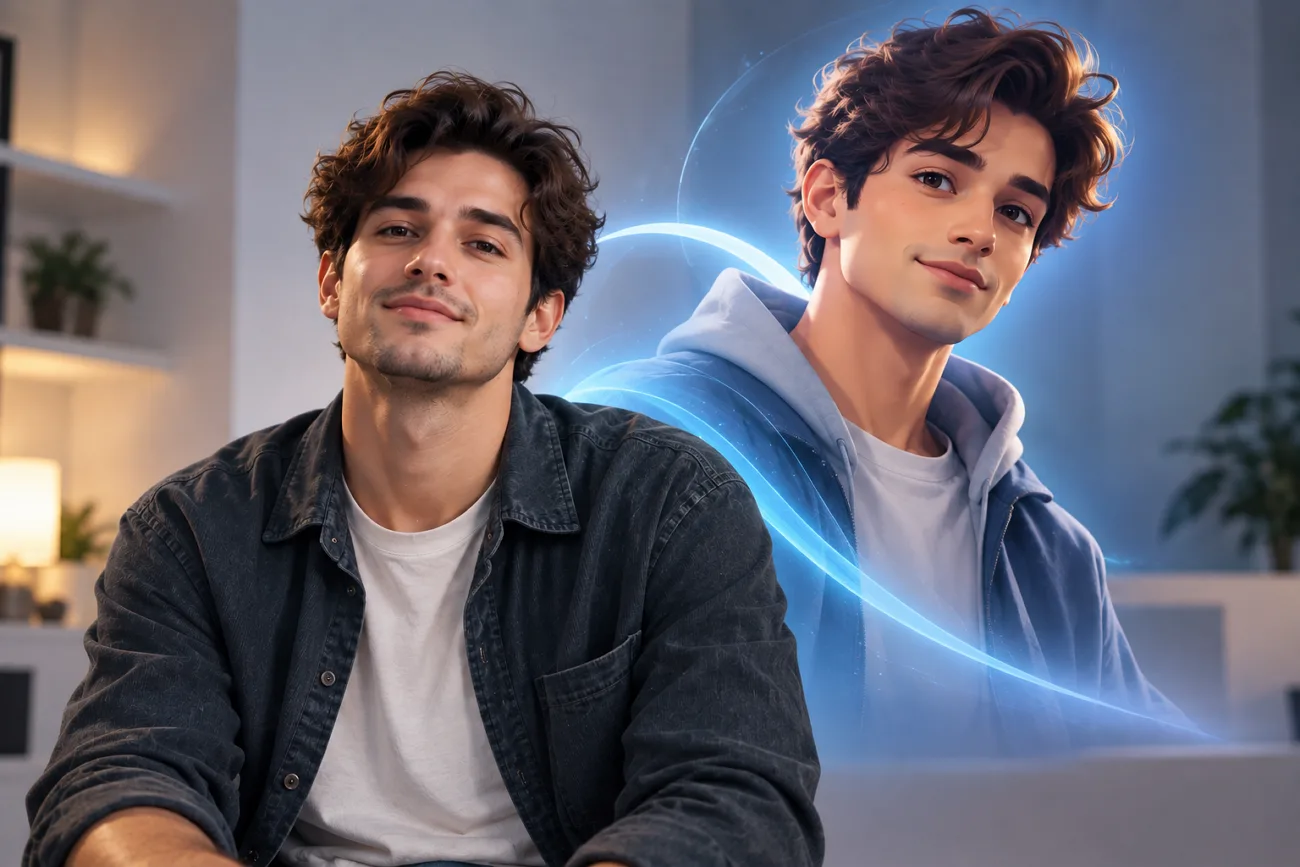
Avatars can replace a regular profile photo when you want something more personal. They can look like you, copy a certain style, or create something completely different. A good app should give you enough control to make the avatar feel personal.
Some can work from a photo, and others let you build a character yourself. The right choice comes down to the result you want and features you need. This guide compares 6 popular choices to help you find the best avatar app.
Part 1. How to Choose the Best Avatar App
Choosing between avatar apps starts with knowing where and how you will use your avatar. Below are the main points to check before choosing an app for your avatar.
- Avatar Styles and Customization: Start with the style you want because every app handles avatar design differently.
- AI Avatar Generation Capabilities: Your finished avatar should still look like you when the app changes its style.
- Text or Photo-to-Avatar: Pick how you want to start, either with your photo or a description.
- Editing Tools and Personalization Options: You should be able to fix the avatar when the first result feels off.
- Free Plans and App Usability: Check how much you can actually make before the app asks for payment.
Part 2. 6 Best Avatar Apps in 2026
These 6 apps give you different ways to create avatars from photos or yourself. Finding the best AI avatar app comes down to what you want from it.
1. MagicLight AI
Best For: Creators making avatars for profiles and videos.
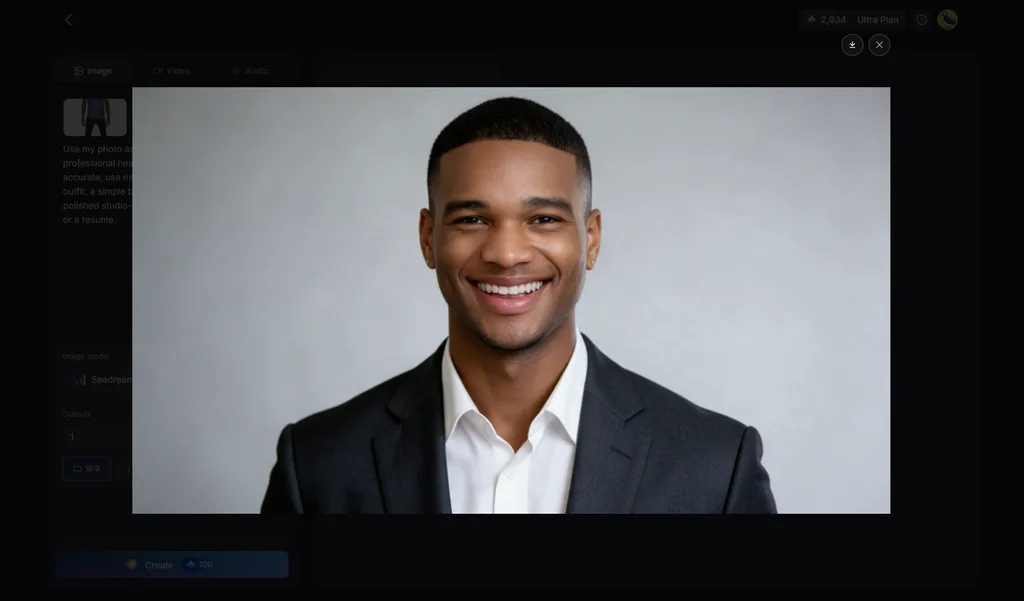
Creators who want avatars that can move and speak can try MagicLight AI for creative projects. The platform lets you create images, videos, and stories using the same avatar across projects. Its Image tab creates an AI avatar from a selfie, written description, or both as input.
You can choose realistic portraits, 3D cartoons, or anime by changing what your prompt says. A finished avatar can also speak, move, and appear as a character within your stories.
Key Features
- Selfie References: Clear JPEG, PNG, or WEBP photos can keep the avatar recognizable. Each file can be up to 20MB for a reference image.
- Multiple Image Models: MagicLight AI includes 5 image models for creating different avatar looks. Models include Nano Banana 2, Seedream 5.0 Pro, and GPT variants.
- Text-to-Avatar Prompts: A 500-character prompt can create an avatar without uploading a photo. Describe the hairstyle, clothing, expression, and visual style you want included.
- AI Character Generation: Create AI characters using prompts with up to 1,000 characters total. You can also upload image references to guide the character's appearance.
- Image to Video: Upload up to 5 reference images for your image-to-video project directly. Then add a prompt containing up to 1,500 characters describing movement.
Pros
- Keeps avatar faces consistent when trying different visual styles.
- Offers several image models for different avatar design results.
- Turns finished avatar images into moving video characters easily.
Con
- Free credits limit how many avatar videos users generate.
2. Lensa
Best For: Selfie users wanting polished portraits for profile pictures.
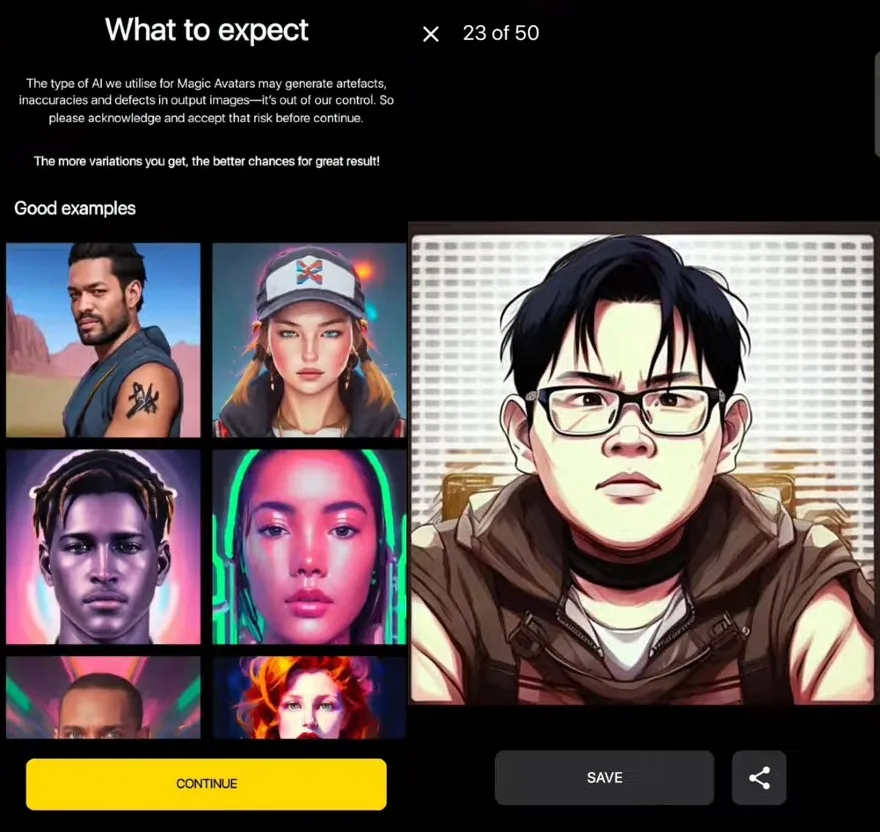
The best AI avatar generator app can turn your selfies into stylized portraits for profiles. Lensa builds personalized Magic Avatars from uploaded photos using its Stable Diffusion model. Its portrait editor also lets you clean up the image after creating your avatar.
Key Features
- Magic Avatars creates personalized portraits from your own uploaded selfie photos.
- Advanced Eraser removes unwanted people or objects from avatar backgrounds cleanly.
- AI Effects applies new visual treatments inside Lensa's main photo editor.
Pros
- Magic Avatars gives selfies several different artistic portrait looks.
- Advanced Eraser removes distractions around finished avatar portraits.
Cons
- Magic Avatars requires photos before personalized portraits are generated.
- Avatar generation offers less manual control over facial details.
3. Voilà AI Artist
Best For: People turning selfies into playful cartoon profile pictures.
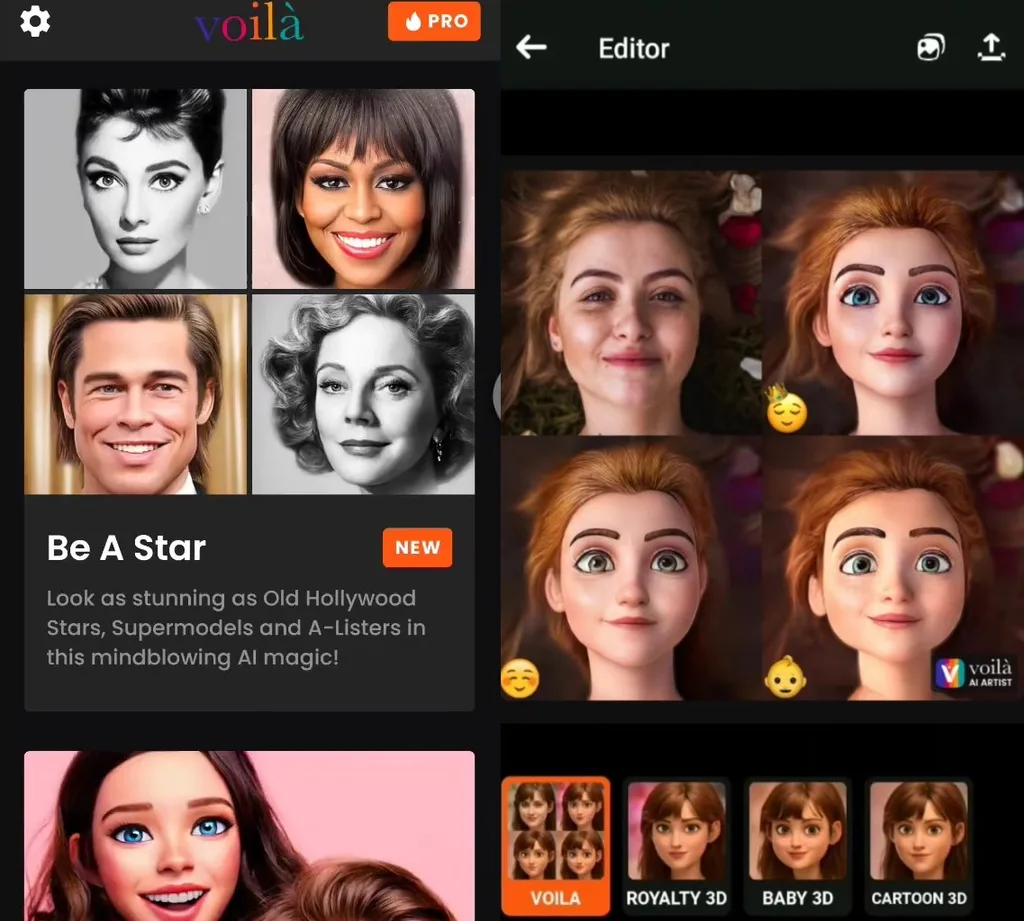
Voilà turns selfies into cartoon portraits without asking you to build each feature yourself. Its 3D cartoons and painted effects give the same photo a very different look. That simple approach makes Voilà a best avatar creator app option for quick transformations.
Key Features
- Cartoon Avatar includes more than 20 effects for profile pictures.
- Fantasy Avatar turns selfies into fantasy-themed versions of the person.
- Pet Avatar converts animal photos into cartoons and painted artwork.
Pros
- Uploaded photos are deleted after processing in the cloud.
- New avatar effects continue arriving through recent updates.
Cons
- Avatar creation centers on photos rather than written prompts.
- Cartoon effects offer less control over individual facial details.
4. Zmoji
Best For: iPhone users sending personal cartoon stickers in chats.
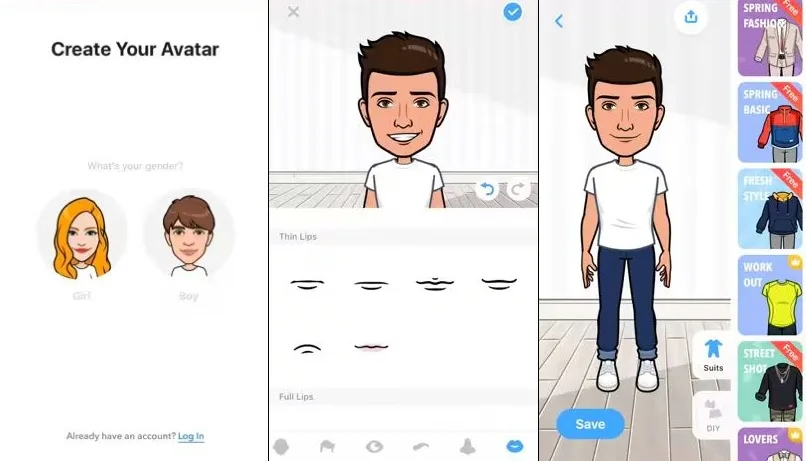
Zmoji is a mobile-only choice for making cartoon versions of yourself from selfies. It can also build a character manually when you want more control over its face. For iPhone users, the best avatar app may be one built around messaging and stickers.
Key Features
- Facial Recognition builds a starting avatar directly from your selfie.
- The Zmoji keyboard sends personal stickers without leaving your conversation.
- Sticker Maker turns your character into shareable emojis and GIFs.
Pros
- Manual editing lets users change individual facial features.
- Its keyboard puts personal stickers directly inside conversations.
Cons
- Android support has ended, leaving iPhone as the primary platform.
- The app has not received updates since July 2021.
5. Bitmoji
Best For: Snapchat users keeping one character across their account.
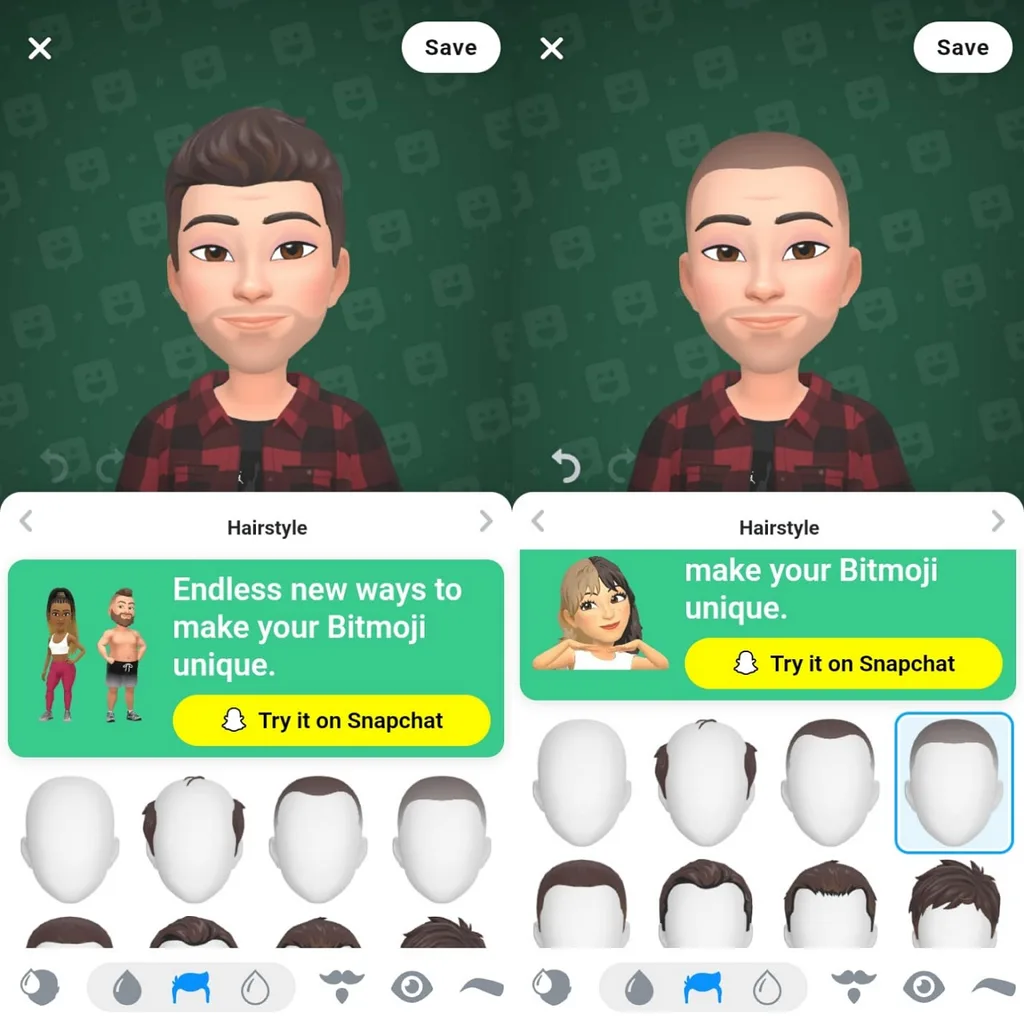
Bitmoji is closely integrated with Snapchat, where users can create and customize avatars for profiles, chats, stickers, and other experiences. The separate Bitmoji app can also link an existing avatar to Snapchat. Full avatar editing stays inside Snapchat's mobile app rather than working through the web.
Key Features
- The 3D builder lets users shape their avatar's body.
- Lens+ subscribers can use a photo to generate a new AI-styled look featuring their Bitmoji.
- Brand clothing includes virtual outfits from labels such as Prada.
Pros
- Basic avatar creation remains free inside the Snapchat app.
- Bitmoji stickers can still be accessed through web browsers.
Cons
- Full avatar customization requires using the Snapchat mobile app.
- Some character extras remain locked behind a Snapchat+ subscription.
6. Picsart
Best For: Social creators needing avatar packs alongside deeper photo editing.
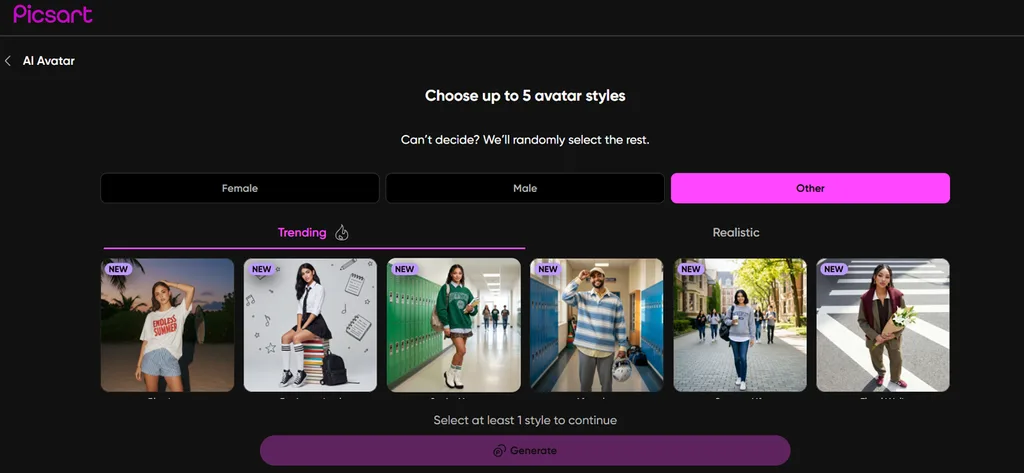
Picsart combines avatar generation with its larger photo editor on mobile and the web. Users can make avatar packs from selfies and continue working on the results afterward. Its broader editing setup makes it a best avatar creator app option for social content.
Key Features
- Avatar packs can contain 50, 100, or 200 images.
- Couple mode creates matching avatars from photos of two people.
- Video avatars pair a portrait with audio for lip-synced speech.
Pros
- Uploaded source selfies remain stored for under 24 hours.
- Persona offers character creation across 22 different visual themes.
Cons
- Avatar creation requires users to be at least 18.
- Users must consent to biometric processing for avatar generation.
Compare the 6 Best Avatar Apps
Choosing the best avatar maker app gets easier when you compare how each works. The table below shows what each app offers for creating your own avatar. You can compare their main differences before deciding which one fits your needs:
| App | Known For | Avatar Input | Free Option |
| MagicLight AI | Reusable, video-ready avatars | Photo, text, or both | Free credits, no card |
| Lensa | Stylized Magic Avatar portraits | Around 5 photos | Avatar packs are paid |
| Voilà AI Artist | Cartoon and painted portraits | Single photo | Free with ads and watermark |
| Zmoji | Cartoon avatars and stickers | Manual avatar builder | Free app, Premium extras |
| Bitmoji | Custom Snapchat avatars | Manual avatar builder | Free creation, some paid extras |
| Picsart | Avatar packs with photo editing | 10–30 selfies | Avatar packs are paid |
Part 3. Why MagicLight AI Is a Strong Choice for Creating AI Avatars
MagicLight AI gives users a simple way to create personal avatars from different inputs. Users can generate avatars from a photo, written prompt, or both in one place. The best AI avatar app should also let users bring finished characters to life. MagicLight AI can animate avatars into talking videos for stories and creative personal projects.
How to Create an AI Avatar With MagicLight AI
MagicLight AI creates personal avatars from your photos, text prompts, or both. Follow the steps below to create your own AI avatar from scratch:
Step 1. Create Your AI Avatar
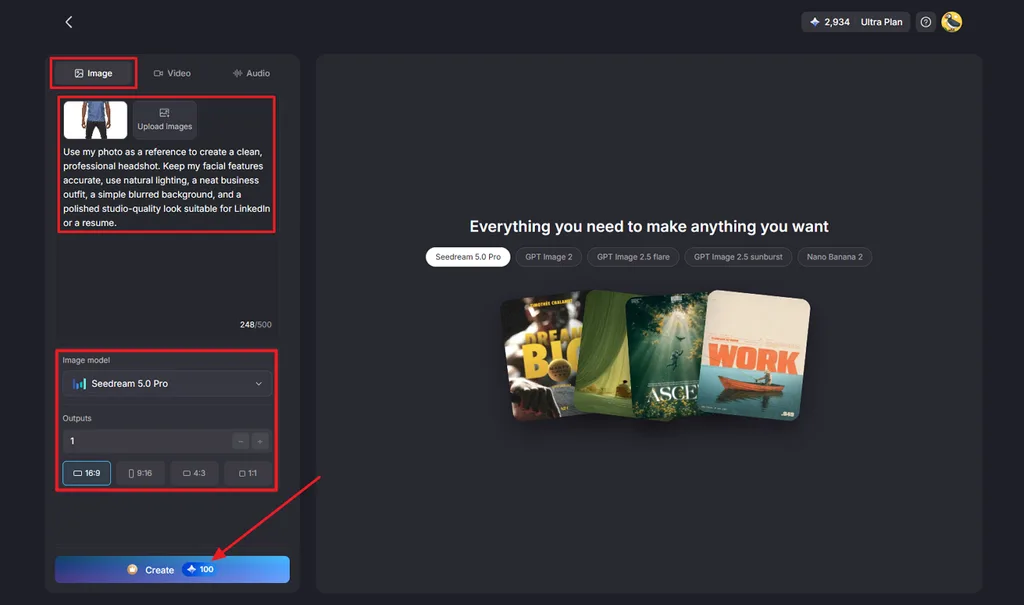
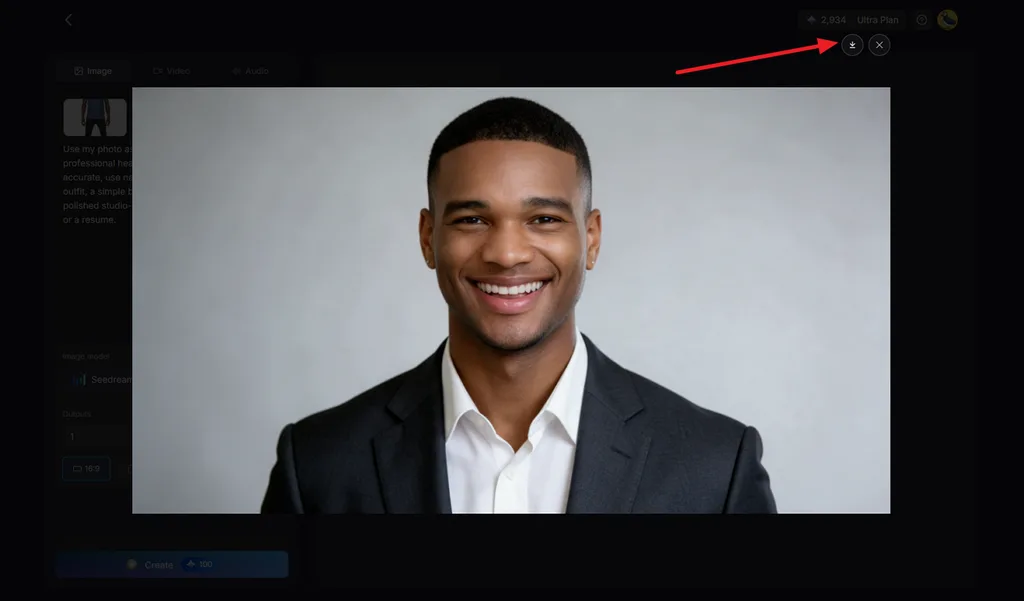
Open the Toolbox and choose the Image tab. Upload your photo as a reference, then describe how you want your AI avatar to look. Select the Image Model, number of Outputs, and preferred Aspect Ratio. Click Create to generate your avatar.
Step 2. Save Your AI Avatar
Check the generated avatar and make sure the result matches the look you want. Generate another version if needed or click the Download icon to save your finished AI avatar.
Conclusion
To conclude, the best avatar app depends on the type of avatar you want to create. Bitmoji, Voilà AI Artist, and Zmoji work well for cartoon avatars and personal chat stickers. Lensa and Picsart focus more on turning uploaded selfies into creative avatar portraits for users. MagicLight AI creates avatars from photos or prompts and can turn them into talking videos.
FAQs About the Best Avatar Apps
- What is the best AI avatar app in 2026?
Different AI avatar tools suit different needs, including portraits, cartoons, and talking characters. Lensa and Picsart focus on selfie portraits, and Voilà creates cartoon-style avatar images. MagicLight AI works well for creating avatars that can speak and appear in stories.
- What is the best app to create an AI avatar for free?
MagicLight AI is the best free app to create an AI avatar for beginners. New users receive limited free credits and can start without entering card details first. Upload a selfie or enter a description to generate several avatar options for comparison.
- How can I create an AI avatar from a photo?
Start by choosing a clear photo where your face appears fully visible and sharp. Upload it into MagicLight AI, then describe the avatar style you want to create. Choose your preferred settings, generate the avatar, and download the result when satisfied.





