


Creating artwork has become much easier with AI image art generators available on the internet. Free plans vary widely in image quality, available credits, watermarks, styles, and sharing options. Choosing the best free AI art generator requires checking these limits before creating artwork.
Each tool offers different features that can suit beginner, creator, artist, and designer needs. This guide compares 6 popular options to help you find the right art generator.
Part 1. How to Choose the Best Free AI Art Generator
Finding the best AI art generator for free depends on features and image quality. Below are the 5 main things to check before choosing an AI art generator:
- Art Quality and Visual Styles: Good results should have natural details while giving you enough styles for different types of artwork.
- Text-to-Image Generation Capabilities: Your prompt should come through in the final image without losing important details along the way.
- Customization and Creative Control: Extra controls are helpful when you want to change certain parts without starting from scratch again.
- Resolution and Output Options: Image size matters when the finished artwork is meant for wallpapers, posts, prints, and larger projects.
- Free Credits and Usage Limitations: Free access may come with credit limits, watermarks, public images, or rules for commercial use.
Part 2. 6 Best Free AI Art Generators in 2026
Best free AI art generators 2026 offer different free plans, features, and creative options. Each option below covers its main features, ideal users, key benefits, and possible drawbacks:
1. MagicLight AI
Best For: Artists creating characters, posters, and connected illustrations.
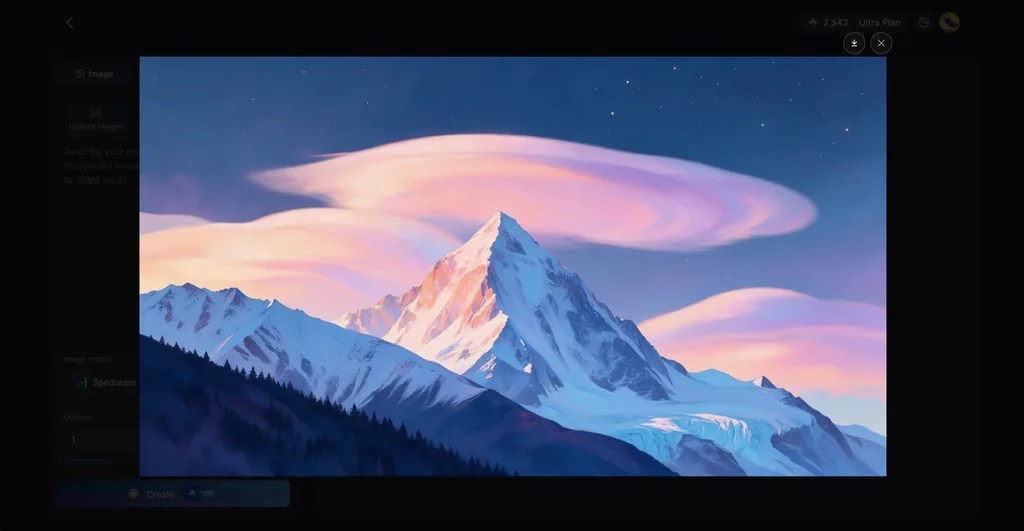
Some users want a simple way to create original artwork from written ideas. MagicLight AI provides an image generator inside its Toolbox for creating custom artwork. Users enter a prompt and choose settings that match their preferred visual result.
Reference images can also guide the subject, appearance, or style of generated artwork. Finished images work well for character designs, posters, wallpapers, and other creative projects. New accounts receive free starter credits, so users can explore the generator before paying.
Key Features
- Multiple Image Models: MagicLight AI includes 5 image models, such as Nano Banana 2, Seedream 5.0 Pro, and 3 GPT Image variants. Different models let artists explore different looks from the same idea.
- Reference Guidance: Upload up to 10 reference images to guide the artwork toward a particular subject or look. The prompt field allows 500 characters for describing the desired result.
- Consistent Image Sets: Reference images help keep a similar visual direction across multiple pieces. This works well for connected illustrations, character artwork, story scenes, and campaign visuals.
- Flexible Ratios: Choose square, landscape, portrait, or 4:3 layouts based on where the artwork will appear. These options cover posters, wallpapers, social posts, and other formats.
- Supported Files: Reference artwork can be uploaded as JPEG, PNG, or WEBP files up to 20MB each. Larger file support leaves enough room for detailed source images.
Pros
- Turns finished artwork into videos from one platform.
- Works across web, iOS, and Android devices easily.
- Paid plans support commercial use for creative projects.
Con
- Free credits limit how many images users generate.
2. Midjourney
Best For: Artists wanting polished visuals with detailed creative control.
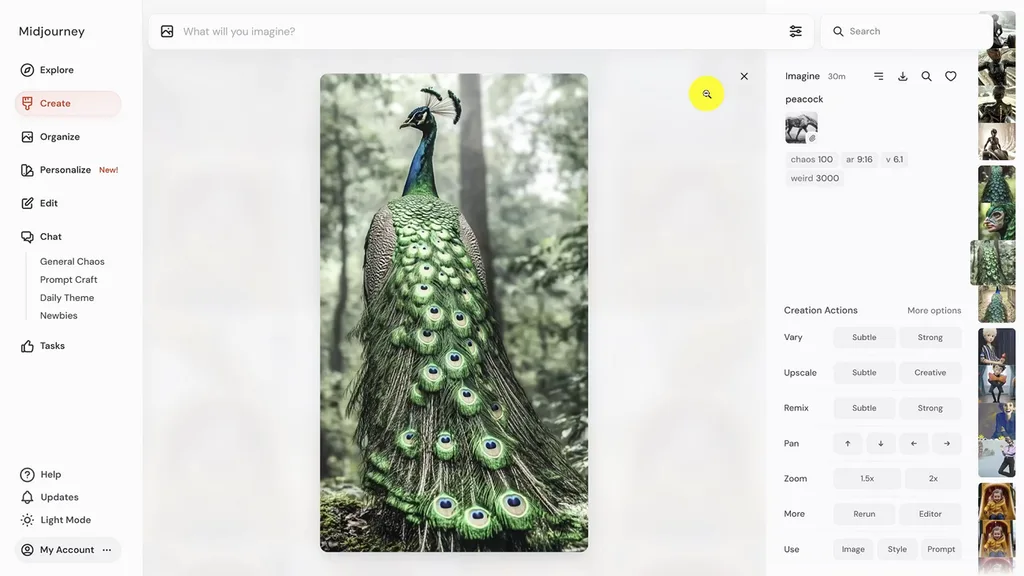
People searching for the best free AI art generator may still consider Midjourney. Its current V8.2 model focuses on detailed artwork, stronger aesthetics, and improved personalization options. The platform gives artists deeper control when shaping, editing, and refining their visual ideas.
Key Features
- Style References transfer colors, textures, lighting, and medium from existing artwork into creations.
- Draft Mode creates 24 low-resolution concepts from one prompt for faster exploration.
- Edit Model combines up to 4 references and changes selected image areas directly.
Pros
- Custom Style Codes help maintain a reusable artistic look.
- Vary options create subtle or stronger artwork variations.
Cons
- Omni Reference cannot work with several editing features.
- Draft images initially render at only 512×512 resolution.
3. NightCafe
Best For: Hobby artists exploring characters, challenges, and experimental artwork.
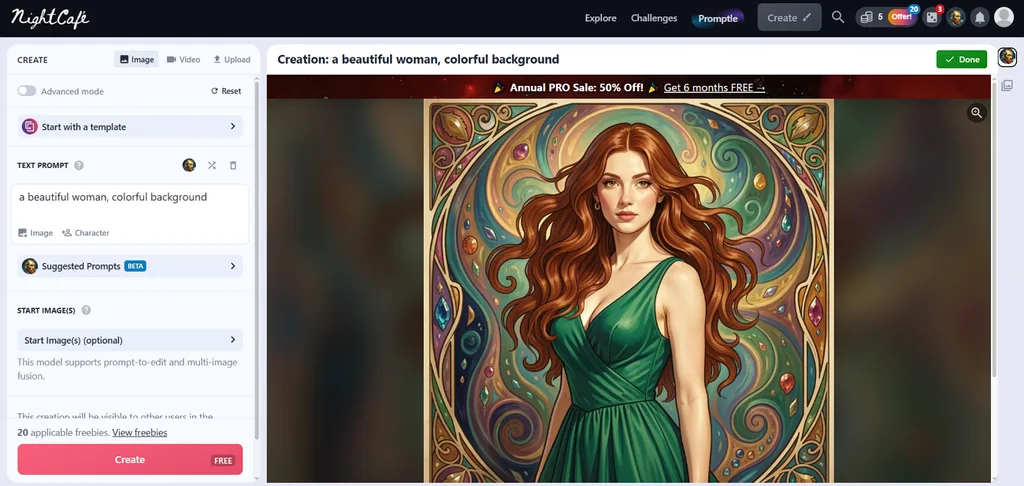
Among top free AI art generators, NightCafe gives hobbyists plenty of creative flexibility. Its creation tools cover character consistency, prompt control, editing, and reference-based artwork generation. Creators can experiment with different approaches while keeping their artwork inside one browser-based workspace.
Key Features
- Character Creator keeps recurring subjects visually consistent across different scenes and artwork.
- Prompt Magic expands short ideas automatically before the artwork generation process begins.
- ControlNet follows poses, depth layouts, or edges taken from uploaded reference images.
Pros
- Inpainting changes masked areas without replacing the entire artwork.
- Commercial use is permitted subject to input rights and applicable copyright laws.
Cons
- Character references can add extra credits on models.
- Inpainting remains experimental and can produce unwanted results.
4. Playground AI
Best For: Merch creators making artwork for products and promotions.
Playground AI brings the best AI art generators' free experience into a design-focused workspace. Its current setup uses editable templates to turn generated artwork into finished visual designs. Creators can shape individual design elements instead of repeatedly generating an entire image again.
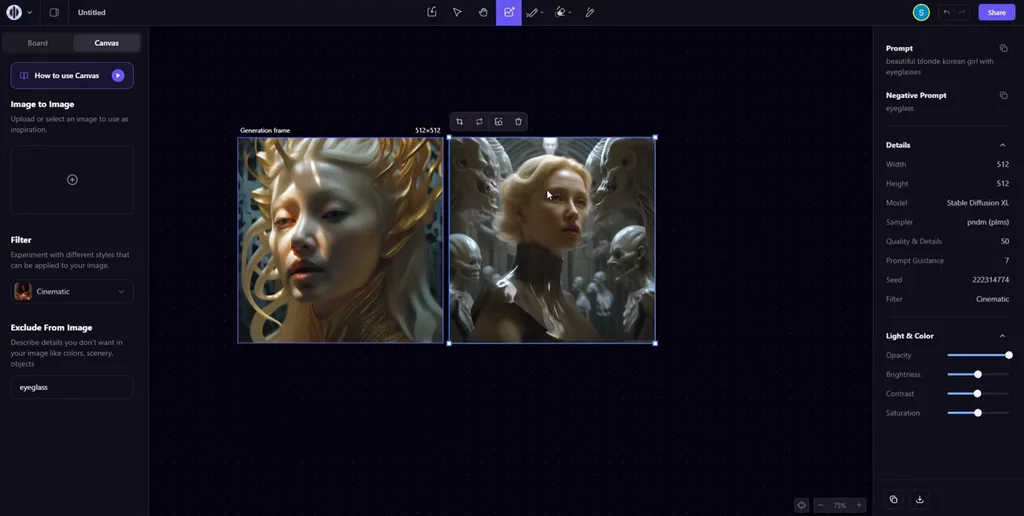
Key Features
- Smart Layers separate objects and text for individual editing inside each design.
- Art templates restyle uploaded photos into watercolor, anime, and other creative looks.
- Auto Mode selects a suitable image model based on each submitted creative request.
Pros
- Generated artwork can move directly into editable designs.
- Templates make specific art styles easier to explore.
Cons
- Free accounts allow only 3 premium generations monthly.
- Without cost, downloads are limited to 2 designs daily.
5. Craiyon
Best For: Beginners making quick artwork without complicated creative controls.
For the best free AI art generator, Craiyon keeps artwork creation relatively straightforward. Users can enter detailed prompts and choose from 6 distinct styles for their artwork. Its browser workspace also provides several ways to refine artwork after the first generation.
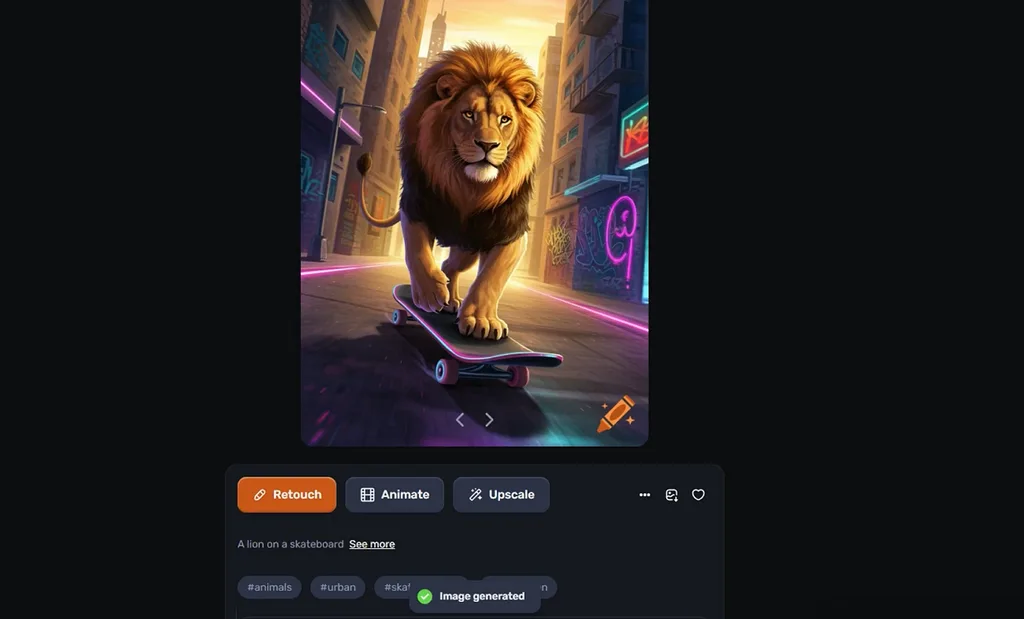
Key Features
- Exclude fields remove unwanted subjects, colors, or details from generated artwork.
- Raw mode removes automatic styling for more direct prompt interpretation and control.
- Background remover creates transparent cutouts with unlimited free use and HD downloads.
Pros
- Prompts work in multiple languages for easier creation.
- Community images reveal prompts for finding new ideas.
Cons
- Free users receive limited image generation and functionality.
- Higher quality models remain limited to paid subscribers.
6. DeepAI
Best For: Beginners exploring many art styles with minimal setup.
DeepAI appears among the best free AI art generators in 2026 for quick browser creation. Users can enter a prompt and create artwork without setting up an account first. Its workspace keeps generation and further image changes together for a simpler creative process.
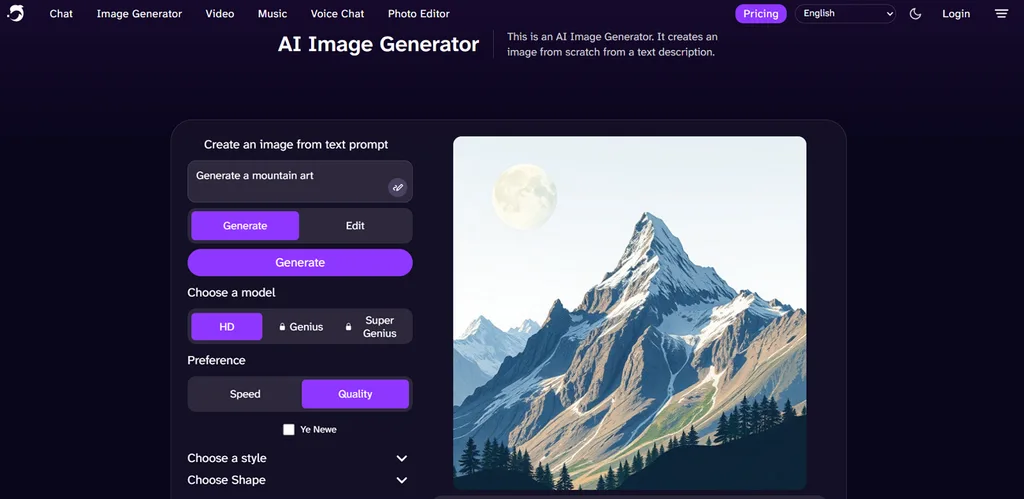
Key Features
- More than 100 presets cover styles like Pixel Art, Cyberpunk, Watercolor, and Fantasy.
- Standard, HD, Genius, and Super Genius models offer different levels of image quality.
- Super Genius supports higher-resolution generation when more detail is needed in finished artwork.
Pros
- Negative prompts help keep unwanted elements outside images.
- Finished artwork can move directly into Photopea editing.
Cons
- Genius and Super Genius models require paid access.
- Larger printed images can sometimes appear noticeably blurry.
Compare the 6 Best Free AI Art Generators
Choosing among the best free AI art generators depends on features, quality, and limits. The table below compares 6 options across important areas to show what each offers:
| Tool | Free Access | Style Control | Output Notes |
| MagicLight AI | Free starter credits, no card required | Prompts, references, 5 image models | Multiple ratios and output variations |
| Midjourney | No free plan; limited Niji Journey trial | Style References, Edit Model | V8.2 HD reaches 2048 × 2048 at 1:1 |
| NightCafe | 5-credit daily top-up plus other rewards | Prompt Magic, Character Creator | Upscaling supports results up to 128MP |
| Playground AI | 5 PGv3 edits/3 hours; 3 premium edits/month | Art templates, Smart Layers | Free accounts get 2 design downloads daily |
| Craiyon | Free base-quality images with watermarks | 6 styles, Exclude field | Free generation limited to square format |
| DeepAI | Basic generation without signing up | 100+ styles, multiple quality models | Super Genius offers 2K output on Pro |
Part 3. Why MagicLight AI Is a Strong Choice for AI Art Creation
MagicLight AI shapes artwork through detailed prompts, reference images, and 5 different image models. Story to Video offers 20+ visual styles for turning finished artwork into longer videos. It also keeps characters consistent across scenes, helping creators build connected stories easily. MagicLight Agent develops one idea into a complete video with scripts and planned storyboards.
How to Make Free AI Art With MagicLight AI
MagicLight AI offers the best AI art generator for free option for creating artwork quickly. Now, follow the steps below to create your own artwork using its free credits:
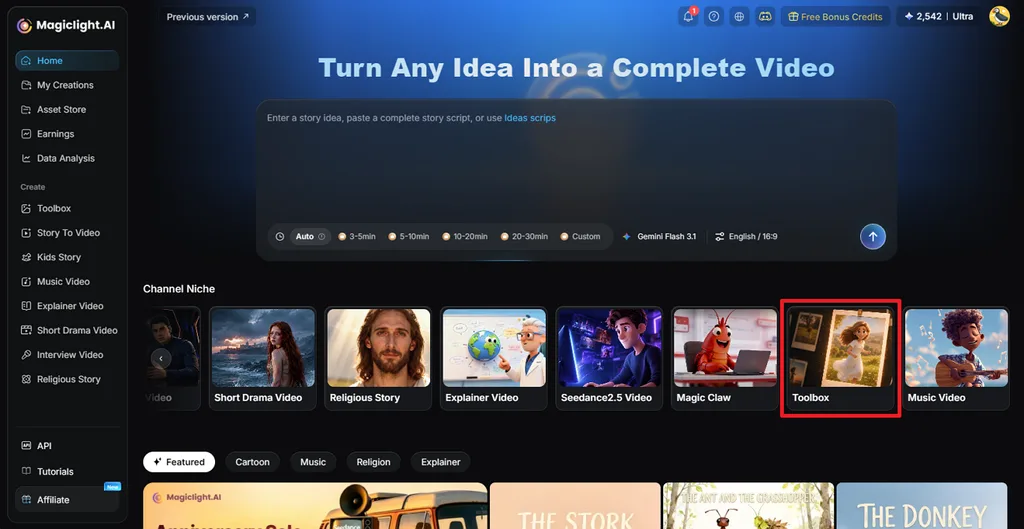
Step 1. Access the AI Image Generator
Once you enter MagicLight AI, press the Toolbox option to enter the working interface.
Step 2. Create Your Artwork
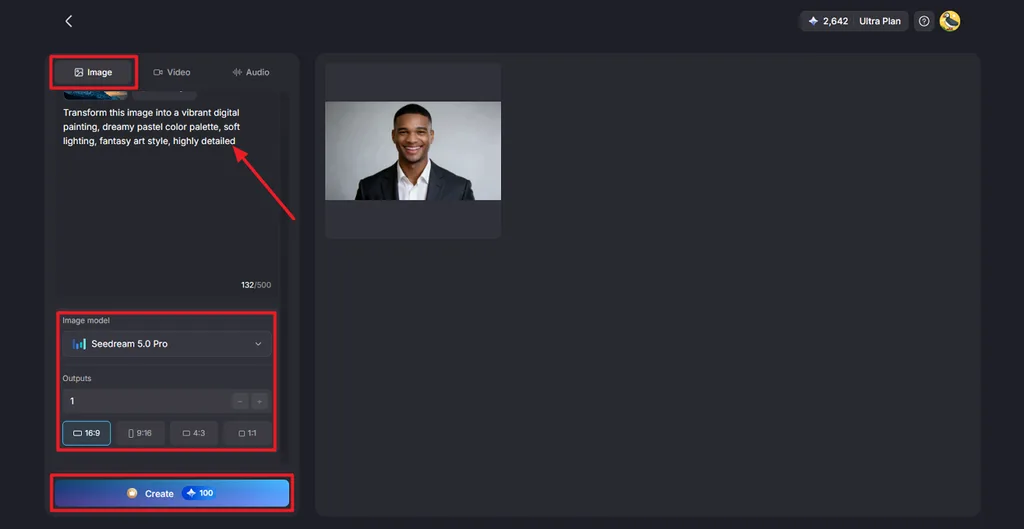
Next, press the Image tab. Add a reference image when needed, then enter a prompt describing the artwork you want. Select the Image Model, set the number of Outputs, and choose one of the available Aspect Ratios. Click Create to generate your artwork.
Step 3. Save Your Finished Image
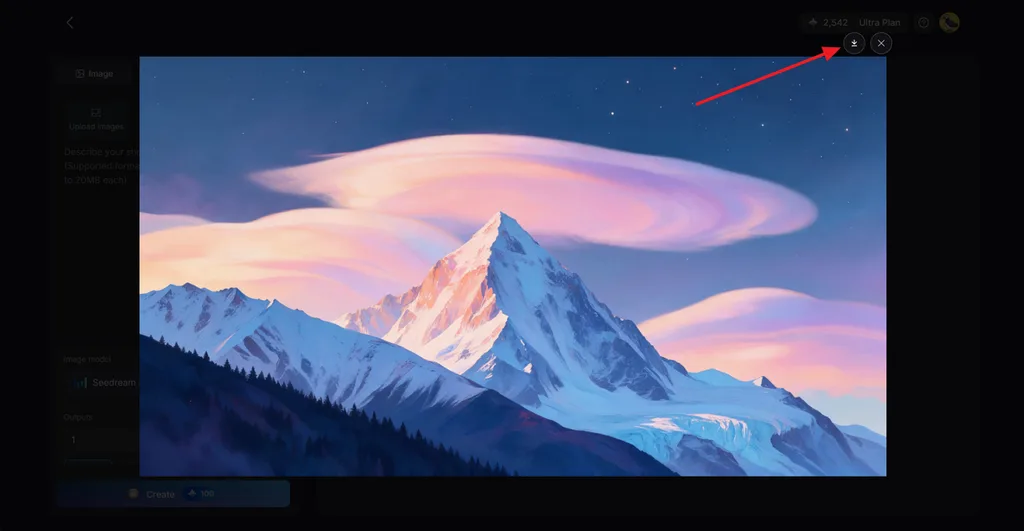
Check the generated image and create another version if the first result does not match your idea. When you have the result you want, click the Download icon to save the image.
Conclusion
In summary, the best free AI art generator depends on your creative needs and preferences. NightCafe, DeepAI, Craiyon, and Playground AI provide different ways to create artwork without high costs. Midjourney focuses on polished results, while MagicLight AI offers 5 models for varied artwork styles. MagicLight AI can also turn generated art images into animated videos for creative storytelling projects.
FAQs About the Best Free AI Art Generators
- What is the best free AI art generator in 2026?
Among the best free AI art generators in 2026, MagicLight AI offers 5 image models. It supports reference images and can turn finished artwork into animated video content.
- What is the best AI art generator with a free plan?
NightCafe provides daily credits, while DeepAI lets users create images without an account. MagicLight AI also provides free starter credits without requiring any payment card details.
- What can you create with a free AI art generator?
Free tools can create artwork for social posts, stories, wallpapers, and creative projects. Some platforms also support character creation, printable designs, and animation from finished artwork.





