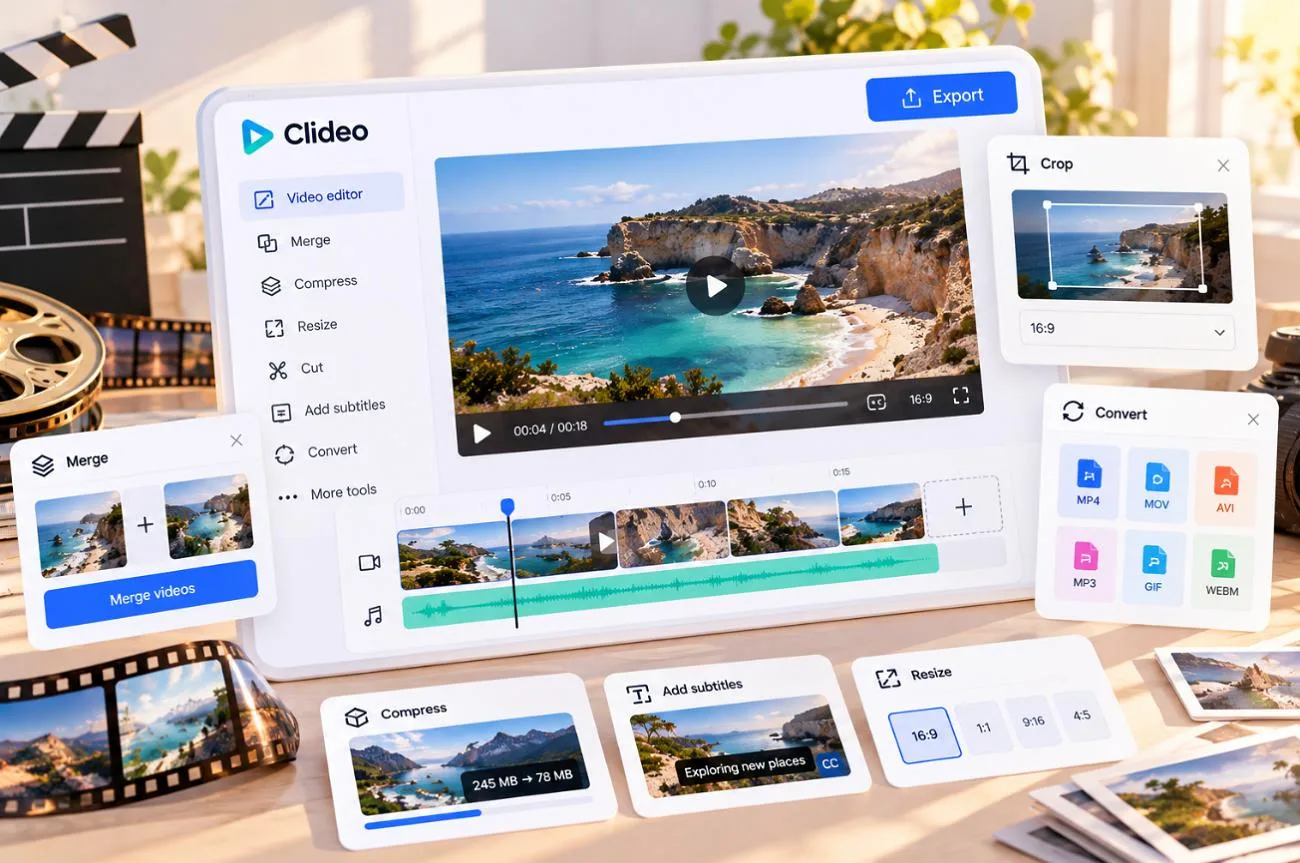
Clideo is a browser-based toolkit that handles quick video jobs such as compressing, trimming, merging, and adding subtitles without any software to install. It also includes a full multi-track editor, and 2026 updates added an AI Agent and an AI Media Generator.
Its appeal is speed and simplicity, since most tools follow the same upload, adjust, and download pattern. For an in-depth view of how Clideo performs in the current market, this article brings in different aspects and a tool for comparison as well.
Part 1. Clideo Features, Pricing, and User Experience
The Clideo online video editor lets users cut clips, add text, arrange media, apply effects, and export finished videos from one browser-based workspace. Beyond the editor, Clideo offers more than 40 single-purpose tools for everyday fixes, with projects accessible on desktop, mobile browsers, and the iPhone app.
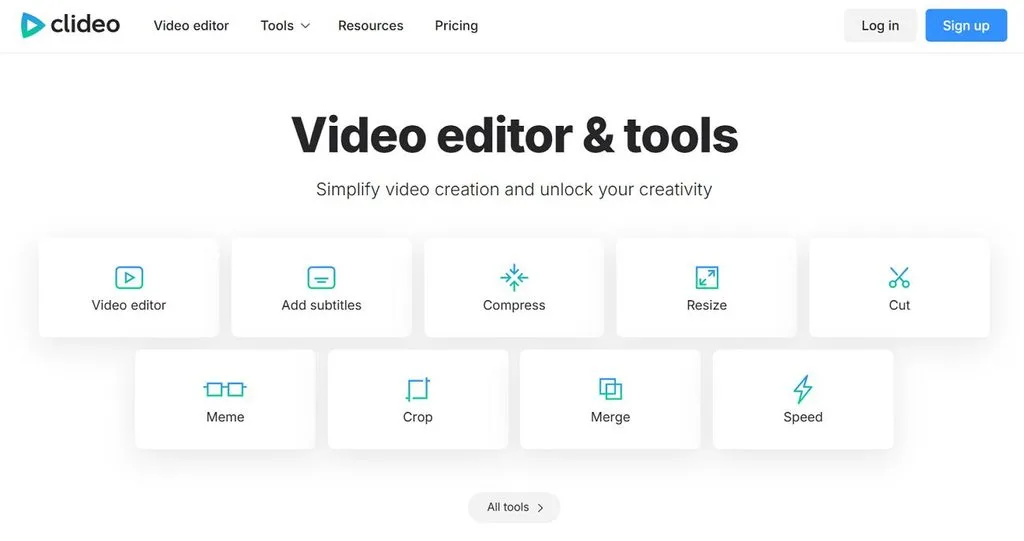
Clideo Features
- Multi-Track Video Editing: Combine video, images, text, and music on a multi-track timeline, with support for overlays, transitions, animations, and layered layouts.
- One-Click Editing Tools: Separate browser tools handle common jobs such as compressing, cutting, merging, looping, reversing, cropping, and resizing video, including ready-made sizes for popular social platforms.
- Built-In Stock Libraries: Add stock videos and images powered by Pixabay, along with GIFs and stickers from Giphy, without leaving the editor. Clideo also provides a built-in audio library.
- Screen, Camera, and Audio Recording: Record your screen, webcam, audio, or screen and camera together directly in the browser. Free users get up to 15 minutes per recording, while Pro users get up to 60 minutes.
- HD and 4K Export: Export videos at 480p or 720p on the free plan, while Pro adds 1080p and 2160p (4K). Projects up to 30 seconds can also export as GIFs.
- Cloud Import and Export: Bring media in from your device or supported cloud services, including Google Drive, Google Photos, and Dropbox. Finished projects can be downloaded locally or saved directly to Google Drive or Dropbox.
Clideo also includes a growing set of AI tools for editing, generation, transcription, translation, and voiceovers. Most AI actions use credits, while availability varies by feature and device. The table below shows what each AI tool does and where you can use it:
| AI Tool | What It Does | Where It Works |
| AI Agent | Edits projects from text commands | Desktop web |
| AI Media Generator | Creates short video clips, images, and audio from prompts | Web editor and iOS app |
| Auto Subtitles | Transcribes speech into captions in 100+ languages | Web and iOS |
| Video Translator | Translates captions or speech with an AI voiceover | Web |
| Text to Speech | Turns up to 500 characters per track into a voiceover | Web editor and iOS app |
Clideo does not offer a separate Clideo photo editor as a standalone workspace. Instead, image tasks are spread across tools for resizing, conversion, memes, and image editing inside the main editor. Its AI Media Generator can also create images from prompts or modify supported reference images with AI instructions.
Clideo Pricing
Clideo offers a free plan alongside Pro subscriptions sold in monthly credit tiers, with monthly or annual billing. The main difference is how many AI credits you receive, so the entry tier may suit users focused more on editing than generation. The table below compares the available plans, credit limits, and pricing:
| Plan | Price | Main Benefits or Limits | Best For |
| Free | $0 | Watermark, 720p exports, 500 MB files, 10 AI credits when registered | Occasional quick fixes |
| Pro 500 | $12 monthly or about $108 yearly | No watermark, 1080p and 4K, 100 GB files, 500 credits a month | Regular creators |
| Larger Pro tiers | From $39.99 in the iOS app | 2,000 to 50,000 credits a month | Heavy AI generation |
There is no separate Pro trial, so users can try the free version before paying. Subscriptions are generally non-refundable, unused AI credits expire each billing cycle, and one Pro plan covers the web editor, online tools, and iOS app.
Commercial use is allowed on both free and paid access levels, although third-party media still follows its own license terms. Clideo also says it does not claim ownership of AI-generated or AI-modified output. Plans renew automatically, and deleting an account does not cancel billing, so cancel at least 24 hours before renewal.
Clideo User Experience
Features and pricing only tell part of the story; day-to-day usability matters just as much. Searches such as “editor clideo” usually lead newcomers to a clean interface that requires no installation and can be tried without signing up. The review below looks at how that experience holds up in practice, including ease of use, upload speed, and performance with larger files:
Positive Reviews
- The option of going back one step to toggle fade in and fade out switches in multiple combinations makes sure that even if I branch out wrong, I can come back to the starting point and take another branch and try it, juxtapose it… - Vinod Bodhankar
- So easy, up to 600 dpi and for free. Thank you, Clideo. Seriously. I usually have something negative to say along with my reviews, but I can’t think of a suggestion for improvement. - Troy
Negative Reviews
- The audio constantly freezes and video lags, making it near impossible to sync easily. Limited tools/effects. Page snaps regularly. Spend the extra money and use WeVideo, or just use Clipchamp. Non-existent customer support as well. - jcr Jazz
- I just wanted to merge 2 audio clips together, but they got put together backwards.. so. Swear.. delete.. start over... This time I did them one at a time so the app wouldn't flip them.. I select the files and there's a big Blue button that says EXPORT... - Knight Northwest
Part 2. Best Alternative to Clideo for Different Video Creation Needs
Clideo works best when you already have footage and need to trim, resize, combine, or polish it quickly. For users starting with an idea or script, MagicLight AI takes a different approach by turning that input into a complete narrated video with scenes, visuals, and voiceover.
Quick Comparison: Clideo vs. MagicLight AI
Clideo and MagicLight AI can both generate AI video, but they are built for different workflows. Their differences become clearer when you compare output length, character consistency, voice options, editing control, and plan limits. The table below shows how the two platforms compare across these key areas:
| Feature | Clideo | MagicLight AI |
| Main Purpose | Quick edits and online video tools | Script-to-video story generation |
| AI Video Generation | Short clips from prompts, paid with credits | Multi-scene films of up to 50 minutes |
| Character Consistency | Reference images for single clips | Saved characters across scenes and projects |
| Voices and Captions | 500-character TTS tracks, subtitles in 100+ languages | 37 AI voices, voice cloning, 16 subtitle styles |
| Free Plan | Watermarked 720p exports, 10 AI credits | Limited credits, no card required |
| Entry Paid Price (Annual) | $9 monthly | $7.50 monthly |
| Commercial Use | Allowed on free and paid exports | Included with paid plans |
| Apps | Web and iOS | Web, iOS, and Android |
Introduction to MagicLight AI
Best For: Creators who want complete AI-generated stories rather than quick edits of existing clips.
Creators who start with a story rather than raw footage can use MagicLight AI as a text-first video workflow. Its Story to Video feature turns scripts of up to 12,000 characters into narrated videos in 11 languages, with visuals, subtitles, and background music generated scene by scene.
This cuts out much of the filming, stock hunting, and manual timeline work that Clideo still requires. Children’s stories, product explainers, and recurring series can begin with text alone. You can choose the aspect ratio and target duration before generation, making the same idea suitable for a vertical short or widescreen video. The final stage also prepares a cover, thumbnail, and hashtags for publishing.
Key Features
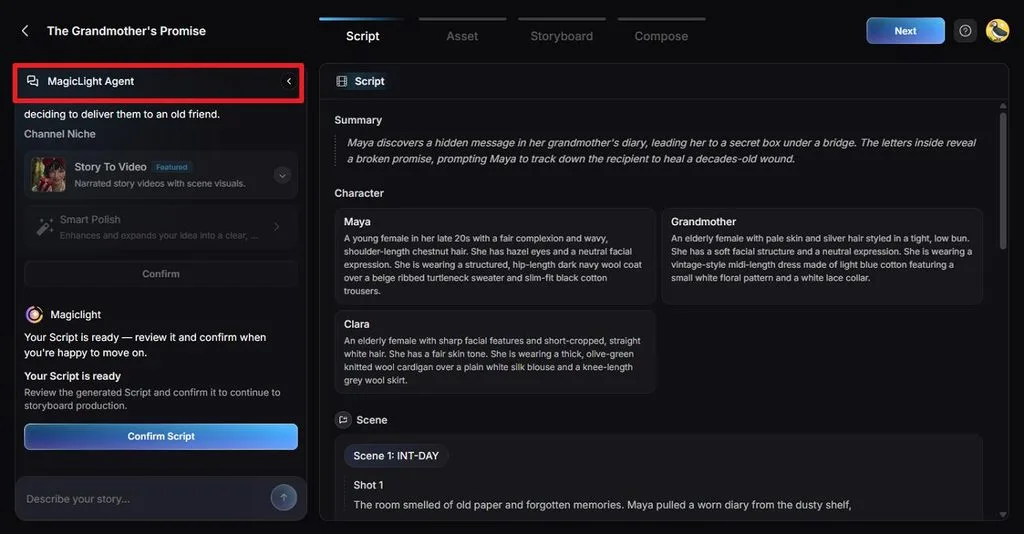
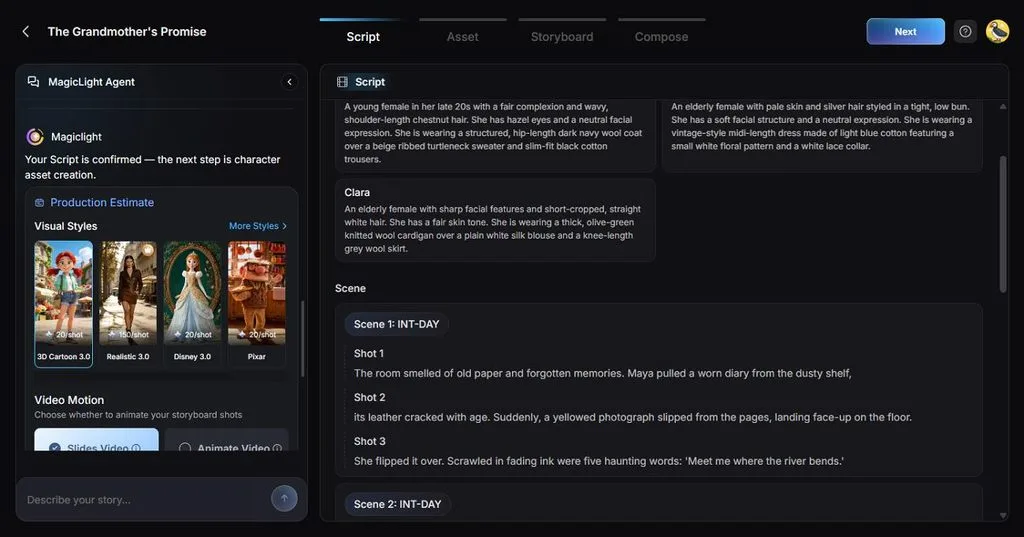
- AI Story Planning: MagicLight Agent turns a rough idea into a script and storyboard, then suggests production plans at 3 different levels.
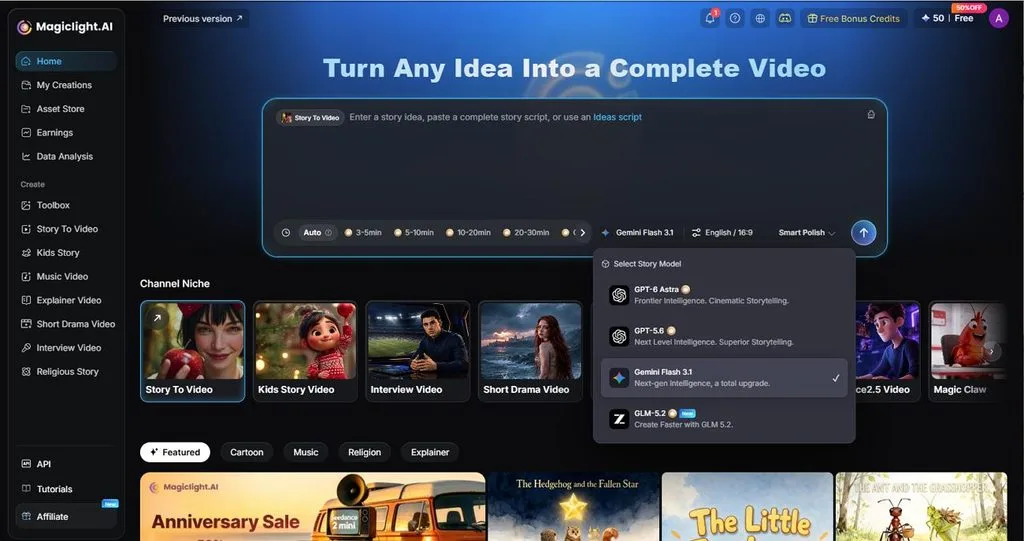
- Story Model Selection: Choose from 14 story models, including GPT-6 Astra, to shape structure, pacing, and scene direction before video generation.
- Character Style Library: The 4 style groups include 52 character looks, covering realistic, illustrated, cartoon, and 3D animated visuals.
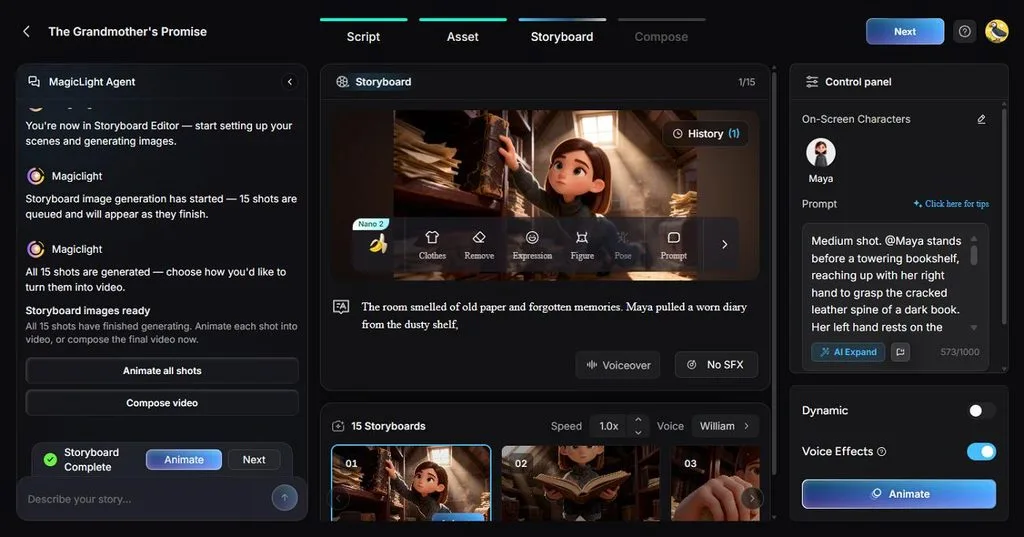
- Storyboard Pose Controls: Nano Storyboard lets you refine scenes with 50+ pose options and controls for expressions, actions, and camera angles.
- AI Lip Sync: Still portraits and cartoon mascots can deliver spoken lines in Lip Sync, with mouth movements matched to the dialogue.
User Reviews
Positive Reviews
- After several months with MagicLight, I can say the platform feels well cared for. Image and video generation are smooth, and support is responsive and personal. You don’t feel ignored as a user. - Spiderman batman Catwoman
- Magiclight is one of the first AI platforms I used and one of many I tried , and to be honest whether you are a beginner or an expert I really recommend you try it out… - Mohamed Ali
Conclusion
To conclude, Clideo remains a convenient choice for fast browser edits such as compressing, trimming, and subtitling, and its 2026 AI tools add short generated clips. Watermarked 720p free exports and non-refundable Pro plans make a free test the sensible first step. For complete AI-generated stories, MagicLight AI is the stronger match.
Frequently Asked Questions
1. What is Clideo mainly used for?
Clideo is mainly used for quick browser-based edits, such as compressing, cutting, merging, resizing, and adding subtitles or music. Its multi-track Online Video Editor also creates short social videos from clips, images, text, and stock media without installing any software.
2. Can I edit videos online with Clideo for free?
Every Clideo tool works for free, with or without an account, but exports carry a small watermark and stop at 720p. Free uploads are capped at 500 MB per file, and registered users get 10 AI credits a month plus 14 days of saved projects.
3. Does Clideo support AI-powered video creation?
Clideo supports AI video creation in a limited way. Its AI Media Generator makes short clips from text prompts with third-party models such as Google Veo, and each generation uses credits. No documented feature turns a full script into a finished multi-scene video.
4. What is a good alternative to Clideo for AI video creation?
MagicLight AI works well as an alternative, since it generates complete multi-scene videos from an idea or script, not short clips. The same characters carry through every scene, narration and subtitles are built in, and 1080p export makes it easy for users to publish their content.



![How to Remove People from Photos in 2026 [Full Guide]](https://magiclight.ai/wp-2/wp-content/uploads/remove-people-from-photos-guide.jpg-300x197.webp)
![6 Best Picture Modification Apps in 2026 to Try [New List]](https://magiclight.ai/wp-2/wp-content/uploads/best-picture-modification-apps-for-photos.jpg-300x200.webp)