AI is making video creation faster and more accessible, helping creators handle everything from video generation and editing to voiceovers and AI presenters. For creators looking for the best AI tools for video creators, the right choice depends on the type of content they make and which parts of the production process they want AI to simplify.
In this guide, we’ll look at five AI tools for video creators, covering their key features, strengths, limitations, and ideal use cases to help you find the right fit for your workflow.
Part 1. What to Look for in AI Tools for Video Creators
Not every AI video tool is designed for the same type of creator. Before choosing one, consider these key factors:
- Video Generation : Check whether it can create videos from text, images, or scripts.
- Editing Features : Look for tools that make it easier to edit, enhance, and refine generated content.
- Creative Control: Features for adjusting visuals, characters, styles, and scenes can give creators more flexibility.
- Voice & Audio: AI narration, voiceovers, subtitles, and audio tools can simplify post-production.
- Ease of Use :A simple workflow can save time, especially for solo creators and small teams.
Part 2. 5 Best AI Tools for Video Creators
1. MagicLight AI
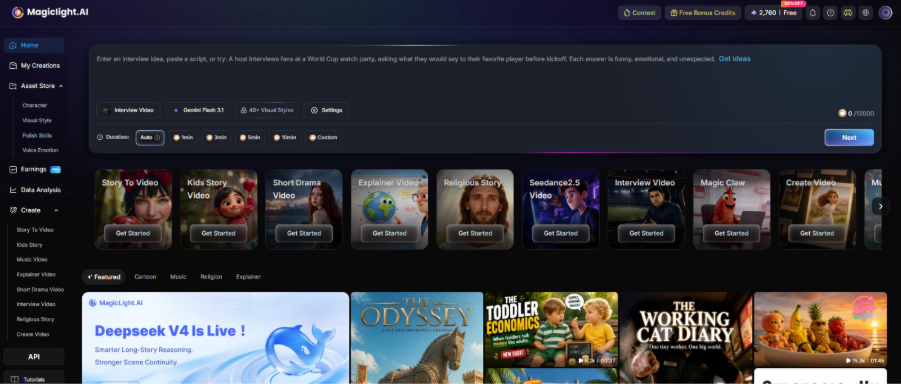
For creators who want to turn a simple concept or script into a complete, story-driven video, MagicLight AI offers an integrated approach that combines story development, scene generation, character consistency, animation, and voice generation in one workflow. Rather than relying on separate tools for each production stage, creators can develop and refine their videos within the same platform. MagicLight also integrates advanced models such as Seedance 2.5, Kling 3.0, and Gemini Omni, providing different AI capabilities to support the video creation process and reduce manual production work.
Key Features
- AI story and scene generation : Turn ideas or scripts into structured video content with connected scenes and visual elements.
- Character and visual consistency : Keep recurring characters and artistic direction more consistent throughout a video.
- Integrated AI models and production tools : Combines Seedance 2.5, Kling 3.0, Gemini Omni, animation, and voice generation within the creation workflow.
Best For: Creators producing story-driven videos, animations, short films, and other complete video projects.
Pros
- Complete video workflow : Supports multiple stages from story development and scene creation to voice and final production.
- Multiple AI models : Gives creators more flexibility when exploring different visual and creative directions.
- Less tool switching : Brings key production functions together instead of requiring several separate platforms.
Cons
- More features to explore : New users may need some time to become familiar with the full workflow.
- Focused on complete creation : Creators looking for only a simple editing tool may not need all of its capabilities.
2. CapCut
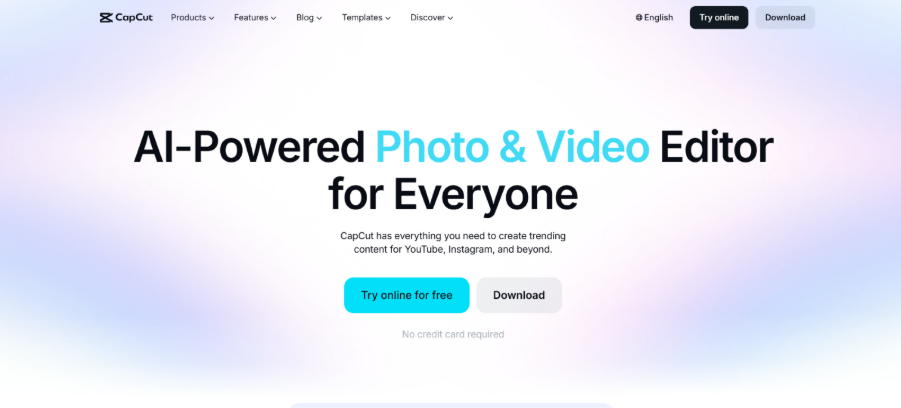
CapCut is an AI-powered video editing platform built around fast and accessible content creation. It combines traditional editing functions with AI-powered features, templates, effects, captions, and other automated tools, making it especially useful for creators who regularly produce short-form content. Rather than building an entire production workflow from scratch, creators can use CapCut to quickly edit existing footage, enhance visuals, and prepare videos for social media platforms.
Key Features
- AI-assisted video editing : Automates parts of the editing process and helps creators refine existing footage more efficiently.
- Automatic captions and effects : Adds subtitles, transitions, effects, and other visual elements with less manual work.
- Short-form templates : Provides ready-to-use creative formats for social media and fast-paced video content.
Best For: Social media creators, influencers, and creators who frequently produce short-form videos.
Pros
- Easy to get started : Its familiar editing workflow makes it accessible to creators with different levels of experience.
- Wide range of creative tools : Offers editing, effects, captions, templates, and other useful functions in one platform.
- Good for fast production : Helps creators turn raw footage into publishable social content efficiently.
Cons
- More focused on editing : It is primarily an editing platform rather than a complete story-to-video generator.
- Advanced projects may need extra tools : More complex video production can require additional software or AI platforms.
3. HeyGen
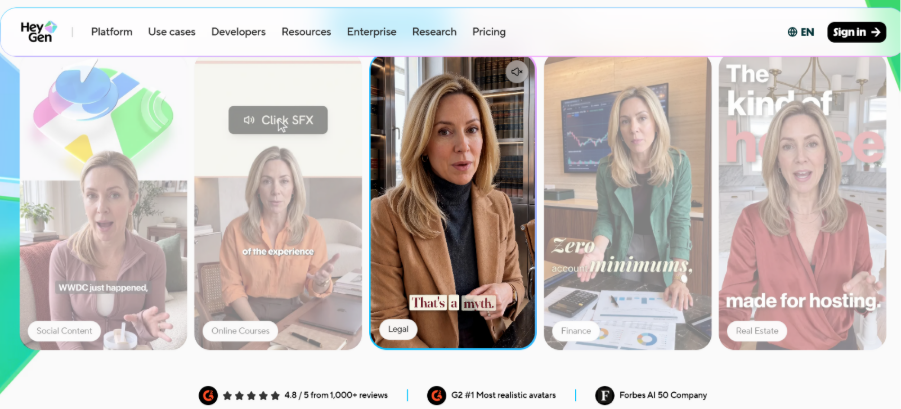
HeyGen is an AI video platform focused on digital avatars, virtual presenters, and AI-generated voice content. Instead of requiring creators to record themselves on camera, it allows them to build presenter-style videos using customizable avatars and generated voices. This makes the platform particularly useful for business communication, educational content, product presentations, and marketing videos where a human-like presenter is an important part of the video.
Key Features
- AI avatars and presenters : Create presenter-led videos without requiring traditional camera recording.
- AI voice generation : Add natural-sounding narration to avatar and presentation videos.
- Multilingual video creation : Adapt presenter content for audiences speaking different languages.
Best For: Businesses, educators, marketers, and creators making presenter-led videos.
Pros
- Simplifies presenter production : Reduces the need for cameras, actors, and traditional recording setups.
- Useful for different content types : Works well for tutorials, product introductions, training, and marketing videos.
- Supports global audiences : Multilingual capabilities make it easier to adapt content for different markets.
Cons
- Avatar-focused workflow : It is less suitable for creators who primarily make animation or cinematic storytelling content.
- Limited creative direction for visual stories : Projects requiring detailed environments and narrative scenes may need another tool.
4. ElevenLabs
ElevenLabs specializes in AI-generated voices and audio, providing video creators with tools for narration, voiceovers, and character dialogue. While it does not function as a complete video production platform, its audio capabilities can be useful when creators already have their visual content and need convincing voices to complete the project. It is particularly valuable for videos that rely heavily on narration, dialogue, or distinctive character voices.
Key Features
- AI voice generation : Create natural-sounding narration and dialogue for different types of video content.
- Voice cloning : Generate a voice based on a suitable voice reference for more personalized productions.
- Multilingual audio : Produce voice content in multiple languages for different audiences.
Best For: Creators who need high-quality narration, voiceovers, or character dialogue for their videos.
Pros
- Strong voice quality : Provides natural-sounding voices suitable for professional content.
- Flexible audio creation : Can be used for narration, character dialogue, and other voice-based projects.
- Useful across different video formats : Works well with animation, educational videos, social content, and storytelling.
Cons
- Primarily an audio platform : Creators still need another solution to generate or edit the visual part of a video.
- Requires additional workflow steps : Audio may need to be exported and combined with video through another production tool.
5. InVideo AI
InVideo AI is designed to help creators turn text-based ideas into finished video content with AI-assisted production tools. Users can provide a topic, concept, or script and use the platform to generate a video with scenes, narration, and other supporting elements. Its emphasis on speed and automated production makes it useful for creators who need to produce marketing content, social media videos, and other online content without spending too much time on manual editing.
key Features
- Text-to-video generation : Transform written ideas and scripts into structured video content.
- AI-assisted script and scene creation : Helps develop the content structure and visual sequence from an initial idea.
- Automated narration and editing : Adds voiceovers and assists with assembling the generated video.
Best For: Creators who need to produce marketing, social media, and other content quickly.
Pros
- Speeds up video production : Reduces the amount of manual work needed to move from an idea to a finished video.
- Useful for content at scale : Suitable for creators who need to produce multiple videos regularly.
- Combines several basic functions : Brings generation, narration, and editing assistance into one workflow.
Cons
- Generated content may need refinement : Creators may need to adjust scenes, scripts, or visuals to achieve the desired result.
- Less specialized for complex storytelling : Highly customized narratives or animation projects may benefit from more dedicated video creation tools.
| Tool | Video Creation | Story & Script | Scene Generation | Character Consistency | Voice & Audio | Editing | Best For |
| MagicLight AI | Complete workflow | ✓ | ✓ | ✓ | ✓ | ✓ | Complete story-driven videos |
| CapCut | Editing-focused | — | Limited | — | ✓ | ✓ | Social media videos |
| HeyGen | Avatar-focused | — | ✓ | Avatar consistency | ✓ | ✓ | Presenter & marketing videos |
| ElevenLabs | Audio-focused | — | — | — | ✓✓ | — | Voiceovers & narration |
| InVideo AI | Automated creation | ✓ | ✓ | Limited | ✓ | ✓ | Fast content production |
Part 3. Why Choose MagicLight AI for Video Creation?
For creators who want to do more than generate individual clips, MagicLight AI offers a more connected approach to video production. Its workflow brings several creative stages together, making it easier to develop an idea into a complete and polished video.
1. Create Videos from Ideas, Not Just Prompts
MagicLight AI helps creators develop ideas and scripts into structured video content. This makes it useful for projects where storytelling and narrative flow are just as important as the visuals.
2. Keep Characters and Scenes More Consistent
Maintaining the same characters and visual direction across multiple scenes can be challenging with separate AI tools. MagicLight AI is designed to support consistency throughout the video, which is especially useful for animations, short films, and story-based content.
3. Access Multiple Advanced AI Models
MagicLight AI integrates Seedance 2.5, Kling 3.0, and Gemini Omni, giving creators access to different AI capabilities within the same video creation environment. This provides more flexibility when developing scenes and experimenting with creative directions.
4. Bring Key Production Steps Together
Story development, scene creation, animation, voice generation, and video production can be handled within one workflow. Instead of moving between multiple platforms, creators can spend more time refining the content itself.
5. Suitable for Different Types of Creators
Whether you're making animated stories, short films, social content, or other narrative videos, MagicLight AI provides a flexible workflow that can adapt to different creative goals.
FAQs on AI Tools for Video Creators
1. Which AI tool is best for solo video creators?
MagicLight AI is a strong option for solo creators who want to handle more of the production process independently, without relying heavily on separate tools for different tasks.
2. Can AI tools help creators build a consistent content style?
Yes. MagicLight AI can help creators establish a recognizable visual direction across projects, which is useful when building a consistent style for a channel or content series.
3. Are AI video tools useful for creating content regularly?
They can make repeat production more manageable by reducing time spent on routine creative tasks. MagicLight AI is particularly useful when creators need to develop multiple videos from different ideas or scripts.
4. Can creators use AI tools for different types of video content?
Yes. Different AI platforms serve different purposes, while MagicLight AI can be applied to formats such as animated stories, short films, and other narrative-driven videos.

![How to Create a TikTok Video for Beginners [2026 Guide]](https://magiclight.ai/wp-2/wp-content/uploads/tiktok-video-creation-guide-300x169.png)
![How to Blur Faces in Photos Like a Pro [2026 Guide]](https://magiclight.ai/wp-2/wp-content/uploads/blur-faces-in-photos-with-ai-300x198.png)