


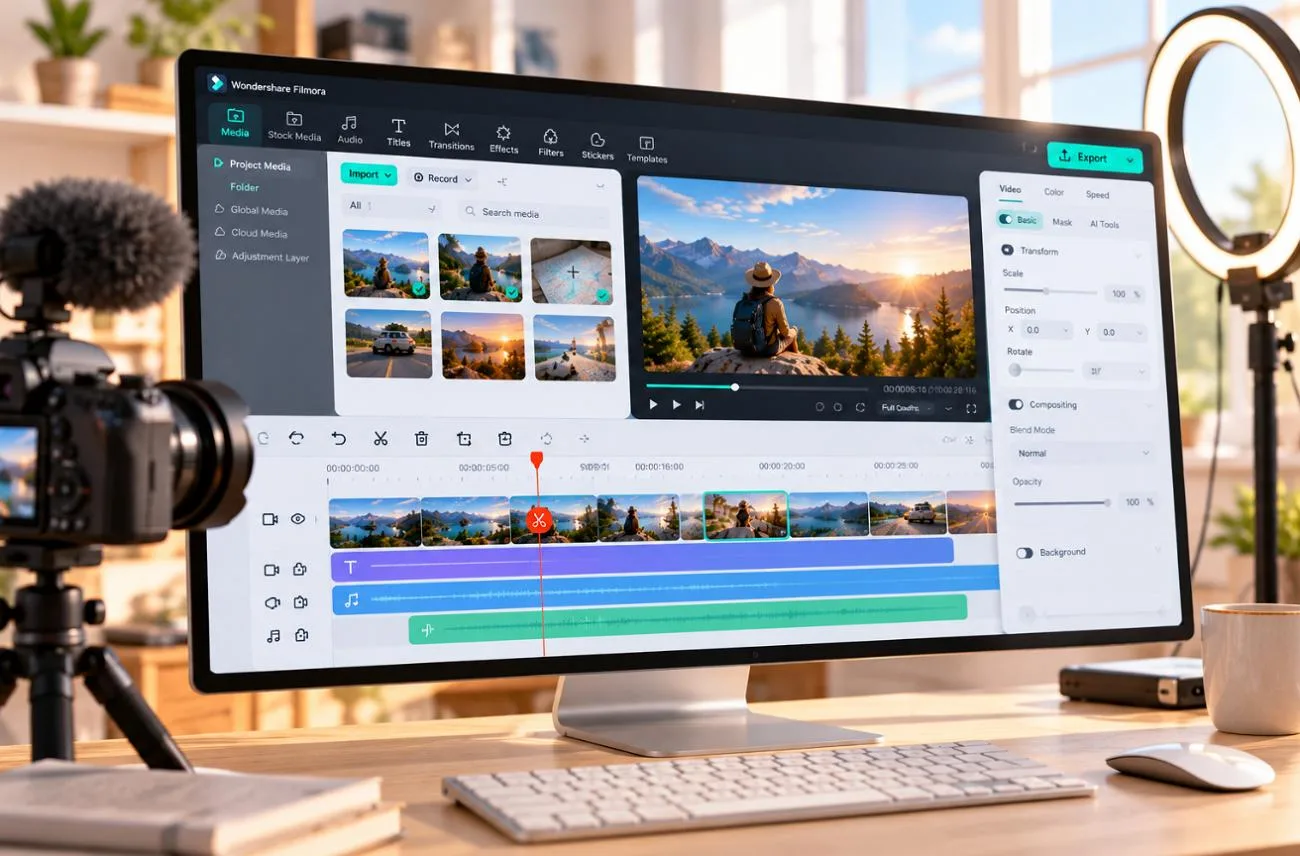
Wondershare Filmora targets creators who want polished videos without mastering complex professional editing software. Filmora 16, released in September 2026, adds camera tracking, color masks, and media analysis in its ecosystem. The editor also automates captions, cuts, effects, and everyday media organization across common editing tasks. A familiar timeline and large asset library make the overall experience easier to approach.
Part 1. Filmora Features, Pricing, and User Experience
The Filmora video editor combines a familiar multi-track timeline with templates, effects, and AI-assisted tools for routine editing tasks. Its strongest points are the editing features and ease of use, while pricing, AI credits, and subscription terms tend to raise more concerns.
Filmora Features
Filmora 16 expands the Filmora 15 toolkit with new controls for faster, more precise editing. The new update focuses on tracking, masking, media analysis, and workflow improvements. The table below highlights the main additions and what each one brings to the editing process:
| Filmora 16 Feature | What It Does |
| Camera Tracking | Keeps a tracked subject framed with smooth virtual camera moves |
| Color Mask | Applies color changes to one area drawn with shapes, the Pen tool, or AI |
| 360° Video Reframing | Turns 360° footage into standard shots for the timeline |
| AI Media Analysis | Tags and scores clips by people, scenes, and actions for faster searching |
| Smart Text Correction | Finds caption errors and fixes them in one click |
| Multi-Source Recording | Records screen, camera, microphone, and system audio in one take |
Many of the tools carried over from earlier versions still do most of the everyday editing work. Rather than focusing only on what arrived in Filmora 16, the features below show what creators are most likely to use across a typical project:
- Timeline Animation Controls: A multi-track timeline supports keyframes for position, scale, rotation, opacity, masks, and color, with a graph editor for easing.
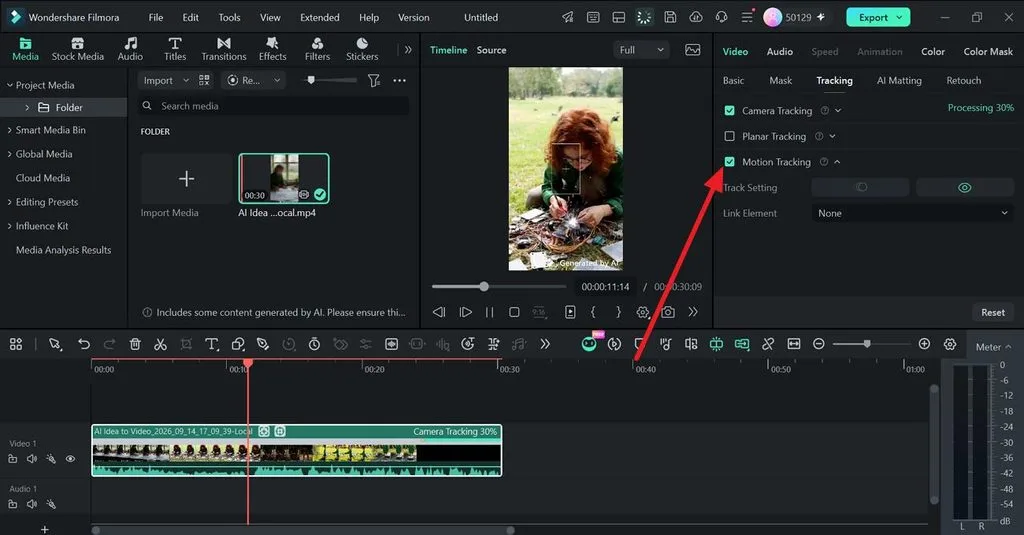
- Subject and Surface Tracking: Motion tracking attaches text or effects to moving subjects, while planar tracking and Mocha Filmora support screen replacements.
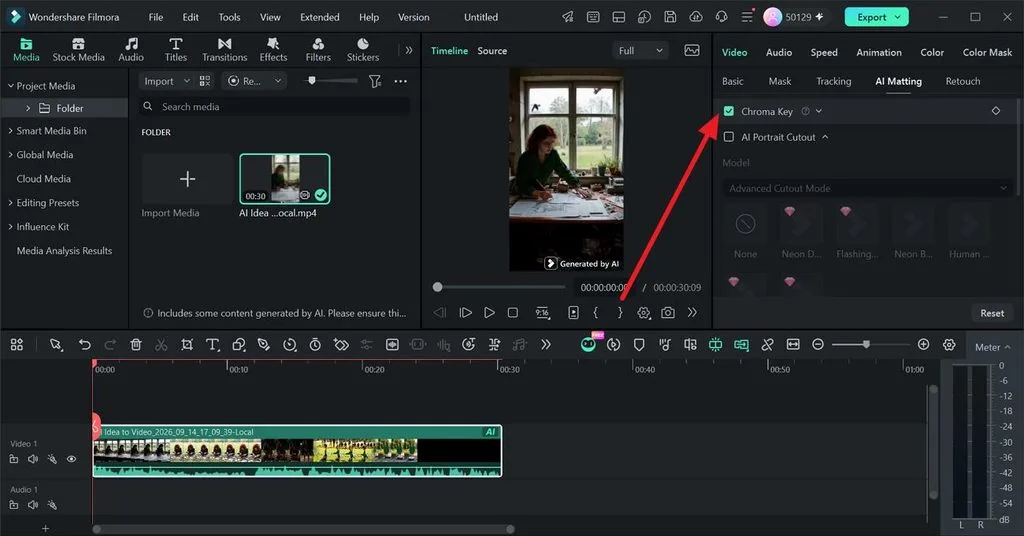
- Background and Motion Effects: Chroma key removes green screens, AI Smart Scene Cut isolates subjects, and speed ramping creates controlled slow-motion sequences.
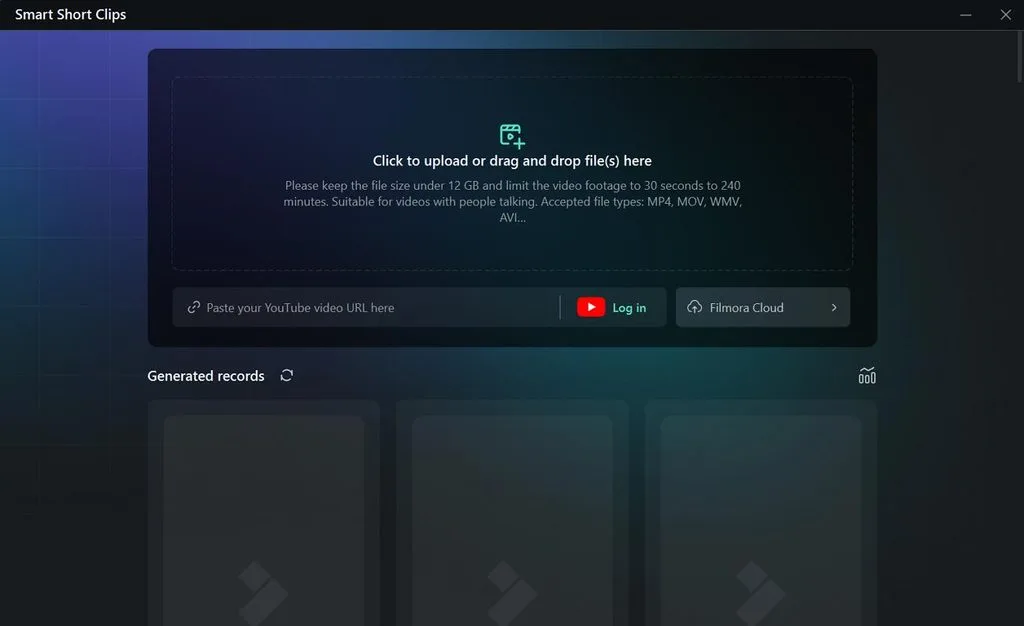
- AI-Assisted Editing: AI Mate responds to typed commands, Text-Based Editing removes footage through transcript edits, and Smart Short Clips creates shorter social videos.
- Automatic Captions and Audio Cleanup: Auto captions support dozens of languages, while AI denoise and audio ducking help keep dialogue clear over background sound.
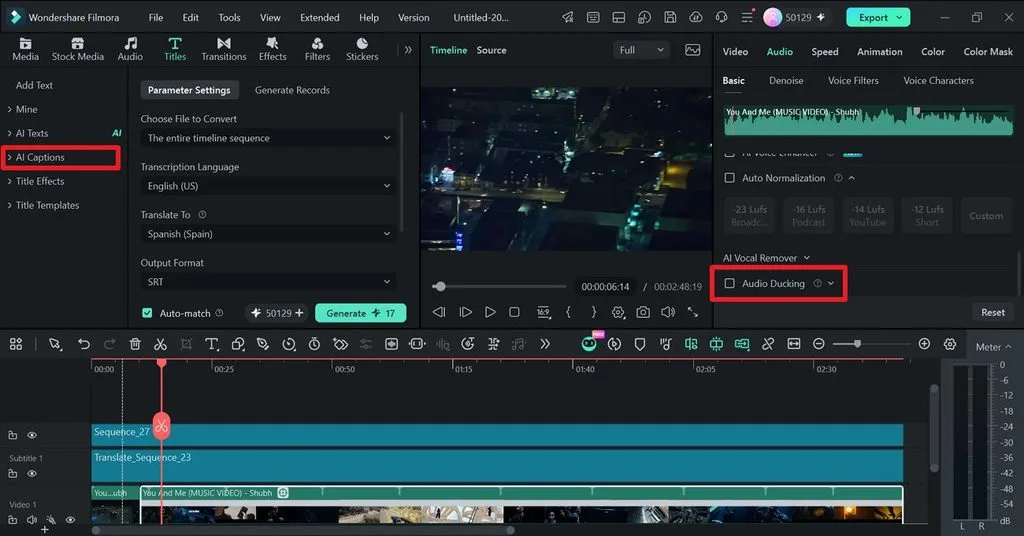
- AI Voice and Music Creation: Text-to-speech provides 40+ AI voices, voice cloning works from short samples, and AI Music generates custom tracks.
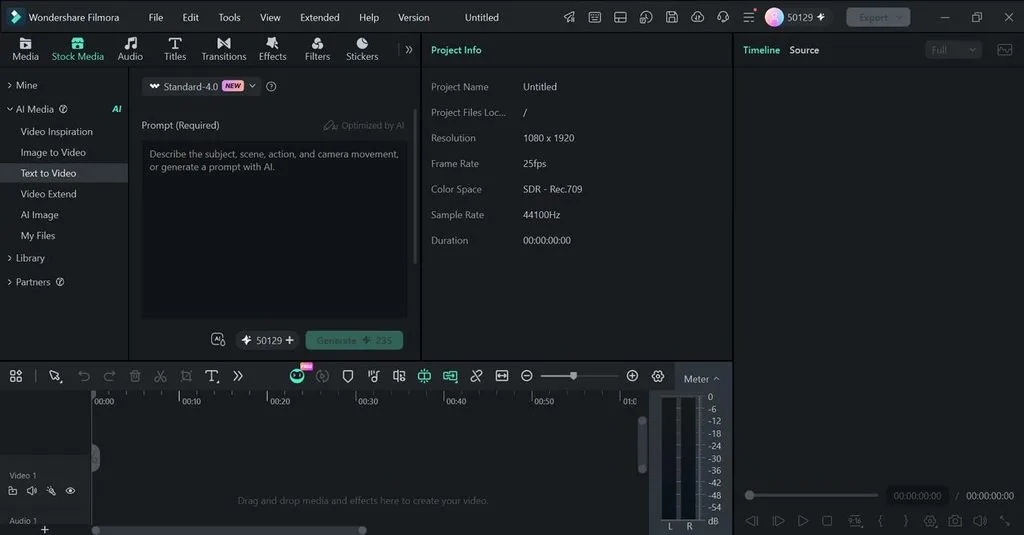
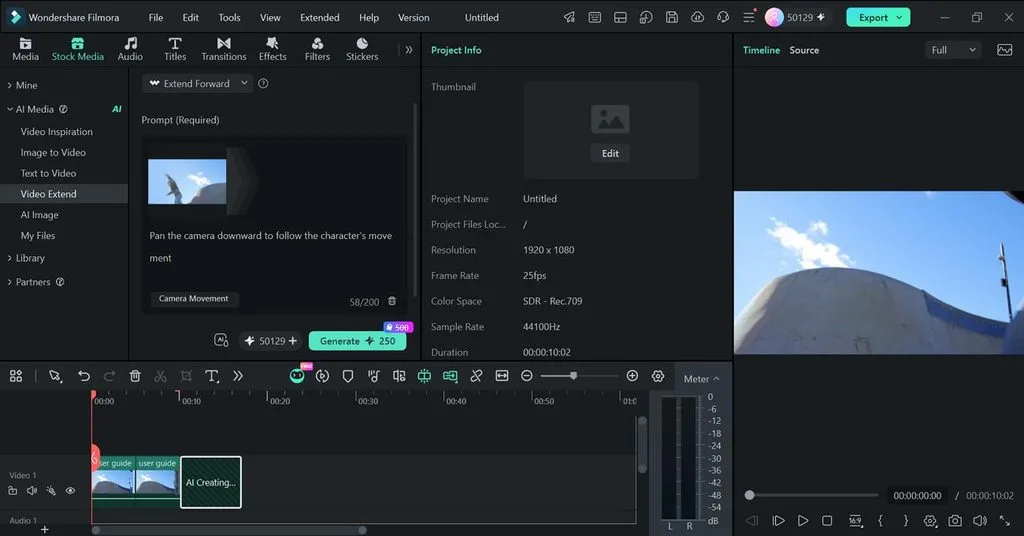
- Generative Video Tools: Veo 3.1 and Seedance 2.0 create clips from text or images, while AI Extend adds 5 to 8 seconds to existing footage.
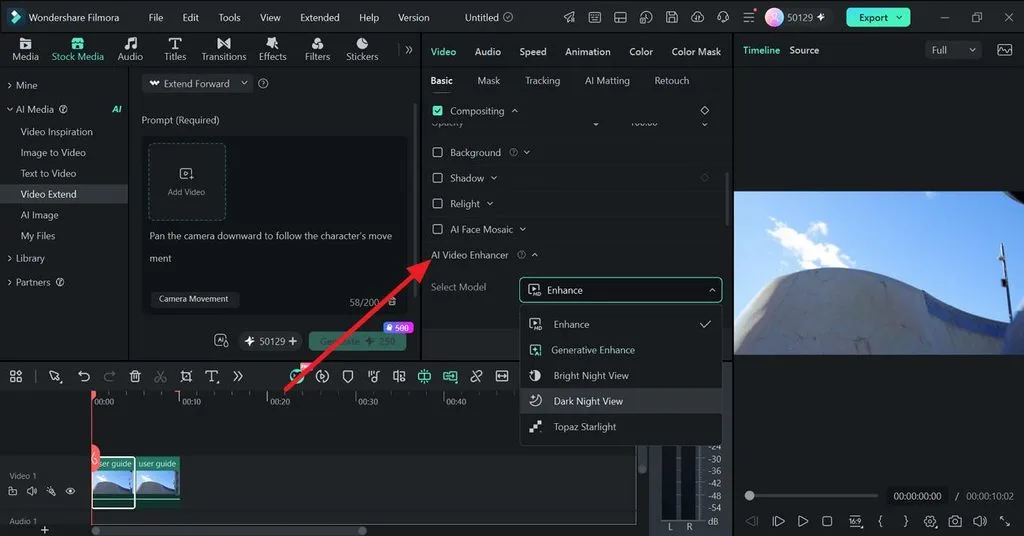
- AI Video Enhancement: AI Video Enhancer improves detail, brightens darker footage, and can upscale clips toward 4K using models such as Topaz Starlight.
- Templates and Creative Assets: More than 10,000 templates speed up common projects, while paid plans provide access to over 2.9 million creative assets.
Filmora Pricing
Wondershare sells yearly plans and a one-time license, while AI features draw on a separate credit balance. The official US store listed these individual plans in late September 2026:
| Plan | Price | AI Credits | Best For |
| Free | $0 | No monthly allowance listed | Testing, with watermarked exports |
| Basic | $49.99 per year | None | Watermark-free editing without AI |
| Advanced | $59.99 per year | 1,000 per month | Regular use of AI tools |
| Premium | $99.99 per year | 2,000 per month | Frequent AI generation |
| Perpetual | $79.99 once | 1,000 one time | One computer, Filmora 16 updates only |
Subscription credits refresh every 30 days, and unused credits expire when the next monthly allocation arrives. Extra packs start at $9.99 for 1,500 credits, which matters when a single Veo 3.1 text-to-video generation can consume 450 credits.
Basic and Advanced cover Windows and Mac, while perpetual licenses stay tied to one platform and exclude mobile apps. Searches for Wonder Filmora may surface unofficial sellers, so business users should buy commercial licenses directly from Wondershare’s official site.
Filmora User Experience
Most users find the interface approachable, with media, preview, and properties panels above a drag-and-drop timeline. G2 reviews often praise ease of use, while TechRadar noted a learning curve for newcomers. Wondershare recommends 16 GB RAM and a 4 GB GPU for HD or 4K editing.
Desktop ratings remain strong at 4.4 on G2 and 4.5 on Capterra, while the iOS app scores 4.7 and Google Play 4.0. Complaints focus on paid features, AI credit costs, renewals, slower 4K performance, and support. The reviews below show these patterns in more detail:
Positive Reviews
- The drag-and-drop workflow is easy to pick up, and the ready-made templates, transitions, and effects make it simple to put together polished videos without a steep learning curve. I also appreciate the AI-powered tools,.. - Aniket N.
- Noise reduction, adding title special effects, transitions, and general video editing all feel easier in this tool, especially when working in 16:9 and 9:16. Overall, everything is good in my opinion. - SANJAY C.
Negative Reviews
- The business model of Wondershare Filmora leaves much to be desired. Although the program offers a remarkable integration of AI-based functions, many of its most powerful tools are locked behind a points system that…- David L.
- 14 day trial period is too short for a beginner to appreciate everything Filmora has to offer. While it is easy to learn the basic video editing features, the advanced features requiring learning and applying to projects are too many to appreciate in 14 days. - Christopher K.
Part 2. Is Filmora Worth Trying?
For beginners, Wondershare Filmora is easy to test because the free version unlocks most core editing tools. A watermark appears only when exporting, while overall value depends on AI use, licensing, and project complexity. The table below compares the main strengths, limits, and trade-offs:
| Area | Verdict | Why |
| Ease of Use | Strong | Drag-and-drop timeline, templates, and AI Mate |
| Editing Depth | Good | Keyframes, masks, and motion and planar tracking |
| AI Generation | Limited | Short clips that draw on paid credits |
| Pricing | Fair | Plans from $49.99 a year, with credits that reset monthly |
| Licensing | Restrictive | Individual plans cover personal use only |
The table shows the main trade-offs, but the better choice still depends on editing priorities. These use cases make it easier to see which creators Filmora suits best:
- Students, Teachers, and Casual Creators: Quick cuts, captions, templates, and screen recording cover most everyday needs. Basic suits mostly manual editing, while Advanced adds more room for AI-assisted work.
- AI-Assisted Social Video Creators: Generative tools can produce useful short scenes, but clip length and credit costs make them better for supporting edits than building long videos from scratch.
- Professional Colorists and VFX Editors: Deeper grading and compositing controls are limited, while large 4K projects can demand stronger hardware. Subscription costs and recurring AI credits may also matter more in advanced workflows.
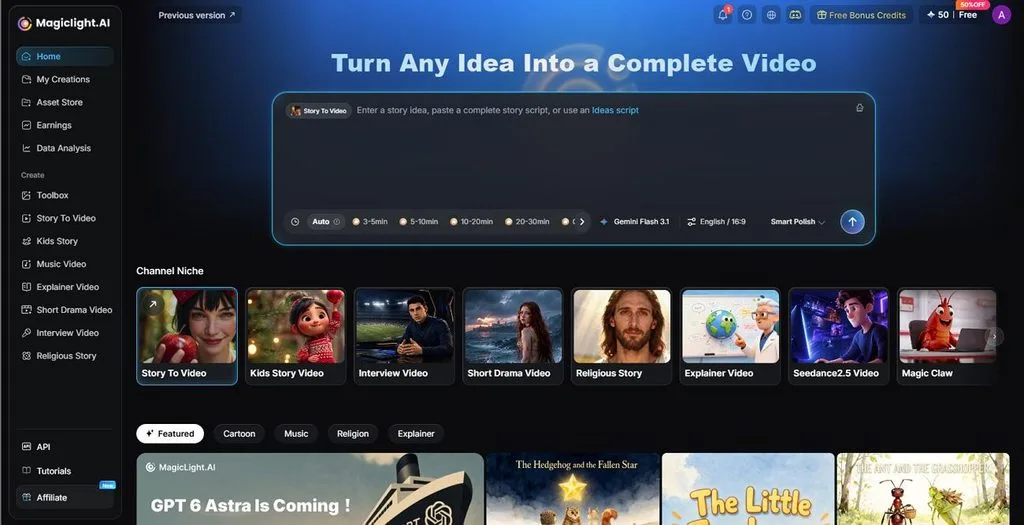
Creators who need more than short generated clips can use MagicLight AI alongside Filmora for full story creation. MagicLight Agent helps shape the idea, script, and storyboard before production begins. Its workflow then produces narrated, multi-scene videos with recurring characters and supports films up to 50 minutes long for longer video projects.
Conclusion
Wondershare Filmora remains one of the most approachable desktop editors in 2026, and version 16 adds genuinely useful tracking and color tools. The credit system and personal-use license need a careful read before buying. Testing the free version on the computer that will run it is the smartest way to decide, and MagicLight AI covers longer AI-generated stories.
Frequently Asked Questions
1. Is Filmora good for beginners?
Filmora suits beginners well, thanks to drag-and-drop editing, ready-made templates, auto captions, and the AI Mate assistant. Capterra reviewers rate its ease of use 4.5 out of 5, although keyframes, masks, and tracking still take practice for first-time editors to master.
2. Is Filmora free to use?
The free version includes basic editing features without a time limit, but exported videos carry a watermark. Wondershare also offers occasional referral rewards for watermark-free exports. Downloads should come from Wondershare’s own site, not pages found through typos like "wondershare filmora.”
3. Does Filmora have AI video generation?
Filmora generates short clips from text or images through Veo 3.1 and Seedance 2.0, typically 8 to 15 seconds long. Idea to Video builds simple stories of up to 30 seconds, and every generation spends AI credits from the plan’s balance.
4. What is a good alternative to Filmora for AI video creation?
MagicLight AI is a strong alternative, since its Story to Video feature turns a script into a narrated, multi-scene video with consistent characters. The 20 video engines, including Kling 3.0, handle the visuals, and paid plans start at $7.50/month on yearly billing.





