



HeyGen videos center on presenters, with avatars reading scripts directly to viewers on screen. This format works well for training, product explainers, sales messages, and similar business content. It becomes less useful when videos need to show processes, places, stories, or scenes.
That limitation often pushes creators to search for a flexible HeyGen AI alternative instead. Cost is another concern because free videos are short, limited, and include visible watermarks. This guide compares 6 alternatives to help you choose the right video creation tool.
Part 1. 6 Best HeyGen AI Alternatives to Try
Different video needs make creators search for the best HeyGen alternatives available now. Some options keep AI presenters while offering better pricing, features, or team support. Other tools remove presenters and focus entirely on scenes, stories, products, and processes.
Best For: Creators making story-driven videos without onscreen presenters.
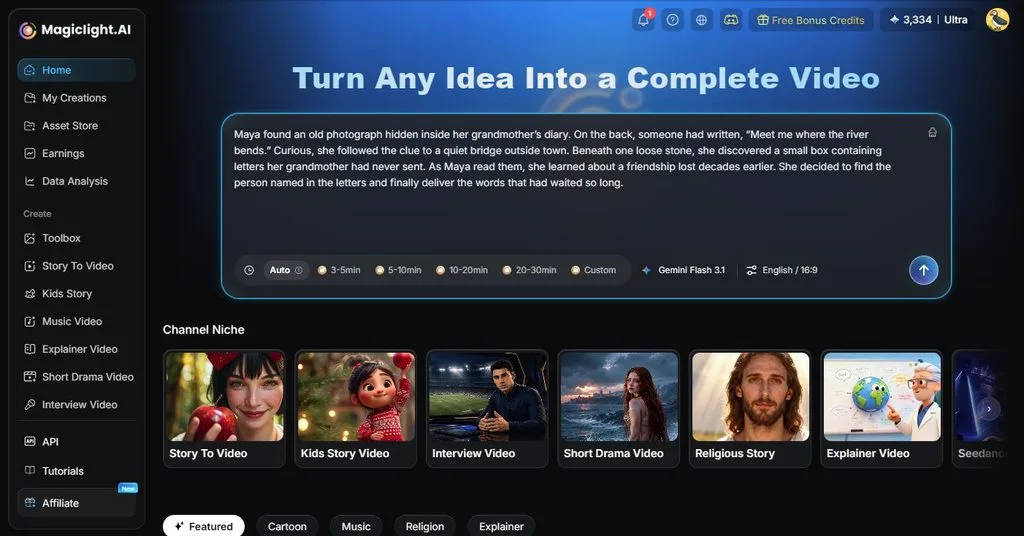
Videos focus on stories, characters, places, and scenes instead of digital avatar presenters. MagicLight AI turns written ideas into complete videos with connected scenes and narration. Its Story to Video accepts 12,000-character prompts and creates videos up to 50 minutes.
MagicLight Agent develops rough ideas by planning scripts, visuals, narration, and creative direction. Characters maintain consistent faces, clothing, and appearance across different scenes throughout each video. Nano Storyboard controls poses, expressions, and framing before individual scenes are finally rendered.
Key Features
- Story Models: Pick from 14 story models built for different writing and planning tasks. Options include GPT-6 Astra and Gemini Flash 3.1 for developing stories.
- AI Video Models: Access 20 video models to match different visual styles and generation needs. Choices include Gemini 3.5 Flash, Seedance 2.5, and other models.
- Voice and Captions: Add narration using 37 available voices and format on-screen captions with 16 subtitle styles to suit different videos.
User Reviews
- Rosana d' Ávila Uchôa: “I've been creating long-form videos- 16 to 18 minutes in length - using MagicLight AI. I really like the videos it produces...”
- Monika Dillingham: “Creators who need quick visuals can use MagicLight without complex editing skills.”
- Kelly A. Stops: “There are different models with different credit costs so you can balance quality and budget..”
Best For: Corporate learning teams creating interactive presenter-led training.
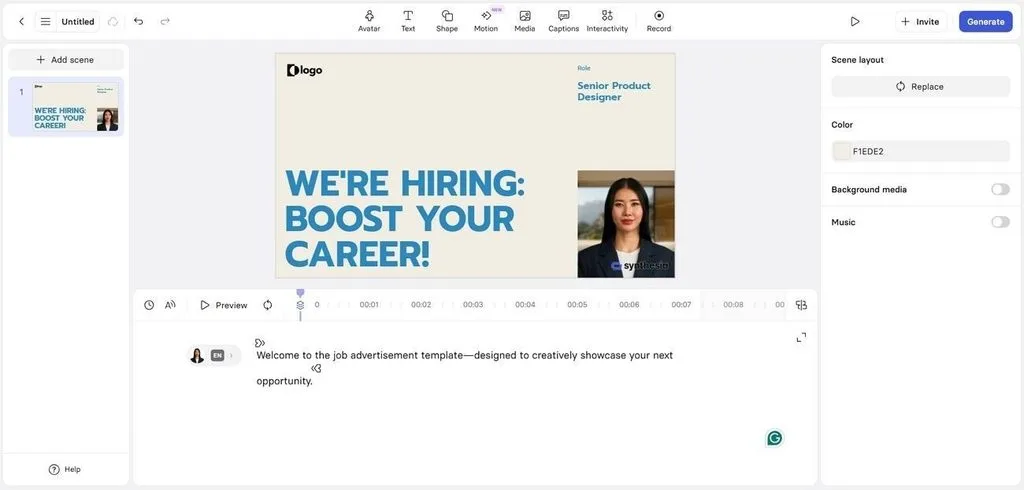
Teams seeking an alternative to HeyGen can build presenter-led training without filming employees themselves. Synthesia turns scripts, documents, PowerPoints, links, or prompts into structured business video presentations. Its interactive tools make training content useful for guided learning and knowledge checks.
Key Features
- Add clickable buttons, quizzes, and branching paths for learner-driven training experiences.
- Transcribe recordings, remove filler words, and separate footage into editable scenes automatically.
- Build practice scenarios with scoring, coaching rubrics, and performance dashboards included.
User Reviews
- Monicah: “I enjoyed the session on the tools and how best to utilise them for a good video…”
- Tyler Craucamp: “It was fairly easy to understand and nice to see all the different functions I actually missed and really needed….”
- ChrisF: “Every video I'm trying to create for NHS England which the content has been clinically approved by NHS experts, is being rejected by Synthesia…”
Best For: Faceless content creators turning prompts into narrated videos.
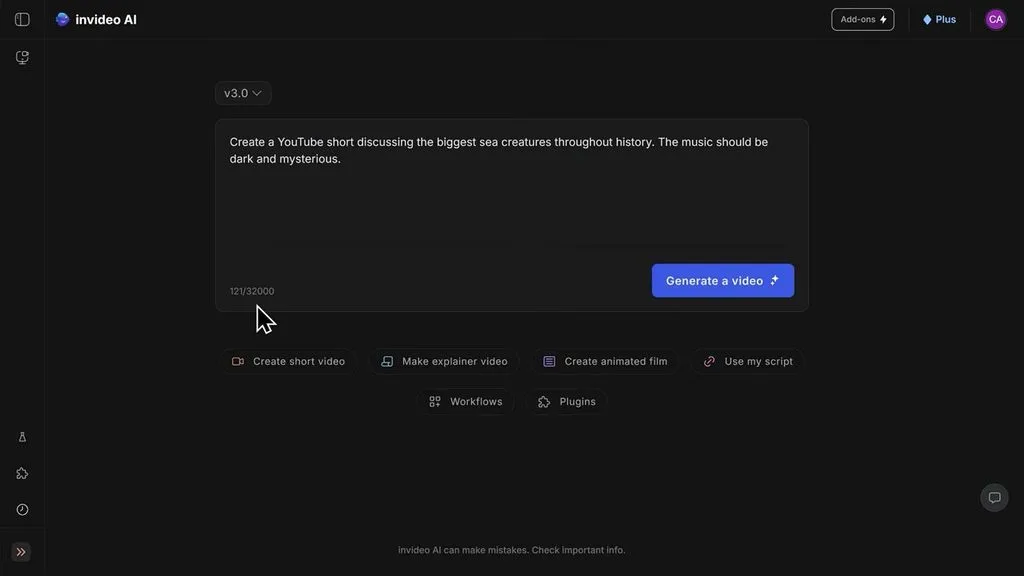
Among websites like HeyGen, InVideo AI takes a footage-first route for video creation. One prompt can generate scripts, visuals, voiceovers, subtitles, music, and transitions automatically together. Creators can produce faceless content while keeping their own voice through voice cloning.
Key Features
- Personal AI Twins turn uploaded footage into reusable digital presenters for future videos.
- Video generation supports 50+ languages, with 11 languages tested for full support.
- Voice cloning recreates your voice from a 30-second recording for video narration.
User Reviews
- Yeapp Creative: “What impressed us was not that everything was perfect, but the way the support team handled the situation…”
- Tanim Khan: “I’m extremely satisfied with my experience with InVideo…”
- CRISTINA GIL LOPEZ: “Terrible app and very confusing. Works very slow, ineffiently…”
Best For: Creators combining recorded footage with AI-generated video assets.
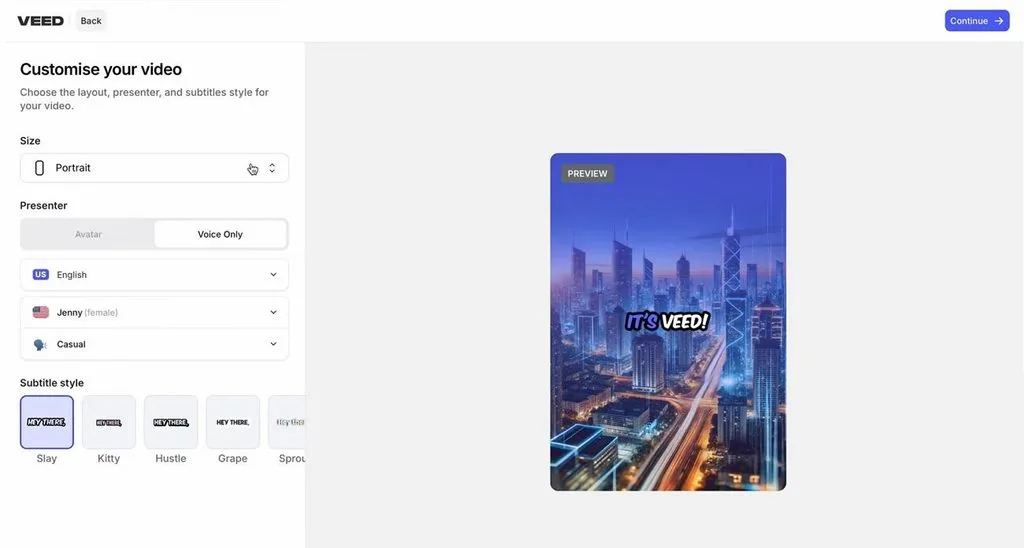
VEED combines a HeyGen alternative with timeline editing for recorded and generated video content. Creators can mix screen recordings, uploaded footage, AI characters, and generated clips inside projects. This approach suits videos needing hands-on editing beyond a digital presenter and script alone.
Key Features
- AI Playground provides Veo, Kling, and Seedance models for generating original video clips.
- Avatar generations accept scripts containing up to 20,000 characters in each generation.
- AI dubbing supports 29 languages, while automatic subtitles cover over 125 languages.
User Reviews
- Dipali Parekh: “IT WAS AWESOME I HAVE CREATED MY FIRST 5 VIDEO…”
- Jack_MrD: “I use this tool to make videos for my students. I like that I can add music and it is pretty easy to navigate.”
- Alejandro Veintimilla: “It is too buggy. Clean audio doesn't work correctly. Zoom into the timeline is not accurate. It is a headeache…”
- Colossyan
Best For: Learning teams building interactive training with measurable assessments.
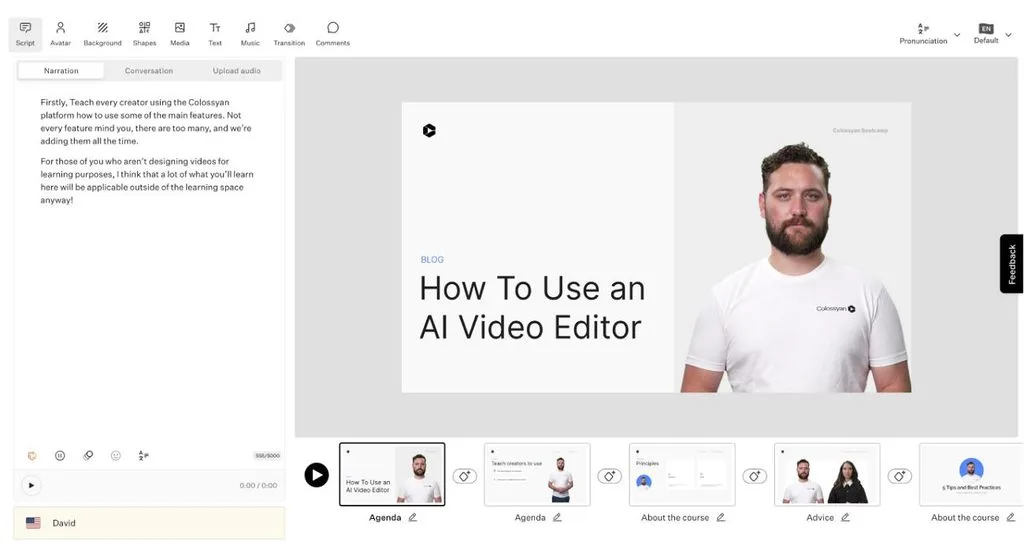
For workplace learning, Colossyan can be better than HeyGen when interactivity matters most. Uploaded documents become editable scene plans with citations linking content back to sources. Training can include learner choices and assessments while remaining inside the same platform.
Key Features
- Its library includes 300+ AI avatars capable of speaking over 100 languages.
- Interactive videos support quizzes, clickable buttons, branching paths, and learner navigation controls.
- SCORM 1.2 and 2004 exports send completion data and scores into LMS platforms.
User Reviews
- TB: “Generally it has been good. I came into it prepared to get many videos published in a short period of time….”
- Emily Wolf: “With Colossyan, I was able to take a script and turn it into a training video…”
- Just someone: “Lack of templates , really limited choices , Hashtag pretty much Synthesia…”
- Canva
Best For: Brand teams creating videos alongside social and design assets.
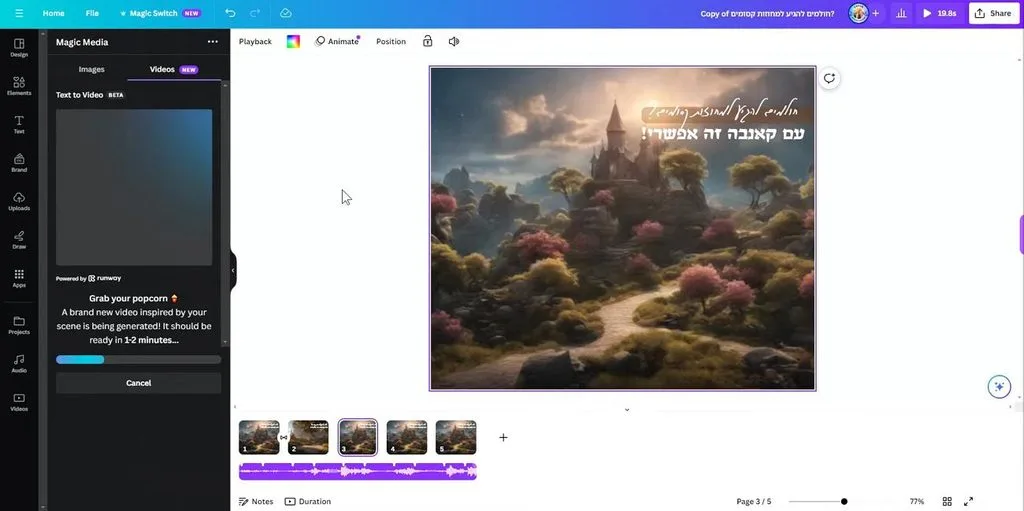
Canva works as an alternative to HeyGen AI when video supports broader brand content. Its editor combines generated clips with graphics, music, text, animations, and uploaded footage. Finished videos can become social posts, presentations, or other campaign assets without switching platforms.
Key Features
- Create a Video Clip generates 8-second 16:9 footage with synchronized sound using Veo 3.
- AI avatars can deliver uploaded scripts in more than 40 supported languages.
- Editable Captions provide over 20 style packs with customizable timing and animations.
User Reviews
- Achilles: “Canva is amazing, I love it, but the animations that you can make yourself…”
- Mary A.: “Canva is helping me finish up my project with great posters.…”
- Sarah Robinson: “I have found the AI help to be very frustrating to use.…”
Quick Comparison of the Best HeyGen Alternatives
The best HeyGen alternatives differ in video limits, features, avatars, languages, and pricing options. Look at the table below to compare their main differences and ideal use cases. This comparison makes choosing a suitable platform easier based on your video creation needs:
| Tool | Entry Paid Plan | Avatars or Characters | Voice/Language Coverage | Video Allowance |
| MagicLight AI | $7.50/month, annual billing | Custom characters | 37 voices, 11+ languages | 50 min max video |
| Synthesia | $29/month | 125+ avatars | 160+ languages | Credit-based; Basic currently supports up to 10 min/month |
| InVideo AI | $20/month, annual billing | AI Twins and AI actors | 50+ languages | 400 credits/month on Starter |
| VEED | Plan-dependent | Stock and custom AI avatars | 50+ dubbing source languages | Usage varies by AI feature and plan |
| Colossyan | $59/month Professional | 300+ stock avatars; 20 custom | 120+ languages | 30 min NEO + 10 min NEO2/month |
| Canva | Pro plan | AI presenters through integrated tools | 40+ languages for AI presenters | AI generation governed by plan usage limits |
Presenter needs can help narrow these tools based on how each video appears onscreen. Synthesia and Colossyan suit avatar content, while Canva and VEED support mixed production workflows. MagicLight AI and InVideo AI work better when videos focus beyond digital presenters entirely.
Conclusion
To conclude, a HeyGen AI alternative should match your preferred video format and workflow. Presenter-focused tools suit training, while other platforms give creators more control over visual production. MagicLight AI helps creators produce storytelling videos with consistent characters, scenes, narration, and visuals. Compare generation limits, language support, and editing features before choosing the platform for you.
Frequently Asked Questions
- What are some open-source alternatives to HeyGen?
Open-source options usually provide avatar animation tools rather than complete video creation platforms. They often require technical setup and separate tools for voices, scripts, and subtitles. Hosted alternatives for HeyGen simplify this process by combining everything within one platform.
- Which is better, MagicLight AI or HeyGen?
HeyGen focuses on avatar presenters, while MagicLight AI builds videos around storytelling scenes. MagicLight AI suits creators wanting recurring characters, connected visuals, and script-driven storytelling videos. Your choice depends mainly on whether the video needs presenters or story-driven scenes.
- Can I create AI videos without an avatar?
Yes, AI videos can use generated scenes, footage, narration, and subtitles without avatars. MagicLight AI creates character-based scenes, while InVideo AI can assemble footage from prompts. This approach works well for explainers, social videos, stories, and product-focused visual content.





