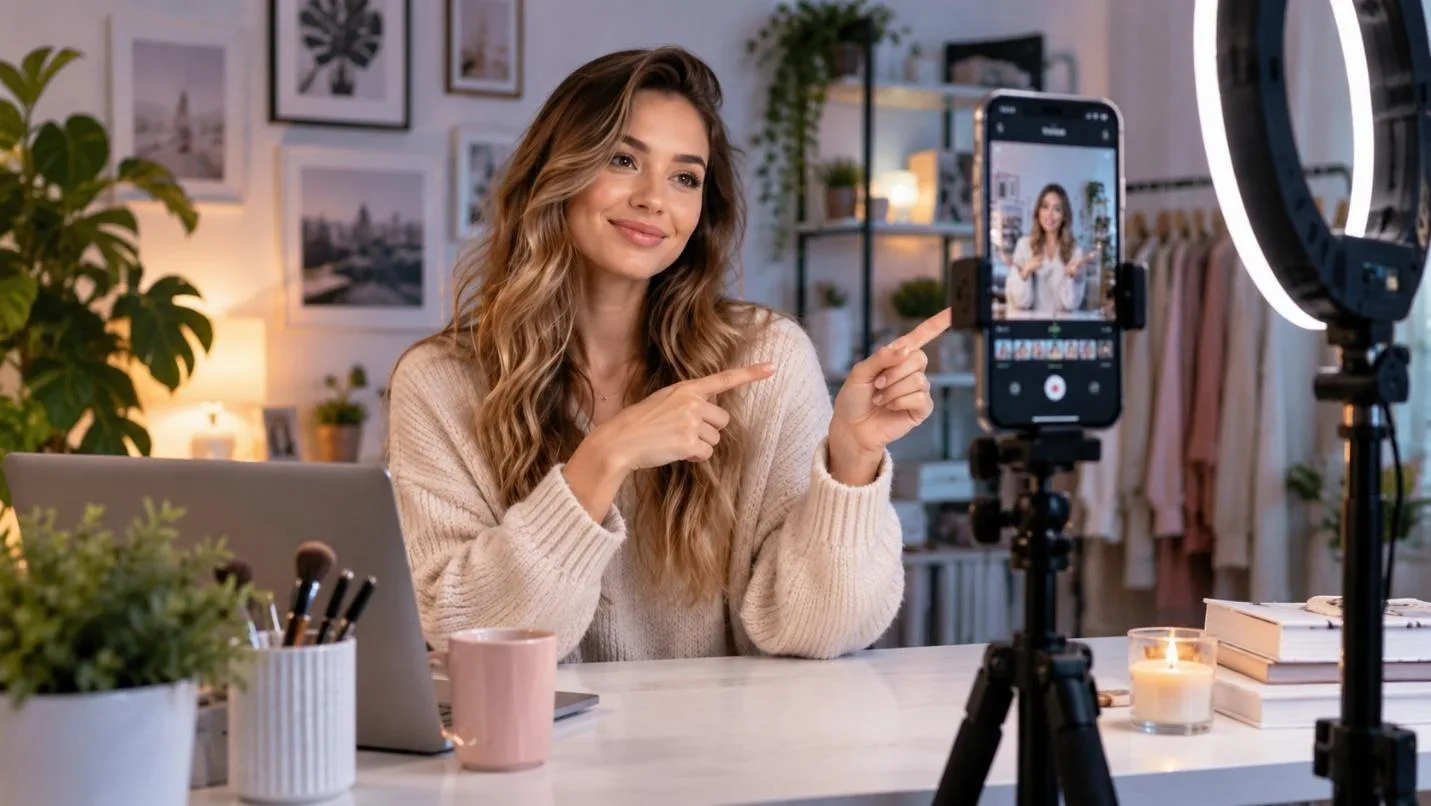
A Reel is judged by how long people stay with it, not by how many already follow. Instagram ranks on total watch time and replay rate. So, a short clip watched 3 times can outperform a long one watched once. Knowing how to make an Instagram Reel means building for that from the first frame.
AI tools now write the script, generate the scenes, and record the narration. This guide explains which tool to use and tips for making better reels.
Part 1. How to Make an Instagram Reel with AI?
Production demands script plans, visual prep, audio sync, and export. Software builds scenes, drafts text, adds voice, and sets captions fast. Hence, MagicLight AI Agent starts with a simple concept and develops it into a structured Reel plan. The workflow can transform ideas into production-ready scripts and scene plans, including narration, dialogue, character actions, and camera directions.
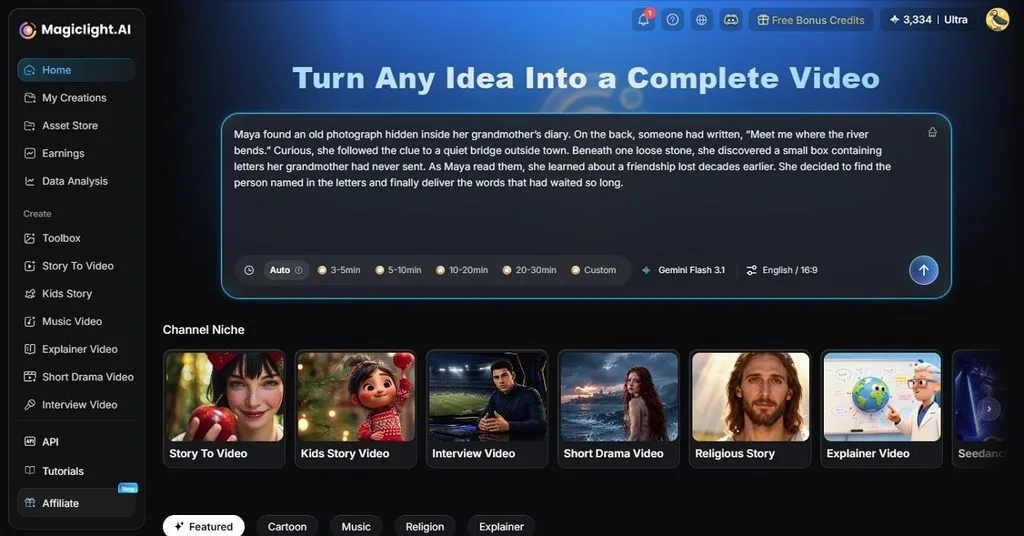
With this tool, you can prepare character details to maintain a consistent look across scenes. Vertical 9:16 output is native. So, nothing needs cropping, and a cast defined once holds the same faces throughout. Most importantly, users can set the Reel duration, and the tool automatically creates production-ready scripts and storyboards.
Detailed Steps to Create a Reel with Magiclight.AI
If you wonder how to make a Reel on Instagram with this tool, the detailed guidelines are mentioned below:
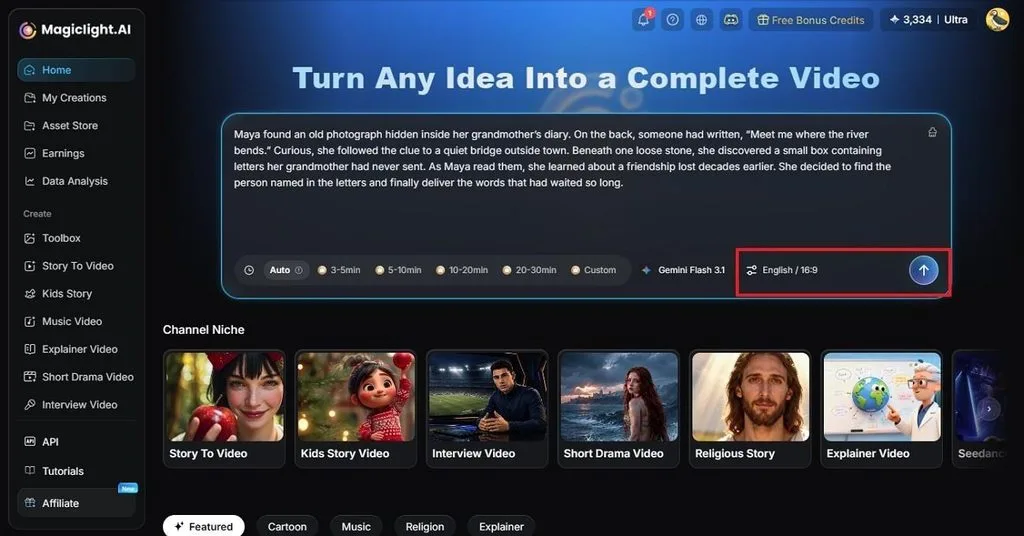
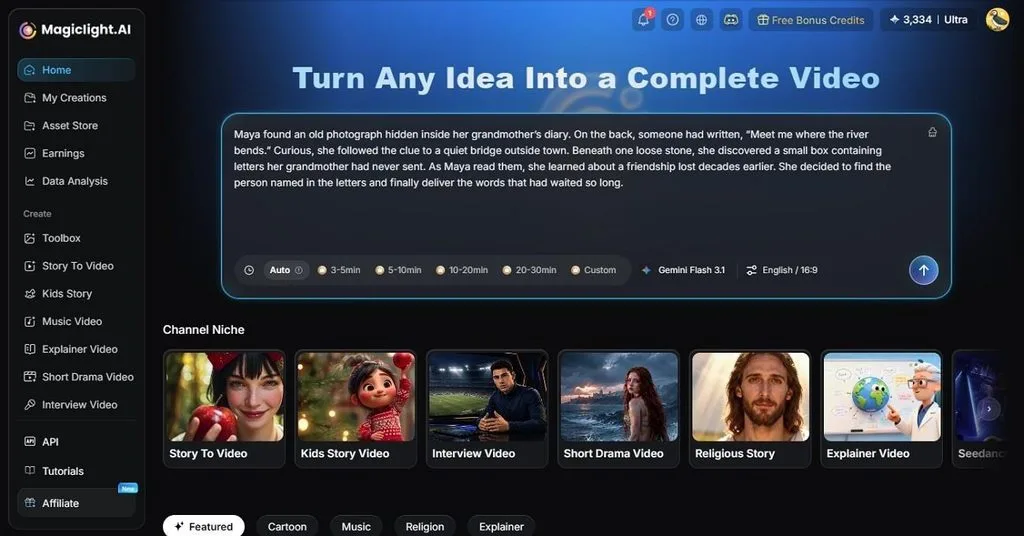
Step 1. Add the Reel Script to the Tool
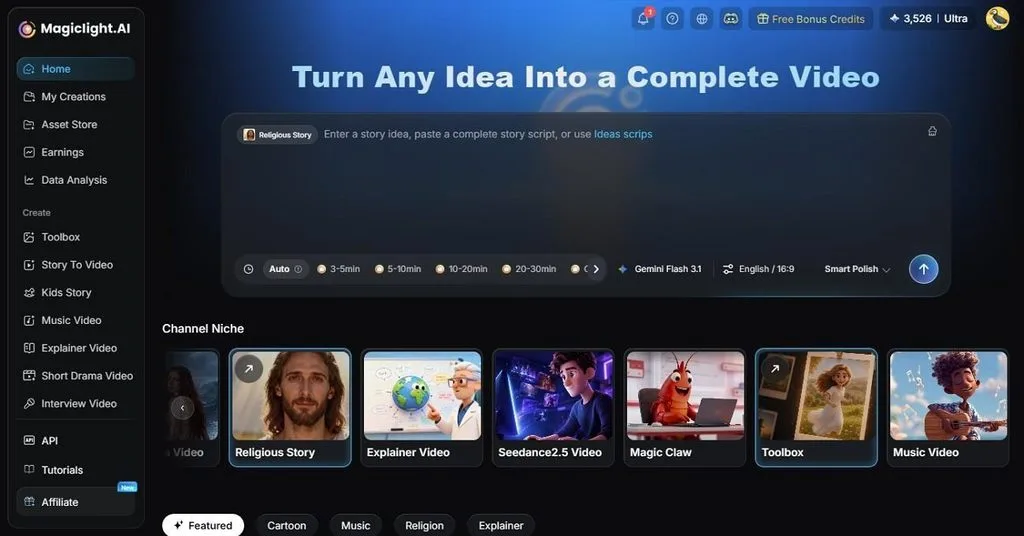
On Magiclight.AI, describe the Reel in a sentence or two. Set the Aspect Ratio to 9:16 so the reel fills the phone screen without being cropped at upload. Tap the Send icon and let the MagicLight Agent return its niche, script, and visual direction. Edit any line that misses the mark before moving on.
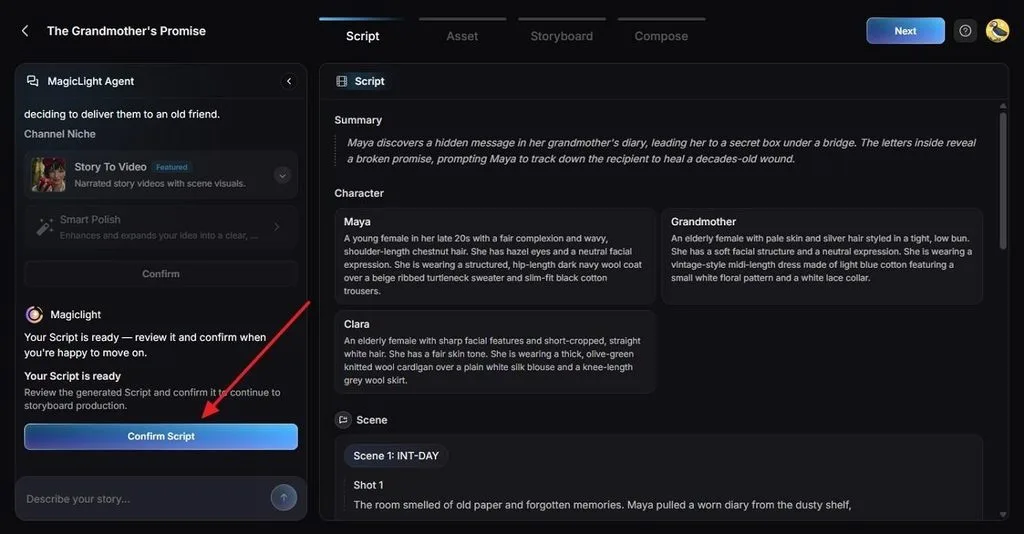
Step 2. Tap Confirm Script Option
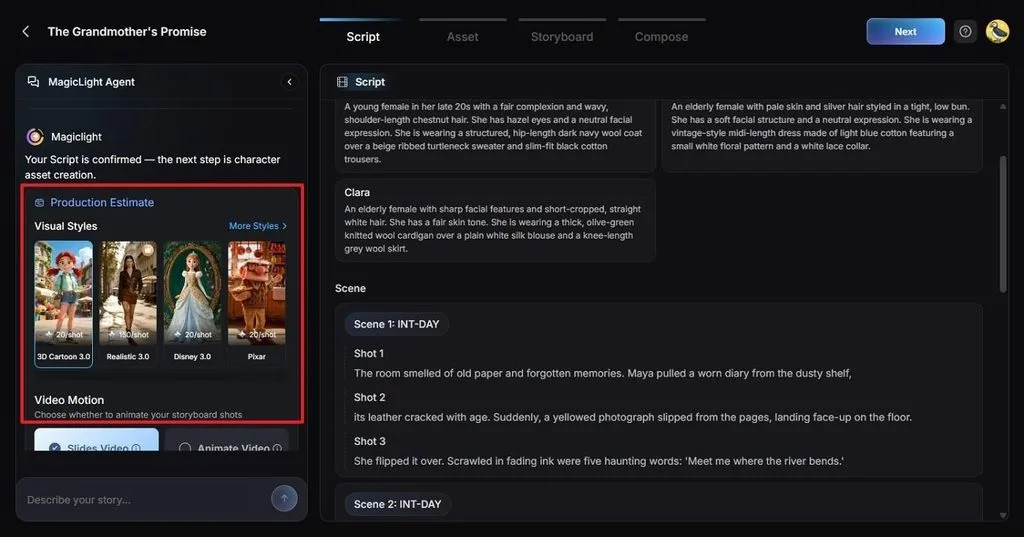
After that, go to the Script section and check details like Character or Scene. Press the Confirm Script button if the script is correct.
Step 3. Choose Visual Styles or Tap Next
On the same interface, choose Visual Styles or tap More Styles to explore options. Scroll down and select the Video Motion options and then click Next.
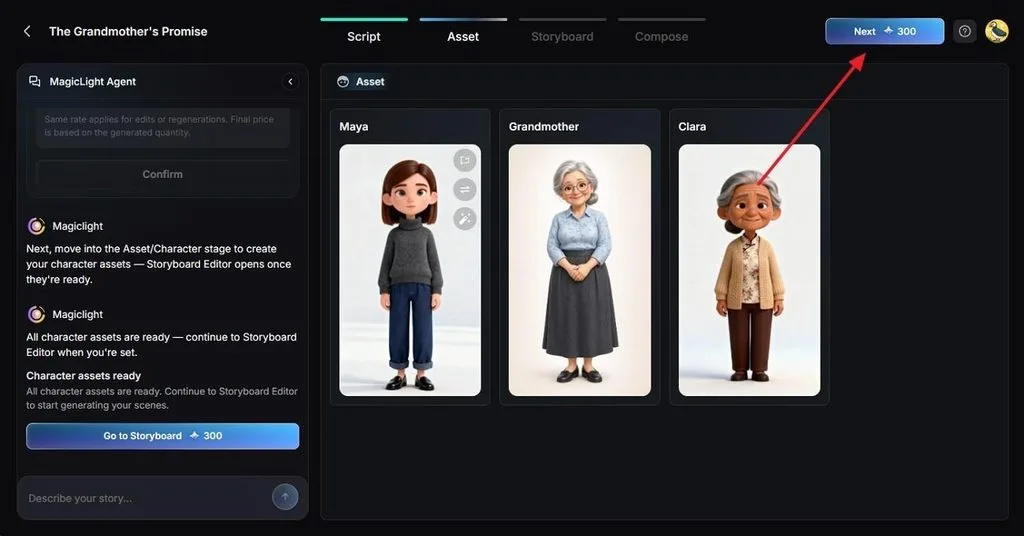
Step 4. Define Characters in Asset Section
When directed to the Asset section, define the characters with a written description or reference photo. This way, the same faces appear in every scene; choose Next to continue.
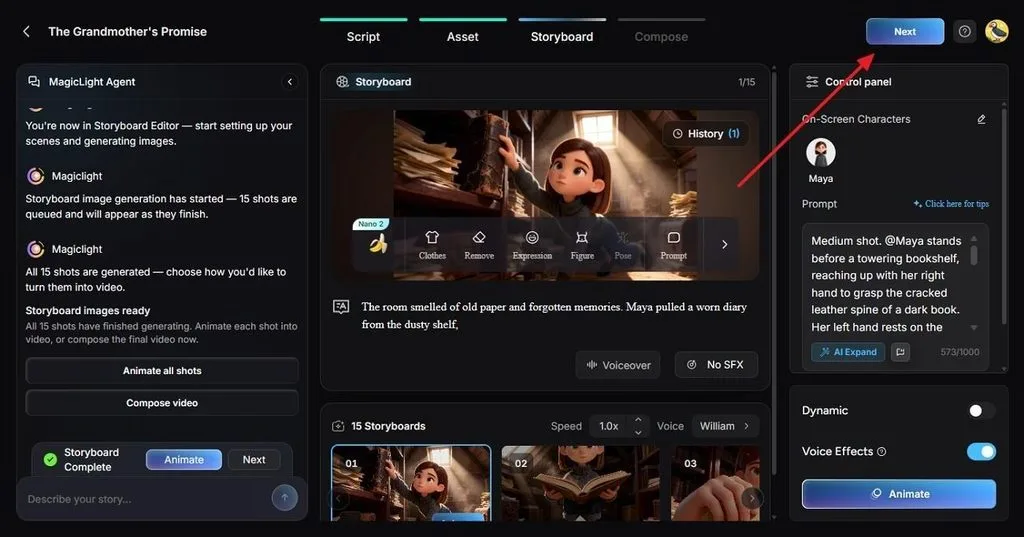
Step 5. Set Voice in Storyboard
Pick a voice from the 37 available, and adjust the pacing of any scene that runs long in the Speed menu. In the same Storyboard interface, you can animate all shots or toggle on the Voice Effects option. Based on your choices, press Next to commence.
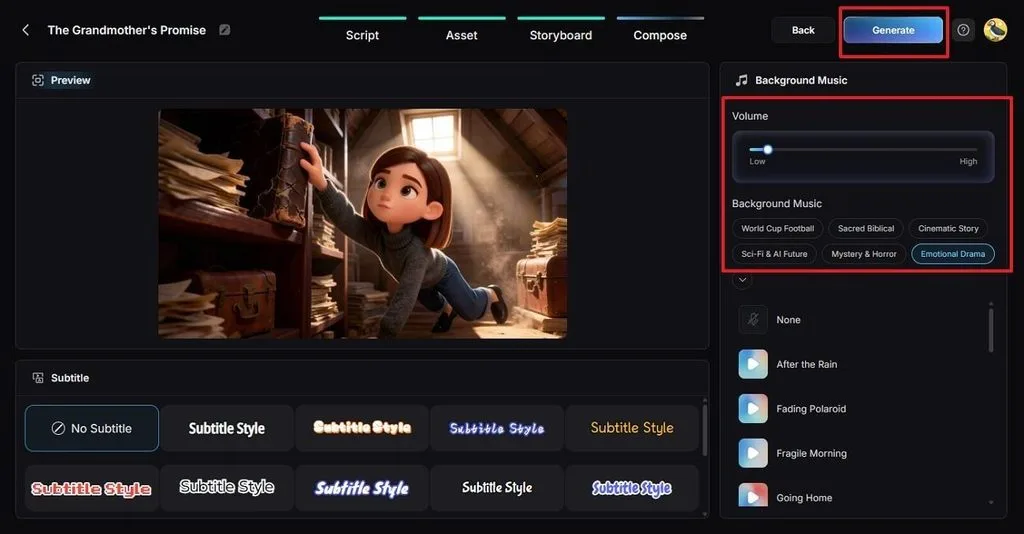
Step 6. Tap to Generate Instagram Reel
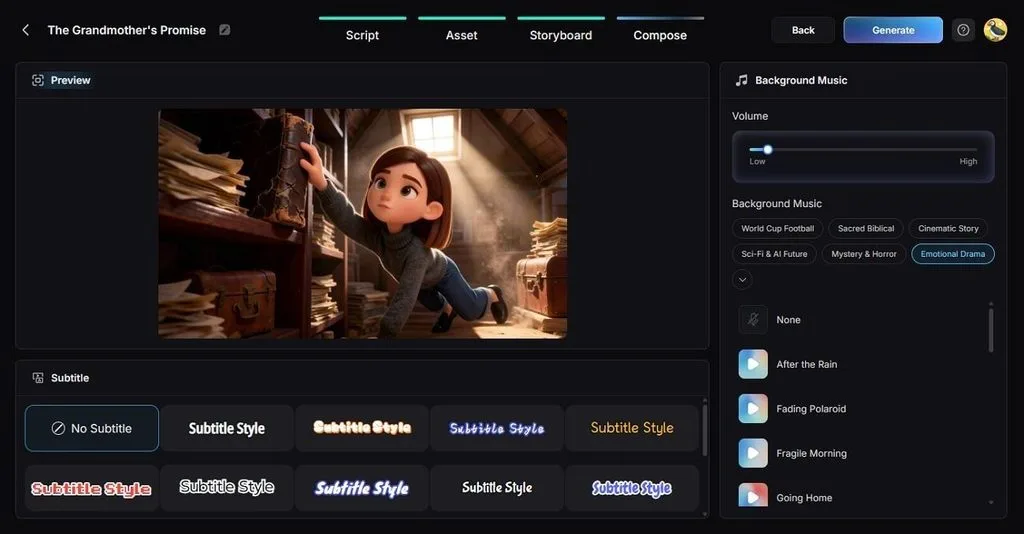
Once the scenes are set, choose Subtitle Styles, Volume, or Background Music. If you need to make changes, tap Back or click Generate to create the Reel.
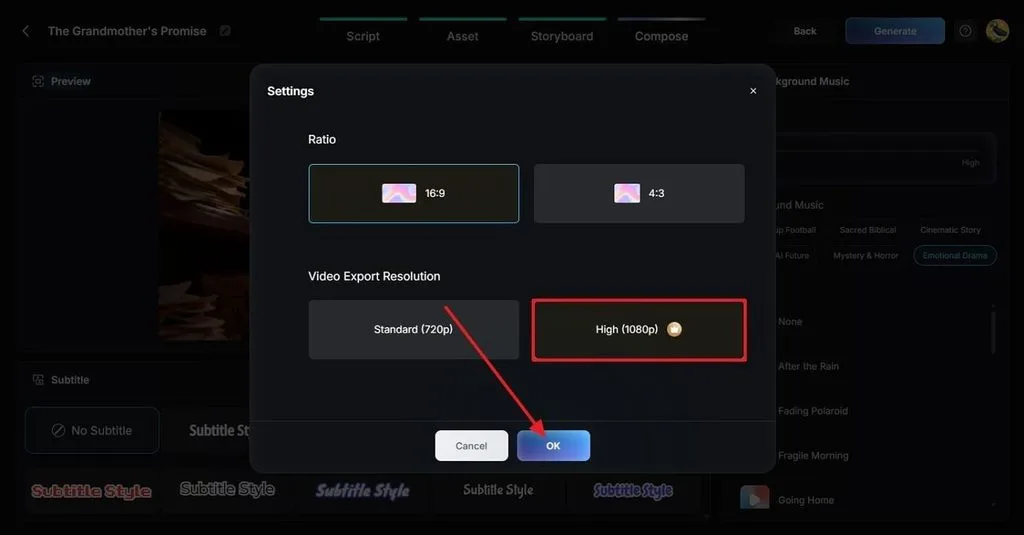
Step 7. Confirm Aspect Ratio and Resolution
In the popup menu, confirm the aspect ratio and choose the High video export resolution option. Select the OK button and preview the details if you want to.
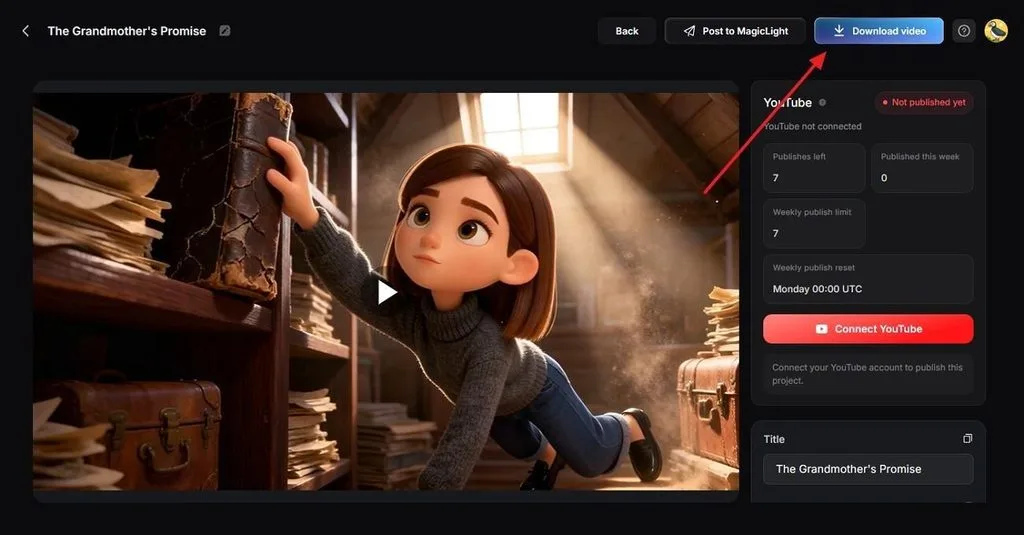
Step 8. Download Video and Upload Reel
Choose the Download Video option and upload through Instagram, since anything wider is re-encoded. You can also set the Reel title rather than doing it on Instagram.
Key Features of Magiclight.AI
The features that matter most for short vertical video are the ones that remove a manual step. Each one replaces something that would otherwise need a separate app, a second export, or a manual retry. Anyone working out how to make Insta Reels regularly will use them constantly.
- 14 Story Models: MagicLight AI offers 14 story models, including GPT-6 Astra and Gemini Flash 3.1. This helps develop scripts, story structures, and creative directions for short-form videos.
- 5 Image Models: Scenes are drawn by Nano Banana 2, Seedream 5.0 Pro, or one of 3 GPT Image variants, picked to suit each project's look.
- Nano Storyboard: It automatically segments your script into individual visual scenes and shots. You can choose 50 poses or completely regenerate every frame.
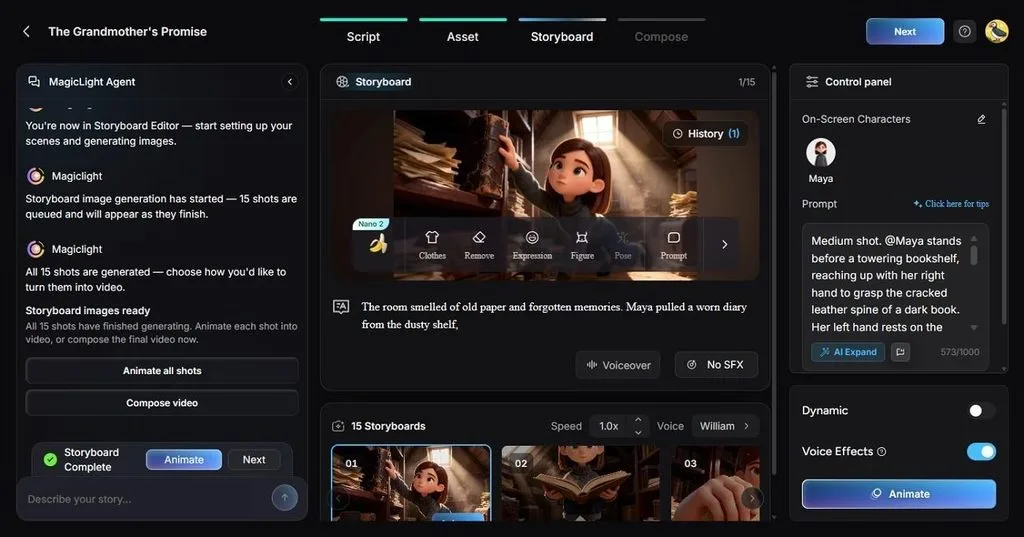
- Narration and Subtitles Together: A choice of 37 voices handles the spoken track while 16 caption styles handle the on-screen text, both written in during the render.
Part 2. Tips for Making Better Instagram Reels
2 separate things decide how a reel performs on Instagram. The file must meet the platform's specifications, so it plays full-screen and stays sharp. The content then has to satisfy the signals Instagram uses to rank it. Thus, knowing how to make Instagram Reel content that travels means getting both right. Neither one compensates for the other.
- Getting the File Right
Beyond creation, your export settings must match Instagram’s requirements. Below are the recommended specifications to make the Instagram Reel:
| Specification | What Instagram Expects | Why It Matters |
| Aspect Ratio | 9:16 vertical | Fills the screen with no black bars |
| Resolution | 1080 x 1920 pixels | Anything higher is compressed on upload |
| Minimum Quality | 720 pixels wide | Below this, a reel looks soft on modern phones |
| Maximum Length | 3 minutes | Reels under 90 seconds reach the Reels tab more often |
| Text Safe Zone | Central 4:5 area | Interface buttons cover the edges of the frame |
| File Format | MP4 or MOV | Other containers are re-encoded before publishing |
- Working with the Ranking Signals
Instagram Reels performance depends on several measurable factors. For creators learning how to make Reels for Instagram, these practices help improve the way content is structured, presented, and distributed:
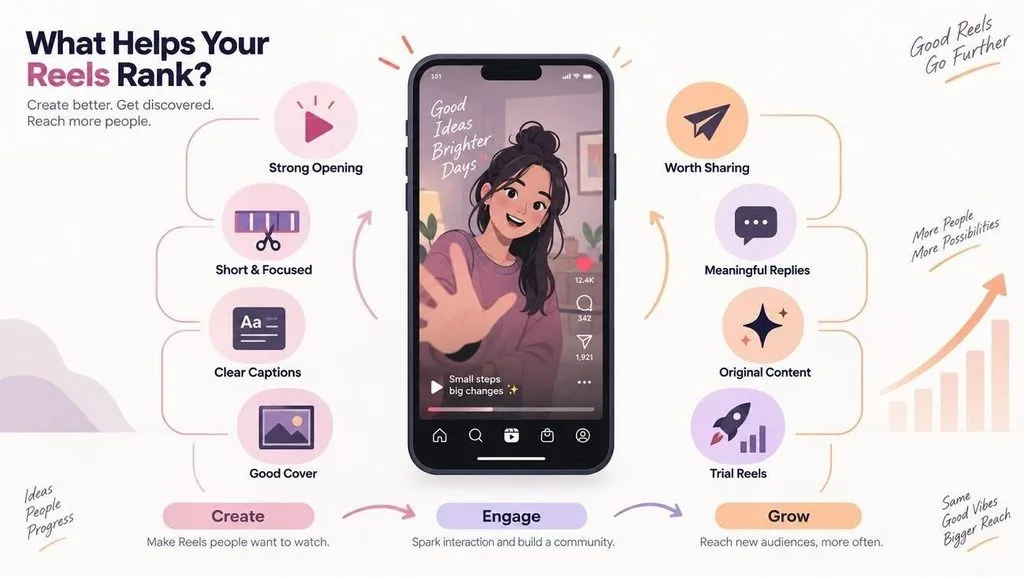
- Create a Strong Opening Moment: The first seconds determine whether viewers continue watching. A clear subject, visual result, or immediate value helps capture attention faster than a slow introduction.
- Keep the Video Focused and Concise: Although Instagram supports longer Reels, shorter videos often encourage repeat views. A focused structure helps maintain attention and improves overall watch performance.
- Add Clear Captions: Many viewers watch Reels without sound, making captions important for delivering the message. Keep text within the visible safe area to avoid being covered by interface elements.
- Select an Effective Cover Frame: The cover image represents the Reel on a profile grid. A clear frame with readable text or a strong visual can help viewers understand the content.
- Create Content Worth Sharing: Shares show that viewers found the Reel useful and relevant enough to pass it on. Focus on clear ideas or content people naturally want to send to friends or save for later.
- Encourage Meaningful Interaction: Captions that invite responses can create more discussion around a Reel. Replies and ongoing engagement help build interaction between creators and viewers.
- Publish Original Content: Original videos provide a clearer value signal than repeated or copied uploads. Unique ideas, formats, and presentations help maintain content quality.
- Test Content with Trial Reels: Trial Reels allow eligible professional accounts to test content with non-followers before wider distribution. This gives you a chance to evaluate performance before sharing with your full audience.
Conclusion
Instagram Reels now involve both efficient production and strong creative decisions. Tools like MagicLight AI can help turn ideas into scripts, visuals, narration, and captions. Creators still control the message and style. Learning how to make an Instagram Reel effectively depends on combining the right tools with engaging content, clear storytelling, and a strong focus on your audience.
Frequently Asked Questions
1. How do I create Instagram Reels?
Instagram Reels can be created with the built-in editor or AI tools. MagicLight AI helps turn an idea into a Reel with scripts, scenes, narration, subtitles, and 9:16 output.
2. Can I make Instagram Reels with AI?
For anyone asking how to make a Reels video on Instagram without a camera. MagicLight AI can create a Reel from a written idea. It generates scenes, voiceovers, and subtitles. The tool is useful for creators who want to make short videos without recorded footage.
3. Which app is best for making Instagram Reels?
The right app depends on the workflow. Instagram works well for editing existing clips, while MagicLight AI helps create Reels from ideas, scripts, and planned scenes.
4. What makes a reel go viral?
No single factor guarantees viral reach. Watch time, replay rate, shares, and viewer engagement influence performance. Strong openings and useful content help improve Reel visibility.