


Midjourney is known for producing stylized, high-quality AI artwork, but several free alternatives now offer strong results for different creative needs. Some tools focus on photorealistic images, while others perform better with text, character consistency, reference images, or editable designs. Usage rights, privacy, generation limits, and available controls also vary between platforms.
Flux licensing changes between model versions, making each Midjourney free alternative worth checking before use. This guide compares 5 free alternatives, their image quality, usage rights, features, and key limits.
Part 1. 5 Best Midjourney Free Alternatives
Free alternatives to Midjourney offer different strengths, including clear text, realistic images, and templates. Each tool has different free plan limits, features, image styles, and usage rights for creators. No single option matches every Midjourney feature, so your image needs should guide your choice.
Best For: Marketers managing visual campaigns across multiple content formats.
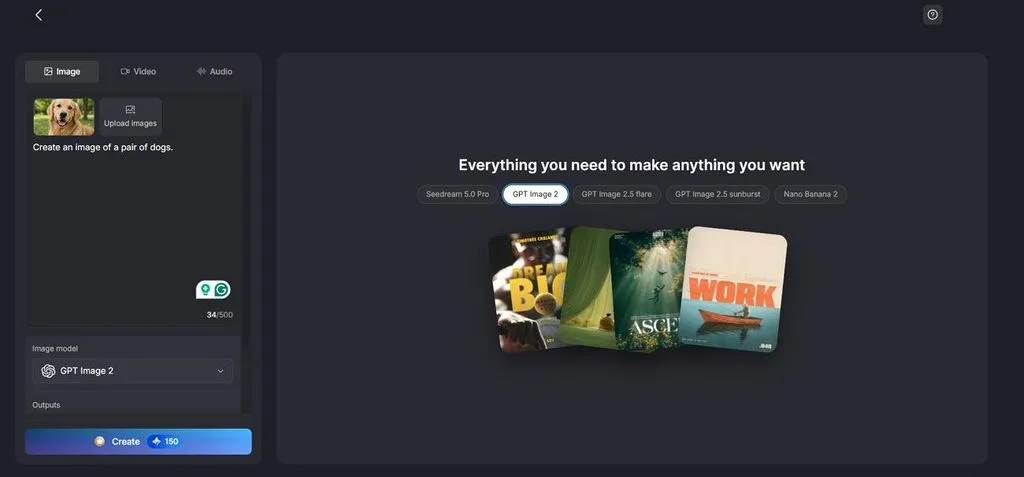
MagicLight AI brings several image generation options together, making it easier to create different visuals. Users can switch between available models depending on the image style and results they want most. Prompts support up to 500 characters for describing subjects, lighting, framing, colors, and visual styles.
Image tools sit alongside video and audio features, keeping different creative tasks inside one workspace. This setup works well when generated images are only one part of a larger creative project.
Key Features
- Reference Image Guidance: Upload reference images up to 20MB each to guide the generated visuals. These references help maintain important details, composition, and appearance across new image generations.
- Flexible Aspect Ratios: Choose from 16:9, 9:16, 4:3, and 1:1 based on your content format. These options cover widescreen videos, vertical posts, standard graphics, and square social content.
- Multiple Image Models: Access 5 image models, including GPT Image 2 and Seedream 5.0 Pro. Switching models lets creators explore different visual results without moving between separate platforms.
- Image to Video: Turn a generated or uploaded image into video using detailed prompts. Prompts support up to 1500 characters for describing movement, camera direction, actions, and scenes.
- Output Selection: Choose how many images you want generated from a single prompt before creation. Multiple outputs make it easier to compare variations and select the strongest visual result.
Pros
- Upload up to 10 reference images for stronger guidance.
- Free access makes testing image generation easier before upgrading.
- Common image formats simplify importing existing visuals into projects.
Con
- Continued image generation requires paid credits after free usage.
Best For: Game artists building recurring characters across visual projects.
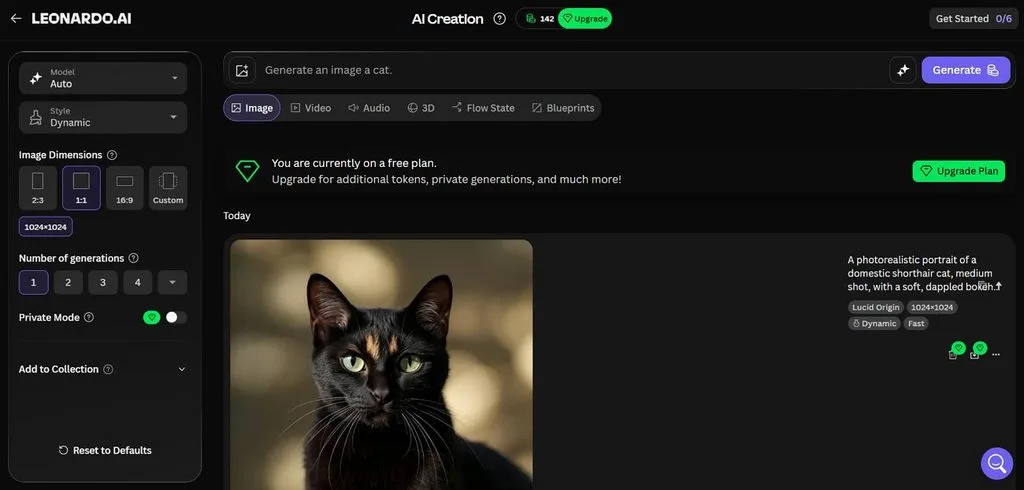
Creators can explore Leonardo AI as a free Midjourney alternative without paying anything. Daily token allowances let creators test image generation regularly before considering any subscription plan. Character consistency tools keep recurring subjects recognizable across illustrations, concepts, and connected visual scenes.
Key Features
- Pose guidance recreates human positioning from uploaded reference images.
- Custom Elements train reusable visual styles from personal image datasets.
- Background removal isolates generated subjects onto transparent backgrounds for editing.
Pros
- Free users receive commercial usage rights for their generated images.
- Adjustable reference strength provides greater control over guided image results.
Cons
- Free creations remain public, reducing privacy for professional client work.
- Leonardo retains ownership rights over outputs created by free users.
Best For: Designers creating text-heavy graphics, posters, logos, and branding.
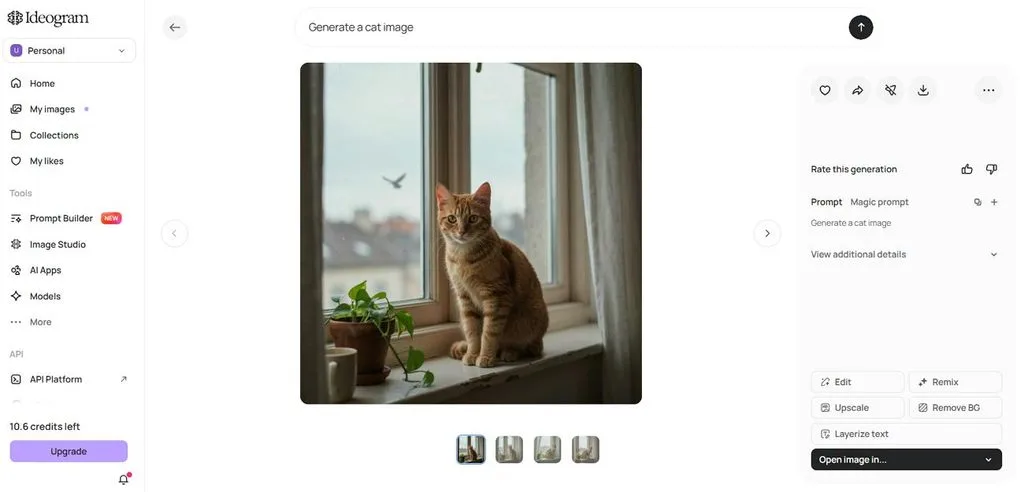
Ideogram stands out among Midjourney alternatives free for creating graphics containing readable text. Its character tool keeps the same person recognizable across different scenes and visual styles. Creators can generate commercial work while retaining ownership of images produced through the platform.
Key Features
- Bounding-box controls position headlines, logos, and design elements more precisely.
- Transparent image editing preserves alpha channels while changing specific visual elements.
- Character masks control which facial, clothing, or accessory details remain consistent.
Pros
- Generated images can be used commercially without Ideogram claiming ownership.
- Copyright detection can flag possible logo and likeness issues automatically.
Cons
- Free generations are published publicly, limiting privacy for confidential designs.
- Image Reference and AI editing require priority credits during generation.
- Playground
Best For: Designers creating editable graphics using different advanced image models.
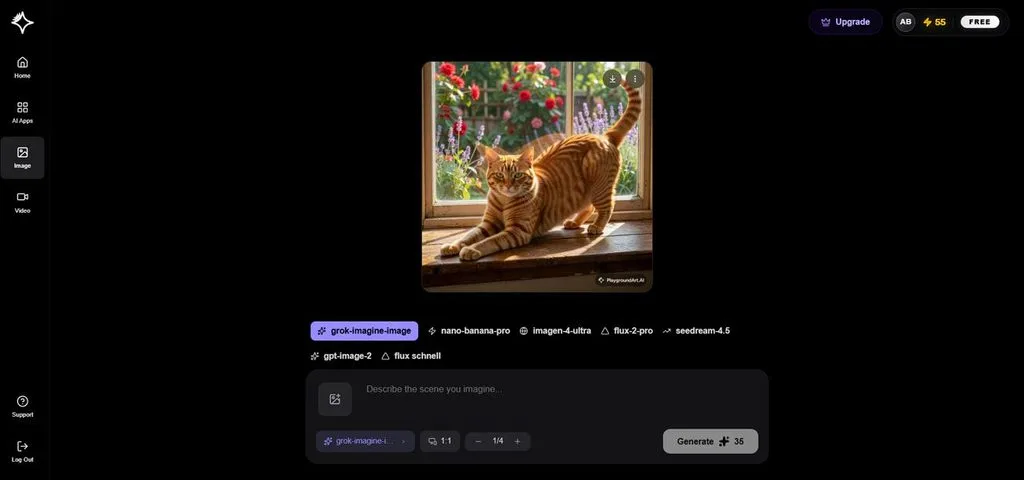
Unlike traditional generators, Playground focuses on editable designs among Midjourney free alternatives. Its free plan provides limited edits and downloads, with delays during peak hours. The platform now centers template-based design creation instead of its discontinued legacy image board.
Key Features
- Grok Imagine creates prompt-based visuals directly inside the Playground workspace.
- Seedream 4.5 supports detailed image generation and targeted visual editing.
- Text instructions modify existing designs without requiring detailed manual adjustments.
Pros
- Created assets remain private by default for confidential design projects.
- Users retain ownership rights over images and designs they create.
Cons
- Background removal, upscaling, and vectorization remain unavailable without upgrading.
- Daily download limits restrict frequent exporting from free accounts.
- Flux
Best For: Developers creating photorealistic assets with precise visual control.
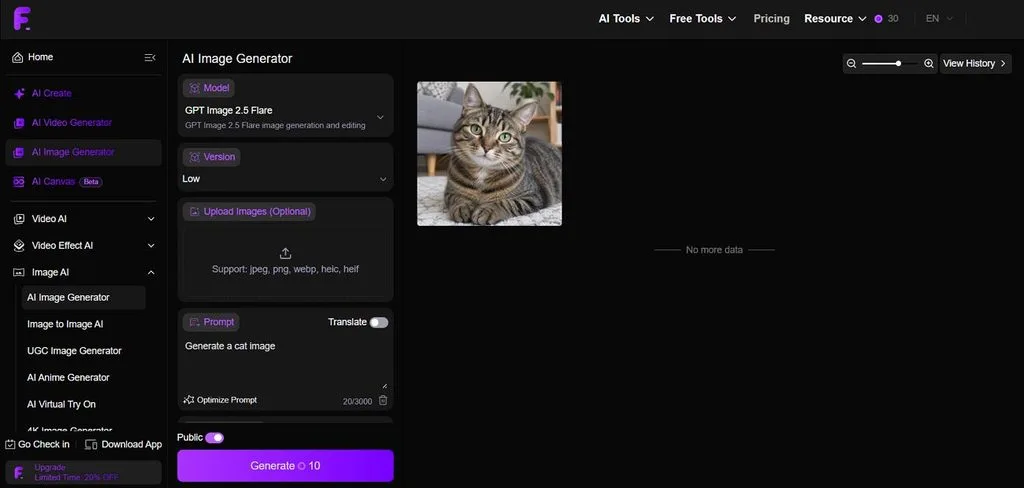
FLUX appears often in Midjourney free alternative Reddit discussions for its strong photorealistic results. Black Forest Labs offers several variants alongside Nano Banana Pro for different creative image tasks. Its open-weight options also let developers run supported models locally for customized creative workflows.
Key Features
- Hex color codes provide precise control over generated brand colors.
- Flexible dimensions support custom aspect ratios without fixed presets.
- FLUX.2 [flex] adjusts generation steps for typography and detail.
Pros
- Flux permits commercial projects under Apache 2.0.
- Local deployment gives developers greater control over custom workflows.
Cons
- It restricts commercial use under its license.
- Running larger variants locally demands substantial GPU memory resources.
Part 2. Quick Comparison of the Best Midjourney Free Alternatives
Midjourney free alternatives differ in image quality, usage rights, creative features, and free plan limits. The table below compares these tools with Midjourney to highlight their main differences:
| Tool | Reference Images | Image Models/ Modes | Editing Control | Best At |
| MagicLight AI | Up to 10 references | 5 image models | 4 aspect ratios | Multi-model image creation |
| Leonardo AI | Up to 6 references | Multiple first- and third-party models | 3 GPT Image aspect ratios | Consistent characters |
| Ideogram | 1 character reference | Character, Remix, Magic Fill | Pixel-level character masks | Text inside images |
| Playground AI | Multiple references supported | 4+ major image models | Smart Layers + up to 4K editing on top tier | Editable graphic designs |
| FLUX | Model-dependent | Multiple FLUX variants | Generation + model-specific editing | Photorealistic generation |
| Midjourney | Up to 4 Edit Model references | V8.2 + Edit Model | Style weight 0–1000 | Stylized image generation |
Commercial rights vary between these tools, making them difficult to compare in one table. Playground restricts free outputs, while FLUX usage rights depend on the selected model variant. Ideogram terms may change, so check current rules before using images for paid work.
Conclusion
To conclude, choose a Midjourney free alternative based on your main creative image needs. Ideogram handles readable text, while Leonardo AI works well for maintaining consistent recurring characters. FLUX focuses on photorealistic results, while Playground works better for template-based graphic design projects. Each option provides free access, unlike Midjourney, which requires payment before generating any images. MagicLight AI combines image tools with video features, letting users animate an image.
Frequently Asked Questions
- What is similar to Midjourney but free?
Leonardo AI and FLUX offer strong image quality for anyone seeking free creative options. No AI similar to Midjourney matches its distinctive painterly and stylized image aesthetic.
- Is there a free AI image generator?
Several free image generators provide useful access without requiring users to pay anything first. These tools usually limit credits, privacy, generation speed, downloads, or available image creation features.
- What is the best free AI art generator?
MagicLight AI combines multiple image models with tools for turning generated images into videos. Ideogram handles text-heavy graphics well, while FLUX focuses strongly on creating photorealistic visual results.
- Can I use a free Midjourney alternative commercially?
Commercial rights for each free Midjourney alternative depend heavily on its specific licensing terms. Always check current usage rules before selling, publishing, or using generated images commercially anywhere.
- Is MagicLight AI better than Midjourney?
MagicLight AI combines multiple image models, free access, and integrated video creation tools. Midjourney focuses more strongly on distinctive stylized artwork, making their creative strengths quite different.





