


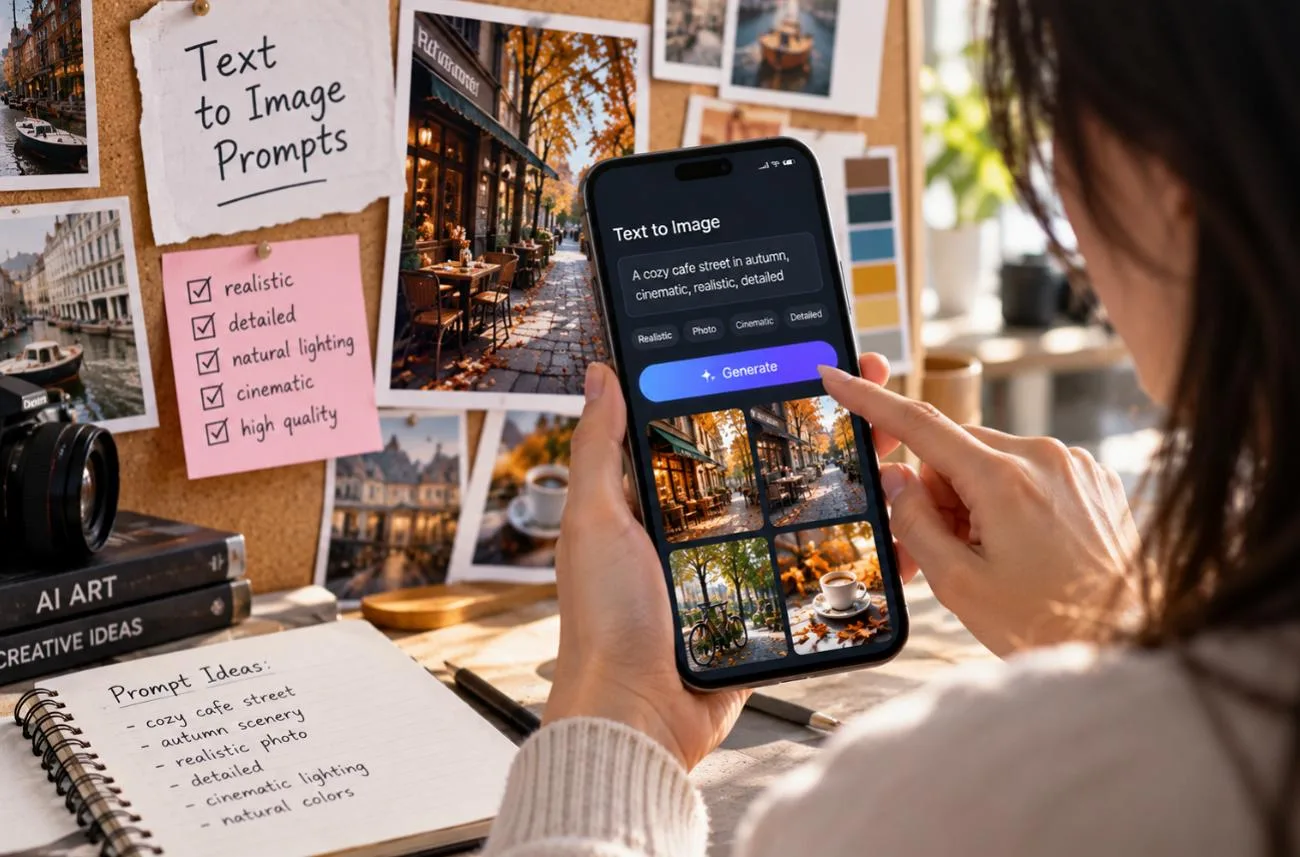
Weak instructions often produce images that look different from what you had in mind. Clear text to image prompts give the model more direction by spelling out the subject, setting, style, framing, and lighting. Portraits, products, food, interiors, posters, and stylized art each require different descriptive language. Google also recommends describing the complete scene instead of relying on disconnected keywords in its Nano Banana prompting guidance.
Part 1. 10 Text to Image Prompts for Better AI Art
Strong AI image prompts work best as complete scene descriptions, starting with the subject before adding style, lighting, and framing. Square brackets highlight details you can easily replace for different results. The 10 ready-to-use prompts below follow this structure and stay within a 500-character limit:
1. Photorealistic Portrait
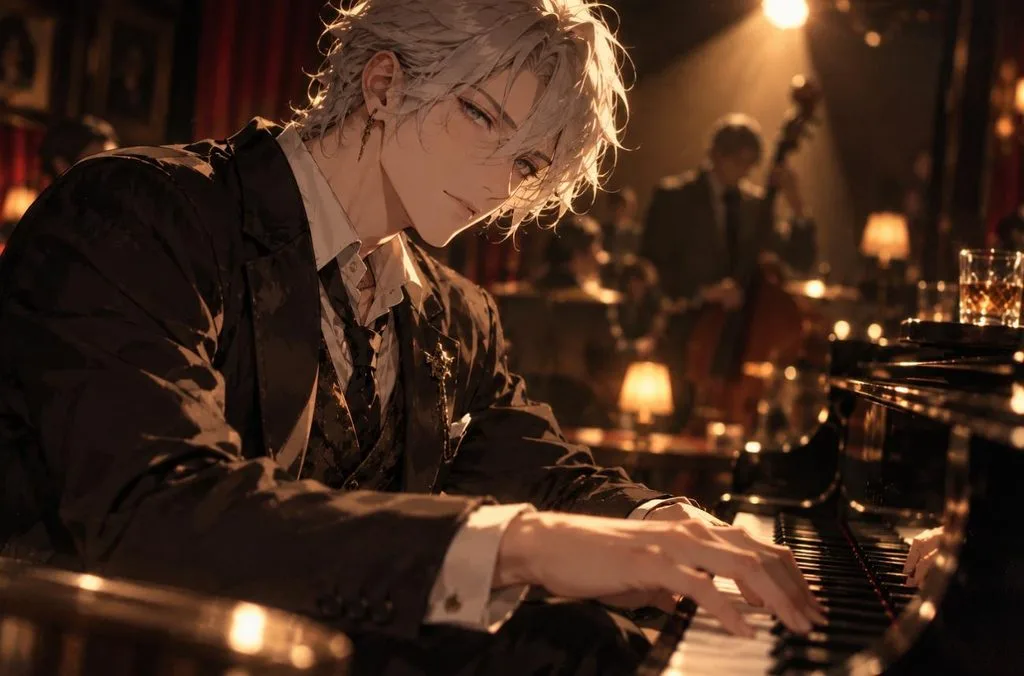
Portraits look like real photographs when the prompt speaks the language of a camera. Lens length, aperture, and one named light source steer the model away from an illustrated finish.
Prompt: A close-up portrait of [a silver-haired jazz pianist] resting his hands on the keys in a dim club. His face is lit by a single warm spotlight. Shot on an 85mm lens at f/1.8, shallow depth of field, natural skin texture, and subtle film grain.
2. Product Photography
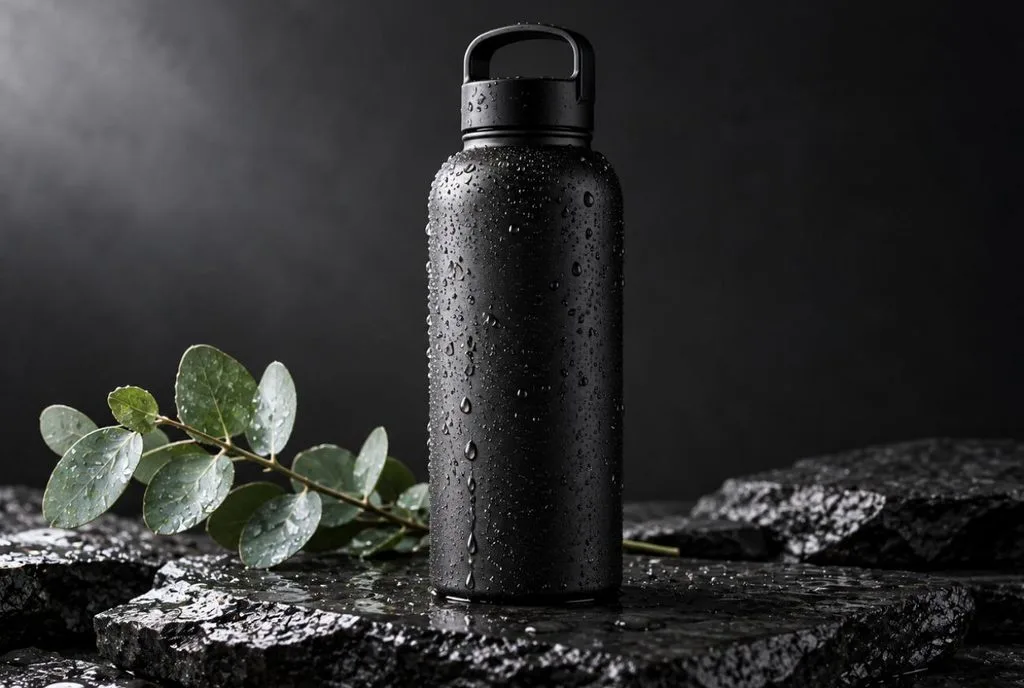
A product AI picture prompt works best when it names the surface, the props, and the direction of the light. Those three details give online store images a clean, catalog-ready consistency.
Prompt: A [matte black water bottle] standing on wet slate, water droplets on its sides, with a single eucalyptus sprig beside it. Soft diffused key light from the left, dark gradient background, sharp focus, clean commercial style.
3. Overhead Food Photography
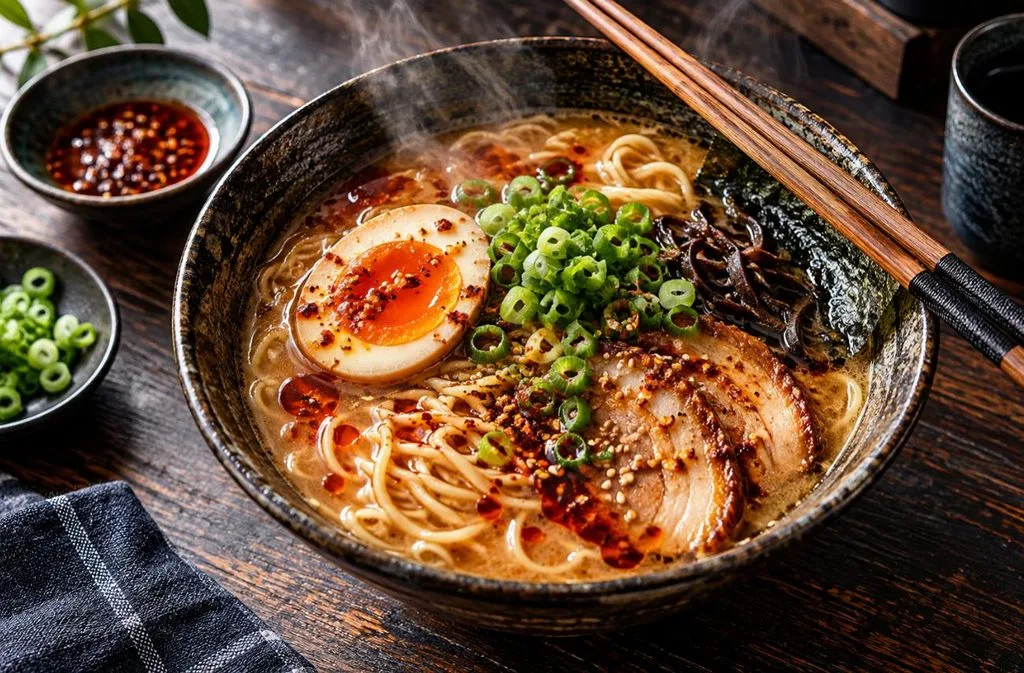
Camera angle strongly affects how food appears in an AI-generated image, so defining the viewpoint early gives the model clearer composition guidance. Steam, garnish, and natural window light then make the dish look freshly served.
Prompt: Overhead flat lay of [a bowl of ramen] with a soft-boiled egg, scallions, and chili oil, chopsticks resting on the rim. Dark wooden table, natural window light, rising steam, rich colors, editorial food magazine style.
4. Modern Interior Design
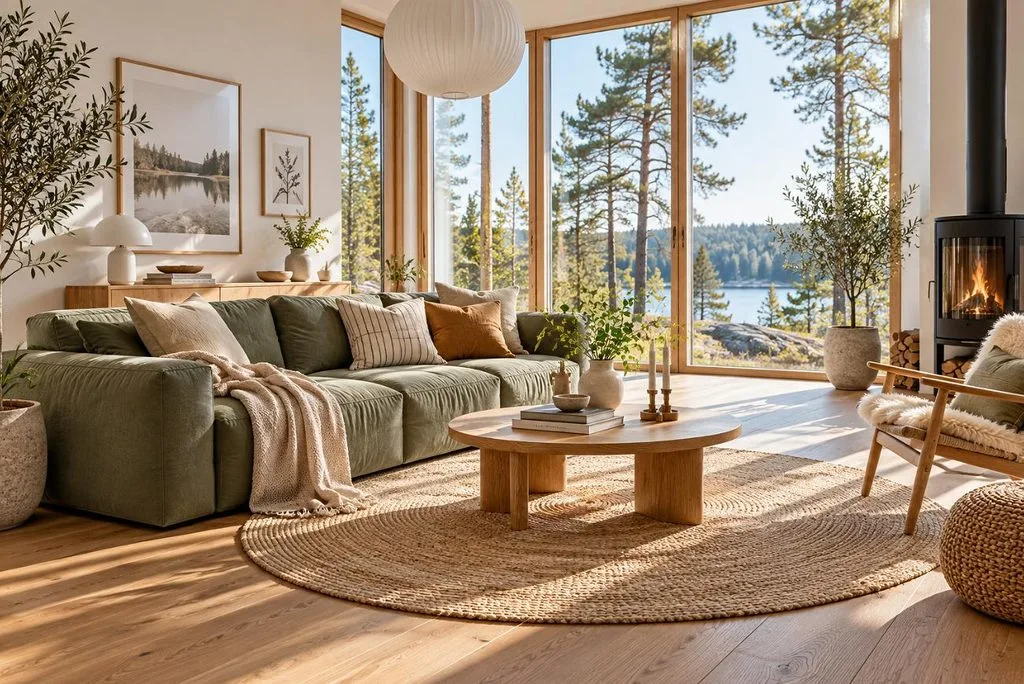
Interior renders stay coherent when the prompt lists real materials and limits the palette to one accent color. Wide-angle and architectural photography terms can help guide perspective and produce more balanced room proportions.
Prompt: A bright Scandinavian living room with a [sage green] linen sofa, oak floors, a round jute rug, and tall windows overlooking pine trees. Morning sunlight, wide-angle architectural photo, clean lines, calm neutral palette.
5. Aerial Landscape
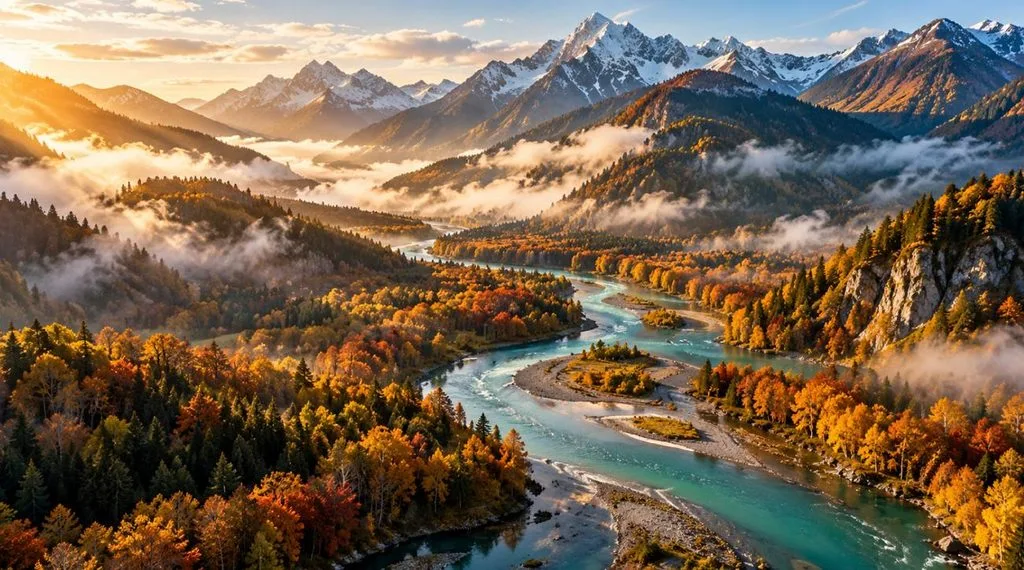
Stating the viewpoint in an image generation prompt prevents cropped horizons and flat compositions in landscape work. Morning mist and low sidelight add depth that a plain description misses.
Prompt: An aerial drone view of [a winding turquoise river] cutting through autumn forests in the mountains, with morning mist in the valleys. Golden sidelight, high detail, landscape photography style, wide 16:9 frame.
6. Watercolor Botanical Illustration
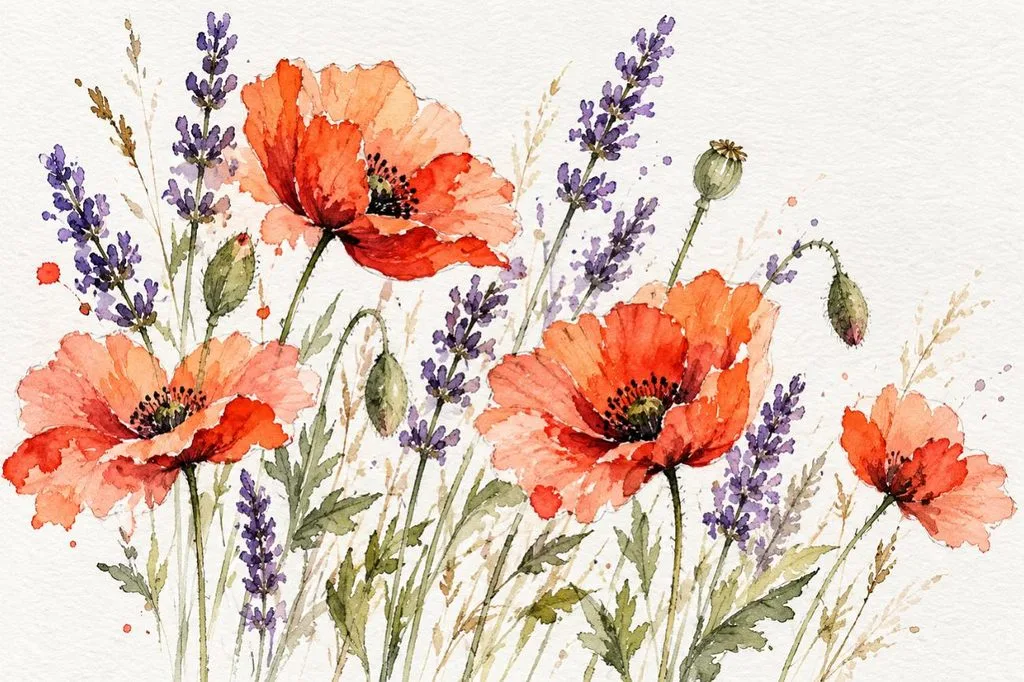
Traditional media looks handmade when the prompt describes the paper and the brush behavior, not only the subject. Soft color bleeds and visible strokes stop the result from looking digitally smooth.
Prompt: A loose watercolor illustration of [wild poppies and lavender] on textured cotton paper, with soft color bleeds and visible brush strokes. White space around the stems, delicate pencil outlines, and a light, airy palette.
7. Isometric 3D Scene
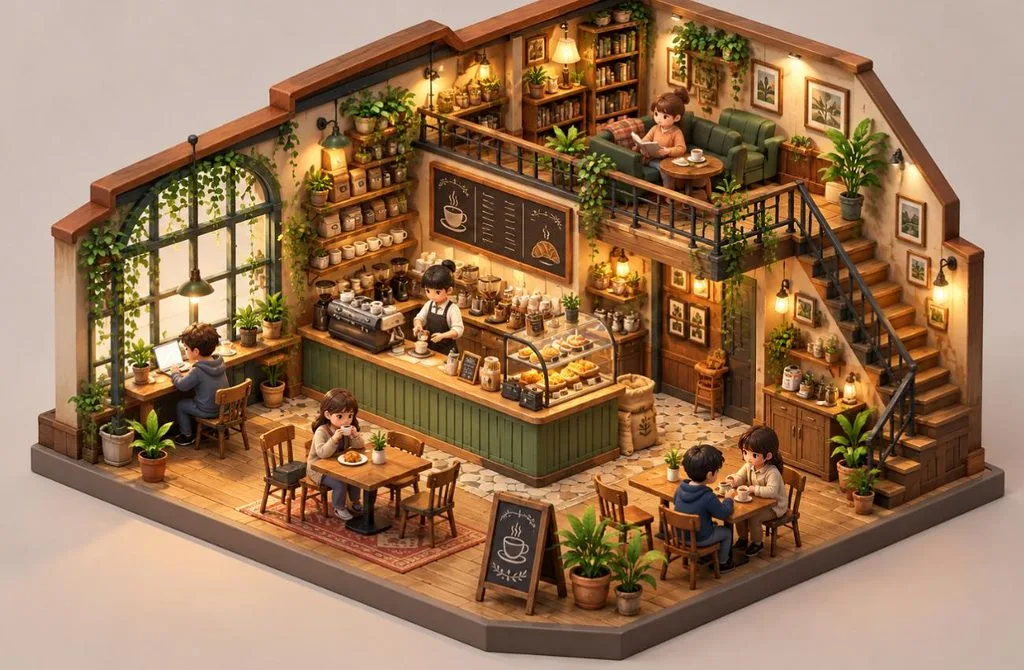
Isometric cutaways suit app graphics, game assets, and explainer visuals, since they show a whole space at once. Clay-like materials and a plain background keep the miniature easy to read.
Prompt: An isometric 3D miniature of a [cozy coffee shop], cut away to show tiny customers, a barista at the counter, and plants on shelves. Soft pastel colors, clay-like materials, gentle studio lighting, plain background.
8. Typography Poster
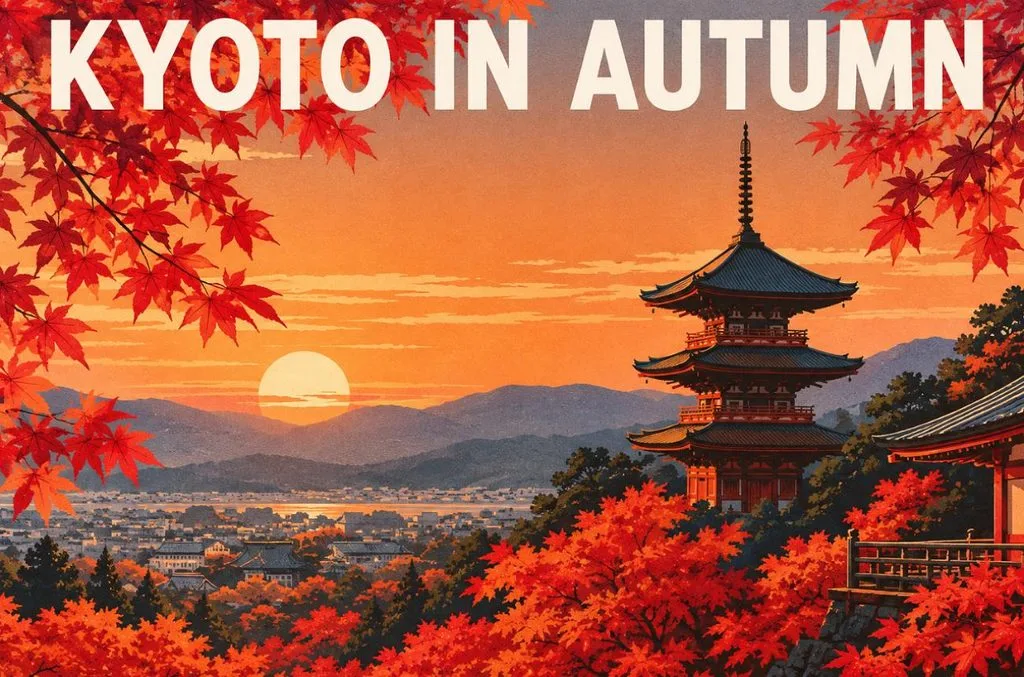
Readable text needs the exact words in quotation marks plus a font style and layout, as Google recommends for Nano Banana. Short headlines also render more reliably than full sentences do.
Prompt: A minimalist travel poster for [Kyoto] with the headline “KYOTO IN AUTUMN” in bold white sans-serif letters across the top. Red maple leaves frame a pagoda at sunset, with flat colors, a clean layout, and screen-print texture.
9. Sci-Fi Environment Art
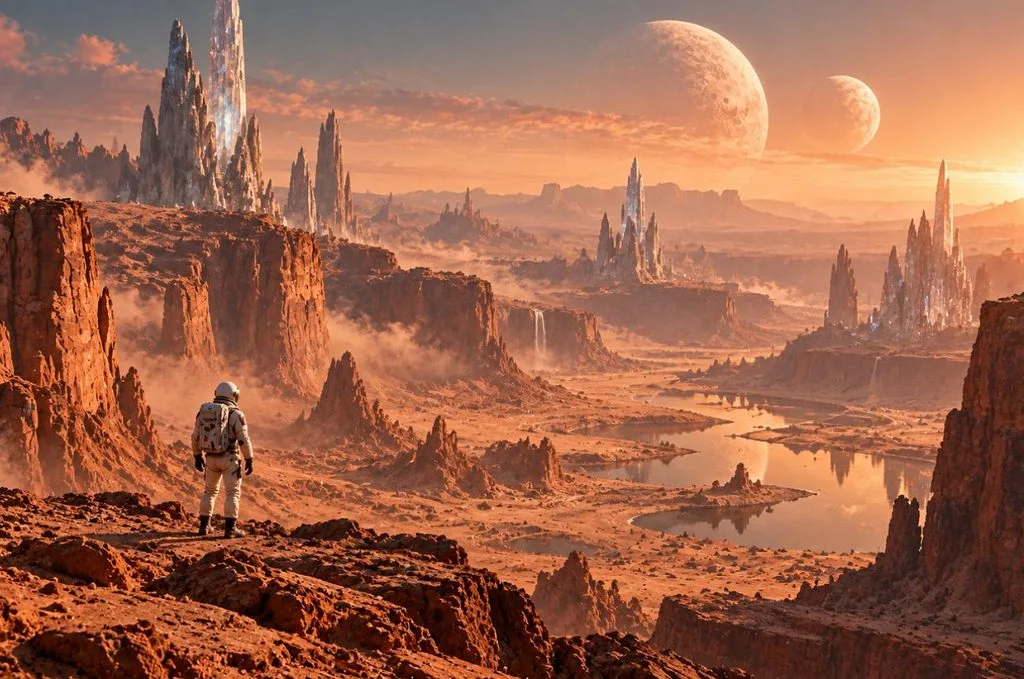
Anyone collecting “prompts image” ideas for sci-fi art can reuse this structure with a new planet or figure. Including a small figure for scale and a layer of haze gives huge environments real depth.
Prompt: A vast desert canyon on an alien planet with [twin moons] rising over crystal spires. One lone explorer in a white suit stands in the foreground for scale. Cinematic wide shot, warm dust haze, detailed matte painting style.
10. Character Turnaround Sheet
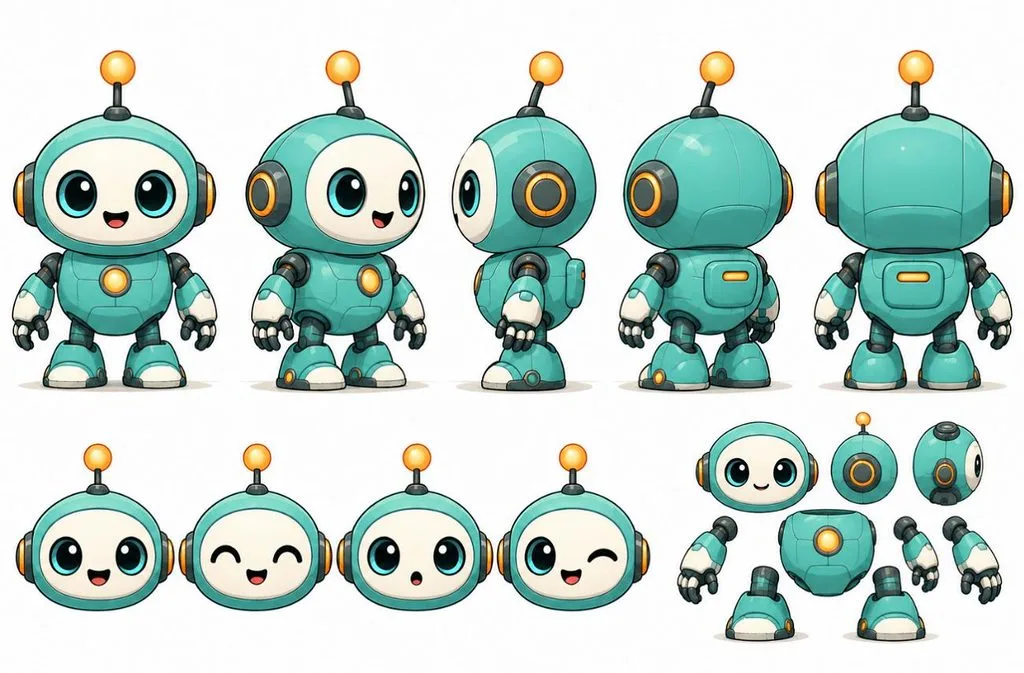
Consistent AI prompts for images of one character starting from a turnaround sheet like this one. Three matching views give every later prompt, and every reference upload, a fixed design to follow.
Prompt: A character turnaround sheet of [a friendly robot mascot] with a round teal body, one antenna, and big round eyes. It appears from the front, side, and back in flat cartoon style on a white background, with identical proportions in every view.
Part 2. How to Get Better Results From Text-to-Image Prompts
Small edits to text-to-image prompts can improve results more than switching between different AI tools. The table below compares weak and improved prompts to show how clearer details, stronger visual direction, and better structure can change the final image:
| Weak Prompt | Stronger Prompt | What Changed |
| A Dog | A golden retriever puppy chewing a red rope toy on a sunlit porch | Specific subject, action, and setting |
| Cool City at Night | A rain-soaked Tokyo street at night, neon reflections, 35mm film look | Named place, light, and style |
| A Logo with Text | A flat vector logo reading “Blue Fern Cafe” in rounded sans-serif letters | Exact wording in quotes plus a font style |
| No People in the Park | An empty park at dawn, benches wet with dew, mist over the grass | A positive description instead of a “no” phrase |
Beyond prompt wording, the 4 practical habits below can improve consistency, accuracy, and control across every image generation round:
- Choose the Right Aspect Ratio: Pick the aspect ratio before generating, such as 1:1 for feeds or 16:9 for banners, so the composition fits the crop.
- Use Reference Images: Upload a product, face, or style image when details must match, since words alone cannot reproduce a logo or likeness.
- Compare Different Models: Run the same prompt on 2 engines to see which model interprets the intended style and details more accurately.
- Change One Detail at a Time: Keep the prompt consistent between rounds while changing one phrase, such as warmer lighting or a lower camera angle.
Learning how to generate images from text prompts becomes easier when the essential controls are available in one place. MagicLight AI brings 5 image engines together, including Nano Banana 2, so you can compare results without changing platforms.
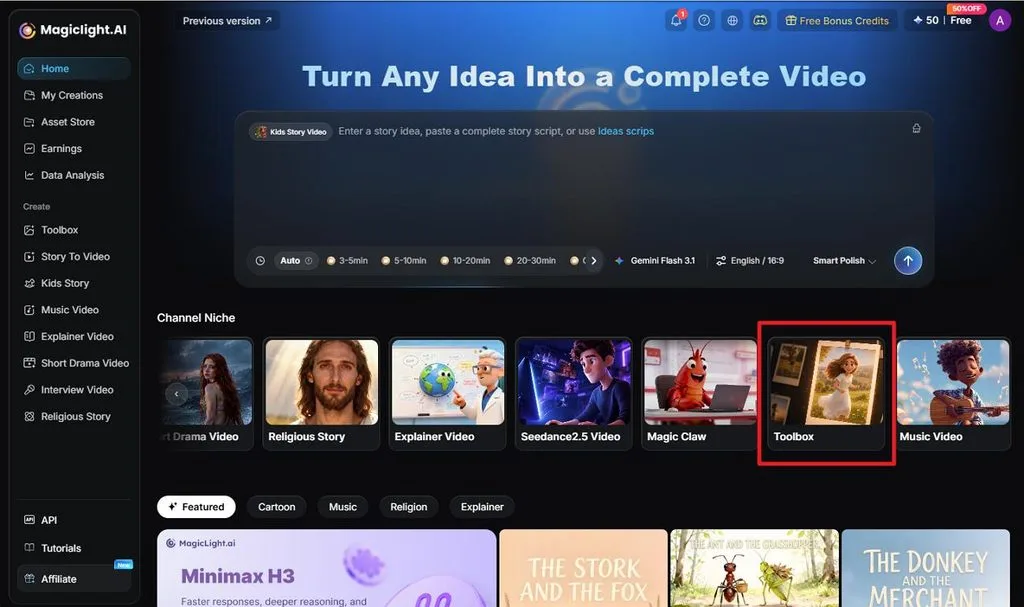
Reference images of up to 20MB help maintain accurate products, faces, and other important visual details. You can generate multiple versions in one run, then turn your preferred image into a short clip with Image to Video. Free credits also make it easier to test different prompts and settings before committing to more generations.
Conclusion
Better text to image prompts clearly define the subject, style, lighting, framing, and important visual details. Choosing vocabulary suited to portraits, products, interiors, or artwork also improves accuracy. Testing small prompt changes can further refine results. For easier model comparison and image-to-video creation, MagicLight AI is worth considering.
Frequently Asked Questions
1. What should a good text-to-image prompt include?
A good text-to-image prompt names the subject and action, the setting, a style or camera look, the lighting, and the mood. The frame shape and any exact wording in quotation marks complete it, and a descriptive sentence beats a list of keywords.
2. How do I make AI-generated images look more realistic?
A realistic AI image prompt borrows photography terms, such as lens length, aperture, natural light, and skin or fabric texture. Google’s guidance for Nano Banana says camera angles, lenses, lighting, and fine details push results toward photorealism, and a reference photo adds accuracy.
3. Can I use text-to-image prompts to create consistent characters?
Text alone drifts between generations, so a reusable AI prompt for images should repeat the same detailed character description word for word. Adding a reference image improves consistency, and Story to Video in MagicLight AI keeps saved characters identical across scenes.
4. What are the best AI tools for text-to-image prompts?
MagicLight AI stands out, since its five image engines share one panel with reference uploads, batch outputs, and four frame shapes. You can compare the same wording across engines in minutes. ChatGPT, Gemini, and Midjourney also follow detailed prompts as well as standalone options.





