



A single campaign can need videos for ads, product pages, emails, and social posts. Scalable video marketing tools help teams create content faster while reducing repetitive editing work. These tools can handle scripts, templates, captions, resizing, publishing, and other useful production tasks.
Some tools use ready templates, while others create complete videos from simple text prompts. Features, brand controls, AI options, and pricing can differ greatly between available video tools. This guide compares useful options to help brands choose the right tool for campaigns.
Part 1. How to Choose the Right Video Marketing Tool
Choosing between video marketing platforms gets easier when you know your content needs. Each platform handles creation, editing, branding, and publishing in its own way. Below are the main checks before choosing a tool for campaigns:
- Creation Workflow: Check whether templates or AI tools better match your usual video creation process.
- Brand Consistency: Look for brand kits and designs that keep every campaign visually consistent.
- Platform-Ready Output: Choose tools offering resizing, captions, and quality exports for different publishing channels.
- Team Review: Comments, approvals, and shared workspaces can make feedback easier across your whole team.
- Pricing and Rights: Verify credit limits, licensing terms, and extra costs before choosing any plan.
Part 2. 6 Top Video Marketing Tools to Consider
Picking a video marketing tool depends on what you need to create quickly. Some focus on editing clips, while others turn scripts into complete marketing videos. Let’s explore the top 6 video marketing tools worth considering for different content creation needs.
1. MagicLight AI
Best For: Brands creating narrated videos without dedicated production teams.
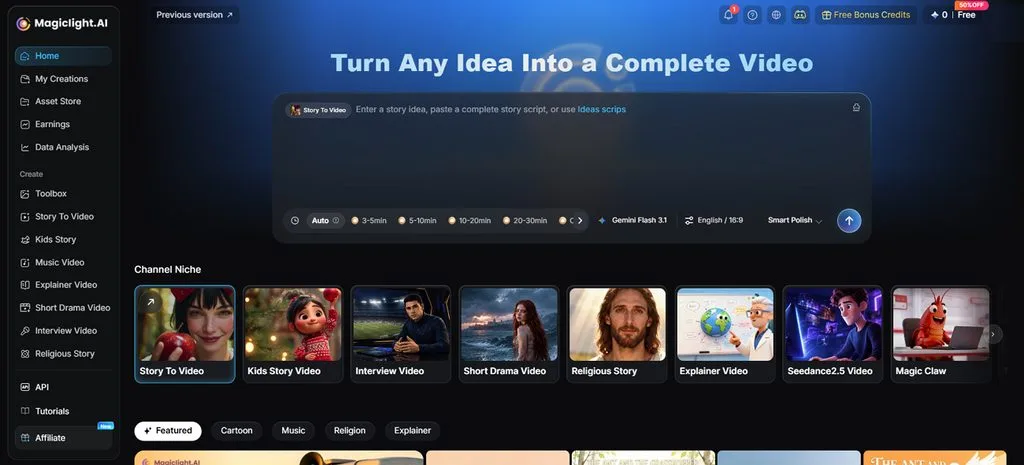
Brands needing finished videos can start with one simple campaign idea in MagicLight AI. A short chat helps turn that idea into a complete script for the video. MagicLight Agent also builds a scene-by-scene storyboard and prepares the full production plan automatically.
Story to Video creates each scene with narration, captions, and suitable background music included. Scripts up to 12,000 characters are split into scenes, making longer product explainers much easier. Paid plans support 1080p exports without watermarks, giving brands clean videos for campaign use.
Key Features
- MagicLight Agent: One campaign concept becomes a planned production without building everything manually. It prepares scripts, scenes, characters, and creative direction before generation starts.
- AI Character Generator: Custom brand figures can be built from descriptions reaching 1,000 characters. Uploaded pictures shape their look, and completed designs remain available afterward.
- Visual Styles: More than 50 presets give marketers plenty of room for creative direction. Realistic, 3D, cartoon, and other finishes suit different promotional content types.
- Reusable Characters: Recurring mascots maintain the same appearance throughout separate videos and new projects. This continuity helps audiences recognize familiar brand figures across ongoing content.
- Voices and Subtitles: Narration includes 37 voices alongside cloning support for more personalized delivery. Another 16 subtitle designs make spoken content easier to follow onscreen.
Pros
- Projects can run 50 minutes for longer content.
- One account shares credits across supported device versions.
- Free credits provide room to test video generation.
Con
- Video exports stop at 1080p on available plans.
2. Canva
Best For: Social teams handling ads and campaign assets.
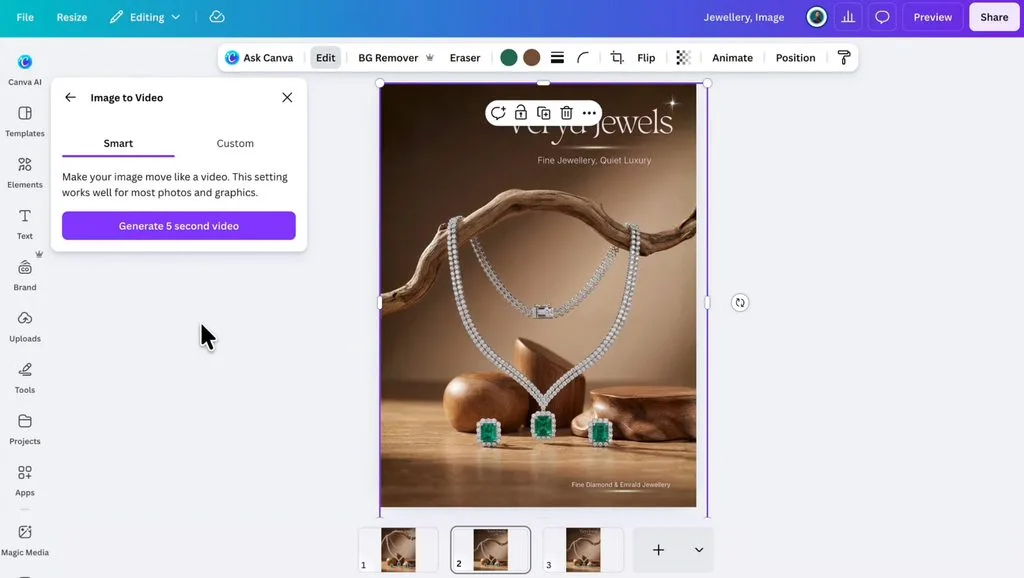
For marketing teams, this video marketing platform keeps design and editing in one workspace. Uploaded campaign footage can become polished social content through its newer automated editing workflow. Teams can move from visual design into video work without rebuilding familiar brand assets.
Key Features
- Veo 3 creates 8-second clips with synchronized sound from written prompts directly.
- Grow publishes finished ads directly across Meta, TikTok, and LinkedIn campaign accounts.
- Highlights scans uploaded footage and automatically extracts strong moments into shorter clips.
Pros
- Captions include 20+ style packs with animated presets.
- Background Remover isolates subjects without requiring green-screen footage.
Cons
- Image-to-Video animations remain limited to 3-second generated clips.
- Caption style packs currently support only 6 languages.
3. InVideo
Best For: Performance marketers testing multiple UGC ad variations.
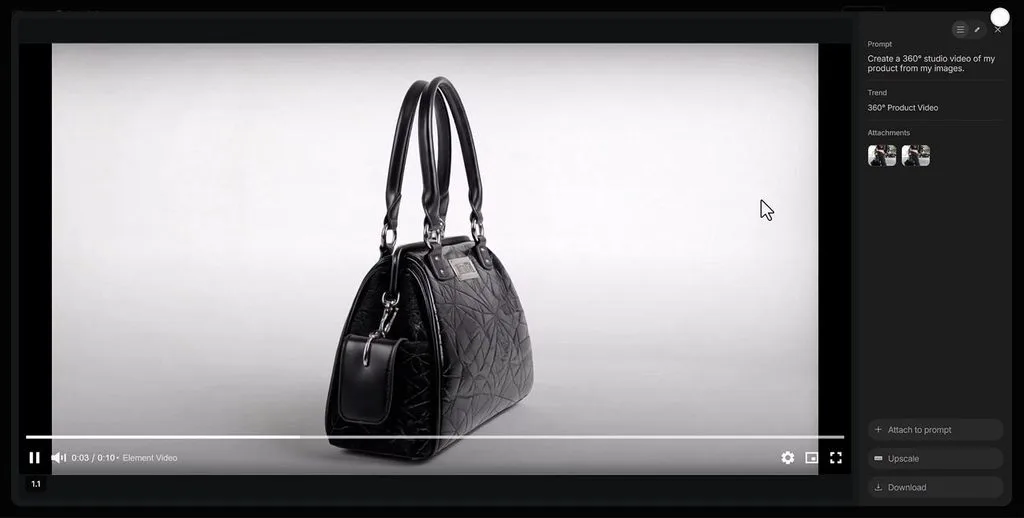
A single prompt makes this video marketing tool useful for rapid campaign production at scale. Product links can become scripted advertisements with generated presenters, visuals, narration, and subtitles included. Marketers can then refine individual scenes through written directions instead of rebuilding videos manually.
Key Features
- UGC Ads turns product links into lip-synced creator-style advertisements for social campaigns.
- Product Clone preserves packaging, labels, and proportions across repeated generated advertising shots.
- Dynamic Text syncs animated captions word-by-word across more than 50 supported languages.
Pros
- Text commands edit footage while preserving manual control.
- Exports transfer into Premiere Pro with cuts intact.
Cons
- UGC ad workflows generally support videos around one minute.
- Human actors can add extra generative credit charges.
4. VEED
Best For: Marketing teams producing content for global audiences.
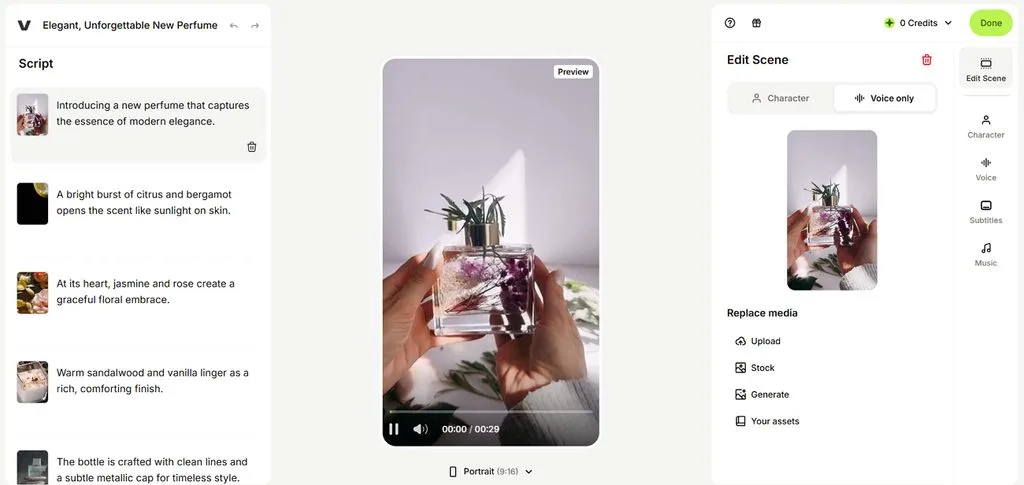
VEED keeps multilingual campaign production inside browser-based video marketing software for distributed marketing teams. Campaign footage can move from recording to localized versions without separate desktop editing programs. Marketers can prepare product demos, translated ads, and social content from one shared workspace.
Key Features
- AI dubbing preserves voices across 29 languages with optional synchronized lip movements.
- Screen recording pairs a built-in teleprompter with automatic eye-contact correction.
- Transcript editing changes video cuts when marketers delete or rearrange spoken text.
Pros
- Pro plans export videos in watermark-free 4K resolution.
- Timestamped comments keep team feedback attached to projects.
Cons
- Lip-sync dubbing currently downscales processed videos to 1080p.
- Eye Contact struggles when speakers look far away.
5. Kapwing
Best For: Content teams repurposing long recordings for social.
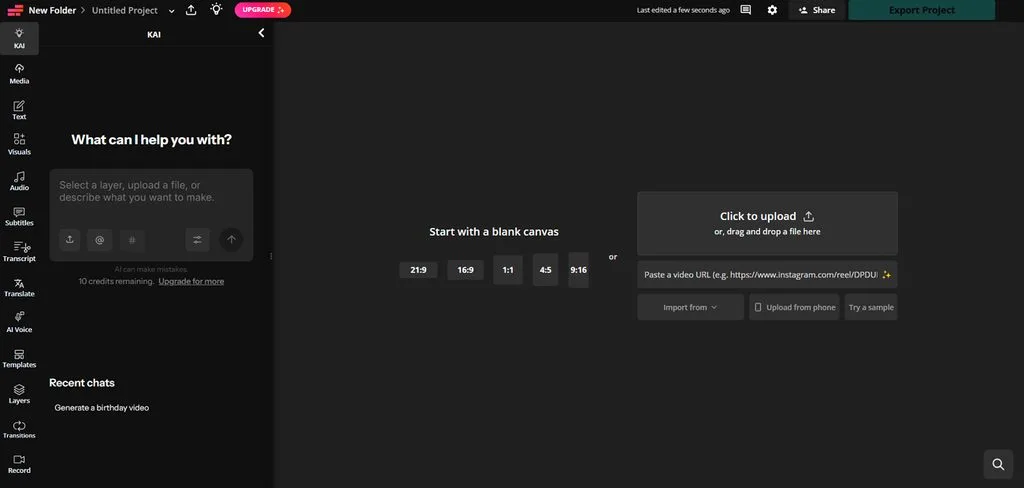
Long recordings become social clips faster when this video marketing platform handles repurposing. Repurpose Studio finds useful moments and builds multiple short edits from existing campaign footage. Teams can reshape interviews, podcasts, and webinars for different social channels inside one workspace.
Key Features
- Kai follows chat instructions to trim, subtitle, reorganize, or reformat video projects.
- Smart B-roll matches transcript topics with stock footage and generated visuals automatically.
- Brand Kit stores AI personas, voices, pronunciation guides, fonts, and subtitle styles.
Pros
- Pro workspaces support exports reaching 120 minutes long.
- Paid users can export completed projects in 4K.
Cons
- Free workspaces receive only 10 lifetime AI credits.
- Free projects remain accessible for only 3 days.
6. Adobe Express
Best For: Small businesses managing branded social content calendars.
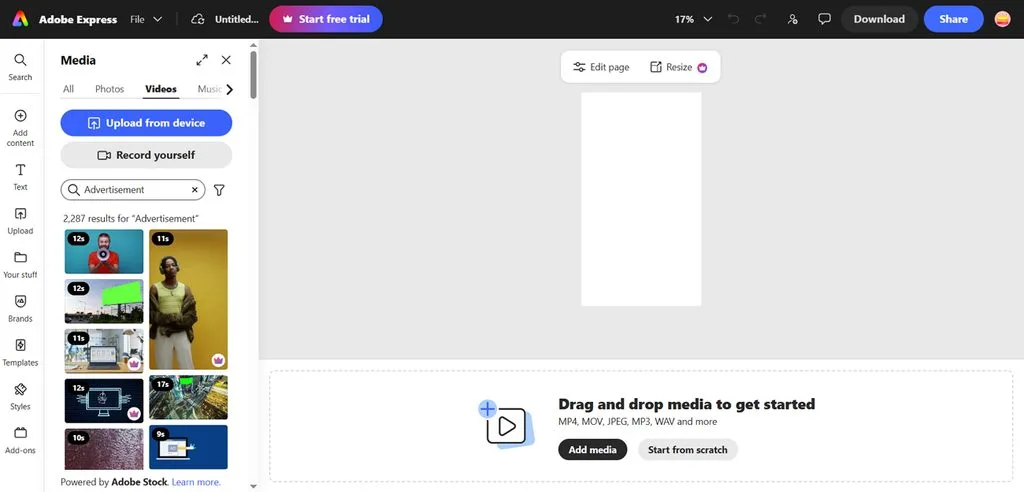
Adobe Express brings video marketing tools into a familiar workspace for branded campaign production. Firefly generation gives companies another route for creating original promotional footage from written ideas. Finished assets can then move directly into social planning without leaving the same editor.
Key Features
- Clip Maker finds moments in long videos and produces captioned social cuts.
- Content Scheduler publishes across Instagram, Facebook, LinkedIn, TikTok, Pinterest, YouTube, and X.
- Teams can restrict shared templates to approved brand colors and fonts only.
Pros
- Firefly generation accepts starting images for visual guidance.
- Scheduler supports publishing across 7 major social networks.
Cons
- Clip Maker currently processes English-language spoken content only.
- Generated Firefly videos default to 5-second clips currently.
Compare All Video Marketing Tools
The best video marketing software can differ greatly in features, pricing, and brand controls. Some options focus on AI creation, while others handle editing and team collaboration better. The table below compares each option across important areas for easier brand selection:
| Tool | AI Video Creation | Brand Controls | Language Support |
| MagicLight AI | Videos up to 50 minutes | Saved characters, 50+ styles | 37 AI voices with multilingual options |
| Canva | Veo-powered AI video clips | Up to 1,000 Brand Kits, approvals | 20+ caption styles, with styled captions in 6 languages |
| InVideo | Prompt-based videos, AI agents | AI Twins, product-focused generation | 50+ languages for Dynamic Text |
| VEED | AI videos, avatars, dubbing | Brand Kits vary by paid plan | 29 dubbing languages |
| Kapwing | AI generation and repurposing | Brand Kit, custom fonts, voice cloning | Multilingual subtitles and dubbing |
| Adobe Express | 5-second Firefly video generation | Brand Kits, locked templates on Teams | Multilingual caption and translation tools |
Part 3. Why Choose MagicLight AI as Your Video Marketing Software
Among video marketing platforms, MagicLight AI brings planning, creation, and localization into one workspace. Marketing teams can produce finished campaign videos without hiring extra editors or production staff. See the reasons below why MagicLight AI works well for marketing video production:
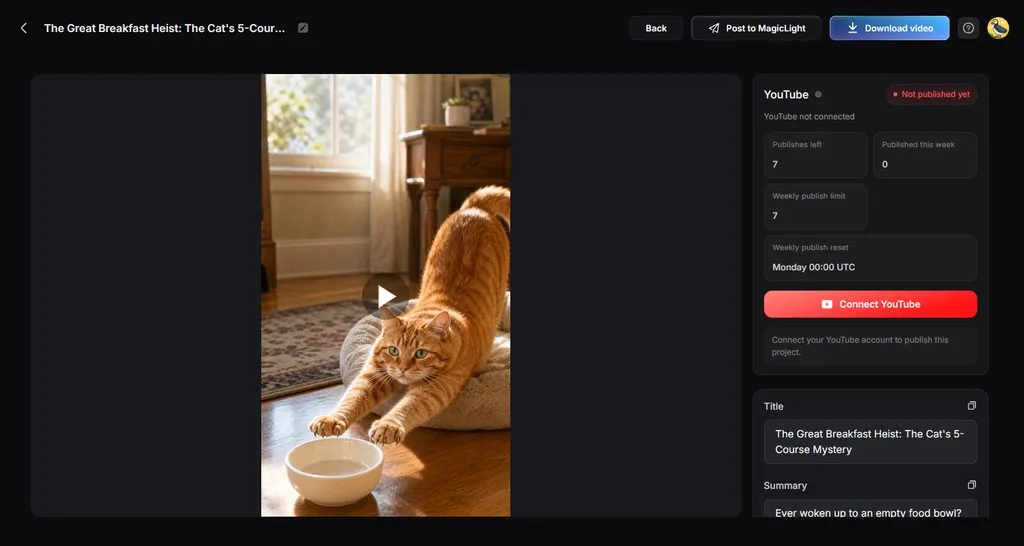
- Channel-Ready Formats: The AI Reels Maker builds captioned vertical videos for TikTok, Reels, and Shorts. The same campaign idea can also support widescreen content for YouTube.
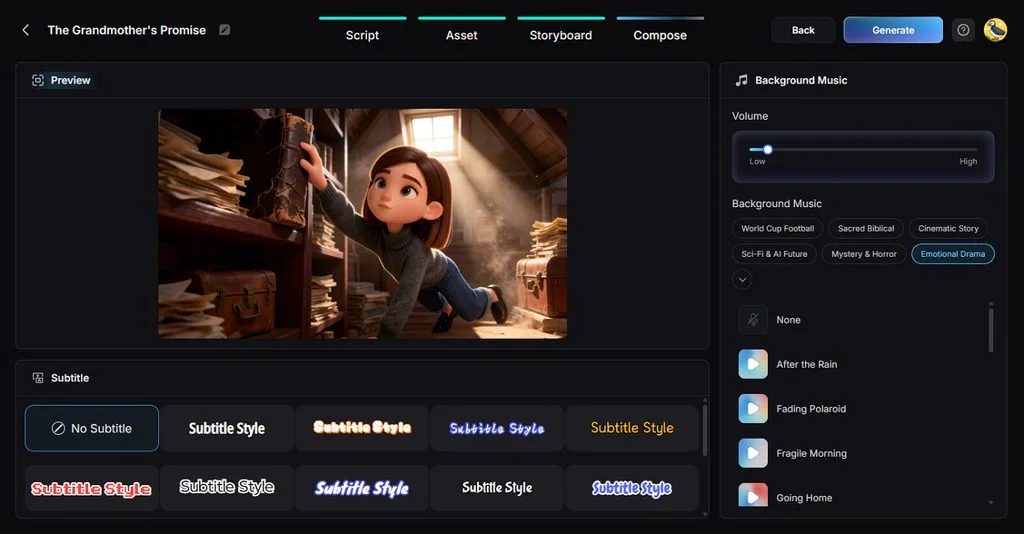
- Caption Styles: MagicLight AI offers 16 caption designs for different marketing video styles. Spoken messages stay readable when audiences watch promotional content without sound.
- Story Models: Creators can access 14 story models for campaign scripts and promotional dialogue. GPT-6 Astra provides another choice for developing longer marketing stories and concepts.
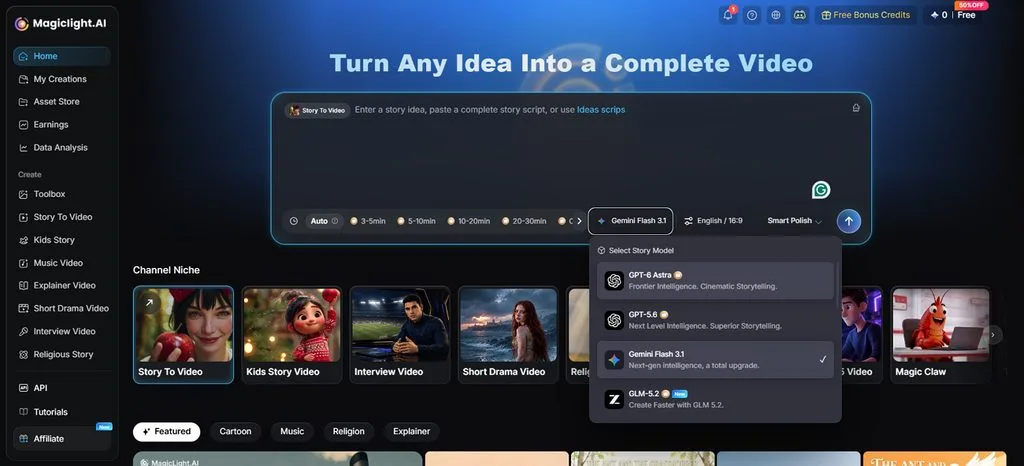
- Clear Rights and Predictable Costs: A general commercial license applies to ads and client work on every paid plan. The Standard plan costs $7.50 a month billed yearly and includes up to 130 minutes of video.
Guide to Create a Marketing Video With MagicLight AI
This video marketing tool turns a simple product idea into polished promotional content. Follow the steps below to create your marketing video using MagicLight AI:
Step 1. Enter Your Marketing Script
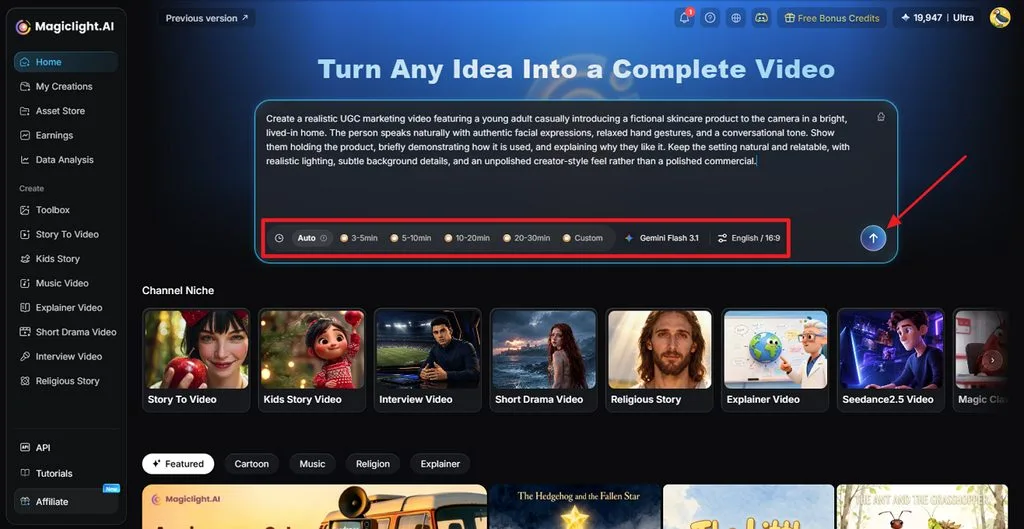
Open Magiclight AI’s homepage and enter the script you want to turn into a marketing video. Choose the duration, model, language, and suitable aspect ratio, then click Send to continue.
Step 2. Review and Confirm the Script
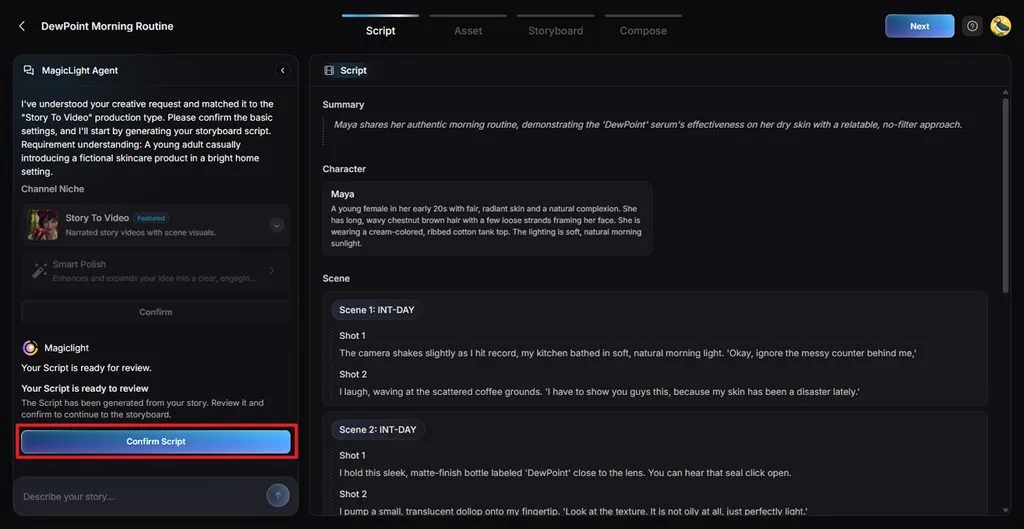
MagicLight Agent organizes your content into Summary, Characters, Scenes, and Shots for the video. Review each section, make any necessary changes, then click Confirm Script to continue.
Step 3. Choose the Production Settings
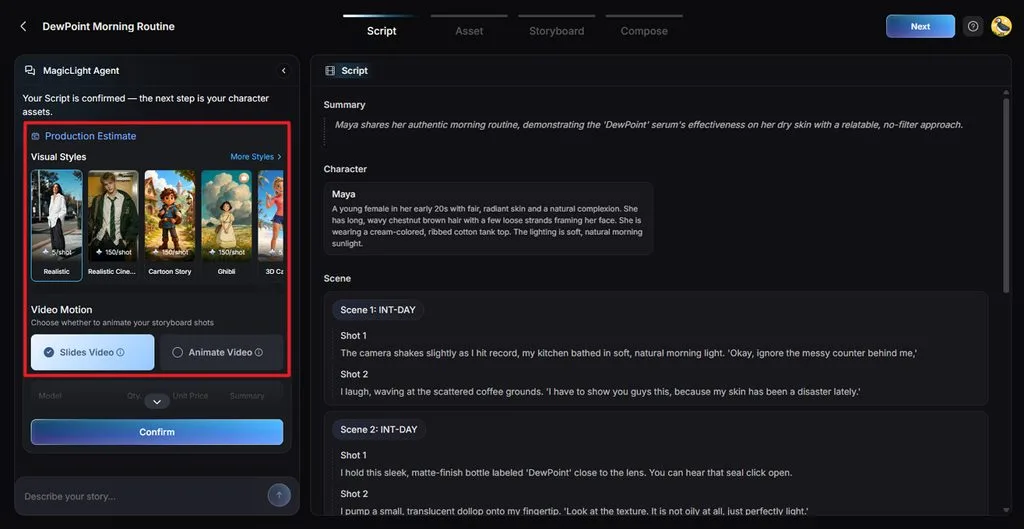
Pick a Visual Style that matches your marketing campaign. Choose between Slides Video and Animate Video, adjust the available settings, then confirm your choices.
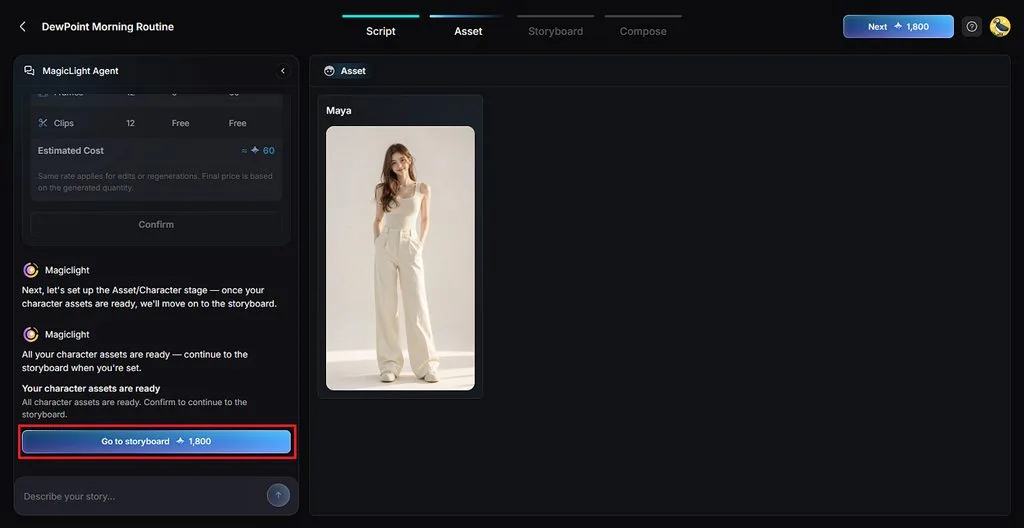
Step 4. Review the Character Assets
Review the generated character assets based on your marketing script. Make any needed appearance changes, then click Go to Storyboard to continue.
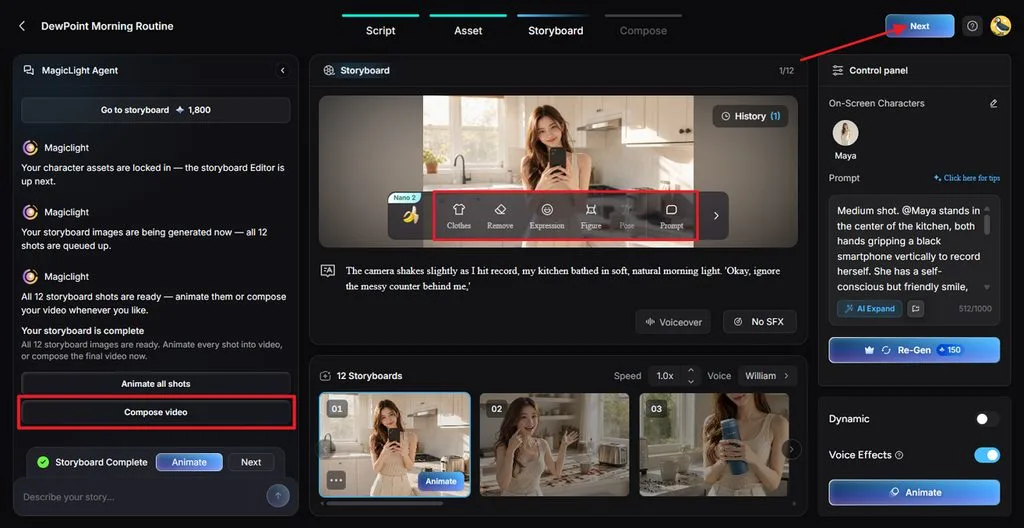
Step 5. Refine and Animate the Storyboard
Check every storyboard shot and adjust Clothes, Expression, Figure, Pose, or Prompt when needed. You can also change voices and effects before selecting Compose video.
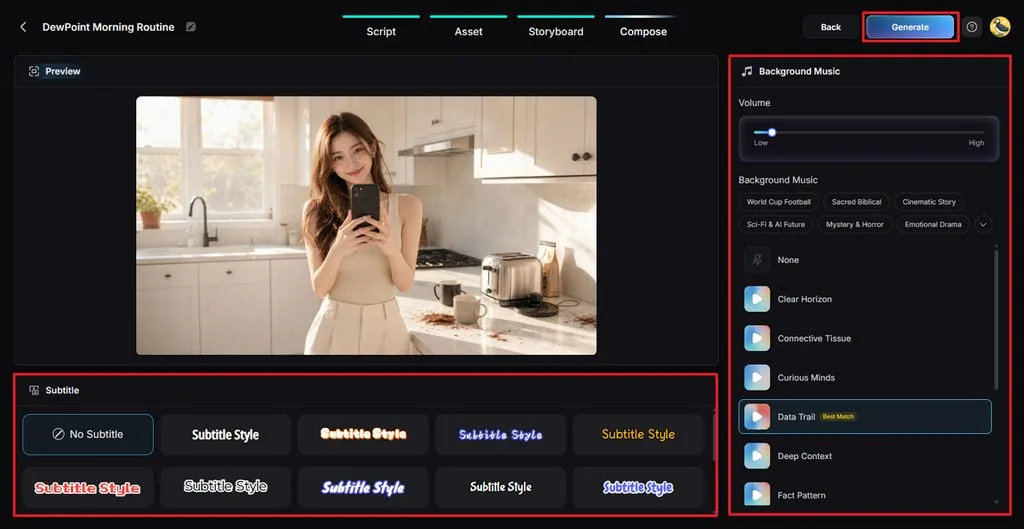
Step 6. Add Subtitles and Background Music
Preview the marketing video and select a Subtitle Style, or choose No Subtitle when preferred. Adjust the background music and volume, then click Generate to create the video.
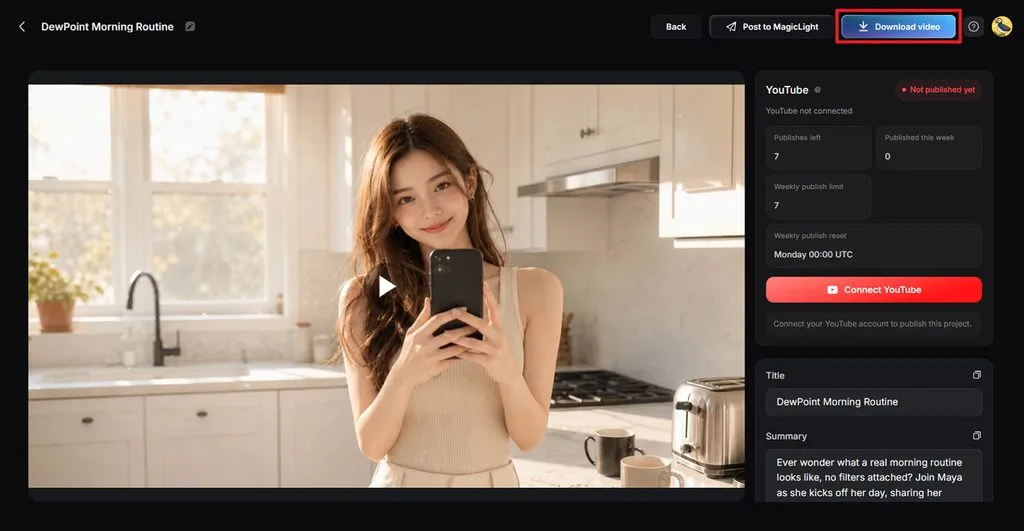
Step 7. Review and Download the Video
Watch the finished marketing video and check its scenes, voice, subtitles, music, and overall flow. Click Download video to save the completed file for your marketing channels.
Conclusion
In conclusion, video marketing tools help brands create stronger campaigns with less production work involved. Some options cover editing and repurposing, alongside features found in the best AI ad generators available. MagicLight AI combines scripts, visuals, narration, captions, and consistent characters for varied marketing campaigns. Choosing the right option depends on your content goals, workflow, budget, and publishing campaign needs.
FAQs on Video Marketing Tools
1. What are video marketing tools used for?
Brands use video marketing software to create ads, social posts, explainers, and promotions. Common tasks include scripting, captioning, resizing, editing, publishing, and repurposing existing video content.
2. What features should a video marketing tool have?
A useful video marketing platform includes branding, captions, resizing, templates, and export controls. Teams also benefit from collaboration, scheduling, translation, licensing, and flexible publishing options.
3. Can AI create videos for marketing campaigns?
AI tools can create campaign videos using scripts, visuals, narration, captions, and music. MagicLight AI also keeps recurring characters consistent across advertisements, explainers, and social campaigns.
4. Can I make marketing videos without editing skills?
Editing experience is unnecessary when AI handles scenes, timing, captions, narration, and music. MagicLight AI lets users review storyboard details before generating their finished marketing video.
5. Which video marketing tool is useful for AI video creation?
MagicLight AI supports AI video creation with multiple models, styles, and longer projects. Other tools may suit shorter advertisements, editing workflows, or quick social media clips.





