


AI image models turn written descriptions into finished pictures. So, learning how to make AI art mostly means describing an image well. A short prompt, sometimes paired with a reference photo, can produce illustrations or concept art without any drawing tools.
Good results still depend on how a model reads a prompt, and style terms change the output. It also depends on which habits keep revisions under control. Review this guide and learn how MagicLight.AI helps you convert simple text ideas into finished graphics right away.
Part 1. What Is AI Art?
AI art is an image created by a machine learning model based on instructions a user provides. Those instructions usually come as a written prompt. However, they can also include reference images, style examples, or other visual inputs.
How AI Art Works
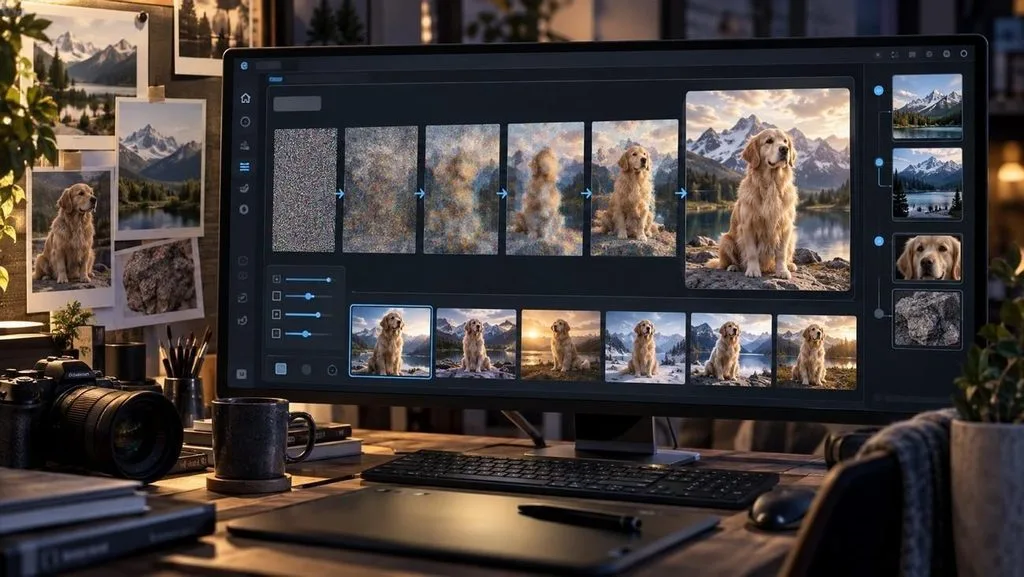
Most AI art generators use diffusion models trained on large collections of images and text descriptions. To know how to create AI art, the model begins with random noise. It gradually adjusts it through multiple steps until it forms an image that matches the prompt.
The starting noise is usually different each time, so the same prompt can produce multiple variations. Reference images provide additional guidance and help the model maintain specific details. This combination of prompts, references, and settings lets users create AI-generated art with more control.
What You Can Create
Once you know how to generate AI art, the same skills cover far more than wallpapers and profile pictures. Common output types suit different projects, and a few come with limits worth knowing:
- Illustrations and concept art suit stories, games, book covers, and mood boards.
- Character designs work best when the tool can save and reuse a character later.
- Posters, thumbnails, and social graphics are common, though any text inside the image needs a close check.
- Product mockups start from a photo of the real item, which helps keep its shape and label accurate.
- Logos and icons usually come out as raster files, so scalable use requires vector tracing.
- Short clips come from image-to-video models that animate a picture.
Popular AI Art Styles
AI art styles change the look and feel of the same subject. The right style terms help guide the image result, and a few are mentioned in the table below:
| Style | Visual Traits | Prompt Terms | Good For |
| Photorealistic | Natural light, real textures | DSLR photo, 50mm lens, soft daylight | Portraits, product shots |
| Anime | Clean lines, flat color | Anime style, cel shading, bold outlines | Characters, story panels |
| Watercolor | Soft washes, paper grain | Loose watercolor, wet edges, pastel palette | Book art, greeting cards |
| Oil Painting | Visible brushstrokes, rich color | Oil on canvas, impasto, warm light | Landscapes, gallery prints |
| 3D Render | Smooth forms, soft shadows | 3D render, clay material, studio lighting | Mascots, app icons |
| Pixel Art | Blocky pixels, small palette | 16-bit pixel art, limited palette | Game assets, retro posts |
What You Need to Get Started
If you want to know how to create art with AI, the following points give you an overview of what you actually need to make art:
- An AI Art Tool: Browser-based generators run on the provider’s servers, so a standard laptop or phone is enough, while local installs need a capable graphics card.
- An Account with Credits: Many platforms charge credits per generation, and larger batches or higher resolutions drain an allowance faster.
- A Clear Idea in Words: One sentence naming the subject, style, and mood is enough for a first attempt.
Part 2. How to Make AI Art with the Best AI Tool?
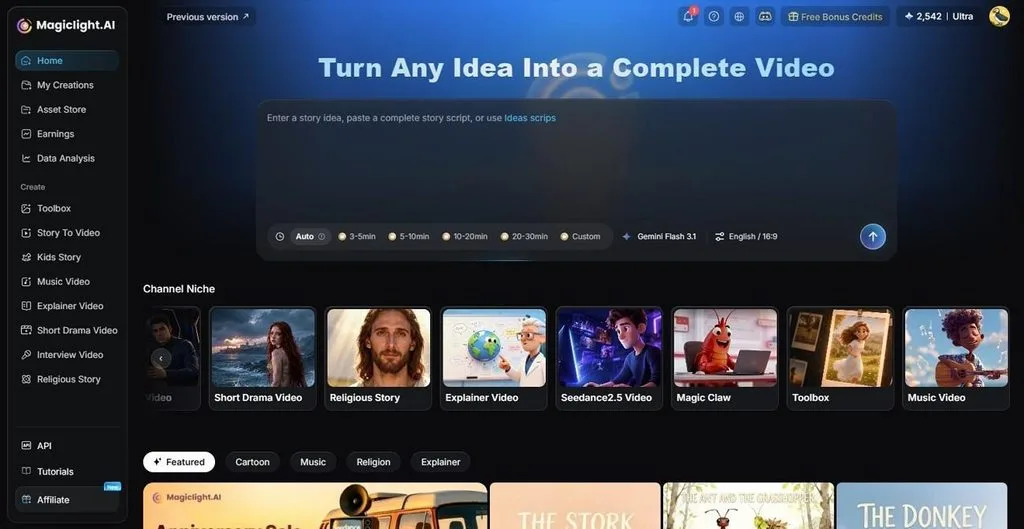
Knowing how to generate art with AI becomes easier when the tool can handle more than simple image creation. MagicLight AI combines multiple image models in one workspace. The tool lets users test different visual styles, formats, and ideas without switching between platforms. It generates images for different platforms with support for formats like 16:9, 9:16, 4:3, and 1:1.
The tool takes you from an initial concept to finished images that support stories, characters, and video projects. It uses generated visuals as part of a larger process that includes characters, scenes, and final video production. Since MagicLight AI is also a video platform, a finished image does not have to stay still. The same image can become an animated clip or the lead-in to a story video up to 50 minutes long.
Key Features of MagicLight AI
Here are some other key aspects of this tool you need to know:
- Model Choice: Choose from models like Seedream 5.0 Pro, Nano Banana 2, GPT Image 2, or GPT Image 2.5 variants. Compare the same prompt across models to help identify which one best fits the required style and output.
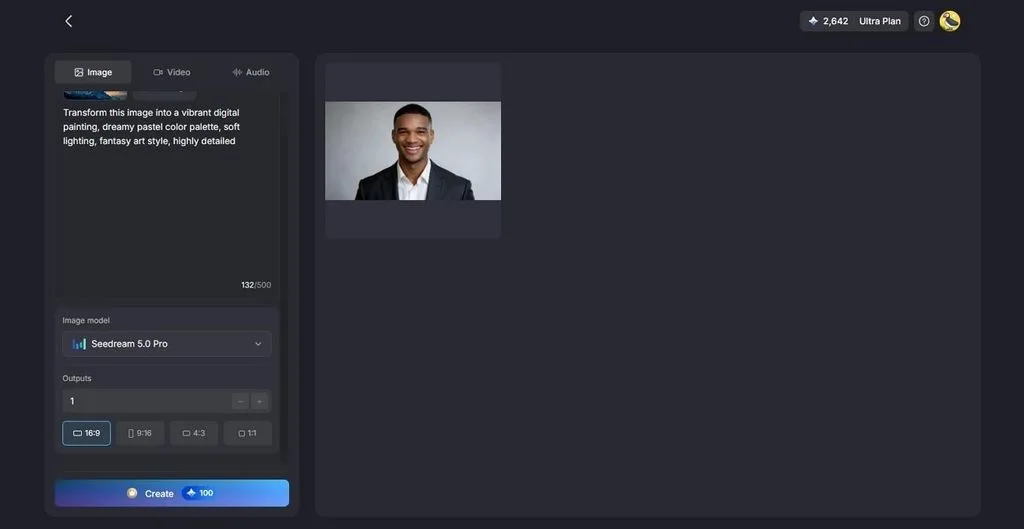
- Reference Uploads: Add multiple JPEG, JPG, PNG, or WEBP images with your prompt to guide the output. Each file can be up to 20MB. More reference images help the tool better understand the style, details, or elements you want to match.
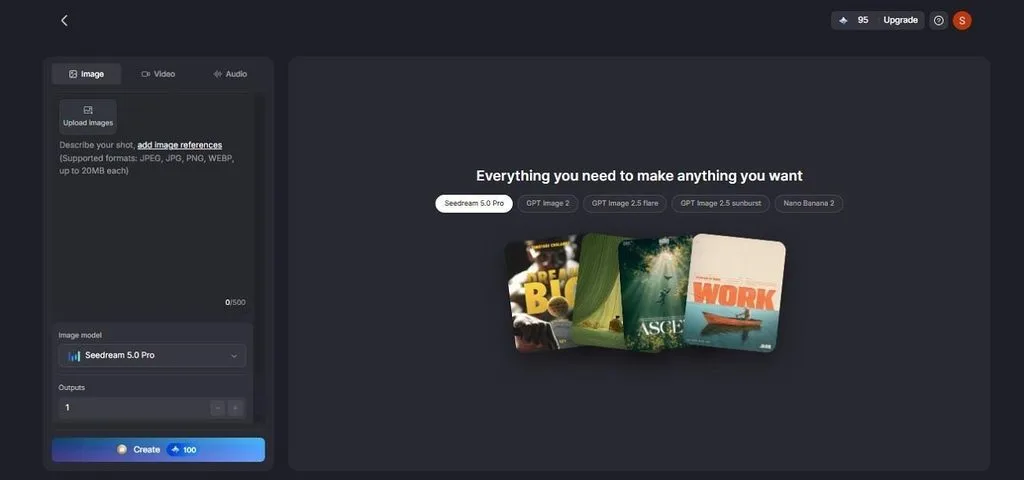
- Reusable Characters: Create a character profile of up to 1,000 characters and save it for future projects. The saved design helps maintain the same appearance and style for mascots or series leads across multiple visuals.
- Image to Video: Turn a finished image into a video by adding a motion prompt of up to 1,500 characters. The prompt can describe movement, camera direction, and the scene's overall feel.
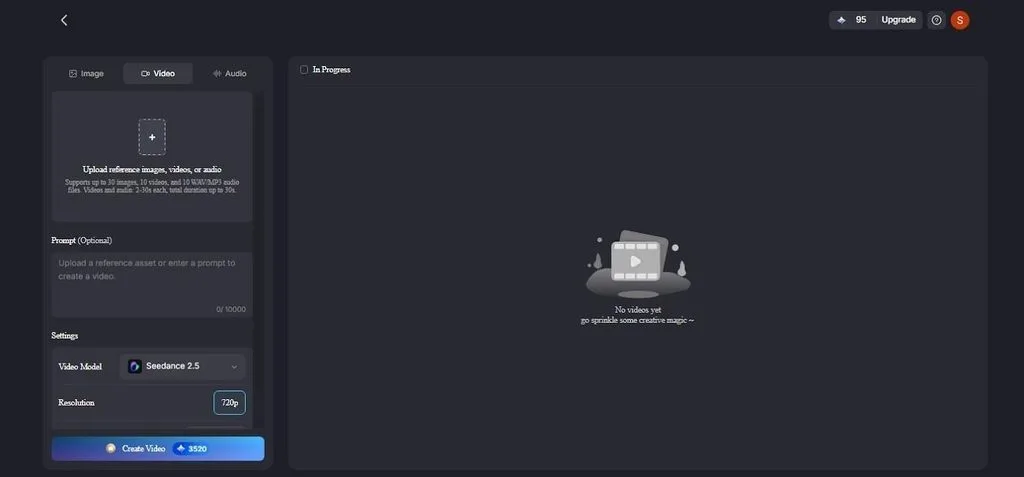
- MagicLight Agent: Provide an idea through chat, and the MagicLight Agent helps create a complete video plan with a script, storyboard, characters, and visual style. It supports different production approaches, from simpler static videos to higher-quality video generation.
Steps to Make AI Art with MagicLight AI
For anyone asking “how do I make AI art” in MagicLight AI, the whole process happens in a single Image panel. The following steps explain how you can make AI art without any learning curve required:
Step 1. Open the Image Generator
Sign in to MagicLight AI, open the Toolbox from the dashboard, and switch to the Image tab.
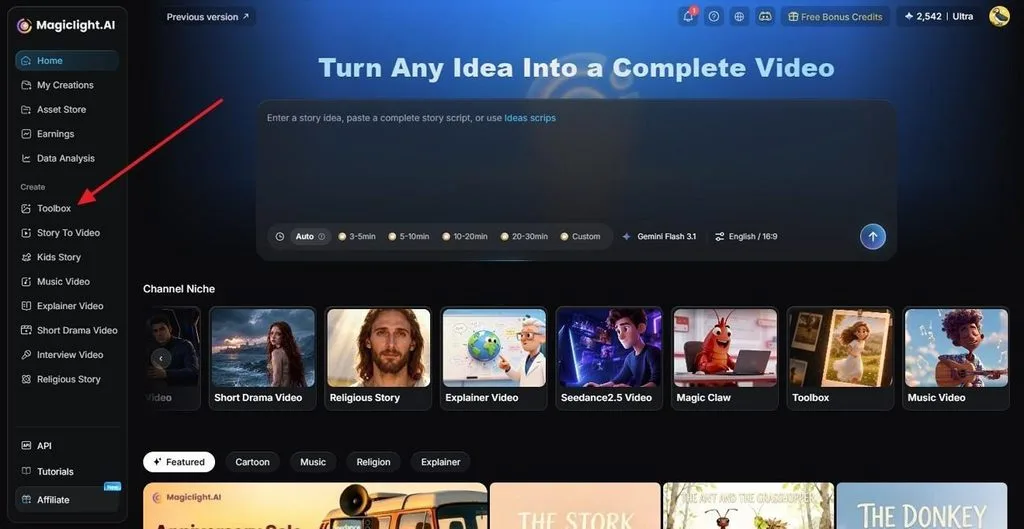
Step 2. Add Images and Prompt
Type the subject and framing into the prompt field in up to 500 characters. Add one or more reference images as you press Upload Images. Select an Image Model, set how many Outputs to generate, and choose a format under Aspect Ratios before pressing Create. A higher output count gives you more compositions to compare.
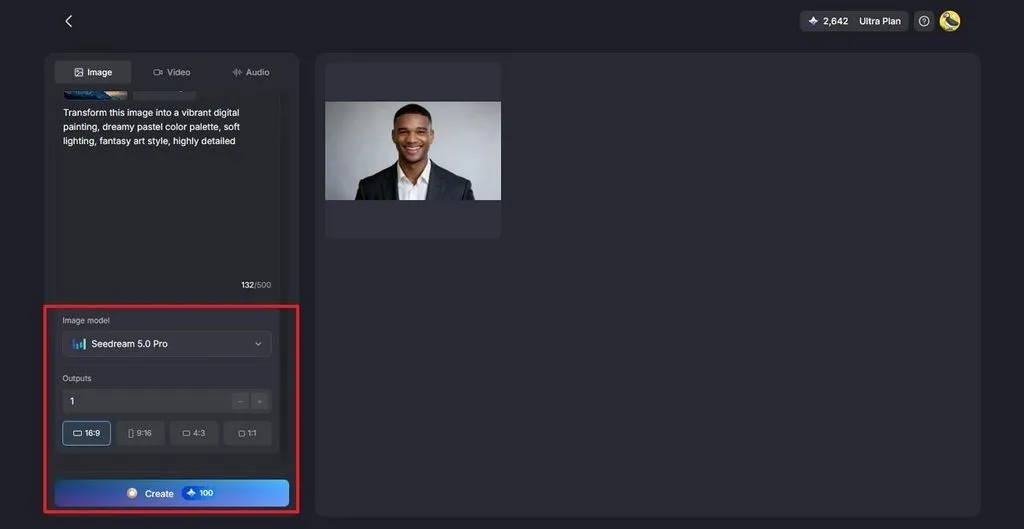
Step 3. Refine and Download
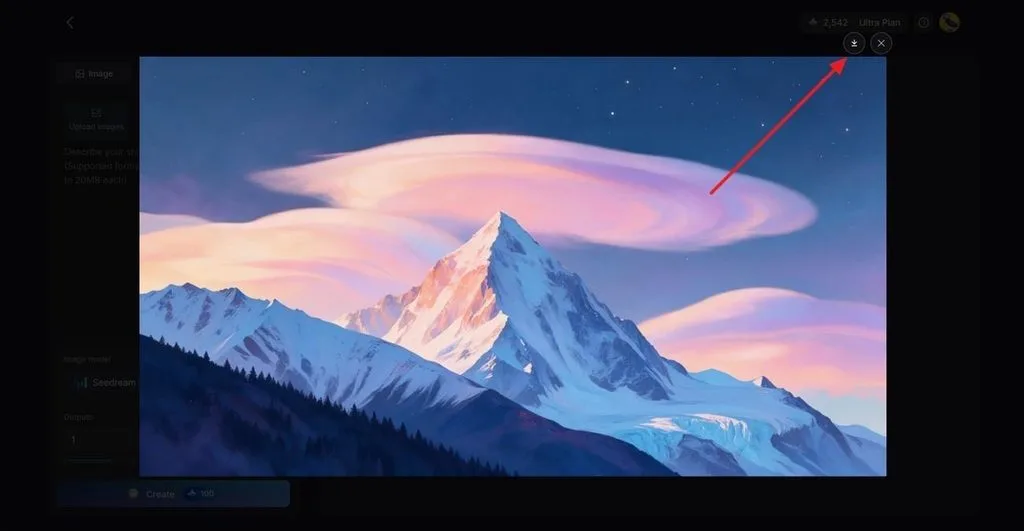
Check each result, then adjust the prompt or model and generate again if an image needs changes. When a version works, click the Download icon to save it.
Part 3. Tips for Making Better AI Art
Learning how to do AI art becomes easier when you use a consistent process. These practical tips help improve results across different AI art tools and workflows:
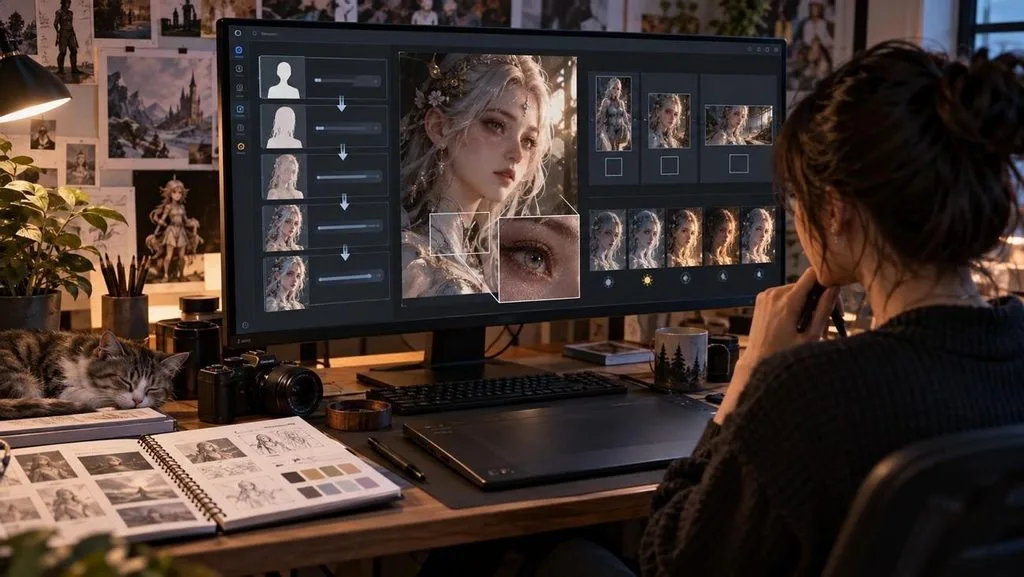
- Build the Prompt in Layers: Name the subject first, then add medium, light, palette, and camera angle. Each addition removes a guess the model would otherwise make.
- Set the Aspect Ratio First: Pick 9:16 for Reels and Shorts, 16:9 for YouTube, or 1:1 for square posts before generating. Cropping a finished image later can cut off the subject.
- Change One Detail per Run: When an image is close, adjust only the lighting, style, or angle in the next attempt. Changing several details at once hides which edit made the difference.
- Inspect the Fine Details: Zoom in on hands, eyes, text, and background edges before publishing. These areas show generation errors more often than the main subject.
- Keep a Prompt Log: Record the prompt, model, and settings behind every image you want to reuse. Those notes make it easy to rebuild a successful style in the next project.
Conclusion
The core of how to make AI art is a clear description, a model that suits the style, and patient revision. Drawing skill is optional. However, every result still needs a careful review before it is published. Image-only tools suit one-off pictures. MagicLight AI fits art meant to become a recurring character or a full video planned by MagicLight Agent.
Frequently Asked Questions
1. What is the best AI tool for making AI art?
MagicLight AI is a strong choice for most creators, since it offers multiple image models, including Nano Banana 2, Seedream 5.0 Pro, and GPT Image options. You can also turn finished images into animations or story videos without another platform.
2. Can I make AI art for free?
A free tier is enough to learn how to create AI-generated art, though most tiers limit credits, privacy, or commercial rights. MagicLight AI gives limited free credits without a card, and Stable Diffusion runs free on a capable home GPU.
3. How do I write a good AI art prompt?
A good prompt describes one image precisely, using concrete nouns instead of vague praise such as “beautiful” or “amazing.” For example, “a red fox asleep in fresh snow, loose watercolor, pale morning light, wide shot” gives a model clear direction.
4. Can I use AI-generated art commercially?
Many tools allow commercial use on paid plans, and MagicLight AI includes a general commercial license with every paid tier. In the US, images made from prompts alone generally cannot be copyrighted, so exclusive rights over them are limited.





